Managing Multiple Kids & Devices: A Family Tech Plan
One child wants a phone because their friends have one. Another is glued to a shared tablet. A third keeps borrowing the old handset you meant to wipe months ago. If your household runs on more than one kid and more than one screen, you already know the truth: a single rule pinned to the fridge doesn’t survive contact with real family life. This is about running the whole thing as a system that bends to different ages, keeps the peace, and doesn’t collapse the moment someone gets a birthday upgrade.
- Why one-size rules fail across ages
- Tailoring rules by age and child
- The fairness problem across ages
- Shared devices, hand-me-downs, and logins
- Keeping track of many devices and accounts
- The older-sibling-exposes-younger problem
- Building a household tech plan
- Dividing the mental load between parents
- Reviewing it as kids grow
- Questions parents actually ask
Why one-size rules fail across ages
The tempting move, when you’re tired, is to make one rule for the whole house. Screens off at eight. No phones at the table. Everybody gets the same. It feels fair because it’s identical, and it’s easy to remember because there’s only one of it.
Then reality shows up. A six-year-old and a fifteen-year-old don’t use a screen for the same reasons. The teenager is messaging friends, doing homework in a browser, maybe holding down a group chat that’s half their social life. The little one is watching cartoons and tapping a drawing app. Applying the teenager’s freedoms to the six-year-old is reckless. Applying the six-year-old’s limits to the teenager is insulting, and they’ll tell you so, loudly.
Ages aren’t the only variable either. One child might handle independence beautifully at eleven while another needs closer support at thirteen. Temperament matters. So does what each kid actually does online. A rule built for the average of your children fits none of them.
The fix isn’t to abandon structure. It’s to separate the values from the settings. Values are the things that apply to everyone: we’re kind online, we don’t share private stuff, we tell an adult if something feels wrong, sleep beats scrolling. Settings are the dials you turn per child: bedtimes, app access, spending, how much you check in. Same principles, different numbers. That distinction is the whole game.
Tailoring rules by age and child
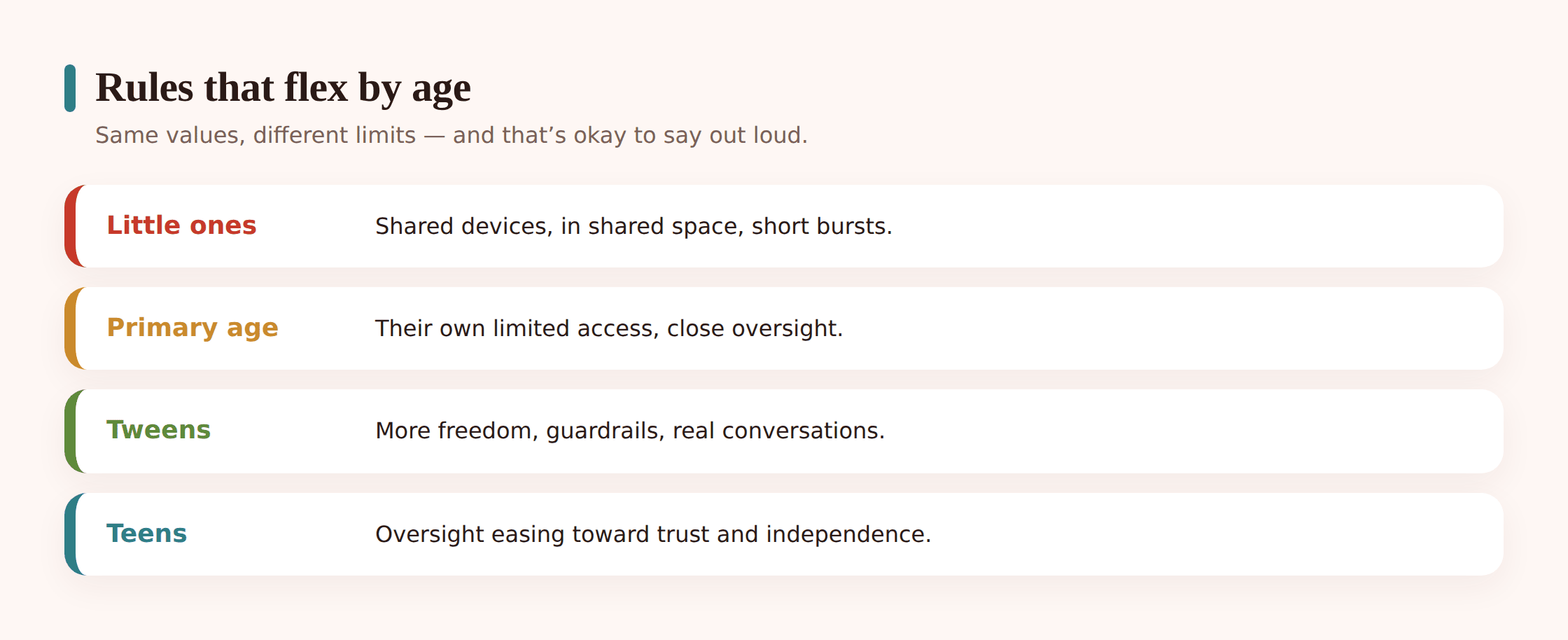
Think in stages rather than exact birthdays. A rough ladder helps everyone see where they sit and where they’re heading, which takes a surprising amount of heat out of the conversation.
Little ones (roughly under 8)
Shared devices only, used in shared spaces. Content is chosen by you, not searched for by them. Time is short and structured, usually alongside an adult. There’s no personal account, no private device, and honestly no need for one. The job here is building the habit that screens are a thing you do together, not a thing you disappear into.
Middle years (roughly 8 to 12)
This is the messy middle, and it’s where most of the friction lives. Kids start wanting their own thing, friends start having phones, and the gap between “ready” and “wanting” is at its widest. A basic device with tight guardrails often lands better than a full smartphone. Curated apps, no open app store, spending locked, generous but firm time limits. Keep talking about what they’re seeing.
Teens (13+)
More freedom, more responsibility, and a genuine shift in your role from gatekeeper to advisor. They’ll have their own phone and their own accounts. Your job moves toward coaching, occasional check-ins, and being the person they can come to when something goes sideways, without a lecture waiting on the other side. Limits still exist, but they’re negotiated more than imposed.
For a fuller breakdown of what fits at each stage, our guide to screen time by age goes deeper on the specifics. Use it as a starting map, not a verdict. You know your kid better than any chart does.
- Write down what each child currently has access to and why
- Note one freedom each is working toward, and what earns it
- Flag any rule that exists only because you’re tired, then reconsider it
- Check that siblings close in age aren’t wildly out of step for no reason
The fairness problem across ages
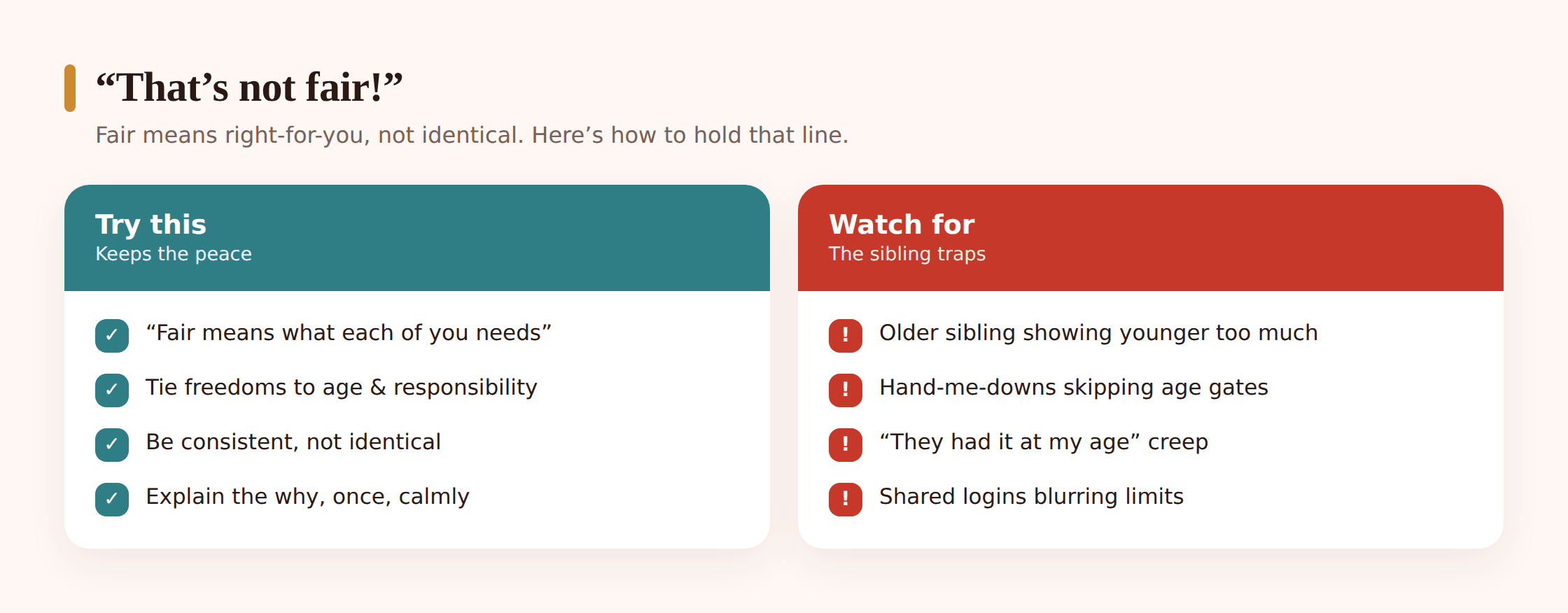
Here’s the sentence you will hear, possibly this week: “But they got a phone at my age.” Sometimes it’s true. The oldest child often pushes the boundary open and the younger ones walk through a door that’s already ajar. Sometimes it’s not true at all, but memory is generous when you want something.
The trap is treating fair as identical. Fair doesn’t mean everyone gets the same thing at the same moment. It means everyone gets what’s right for where they are, and the reasons are consistent. A ten-year-old and a fourteen-year-old having different bedtimes isn’t unfair. It would be unfair to give them the same one.
A few things genuinely help here:
Be honest about mistakes. If you gave the oldest a phone earlier than you’d now choose, you’re allowed to say so. “We let your sister have hers at ten and we’ve since learned that was a bit early, so we’re doing it differently, and we’d probably tell her the same if she were your age now.” Kids can handle a parent who’s learned something. What they can’t stand is a rule that pretends to be timeless when they can see it isn’t.
Tie freedoms to markers, not just the calendar. “When you start secondary school” or “once you’re walking home on your own” gives a younger sibling a clear, visible finish line. It reframes the whole thing from “they’re older so they win” to “here’s the moment it changes for you too.”
Let the younger one see the ladder. When kids can see that their older sibling also had to wait, also had earlier limits, also earned things step by step, the resentment softens. The problem isn’t usually the limit. It’s the feeling that the limit is personal.
Shared devices, hand-me-downs, and logins
Multiple kids means the neat one-child-one-phone model rarely holds. You’ve got a family tablet three children fight over, a hand-me-down phone doing its second tour of duty, and a smart TV logged into somebody’s account nobody can quite remember. This is where a lot of monitoring quietly falls apart.
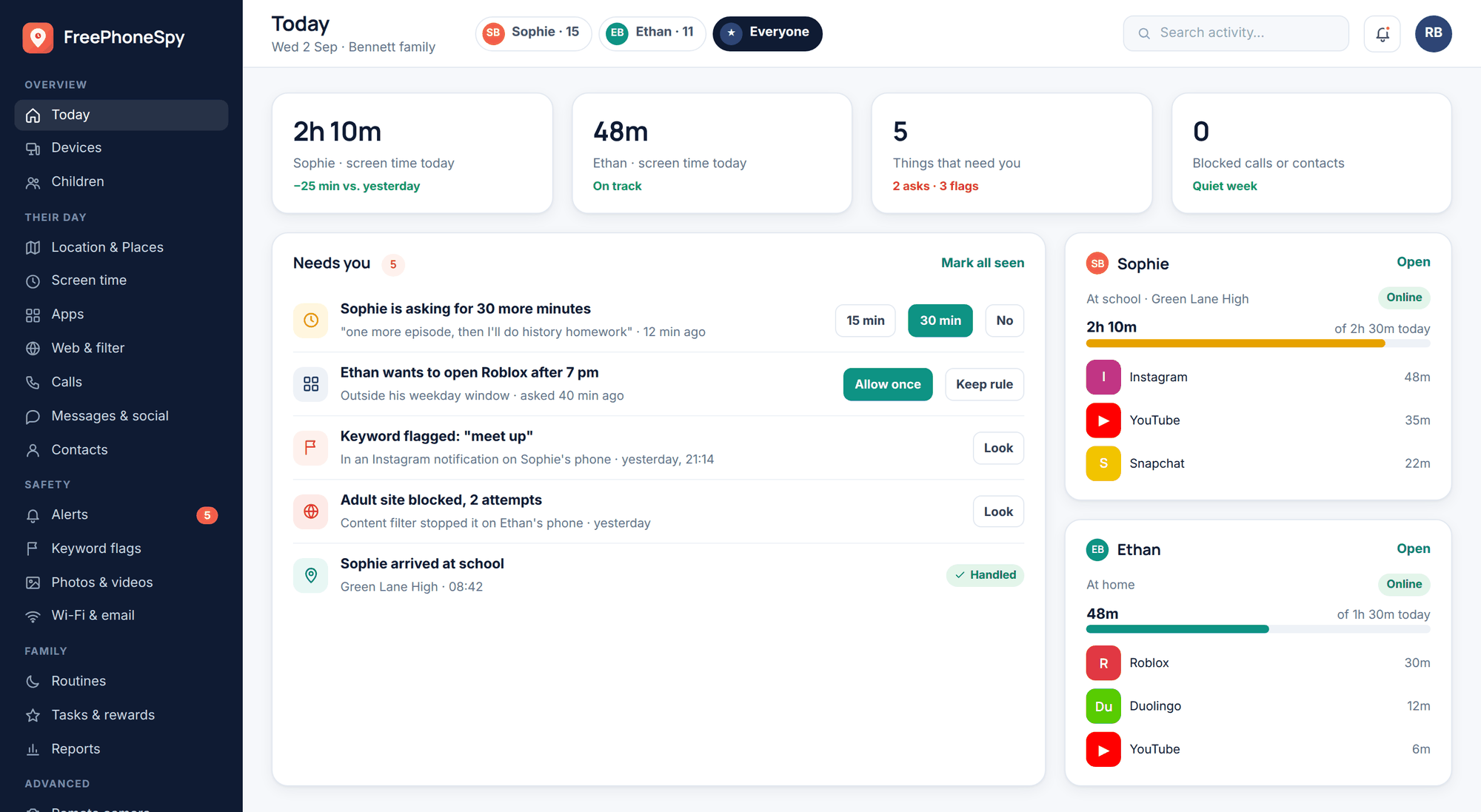
The shared family tablet
A device used by a six-year-old and a twelve-year-old at different times can’t run on one setting without failing one of them. If the platform supports child profiles, use them, so the device knows who’s holding it. Where that’s not possible, set the tablet to the youngest regular user’s level and keep it in shared space. The older child can use their own, better-suited device for the things the tablet won’t allow. It’s not perfect, but a locked-down shared tablet plus a properly-set personal device beats one tablet trying to be right for everyone and being wrong for both.
Hand-me-downs
The old phone getting passed down is a classic weak point. It arrives loaded with the previous owner’s accounts, apps, saved logins, and browsing history. Before it changes hands, wipe it fully to factory settings and set it up fresh under the new child’s age level. Don’t just delete a few apps and hope. A hand-me-down should feel like a new start, configured for the kid receiving it, not a lightly-edited version of their older sibling’s phone.
Shared logins
Streaming accounts, app stores, and cloud storage shared across the family create odd leaks. A shared streaming profile means the younger kids see whatever the algorithm learned from the teenager. A shared app store login means a child can install anything the account has ever bought. Split profiles where you can, put a PIN on purchases, and make sure a kid’s device isn’t signed into an adult’s account by default.
Keeping track of many devices and accounts
Three kids can easily mean seven or eight connected devices and a dozen accounts between them. Checking each one by hand, on each device, is exactly the kind of admin that gets started with good intentions and abandoned by February.
This is where doing it from one place earns its keep. A simple family dashboard lets you see limits and activity for several kids’ devices together, adjust bedtimes or app access per child, and notice when something’s drifted, all without hunting for each handset down the back of the sofa. FreePhoneSpy is one openly-installed option for that kind of central view, set up with the kids’ knowledge so everyone understands what it does. Whatever tool you use, the principle is the same: managing many devices only stays realistic if you’re not doing it device by device, week after week.
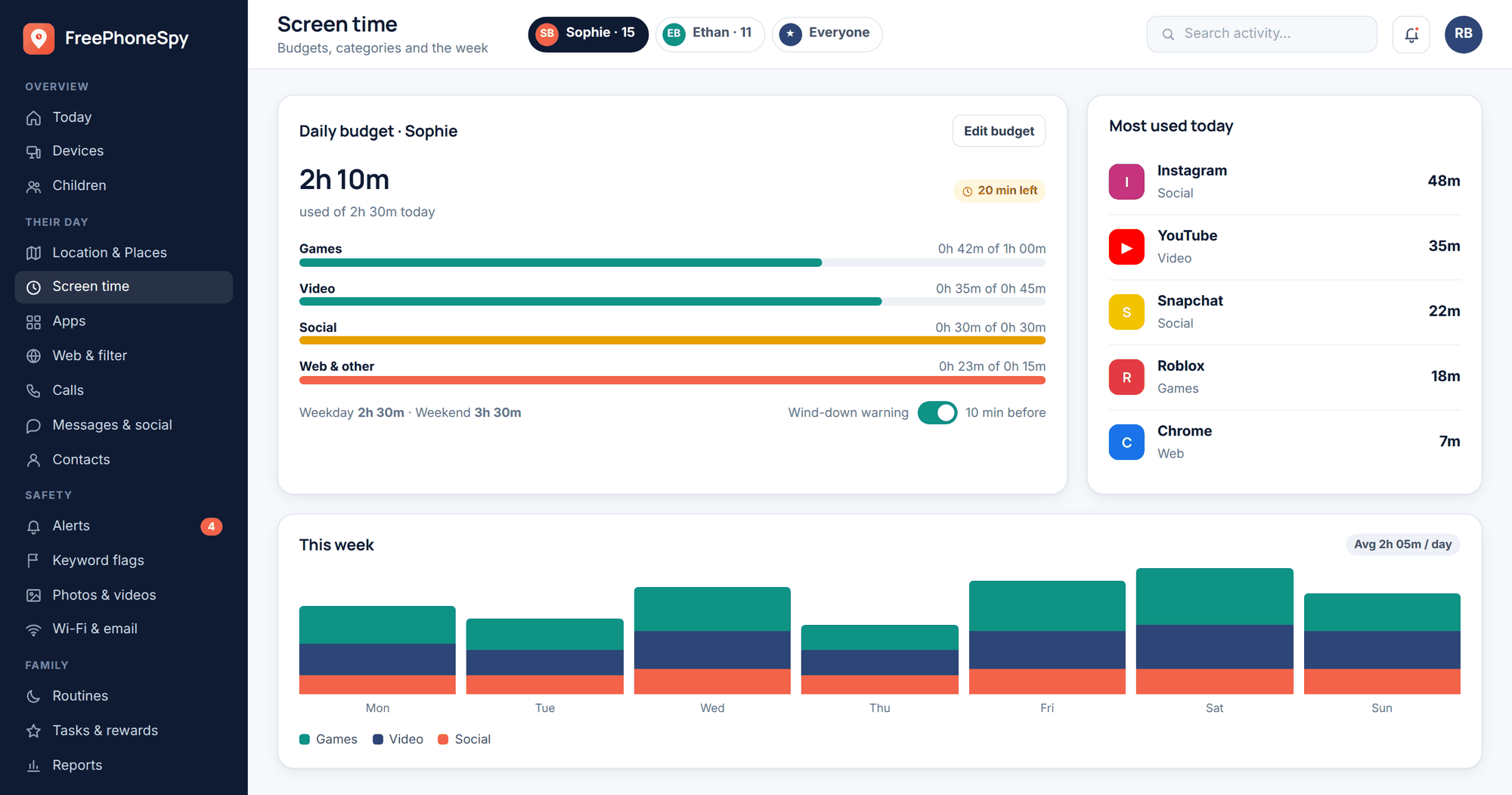
A running record helps too. Nothing fancy, a note on your phone or a shared doc between parents will do. For each device: whose it is, what age level it’s set to, what account it’s signed into, and when you last checked. When a device changes hands or a child moves up a stage, you update one line instead of trying to remember what you did six months ago.
- List every connected device and who uses it
- Note the account each device is signed into
- Record the current age level or limit set for each
- Diary a light monthly glance rather than a big annual overhaul
The older-sibling-exposes-younger problem
You can set every limit perfectly and still get caught out by the most common route of all: the older sibling. A younger child looking over a shoulder, borrowing a phone “just to see something,” or watching an unfiltered video on the teenager’s account will bypass every guardrail you built for them. It’s not malice. It’s proximity.
You won’t eliminate this, and pretending you can will just make you paranoid. But you can reduce it.
Give older kids a stake. A teenager who understands that their little sibling copies them, and who’s been asked directly to be careful about what they show and lend, usually rises to it. Frame it as trust, not chore. “You’re the one they look up to, so I’m counting on you here” works far better than a ban they’ll resent.
Keep the youngest’s content coming from their own device. The more a small child’s screen time happens on their own properly-set device, the less it depends on borrowing. Borrowed screens are borrowed rules.
Don’t punish the little one for the big one’s stuff. If a younger child sees something they shouldn’t have on a sibling’s phone, the response is a calm conversation, not a crackdown that makes the youngest afraid to mention it next time. You want them telling you, not hiding it.
Building a household tech plan
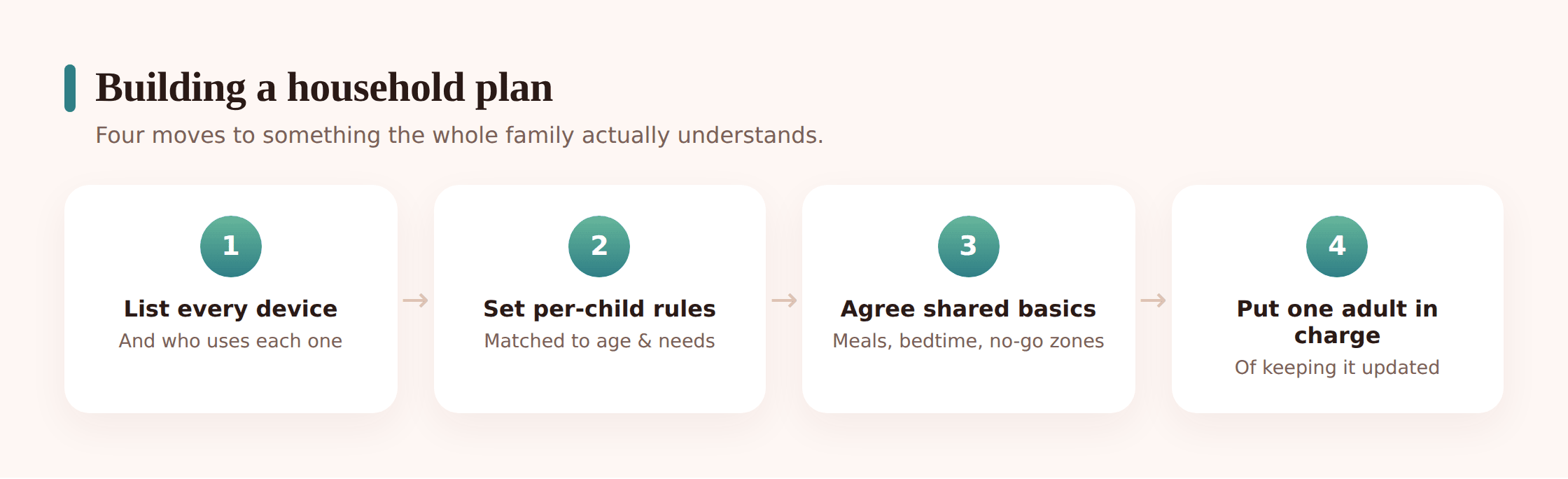
Everything above only holds together if it’s written down somewhere the whole family can see it. Not a legal document. A short, plain plan that a seven-year-old and a seventeen-year-old can both understand, even if the details differ for each. Here’s a way to build one without it turning into a weekend project.
Step 1: Agree the shared values first
Sit down together and name the handful of things that apply to everyone, regardless of age. Be kind, protect private information, tell an adult if something’s wrong, screens don’t come to bed. Keep it to four or five. These are the constants that make the per-child differences feel fair rather than random.
Step 2: Set each child’s current settings
For every kid, write down their bedtime for devices, which apps and platforms they can use, whether they can spend money, and how check-ins work for them. Do this openly, with them in the room. The point is that each child sees their own row and understands it, and can glance at the others and see the logic.
Step 3: Name what each is working toward
Give every child one visible next step and what earns it. This turns limits from walls into ladders. A younger kid stops feeling stuck when they can see exactly what the next stage looks like and roughly when it arrives.
Step 4: Write down how you’ll handle problems
Decide in advance, calmly, what happens when a limit gets broken or something upsetting turns up. Kids cope far better with consequences they knew about beforehand than with a reaction invented in the heat of the moment. Agreeing it while everyone’s calm is the whole trick.
Step 5: Put it somewhere everyone sees it
A shared note, a whiteboard, a printout on the fridge. Visible beats filed away. A plan nobody can find is a plan nobody follows.
If you want a firmer version that older kids actually sign up to, our family phone agreement guide pairs neatly with this, and the habits that make any plan stick are covered in our piece on healthy digital habits. The plan sets the rules; the habits are what make them fade into the background of normal family life.
Dividing the mental load between parents
In a lot of homes, one adult ends up quietly holding the entire picture in their head. Which kid has what, when the limits reset, whose device needs wiping, what got promised to the eleven-year-old about their birthday. That mental load is real work, and it’s invisible until the person carrying it drops something or burns out.
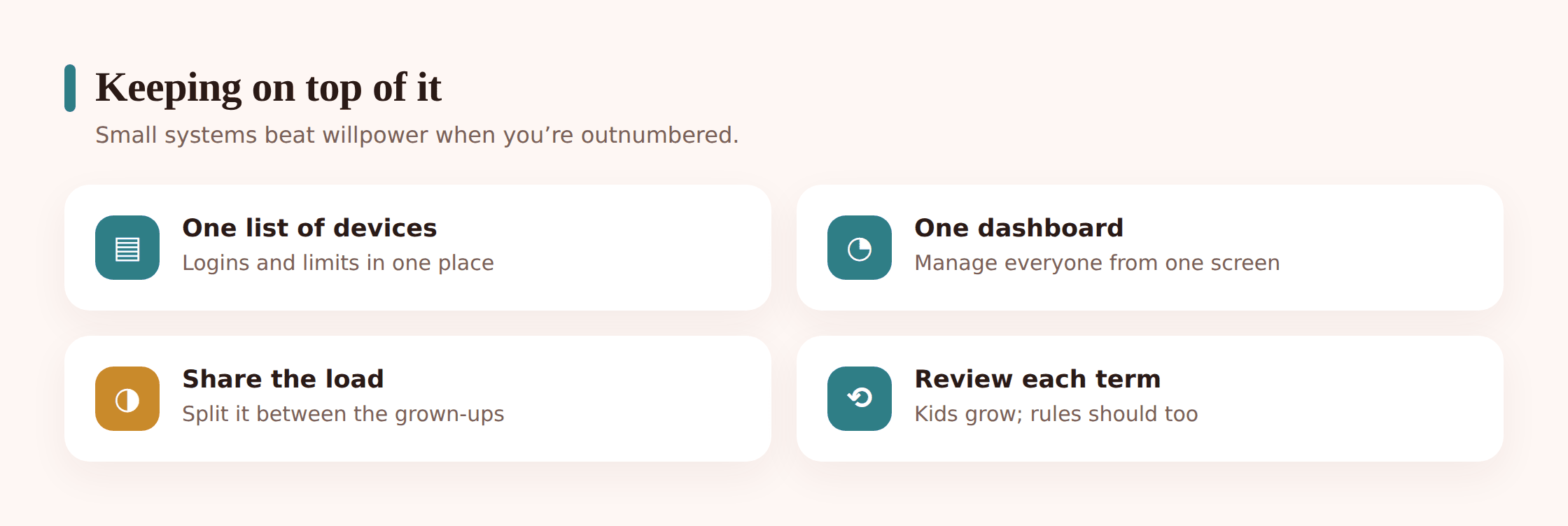
Split it deliberately. It doesn’t have to be even, but it should be shared and clear. A few ways families divide it:
- One parent owns the younger kids’ setup, the other owns the teens
- One handles the technical side, the other leads the conversations
- You alternate the monthly check so neither person is always the enforcer
- Both can see the same dashboard, so nobody’s working from a stale memory of what’s set
Shared visibility matters most of all. When both carers can see the same plan and the same limits, you stop the situation where one parent quietly overrides the other, or where a kid plays one against the other because only one of you actually knows the rule. It also means that if one adult is away, ill, or just having a rough week, the whole system doesn’t wobble. Co-parents in separate homes can use the same principle: one written plan, agreed between you, so the child isn’t crossing a border into different rules every weekend.
Reviewing it as kids grow
A tech plan built for your kids this year will be wrong next year, because they’ll have grown and the tech will have moved. That’s not a flaw. A plan you never revisit is just a museum piece on the fridge.
Build in a proper review once or twice a year, on top of the light monthly glance. Birthdays are a natural trigger, so is the start of a new school year. At each review, ask a few plain questions. Is anyone ready for the next stage? Is any limit now doing more harm than good, breeding sneaking instead of trust? Has a new app or platform arrived that the plan doesn’t cover? Are the older kids getting genuine credit for handling freedom well?
Do the review with the kids, not about them. Older children especially respond well to being asked what’s working and what feels dated. It signals that the plan is a living agreement you all share, not a set of rules handed down and never questioned. A kid who helped shape the plan is far more likely to keep to it. For a structured way to walk through every device at review time, our family digital safety check-up gives you a device-by-device pass to run alongside the conversation.
The households that manage multiple kids and devices well aren’t the ones with the strictest rules or the fanciest tools. They’re the ones running a clear, visible, fair system that everyone understands and that grows up alongside the children. Get the system right and the day-to-day mostly runs itself. That’s the whole point: less policing, more trust, and a plan that survives the next birthday.
How do I set different rules for different ages without constant arguments?
Separate your values from your settings. The principles are the same for everyone; the specific limits differ by stage. When kids understand that a younger sibling’s earlier bedtime comes from the same reasoning that applied to them at that age, the arguments shrink. Explaining the reason matters more than the number itself.
My oldest got more freedom earlier than I’d now allow. What do I tell the younger ones?
Be honest. Say that you’ve learned since then and you’re doing it differently, and that you’d apply the same updated thinking to the oldest if they were that age now. Kids respect a parent who admits they’ve adjusted. What frustrates them is a rule that pretends to be consistent when it plainly isn’t.
How do I handle a tablet that a young child and an older one both use?
Use child profiles if the device supports them, so it applies the right settings to whoever’s signed in. If it doesn’t, set the shared device to the youngest regular user’s level and keep it in a shared space, while the older child uses their own properly-configured device for anything the tablet won’t allow.
What should I do before handing an old phone down to a younger sibling?
Wipe it fully to factory settings, then set it up fresh under the new child’s age level and account. Don’t just remove a few apps. A hand-me-down carries the previous user’s logins, history, and installed apps unless you reset it properly, and those are exactly the leaks you don’t want.
How can I keep track of several kids’ devices without it taking over my life?
Manage them from one place rather than device by device. A central family dashboard lets you see and adjust limits for multiple kids together. Keep a simple written record of each device, its owner, its account, and its current settings, and do a light monthly check instead of a big occasional overhaul.
How often should we update the family tech plan?
Glance at it monthly and do a fuller review once or twice a year, with birthdays and new school years as natural prompts. Include the kids in the review. As they grow and the technology shifts, the plan needs to move with them, and a plan that’s revisited together is one they’re far more likely to keep.