A Parent’s Guide to Screen Time by Age
“How much screen time should my child get?” has no clean answer, which is why it gets asked so often. The number that suits a nine-year-old on a school night is wrong for a sixteen-year-old on a Saturday, and any chart that claims otherwise is selling certainty it does not have. What follows is a set of starting points by age band, what changes about screen time at each stage, and how to adjust as your child grows, so the limit you set at seven is not the one they are still living under at fourteen.
Why there’s no magic number
Screen time is not one thing, and that is the root of the confusion. An hour video-calling a grandparent, an hour on a math worksheet, and an hour scrolling a feed designed to be bottomless are three different hours, and no single daily cap can tell them apart. This is why official guidance has moved away from hard hour limits toward looking at what the time displaces (sleep, exercise, homework, time with other people) and whether the child can stop when asked.
So treat any by-age number, including the ones below, as a starting point for a conversation rather than a prescription. The right amount depends on age, but also on what else fills the child’s day, what they are doing on the screen, and how they behave when it goes off. Start somewhere reasonable, watch for a week, and adjust. That process beats any chart.
Sensible leisure limits by age: a starting point
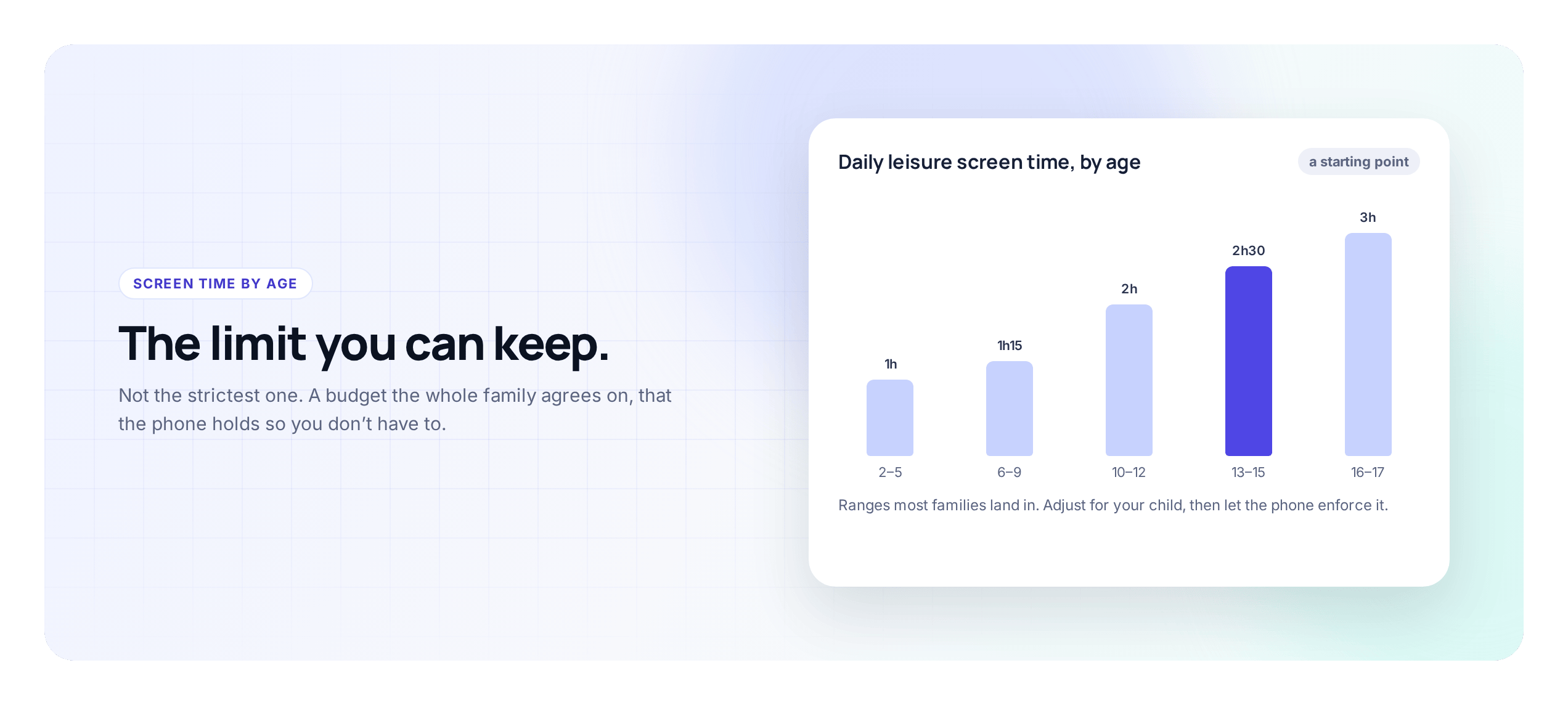
With that caveat in place, parents still want somewhere to begin. Here is a reasonable frame for recreational screen time, meaning games, video and social, not homework or calls home. Think of these as opening numbers you will tune.
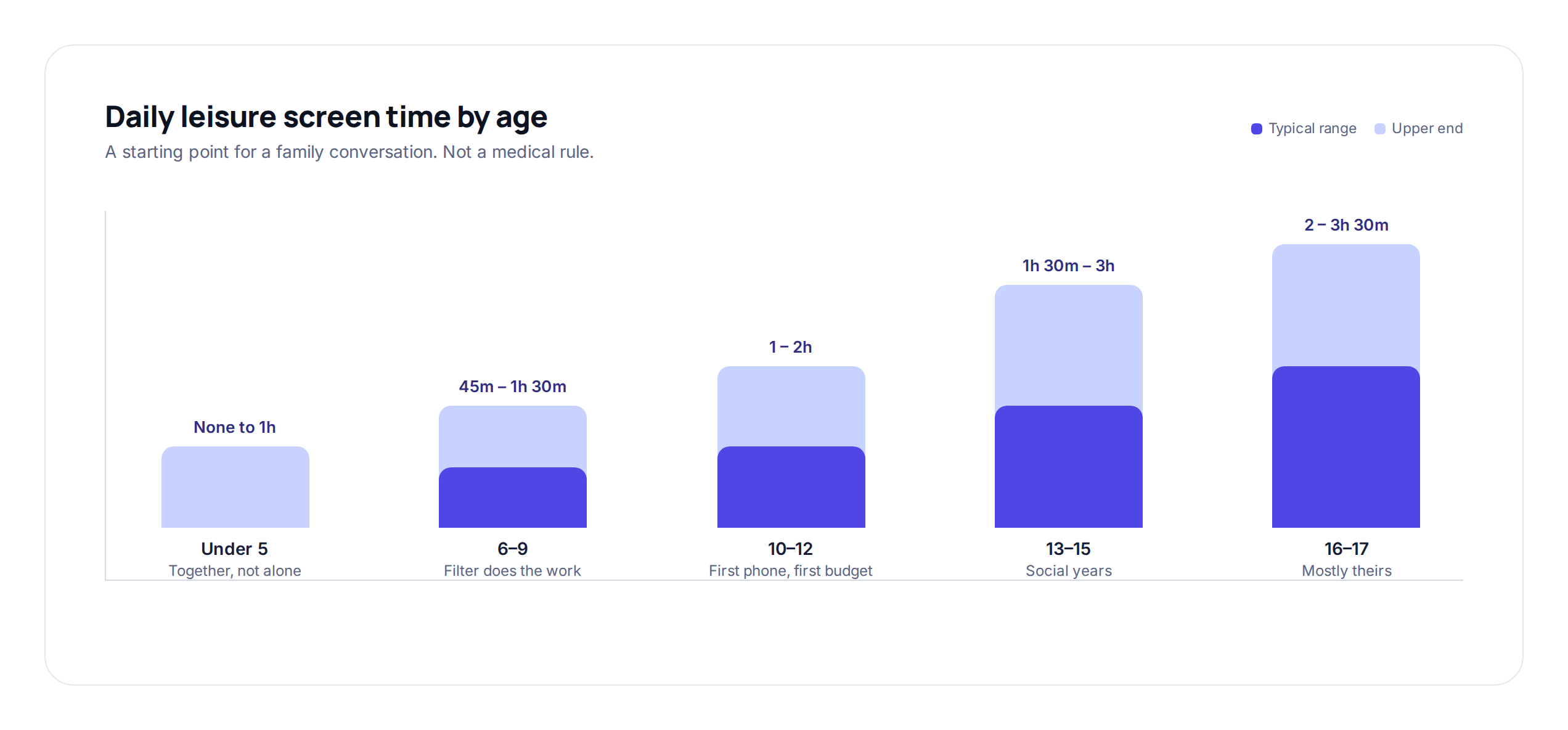
Under 5: very little, and shared rather than solo: a short video watched together, a video call with family. At this age who is watching with them matters more than the minutes, and a device handed over to keep a toddler occupied is the habit to avoid, not the number.
Ages 5–8: around half an hour to an hour of leisure screen time on a school day, more relaxed at weekends. Children this age cannot self-regulate yet, so the limit has to do the stopping for them, and a warning a few minutes before the end matters more than it will later, because a sudden cut-off at six feels like an injury.
Ages 9–12: roughly an hour to ninety minutes of leisure time on school days, with weekends looser. This is the band where a budget the child can watch tick down, rather than you calling time, starts to earn its keep, and where the first real phone usually arrives.
Ages 13–15: often around two hours of recreational time on a school day, but this is where the number matters least and the shape matters most. A teenager with heavy homework and a sport needs the time protected differently from one with a light week, and the fight at this age is rarely about the total. It is about social apps at night.
Ages 16–17: increasingly self-managed. Rather than a tight cap, aim for a default they largely set themselves, with the non-negotiables (sleep, homework getting done) protected. In a year or two there will be no limit at all, so this is the practice run.
If you want these numbers alongside everything else that changes with age, including location, apps and privacy, the age-by-age monitoring guide puts screen time in that wider picture.
A budget, not a ban, at every age
Whatever number you land on, the shape of the rule matters more than the figure. A daily budget the child spends, rather than a ban you enforce, is the version that holds across every age band above, though it looks different at each one. For a five-year-old the budget is really just a limit with a warning, because they are not yet making trade-offs. By nine or ten, a child can understand that forty minutes on a game now means forty fewer for videos tonight, and that is the age to start showing them the budget and letting them decide. By fourteen, the budget should mostly be theirs to allocate, with you setting the total and the bedtime and leaving the rest.
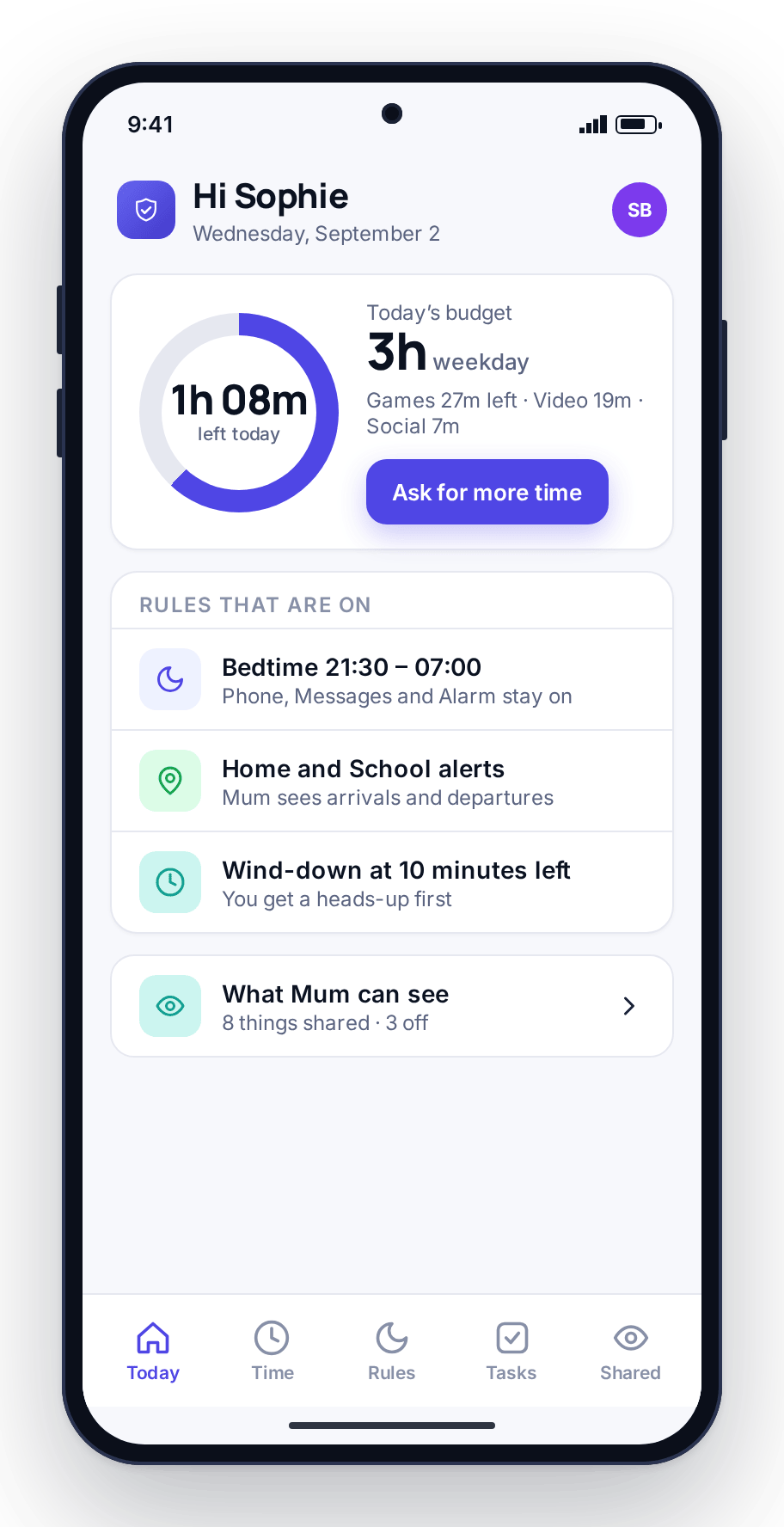
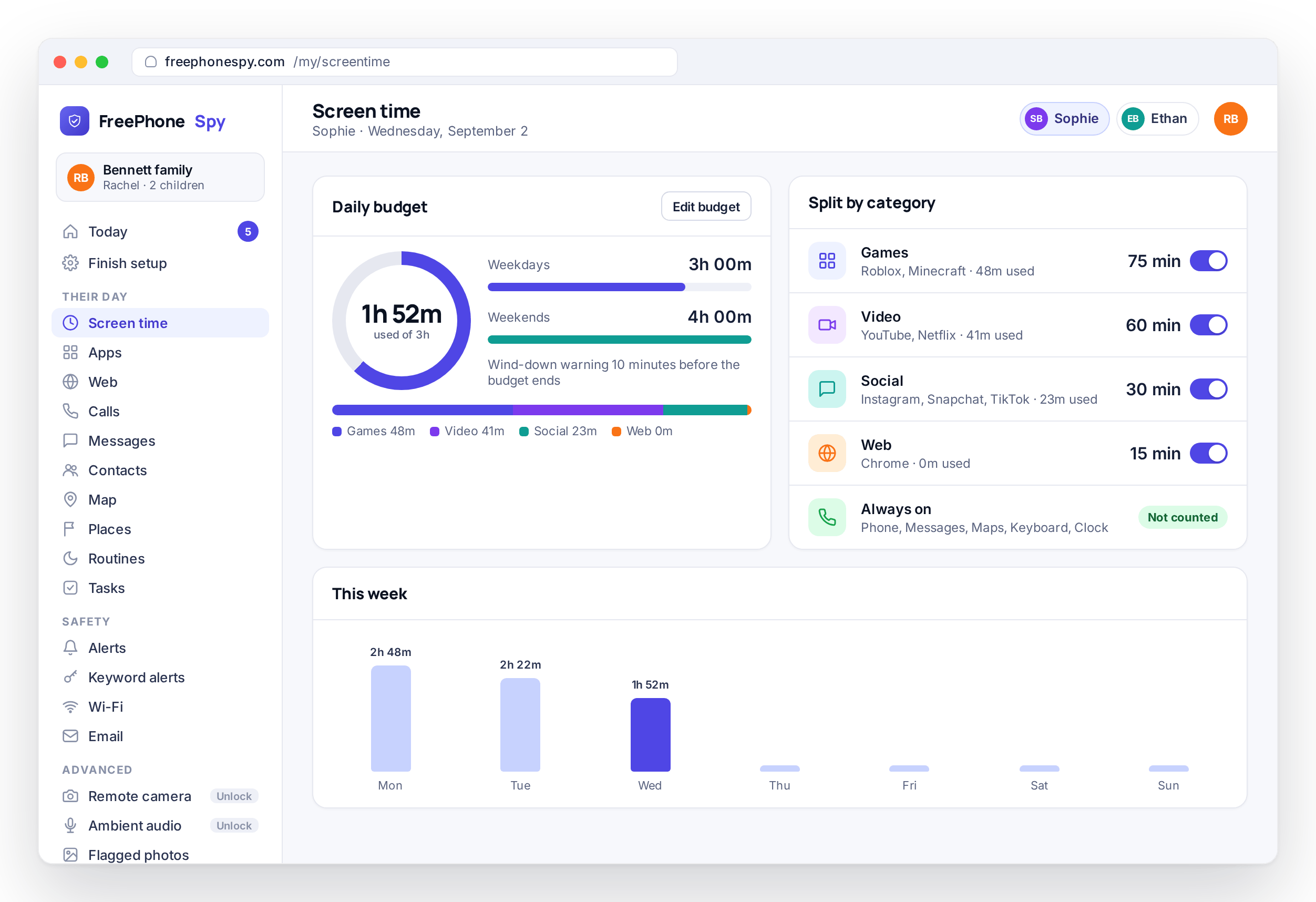
In practice that means a daily minute budget per child, split across games, video, social and web, with different amounts for weekdays and weekends, and the phone showing a wind-down warning as the minutes run low and then enforcing the limit itself. FreePhoneSpy screen time works that way. The full case for budgets over bans, and how to build one that lasts, is in screen time that sticks; this guide stays on what changes by age.
Homework time vs leisure time
One reason blanket limits feel unfair is that they lump homework in with entertainment. A child told they have “used up their screen time” while a math worksheet is still open in the browser has a legitimate complaint, and it teaches them the whole system is arbitrary. Splitting the two fixes it, and the split matters more each year as more schoolwork moves online.
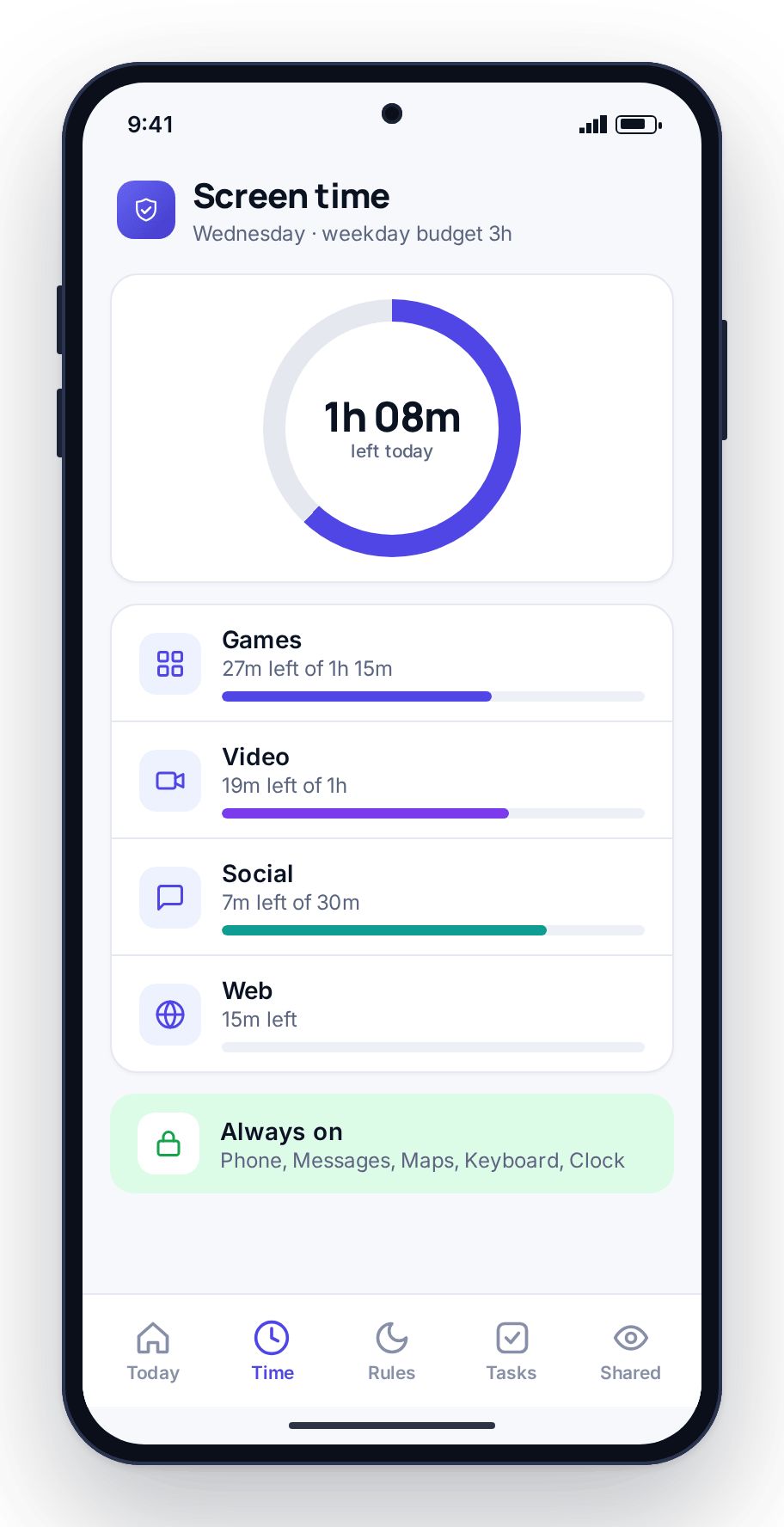
The by-age numbers above are for leisure. Work should not come out of the same pot. Practically, that means keeping the tools a child needs for homework and for reaching you off the leisure budget entirely: the phone, messages, maps and a browser for looking things up should always work. Essential apps stay untouchable in the FreePhoneSpy setup for this reason, so a child never has to choose between finishing an assignment and having minutes left for the evening.
It also means accepting that “I need it for homework” is sometimes true and sometimes a route to Discord, and that this changes with age. At eight the claim is rare and easy to check. At fourteen it is daily and hard to verify. The answer at that age is not suspicion but a homework-hour routine that keeps the browser and messages working while games, video and social go quiet for a set window, so the phone stays useful for work and boring for everything else.
Bedtime by age
If you only get one thing right, make it bedtime. More screen-time damage comes from the phone stealing sleep than from the raw daily total, and a bedtime wind-down is the single most effective routine most families set. What changes with age is the time and the pushback, not the principle.
For young children the wind-down is early and absolute, and the device sleeps in a family room. Around ten to twelve, the first phone arrives and with it the first “but everyone else stays up,” so this is when a scheduled bedtime window that the phone enforces itself starts paying off: games, video and social go off at the set time regardless of budget left, while messages and an alarm still work. With routines you set the window once and it runs every night. For teenagers, the time shifts later, weekends may differ from school nights, and the routine stops being something you police because there is nobody to argue with when the phone does it.
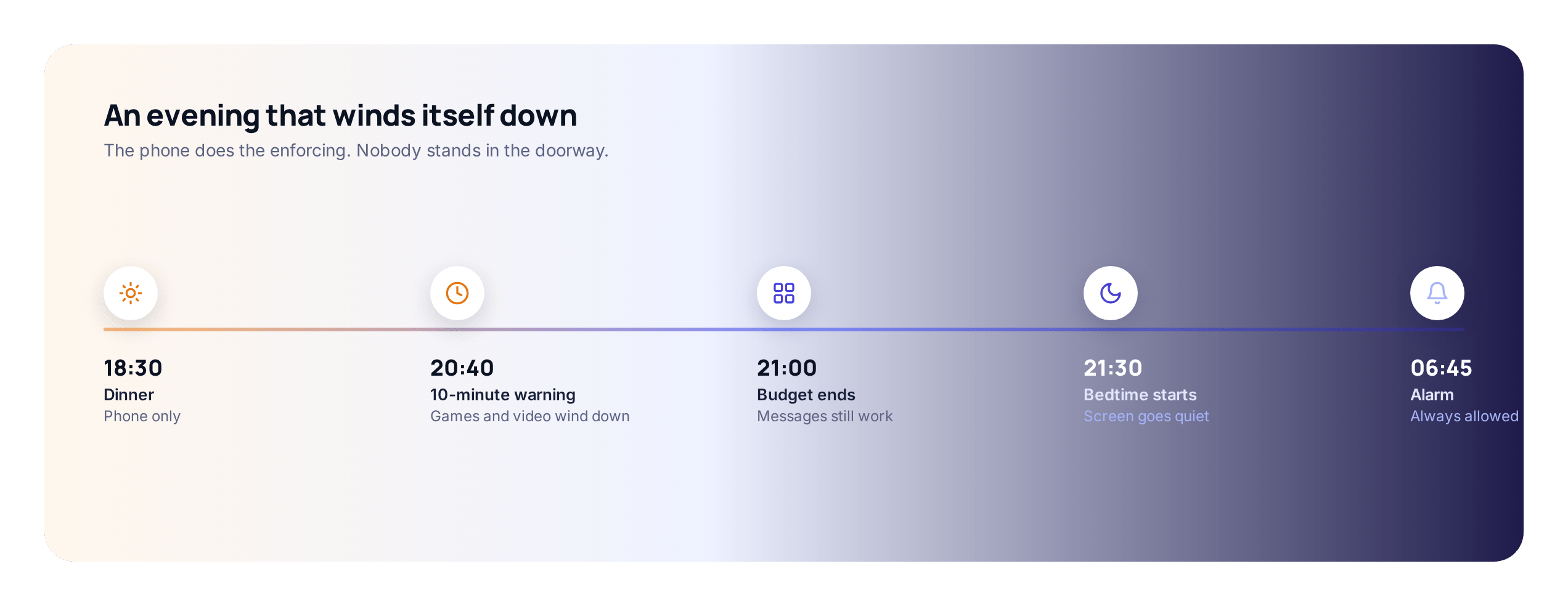
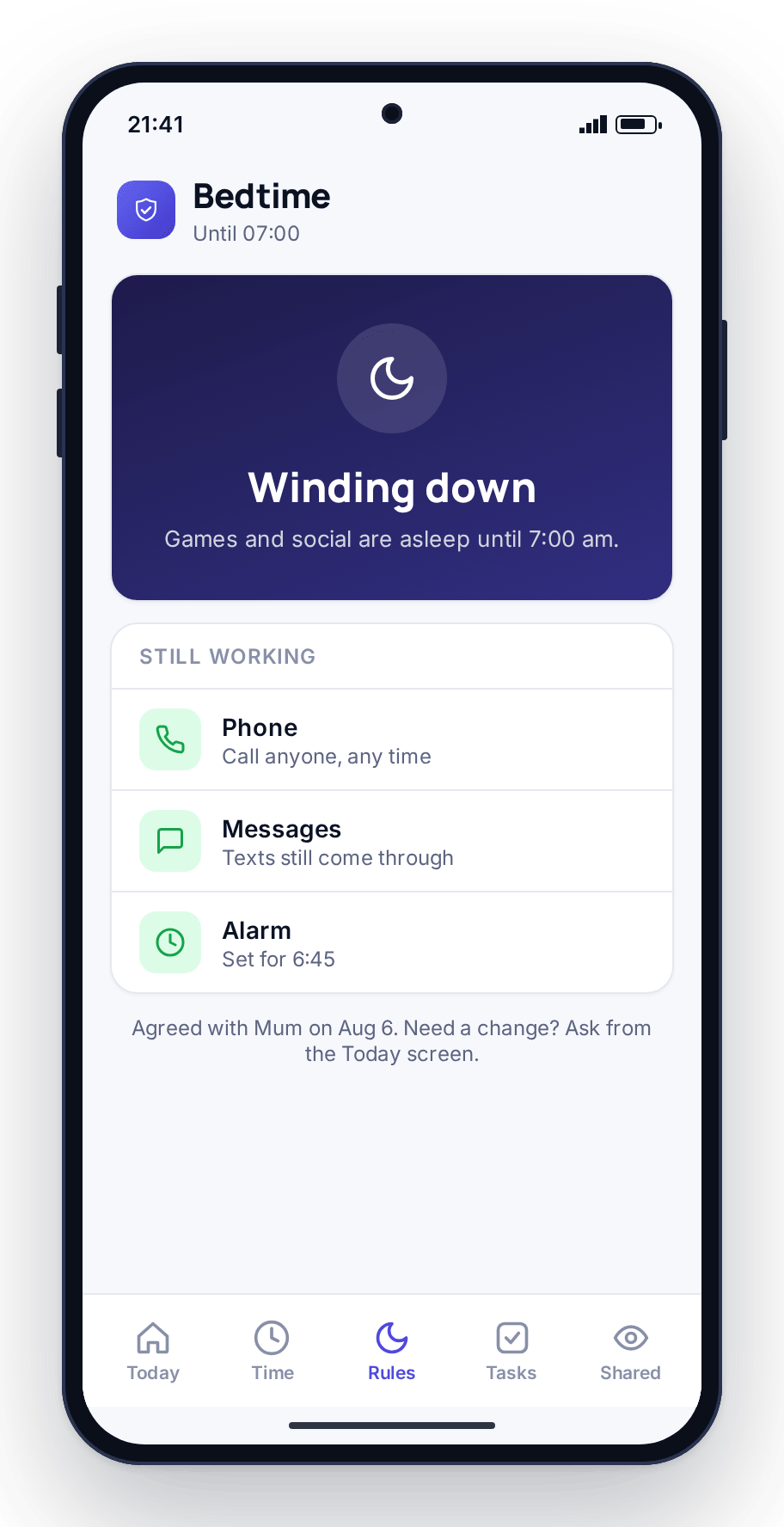
A few things make the wind-down work at any age. Give a warning window: a wind-down that hits without notice feels like a snatch, and a five- or ten-minute heads-up lets a child finish the level or the message. Keep the time consistent across the school week so it becomes a rhythm. And, where you can, have the phone charge outside the bedroom, because the routine handles the software and the charging spot handles the temptation.
Earning extra time: what works at each age
A budget can grow, which a ban never can, and letting a child earn minutes for real effort changes their relationship with the limit. What they can earn it for should change with age.
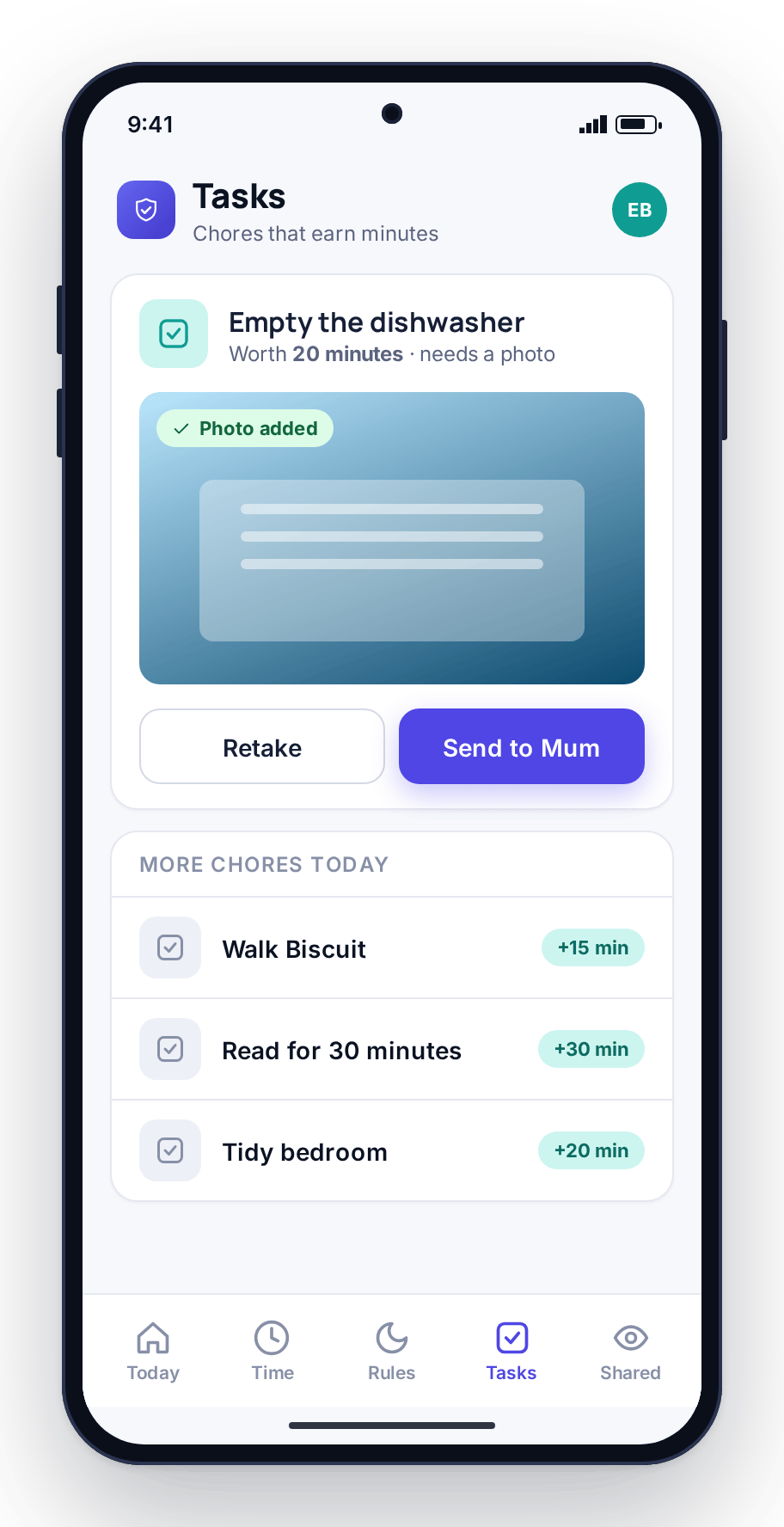
For a seven-year-old, the reward needs to be immediate and the task small: tidy the toys, ten minutes of reading, and the minutes appear the same day. At ten to twelve, chores with a bit of proof work well, such as walking the dog, emptying the dishwasher or practicing an instrument, with a photo sent from the phone and a parent approving from the panel. The tasks and rewards flow is built around that approve-with-proof step. By fourteen or fifteen, the earning is often better tied to bigger things, a week of homework done without reminders or a good stretch of keeping the bedtime, and paid out as a higher weekend budget rather than minutes tonight.
At every age, keep a baseline they always get. Make every minute a chore and the phone becomes a grind and the chores become resented. A reliable base plus a modest amount to earn is where most families settle. (This is also how FreePhoneSpy itself stays free: you keep it going by completing simple tasks such as leaving a review or sending feedback.)
Holding the limit as they get older
Setting a limit is easy. Holding it changes character as your child grows, and the approach that works at six will fail at thirteen.
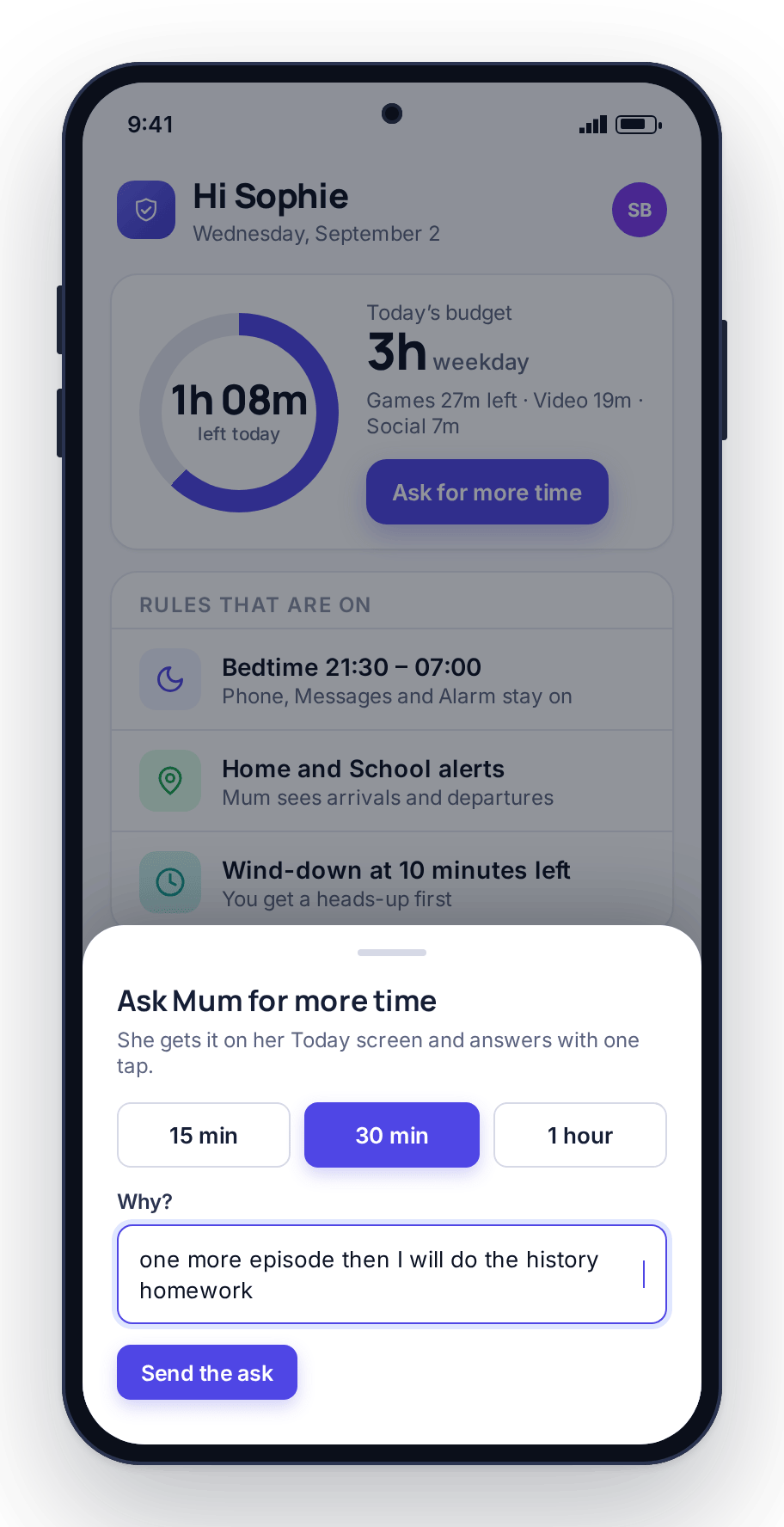
With a young child, holding the limit is mostly about consistency and the warning. If the phone says five minutes left and then stops, and it does that every day, the tears fade within a couple of weeks. With a ten- to twelve-year-old, the request for more time appears, and how you handle it teaches them how to ask. Letting the child send a request with a reason, and answering with 15, 30 or No from wherever you are, keeps the default as no while leaving room for a good reason such as finishing the episode they started. Over time the unreasonable asks fade, because they stop working.
With a teenager, holding the limit is less about enforcement and more about credibility. If they helped set the number, and they have seen it loosen when they kept their side, they have little reason to fight it. If the number was announced and has never moved, they will fight it every night. Review the budget every school term, raise it when it is earned, and say why. For the mechanics of requests, routines and adjusting over time, screen time that sticks goes through each in detail; the complete guide places all of it alongside location, apps and alerts.
FAQ
How much screen time is right for my child’s age?
Use the by-age ranges above as a starting point: roughly half an hour to an hour of leisure time for 5–8s, an hour to ninety minutes for 9–12s, up to a couple of hours for teenagers, all looser at weekends. Then judge by what the time displaces. If sleep, homework and exercise are intact and they can stop when asked, the amount is probably fine.
Is the by-age chart based on medical guidance?
It is a starting point for a family conversation, not a clinical rule. Most official guidance has moved away from fixed hour limits toward looking at what screens displace and whether a child can put the device down. If your pediatrician has given you specific advice for your child, follow that over any general chart.
Should homework count toward the screen-time limit?
No. The by-age numbers are for games, video and social. Keep the tools needed for schoolwork and for reaching you, such as the phone, messages, maps and a browser, off the leisure budget. For older children, a homework-hour routine that quiets games and social while leaving the browser open handles the “I need it for homework” problem better than checking up on them.
Does bedtime need to change as they get older?
The time does; the rule does not. A seven-year-old’s device sleeps in a family room from early evening. A twelve-year-old gets a scheduled bedtime window the phone enforces. A sixteen-year-old’s window is later and may differ at weekends, but it still ignores earned and requested extra time. Sleep is the one limit worth holding firm at every age.
Can my child earn more screen time?
Yes, and the way they earn it should suit their age. Small same-day tasks work for young children, chores with a proof photo suit ten- to twelve-year-olds, and teenagers respond better to a higher weekend budget earned over a week of keeping their side of the deal. Always keep a baseline they get regardless, so the phone does not become a wage.