
A free phone spy app your child can see
FreePhoneSpy is a parental monitoring app for your child’s Android phone, managed from any browser. There is no parent app to install and nothing hidden. The app is visible on your child’s phone, it has a Transparency screen listing what it shares, and nothing is monitored until you switch a feature on. Location, screen time, app limits, and alerts are free to start, with no card.
Android child app
Runs in any browser
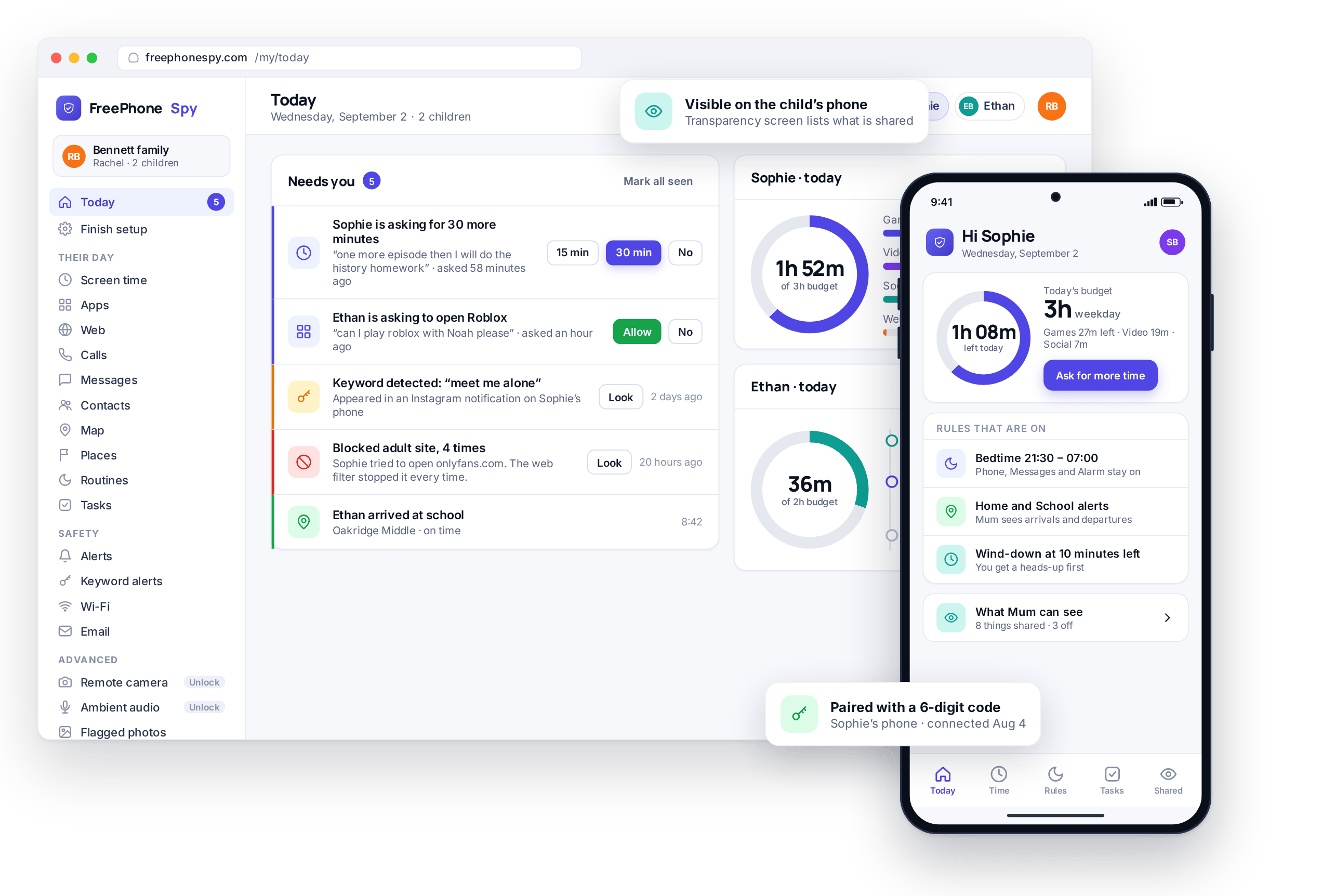
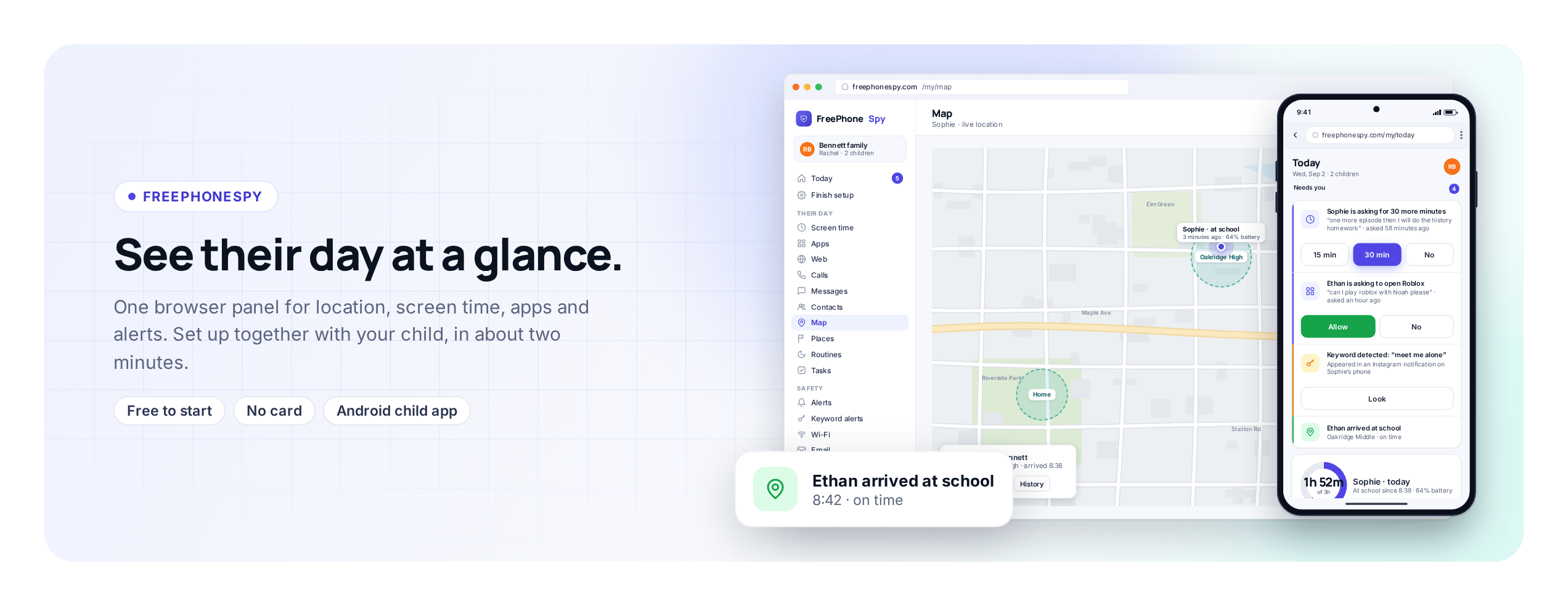
Most apps sold as a “free phone tracker” advertise the fact that they are invisible. FreePhoneSpy is built the other way round. It is for parents looking after their own children, and for families managing a device they own, with the child’s knowledge. You get a working safety net without pretending your teenager will not notice an app on their own phone.
Because the app is visible, its job is to hold the rules you would set anyway and to answer the everyday questions before they turn into a text argument: whether the phone reached school, whether bedtime is holding, who the unknown number is. You set what you need in the browser, your child can see what you set, and the phone enforces it.
The five features families use most
These are the tools most families run, in the order the panel lists them. Each one is a real screen you can open in the demo. If one of them describes an argument you keep having at home, start there.
The Today dashboard and its “Needs you” list
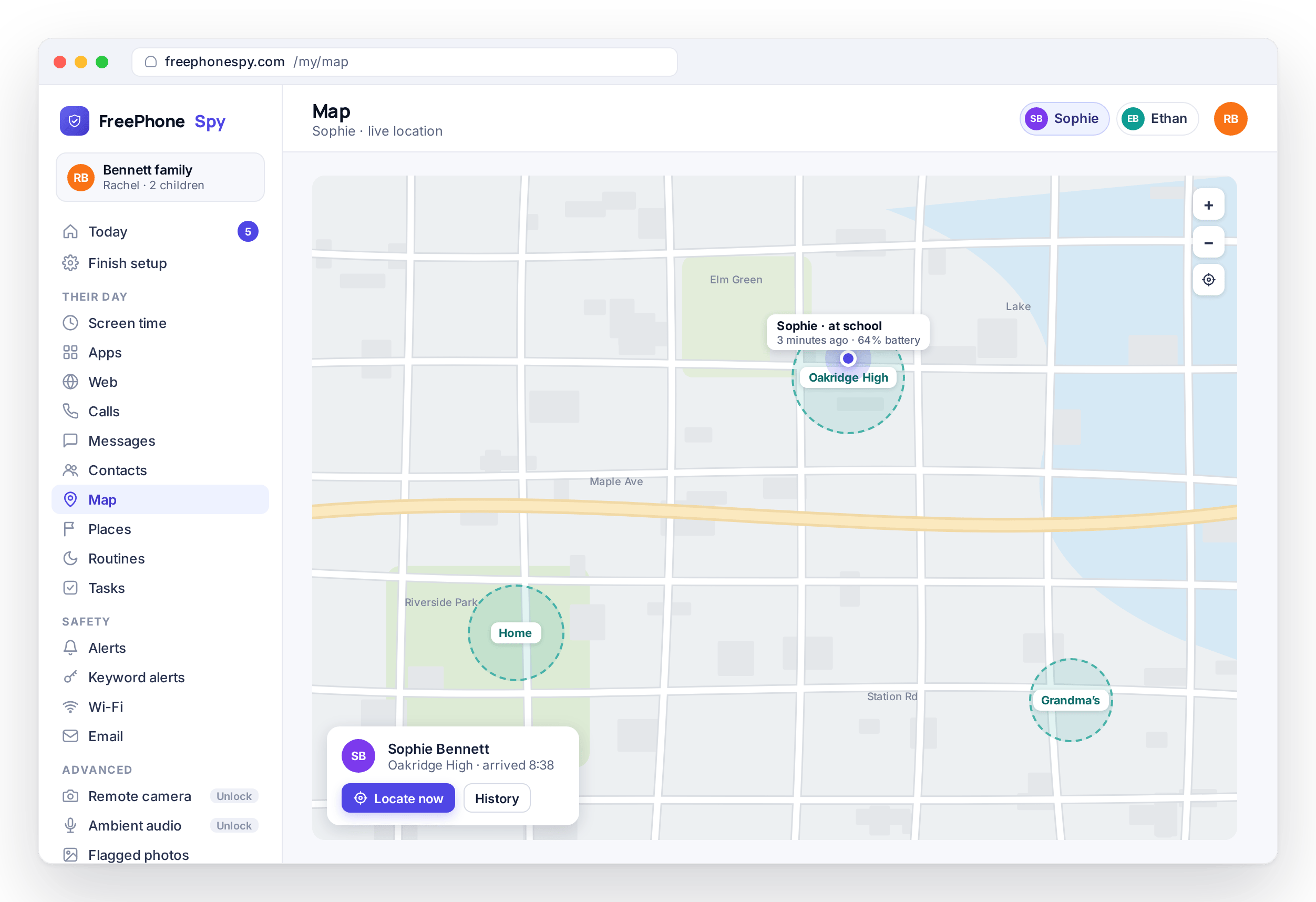
Open the Today dashboard and it shows only the items that need a parent: a request for more minutes, a keyword that was flagged, a site that was blocked, a phone that arrived at school. It is a thirty-second check over coffee rather than a wall of data. When there is nothing to see, the list is empty.
A monitoring app that buries you in notifications gets ignored within a week, so the Today screen surfaces only the handful of things that need a decision and keeps the rest in the background. Once you have handled an item, it clears from the list.
- A single “Needs you” feed, sorted by what matters
- Ask requests you answer with one tap
- An empty list when the day has nothing to report
The Today screen draws on every feature below it. The weekly view is on activity reports and insights.
Location and Places: did they get to school?
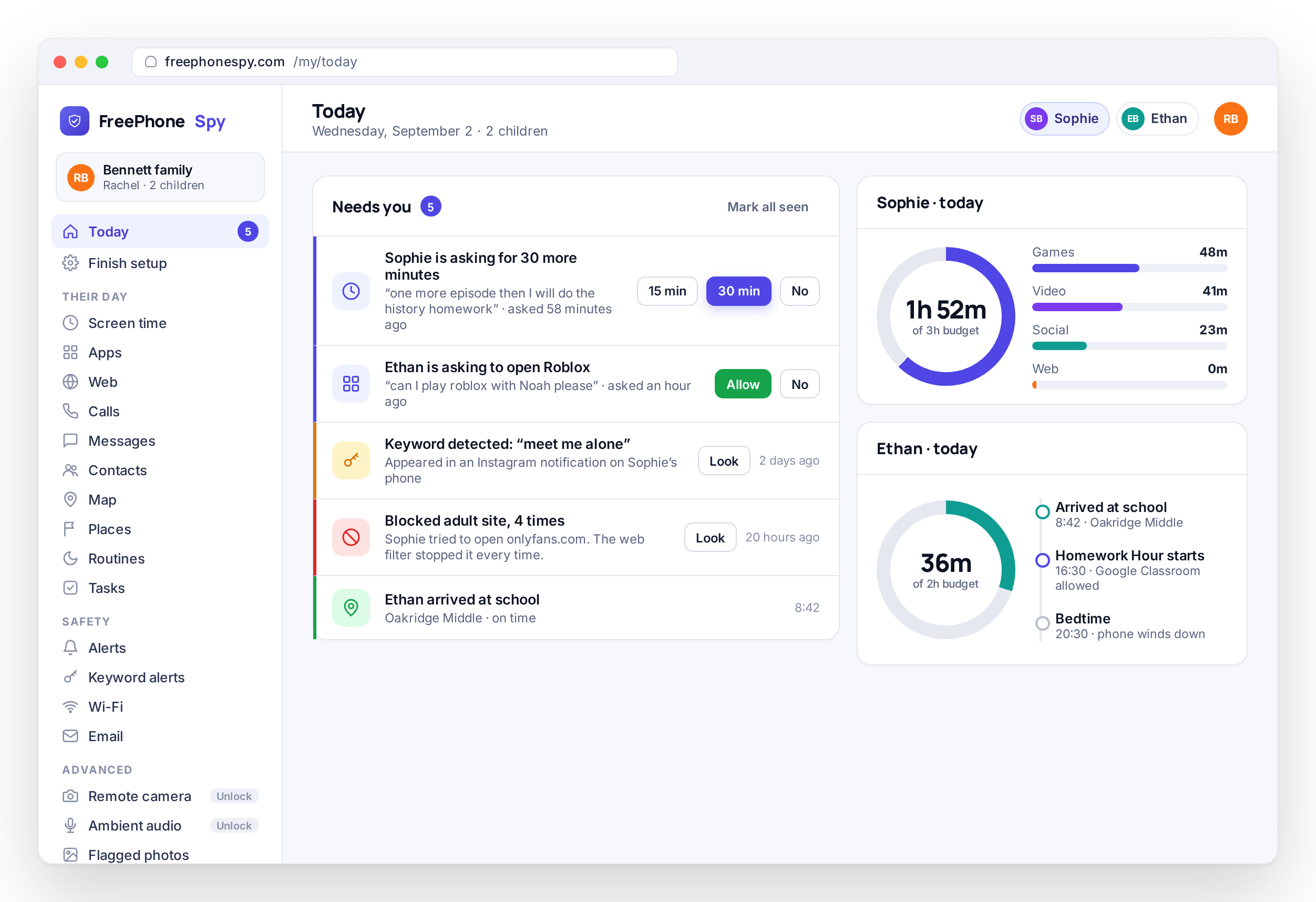
See the phone’s live position on a map, plus a history of where it has been. Save the Places that matter, such as home, school, or a grandparent’s house, and get an alert when the phone arrives or leaves. There is a “left school early” alert for the days that need one, and a locate-now request for when you want to check right away.
For most parents this is the first rule they set, and often the only one they need for a while. An arrive alert at school means nobody has to text at nine. A leave alert from a friend’s house tells you when to expect them home. You set the Places once, agree them with your child, and the alerts do the remembering.
- Live location and a location history
- Saved Places with arrive and leave alerts
- A locate-now request and a live-location window
Location is one of the free-forever features. Read more on location tracking and Places.
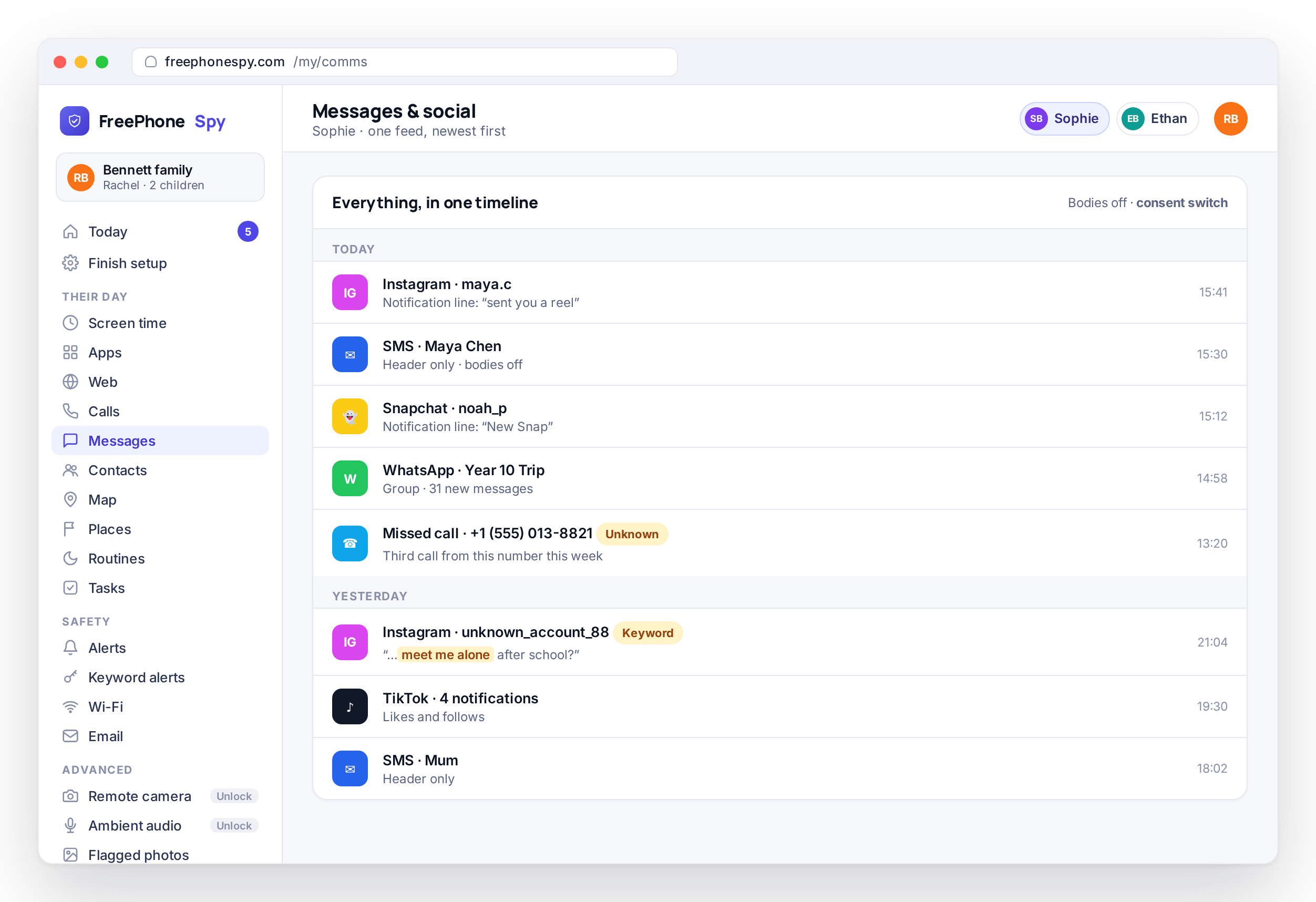
Screen time: a daily minute budget the phone enforces
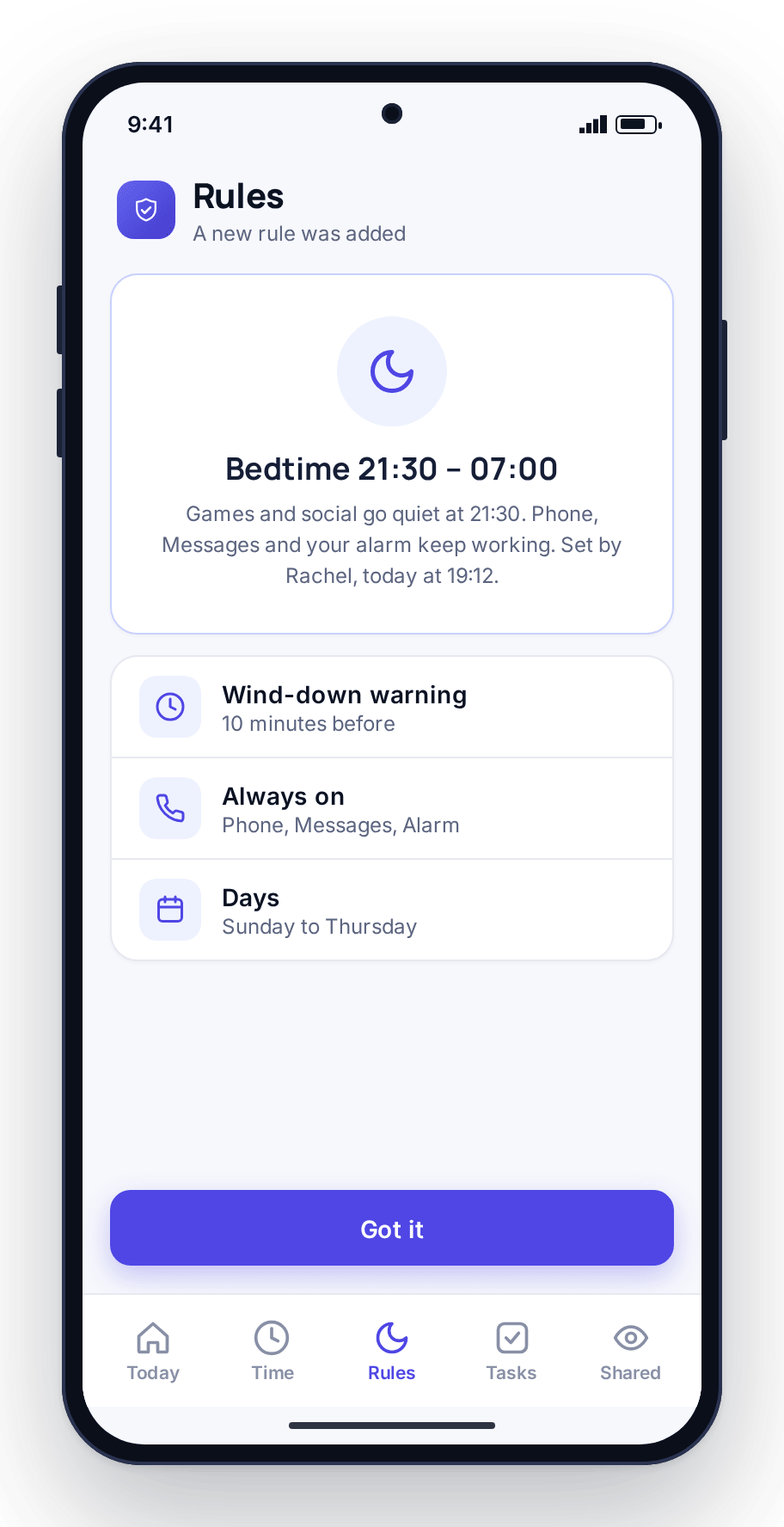
Set a daily minute budget for each child, with a weekday number and a weekend number, and split it across games, video, social, and the web. The phone counts the minutes and enforces the limit, with a wind-down warning before the time runs out. When the budget is spent, entertainment apps close for the day while phone, messages, maps, and the keyboard keep working.
The warning matters as much as the limit. Your child gets notice that time is nearly up, so the apps closing is expected rather than a surprise. Because the budget is counted on the device, it holds whether the phone is on Wi-Fi, on mobile data, or offline.
- A daily minute budget, weekday and weekend
- Split across games, video, social, and web
- A wind-down warning before the limit is reached
Pair it with a bedtime schedule on the routines page. Full detail on screen time.
App limits and a website filter, one app at a time
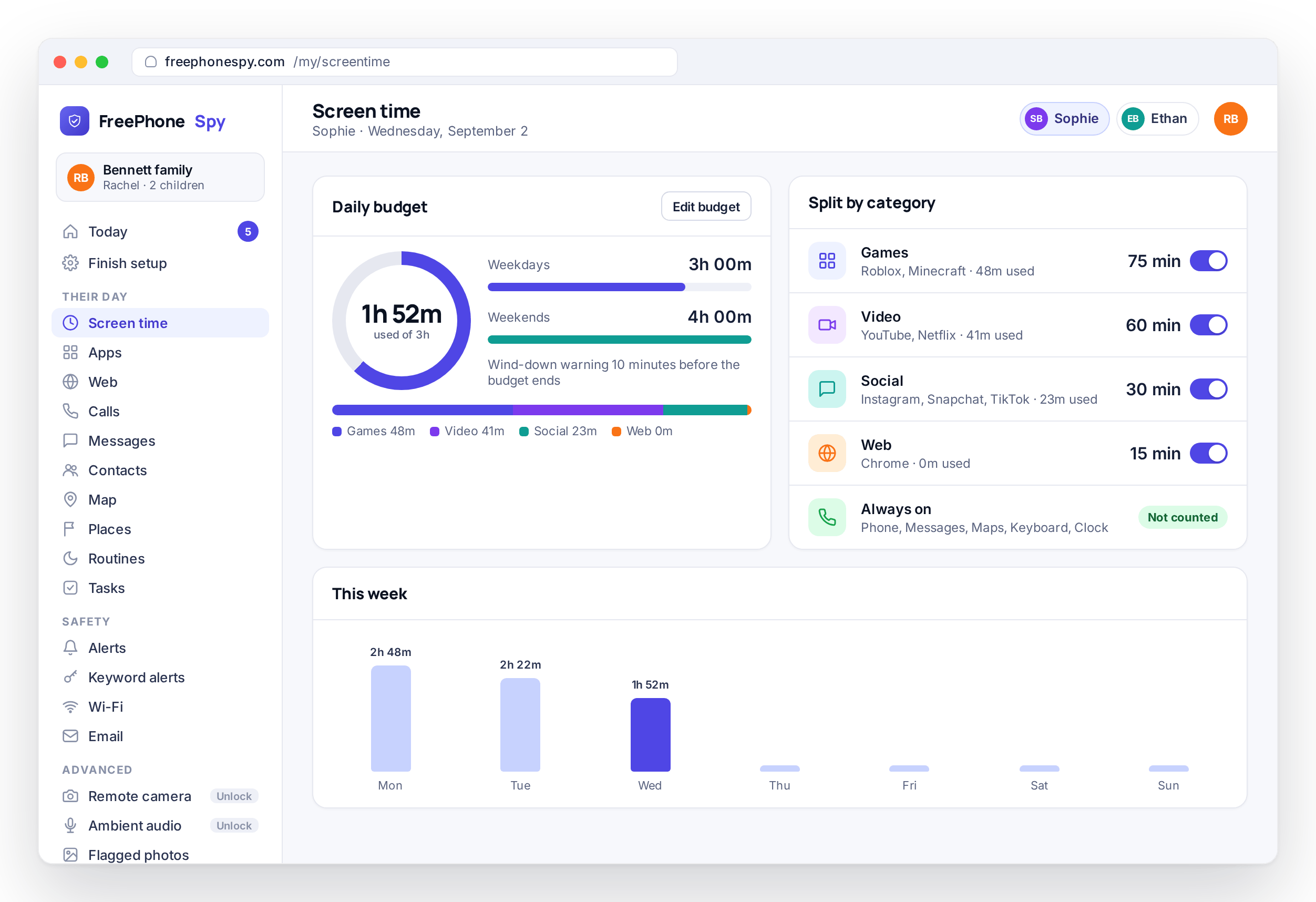
Set a time limit on a single app, or block one outright, without touching the rest of the phone. The essentials stay available no matter what: phone, messages, maps, and the keyboard. That means a limit never leaves your child unable to call you. You can cap the game that eats the evening and leave homework apps alone.
The website and content filter lives in the same place. It runs on the phone rather than on a server, so it works on mobile data as well as home Wi-Fi. Block a specific site, or a whole category such as adult or gambling, and the phone keeps it out wherever it goes.
- Per-app time limits and per-app blocking
- Essential apps always stay reachable
- A website and category filter that runs on the phone
Read how app limits and the web filter work on app and website blocking.
Calls and messages: who they talk to, without reading everything
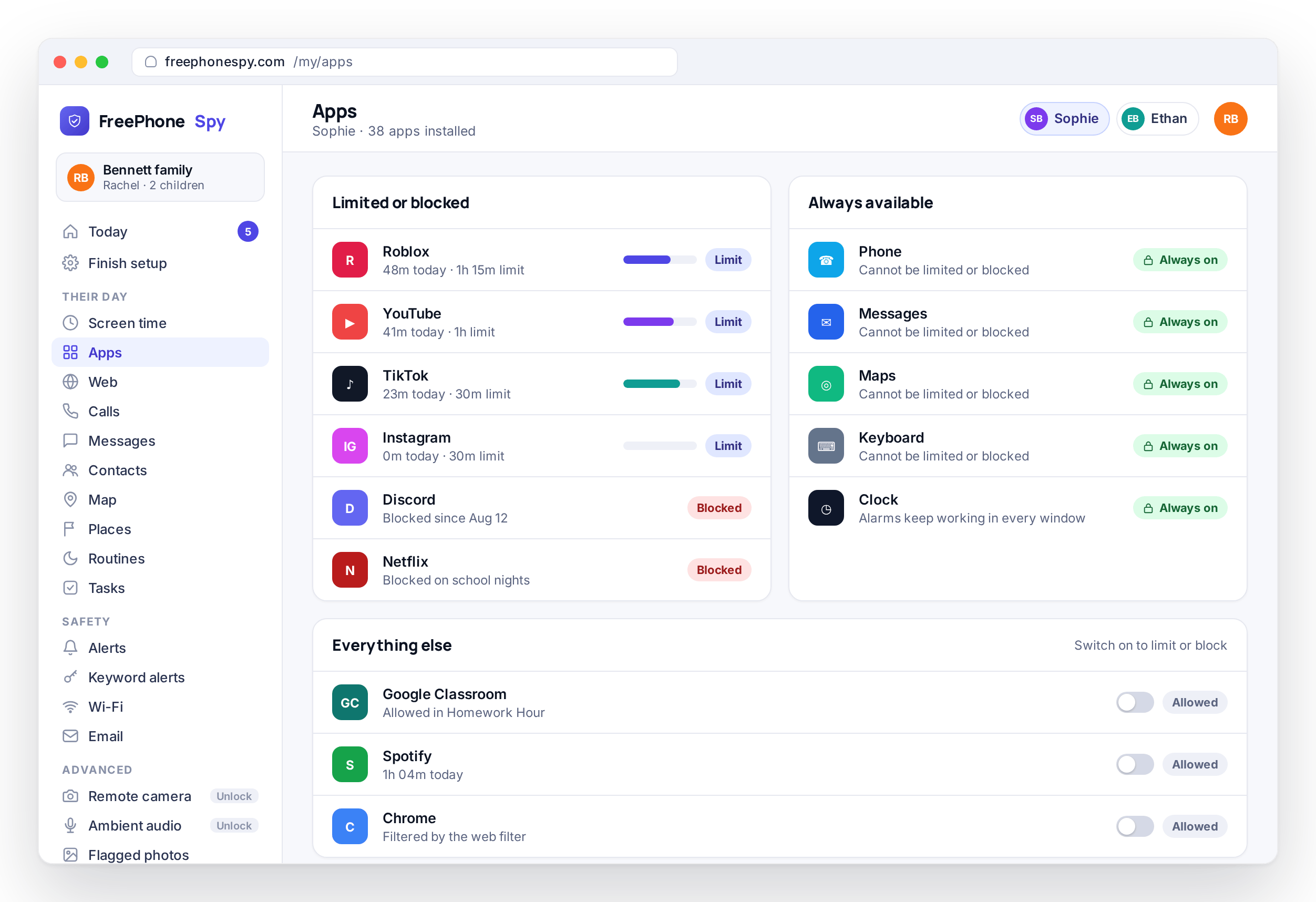
See the call log and message headers (numbers, names, and times) and the notification lines from Snapchat, Instagram, and other social apps. Message bodies stay private unless you and your child turn on a consent switch together. You can spot an unknown number calling at midnight without reading every word your fifteen-year-old sends a friend.
A teenager needs some privacy, and an app that reads every message erodes the trust it is meant to protect. So the default is headers, unknown-number flags, and a feed you can scan. The full view exists only when both of you decide there is a reason for it. Keyword alerts sit on top, so a worrying phrase can raise a flag without you reading anything else.
- Call log and message headers
- Social notification lines in one feed
- Message bodies only after an explicit consent switch
See how consent is handled on calls and messages, and set flag words on keyword alerts.
Every control, in one place
The five above are the headline features. Here is the whole set, grouped the way the panel groups them, each with its own page. Pick the ones that fit your house and leave the rest off. Nothing runs until you switch it on.
Location & Places
Live location, history, saved Places, and arrive or leave alerts for home and school.
Screen time
A daily minute budget per child, split across games, video, social, and web, enforced on the phone.
Routines & Bedtime
Scheduled on and off windows such as Bedtime, Homework Hour, and school time, kept by the phone.
App & website blocking
Per-app limits, per-app blocking, and a website and category filter running on the phone.
Text messages & social
The SMS and social message log. Headers always, the message text only with consent.
Calls & call recording
Numbers, names, times and duration, plus best-effort call recording where Android allows it.
Alerts & keywords
Flag words and phrases in notifications and get a readable feed of everything worth a parent’s attention.
Photos, videos & recordings
Flagged photos, videos found on the device, and short recordings, with consent front and center.
Remote camera
Ask the phone for a photo on demand. An advanced, consent-first tool unlocked by tasks.
Ambient audio
Request a short audio clip and listen back from the panel. Advanced, consent-first, unlocked by tasks.
Wi-Fi & email
Networks the phone joined with open-network warnings, plus email subject and from lines.
Tasks & rewards
Chores your child completes with proof to earn extra minutes, and the tasks that keep the app free.
Activity reports
Weekly rollups of screen time, apps, places, and flags, so you see the shape of the week.
The web panel
The parent side is a browser tab. Nothing to install, nothing to keep running, sign in anywhere.
Set up in three steps, together
There is no parent app to install and no card to enter. You create a free account in a browser, install one app on the child’s Android phone, and connect the two with a six-digit code. The browser part takes about two minutes. The whole thing, done side by side with your child, is under fifteen.
Create a free account and add a child
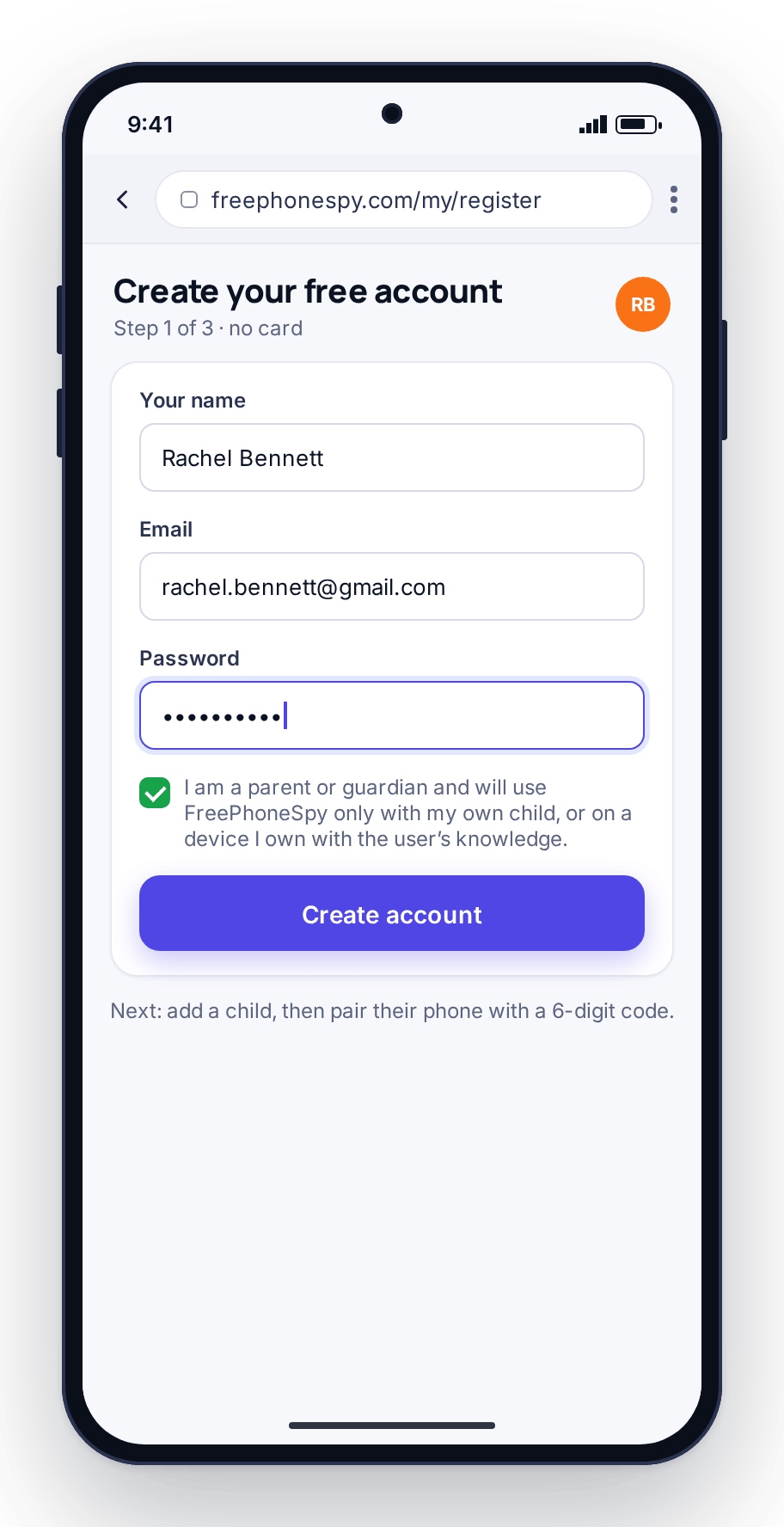
Open the web panel in any browser, sign up with an email and password, and add your child with a name and an age. No card, and nothing to install on your own phone. Adding a child monitors nothing yet; it creates a place for their phone to connect to.
Pair the phone
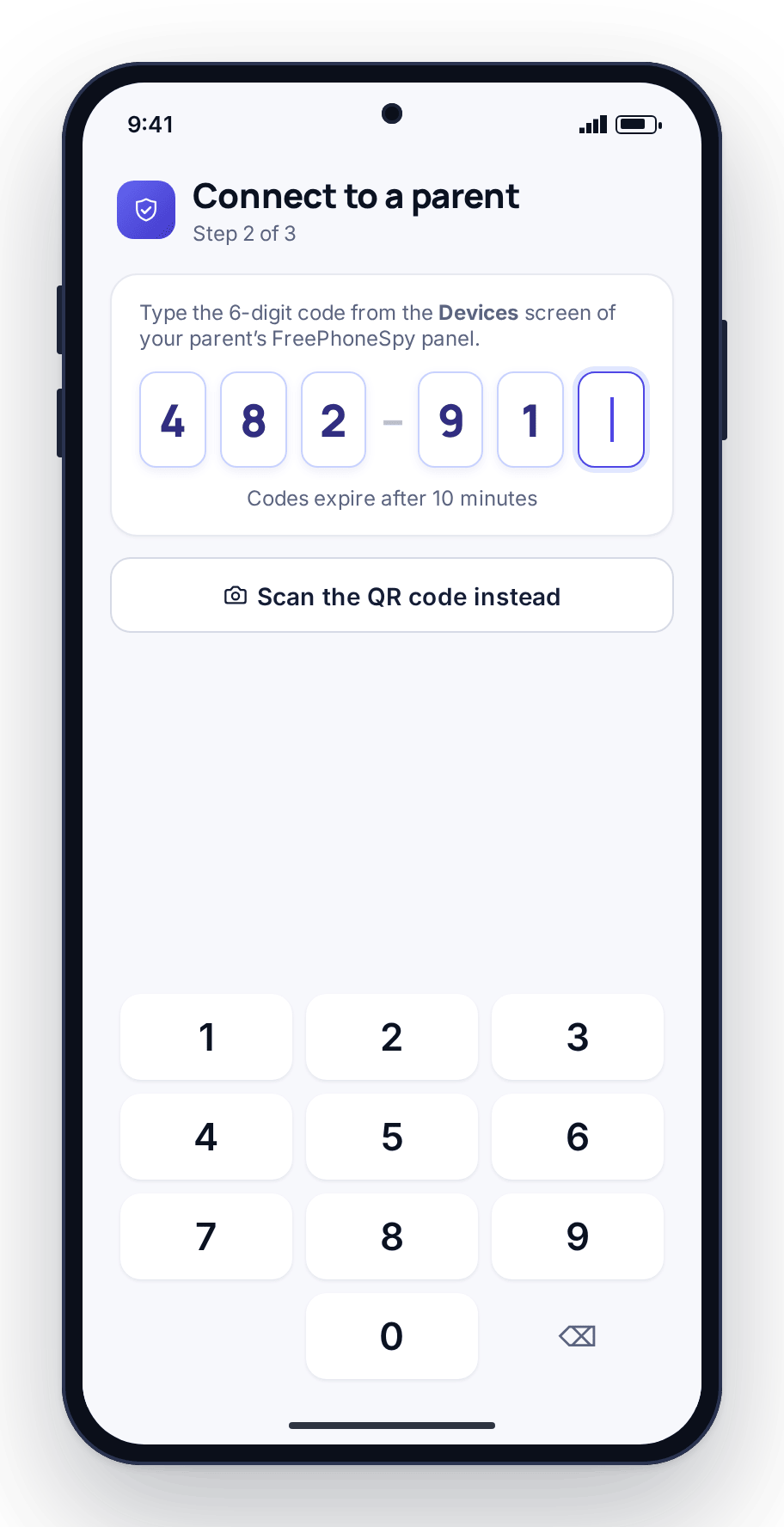
Install the app on the child’s Android phone, open it, and type or scan the six-digit code from the Devices screen in your panel. The phone appears in your panel within seconds. Codes expire after a few minutes, so an old one cannot be reused.
Agree the first rule
Grant permissions together, then pick one thing that solves a real argument, such as a bedtime or an arrive alert at school. Show your child what it does, agree it, and stop there. You can add more next week once the first rule has settled in.
The full walkthrough, the permissions explained, and what to do if a pairing does not take are on the download and setup page.
Why the app is visible on the child’s phone
A hidden monitoring app teaches a child that they are being watched and cannot trust you about it. It is also fragile: the day it is found is the day it stops working, and the conversation that follows is harder than it needed to be. So FreePhoneSpy is transparent by design.
The app is visible on the phone. It has a Transparency screen the child can open at any time to see exactly what is shared. The heavier tools, meaning message bodies, the keylogger, the remote camera, and ambient audio, sit behind a consent switch that parent and child turn on together. Nothing is monitored until you set the first rule.
FreePhoneSpy is for parents monitoring their own children, and for families or device owners monitoring a device they own with the user’s knowledge and consent. It is not a tool for covertly watching a partner, an ex, or another adult, and it is not built to hide.
- Visible on the phone, with a Transparency screen
- Consent switches for the sensitive features
- Nothing monitored until you turn something on
- For your own children and consented devices only
Free, and kept going by simple tasks
FreePhoneSpy has no card, no subscription, no auto-renew, and no paid premium tier. You start with full access for 10 days. When your access runs low, or you want one of the advanced tools, you complete a task instead of paying: leave a review, refer a friend, send feedback, or report a bug. Reviews and referrals help a young product grow, and that is the trade in place of money.
The everyday safety net (location, screen time, app limits, the website filter, and alerts) is free forever, with no task needed. Tasks add days and unlock the advanced features such as the remote camera and ambient audio. Your child’s data is never sold. The full model is on the pricing page, and the tasks themselves are described on tasks and rewards.
Questions parents ask first
Is FreePhoneSpy really free?
Yes. There is no card and no subscription. Location, screen time, app limits, the website filter, and alerts are free for as long as you use the app. Tasks such as leaving a review or referring a friend add days when your access runs low and unlock the advanced tools. The pricing page has the full breakdown.
Will my child know it is there?
Yes. The app shows in the app list on the phone and has a Transparency screen listing what it shares. We ask you to set it up with your child, on a phone you are responsible for, within your local law. The sensitive features need a consent switch that parent and child turn on together.
Do I need to install anything on my own phone?
No. The parent side is the web panel, which you open in any browser on a laptop or your own phone. One app goes on the child’s Android phone. There is nothing to install, keep signed in, or update on your side.
Does it work on an iPhone?
The child app runs on Android today, and an iPhone version is in development. If the phone you want to look after is an iPhone, that is the limitation to know before you start. The parent panel runs in any browser on any device, including an iPhone.
What should I set up first?
Pick the one thing that solves a real argument. Most parents start with a location alert for the school run or a screen-time budget for the evening. Set that one rule together, see how it feels for a week, and add more when you are ready. The setup guide walks through the whole process.