
Ambient audio monitoring, kept in the open
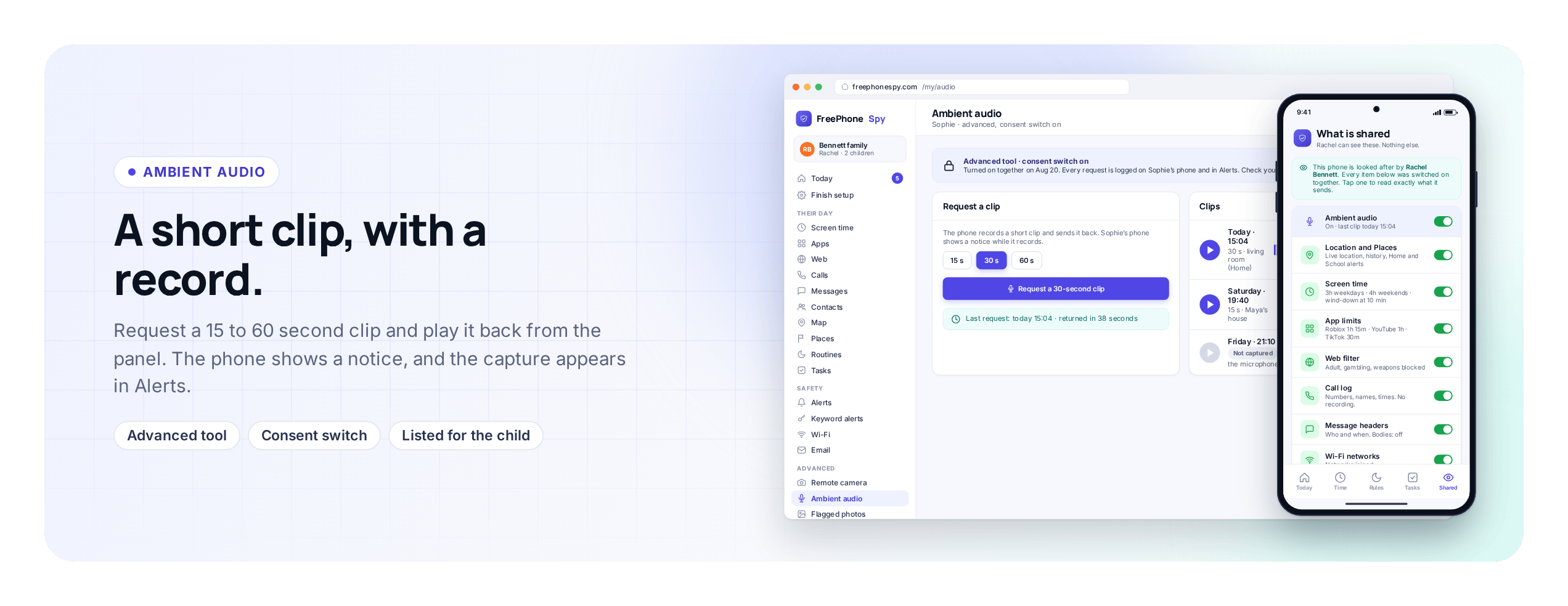
Ask your child’s Android phone for a short ambient audio clip, then listen back from your browser. FreePhoneSpy logs every capture and puts one rule above all others: this is for a phone you manage and a child who knows it’s there, never a hidden bug for recording other people. Consent laws vary, so you check yours.
Android child app
Runs in any browser
Read this first: what ambient audio is for
We’re putting that at the very top because a microphone is the tool that’s easiest to imagine misusing, and we’d rather be blunt than let it slide. Used the way it’s meant, it’s simple and legitimate: your child’s phone is somewhere it shouldn’t be, or a text back of “I’m fine” doesn’t quite settle you, and a few seconds of ambient sound tells you they’re at a friend’s kitchen table, not somewhere that worries you. Used any other way, pointed at people who haven’t agreed, it’s likely against the law and it’s not what this app is for.
This page is about the microphone only. If you want the camera, requesting a still photo from the phone, that’s a separate tool with its own consent notes and its own limits, so it lives on the remote camera page. Here we’ll stay on sound: requesting a short clip, listening back, how each capture is logged, why consent law matters so much for audio, and what modern Android will and won’t let the microphone do.
Requesting a short clip, and listening back
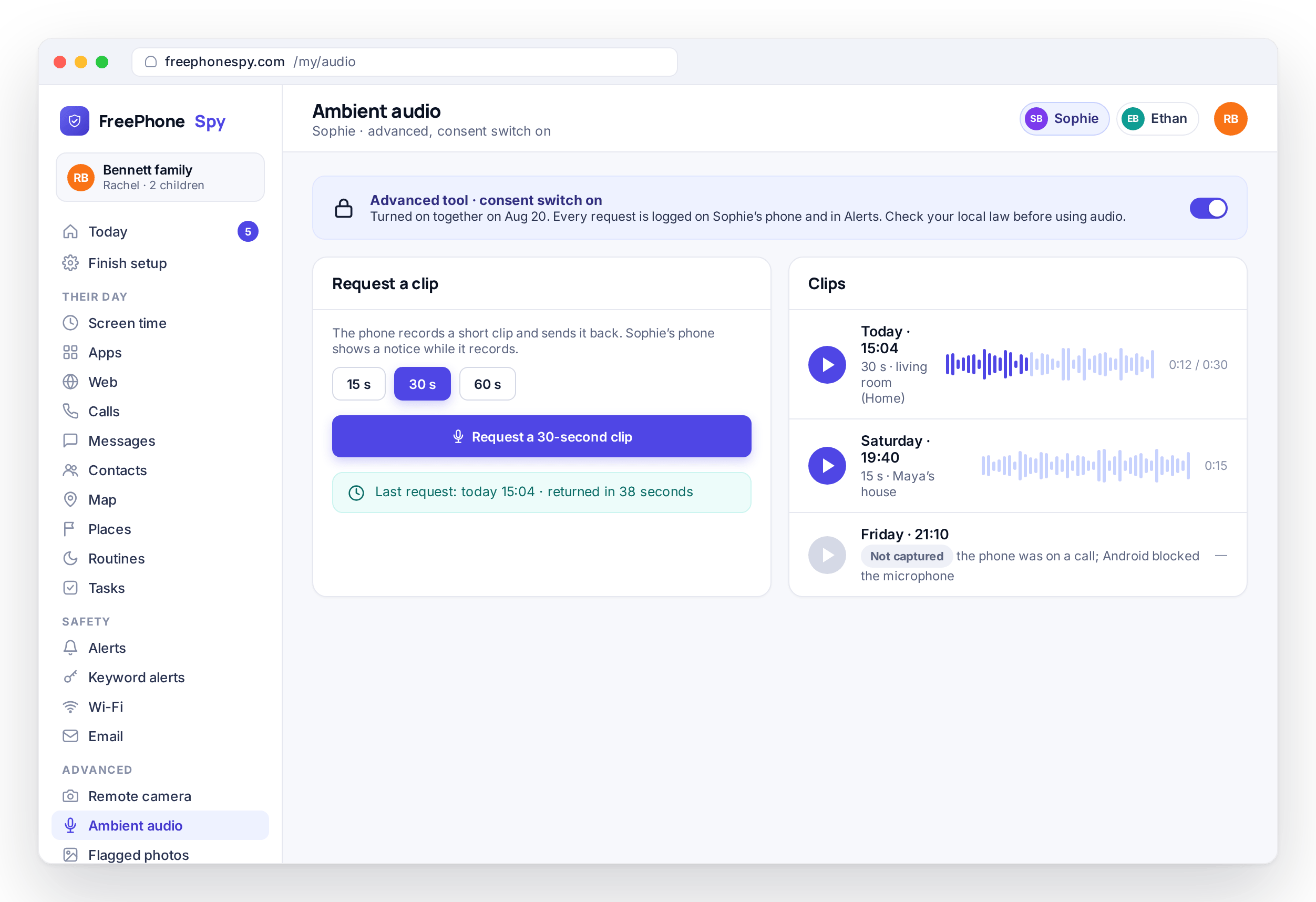
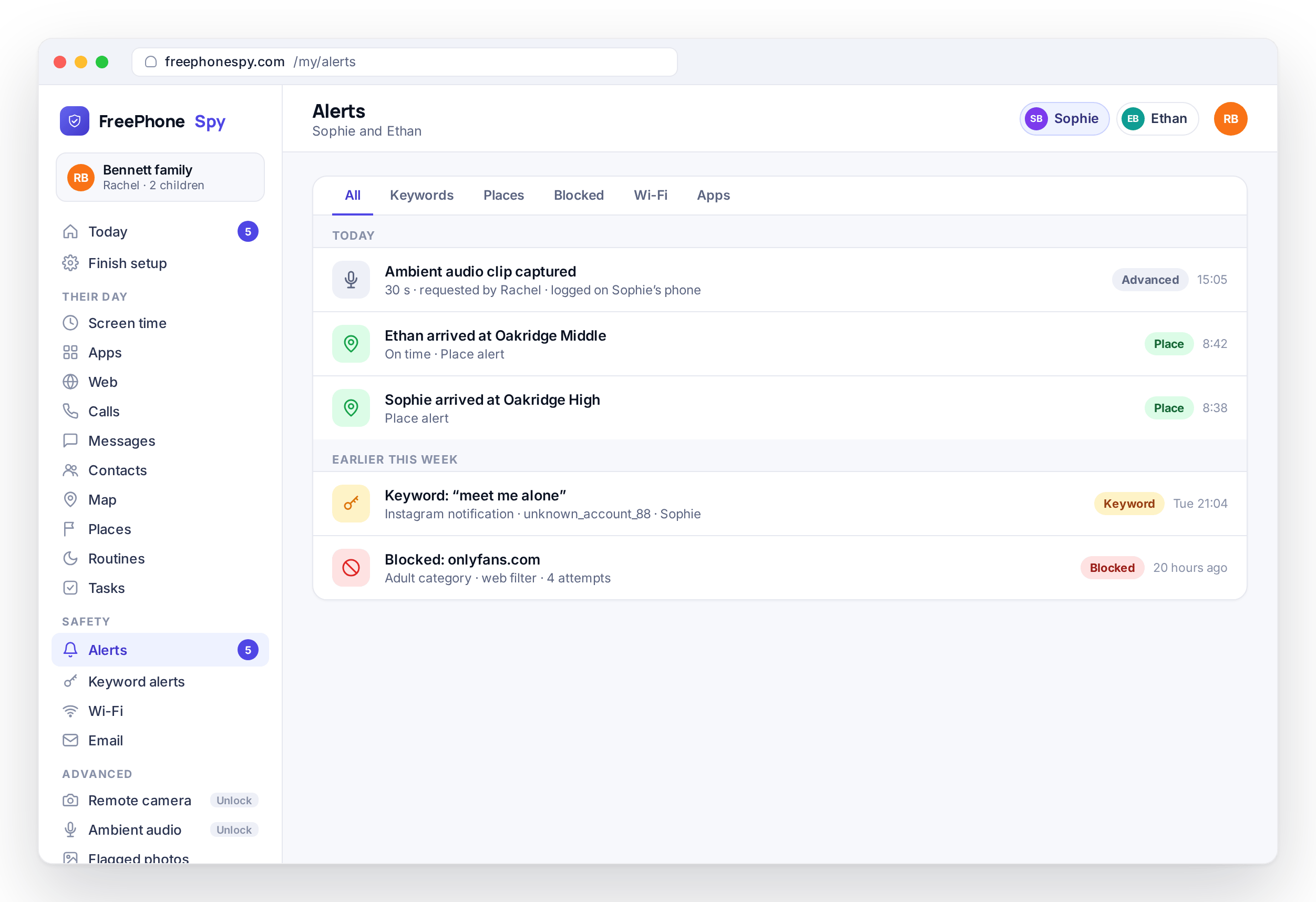
From the panel you send a request, and when the phone can do it, it records a short ambient clip and returns it to your account. It sits there with the time it was taken, and you press play to listen back in the browser. That’s the whole action. It’s a brief, on-demand capture, not a live listen and not a microphone left open all day. You ask, the phone answers when it can, and a short clip lands for you to hear.
Short is the point. Ambient audio is for a quick read of the room, not a recording session. A few seconds is usually enough to place where a phone is, catch the background of a call that went unanswered, or settle a worry that a message couldn’t. Most parents who switch this on reach for it rarely, in the exact moments when hearing beats guessing. It sits next to the call side of things, which lives over on the call log and recording page, and covers a different question.
- Send a request; the phone returns a short ambient clip
- Listen back in the browser, with the capture’s time attached
- A brief on-demand capture, not a live or always-on listen
- Meant for the occasional check, not constant recording
Your captures gather in one place
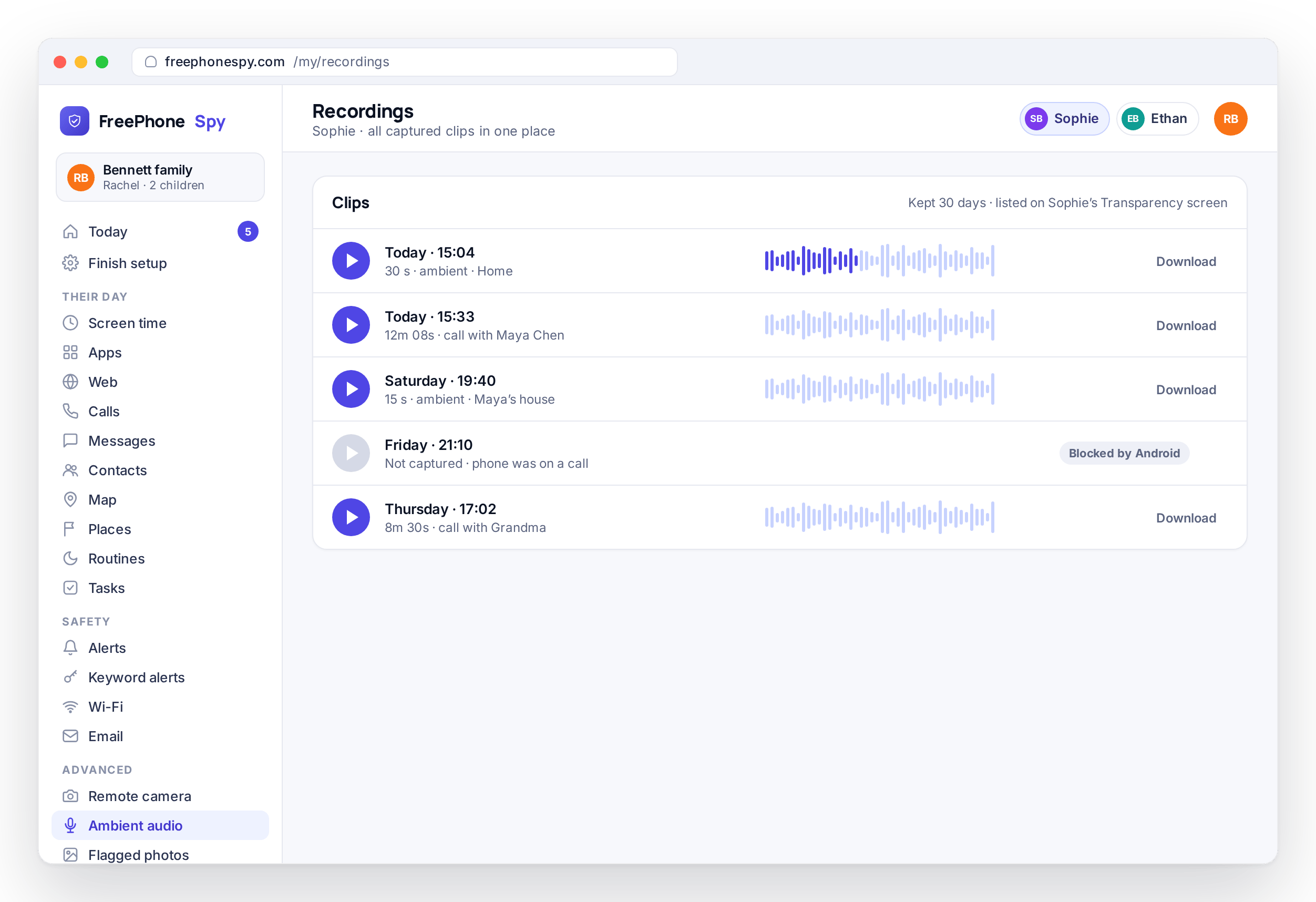
The clips you request don’t scatter. They collect in one list, newest first, each with its time and a play control, so you can go back to one from yesterday as easily as the one from ten minutes ago. Where a capture couldn’t be completed, the list says so instead of leaving a gap you’d have to guess about.
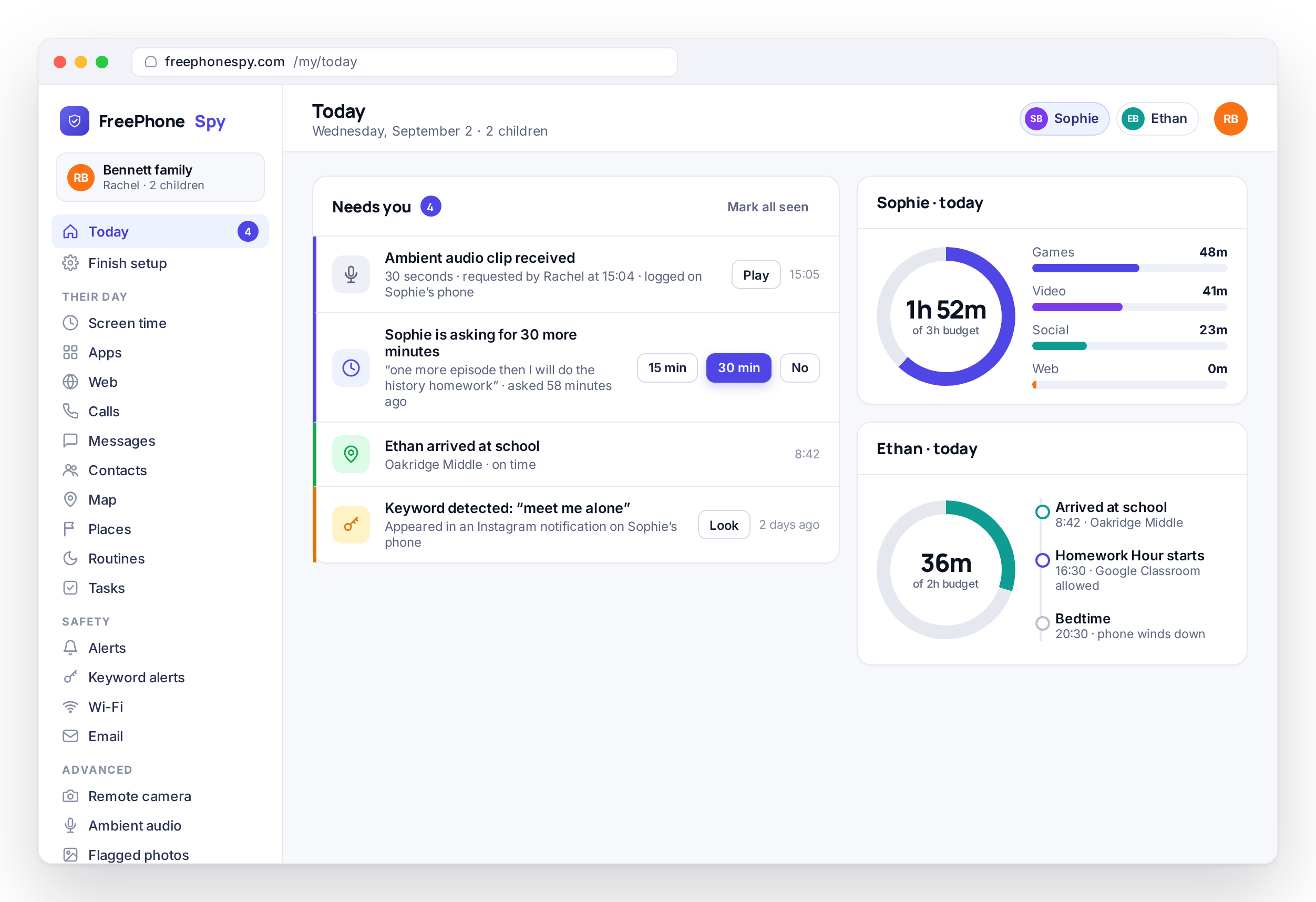
That list sits alongside the other recordings the platform can gather, so the audio side of FreePhoneSpy reads as one thing rather than scattered fragments. If a capture is worth your attention the moment it lands, it can also surface in your Alerts feed, so you’re not relying on remembering to check. Between the list and the feed, nothing you captured goes missing, and nothing happens that isn’t written down.
- Captured clips collected in one list, newest first
- Each with its time and a play control in the browser
- Blocked captures are shown, not hidden as silent gaps
- Notable captures can surface in the Alerts feed
Every capture is logged, so there’s a record
Each time you request a clip, that capture is logged: when you sent it and whether the phone answered. There’s a clear record of exactly when it was used, which you can point to, and which your child can see too. Nothing is recorded in the background that isn’t written down and visible on both sides.
For a tool this sensitive, that record is the whole trust. A microphone should never be a mystery, least of all to the person carrying the phone. The log turns “were you listening to me” into a question with an answer, and it lets ambient audio be part of an agreement you both accept rather than a source of suspicion.
- Every capture logged with its time
- Whether the phone answered is part of the record
- A clear history the child can see, not a hidden action
- The record is the trust: nothing silent, nothing unwritten
Consent laws vary, and audio is where it bites hardest
This is the part to slow down on. Recording sound is treated more strictly by the law than almost anything else a monitoring app does, because a microphone can capture people who never agreed to it. Some places allow a recording if one person in the conversation consents. Others require everyone present to consent. The rules differ by country, and within countries by state or region, and they change. What’s fine in one place can be a criminal offense in another.
FreePhoneSpy can’t give you legal advice, and this page isn’t it. What we can do is be clear: ambient audio is meant for your own child’s phone, with the child aware, in situations that don’t sweep in other people who haven’t agreed. Before you use it, check the consent rules where you live and where the phone is; the transparency and logging exist so you can use this tool responsibly, but only you can make sure it fits your local law.
- Some places need one-party consent, others need all parties
- Rules differ by country and by state or region, and change
- Check what’s allowed where you are before you use it
- This is not legal advice; the responsibility is yours
What Android allows, and how it unlocks
Recording from the microphone in the background is something modern Android restricts on purpose, and it keeps getting tighter. From Android 14 onward the platform limited background microphone access further, and on many phones a silent, no-sign capture isn’t available to a third-party app at all; some manufacturers restrict it further still. So ambient audio is best-effort: on some devices a request returns a clean clip, on others it won’t, and rather than fake it, FreePhoneSpy tells you when a capture couldn’t be completed.
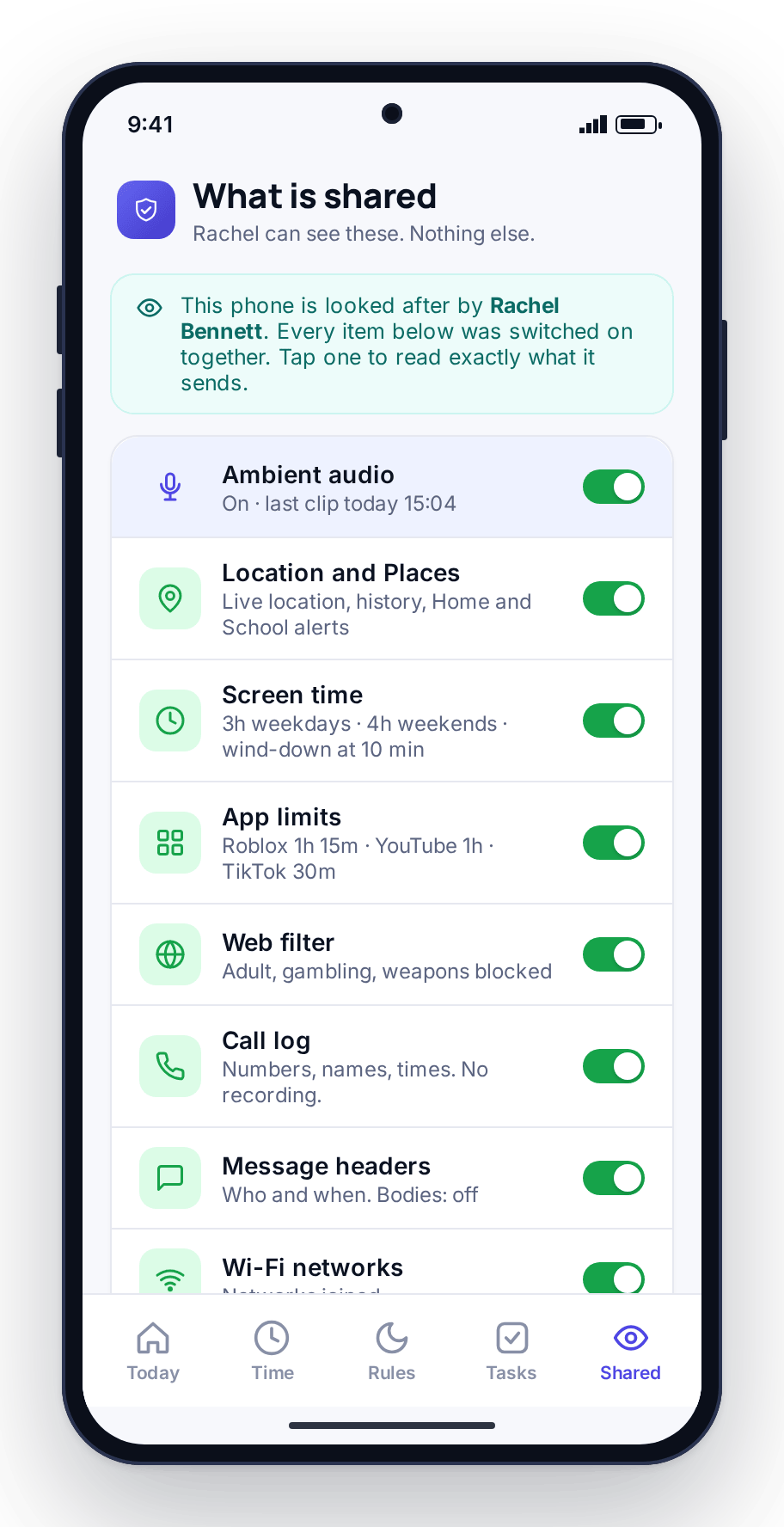
Ambient audio is also one of FreePhoneSpy’s advanced features, off by default. The core of the app, location, screen time, app limits, the web filter and alerts, is free from the start. Advanced tools unlock when you complete a simple task, sharing a review, referring a friend, sending feedback, reporting a bug, instead of paying for them; the pricing page has the full picture. It’s listed on the child’s Transparency screen the moment it’s on, and every capture is logged for both of you to see. Agree together how and when to use it, mind who else might be in earshot, check your local consent rules, and pair the phone with the 6-digit code on the Devices screen.
- Best-effort on Android 14+; the panel says when a capture fails
- Core tools are free; ambient audio unlocks by completing a task
- Listed on the child’s Transparency screen, captures logged
- Built for a parent and their own child, not covert surveillance
Questions parents ask about ambient audio
Can I listen without my child knowing?
No, and that’s deliberate. Ambient audio is listed on the child’s Transparency screen and every capture is logged. FreePhoneSpy is built for open, consented use between a parent and their own child. It is not a hidden bug for recording anyone, and recording people who haven’t agreed can be a criminal offense depending on where you are.
Is it a live listen or a recording?
It’s a short recorded clip, not a live listen. You request a capture, the phone records a brief clip when it can, and it returns to your panel with its time so you can play it back. There’s no open microphone streaming all day.
Is recording audio legal?
It depends entirely on where you are. Some places allow recording with one party’s consent, others require everyone present to agree, and the rules vary by country and region and change over time. This isn’t legal advice: check the consent laws where you live and where the phone is before you use it, and keep to your own child’s phone with the child aware.
Why did my capture come back empty or blocked?
Because recording from the microphone in the background is something modern Android restricts on purpose, more so from Android 14 onward, and some manufacturers restrict it further. Ambient audio is best-effort: on some phones it works, on others it won’t, and the panel tells you when a capture couldn’t complete rather than pretending.
Do I have to pay for ambient audio?
No. FreePhoneSpy has no subscription and no card. Ambient audio is an advanced feature that unlocks when you complete simple tasks like sharing a review or referring a friend. The core tools stay free. The full model is on the pricing page.
What about the camera, or recording calls?
The camera is a separate tool with its own page, covering photo requests and the flagged-photos safety check. Calls, including the real limits on call recording, have their own page too. Head to the remote camera page or the call log page for those.
More: Remote camera · Call log & recording · Alerts & keyword flags · Pricing · All FAQs