Teen Location Sharing: Snap Map, Life360 & Find My
Your teen’s location is probably visible to more people right now than you’d guess. Not because anyone’s snooping — because sharing where you are became a normal part of being a teenager. Snap Map shows their little cartoon face on a map to their whole Snapchat friends list. A Life360 “circle” ties a friend group together. Find My friends means a group chat can see who’s already at the mall. Most of this is harmless. Some of it isn’t. The difference is in the settings, the friends list, and whether anyone ever talked about it.
This isn’t a piece about secretly watching your kid. It’s about understanding a world your teen already lives in — the apps, why sharing feels normal to them, where it genuinely goes wrong, and how to help them share in a way that stays safe. Family location sharing has its place too, but only out in the open, agreed by everyone. We’ll keep those two things separate, because teens absolutely do.
Why teens share location at all
To an adult, broadcasting your position to a hundred people sounds alarming. To a fifteen-year-old it’s closer to leaving your bedroom door open. It signals you’re around, you’re reachable, you’re part of things. Ask a teen why their Snap Map is on and you won’t hear “for safety.” You’ll hear “everyone’s is.”
Underneath that, though, there are real reasons, and it helps to take them seriously rather than wave them off.
Belonging. Seeing your friends’ faces cluster on a map is a low-key way of feeling connected. Who’s at the park, who’s still at home, who went to the thing you weren’t invited to. That last one stings sometimes, but the pull is the same one adults feel scrolling a group chat: I want to know I’m part of the picture.
Coordination. Teens make plans loosely and late. “Where are you” is the most common text in any friend group, and a map answers it without the back-and-forth. Meeting up, finding each other in a crowd, knowing whether it’s worth heading out yet — the map does the boring logistics.
Safety, genuinely. A lot of teens — girls especially — share location with a couple of close friends precisely because it feels safer. Walking home late, first dates, a party where you don’t know everyone. “If I stop replying, you know where I was” is a real form of looking out for each other, and it’s worth respecting rather than mocking.
How the main tools work
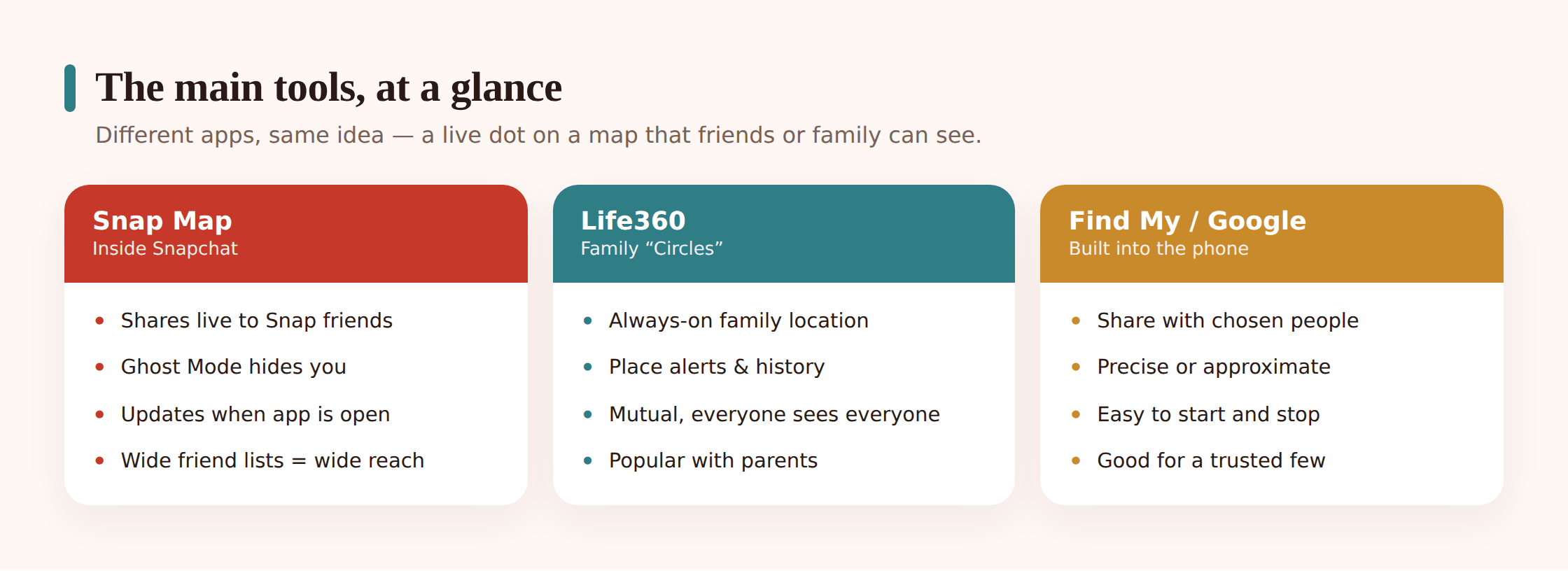
The three big ones behave differently enough that it’s worth knowing each on its own. The defaults are the important part — what happens if nobody changes anything.
Snapchat’s Snap Map
Snap Map is a map inside Snapchat, opened by pinching the camera screen. Your teen shows up as a Bitmoji — that cartoon avatar — at their current location, and so does everyone they’re friends with who’s also sharing. It updates when they open the app.
The key control is Ghost Mode. Turn it on and your face disappears from everyone’s map while you can still see friends who share with you. Ghost Mode can be set to stay on, or to switch off automatically after a few hours — which is where accidents happen, because a teen enables it once and forgets it turned itself back on. Without Ghost Mode, the default is that your whole friends list can see where you are. Snapchat friends lists are often huge and loosely curated, which is what makes this the one worth checking first. You can also share with only selected friends instead of everyone.
Life360
Life360 is a dedicated location app built around circles — a group whose members all see each other on a live map continuously, not just when someone opens an app. It’s the most “always on” of the three. It also layers on extras: place alerts when someone arrives or leaves, driving reports, crash detection, location history.
Life360 started as a family tool and plenty of families use it that way, but teens also spin up their own friend circles. The thing to understand is that a circle is persistent and detailed — members can see each other’s live position all day, plus history. That’s powerful and it’s a lot. Whether that’s fine or too much depends entirely on who’s in the circle and whether everyone in it genuinely wanted to be.
Apple Find My and Google location sharing
Find My is built into every iPhone. A teen can share their location with specific people — one friend, a few — either for an hour, until the end of the day, or indefinitely. It’s precise and battery-light, and crucially it’s per-person: you choose exactly who, one at a time, rather than broadcasting to a list. Google Maps location sharing does the same thing across Android and iPhone, sharing with chosen contacts for a set time or open-endedly.
Because both are opt-in per person and easy to stop, Find My and Google sharing tend to be the lowest-risk of the bunch when used the obvious way. The map only shows people your teen deliberately added. The failure mode is forgetting you left something on for someone the friendship has since cooled with. If you want the mechanics of how any of this actually pinpoints a phone, we cover that in how location tracking works.
The tools compared
| Tool | Who can see by default | How live & precise | Main privacy control |
|---|---|---|---|
| Snap Map | Your entire Snapchat friends list, unless changed | Updates when the app is opened; street-level | Ghost Mode; or share with selected friends only |
| Life360 | Everyone in your circle, continuously | Always on, live; precise, with history | Leave the circle; pause sharing; separate circles |
| Apple Find My | Only people you individually chose | Live when open; precise, battery-light | Per-person on/off; time-limited shares |
| Google Maps sharing | Only contacts you individually chose | Live; precise; cross-platform | Per-person on/off; timed or open-ended |
The pattern is easy to read once it’s laid out. Find My and Google share with a hand-picked few. Snap Map and Life360 can quietly reach a crowd. That doesn’t make the crowd tools bad — it makes them the ones to check the settings on.
The real risks
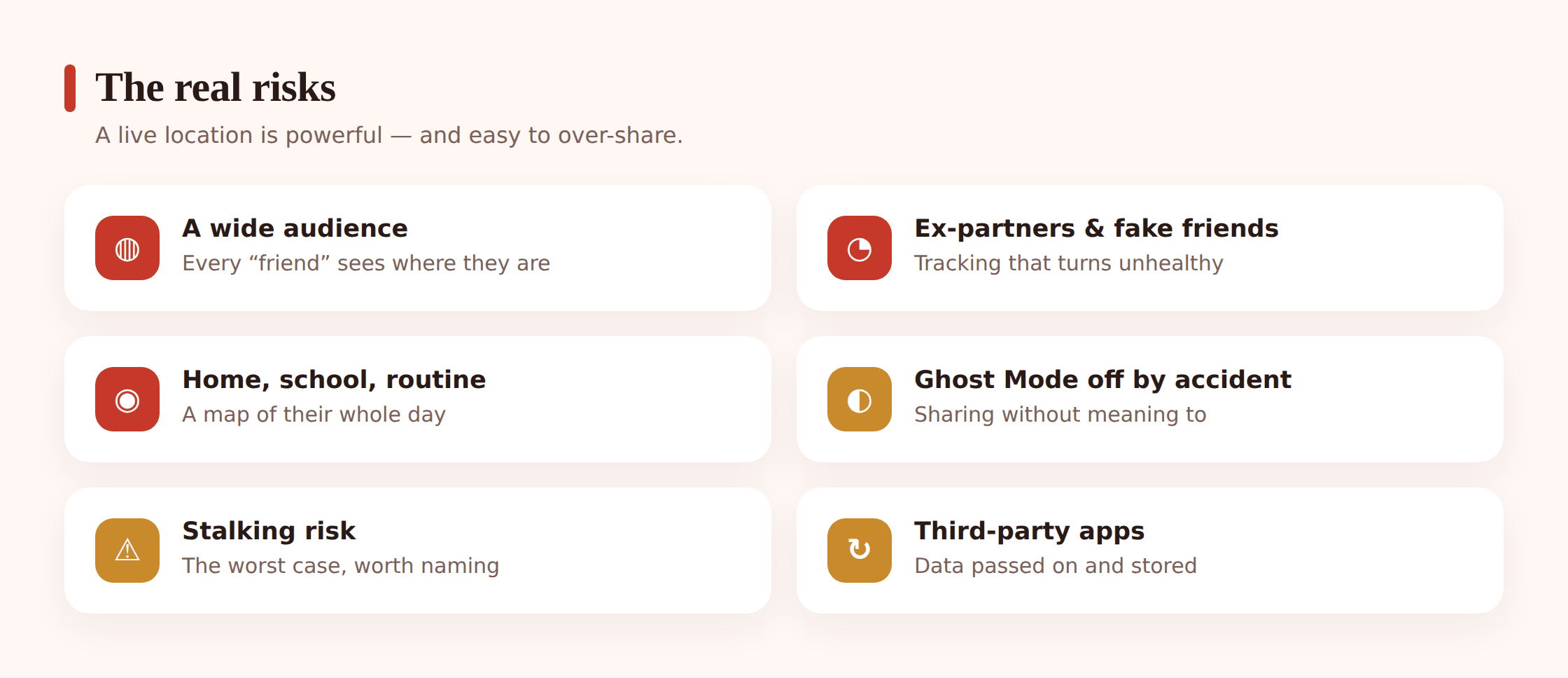
Location sharing is fine far more often than it’s dangerous. But the failure cases are real and specific, and they’re worth naming plainly so a teen can spot them.
A live location visible to a wide friends list. The single biggest issue with Snap Map. A friends list built over years of “sure, add me” is not a list of people your teen would hand their home address to — yet that’s roughly what an always-on map does. The list feels abstract; the map makes it concrete.
Ex-partners and people the friendship soured with. Sharing set up during a relationship or a close friendship doesn’t automatically end when the relationship does. An ex who’s still in a Life360 circle or still on a Find My share can watch someone’s movements long after they should. This is one of the more common ways location sharing turns into something ugly.
“Fake friends” and people they’ve never met. Teens add followers and friends they only know online. On a broadcast map, a stranger who talked their way onto the friends list gets the same view as a best friend. Combine that with a persuasive adult posing as a peer and it’s a genuine grooming and safety concern.
A location reveals home, school and routine. One map view doesn’t just say “here now.” Watched over a few days it says: this is the house, this is the school, this is the route, this is when the house is empty. That pattern is worth more to someone with bad intentions than any single pin. It’s the same reasoning behind why stopping unwanted tracking matters for adults too.
Ghost Mode off by accident. A teen who thinks they’re hidden but isn’t is arguably worse off than one who knows they’re visible, because they behave as if no one’s watching. Auto-expiring Ghost Mode is the usual culprit — it clicks back on without a word.
Third parties and data. Location apps hold detailed movement histories, and that data lives on company servers. Breaches happen, settings change, policies shift. It’s a background risk rather than a daily one, but “who else can eventually see this” is a fair question to ask of any always-on tracker.
The healthy middle ground
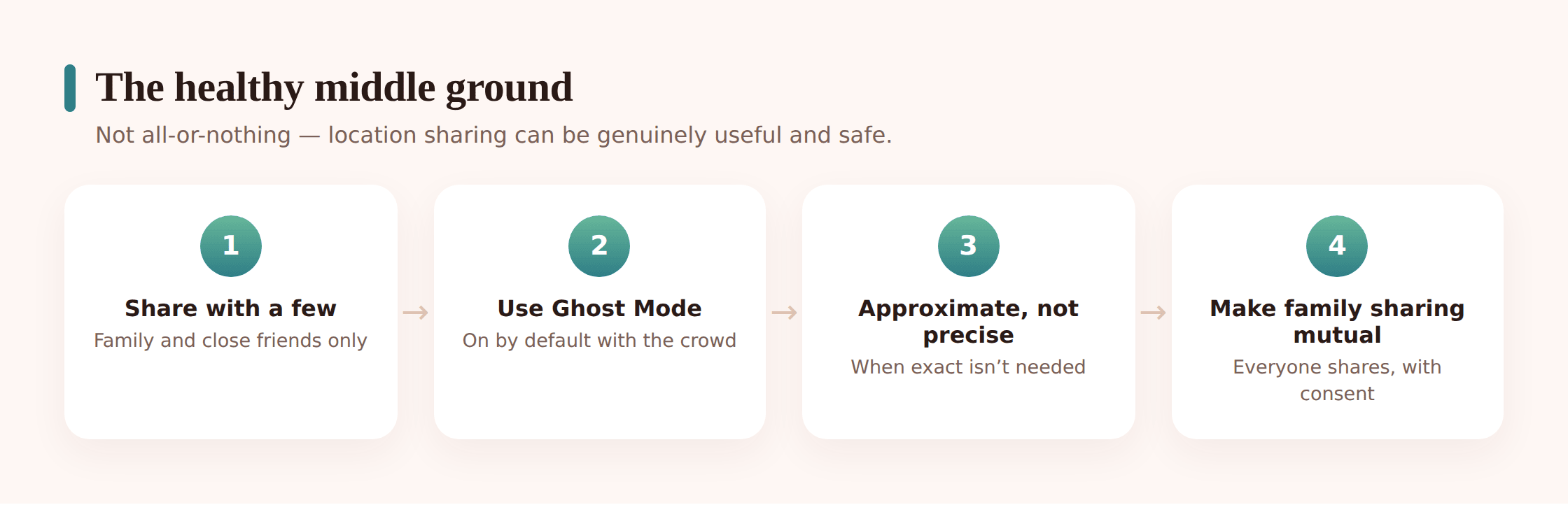
The instinct to say “turn it all off” is understandable and usually wrong. Location sharing does real work for teens, and a blanket ban tends to push it underground. The healthier target is deliberate sharing. Here’s what that looks like in practice.
Share with a trusted few, not the whole list. The best habit you can pass on: broadcast to nobody, share directly with two or three people you’d trust with your house key. On Snap Map that means Ghost Mode on plus a short selected-friends list, or nothing. On Find My it’s already how it works.
Audit the friends list. Who’s actually on there? A teen who’s never scrolled their own Snapchat friends list is often surprised by the strangers on it. Trimming it is a five-minute job with an outsized payoff, and it’s their call to make.
Use Ghost Mode as the default, not the exception. Leave it on. Turn visibility on deliberately when there’s a reason — meeting friends somewhere — rather than being visible by default and hiding when you remember to. And check it isn’t set to auto-expire.
Know precise versus approximate. Some apps let you share an approximate area rather than an exact pin. For casual friends, “somewhere in this neighborhood” is plenty and gives away far less than a rooftop-accurate dot. Save precise sharing for the people who’d actually come get you.
Family sharing stays separate, and stays consented. If your family shares location, that’s its own arrangement — set up together, everyone knowing what’s visible, ideally mutual so your teen can see you too. Don’t fold it into their friend sharing and don’t make it a condition of trust. If you’re setting that side up, our family location sharing guide walks through doing it with consent, and geofencing and location alerts covers the quiet “arrived safe” notifications that mean nobody has to watch a map all day.
Setting up safer sharing
Doing this with your teen — sitting next to them, their phone in their hands — beats sending a list of instructions. Let them drive. Your job is to ask the questions.
Step 1 — Open the map together and just look
Start with Snap Map. Pinch open the camera and look at who’s visible and who can see them. For a lot of teens this is the first time they’ve really registered how many faces are on there. No lecture needed — the map does the talking.
Step 2 — Check Ghost Mode and how it’s set
Find the Ghost Mode setting. Turn it on, and make sure it’s set to stay on rather than expire after a few hours. If your teen wants to share with specific friends, switch to the selected-friends option instead of “all friends.”
Step 3 — Trim the friends and circles
Scroll the actual friends list and the members of any Life360 circle. Anyone your teen can’t place, or a name from a friendship that’s over, comes off. This is theirs to decide — you’re just prompting the question “do you actually know this person?”
Step 4 — Review Find My and Google shares
Open the list of people your teen shares with directly. Old shares to former friends or exes get stopped. Keep the short list of people it makes sense to share with, and note that time-limited shares expire on their own.
Step 5 — Agree on the family side, out in the open
If your family is going to share location, set it up now, together, with everyone able to see what’s visible. Make it mutual where you can. This is a separate thing from their friend sharing, and naming it as separate keeps it from feeling like surveillance dressed up as safety.
Step 6 — Put a reminder to re-check
Friends lists grow, settings drift, Ghost Mode expires. A quick re-check every few months keeps the whole thing honest. Fold it into something you already do rather than making it a formal event.
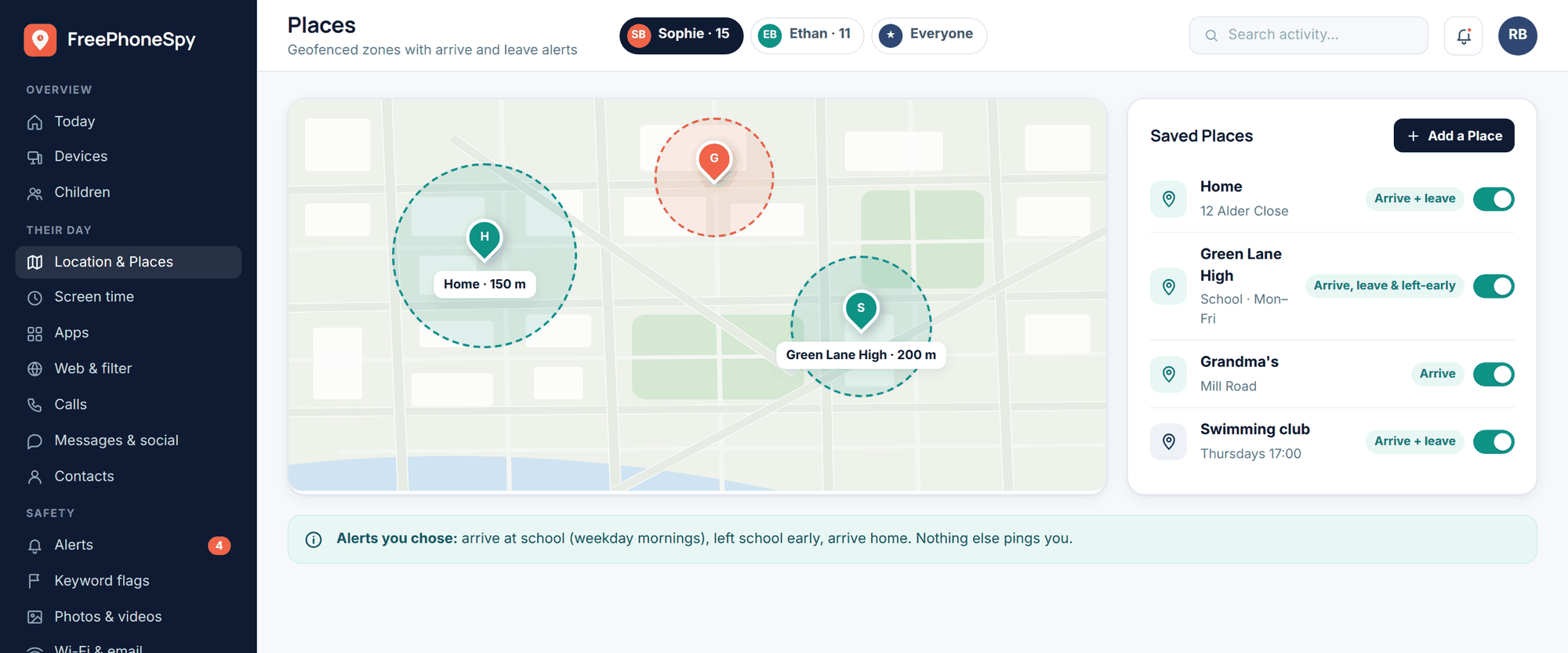
A note on the family side specifically: if you use a dedicated tool, keep it open. FreePhoneSpy is built for consent-based family location on a device you own and set up together — your teen knows it’s there, sees what it shows, and it’s never meant as a way to track anyone in secret. The whole approach only works when it’s mutual and agreed.
Talking with your teen
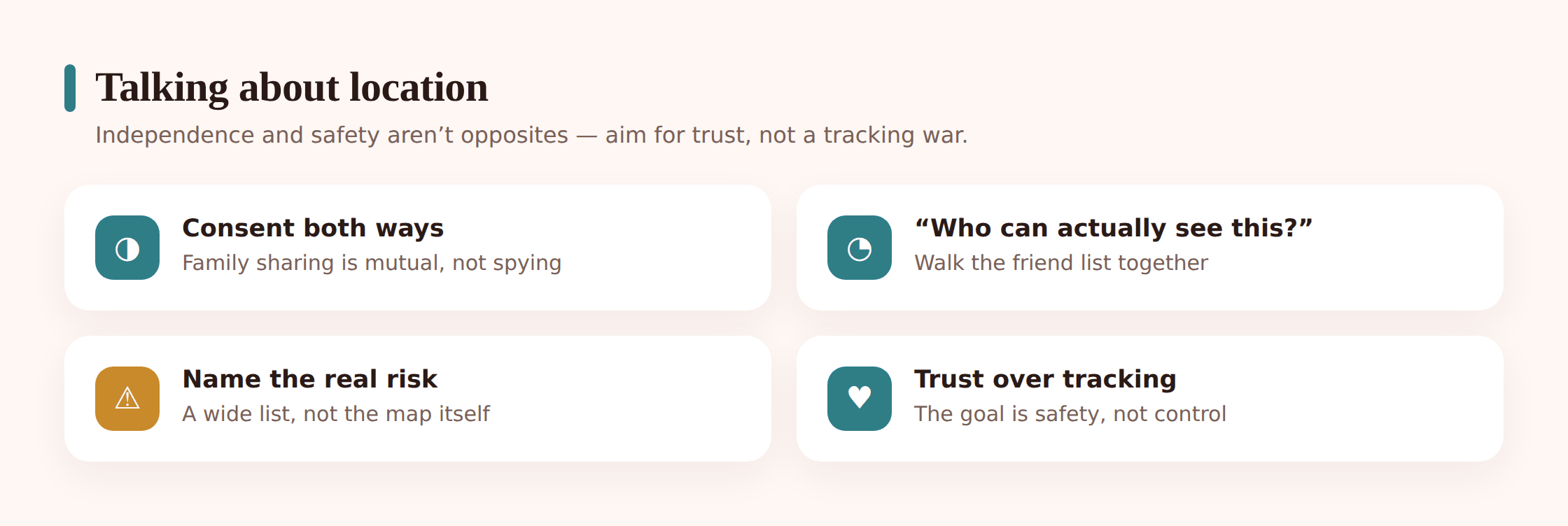
Teens hear “let’s talk about your location sharing” as “I want more control over you.” Getting past that reaction is most of the job. A few things help.
Lead with their safety, not your worry. “I want you to be able to share with people you trust and not with people you don’t” lands very differently from “I need to know where you are.” The first is on their side. The second sounds like a leash, and teens are excellent at detecting leashes.
Ask before you assume. They probably know these apps better than you do. Let them explain Snap Map. Ask who they share with and why. You’ll learn more, and they’ll be far more open than if you arrive with a verdict already formed.
Respect that some sharing is theirs to keep. A teen sharing location with a best friend for the walk home is doing something sensible. You don’t need visibility into that, and asking for it undercuts the point. Independence and safety aren’t opposites here — sharing with a trusted friend is both at once.
Make the family arrangement mutual. If you want to know they got somewhere, offer the same in return — they can see you too. Sharing that only runs one direction feels like being watched. Sharing that runs both ways feels like a family keeping an eye out for each other.
Let it evolve as they grow. What’s reasonable at thirteen isn’t at seventeen. The long-term goal is a teen who manages their own location privacy well, because you talked it through rather than locked it down. Loosening the reins on schedule is part of the plan, not a concession.
- Ghost Mode on by default, and not set to auto-expire
- Friends lists and circles trimmed to people they actually know
- Direct sharing (Find My, Google) limited to a trusted few
- Old shares to exes and former friends switched off
- Precise location saved for people who’d really come help
- Any family sharing set up together, mutual, and never secret
- A standing habit of re-checking settings every few months
Is Snap Map dangerous?
Not on its own — it’s dangerous when it’s on for a wide friends list full of people your teen doesn’t really know. The map itself is fine. The risk is the audience. Ghost Mode on, plus a trimmed list or selected-friends sharing, removes almost all of it.
Should I make my teen share their location with me?
Forcing it tends to backfire — teens route around sharing they didn’t agree to. It works far better as a mutual, openly discussed family arrangement where they can see you too and everyone knows what’s visible. Consent and mutuality are what make it stick. Covert tracking isn’t the answer and breaks trust for good.
What’s the safest way for my teen to share location with friends?
Directly with a small number of trusted people, using Find My or Google’s per-person sharing, rather than broadcasting to a whole list. If they use Snap Map, Ghost Mode on with a short selected-friends list does the same job.
Can an ex still see my teen’s location after a breakup?
Yes, if the share was never turned off — this is one of the most common problems. Find My and Google shares stay active until stopped, and someone can linger in a Life360 circle. After any breakup or fallout, review the sharing lists and remove anyone who shouldn’t still have a view.
What is Ghost Mode and why does it turn itself off?
Ghost Mode hides your teen from Snap Map while they can still see friends who share with them. It can be set to stay on or to expire after a few hours — and the auto-expire setting is why teens who think they’re hidden sometimes aren’t. Set it to stay on and check it now and then.
Is Life360 too much for a friend group?
It can be. Life360 shows continuous live location plus history to everyone in a circle, which is a lot of detail to hand a group of teenagers. It’s not automatically wrong, but it’s worth asking whether everyone in the circle genuinely wanted that level of visibility, and whether a lighter tool would do.