Is Telegram Safe for Kids? A Parent’s Guide
Telegram doesn’t look dangerous. It’s fast, clean, a little geeky, and a lot of your child’s friends are probably already on it because it feels more grown-up than the apps parents watch. But Telegram is built on a set of choices that other messengers made differently — public usernames instead of phone numbers, enormous public channels, chats that aren’t private by default, and almost no one moderating the middle of it. None of that makes it evil. It does mean the app you hand over is not the same shape as WhatsApp or a school chat group. Here’s how Telegram actually works, where kids run into trouble, and the exact settings and conversation that make it safer.

How Telegram actually works
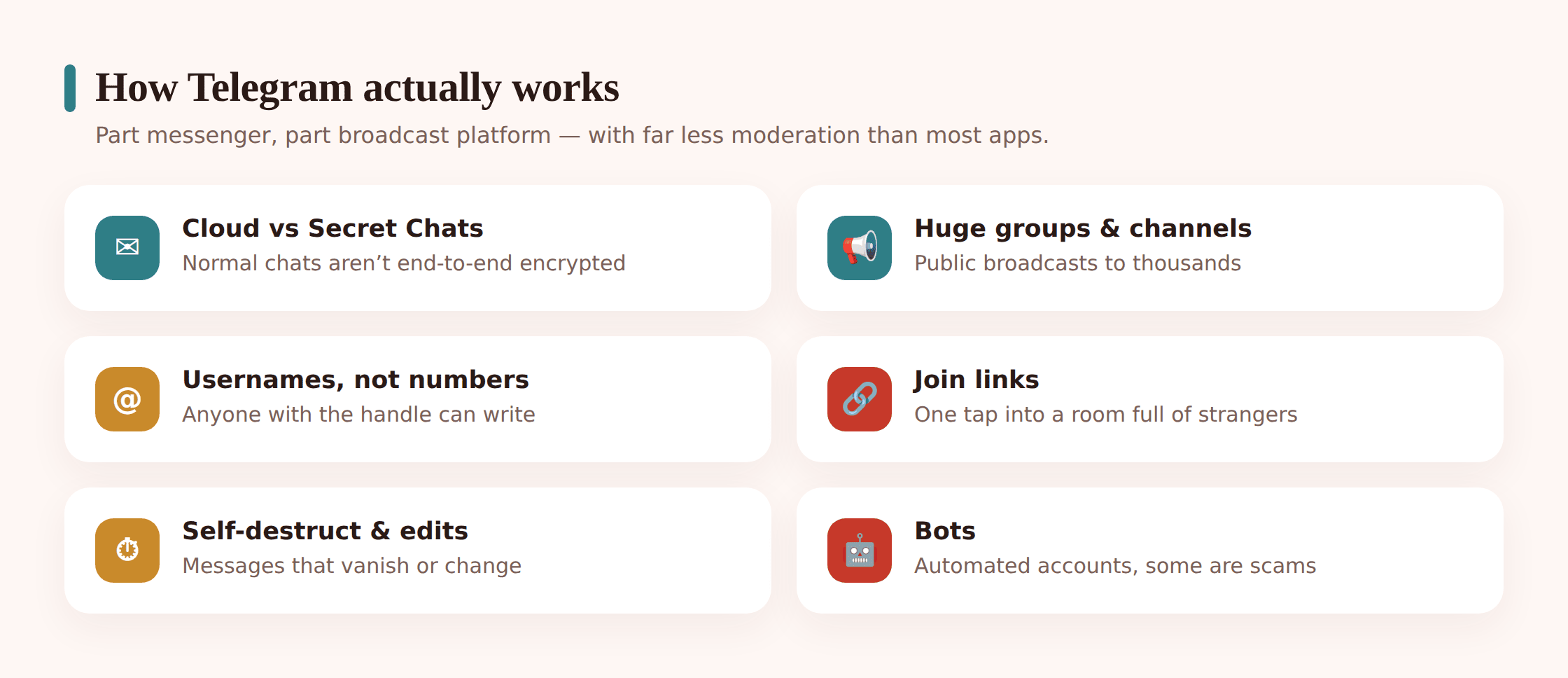
Most parents assume Telegram is a messaging app like any other. It’s really two things stitched together, and the split is where the confusion starts.
The first thing is ordinary chatting — one-to-one and group messages. But there’s a wrinkle almost nobody notices: these regular chats are called cloud chats, and they’re stored on Telegram’s servers. That’s why your child can log in on a laptop and see their whole history instantly. Convenient, yes. It also means these chats are not end-to-end encrypted. Telegram secures them in transit and on its servers, but they aren’t sealed the way a WhatsApp message is, where only the two phones can read it.
If your child wants a truly private, phone-to-phone conversation, they have to deliberately start a Secret Chat. Those are end-to-end encrypted, tied to one device, never stored in the cloud, and they can be set to self-destruct. The important takeaway for a parent: the private, disappearing kind isn’t the default. A child has to go looking for it. That tells you something about intent when it shows up.
The second half of Telegram is the part that makes it feel less like a chat app and more like a broadcast network:
Usernames instead of phone numbers
Your child can set a public username like @sam_plays. Once they have one, anyone who knows or guesses it can message them without ever having their phone number. It’s the difference between “people I’ve given my number to can reach me” and “anyone who finds my handle can reach me.” That doorway is wide open by default.
Groups and channels at massive scale
WhatsApp groups top out in the low thousands. Telegram groups run up to 200,000 members, and channels — one-way broadcasts from an owner to unlimited subscribers — can reach millions. A channel about a game, a meme page, a fandom, a “trading tips” feed: a kid subscribes with one tap and the content pours in, posted by strangers, seen by everyone.
Join links and bots
You get into most of this through join links — a URL shared on TikTok, in a Discord, on a forum — that drops your child straight into a group or channel. And Telegram runs bots: little automated accounts that play games, run quizzes, sell things, hand out files, or promise to make you money. Some are fun. Some are fronts for scams. A child usually can’t tell which from the outside.
Why kids drift toward it
Telegram earns its pull honestly. It’s genuinely quick, it handles big files that other apps choke on, and it doesn’t nag you with ads. For a certain kind of kid — the one into gaming, crypto, coding, trading card values, or a niche fandom — it’s where the communities actually live. A lot of hobby groups moved to Telegram years ago and never left.
There’s also a quieter reason. Telegram has a reputation, fair or not, as the app parents don’t monitor. Some kids gravitate to it precisely because it feels off the radar. That’s worth knowing without turning it into an accusation — for most kids it’s just where their group happens to be, not a plot.
The age rule, and why it barely functions
Telegram’s terms set a minimum age of 16 in a lot of regions and 13 in others, tracking local data-protection law. In practice the check is a single self-reported birth date, and there’s no verification behind it. Type a year, you’re in. Like most of these apps, the age rule is a sentence in the terms of service, not a gate anyone stands at.
So the decision lands with you. A settled 14-year-old who joined Telegram for one gaming channel, with the privacy settings locked and an honest agreement in place, is on safer ground than a 16-year-old handed the app cold. And “not yet” is a completely legitimate answer for a younger child. The question isn’t really the birthday — it’s whether your kid is ready for an app where strangers can reach them by handle and the content isn’t filtered.
The risks that actually matter
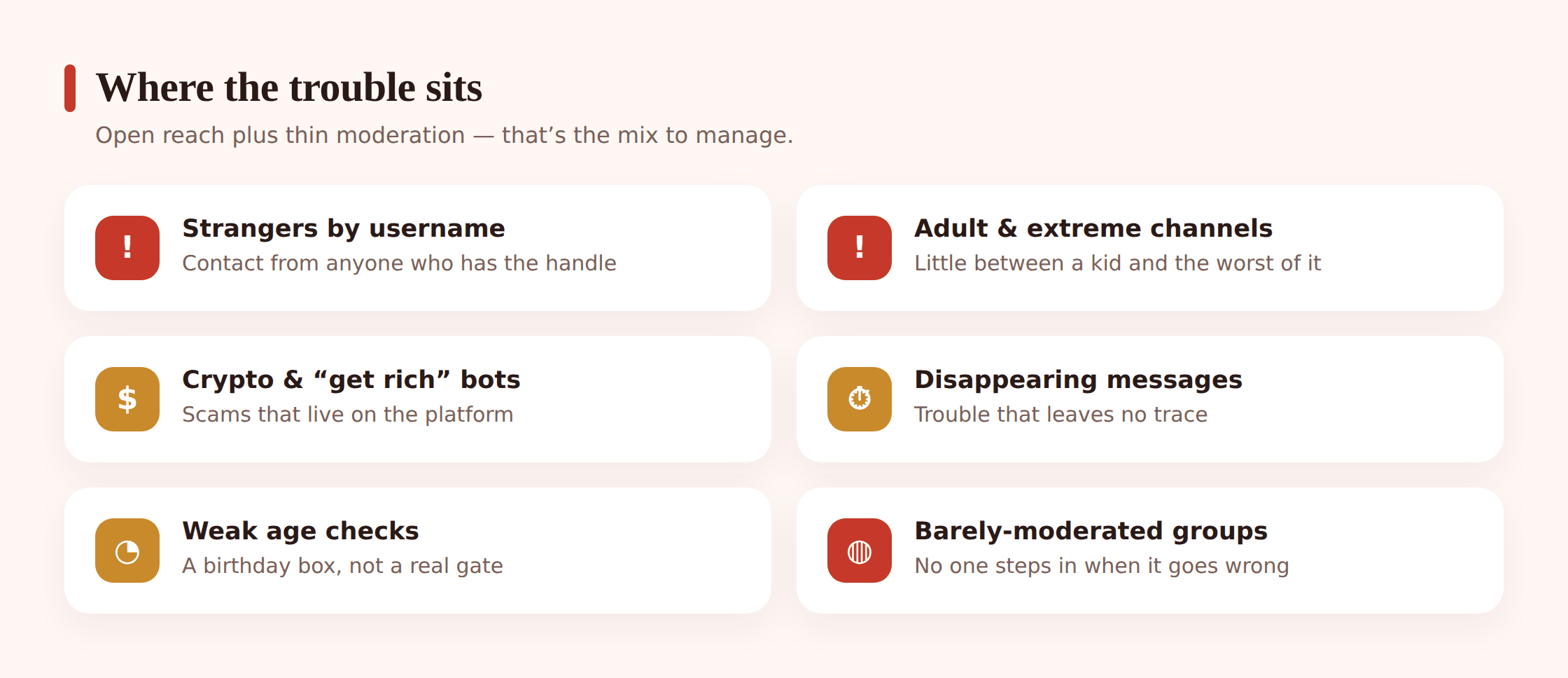
These are the things that genuinely come up, described plainly and without dramatics.
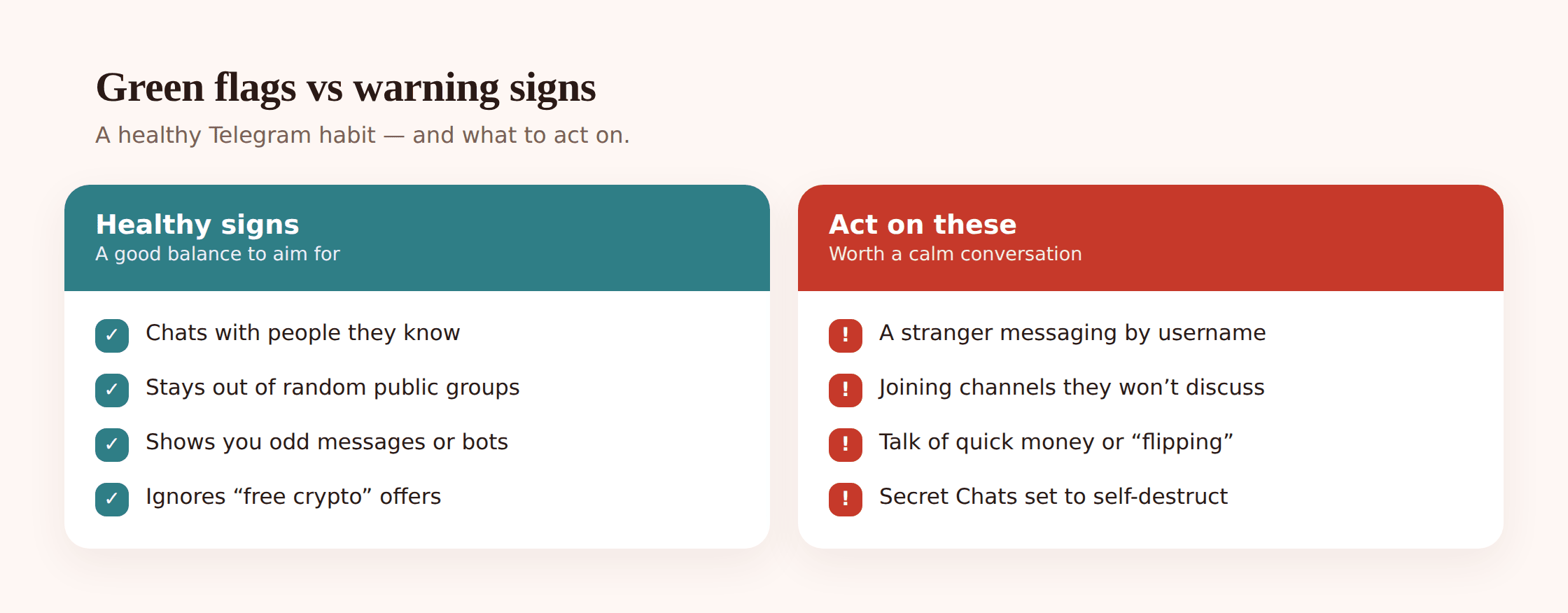
Strangers reaching in through a username or group. This is the core one. Because a public username lets anyone message your child directly, and because groups can hold tens of thousands of people, the “only people I know can contact me” assumption doesn’t hold. An adult who wants to reach a young person can do it here more easily than on a contacts-based app. Grooming tends to start exactly this way — a friendly opener from someone who found the handle or shared a group. We go deeper on that pattern in protecting kids from online predators.
Adult and extreme content in public channels. Telegram moderates far less of its public space than the mainstream platforms do, especially inside channels and large groups. That means a child browsing or following a link can land on material that’s violent, sexual, hateful, or otherwise well past what they should see — with no filter catching it first. It isn’t hidden in a dark corner; sometimes it’s one careless join link away. Handled calmly, this is a “close it and tell me” situation, not something to make a child feel guilty about stumbling onto.
Scam bots and “get rich” schemes. Telegram is a favourite home for crypto pitches, fake giveaways, “investment” bots, and channels promising easy money. A bot messages your child, or a flashy channel promises to double their pocket money, or a “friend” in a group pushes a trading app. Kids are a soft target because the promise is exciting and the mechanics look official. Our guide to online scams targeting kids breaks down how these hooks work and how to teach the spotting reflex.
Disappearing messages hiding trouble. Secret Chats and self-destruct timers mean a conversation can be built to leave nothing behind. Used between friends it’s harmless. Used by someone who shouldn’t be talking to your child, it’s a way to keep a parent from ever seeing what was said or sent. The feature isn’t the problem; the person insisting on it for something that feels off is the flag.
Weak age checks, mixed-age spaces. Because nothing verifies age, adults and children share the same groups and channels constantly. Your child isn’t in a walled kids’ area — they’re in the general population of the app, with everyone else.
Almost no parental controls inside the app. Telegram has no child account, no parent dashboard, no content filter, and no built-in time limits. There’s a “sensitive content” toggle for public channels and that’s roughly it. Everything protective lives in the general privacy settings, which is why the next section carries a lot of weight.
Settings to change before you hand it over
Sit down with your child’s phone and do these together, once. It takes about ten minutes and it’s the highest-value thing in this article. In Telegram, open Settings, then Privacy and Security.
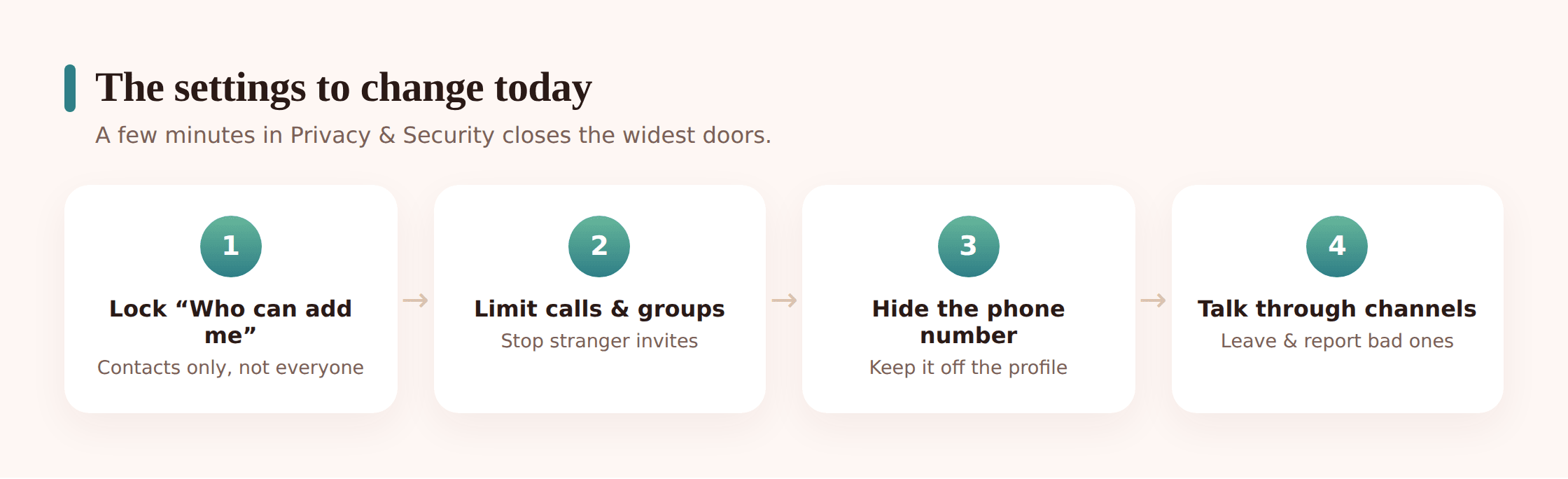
Step 1 — Lock down who can find and message them
Under Privacy and Security, set Phone Number visibility to Nobody, and “Who can find me by my number” to My Contacts. Then set Who can add me to groups and channels to My Contacts so strangers can’t drop them into anything. If your child has a public username, seriously consider removing it — without one, people can’t message them out of the blue.
Step 2 — Restrict calls and Secret Chats invitations
Set Calls to My Contacts (or Nobody) so random accounts can’t ring the phone. This is the same setting that governs who can start a Secret Chat with them.
Step 3 — Turn on the sensitive-content filter
Telegram has a “Disable filtering / sensitive content” option that’s often left off. Make sure filtering for sensitive content in public channels is on. It’s not perfect, but it’s better than nothing, and it’s easy to miss.
Step 4 — Set a passcode and two-step verification
Under Privacy and Security, add a Passcode Lock for the app itself, and turn on Two-Step Verification with a password so nobody can hijack the account onto another device. Save the password somewhere you can both find it.
Step 5 — Practise Block, Report and Leave together
Show them the taps, don’t just describe them. Open a chat, tap the name, and there’s Block User and Report. In any group or channel, there’s Leave. Do each one on something harmless so the muscle memory exists when it counts. Blocking a stranger should feel routine, not dramatic.
Step 6 — Talk through Secret Chats and self-destruct
They can’t stop other people from suggesting a Secret Chat, but they should understand what it is: a private, disappearing conversation. If anyone pushes for one — or for auto-deleting photos — around something that feels uncomfortable, that’s a reason to come to you, not a normal request to go along with.
- Phone number: visible to Nobody
- Public username: removed, or kept only if there’s a real reason
- Add to groups/channels: My Contacts only
- Calls and Secret Chat invites: My Contacts or Nobody
- Sensitive-content filtering: on
- Passcode lock and two-step verification: both set and saved
- Block, Report and Leave: practised once, together
What phone-level awareness adds
Settings shrink the risk. They don’t tell you how the app is actually going week to week — whether a new stranger has started messaging, whether the hours are creeping past bedtime, whether a worrying word has surfaced. That’s the gap a light, agreed-upon layer of awareness fills, and it’s worth being straight about what that can and can’t reach.
The honest limit first: Telegram’s Secret Chats are end-to-end encrypted, so their contents can’t be read from outside the two phones — not by Telegram, not by a parent, not by any panel, and anyone selling you a tool that claims to pull live Secret Chats onto a web dashboard is either misleading you or doing something you shouldn’t trust. Cloud chats aren’t sealed the same way, but the responsible approach with a teenager isn’t to read every message anyway. It’s to watch for the signals that something’s wrong and keep the private stuff private.
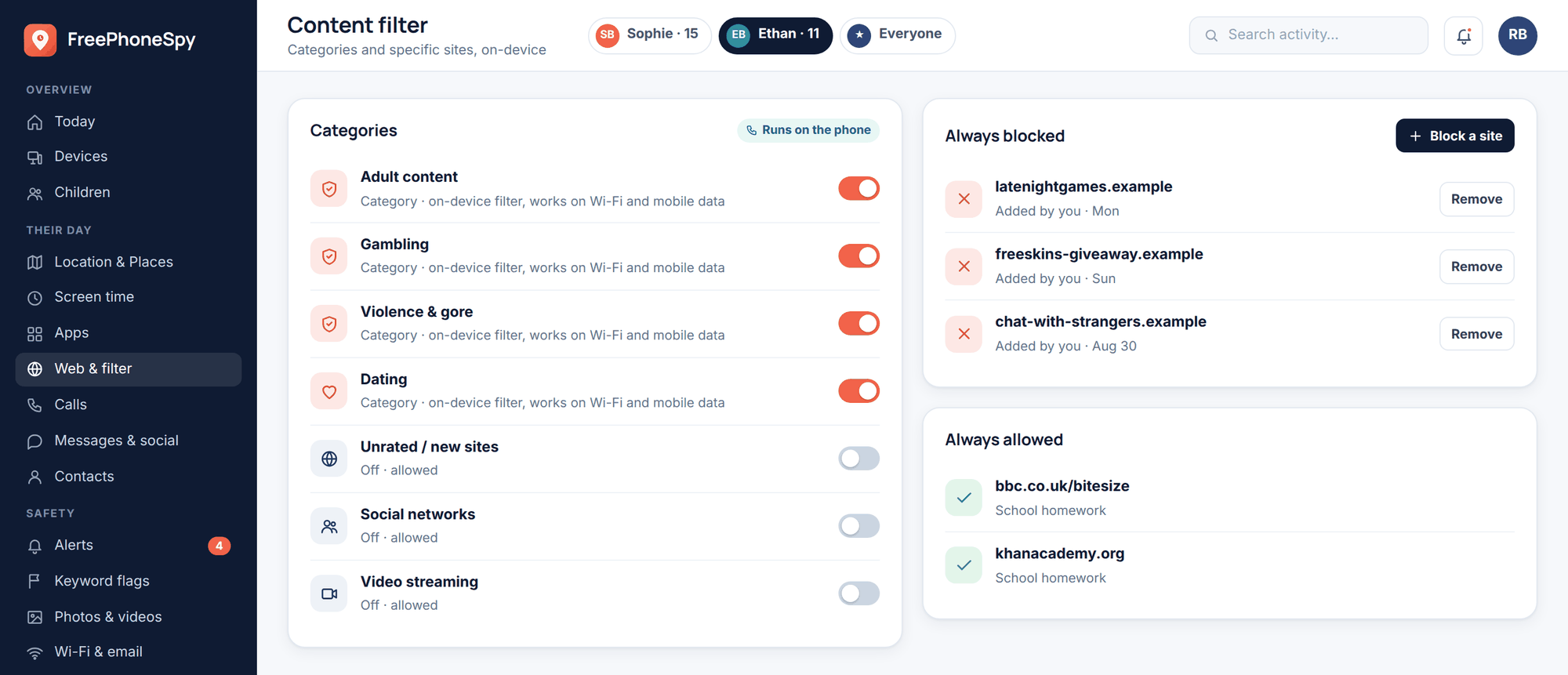
That’s where FreePhoneSpy fits, used openly. On an Android phone you both set up together, it can flag when an unfamiliar contact starts turning up, show you the rhythm of activity — a burst of messaging at two in the morning stands out even without the words — and let you set your own watch-words so you get a nudge if something like self-harm language, a drug slang term, or a “don’t tell your parents” phrase appears in what the phone can see, instead of you reading over their shoulder. You can also cap how long messaging apps run in a day and block outright the categories of website you never want a Telegram link leading to. Think of it as smoke detectors and a curfew, not a wiretap. If you want the line between the two spelled out, we wrote a whole page on monitoring versus spying.
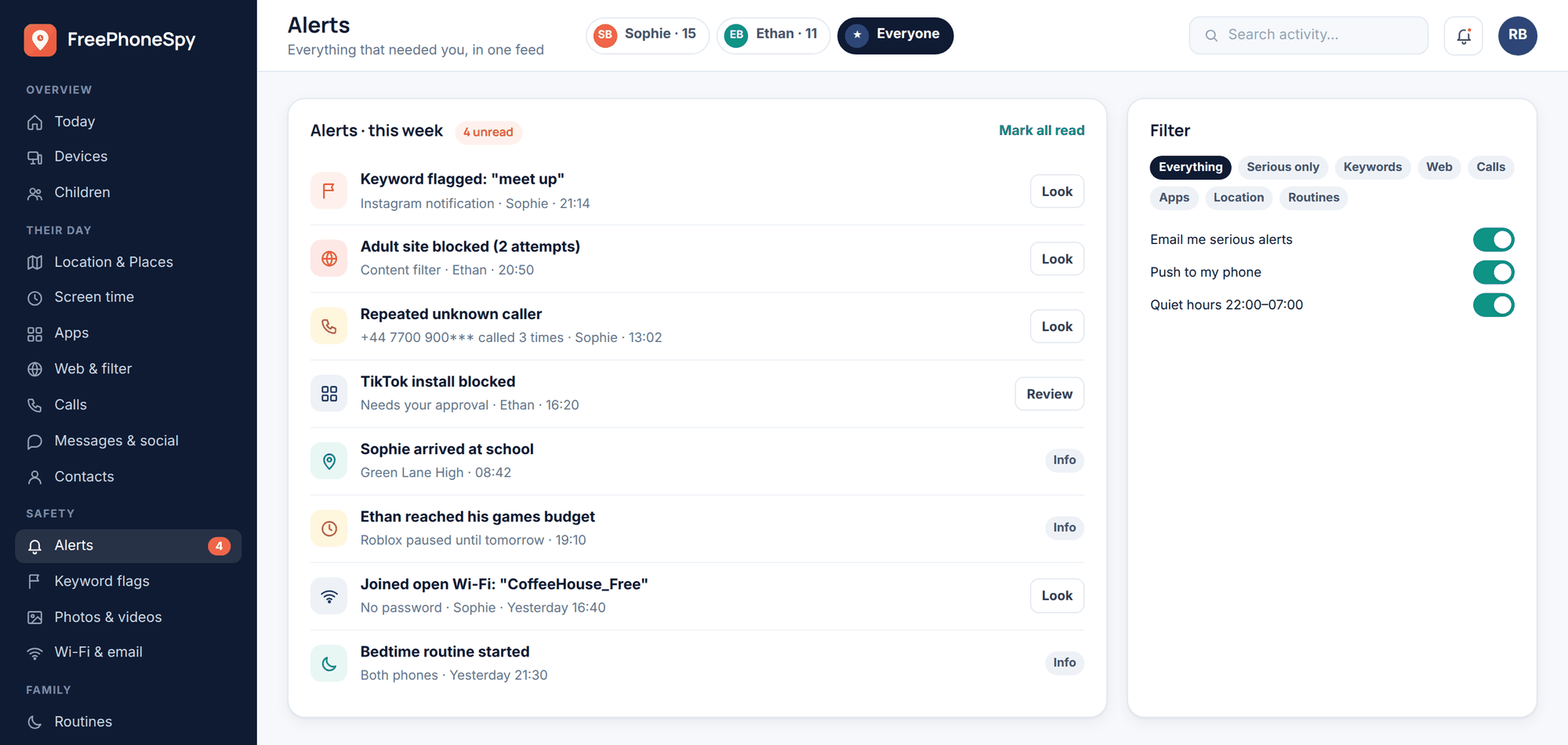
None of that replaces the settings or the conversation. On an app like Telegram, where the encrypted corners stay genuinely private, the awareness layer is a backstop for the signals — new stranger, odd hours, a keyword you care about — while the trust does the heavy lifting. Content filtering at the phone level is one more guardrail for the public-channel firehose, but it’s a supporting act, not the main plan.
Talking to your kid about it
Do this before the app goes on the phone, and keep it short — a lecture gets tuned out, a real exchange doesn’t. A few things are worth landing.
Explain the shape of Telegram in one plain sentence: it’s a messenger bolted onto a giant public network, so unlike a family chat, people your kid has never met can reach them and post things no one filters. Then hand them the two habits that carry most of the weight. First, the stranger rule: if an account they don’t know messages them, or a bot promises money, they don’t reply, don’t send anything, don’t confirm their name, school, or age — they screenshot it, show you, and block. A first reply is the hook every scammer and every predator needs; no reply, no hook. Second, the exit rule: leaving a group or channel is always allowed and never rude. If a space turns nasty, fills with strangers, or starts posting things that feel wrong, they leave and tell you.
Name the disappearing-message thing directly, because Telegram makes it easy. Tell them Secret Chats and self-destruct timers are fine between friends, but if anyone leans on them to keep a conversation off the record — especially around photos or anything that makes your kid uneasy — that’s exactly the moment to come to you.
And be clear about the deal on your side. If they bring you the uncomfortable stuff — the creepy message, the channel they wish they hadn’t opened, the bot that nearly got them — they are not in trouble for it. Ever. That promise is what turns you into the first person they tell instead of the last. A child who’s afraid of the reaction handles a predator alone; a child who knows the door is open forwards you the screenshot. The reaction you have to the small stuff is what decides which kind you get.
Set the privacy settings together, agree the two rules out loud, and come back to it in a month to see how it’s actually going. That combination — locked-down settings, an open agreement, a light backstop for the signals — is what “safe” honestly looks like on Telegram. For the wider view across every app, our social media safety guide ties it together, and if you’re weighing other messengers, we’ve covered WhatsApp and Discord the same way.
FAQ
Are Telegram chats private and encrypted?
Only some of them. Regular cloud chats — the default — are stored on Telegram’s servers and are not end-to-end encrypted. Only Secret Chats, which a user has to start deliberately, are end-to-end encrypted and device-bound. So “I’m on Telegram” doesn’t mean “my messages are sealed.” It depends on which kind of chat they’re in.
Can a stranger message my child on Telegram?
Yes, if your child has a public username or is in a public group, because those let people contact them without ever having their phone number. This is the single most important thing to fix: remove the username, set “who can add me to groups” and “who can call me” to My Contacts, and hide the phone number. That closes most of the doorway.
What’s the minimum age for Telegram?
Telegram’s terms set 16 in many regions and 13 in others, but it only asks for a self-reported birth date with no verification. Treat the number as a floor to think about, not a green light, and judge your own child’s readiness for an app where the content isn’t filtered and strangers can make contact.
Are Telegram bots safe for kids?
Some are harmless games or quizzes; others are fronts for scams, especially the ones promising crypto profits, free giveaways, or easy money. A child usually can’t tell them apart. Teach the flat rule: a bot that asks for money, personal details, or a login, or promises to make you rich, gets ignored and reported. Our online scams guide has more.
Can I see my child’s Telegram messages?
Not the Secret Chats — those are end-to-end encrypted and can’t be read from outside, and you should be wary of anything claiming otherwise. The better approach, done openly, is awareness rather than reading everything: flag when a new stranger appears, watch for keywords you’ve chosen, notice odd-hours activity, and cap the app’s time. The private conversations stay private; you still catch the signals that matter.
My child is on iPhone — does this still apply?
The Telegram settings and the conversation in this guide work on any phone. FreePhoneSpy’s phone-level features are for Android; on iPhone, use Apple’s Screen Time and Communication Safety alongside the same Telegram privacy settings and the same honest agreement described here.