Social Media Safety for Kids: A Parent’s Guide
Your kid isn’t asking for social media anymore. They already have it, or half their friends do, and the question has quietly changed from “should I let them” to “how do I keep this from going wrong”. Good news: most of what matters comes down to a handful of settings and one honest conversation. Here’s the practical version, app by app.
Where the real risks actually are
Forget the scary headlines for a second. The risks that show up in ordinary family life are narrower and more predictable than the news makes them sound. Knowing the shortlist means you can stop worrying about everything and focus on the few things that count.
- DMs from strangers. Not your kid’s friends. The account that follows, compliments, then moves the chat somewhere more private. This is the single biggest one, and it hides inside apps you’d think of as harmless.
- Disappearing messages. Snapchat built its whole brand on it. When a message is designed to vanish, kids say things they wouldn’t otherwise, and there’s no record if something goes wrong.
- The algorithm. TikTok and YouTube don’t show your child what their friends post. They show what keeps them watching, and “what keeps them watching” and “what’s good for them” are not the same thing.
- Comparison and mood. Endless highlight reels of other people’s lives. This one’s slow, not dramatic, and it’s real.
- Group-chat drama. Fallings-out that used to end at the school gate now follow them home and run all night.
- Adult content and spending. A search that goes one step too far, or a game that turns a tenner into thirty quid of loot boxes before anyone notices.
Notice what’s not on there: the app itself being “bad”. No app is the problem. The problem is a specific feature, a specific stranger, or a specific late-night spiral. Fix the feature and you’ve fixed most of the risk.
App by app: the setting that matters most
Every app has dozens of settings and most of them don’t matter. For each of the big ones, there are one or two that genuinely move the needle. Change those first.
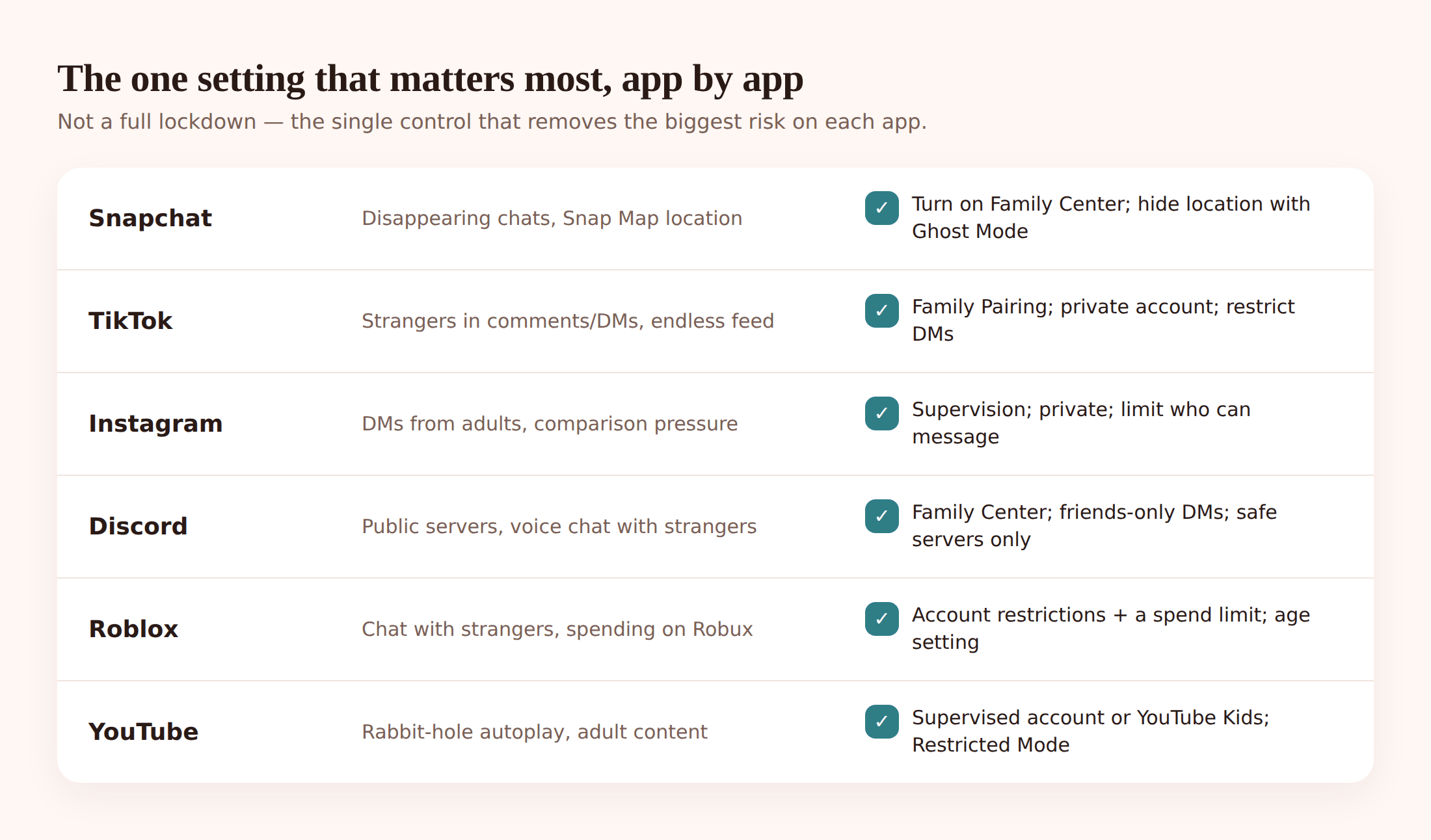
Snapchat
The risk: disappearing messages and easy contact from strangers, plus location sharing on the Snap Map. The setting that matters: turn on Family Center (both of you need accounts, and it links them openly). It lets you see who they’re messaging without reading the messages, and it flags new friends. Also set the Snap Map to Ghost Mode so their location isn’t broadcast. Age reality: officially 13+, but it’s built for teens and younger kids struggle with the pressure to keep “streaks” going at all costs.
TikTok
The risk: the algorithm serving content that’s too old for them, plus DMs. The setting that matters: Family Pairing, which links your phone to theirs and lets you set who can message them, restricted mode, and screen-time limits. Set direct messages to friends only or off for younger kids. Age reality: 13+, and accounts for under-16s are private by default with DMs disabled, which is the right starting point.
The risk: comparison, plus DMs from accounts they don’t know. The setting that matters: a private account (so only approved followers see posts) and Instagram’s Supervision tools, which show you who they follow and how much time they spend. Restrict who can message them to people they follow. Age reality: 13+, and Meta now defaults teens into stricter “Teen Account” settings, but check them rather than assuming.
Discord
The risk: it’s built around private servers and voice chat, so strangers can reach kids inside communities that look innocent (a game, a fandom). The setting that matters: turn on Family Center, set “Keep me safe” content filtering to scan all messages, and switch off direct messages from server members they don’t know. Age reality: 13+, and honestly a step up in complexity from the others — worth waiting on unless there’s a specific reason.
Roblox
The risk: it’s a platform of user-made games, so the content varies wildly, and chat plus in-game spending (Robux) are both live. The setting that matters: add a parent PIN to lock settings, set the account age to their real age (this filters chat and content automatically), and turn on spending limits. Age reality: no minimum, but the experience is very different for a 7-year-old versus a 13-year-old, and the age you enter genuinely changes what they can access.
The risk: group chats where anyone with the link can be added, and messages that feel private so drama escalates. There’s no built-in parental control here. The setting that matters: set “Who can add me to groups” to My Contacts, and turn off automatic media download so nothing lands in their gallery unasked. Age reality: officially 16+ in much of Europe, 13+ elsewhere, and it’s genuinely a grown-up messaging app.
YouTube
The risk: the rabbit hole. One video leads to another, and “up next” doesn’t care how old they are. The setting that matters: for younger kids use YouTube Kids or a supervised account; for teens turn on Restricted Mode. Neither is perfect, but both cut out a lot. Age reality: the main app is 13+; anything younger should be on Kids or supervised.
Universal settings that help on any app
Before you go app by app, there are four moves that work almost everywhere. Do these on any new app your kid installs and you’re most of the way there.
- Go private. Public accounts let anyone see and message. A private account means they approve who follows them. This one change removes most stranger contact.
- Restrict messaging. Set DMs to friends or contacts only. Strangers can’t slide in if the door’s shut.
- Set screen-time limits. Both the app’s own limits and your phone’s built-in ones (iOS Screen Time, Android Digital Wellbeing). Not to police every minute — to stop the 1am scroll.
- Turn on downtime. A nightly window where social apps simply don’t open. Phones out of bedrooms overnight is the single healthiest rule most families never quite manage.
None of this needs special software. It’s an afternoon of tapping through settings menus. The reason people don’t do it isn’t difficulty, it’s that the settings are buried on purpose. Set aside an hour, sit down together, and work through the apps they actually use.
How open monitoring fits (and its honest limits)
Settings lock the doors. But settings don’t tell you how things are going day to day, and they don’t survive a determined teenager quietly switching them back. That’s where open monitoring earns its place — not as surveillance, but as a way to notice patterns and start conversations before small things become big ones.
FreePhoneSpy runs from any web browser. One app goes on the child’s Android phone, you pair it with a 6-digit code, and from then on you see activity from the web panel. Here’s the honest version of what it does and doesn’t show.
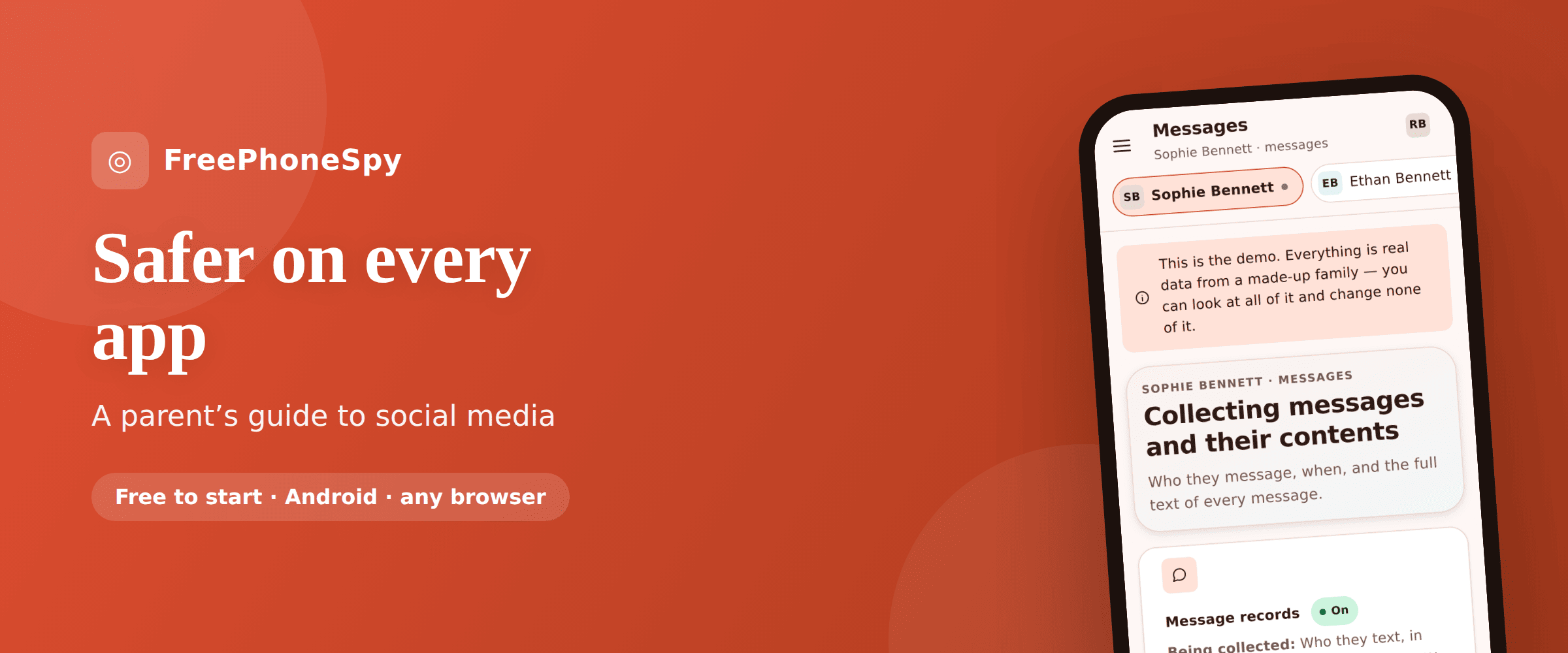
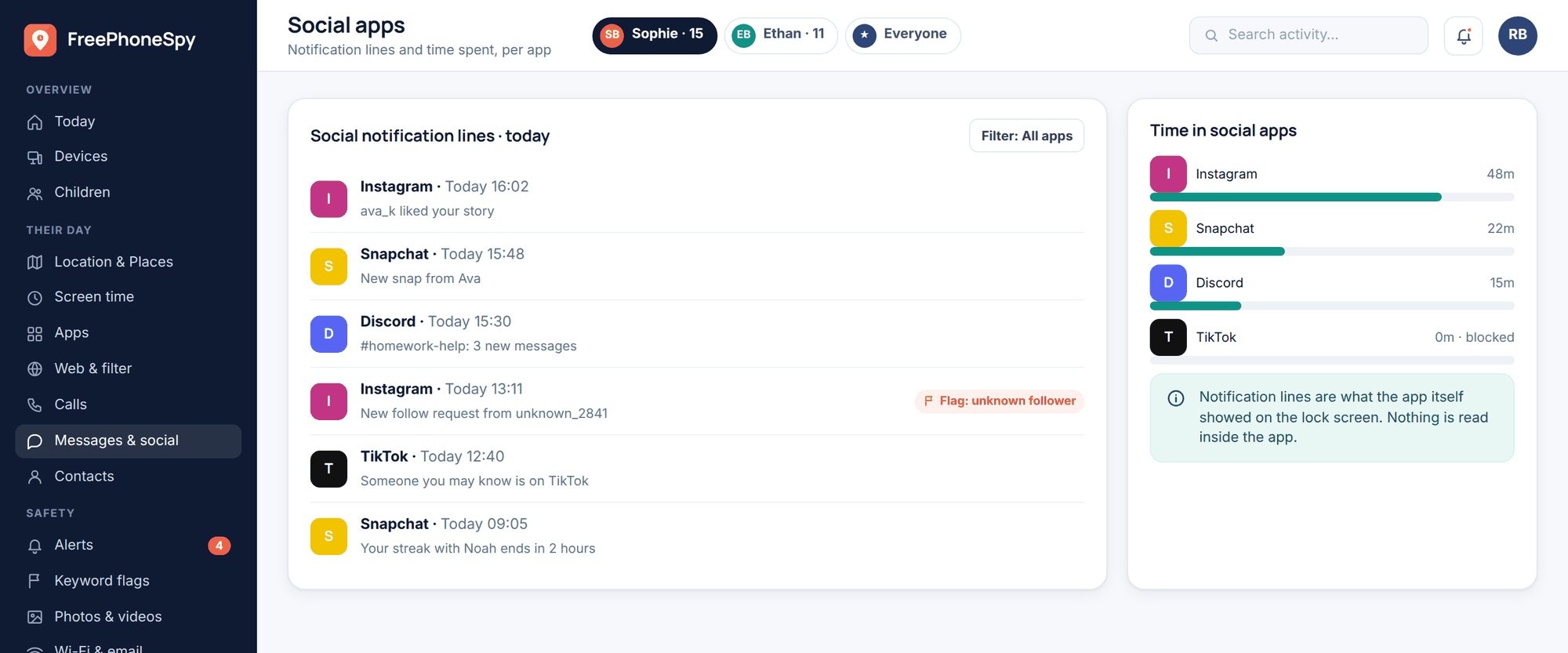
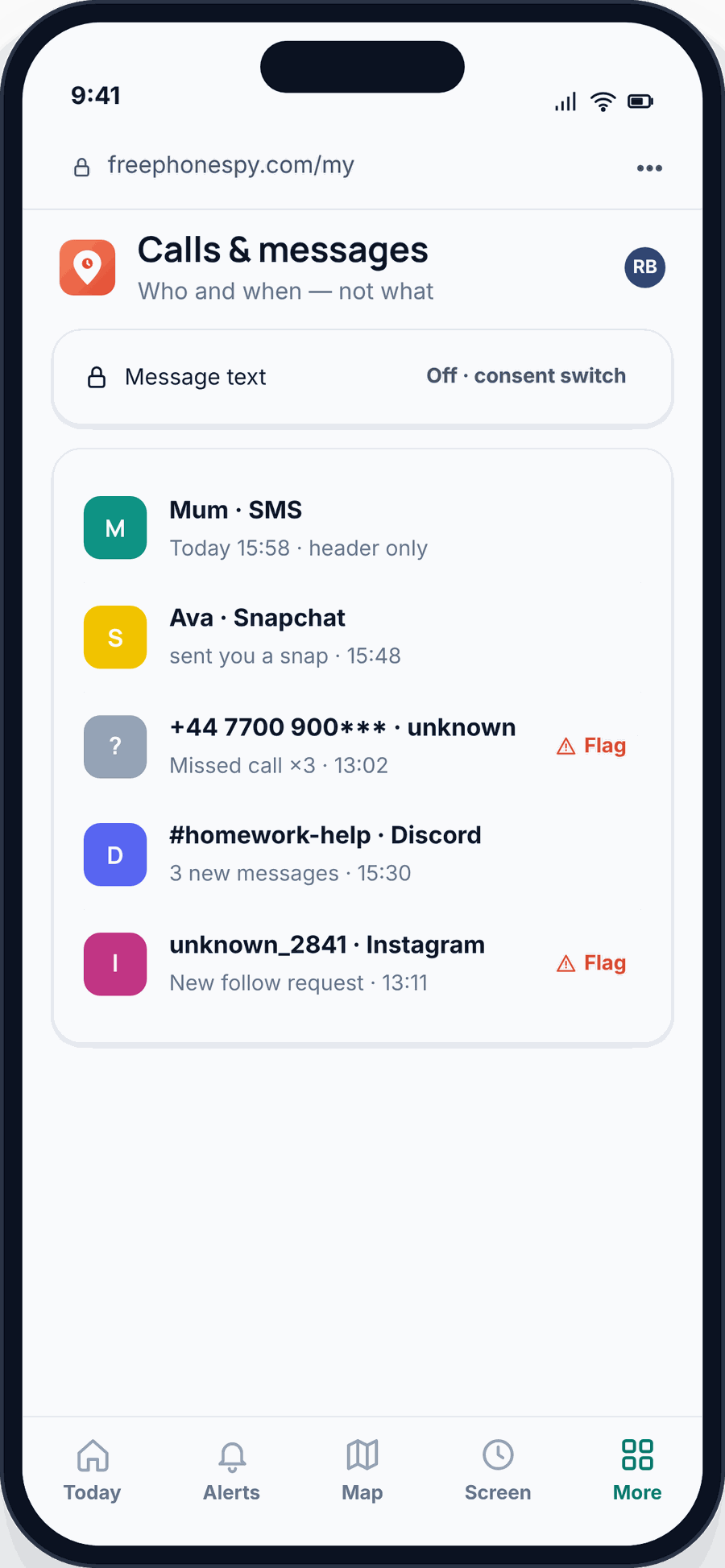
What you get by default is message and social headers: who your child talked to and when, across SMS and apps like Snapchat, Instagram, WhatsApp and TikTok. Not the words. The who and the when. That’s usually enough to spot the thing that matters — a new contact messaging at odd hours, a sudden spike in one chat, an unknown number that keeps coming back.
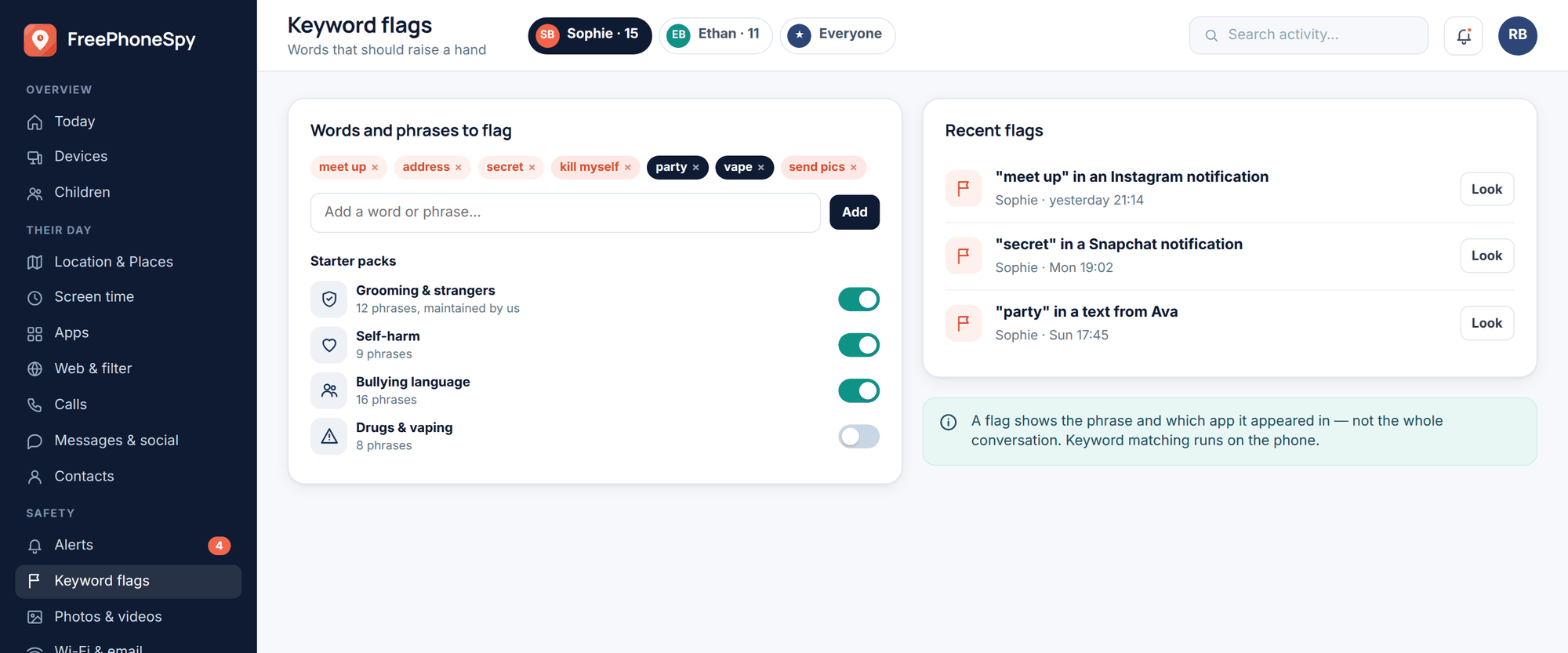
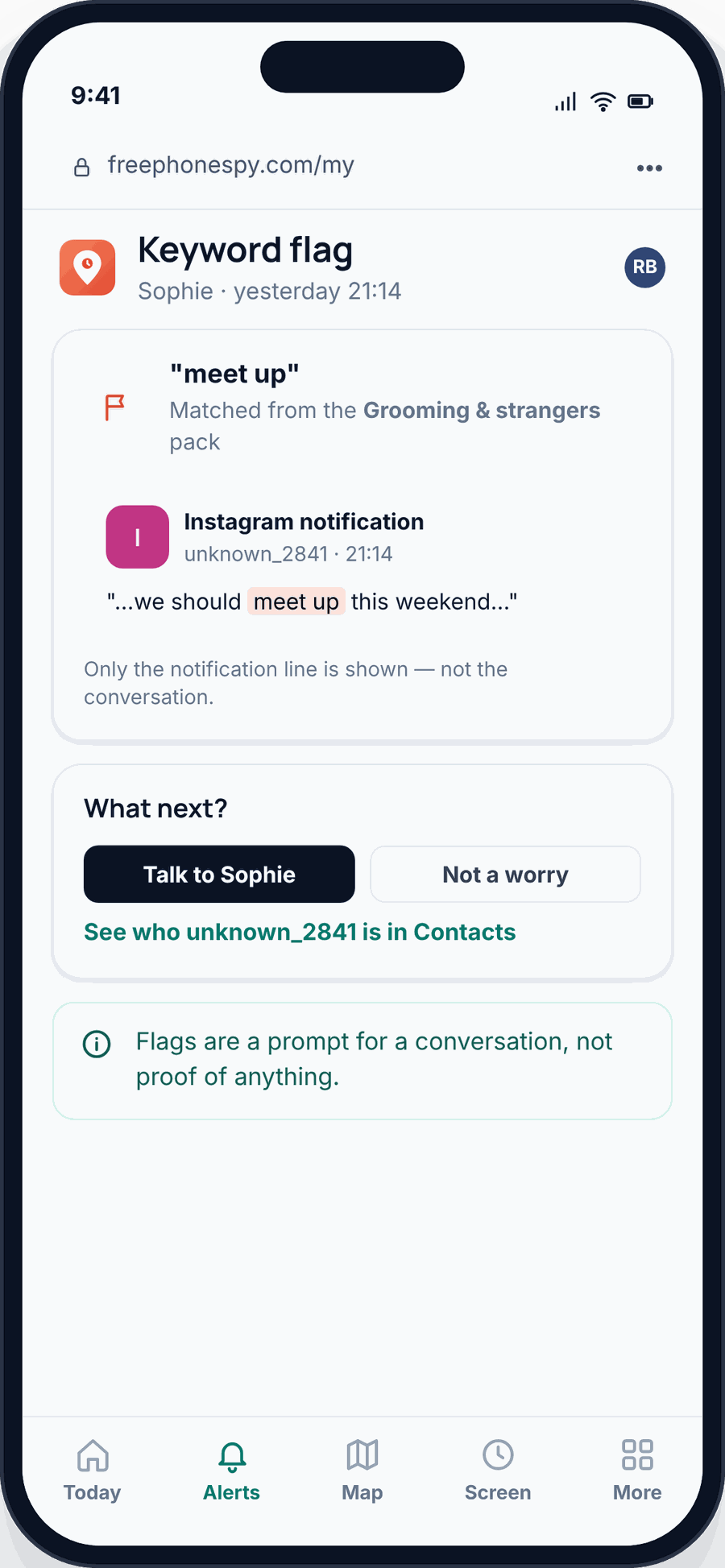
Keyword alerts are the part most parents find genuinely useful. You add words or phrases you’d want flagged — the language of bullying, self-harm, drugs, or a stranger pushing to meet — and if one shows up in a notification, you get an alert. You’re not reading everything. You’re being told when one of a few specific, worrying things happens. It’s the difference between reading a diary and having a smoke alarm.
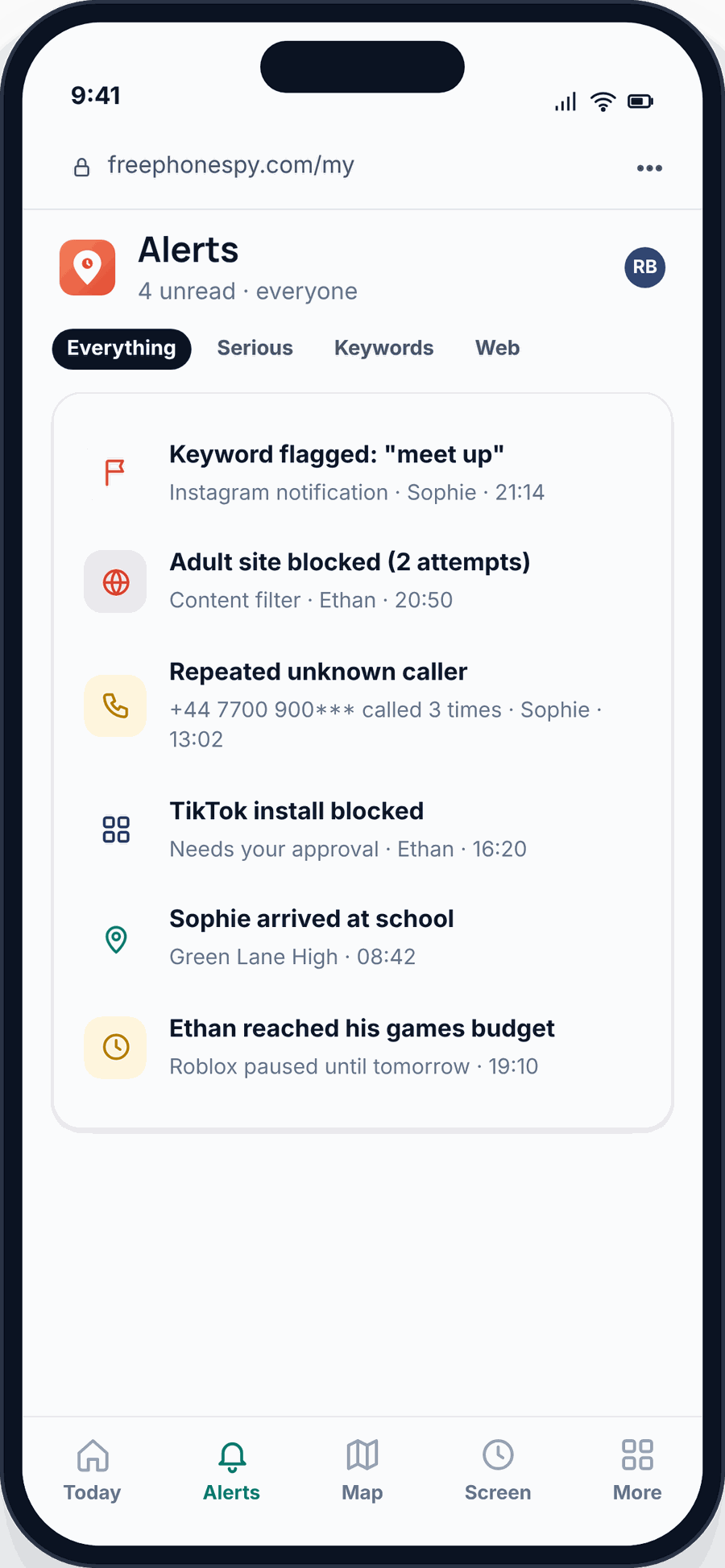
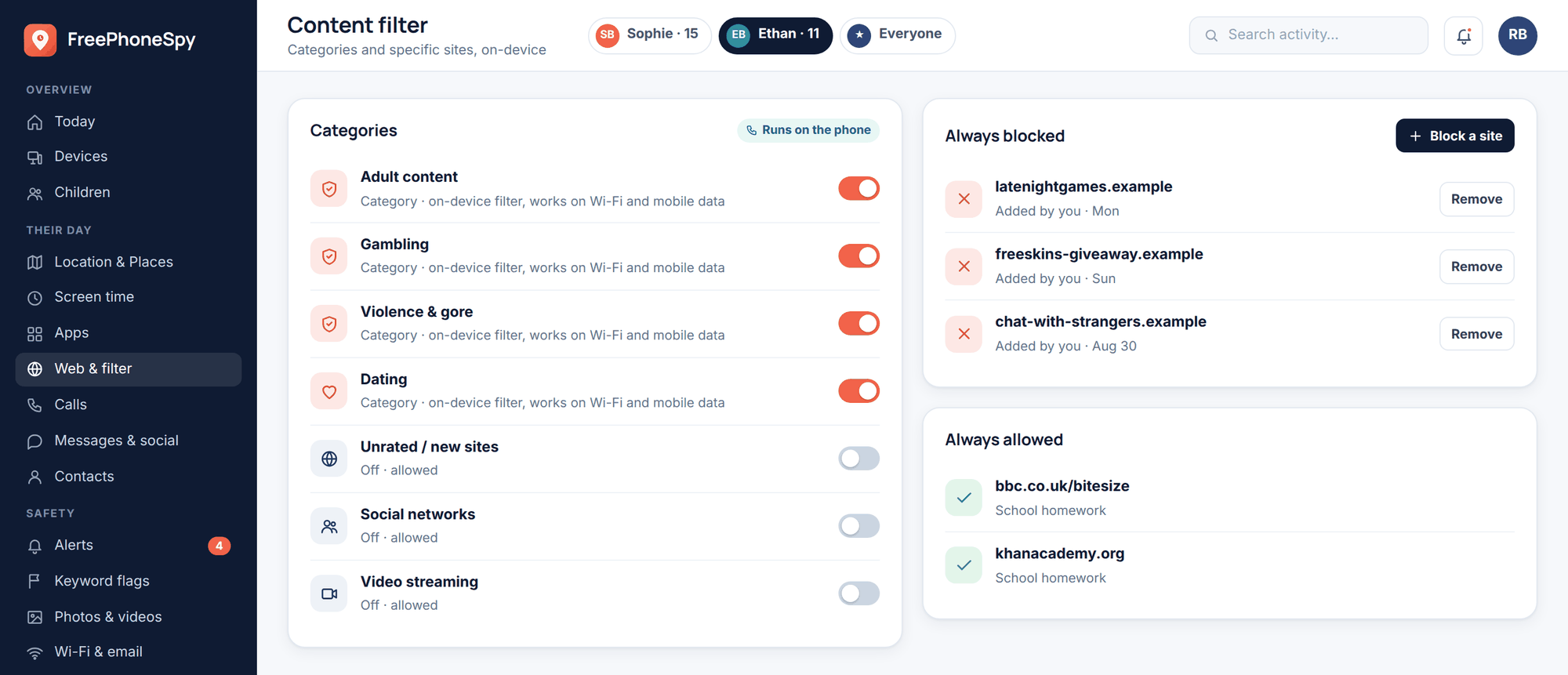
The web and content filter lets you block sites or whole categories on the phone, and app limits let you cap time on a specific app or block it outright. So if TikTok is eating every evening, you can put a lid on it. If there’s an app they’re simply too young for, you can hold it back until they’re ready.
Now the honest limits, because a tool that oversells itself isn’t worth trusting. You won’t read every DM — message bodies are gated behind a consent switch you both agree to, and even then, kids can talk on apps you’re not watching, or on a friend’s phone, or in person. Monitoring is not a fence. It’s a window. The value isn’t catching every single thing; it’s noticing enough to know when to talk, and having the conversation land because your kid already knew the app was there. If you’re weighing this up, we’ve written honestly about the line between monitoring and spying — it’s worth reading before you decide.
The conversation that does the heavy lifting
Every setting and every alert is worth less than one good ongoing conversation. Software buys you information. What you do with it is the actual parenting.
Start before the phone, not after something’s gone wrong. Sit down together and agree the rules as a family — which apps, what times, what the monitoring shows and why it’s there. When your kid helps set the rules, they’re rules, not a cage. The Bennetts did this with Sophie, 15, and Ethan, 11, and the two conversations looked completely different: Sophie wanted independence and got it with a lighter touch, Ethan needed more guardrails and didn’t much mind them yet.
Keep it light and regular. Ask what’s funny on TikTok this week. Let them show you. A parent who knows the apps is a parent a kid will actually come to. And when an alert does fire, lead with curiosity, not an accusation — “I saw this pop up, what’s going on?” beats “who is this and why are you talking to them” every time.
Age guidance: waiting, and easing in
Most social apps say 13+. That number isn’t a safety rating, it’s a US data-privacy law (COPPA), but it’s still a reasonable line, and the pressure to cross it early is intense. You’re allowed to wait.
| App | Stated minimum | A sensible starting point |
|---|---|---|
| YouTube Kids | Under 13 | Fine early, supervised |
| Roblox | None | 7+ with age set correctly and chat limited |
| 13–16 | 13+, contacts-only groups | |
| TikTok | 13 | 13+, private, Family Pairing on |
| Snapchat | 13 | Later than 13 if you can — 14–15 |
| 13 | 13+, private, Supervision on | |
| Discord | 13 | Later — 15+ unless there’s a real reason |
Ease in rather than flipping a switch. A first phone doesn’t need every app on day one. Start with messaging to family and one or two apps their friends use, with the tightest settings, and loosen as they show they can handle it. Trust earned is trust that sticks. And a note on iPhones: FreePhoneSpy’s child app is Android only. If your kid’s on an iPhone, Apple’s own Screen Time and Family Sharing cover the limits and content filtering side well — set those up instead.
Two more reads worth your time as you go: our guides on protecting kids from online predators and spotting and handling cyberbullying both go deeper than we can here.
Questions parents ask
What’s the single most important thing I can do?
Make every account private and restrict who can message your child. That one pair of changes removes the biggest risk — contact from strangers — across nearly every app. Do it today; do the rest over the weekend.
Will my child know they’re being monitored?
Yes, and that’s the point. FreePhoneSpy is transparent — the app is visible on their phone, nothing is monitored until you’ve set it up, and message bodies stay private unless you both switch them on. Open monitoring builds trust; hidden monitoring destroys it the day it’s found.
Can I read my child’s actual messages?
By default, no — you see headers (who and when), not the words. Message bodies are gated behind a consent switch you agree to together. For most families the headers plus keyword alerts are enough to notice a problem without reading everything.
Does FreePhoneSpy work on an iPhone?
The child app is Android only. If your child has an iPhone, use Apple’s built-in Screen Time and Family Sharing for limits, content filtering and app approvals — they cover a lot of the same ground.
Isn’t monitoring just spying?
It depends entirely on how you do it. Done secretly, to catch someone, yes. Done openly, agreed as a family, with the goal of helping rather than punishing — that’s parenting, the same as knowing where your kid is after school. We wrote a whole piece on where that line sits.
My kid says everyone else is allowed. How do I hold the line?
“Everyone” rarely means everyone, and other families’ choices aren’t a safety standard. Agree the rules together, explain the why, and revisit them as your child grows. Waiting a year on one app is not the disaster it feels like in the moment.