How Social Media Algorithms Work: A Parent’s Guide
Your teen opens an app to check one thing. Twenty minutes later they’re still scrolling, and they couldn’t tell you what they saw. That’s not weak willpower. It’s a recommendation system doing exactly what it was built to do. The good news: once you understand how it works, you can steer it instead of being steered by it. And so can your kid.
- What an algorithm actually is
- The signals it watches
- Why feeds are so hard to put down
- How rabbit holes and echo chambers form
- The honest part: it’s not all bad
- How to shape a healthier feed
- Explaining it to your kids
- Why “free” apps work this way
- Take back the wheel: a quick checklist
- Questions parents ask
What an algorithm actually is
Strip away the mystery and an algorithm is just a recommendation system. It guesses what will keep you watching, shows it to you, then watches what you do and guesses again. That’s the whole engine. Netflix guesses which show you’ll click. A store guesses what you’ll buy next. A social feed guesses which post will stop your thumb.
It’s not magic. It can’t read minds, and it doesn’t know you as a person. It knows your behavior. Every tap and pause is a tiny vote, and the system counts votes fast. Show it that you slow down for dog videos and it will hand you more dogs. It didn’t decide you love dogs. You told it, one lingering second at a time.
That’s the reframe worth passing to your kids: the feed isn’t smart about you. It’s smart about patterns. And patterns can be changed.
The signals it watches
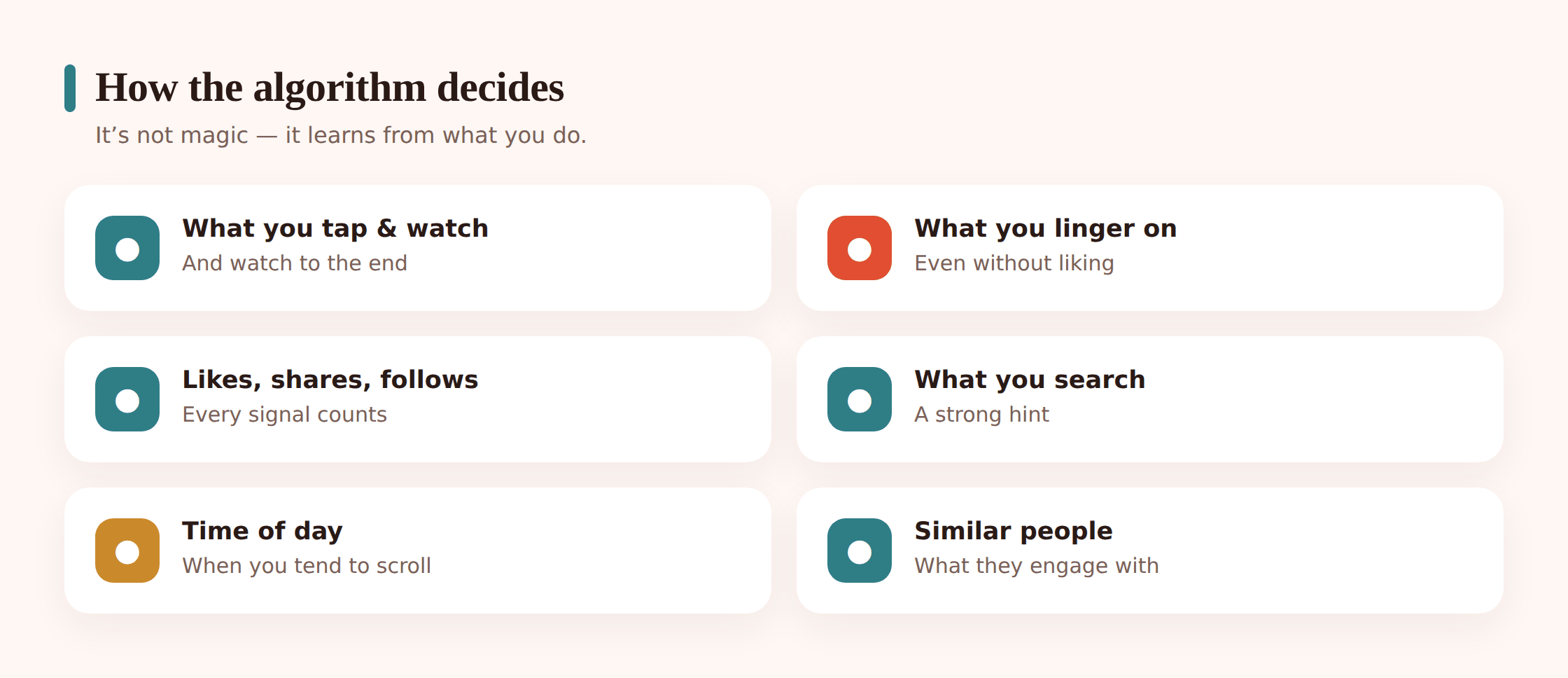
The system pays attention to far more than the like button. Here’s the short version of what it’s counting:
- What you tap and open. Every click is a preference.
- What you watch to the end. Finishing a video is a strong signal.
- What you rewatch or replay. Even stronger.
- Likes, comments, shares, saves. The obvious ones, but not the most important.
- What you search and who you follow. Deliberate choices carry weight.
- How long you linger, even when you never like anything. A three-second pause on a post says plenty.
- Time of day and context. Late-night scrolling looks different from a lunch break.
- What people like you engage with. If accounts similar to yours love a video, you’ll probably see it too.
Notice that most of these are passive. You don’t have to press anything. Just slowing down teaches it. The goal it optimizes for has a name the companies use openly: engagement. Engagement means any action that keeps you on the app and reacting. Watching, tapping, commenting, coming back. The feed isn’t trying to inform you or make you happy. It’s trying to keep you engaged. Sometimes those line up. Often they don’t.
Why feeds are so hard to put down
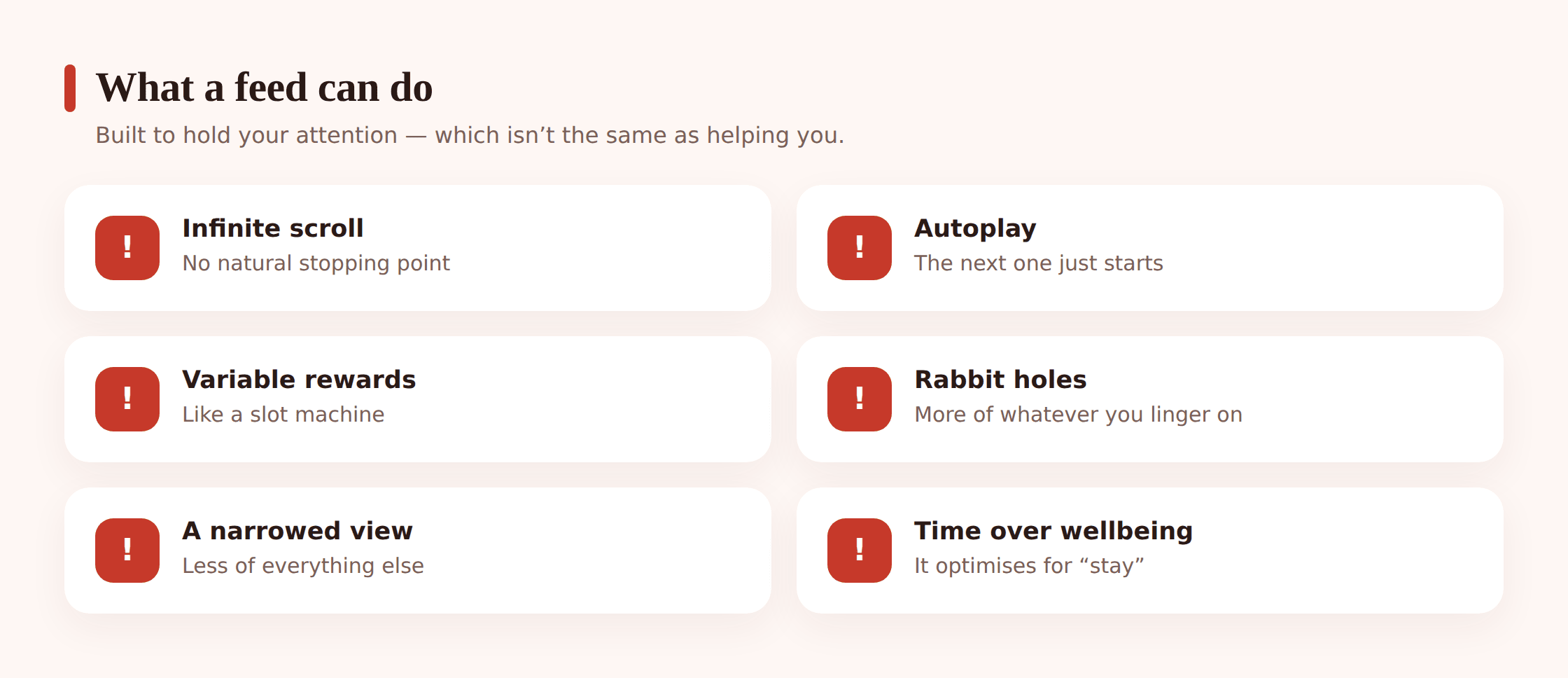
A few design choices stack up to make a feed genuinely tough to close. None of them are accidents.
Infinite scroll. There’s no bottom of the page. Older feeds had an end, and the end was a natural moment to stop. Remove it and you remove the pause.
Autoplay. The next video starts before you’ve decided you want it. Doing nothing keeps you watching, so nothing is the easy choice.
Variable rewards. This is the big one. Most posts are forgettable, but every so often one is great. You never know which scroll delivers it, so you keep pulling. It’s the same loop that makes a slot machine work. Unpredictable payoffs are more compelling than reliable ones, and your brain treats a surprising funny clip like a tiny jackpot.
It’s personalized. The feed is tuned to you specifically, so it feels uncannily relevant. That relevance is the product of all those signals, and it makes stepping away harder than closing a generic channel would be.
Put it together and the app is optimized for time-on-app. Keep that phrase in mind, because it’s the honest description of the goal. Time-on-app is not the same as rest, focus, learning, or feeling good afterward. Sometimes a feed gives you those. But when they compete with time-on-app, time-on-app usually wins, because that’s what the system was built to grow.
A simple test to share with your teen: after you close an app, ask “am I glad I did that?” A good feed leaves you a little better. A bad one leaves you foggy and vaguely worse and not sure where the time went. The feeling afterward is real data.
How rabbit holes and echo chambers form
Because the system serves more of whatever holds you, small interests snowball. Watch a couple of guitar videos and your feed leans musical. That’s a rabbit hole, and most of them are harmless or even great. You can fall down a woodworking hole, a recipe hole, a history hole, and come out having learned something.
The trouble is that the mechanism doesn’t judge what it amplifies. It just notices what holds attention. A worried teen who pauses on anxious content gets served more of it, because worry is engaging and the pause was a signal. A kid comparing themselves to others gets fed more of exactly the thing that stings, because they kept looking. The feed isn’t cruel. It’s indifferent, and indifference pointed at a vulnerable moment can dig a hole that’s hard to climb out of.
Echo chambers form the same way. Linger on one viewpoint and you get more of it and less of everything else. Over time your feed narrows until it feels like the whole world agrees with the last thing you watched. It doesn’t. You’re just seeing a slice that got reinforced. This is worth naming out loud with kids, and it connects to media literacy and spotting fake news, because a narrow feed makes bad information feel normal through sheer repetition.
The honest part: it’s not all bad
It would be easy to end here and call the algorithm a villain. That’s not true, and kids can smell a one-sided lecture from across the room.
The same system that can trap a worried teen also surfaces genuinely useful, funny, and educational things you’d never have found on your own. Recommendation systems help people discover music, learn skills, find their communities, and stumble onto ideas that change their lives. A curious kid with a well-tended feed has a better library of teachers than any generation before them.
So the tool isn’t evil. The problem is narrower and more honest: the system’s goal (keep you here) can pull against your goals (sleep, focus, a steady mood, real friends). Most of the time you can have both. The skill is noticing when they diverge and having the habits to correct course. That’s a skill you can teach, not a monster you have to slay.
How to shape a healthier feed
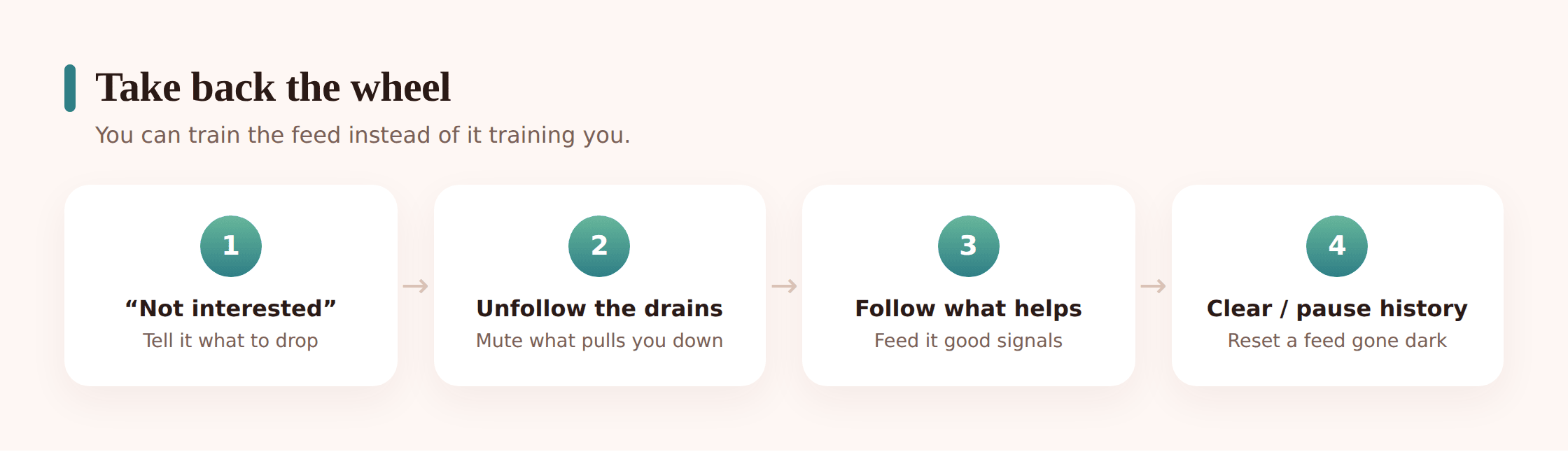
Here’s the empowering part. You are not stuck with the feed you have. Every one of those signals is a dial you can turn on purpose. Try these, and do them with your kid so it becomes a shared skill instead of a rule.
1. Use “not interested.” Most apps have a “not interested” or “don’t recommend this channel” option, usually behind a long-press or a three-dot menu. Use it every time something you don’t want appears. It’s the fastest way to teach the system.
2. Unfollow and mute what drags you down. If an account reliably leaves you feeling worse, it doesn’t get to stay just because you followed it once. Muting is quieter than unfollowing if that matters socially.
3. Follow and engage with what genuinely helps. Like, save, and comment on the stuff you actually want more of. You’re voting. Vote on purpose.
4. Clear or pause your watch history. Many apps let you clear or pause the history that drives recommendations. This is the reset button when a feed has drifted somewhere you don’t like.
5. Search deliberately instead of only scrolling. When you go looking for something specific, you lead. When you only scroll, the feed leads. Do more of the first.
6. Turn off autoplay. This alone restores the little pause between videos where you get to decide whether to keep going.
7. Take breaks so it “cools down.” Feeds respond to recent behavior. Step away for a few days and the current fixation loosens its grip on your recommendations.
8. Reset a feed that’s gone dark. If your teen’s feed has turned bleak, don’t just tell them to log off. Sit with them, clear the history, mark a batch of posts “not interested,” and deliberately follow lighter, brighter accounts. You can rebuild a feed in a week.
One more habit that shapes everything: turn down the pull to open the app in the first place. Constant pings drag you back into the loop before you’ve decided to go. Our guide to managing notifications for focus covers the settings that make the biggest difference.
Explaining it to your kids
Kids don’t want to be lectured, but they love knowing how things work under the hood. Frame it as insider knowledge, not a warning. The core message fits in one sentence: the app is trying to keep you scrolling, and you can steer it.
Make it a game. Challenge them to curate the best feed they can, one they’re proud to show you, full of things they actually learn from or love. Teach them the “not interested” button like a cheat code. When they realize they can bend the feed to their taste, the whole thing shifts from something happening to them into something they do.
Be honest about the harder edge too. A feed can quietly amplify comparison and worry, feeding a kid more of whatever they can’t stop looking at. That ties directly into how social media affects kids’ self-esteem and the broader link between phones and teen mental health. Naming it gives them a defense. A kid who knows “this app profits when I feel not-enough and keep scrolling” has a fighting chance to close it.
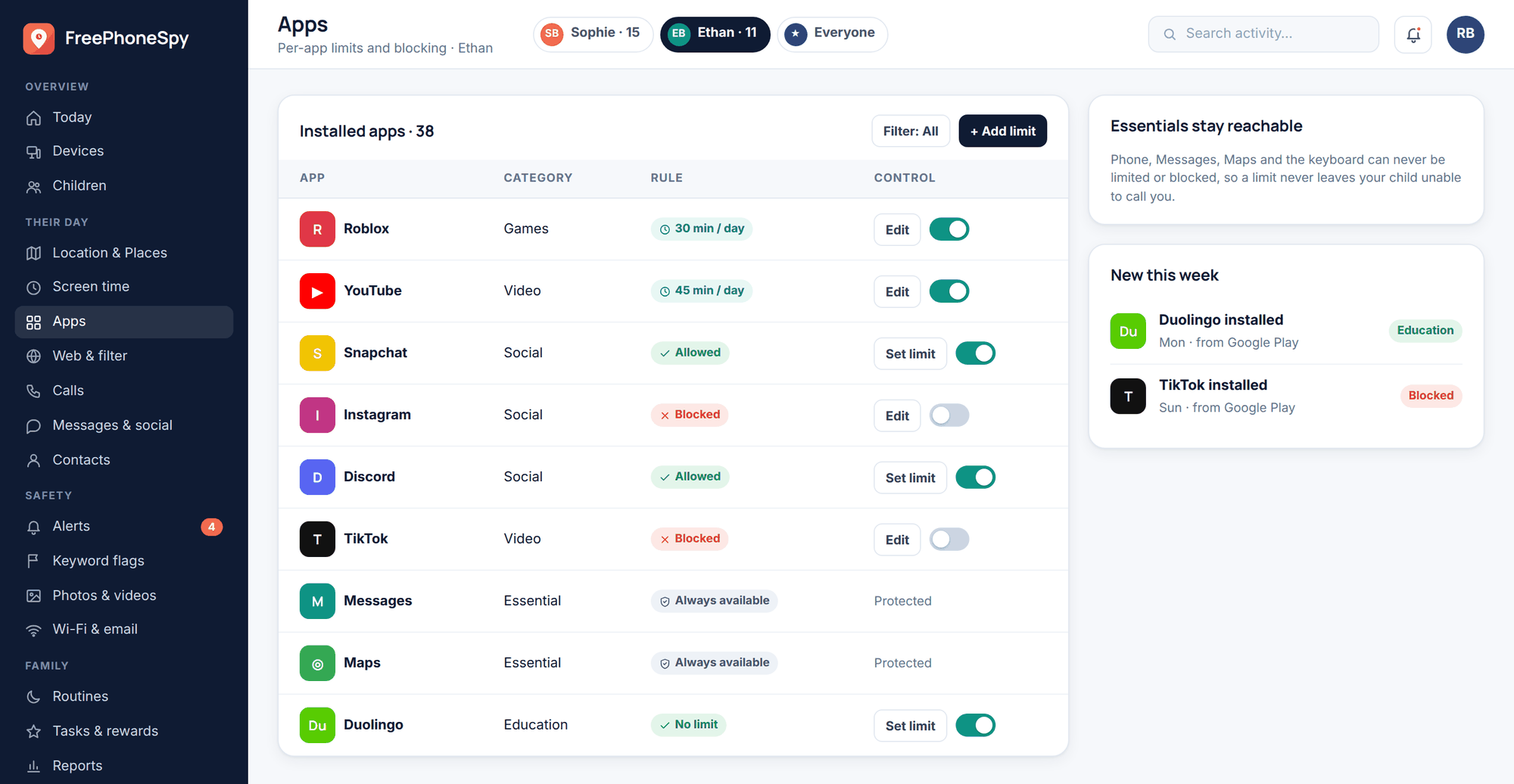
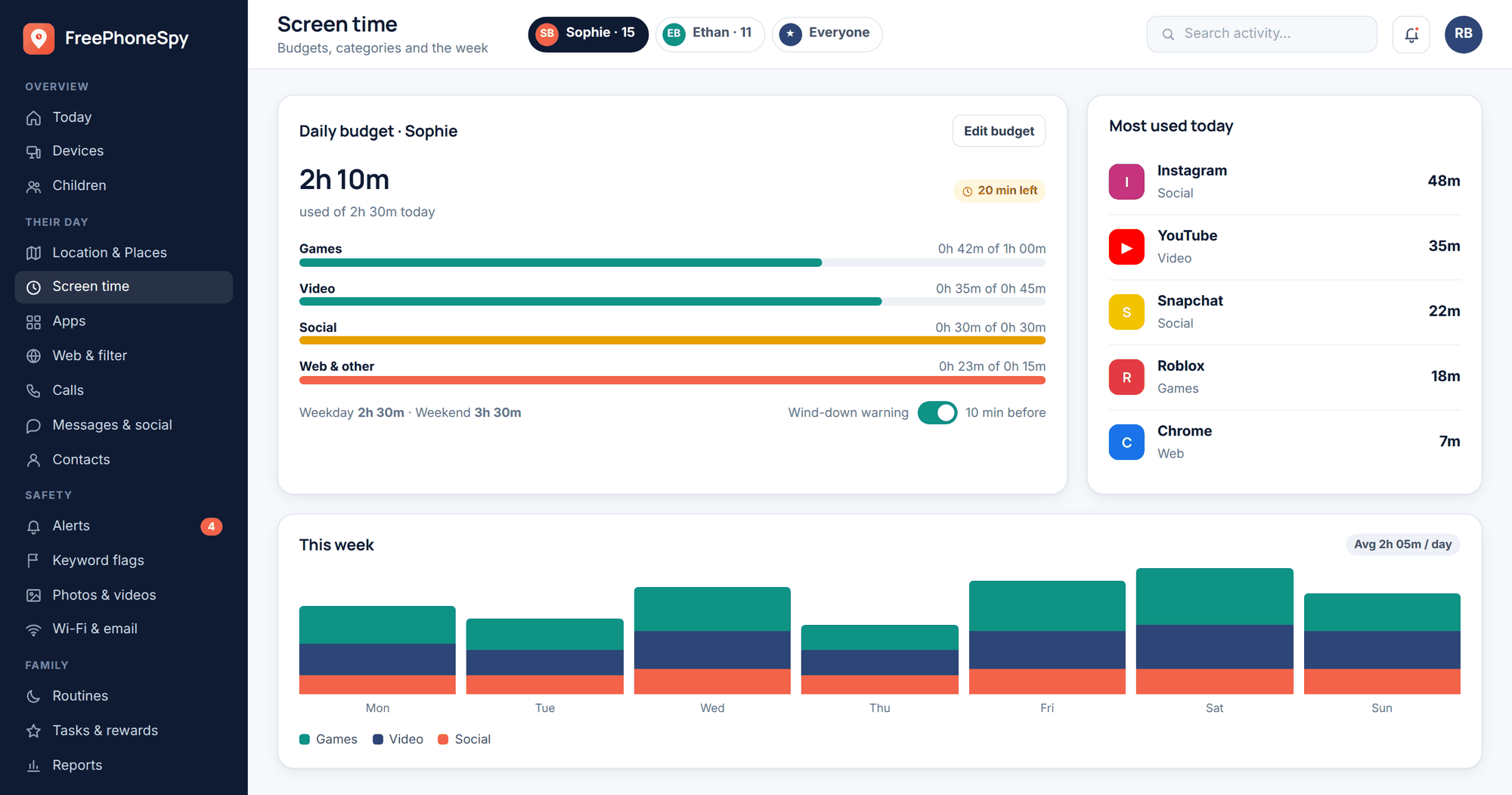
Breathing room helps here, honestly. When the pull is strong, a little structure makes the good habits easier to keep. Screen-time budgets and app limits won’t teach the skill on their own, but they create space to practice it away from the feed’s constant tug.
Why “free” apps work this way
None of this is a conspiracy. It’s a business model, and it’s a fairly open one. The apps are free because your attention is the product they sell to advertisers. More time-on-app means more ads shown, which means more revenue. So the systems that decide what you see are tuned, sensibly from the company’s view, to grow the one number that pays the bills: attention.
That’s not evil, and the people building these products aren’t cartoon villains. But it explains why “free” feeds are engineered to be hard to leave. Once you see the incentive clearly, the whole thing gets less mysterious and less scary. You’re not fighting a mind-control machine. You’re using a product whose goals only partly overlap with yours, and you get to be deliberate about the gap.
Being a deliberate user beats being a passive one, every time. The passive user takes whatever the loop serves. The deliberate user decides what they came for, gets it, and leaves. That’s the mindset worth modeling, because your kids learn more from watching how you use your phone than from anything you tell them. For the wider view on keeping kids safe across apps, see our guide to social media safety for kids.
Take back the wheel: a quick checklist
Print this, or better, walk through it once with your kid on their actual phone.
- Turn off autoplay in every app that has it.
- Mark “not interested” on the next five posts you don’t want.
- Unfollow or mute three accounts that leave you feeling worse.
- Follow three accounts that genuinely teach or lift you.
- Clear or pause watch history if the feed has drifted somewhere bad.
- Search for what you want instead of only scrolling.
- Trim notifications so the app pulls you back less often.
- After closing an app, ask: “am I glad I did that?”
- Agree on screen-time budgets together, out in the open.
Questions parents ask
Is the algorithm listening to us through the microphone?
Almost certainly not, and it doesn’t need to. It looks eerily accurate because the behavioral signals are so rich. What you tap, how long you linger, what people like you engage with. That’s usually enough to guess what you’d want to hear about next without any eavesdropping.
Can I just turn the algorithm off?
Some apps offer a “following” or chronological view that shows posts in order instead of ranked by engagement. It’s often calmer. It’s usually not the default, and it’s sometimes buried, but it’s worth finding and trying.
My teen’s feed turned really dark. What do I do?
Sit with them and reset it. Clear the watch history, mark the bad stuff “not interested,” and deliberately follow lighter accounts. A feed can be rebuilt in about a week. If the darkness reflects something they’re genuinely struggling with, the feed is a symptom, not the cause, and that’s a conversation and possibly a professional worth reaching for.
Are these systems designed to be addictive on purpose?
They’re designed to maximize engagement, and features like infinite scroll, autoplay, and variable rewards do make them hard to put down. Whether that counts as “addictive by design” is a fair debate. What’s not in doubt is that you can counter those features with the habits above.
Isn’t it simpler to just ban social media?
For a young child, maybe. For a teen, a flat ban often backfires and skips the lesson they’ll need for the rest of their lives. Teaching them to steer the feed is a skill that lasts. Limits and breathing room support that teaching, but they don’t replace it.
Does monitoring mean reading my kid’s messages?
Not with FreePhoneSpy’s approach. It’s transparent and consent-first: your child knows it’s set up, and it’s meant for shared limits and honest conversation, not covert snooping. Trust is the whole point.