Smart Toys & Connected Devices: Kids’ Privacy in the Internet of Things
The teddy bear on the shelf has a microphone. The robot the kids chase around the kitchen talks to an app on somebody’s phone. The watch on your seven-year-old’s wrist knows where they are all afternoon, and the plush unicorn with the friendly voice is, quietly, a small computer with a Wi-Fi connection and a company on the other end. None of this is sinister on its own. But a lot of these gadgets collect more than parents expect, store it somewhere you can’t see, and were built cheaply enough that security was an afterthought. This is a plain guide to what connected toys and kids’ devices actually gather, how to spot the ones worth avoiding, and how to set the keepers up so they’re fun without being a liability.
What counts as a “smart toy” now
The label has crept a long way past the obvious gadgets. A smart toy or connected kids’ device is anything with a sensor and a way to send what it senses somewhere else. That covers a surprisingly wide shelf:
- Talking dolls, plush animals and interactive figures with a built-in microphone that “listens” and responds
- Kids’ smartwatches and wrist trackers that report location, and sometimes take calls or messages
- App-connected robots, coding toys, drones and remote-control cars that pair with a phone or tablet
- Connected baby monitors and nursery cameras that stream to an app over the internet
- Kids’ tablets and “learning” devices with their own accounts, cameras and app stores
- Smart speakers a child uses — sometimes a hand-me-down set up in a shared room, sometimes a kid-branded one
- Connected ride-ons and electric toys that log usage or pair to an app for controls and updates
The common thread is a radio and a company. Somewhere behind the toy there’s an app, an account, and a server storing whatever the device picks up. That’s not automatically a problem. Plenty of these products are made by careful companies who treat kids’ data seriously. The trouble is that the toy aisle doesn’t sort them for you, and the cheap end of the market — the off-brand doll, the bargain drone, the no-name monitor — is where corners get cut. A few of these categories overlap with devices we cover on their own, so if you’re weighing up a wrist tracker or a nursery setup, our guides to kids’ GPS watches, smart home cameras and smart speakers & kids go deeper on those specifically.
What these devices actually collect
Read the box and you’ll hear about play, learning, and “personalised” fun. Read the privacy policy — if there is one — and a different picture shows up. Here’s the range of what connected kids’ devices commonly gather, depending on the product.
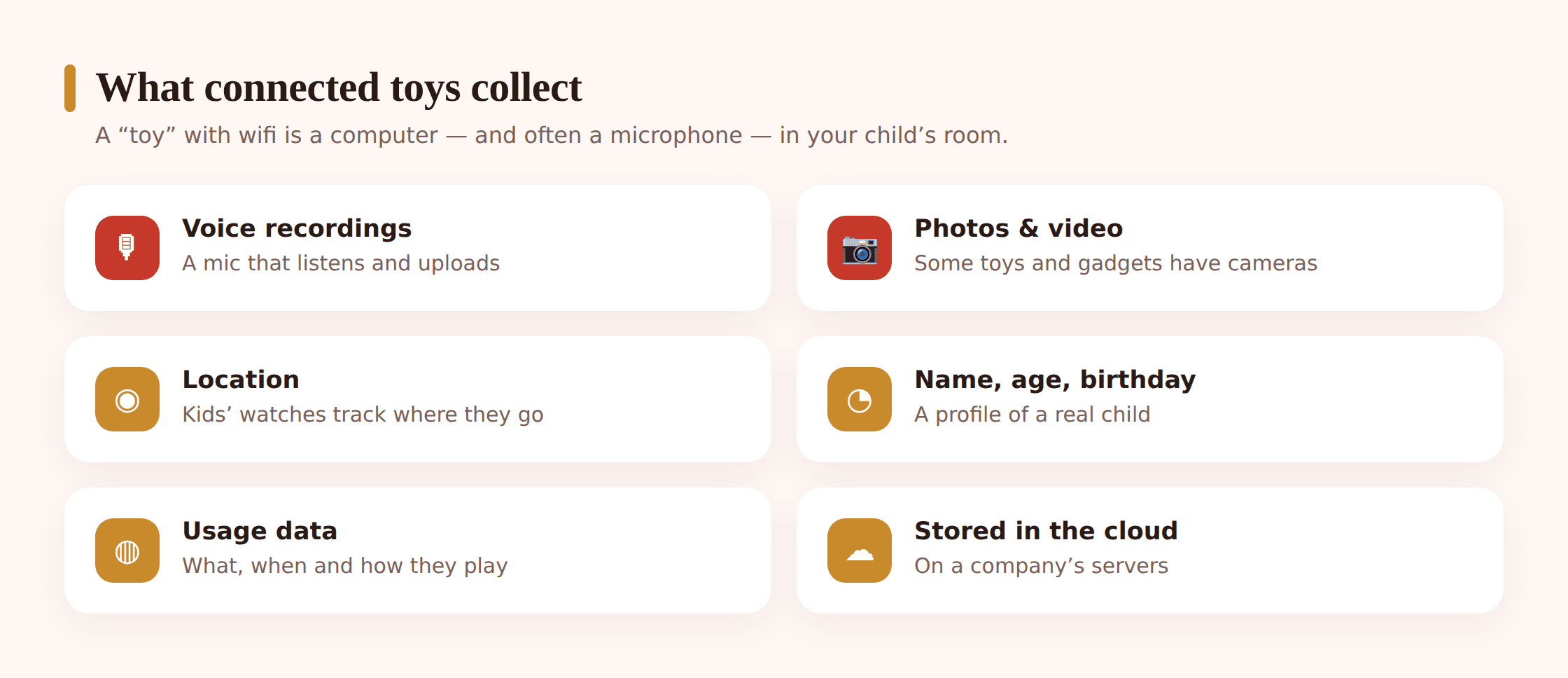
Voice recordings
A talking toy has to hear your child to answer them. That usually means audio gets captured and, in many designs, sent to a server to be turned into text and matched to a response. So a recording of your child’s voice — sometimes short clips, sometimes longer — can end up stored in the cloud, tied to a device or an account. Some toys keep those clips for a while so parents can play them back in an app. That feature is charming right up until you think about where the file lives and who could reach it.
Video and images
Connected baby monitors and nursery cameras stream video, and some record clips or snapshots to the cloud. Kids’ tablets have front cameras. Certain app-connected robots and drones carry a camera that feeds a live view to a phone. Any of these can produce images of a child, and of the inside of your home, that leave the device.
Location
Kids’ watches and trackers exist to report where a child is, so location is the whole point — but it means a stream of your child’s movements is being logged and held somewhere. How precisely, how often, and how long it’s kept varies enormously between a well-made watch and a bargain one.
A child’s name, age and profile
Setup screens love to ask. A toy or its app often wants the child’s first name so it can greet them, their age or birthday to “tailor” content, sometimes a photo for a profile, occasionally a home area or school. Individually these feel harmless. Bundled into one account and matched with voice or location, they add up to a detailed picture of a specific, named child.
Usage and behaviour data
Even toys without a mic or camera often phone home with usage data: when the device is on, which features get used, how long, what the child picked, which levels they reached. Companies use this to improve products and, sometimes, to build a profile for marketing. It’s the least dramatic category and the easiest to shrug off, but it’s still a record of your child’s habits held by a stranger.
Why it matters in a child’s room
It’s fair to ask: so what? A doll heard my kid say “tell me a joke.” A watch knows they’re at football. Where’s the harm? The concern isn’t any single clip or coordinate. It’s the combination of three things that makes kids’ IoT different from a grown-up buying a smart plug.
Microphones and cameras in the most private rooms
These devices don’t sit in a living room. They sit in bedrooms and nurseries — the places we’d never install an office webcam. A monitor watches a cot overnight. A plush toy sits by a pillow. A tablet camera faces the bed. If any of those is compromised or badly built, the exposure isn’t abstract; it’s the most private corner of a child’s life.
The data lives somewhere you can’t see
Once a recording or a location leaves the toy, you lose sight of it. It sits on a company’s servers, governed by a policy you probably didn’t read, protected by security you can’t inspect, and kept for a period you weren’t told. If that company is acquired, goes under, or changes its terms, your child’s data goes along for the ride. “Delete” in an app doesn’t always mean deleted on the server.
Cheap gadgets, weak security
This is the big one. A talking doll built to a tight price often ships with the same default password on every unit, an app that sends data without proper encryption, and firmware that never gets a security update because the company moved on to next year’s model. There have been well-documented cases over the years where connected toys and children’s devices were found to have serious security holes — mics that could be reached by strangers, databases of kids’ voice recordings and details left exposed, monitors that outsiders could tap into. The specifics differ case to case, but the pattern is consistent: low-cost connected kids’ products are a soft target, and children can’t advocate for their own privacy.
Red flags when you’re buying
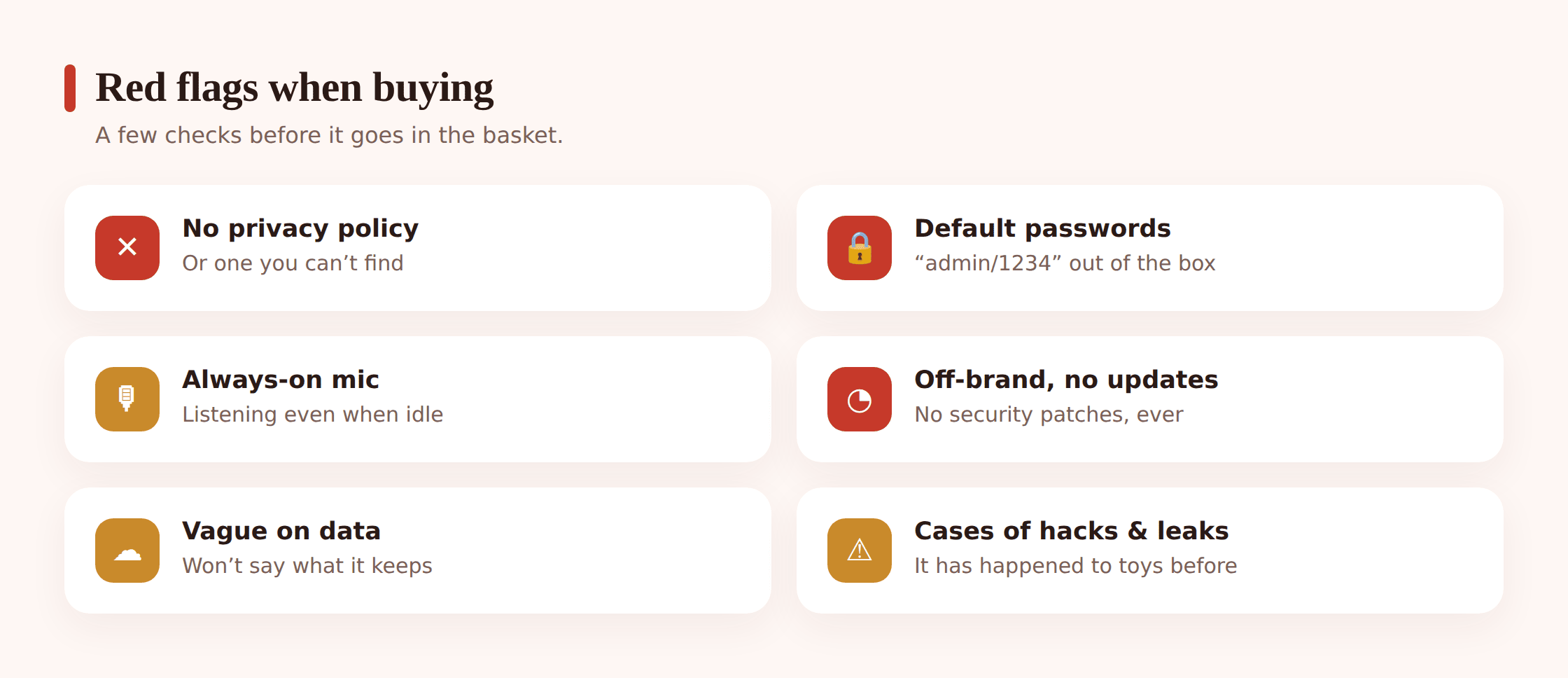
Most of the risk is decided at the checkout, not after. You can screen out the worst offenders in the store or on the product page in a couple of minutes. Here’s what should give you pause.
- No clear privacy policy. If you can’t find a plain answer to what the toy collects, where it’s stored, and how to delete it, treat that silence as the answer. A company that handles kids’ data properly says so.
- Default passwords you can’t change. A device with a hard-coded or unchangeable password — or one that never asks you to set your own — is a device anyone who’s read the manual can potentially reach.
- An always-on microphone with no off switch. A mic that’s fine. A mic that’s always listening with no physical mute and no way to disable it is a room monitor you didn’t ask for.
- Off-brand with no update history. If you can’t tell who makes it, whether it gets firmware updates, or whether the company will still exist next year, assume it’ll never be patched.
- An app that demands the world. Before you buy, glance at the companion app’s permissions and reviews. A simple robot toy that wants your contacts, your precise location around the clock, and your microphone is over-reaching.
- Cloud recordings you can’t turn off or delete. If saved voice clips or video are central to the pitch and there’s no clear way to disable saving or wipe the history, that’s a lot of a child sitting on someone’s server.
- Vague or missing security basics. No mention of encryption, no two-factor option on the account, no support contact. The absence of the boring stuff is itself a signal.
Setting them up safely
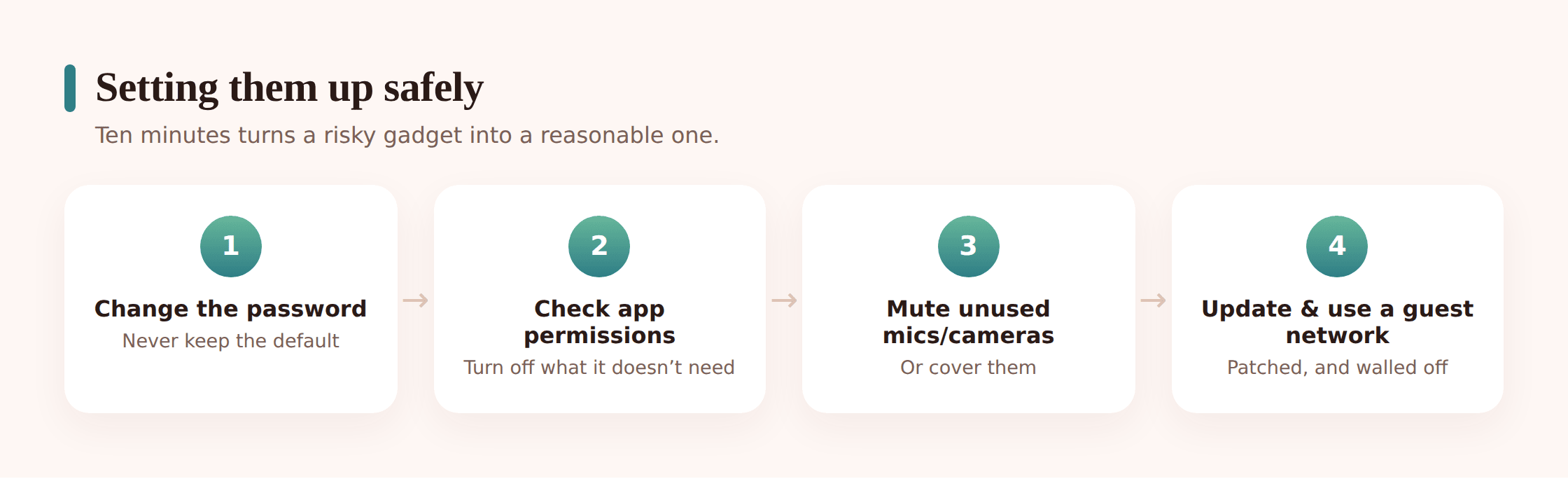
Say you’ve bought something decent, or you’ve been given one, or the kids already love it. Most connected toys can be made a lot safer with a short setup pass. Do this once, before it becomes part of the furniture.
Step 1 — Change the default password immediately
Before the device does anything else, set your own strong, unique password on both the gadget and its companion account. If it shipped with a default, that default is public knowledge. This single step closes the most common door strangers walk through.
Step 2 — Review the app’s permissions
Open your phone’s settings and look at what the companion app is actually allowed to do. Revoke anything the toy doesn’t need to function — background location it never uses, contacts, the microphone if the app doesn’t require it. On the child’s tablet, do the same pass on every installed app.
Step 3 — Turn off the mics and cameras you don’t need
If the toy has a physical mute switch or a camera cover, use it when it’s not in active play. In the app, disable “always listening” modes and any feature that records and saves clips unless you specifically want it. A talking toy can still talk without keeping a permanent archive.
Step 4 — Put it on a guest network
Most home routers let you run a separate guest Wi-Fi. Connect toys and cheap smart gadgets there, not on the main network your phones and laptops use. If one of them ever gets compromised, it’s walled off from the devices that hold your real data.
Step 5 — Keep the firmware updated
Turn on automatic updates in the app if they’re offered, and check for firmware updates now and then on anything that doesn’t update itself. Patches are how known security holes get closed. A device the maker no longer updates is one to retire.
Step 6 — Delete recordings and lock down the account
If the toy stores voice clips, photos or video, go into the app and delete the history you don’t need, then set a schedule to do it regularly. Turn on two-factor authentication on the account if it’s available, and switch off any data-sharing or marketing options you didn’t ask for.
It helps to keep a running inventory of every connected thing in the house — the watch, the monitor, the two tablets, the speaker, the robot. When a security story breaks about a particular product, you’ll know in seconds whether you own it. And when a child outgrows a gadget, you’ll remember to wipe the account and delete the data rather than leaving it running in a drawer, still logged in.
Healthy habits for a connected home
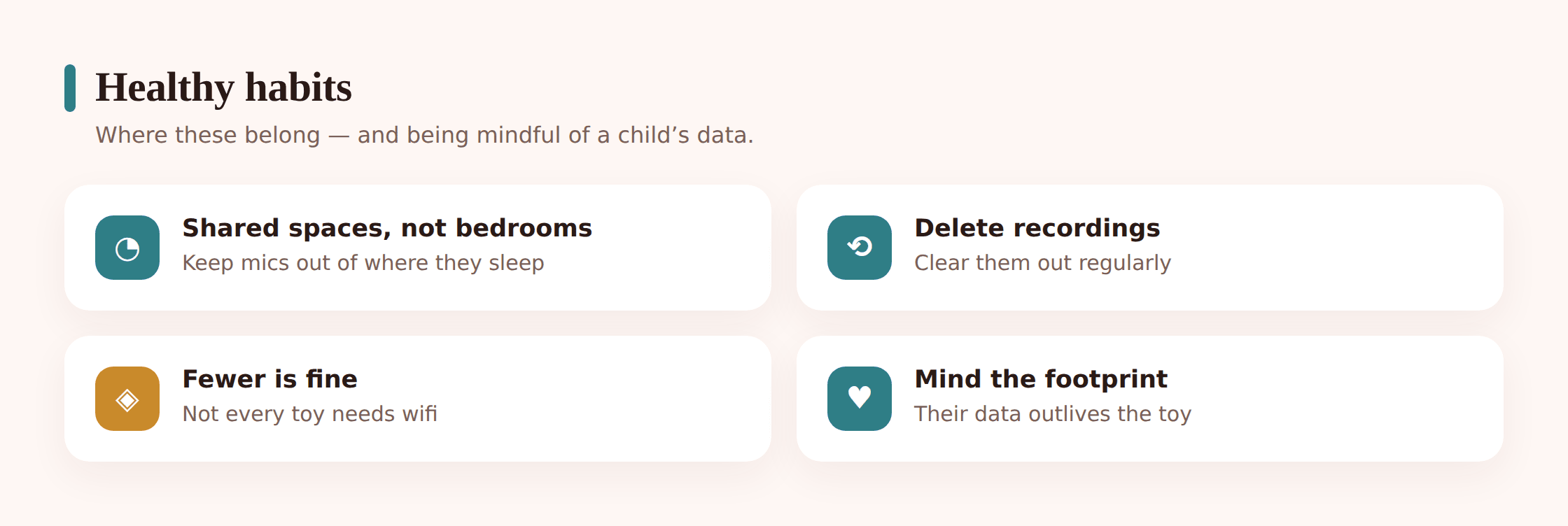
Settings do a lot, but a few habits do the rest — mostly about where these devices belong and how mindful you are of the trail they leave.
Be deliberate about where the mics and cameras live
A connected camera or always-listening speaker doesn’t belong pointed at a bed or left recording a bedroom overnight unless there’s a real reason and everyone knows. Keep the listening-and-watching devices in shared spaces where you’d be comfortable being seen and heard, and keep the child’s most private rooms as low-tech as the situation allows. A baby monitor is different — that’s a considered choice — but even then, aim it at the cot, not the whole room, and secure it properly.
Mind the data footprint you’re starting
Every account you open in a child’s name is the beginning of a record that can outlast the toy by years. Give the minimum the device needs. Skip the optional photo. Use a nickname where a real name isn’t required. Don’t link the toy to your main email and every social login just because it offers to. Small restraint at setup keeps your child’s digital footprint smaller for a long time.
Let toys expire gracefully
When a device is done — outgrown, broken, replaced — actually close it out. Delete the recordings, wipe the account, factory-reset the hardware before it leaves the house. A retired connected toy that’s still holding a child’s voice clips and details is a small liability sitting in a cupboard.
Talk about it with the kids
Older children can understand the basics: this toy can hear you, it sends what you say to a company, so we don’t tell it secrets and we turn it off when we’re done. That’s not fear-mongering; it’s the same media literacy that helps with everything else online. A child who grasps that a friendly gadget is also a data collector grows into a teenager who reads permission screens instead of tapping through them.
If your family already uses openly agreed tools to stay aware of a child’s online life — something like FreePhoneSpy, set up together and with the child’s knowledge — connected toys fit the same philosophy. The aim is never to watch a child in secret. It’s to make sure the technology in their world is understood, agreed on, and pointed the right way. A shelf full of smart toys can be perfectly fine. It just deserves the same care you’d give any other door into your home.
Is a talking toy with a microphone safe for my child?
It can be, if it’s from a reputable maker, lets you set your own password, gives you control over whether recordings are saved, and gets updates. The risk isn’t the microphone itself — it’s a cheap, unpatched toy that listens constantly and sends audio somewhere insecure. Check the privacy policy, mute the mic when it’s not in use, and delete stored clips, and a talking toy is much less of a worry.
Do connected toys really get hacked?
It has happened. Over the years, security researchers and journalists have documented real cases where children’s connected devices — talking toys, monitors, trackers — had serious flaws, from mics strangers could reach to databases of kids’ recordings and details left exposed. It’s not the fate of every toy, but it’s common enough at the cheap end that it’s worth screening for. Strong passwords, updates and a guest network cut the risk sharply.
What’s the single most important thing to do?
Change the default password before the device does anything else, on both the gadget and its account. Shared default passwords are the most common way these products get compromised, and setting your own closes that door in under a minute.
Should I put a smart toy on my main Wi-Fi?
Better not to. Most routers let you run a separate guest network — put toys and cheap smart gadgets there. If one is ever compromised, it’s isolated from the phones and laptops that hold your important data.
Are kids’ smartwatches and GPS trackers part of this?
Yes. A kids’ watch is a connected device that logs location and sometimes handles calls or messages, so the same rules apply — reputable maker, your own password, minimal data, regular updates. We cover them in detail in our guide to kids’ GPS watches.
Do I need to delete old recordings if we’ve stopped using the toy?
It’s worth doing. A toy you’ve retired can still be holding voice clips, photos or a profile on the company’s servers. Before it goes in a drawer or gets passed on, delete the stored data, wipe the account and factory-reset the device so it isn’t quietly keeping your child’s information around.