A Parent’s Guide to Kids’ GPS Watches & Trackers
Your six-year-old wants to walk the last two blocks to school on their own. You want to say yes. A small GPS device on their wrist can be the thing that lets you — a quiet safety net that tells you they made it, without you hovering. This is how those devices actually work, where they help, and where a cheap tag or a phone app fits instead.
Why parents want one
The pull is almost always a specific moment. A first solo walk to school. A crowded park where a small kid can vanish behind a hedge for thirty heart-stopping seconds. A birthday party across town where you drop off and hope the pickup time holds. You’re not trying to run surveillance on a child. You want to know they’re where they should be, and to hear from them fast if they’re not.
That mindset matters more than the hardware. A tracker is a safety net, not a leash. The healthy version is: your child knows the device is there, knows what it does, and knows they can press a button to reach you. The unhealthy version is a parent quietly watching a dot all day and reading meaning into every pause. Kids build independence by being trusted with a little rope. The device is there for the rare bad moment, not the ordinary good ones.
The three options, compared
There are really three things people mean by “tracking my kid,” and they’re not interchangeable. One is built for children. One is built for keys and bags. One is built for people who already carry a phone.
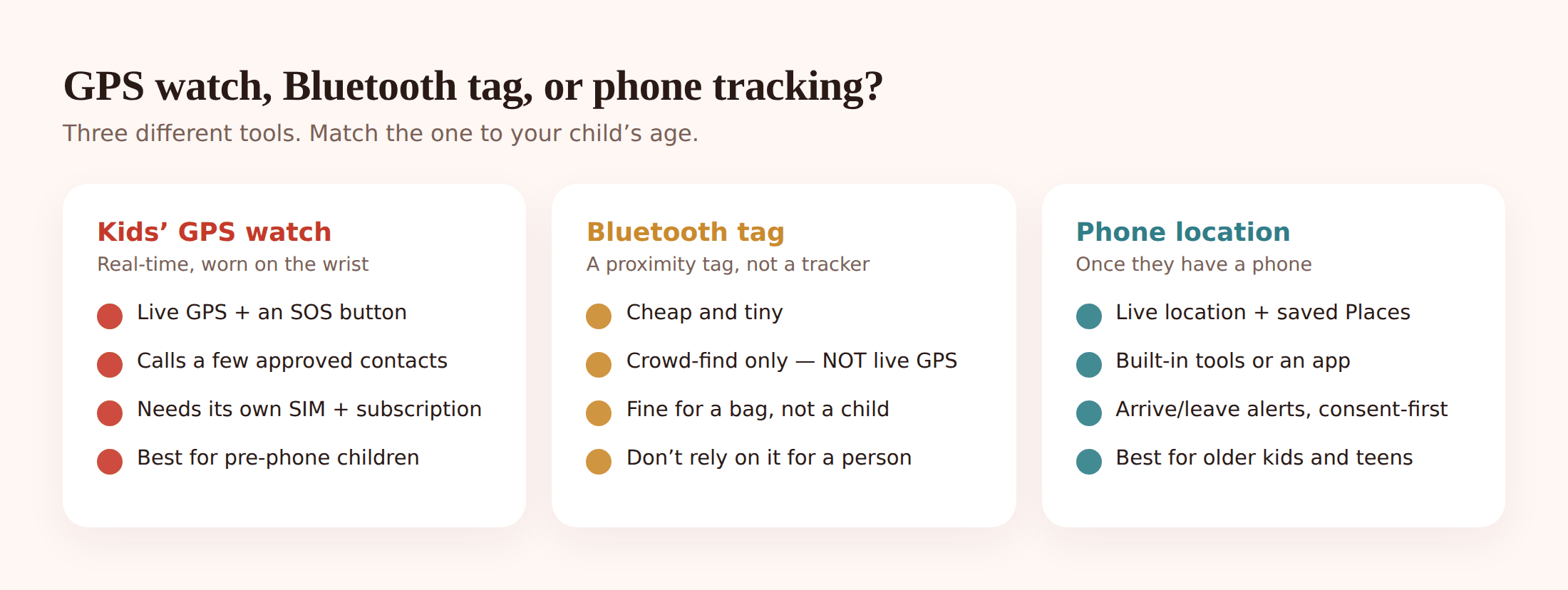
A dedicated kids’ GPS smartwatch. This is a purpose-built device: real-time GPS, an SOS button, and calls or voice messages to a short list of contacts you approve. Most have no open web browser and no app store, which is the point — it does location and staying in touch, nothing else. It needs its own SIM card and a monthly plan, because it talks to the mobile network on its own.
A Bluetooth tracker tag. Cheap, coin-sized, great for a backpack or a set of keys. But be clear about what it is: a proximity and crowd-find tag, not a live GPS tracker. It has no GPS and no SIM. It only shows a location when it’s near your phone, or when it silently pings off a stranger’s phone in the same brand’s network. That can help you find a dropped bag in a mall an hour later. It will not tell you in real time where a child is. Do not use a tag as a child tracker.
Phone-based family location. Once a child has their own phone, you usually don’t need a separate gadget at all. Built-in tools and apps like FreePhoneSpy turn the phone they already carry into the location device — live location, saved Places, and alerts when they arrive at or leave school or home. It’s consent-based family sharing, and it’s the natural step up when a watch starts to feel too young for them.
| GPS smartwatch | Bluetooth tag | Phone location | |
|---|---|---|---|
| Live real-time location | Yes (GPS + mobile) | No — proximity/crowd only | Yes |
| Needs a SIM/subscription | Yes | No | Uses the phone’s plan |
| SOS / call you | Yes, to approved contacts | No | Yes (it’s a phone) |
| Safe-zone alerts | Yes | Limited / no | Yes |
| Best for | Pre-phone kids, roughly 5–11 | Bags, keys, not children | Teens who have a phone |
| Rough cost | Device + monthly plan | Cheap, one-off | App can be free; FreePhoneSpy starts free |
How GPS watches actually work
A kids’ GPS watch pins down location using a few signals at once. GPS satellites give the raw position outdoors. The mobile network (that’s the SIM) both carries the data back to you and helps fix the location when the sky’s blocked. Wi-Fi signals nearby sharpen it further, especially in built-up areas. The watch bundles these together and sends a position to a companion app on your phone every so often, or on demand when you tap “locate now.”
Accuracy outdoors, in the open, is usually good — within a house or two. It gets shakier indoors, in tunnels, or between tall buildings, where GPS can drift and the dot may wander a bit or lag. That’s normal for all GPS devices, phones included. It’s worth knowing so you don’t panic when the dot shows your kid apparently standing in the building next door to their actual classroom.
The subscription is what keeps the SIM connected. No plan, no live updates — the watch becomes a fairly dull wristwatch. Factor that monthly cost in from the start; it’s the part people forget when they compare the sticker price against a one-off tag.
What to look for when choosing
Specs blur together fast. Here’s the short list that actually separates a good child device from a toy.
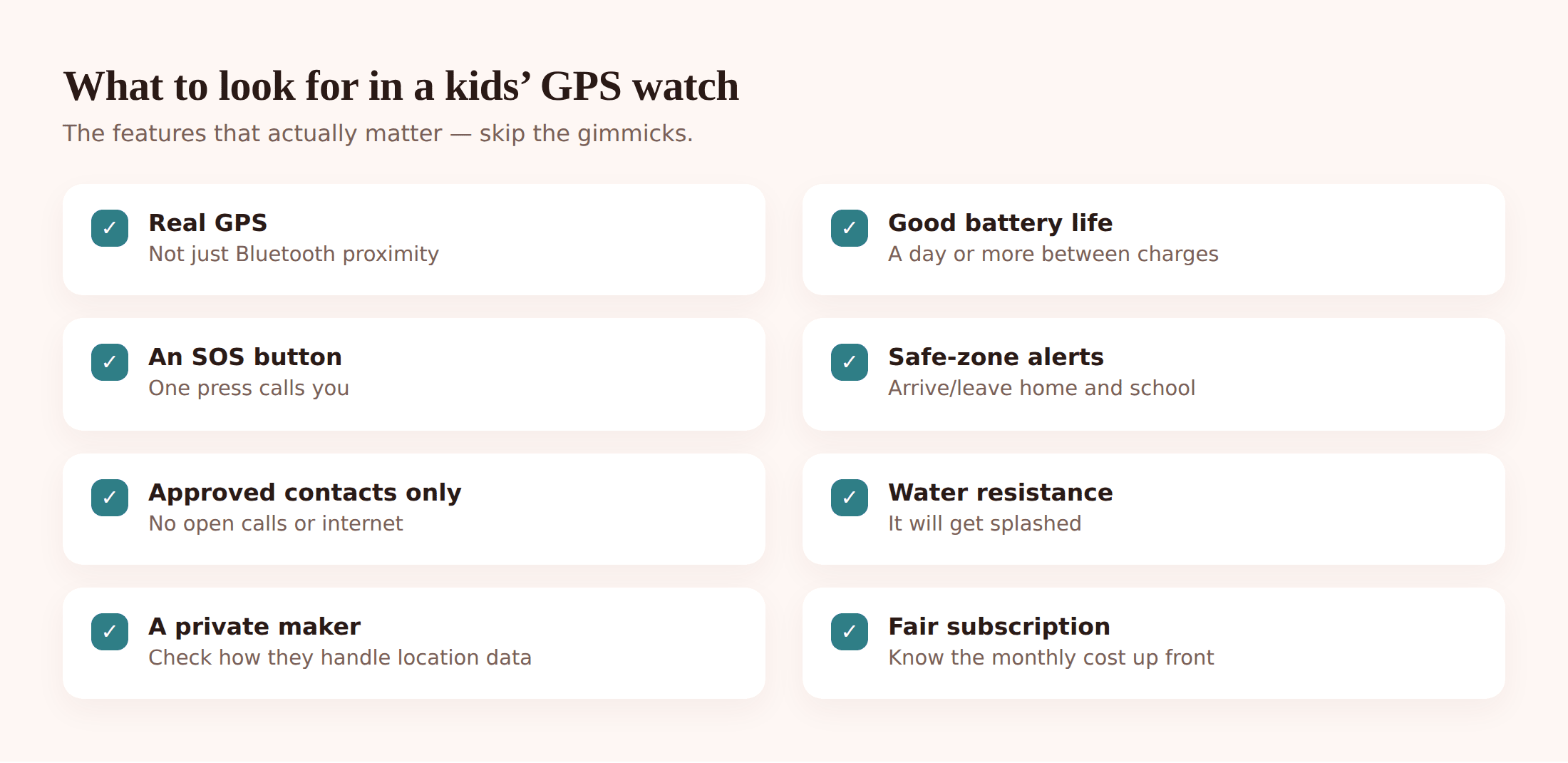
- Real GPS, not just Bluetooth. Confirm it has GPS and a SIM slot. If a “tracker” only lists Bluetooth, it’s a tag in disguise.
- Battery life. Live tracking eats power. Look for a device that comfortably lasts a school day, and get in the habit of charging it overnight.
- SOS button. One press should call or message you (and ideally send location). Check how many emergency contacts it can reach.
- Safe-zone / geofence alerts. The watch should let you draw zones for home and school and ping you on arrive and leave.
- Water resistance. Kids and puddles. A splash-proof or swim-rated device survives real life.
- Calls to approved contacts only. You control the contact list. No open dialing, no stranger calls.
- No open internet. No browser, no app store, no games rabbit hole. It should do location and contact, and stop there.
- The maker’s privacy. You’re handing a company your child’s live location. Read who they are, where data is stored, and whether they sell or share it. Prefer a maker that’s clear and boring about this over one that’s vague.
- Total cost. Device price plus the monthly plan. Compare the real yearly figure, not just the box price.
Safe zones and arrive/leave alerts
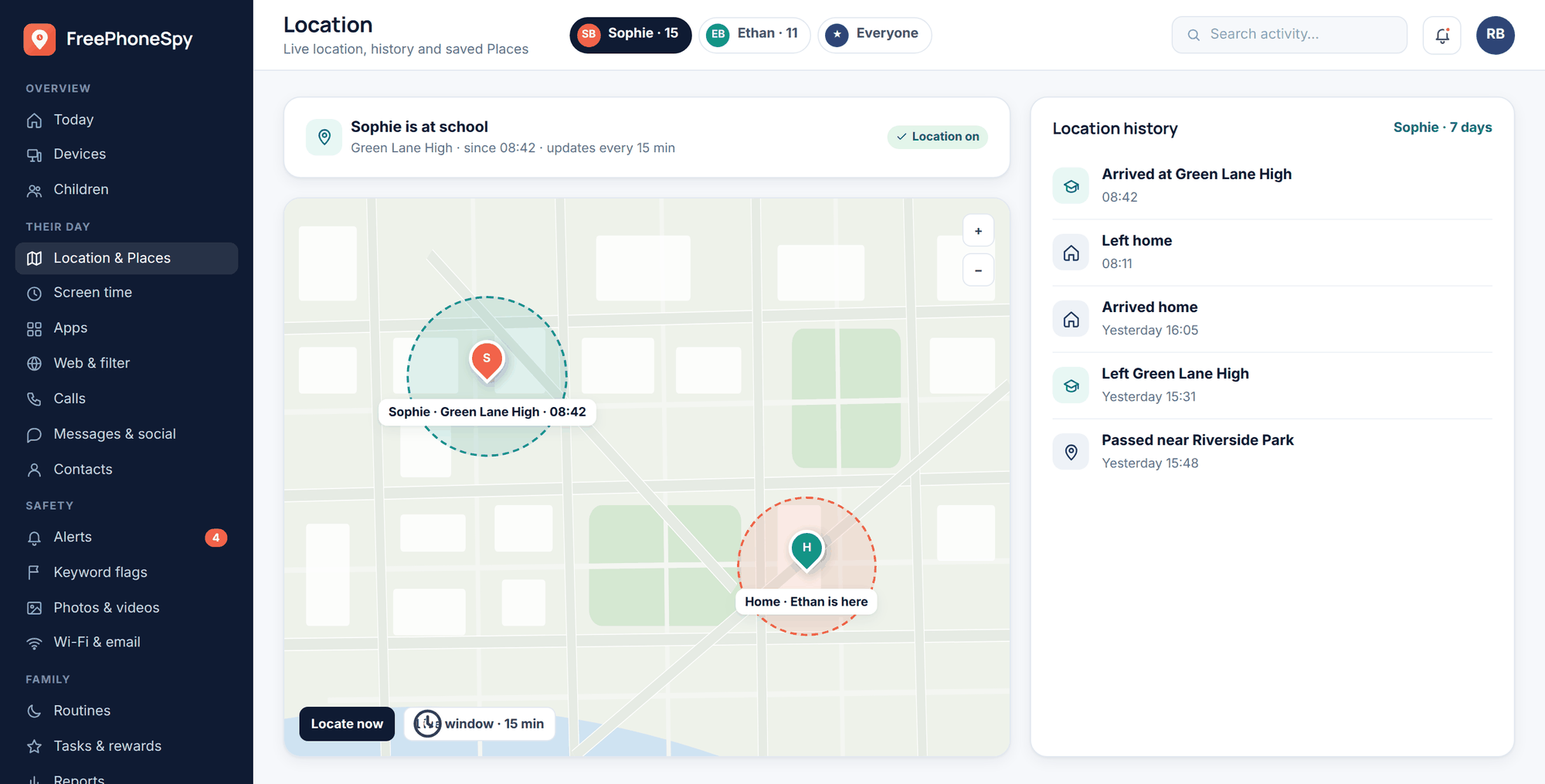
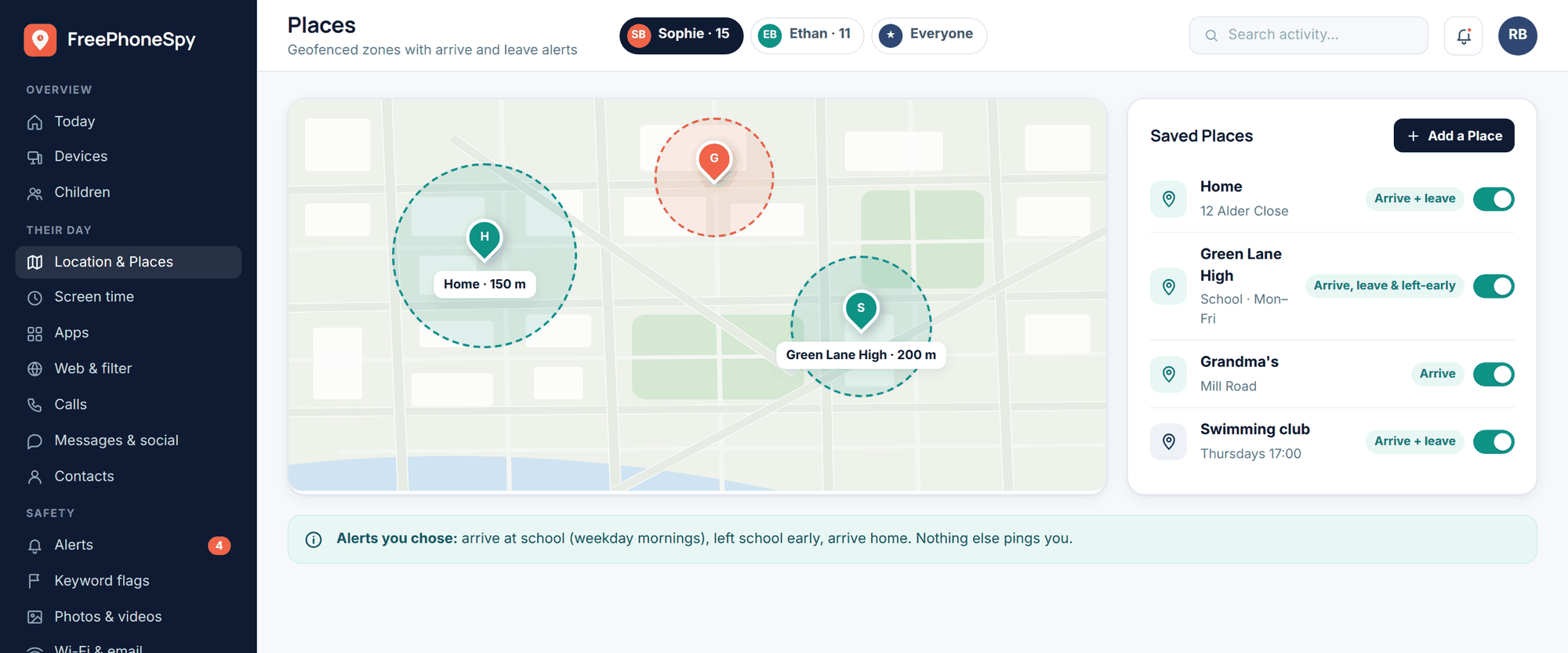
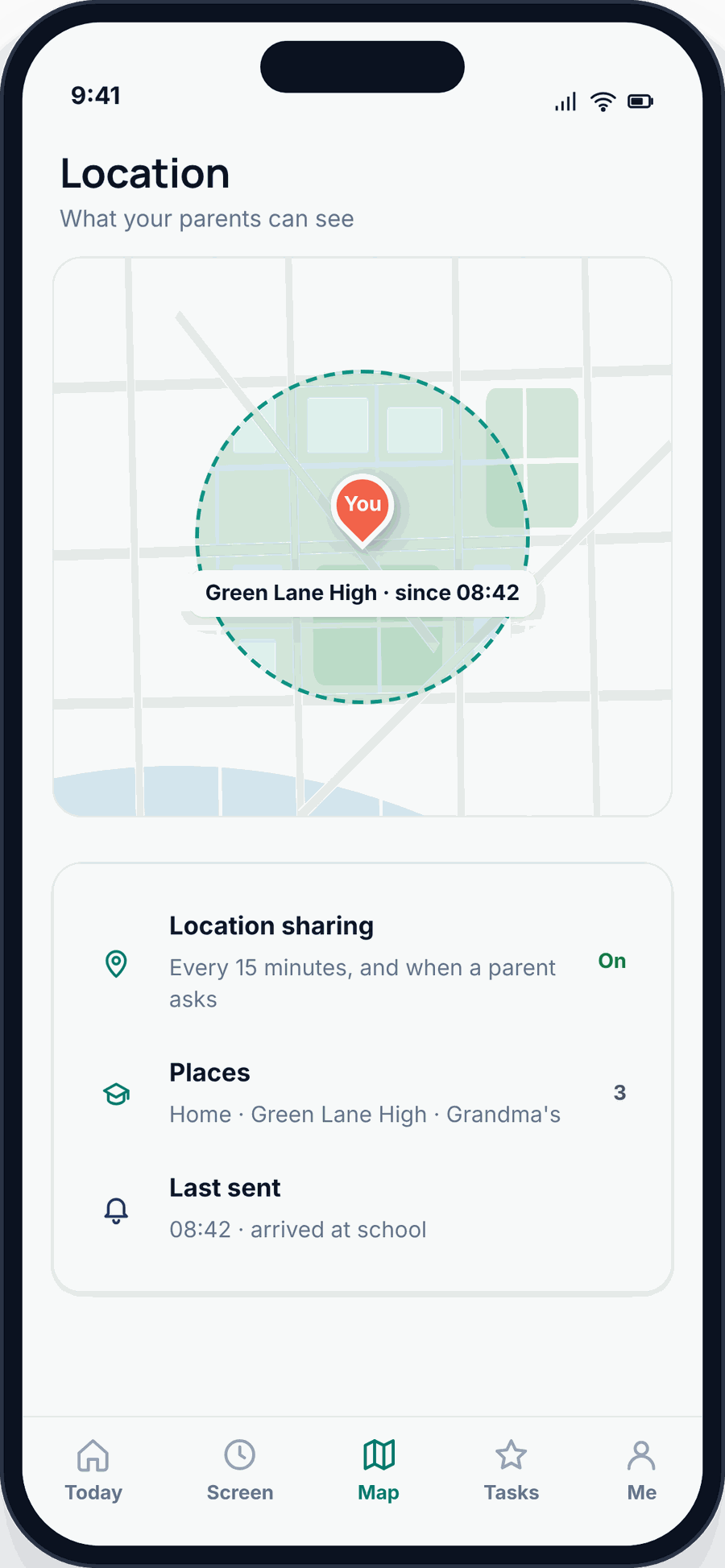
The feature parents end up using most isn’t the live map — it’s the alert. You set a zone around school and a zone around home. When your child crosses into or out of one, you get a notification: “arrived at school,” “left school.” You stop checking the app because the app tells you the two moments you cared about. That’s the whole game. Peace of mind without staring at a dot.
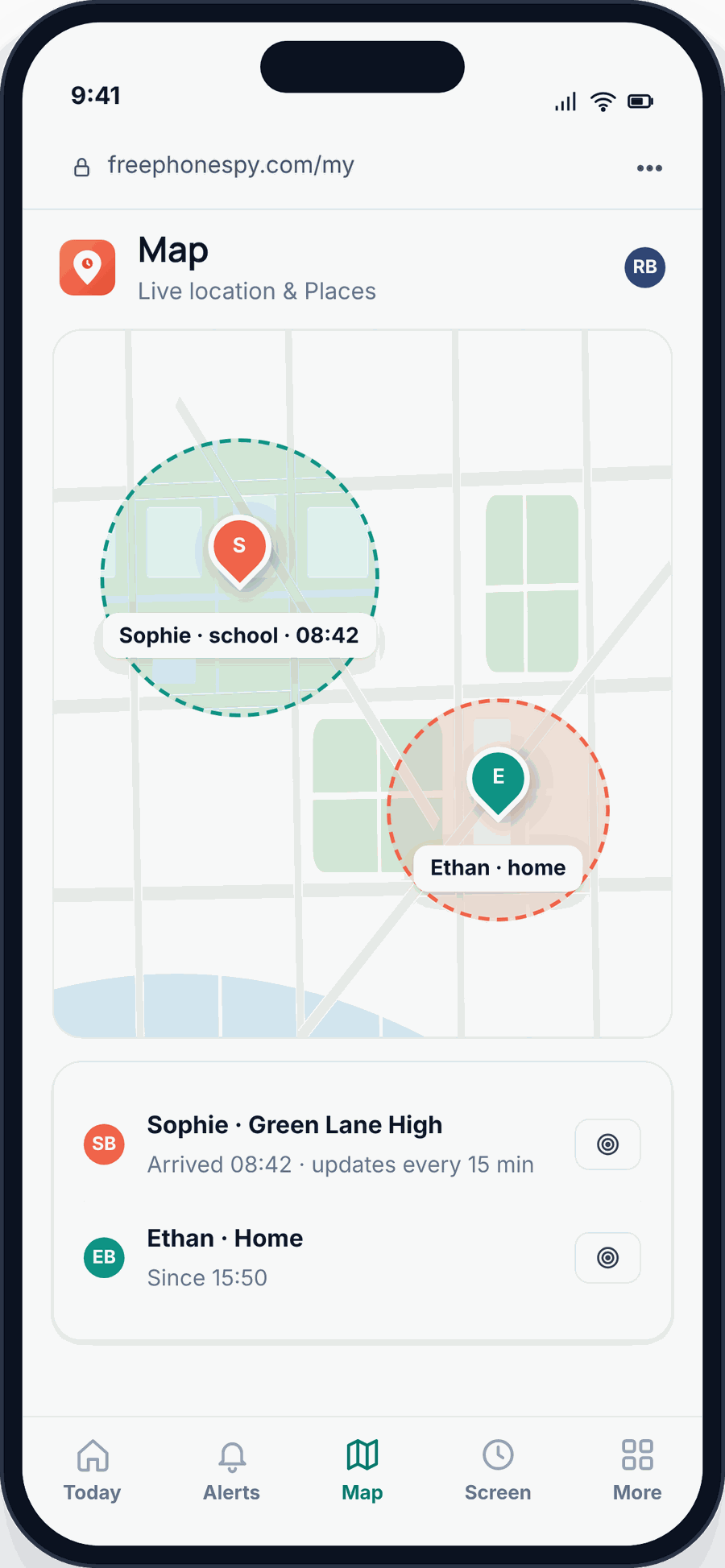
This works the same way on a watch and on a phone. If your child is at the phone stage, you set the identical thing up as saved Places with arrive and leave alerts. Our location and Places guide walks through drawing zones and choosing which ones ping you, and the family location sharing guide covers doing it as a two-way, everyone-can-see-everyone arrangement rather than a one-way watch.
A quick age guide
The right tool tracks your child’s age more than anything else.
- Toddler / very young. Honestly, often nothing — you’re within arm’s reach anyway. If they roam at a busy event, a simple GPS watch gives you a locate-now button. Skip tags.
- Primary school (roughly 5–11). This is the sweet spot for a GPS watch. Old enough to walk short routes and press SOS, too young for a phone. The watch does location and lets them call you, and nothing else.
- Secondary / teen with a phone. Drop the extra gadget. Use phone-based family location — built-in sharing or an app like FreePhoneSpy — with their knowledge. It’s less babyish to them and does everything the watch did. When you’re deciding if it’s phone time at all, what age to monitor a child’s phone and the first phone guide are the two to read first.
Battery, subscriptions and privacy
A few things trip parents up after the box is open. Battery is the daily one: live tracking drains fast, so a device that’s flat by lunchtime is a device that isn’t there when you need it. Build a charging habit and check the battery readout in the app.
Subscriptions are the ongoing one. The watch’s SIM plan is a monthly cost for as long as you use it, and it’s easy to forget when the free trial ends. Know the number before you commit.
Privacy is the quiet one. A child tracker is a live feed of where your kid is, sitting on some company’s servers. That’s a serious thing to trust to a maker you’ve never heard of. Look for one that says plainly where data lives, who can see it, and that it isn’t sold on. This is also a fair reason some families prefer phone-based location once a child’s old enough: you’re using tools and an app you can read the policy on, on a device you already manage. FreePhoneSpy runs through a browser panel, is consent-first by design, and is free to start — it’s the phone-age option, not a replacement for a watch on a five-year-old.
One more honest note to close the loop. If a phone ever goes missing, a tracker’s flip side is finding the device itself — that’s a different job, covered in find a lost or stolen phone. And to say it once more plainly: a Bluetooth tag is not a child tracker, a GPS watch suits the pre-phone years, and once your child carries a phone, consent-based phone location is usually all you need.
FAQ
Can a Bluetooth tag track my child? No, not reliably. A tag has no GPS and only shows a position when it’s near your phone or silently pings off another person’s phone in the same network. It’s fine for a bag. Use a GPS watch or a phone for a child.
Do GPS watches need a subscription? Almost always. The watch has its own SIM to reach the mobile network, and that needs a plan. Without it you lose live updates. Add the monthly cost to your comparison.
How accurate is the location? Good outdoors in the open — usually within a house or two. It drifts indoors, in tunnels, and between tall buildings, where the dot can lag or jump. That’s true of every GPS device, phones included.
At what age should I switch from a watch to phone tracking? When they get their own phone, typically early secondary school. At that point phone-based family location does everything the watch did and feels less childish to them. See what age to monitor a child’s phone.
Is it wrong to track my kid? Not when it’s your own child, they know about it, and it’s there for safety rather than control. The line is openness: a device they wear knowingly and a shared, agreed setup is a safety net. Secret watching isn’t.
Do I need both a watch and a phone app? No. Pick one based on age. A watch for pre-phone kids, phone location once they carry a phone. Running both is just two subscriptions doing one job.