Smart Home Cameras & Kids’ Privacy: A Parent’s Guide
There’s a doorbell camera watching the porch, a little unit on the nursery shelf, and maybe one in the backyard pointed at the trampoline. Smart cameras are genuinely useful — they catch the parcel thief, let you check on a sleeping baby from the kitchen, and give you a heads-up when the kids get home. They also record footage, store it in the cloud, and sit inside the home where children have a reasonable expectation of being left alone. Both of those things are true at the same time. This guide is about getting the useful part without turning your house into a surveillance zone your kids resent.
What people actually use them for
Before the worries, it’s worth being honest that these devices earn their place. Families buy smart cameras for real, sensible reasons.
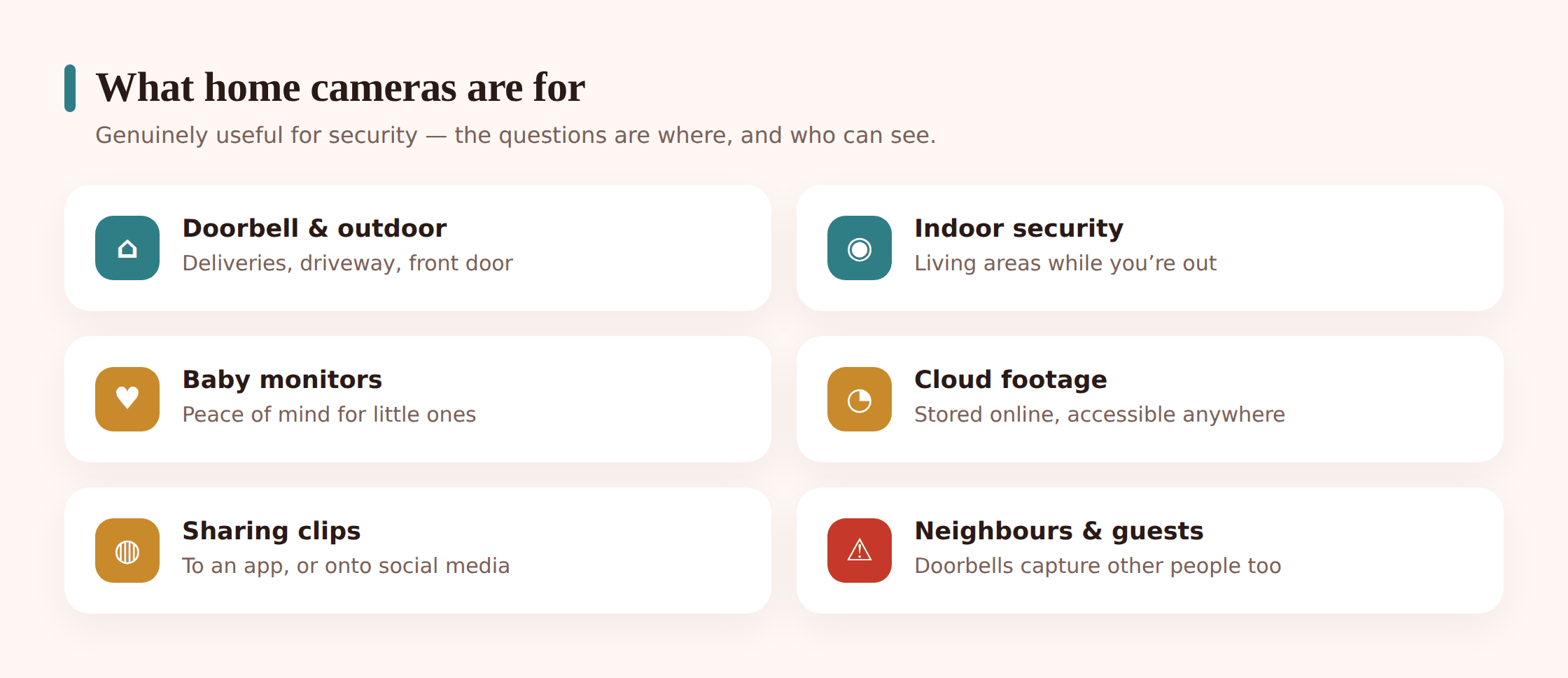
Video doorbells — Ring, Nest Doorbell, Wyze, Eufy — cover the front step. They catch deliveries, let you see who’s knocking before you open the door, and record the occasional porch incident. For a lot of households this is the one camera that pulls real weight.
Outdoor cameras watch driveways, side gates, and gardens. Parents use them to see when older kids get home from school, keep an eye on a pool or trampoline, or just deter the person who keeps trying car door handles at 2am.
Indoor cameras in shared spaces — a kitchen or living-room unit, sometimes a pet cam — let you glance in while you’re out, or keep half an eye on a younger child with a babysitter present. Blink and Wyze indoor cams are common here because they’re cheap.
Baby monitors are their own category. A camera in a nursery is normal and reasonable — it exists to keep an infant safe, and an infant has no expectation of privacy from a caregiver. The important nuance is that a nursery cam is temporary. What’s completely fine for a six-month-old is a very different question for an eight-year-old, and we’ll get to that.
Where cameras belong — and where they don’t
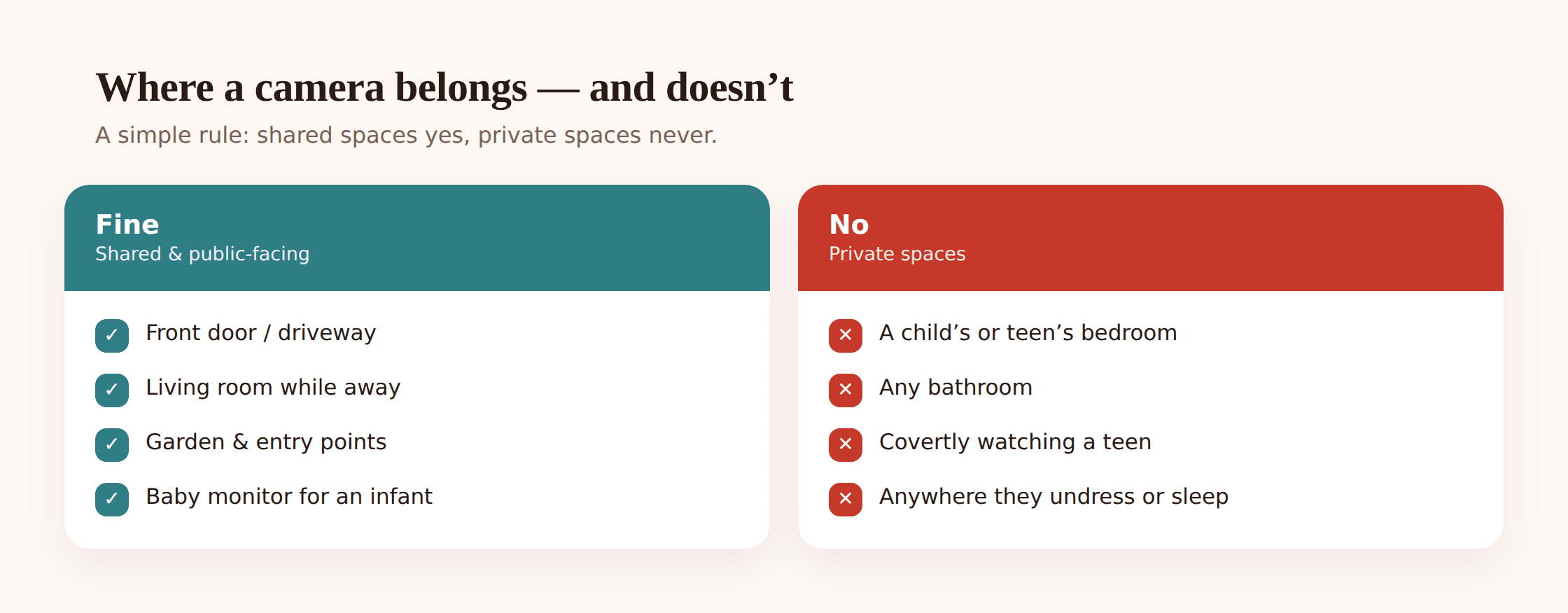
If you take one thing from this guide, make it this section. Most camera worries dissolve once placement is handled deliberately. The simple rule: cameras belong in shared and outdoor spaces, not in the rooms where people are private.
| Location | Camera OK? | Why |
|---|---|---|
| Front door / porch | Yes | Security value is high; a public-facing entrance carries little privacy expectation for the household. |
| Driveway, garden, gate | Yes | Outdoor, shared, security-focused. Aim it at your property, not the neighbour’s window. |
| Kitchen, living room, hallway | Usually fine, if everyone knows | Shared space. Reasonable for security while out — but tell the household it’s there. |
| Nursery (infant) | Yes, as a baby monitor | Safety tool for a child too young to have a privacy expectation. Revisit as they grow. |
| Child’s or teen’s bedroom | No | The room where a child dresses, sleeps, and has private thoughts. A no-go. |
| Bathroom | Never | There is no version of this that’s acceptable. Full stop. |
Bathrooms and bedrooms are the hard lines. A camera in a bathroom is never okay — not as a safety measure, not “just pointed at the sink,” not anything. And a camera in an older child’s or teen’s bedroom crosses into their private space in a way that damages trust and dignity, regardless of your intentions. If you’re genuinely worried about something happening in a bedroom, a camera is the wrong tool and the wrong conversation — talk to the child, involve a professional if needed, but don’t put a lens in the one room they’re entitled to feel unwatched.
The privacy considerations for kids
Beyond placement, a few specific things about cameras and children are worth thinking through.
- Footage lives in the cloud. Most of these cameras upload clips to the manufacturer’s servers so you can watch them from your phone. That means video of your children sits on a company’s storage, protected by your account password and their security. It’s convenient and it’s a real consideration — worth knowing which cameras store locally instead, and setting a retention period so old clips don’t pile up forever.
- Who can access the account. Anyone with your camera login can watch your kids, live and recorded. That’s you, anyone you’ve shared access with, and — if the password is weak or reused — potentially a stranger. The account is the front door to every camera you own.
- Sharing kids’ footage online. The doorbell caught something funny, or the baby cam clip is adorable, and it’s one tap to post it. Before you do, remember it’s your child’s face and your home on a public feed, often geotagged, sometimes shared onward beyond your control. A cute clip today can be a piece of a digital footprint your kid never chose. See your child’s digital footprint for the fuller picture.
- Company staff and law enforcement. Cloud footage can, in some circumstances, be accessed by the provider or handed over on a legal request. This isn’t a reason to panic, but it’s part of understanding that “on the cloud” means “not only yours.”
Guests, neighbours and doorbell cams
Cameras don’t only see your family. A doorbell cam records every visitor, and often a slice of the street or the house across the way. That brings other people’s privacy into it.
Your child’s friends, the babysitter, grandparents, the plumber — they all get recorded when they come to the door or into a camera’s view indoors. The decent thing is to let regular guests know a camera is present, the same way you’d expect to be told. For an indoor camera especially, a babysitter or visiting relative has a fair claim to know they’re on video in your living room.
Doorbell cameras also tend to capture the pavement, the road, and sometimes a neighbour’s front door or window. Angle yours to cover your property, not theirs. In some places there are actual rules about how far a domestic camera can record beyond your boundary, so it’s worth a quick check — but the neighbourly move is simply to point it at your own step and trim the field of view if it’s peering into someone else’s home.
The security risks worth knowing
A camera is a small internet-connected computer with a lens, and it can be attacked like any other. The scary headlines about “hacked baby monitors” are almost always one of a few avoidable problems.
Weak and reused passwords. This is the big one. Almost every “someone talked to my kid through the camera” story traces back to a password that was weak, guessable, or reused from a site that had a data breach. Attackers take leaked email-and-password lists and try them against camera accounts in bulk. If your camera login matches a password you’ve used anywhere else, that’s the hole.
No two-factor authentication. Without 2FA, a correct password is all anyone needs. With it, a stolen password alone isn’t enough — they’d also need the code on your phone. It’s the single biggest upgrade for the least effort.
Old firmware. Cameras get security updates that patch discovered flaws. A camera running two-year-old firmware may have known holes that are trivially exploitable. Many update automatically; some don’t, and those are the ones that get taken over.
Unencrypted or poorly secured feeds. Cheaper or older cameras have historically shipped with weak or no encryption on the video stream, and default passwords printed in the manual that nobody changed. On a bad setup, a feed can be reachable by people who were never meant to see it.
The wider network. A camera is only as safe as the Wi-Fi it sits on. A router still using its factory password, or an old guest network with weak security, gives an attacker a way in that has nothing to do with the camera brand.
How to secure your cameras
The good news is that locking a camera setup down is genuinely quick, and the same handful of steps covers Ring, Nest, Wyze, Blink, Eufy and the rest.
Set a strong, unique password
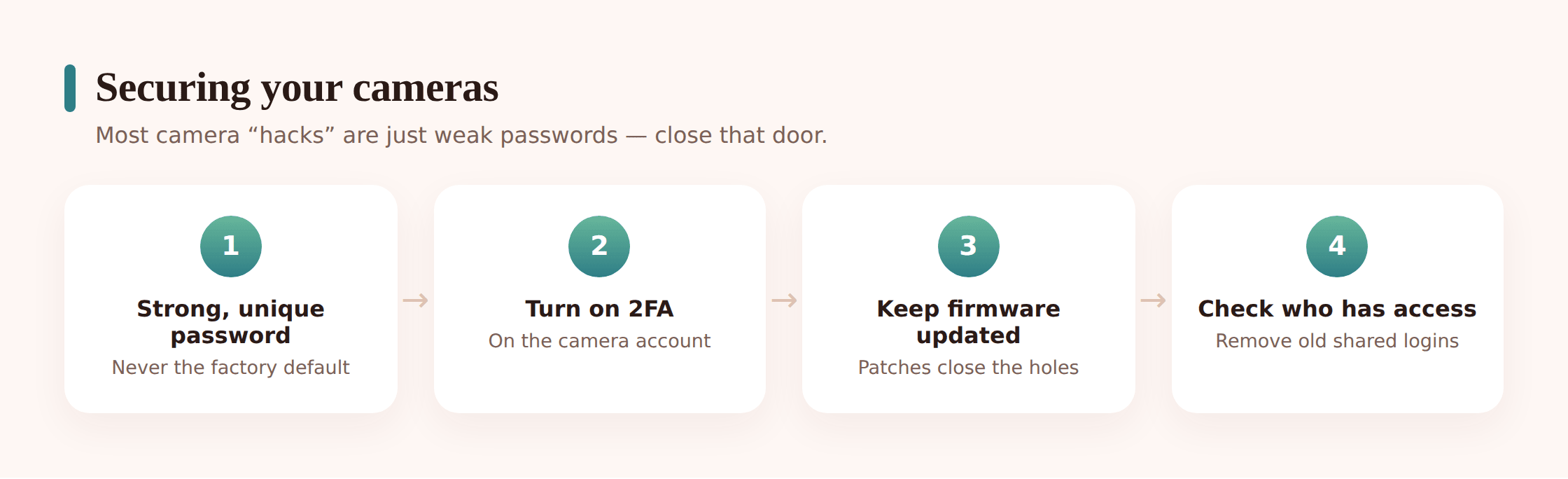
Give the camera account a long password used nowhere else — ideally generated and stored in a password manager. This one change closes off the most common attack completely, because credential-stuffing only works when a password has leaked somewhere else. If you’re not already using a manager, our guide to passwords & 2FA walks through it.
Turn on two-factor authentication
In the camera app’s account or security settings, enable 2FA (sometimes called two-step verification). Now a login needs both the password and a code sent to your phone or generated by an authenticator app. Ring, Nest, Wyze and most others support it — some now require it, for good reason.
Keep firmware up to date
Turn on automatic updates if the camera offers them. If it doesn’t, check the app every so often for a firmware update and install it. Updates are how known security holes get closed. A camera that can’t or won’t update anymore is one to consider replacing.
Check encryption and privacy options
Look in settings for end-to-end encryption if your camera supports it, and turn it on. Set a sensible clip retention period so footage of your family isn’t stored indefinitely. If the camera can store to a local SD card or hub instead of the cloud, decide which you’d rather have.
Secure the network and audit access
Change your router’s admin password from the factory default and use strong Wi-Fi security (WPA2 or WPA3). Then open the camera app’s shared-users list and remove anyone who no longer needs access — an old babysitter, a former partner, a share you forgot about. Do this audit once or twice a year.
A child’s privacy as they grow
Here’s the part that gets missed, because it changes slowly. A child’s right to privacy isn’t fixed — it grows with them, and your camera setup has to grow too.
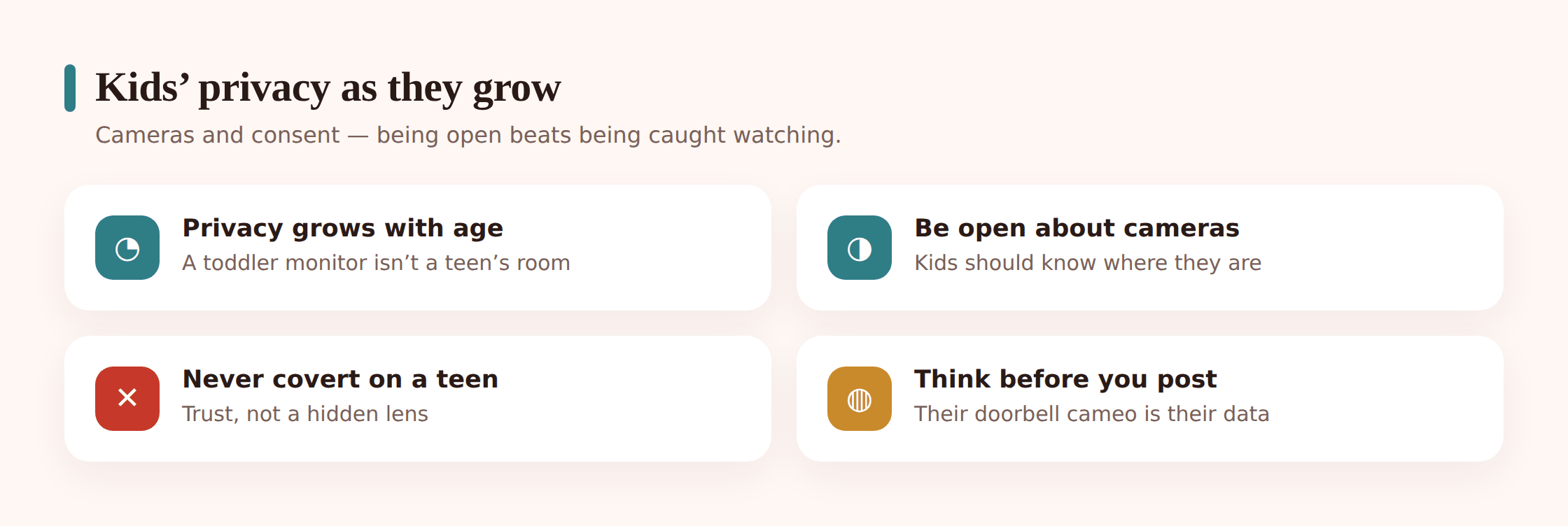
A nursery camera watching an infant is care. The same lens, unchanged, watching a ten-year-old who now dresses and plays and has private moments in that room, has become surveillance. Nothing about the device changed — the child did. So the honest approach is to treat cameras as something that recedes over childhood: total for a baby, shared-spaces-only for a school-age kid, and increasingly hands-off for a teenager.
Teenagers are where this matters most, because the temptation to keep watching runs straight into their developmental need for privacy and trust. It’s worth saying plainly: don’t use home cameras to covertly monitor your teenager. A hidden camera aimed at a teen — or an indoor camera you quietly check to see what they’re doing — is a betrayal they will eventually discover, and the damage to the relationship outlasts whatever you were worried about. Teens are supposed to be building independence and a private inner life. That’s not defiance; it’s the job of being a teenager.
None of this means abandoning legitimate safety concerns. It means meeting them with conversation and trust rather than a lens. If a specific, serious worry exists, address it directly and openly. Covert watching corrodes the exact trust you’d need to actually keep a teen safe.
Healthy household norms
Settings lock down the hardware. Norms are what make a camera-owning home feel trusting instead of watched. A few habits do most of the work.
- Be open about every camera. The household should know where the cameras are and what they’re for. No hidden lenses, no cameras nobody mentioned. Openness is what separates a security measure from spying.
- Keep them out of private rooms, always. Shared spaces and outdoors only. Bedrooms and bathrooms are off-limits, and the nursery cam comes down when the child outgrows it.
- Think before you post their footage. Cute doorbell clip? Ask whether you’d want your own childhood moments on a public feed. Often the answer is to keep it in the family chat, not the internet.
- Tell regular guests. Babysitters, friends, relatives — a quick heads-up that an indoor camera exists is basic courtesy and keeps you on the right side of the law in some places.
- Let cameras retreat as kids grow. Revisit the setup yearly. The direction of travel over childhood should be fewer cameras and more trust, not the reverse.
- Don’t covertly watch teens. If you have a serious concern, have the conversation. A lens is not a substitute for a relationship, and a discovered hidden camera does lasting harm.
Cameras are also just one of several always-on devices in a modern home. If you’re thinking about household privacy as a whole, it’s worth looking at the microphones too — see smart speakers & kids’ privacy for the voice-assistant side of the same picture.
FAQ
Can I put a camera in my teen’s room?
Don’t. A teenager’s bedroom is the one space they’re entitled to feel unwatched, and a camera there — hidden or not — damages trust in a way that’s hard to repair and usually outweighs whatever prompted it. If you have a genuine, specific safety concern, address it through conversation and, if needed, professional help. A lens in the room is the wrong tool.
Can smart cameras be hacked?
They can, but almost every real case comes down to avoidable basics: a weak or reused password, no two-factor authentication, or old firmware. Set a strong unique password, turn on 2FA, keep the firmware updated, and secure your Wi-Fi, and you’ve closed off the routes attackers actually use. It’s a ten-minute job that prevents the scary headlines.
Is it OK to post my kids on my doorbell cam story?
Pause before you do. It’s your child’s face and often your home and location on a public feed, and once it’s out there it can be shared beyond your control and become part of a digital footprint they never chose. A funny clip is usually better kept to the family group chat. If you do share publicly, at least strip location details and think about whether your kid would be happy to see it there in ten years.
When should I take the baby monitor out of my child’s room?
There’s no exact age, but the trigger is the child starting to have a genuine expectation of privacy — dressing themselves, wanting the door shut, being old enough to feel watched. For many families that’s somewhere in the early school years. Set a yearly reminder to look at it honestly, because the most common way parents end up with a bedroom camera is simply never taking the nursery one down.
Where is my camera footage stored, and who can see it?
Most consumer cameras upload clips to the manufacturer’s cloud so you can view them remotely, meaning video of your family sits on their servers behind your account login. Anyone with that login can watch, which is why the password and 2FA matter so much. Some cameras offer local storage or end-to-end encryption instead — check your model’s settings, and set a retention period so old footage clears itself.
Do I need to tell people my doorbell camera is recording them?
For casual visitors it’s courtesy; for people who spend time in your home, like a babysitter or a regular carer, it’s the right thing to do and in some jurisdictions a legal requirement. Point outdoor and doorbell cameras at your own property rather than a neighbour’s window, and be upfront that an indoor camera exists. Openness keeps a security setup from feeling like spying.