Is BeReal Safe for Kids? A Parent’s Guide
BeReal shows up on your kid’s phone as the “honest” app — no filters, no likes, no follower counts, just one unposed photo a day. That branding is why a lot of parents wave it through without a second look. It’s genuinely gentler than most of what’s on a teenager’s phone. But “gentler” isn’t the same as “no thought required,” and a couple of its features can quietly put a kid somewhere you’d rather they weren’t. Here’s what BeReal actually does, where it goes sideways, and the handful of settings that take it from fine to solidly safe.
How BeReal actually works
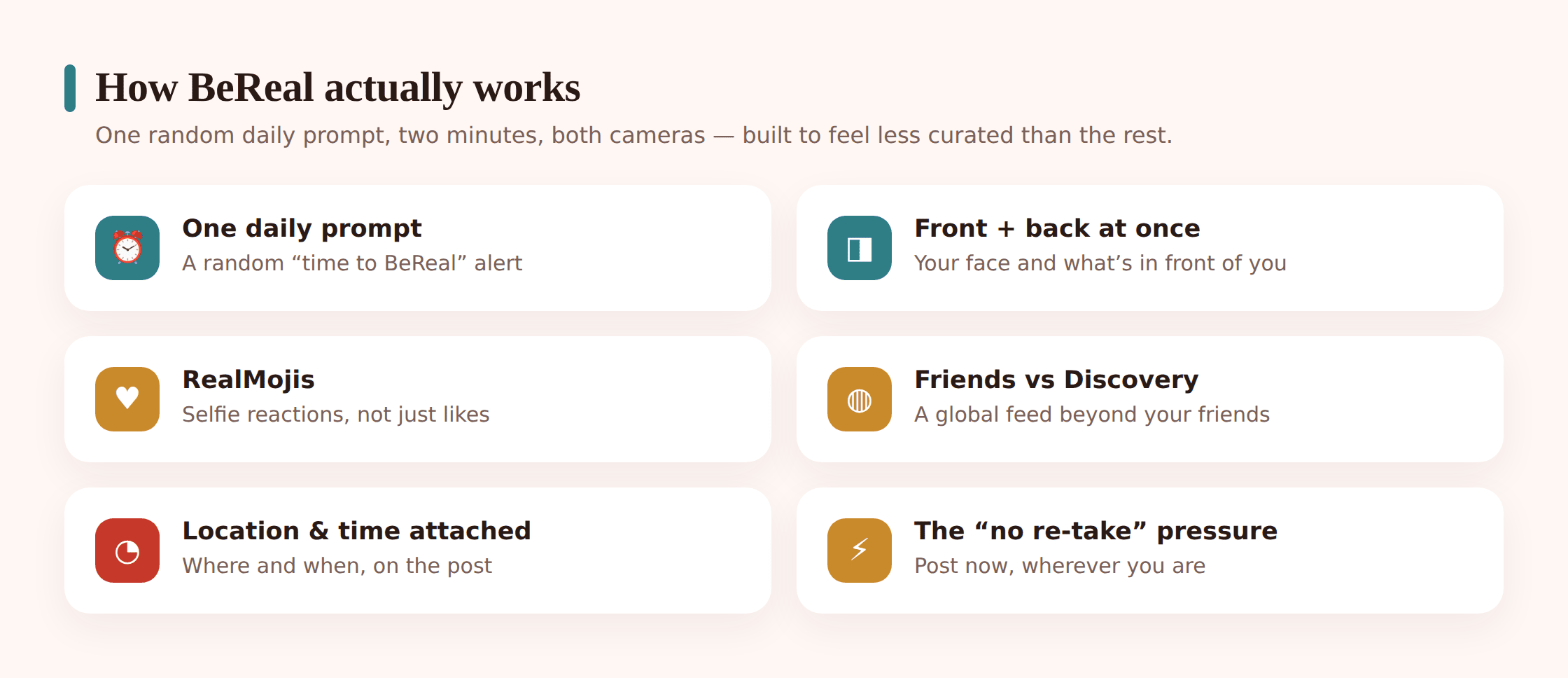
Once a day, at a random time, every BeReal user on the planet gets the same notification: “Time to BeReal.” You have two minutes. Tap it and the app fires both cameras at once — the front one catches your face, the back one catches whatever you’re looking at. The two images stitch together into one post. That’s it. That’s the app.
The design choices are deliberate, and they’re worth understanding before you decide anything:
- No re-takes, sort of. You’re nudged to post in the moment. You can retake the photo, but the app flags how many attempts you made and everyone can see it — so there’s social pressure to nail it first try, mid-yawn and unbrushed.
- RealMojis instead of likes. Friends react by pulling a quick selfie of their own face making an expression — a “RealMoji.” There’s no like button, no counter racking up numbers under a post.
- No filters, no follower count. There’s nothing to beautify the image, and there’s no public tally of how popular you are. On paper, this strips out a lot of what makes other apps rough on kids.
- You have to post to see. If you don’t put up your own BeReal, you can’t see your friends’. It’s built to pull everyone in every day.
There are two places your kid’s photo can land. The friends feed shows posts from people they’ve actually added. The Discovery feed — and a broader global view — surfaces posts from strangers around the world. That distinction turns out to matter a lot, and we’ll come back to it.
The details kids don’t clock
Two things ride along with every post that teenagers barely register. First, the time is stamped on it, along with how late they posted after the alarm. Second, a post can carry the location — sometimes down to the specific place — if that setting is switched on. A kid firing off a BeReal without thinking is broadcasting when and, potentially, exactly where. That’s the piece that turns a wholesome-looking app into something that needs a parent’s eye.
The real risks, one at a time
BeReal isn’t stuffed with hazards the way some apps are. The risks are fewer and more specific, which is good news — it means each one has a fix. Here’s each in plain terms.
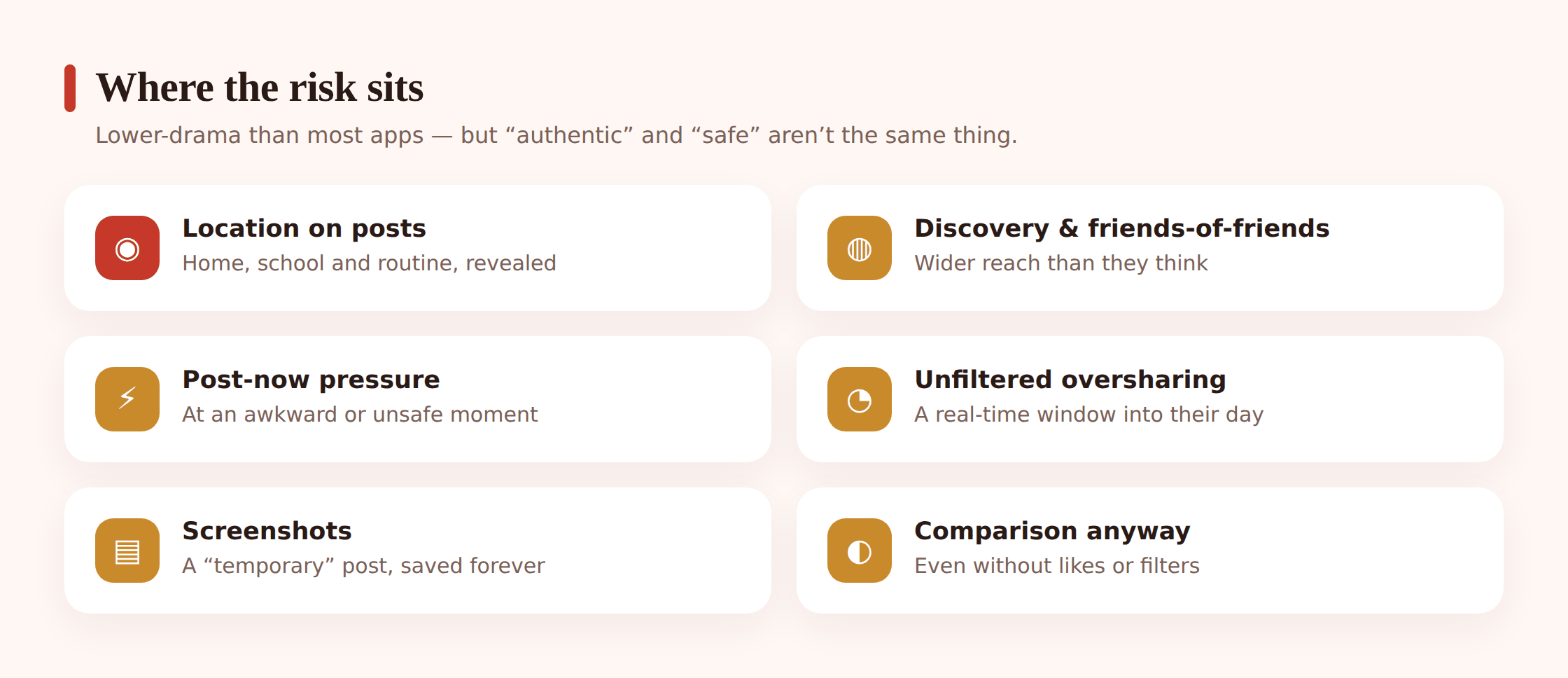
Location on posts. This is the one I’d worry about most. When location is enabled, a BeReal can reveal where your kid physically is when they post. Since the alarm hits at a random time, that could be their bedroom, the walk home from school, a friend’s house, a bus stop after dark. String a few days of tagged posts together and a pattern of a child’s routine emerges. Switch this off and most of the danger drains out of the app. We’ll do exactly that below.
The Discovery and global feed. On the friends feed, your kid’s audience is people they chose. But BeReal also lets users browse posts from strangers, and lets a kid’s own posts reach beyond their friend list depending on how their account is set. A private, friends-only setup keeps a child’s unfiltered face-and-surroundings photo away from people they’ve never met. Left open, that daily photo — their bedroom, their uniform, their location — is visible to an audience of strangers.
The two-minute pressure at bad moments. The alarm doesn’t care where your kid is. It goes off during dinner, during class, on a family drive, at 11pm when they should be asleep. The urge to post inside the window can push a child to grab their phone at genuinely unsafe or inappropriate times — mid-road-crossing, or somewhere they shouldn’t be filming other people. The “post now or look like you missed it” pull is stronger than adults expect.
Oversharing a real, unedited moment. The app’s honesty pitch is also its weak spot. Because there’s no filter and no staging, a kid photographs exactly what’s around them — a messy bedroom, a home address on a parcel, a sibling in the background, a screen with private details on it. They’re not trying to overshare. The whole app is designed to catch them off guard, and off-guard is precisely when private things end up in frame.
Screenshots. BeReal feels ephemeral, but a post sitting on the feed for the day is easily screenshotted. Some versions notify you when someone captures your BeReal, but a notification after the fact doesn’t un-capture the image. A photo your kid thought was a throwaway can be saved and passed around a group chat.
Comparison, despite the branding. “Authentic” doesn’t switch off the teenage habit of measuring yourself against everyone else. A kid whose daily reality is homework and an empty room, scrolling past friends who always seem to be out with people, can feel just as left behind here as anywhere. The absence of like counts helps. It doesn’t erase the feeling. We dig into that in our piece on social media and self-esteem.
Is your kid ready for it?
BeReal’s minimum age is 13, which is a legal and data-protection line rather than a judgment about whether a given child can handle it. A birthday is trivial to fake, so treat the number as the floor, not the answer.
The more useful question is about your specific kid. Does she think before she posts, or does she react to every ping on the phone the second it lands? Would he tell you if a stranger’s post showed up that made him uncomfortable, or would he just keep scrolling and say nothing? A 13-year-old who checks in with you is a different proposition from a 15-year-old who’s gone quiet and guarded. Because BeReal rewards fast, unthinking posting, the kids most at risk are the impulsive ones — and that maps to temperament more than age. For a wider look across the platforms your kid is juggling, our social media safety guide is the companion to this one.
The settings to change today
Here’s the reassuring part. BeReal has fewer dials than Snapchat or Instagram, so locking it down takes a few minutes, not an evening. Do it on your kid’s phone, with them sitting next to you, so they know what changed and why. Settings drift back to default when a child doesn’t understand the reason for them.
Lock BeReal down in five minutes
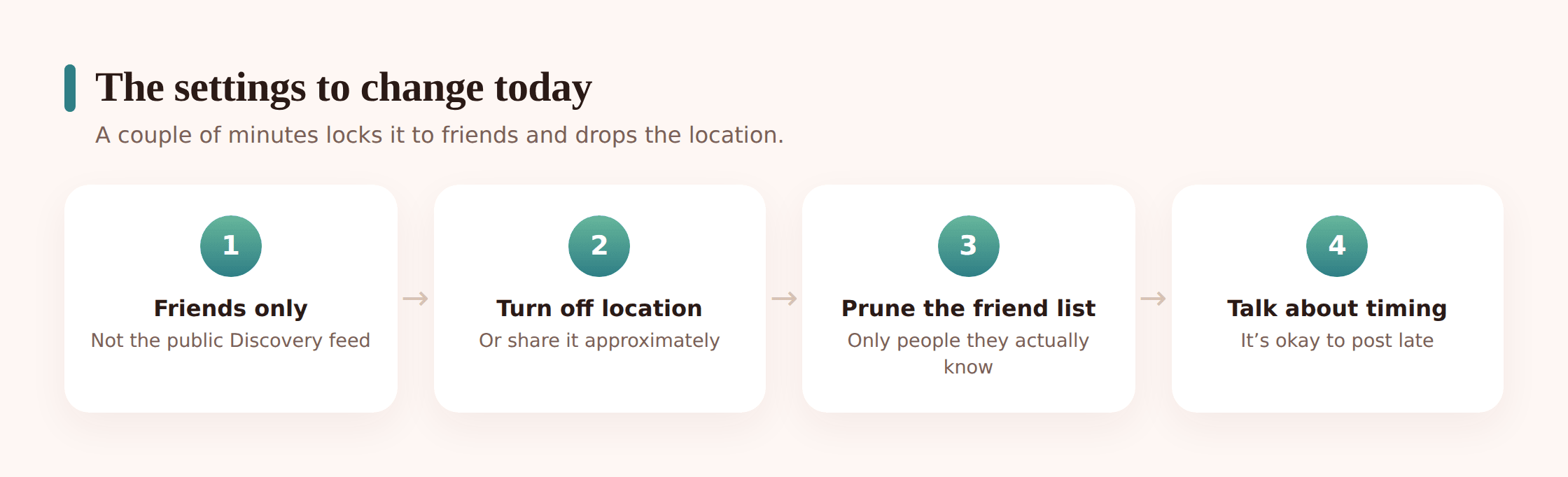
- Turn location off on posts. Open the app’s settings and find the location option — set it so posts don’t carry a location. This is the single most important change. Nobody, friend or stranger, needs to know where your kid physically is when the alarm goes off.
- Deny location at the phone level too. In Android Settings, go to Apps, find BeReal, open Permissions, and set Location to “Don’t allow” or “Only while using.” Belt and braces on top of the in-app toggle, so a forgotten setting can’t leak a location.
- Set the audience to friends only. Make sure posts go to “My Friends,” not to a wider or public audience. This keeps your kid’s unfiltered daily photo away from strangers entirely.
- Steer clear of Discovery and the global feed. Talk through why the Discovery feed exists and agree they’ll stick to their friends’ posts. There’s no need to browse strangers’ bedrooms, and there’s nothing there your kid needs.
- Prune the friend list. Go through who they’ve actually added. BeReal is only as private as its friend list — one accepted stranger undoes the friends-only setting. If your kid doesn’t know someone in real life, they come off.
- Turn off contacts syncing. Stop the app pulling in the whole phone contact list to suggest friends. It slows the quiet creep of the friend list filling up with people they’ve never met.
Those changes handle the two risks that matter most — location and stranger exposure — in one short sitting. Everything else on BeReal is comparatively mild once those two are sorted.
Backing it up beyond the app
Good settings are the foundation, and for BeReal specifically they carry most of the load. Some parents still want a bit of steady, honest awareness of what’s happening across the whole phone — not to read over a kid’s shoulder, but to notice the things that are worth noticing. That’s the slot a tool like FreePhoneSpy fills, and it’s fair to be plain about where it helps and where it doesn’t.
With BeReal, the app itself is fairly closed — there’s no message stream to surface, and honestly that’s fine, because BeReal isn’t a messaging app. Where a phone-level tool earns its keep is around the edges of it: how much time the app is soaking up, and whether the alarm is pulling your kid onto their phone late at night when they should be winding down.
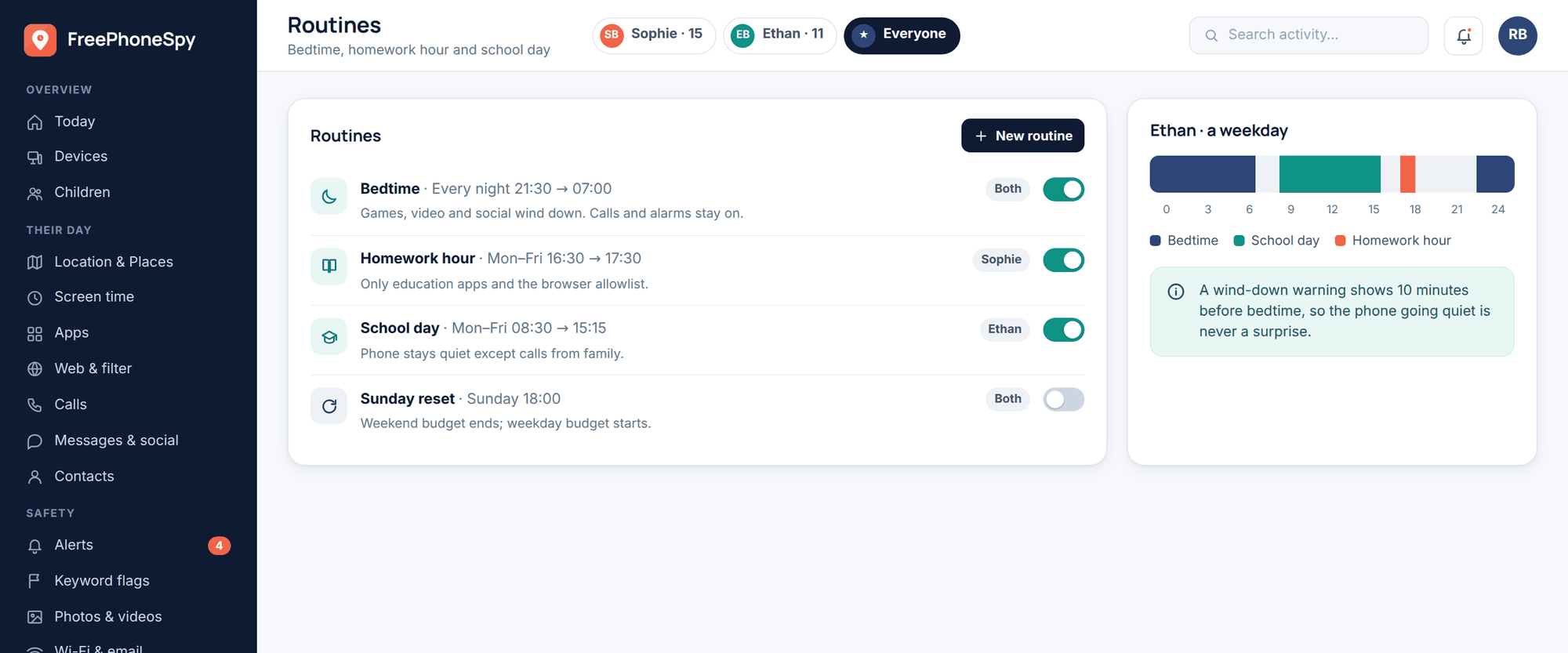
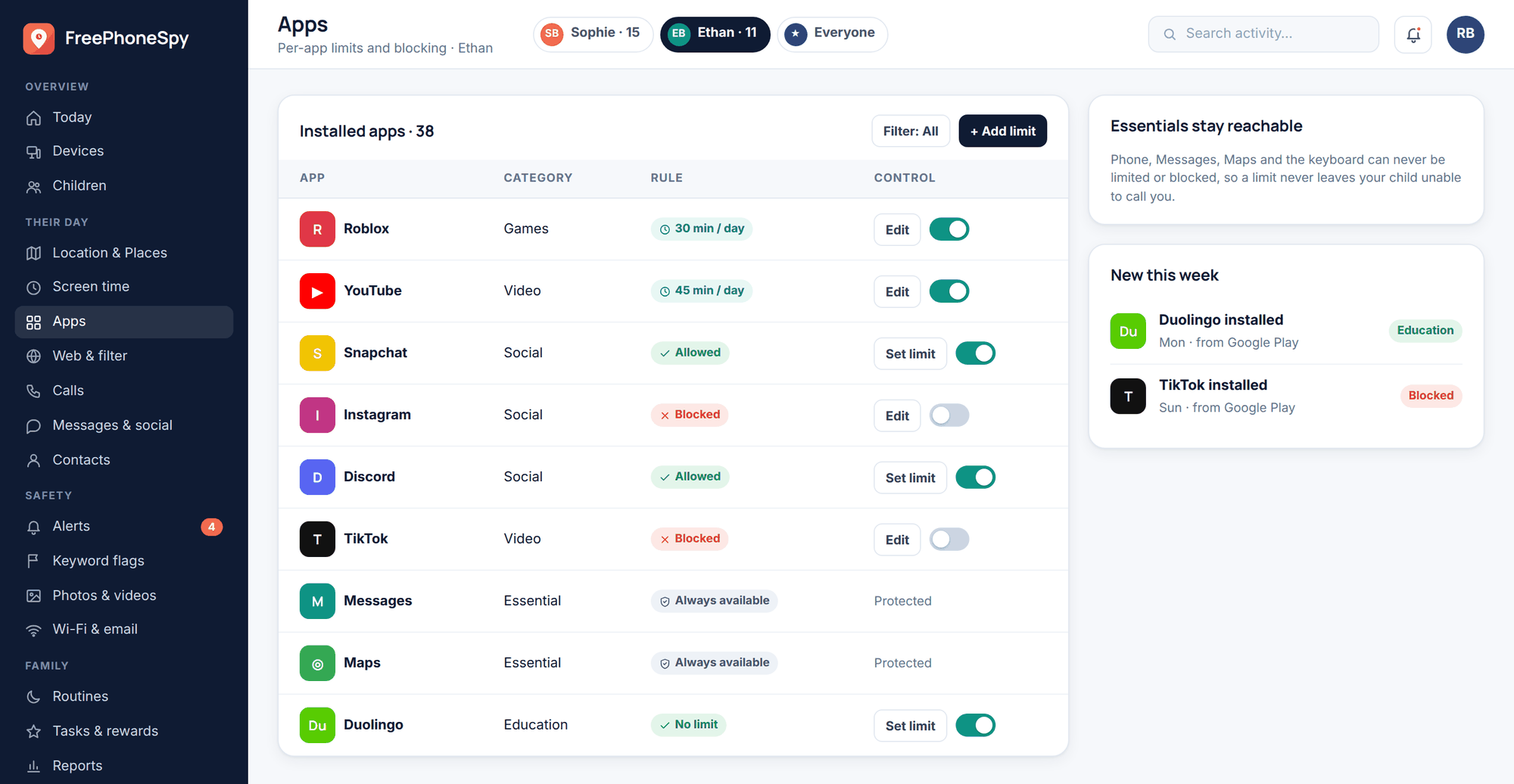
Screen-time limits and app scheduling are the useful tools here. If BeReal’s random alarm keeps yanking your kid awake past bedtime, you can set the app to go quiet during sleep hours. If you’d rather cap the browsing that follows a post, you can do that too. These are concrete, agreed-upon levers, and they tend to matter more day to day than watching any single post.
The honest limit: no tool reaches inside BeReal to reconstruct someone’s private feed, and you wouldn’t want one that claimed to — that’s a promise only dodgy software makes. What a transparent, consent-based setup gives you is a sensible picture of time and habits across the phone, agreed with your kid up front. The rest — who’s on their friend list, whether Discovery is tempting them — comes from talking, not from any panel.
Talking to your kid about it
Settings and screen-time caps buy a safer starting line. What keeps a kid safe over the long run is the plain fact that they’ll flag something to you when it feels off — a stranger’s post that unsettled them, a friend who screenshotted something, a moment they nearly posted from somewhere they shouldn’t have. That only happens if the door’s been open all along.
You don’t need a lecture. You need a few short, unbothered agreements your kid can actually remember:
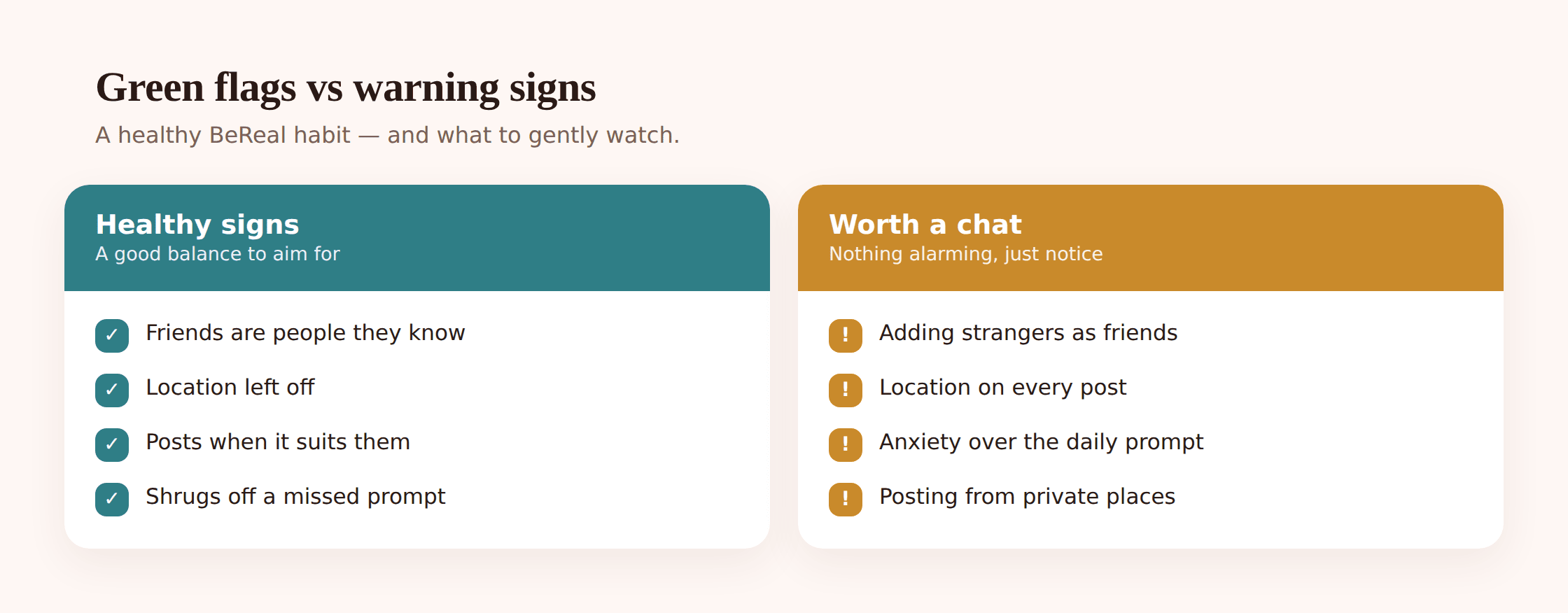
- “Look before you post.” The two-minute window is designed to make them rush. Agree on one habit: a half-second glance at what the back camera is catching before they hit post. No home address on a parcel, no other people who didn’t agree to be in it, no screen with private stuff on it.
- “Never post while you’re on the move or somewhere unsafe.” If the alarm goes off crossing a road or on a dark walk home, the post can wait. Missing the window by an hour costs nothing real. Make that explicit so they don’t feel the pull.
- “Only real-life friends get added.” Keep the friend list to people they actually know. Agree that a request from a stranger gets declined and, if it’s weird, mentioned to you.
- “Location stays off, and you ask before changing settings.” Because they helped switch it off, keeping it off feels like a shared deal rather than a rule imposed on them. If they want to change something, the agreement is that they raise it first.
- “Nothing’s a big deal if you tell me early.” Say it out loud and mean it. A kid who’s braced for you to overreact will sit on a problem until it’s bigger. Take that fear off the table and they’ll come to you while things are still small.
Worth remembering too: whatever your kid posts is a small brick in the wall of who they are online for years to come. It’s a light, useful thing to mention now and then — our guide to your child’s digital footprint unpacks how those daily bits add up. And if you’re setting BeReal up alongside apps that need a firmer hand, our Snapchat guide walks through a trickier one.
Most families land in a good place with BeReal without much drama. Turn off location, keep it friends-only, agree the glance-before-you-post habit, and put the alarm to bed at night. That mix — a couple of solid settings, light awareness of the phone as a whole, and a kid who’ll actually tell you things — is what “safe” looks like on this one. Not a banned app. A kid who thinks for a second before the shutter fires.
FAQ
Does BeReal show my child’s location? It can, if location on posts is switched on — sometimes down to a specific place. Since the alarm fires at a random time, that could reveal where your kid is at any point in the day. Turn location off both in the app and in Android’s app permissions, and this risk is gone.
Is BeReal safer than Snapchat or Instagram? Generally, yes. There’s no infinite scroll built to keep them hooked, no public follower or like count, and far fewer ads. It’s one of the more benign apps a teenager is likely to have. That said, “safer” still means a couple of settings — location and friends-only — are worth changing.
Can strangers see my kid’s BeReal? They can if the account posts to a wider audience or if your kid browses and posts to the Discovery and global feeds. Set the audience to friends only and keep the friend list to people they actually know in real life, and strangers are shut out.
What’s the “no re-takes” pressure about? BeReal nudges kids to post the first shot in the moment. They can retake, but the app shows everyone how many attempts it took, so there’s social pressure to post the unflattering first try. Reassure your kid that a retake, or missing the window entirely, genuinely doesn’t matter.
Can people screenshot my kid’s BeReal? Yes. Some versions notify you when it happens, but that alert comes after the image is already captured. Remind your child that anything posted, even for a day, can be saved — so the glance-before-you-post habit matters.
What age is BeReal meant for? Officially 13, which is a legal line rather than a maturity test. The better question is your own child: do they think before they post, and would they tell you if something felt off? With location off, a friends-only account, and an honest agreement in place, mid-teens is a reasonable starting point for most.