Is Roblox Safe for Kids? A Parent’s Guide
Roblox is where a lot of childhoods happen now. Your nine-year-old builds a pizza shop, races friends round an obstacle course, and asks for Robux roughly every eleven minutes. It’s fun, it’s social, and it’s mostly fine. But “mostly” is doing some work in that sentence, and the gap is where parents get caught out. Here’s what the risks actually are, and the settings that close most of them.
What Roblox actually is
The first thing to understand is that Roblox isn’t a game. It’s a platform. Think of it as an app store crossed with a social network, where the “apps” are millions of little worlds called experiences, and almost all of them are made by other users — a lot of them teenagers, some of them professional studios, some of them people you’d cross the road to avoid.
Your child opens Roblox and picks from an endless shelf: a prison escape, a fashion show, a horror map, a game where you adopt pets. Each experience has its own rules, its own community, and its own chat. Kids love it because it’s endless and it’s where their friends are. One tap and they’re in the same world as their mate from school, building, chatting, messing about.
The age spread is wide. Roblox’s own numbers put a huge chunk of players under 13, but plenty of teenagers and adults play too. That mix is the thing to hold in your head. When your child joins a random public experience, the other people in it could be eight or twenty-eight. There’s no way to know by looking.
The real risks, plainly
None of this is a reason to ban Roblox. It’s a reason to set it up properly. Here’s what can actually go wrong.
Chat with strangers. Most experiences have live text chat open by default for older accounts. Your child can be typed at by anyone else in the world with them. Roblox filters chat and it catches a lot, but filters aren’t people, and determined adults know how to talk around them.
Dodgy experiences slipping through. Roblox moderates content, and the vast majority of what your child sees is age-appropriate. But with millions of user-made worlds, unsuitable ones get through — often for a few hours before they’re pulled. The notorious example is the “condo” game: a normal-looking experience that’s secretly built for adult content. They’re against the rules and get removed constantly, but new ones appear just as fast.
Grooming and the Discord hand-off. This is the serious one. A predator rarely does anything obvious inside Roblox, because Roblox is watching. The pattern is a friendly stranger who’s great at the game, showers your child with attention, and after a while says “the chat here is rubbish, let’s talk on Discord.” Off-platform, there’s no filter and no moderation. If you take one thing from this page, take this: the move to another app is the red flag. Our guide to protecting kids from online predators goes deeper on the grooming playbook.
“Free Robux” scams. Robux is the in-game currency, and kids want it badly. Scammers know this. There are countless sites, videos and in-game messages promising free Robux if you “just log in here” or “enter your password to verify.” It’s phishing, aimed squarely at children who don’t yet know what phishing is. Some scams live inside experiences designed to look like a giveaway.
Pressure to spend. Even the legitimate side pushes hard. Experiences are built to make Robux feel necessary — a better skin, a faster pet, the item everyone else has. The pestering is relentless, and if your card is stored, a few taps turns it into a real charge.
The screen-time black hole. Because Roblox is endless and social, “just one more game” genuinely never ends. There’s no last level. A rainy Saturday can vanish into it, and getting a child off Roblox is a familiar battle in a lot of homes.
Roblox’s own parental controls, step by step
Roblox has decent built-in controls, and this is where the in-game protection lives. You can’t set most of this from FreePhoneSpy — chat, experience restrictions and spend limits live in your child’s Roblox account. So do these first. It takes about ten minutes.
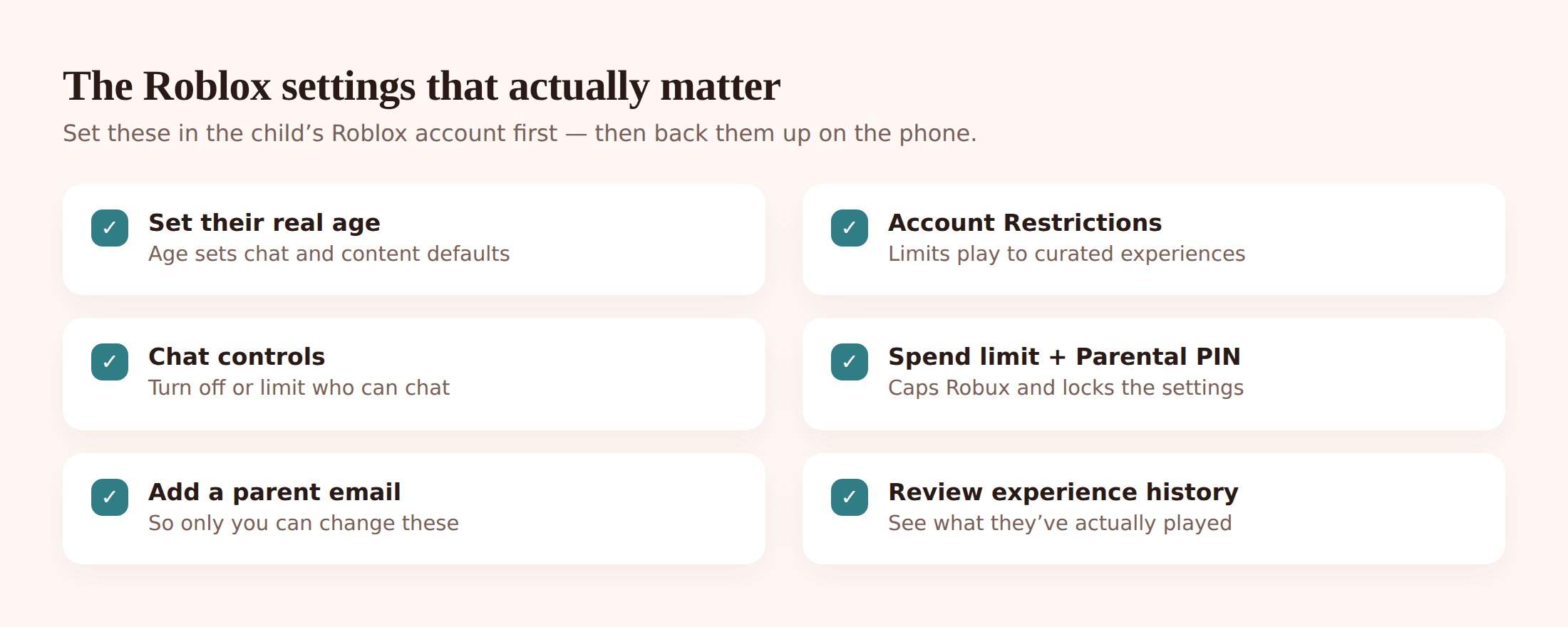
- Set their real age. In Settings, make sure the account’s date of birth is your child’s actual age. Accounts under 13 get stricter defaults automatically — tighter chat, more filtering. If an older age was entered when the account was made, fix it.
- Turn on Account Restrictions. In Settings > Security, switch on Account Restrictions. This limits your child to a curated set of experiences that Roblox has vetted for a younger audience, and hides most public chat. It’s a blunt tool, but for a younger child it’s the single most effective switch.
- Set the chat controls. Under Privacy, decide who can chat with and message your child — you can limit it to friends only, or turn chat off. For younger kids, friends-only or off is the sensible default. You choose who counts as a friend by looking at the list together.
- Add a monthly spend limit and a Parental PIN. Turn on a Parental PIN so these settings can’t be changed back without you. Set a monthly Robux spend limit — or zero — so purchases can’t run away. The PIN locks the whole lot.
- Add your email as the parent. Roblox lets you link a parent email to the account, which gives you visibility and control over changes. Use an address you actually check.
- Review the experience history. Roblox keeps a list of recently played experiences. Look through it together now and then. It’s the easiest way to spot something that doesn’t belong, and it opens up good conversations about what they’re into.
Backing it up on the phone
Roblox’s settings handle what happens inside Roblox. FreePhoneSpy handles the phone Roblox runs on — the time, the limits, the browser version, and the alerts. The two work together, and neither does the other’s job. FreePhoneSpy runs on your child’s Android phone with one app and a six-digit pairing code; you manage everything from any web browser. On iPhone, the equivalent controls live in Apple’s Screen Time and Family Sharing instead.
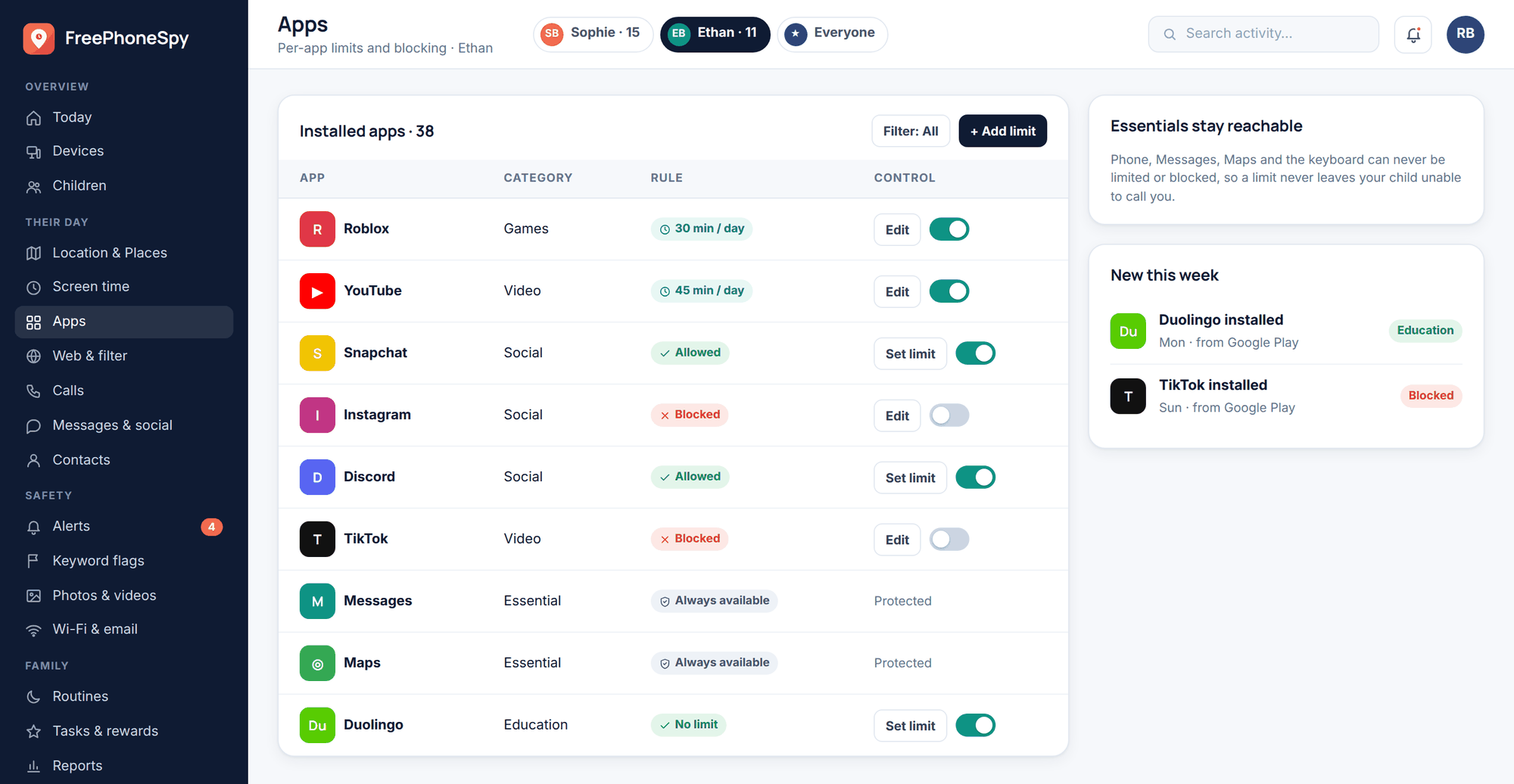
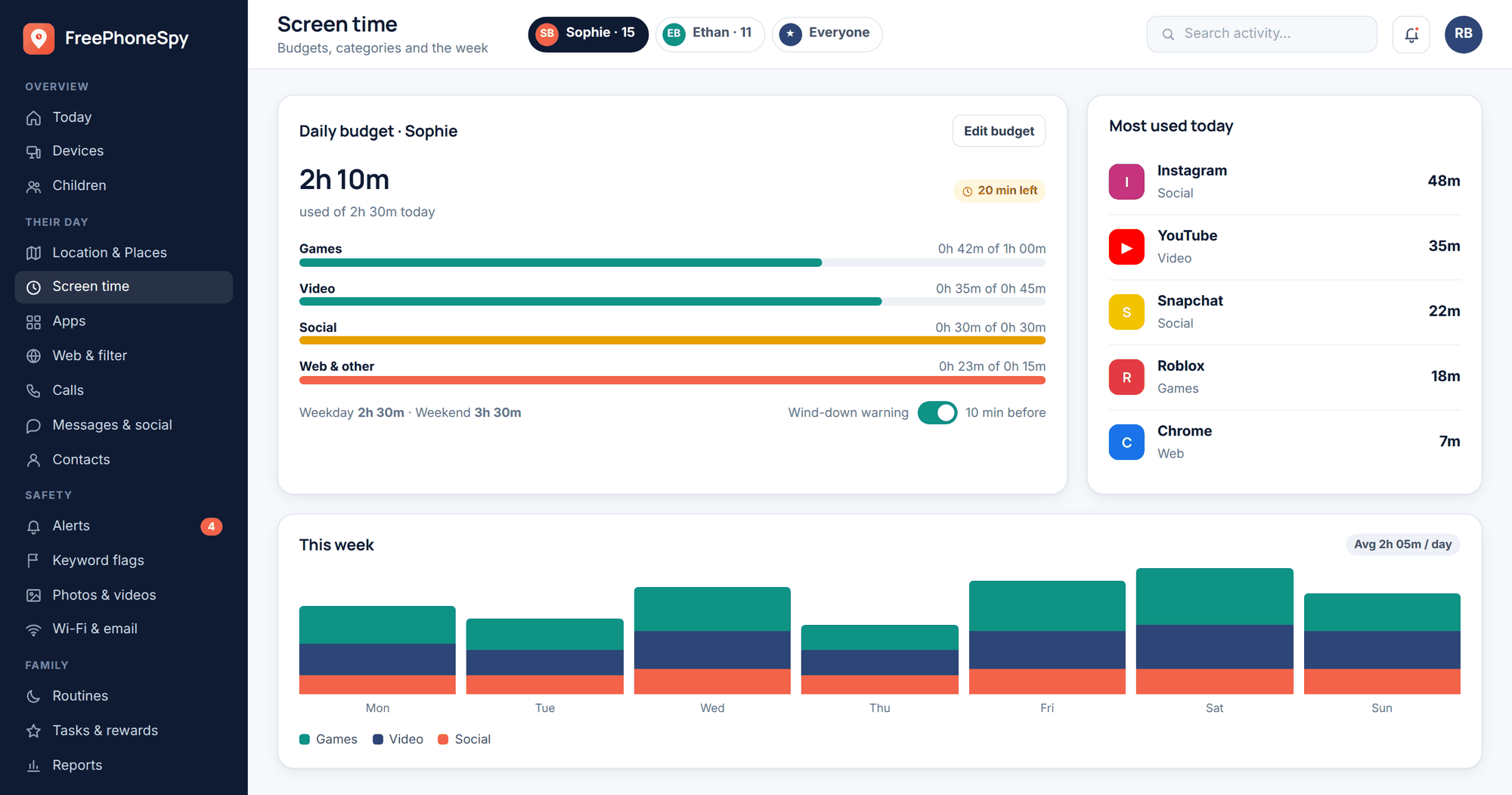
A time limit or a full block. This is the fix for the black hole. Give Roblox a daily budget — say an hour on school days — and it stops when the time’s up, no negotiation at the door. You can also block it outright during homework and after bedtime, so the phone can’t become a 2am Roblox portal. It’s all under app and website blocking.
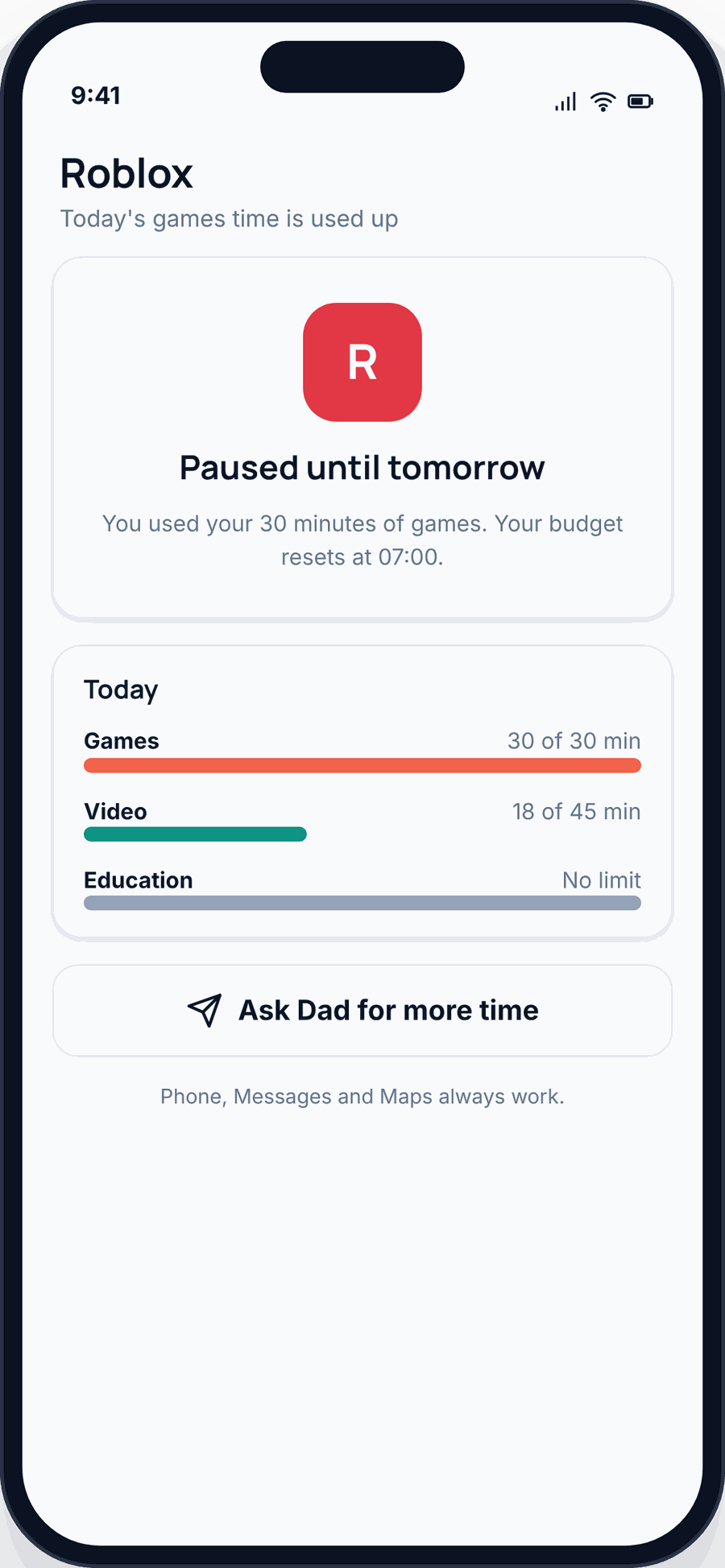
Block the browser version too. Here’s a gap parents miss: Roblox also plays in a web browser. Block the app and a resourceful kid just opens it in Chrome. The web filter lets you block the Roblox site as well, so the limit actually holds.
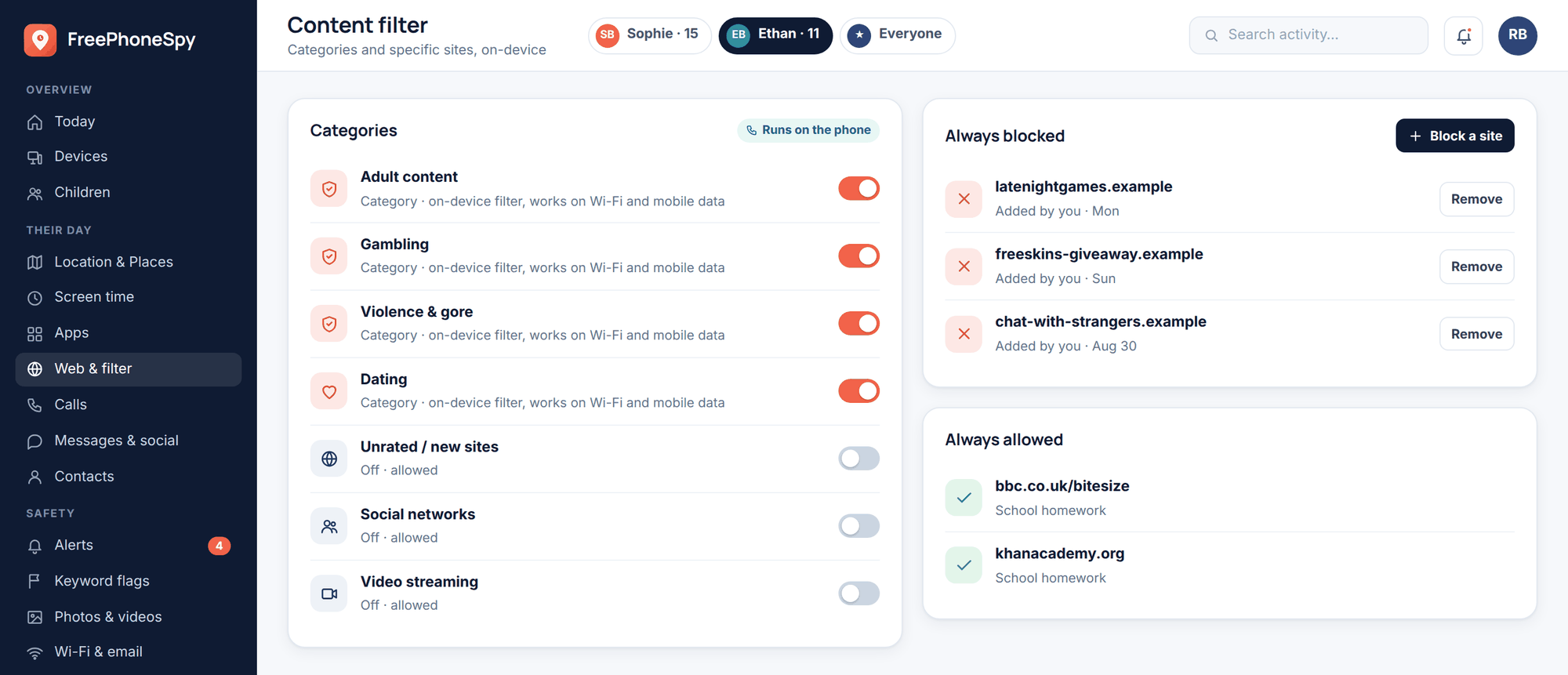
A screen-time budget across everything. Roblox rarely lives alone on the phone. A whole-phone screen-time budget keeps the total sane, so cutting Roblox doesn’t just push the time into something else.
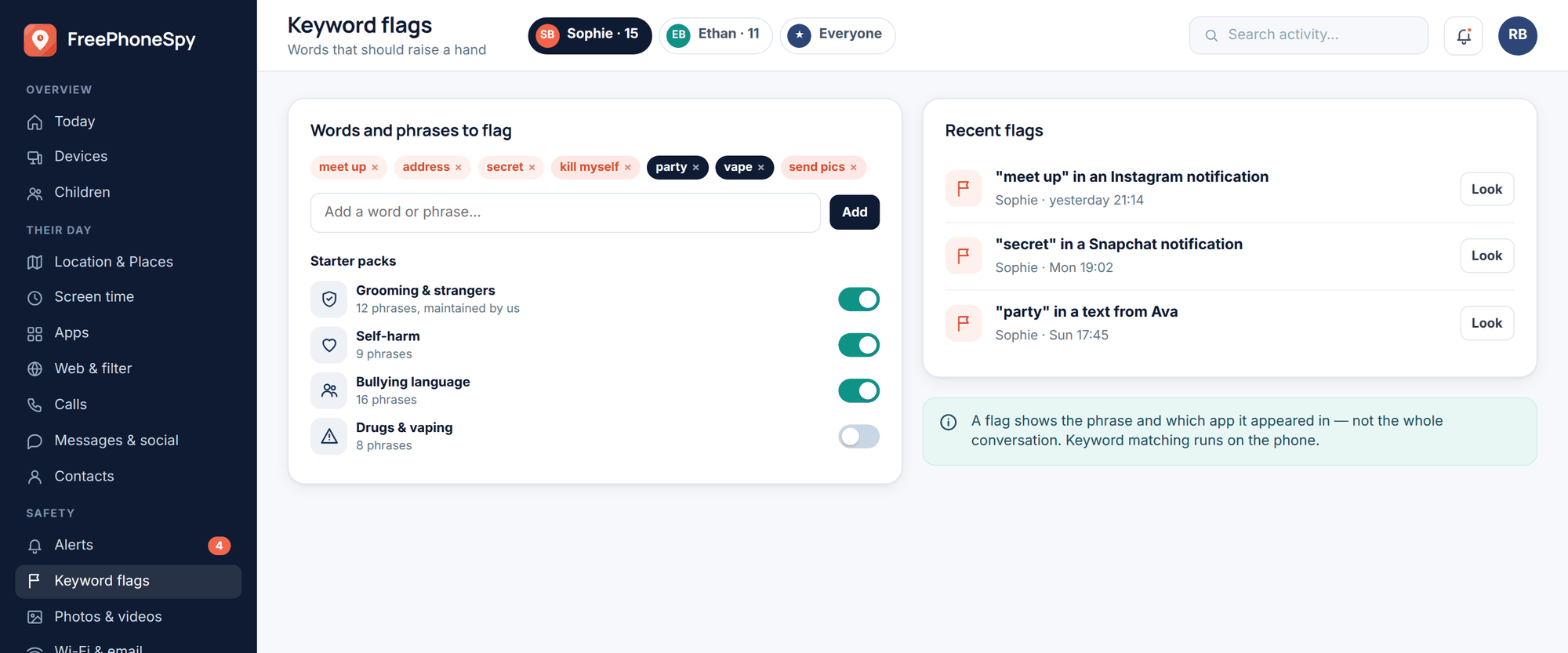
Keyword alerts. You can set alerts on words and phrases across messaging on the phone — the kind of thing that shows up when a Roblox contact tries to move the chat elsewhere. If “Discord,” “Snapchat” or “send me a pic” turns up in your child’s messages, you get a nudge in the alerts feed. Set these up under alerts and keywords.
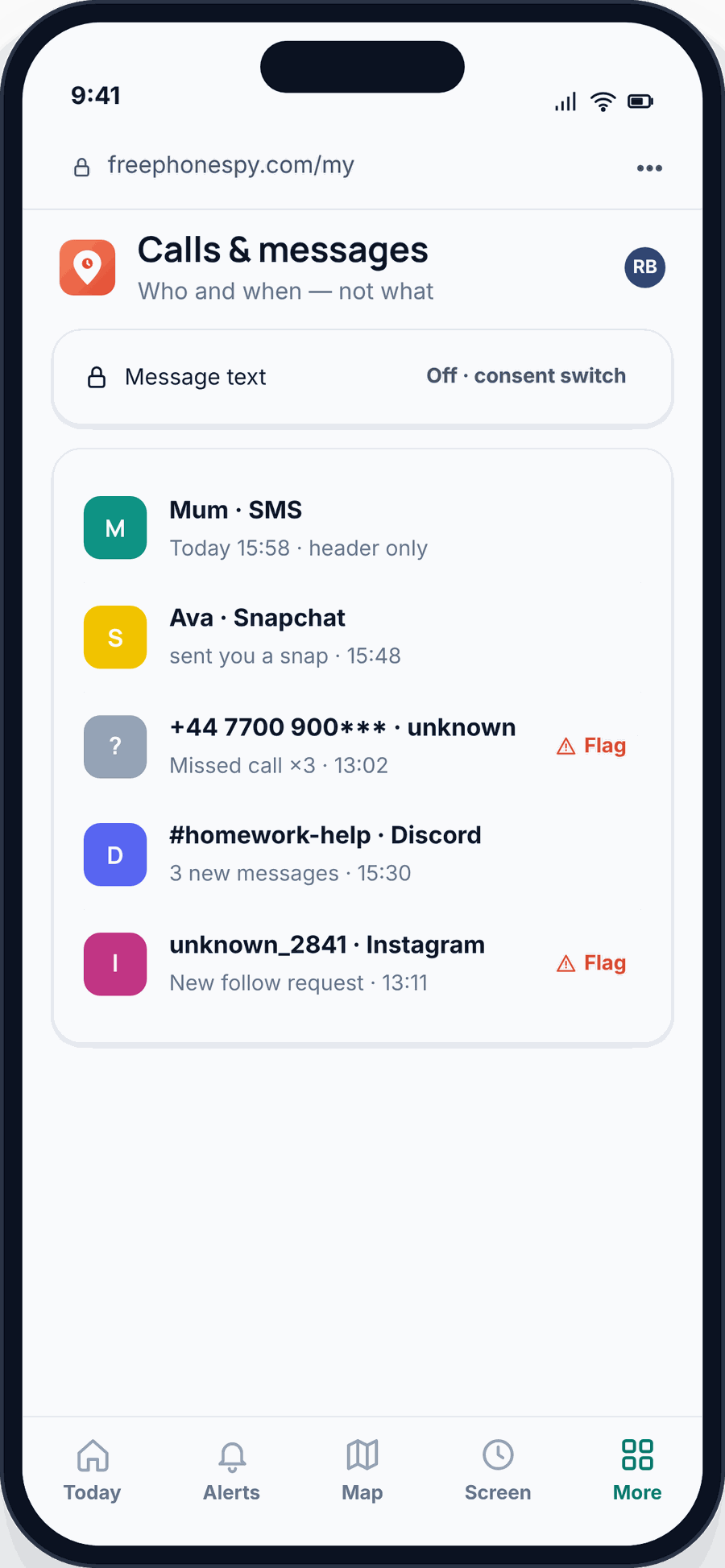
Be straight with yourself about the limits here. FreePhoneSpy watches the phone’s own messaging, not the chat inside a Roblox experience — that’s sealed inside Roblox, which is exactly why you set the in-game chat controls in the step above. Use both. Neither is enough alone.
Robux, spending and scams
Robux is Roblox’s currency. You buy it with real money, then spend it inside experiences on items, upgrades and cosmetics. Some of it goes to the creators, which is fine and part of the point. The trouble is how quickly small taps add up, and how good scammers are at getting between your child and the real thing.
Three moves cover most of it:
- Don’t store the payment method. If your card isn’t saved to the account, a purchase can’t happen without you physically doing it. This one change stops nearly all accidental and pestered-into spending.
- Use the monthly spend limit and PIN. You set these in the Roblox steps above. The limit caps the damage; the PIN stops it being changed back.
- Teach the “no such thing as free Robux” rule. Roblox never gives away free Robux through outside sites, and never asks for your password anywhere except the official login. Any site, video or in-game message promising free Robux is a scam. Say it out loud so your child recognises it when they see it — and they will see it.
It helps to make Robux normal rather than forbidden. A small monthly allowance they control teaches them to budget it, and takes a lot of the heat out of the pestering. The goal isn’t zero spending. It’s spending that you both agreed to.
A sensible setup by age
What’s right depends a lot on the child. Here are two starting points.
A younger child, say seven to ten. Turn Account Restrictions on, so they’re in the curated, vetted set of experiences. Set chat to friends-only or off. Set the spend limit to zero or a tiny allowance, with the PIN on. On the phone, a modest daily Roblox limit and a hard block after bedtime. Play alongside them sometimes — it’s the best way to know what they’re actually doing, and it’s more fun than it sounds.
A tween, say eleven to thirteen. More rope, more responsibility. You might leave the full experience library open but keep chat limited to friends, and be clear about the off-platform rule. A larger but still capped spend allowance they manage themselves. A daily time budget rather than a total block, so they learn to pace it. And regular, low-key chats about what they’re playing and who they’re playing with — the ongoing conversation does more than any single setting.
For the wider picture, our child’s first phone guide and a written family phone agreement are worth ten minutes, and the same instincts apply across social media safety as your child gets older.
FAQ
Is Roblox safe for a nine-year-old?
It can be, with the settings on. For that age, turn on Account Restrictions, limit or switch off chat, set spending to zero or a tiny allowance behind a PIN, and add a sensible time limit on the phone. Left on defaults, it’s riskier than it needs to be.
Can I monitor the chat inside Roblox?
Not from a phone-monitoring app — in-game chat lives inside Roblox and is controlled through Roblox’s own privacy and Account Restriction settings. That’s why you set those first. FreePhoneSpy watches the phone’s own messaging, where the off-platform “let’s talk on Discord” move tends to surface, and gives you keyword alerts for it.
What are “condo” games?
Experiences secretly built to host adult content, disguised as ordinary games. They break Roblox’s rules and get removed regularly, but new ones keep appearing. Account Restrictions is your best defence, because it keeps a younger child inside the vetted library where these don’t reach.
How do I stop my child spending real money on Robux?
Don’t store a payment method on the account, set the monthly spend limit (zero if you like) and lock it with a Parental PIN. Together those mean a purchase can’t happen without you.
My child plays Roblox in a browser, not the app. Does blocking still work?
Yes, if you block both. Set a limit or block on the Roblox app and add the Roblox website to the web filter, otherwise a browser tab walks straight round the app limit.
Does FreePhoneSpy work on an iPhone?
The FreePhoneSpy app runs on your child’s Android phone, managed from any web browser. If your child has an iPhone, use Apple’s built-in Screen Time and Family Sharing for the same time limits and blocking — the Roblox account settings in this guide apply either way.