Is Pinterest Safe for Kids? A Parent’s Guide
Of all the apps a teenager might ask for, Pinterest is the one most parents wave through without a second thought. Recipes, room ideas, prom hair, revision aesthetics — it looks like a mood board, not a minefield. And mostly it is calmer than Instagram or TikTok. But “calmer” isn’t “harmless,” and the things that go wrong on Pinterest are quiet and easy to miss precisely because nobody’s watching for them. This is an honest look at where the edges are, which settings dull them, and the conversation that matters more than any switch.
What Pinterest actually is
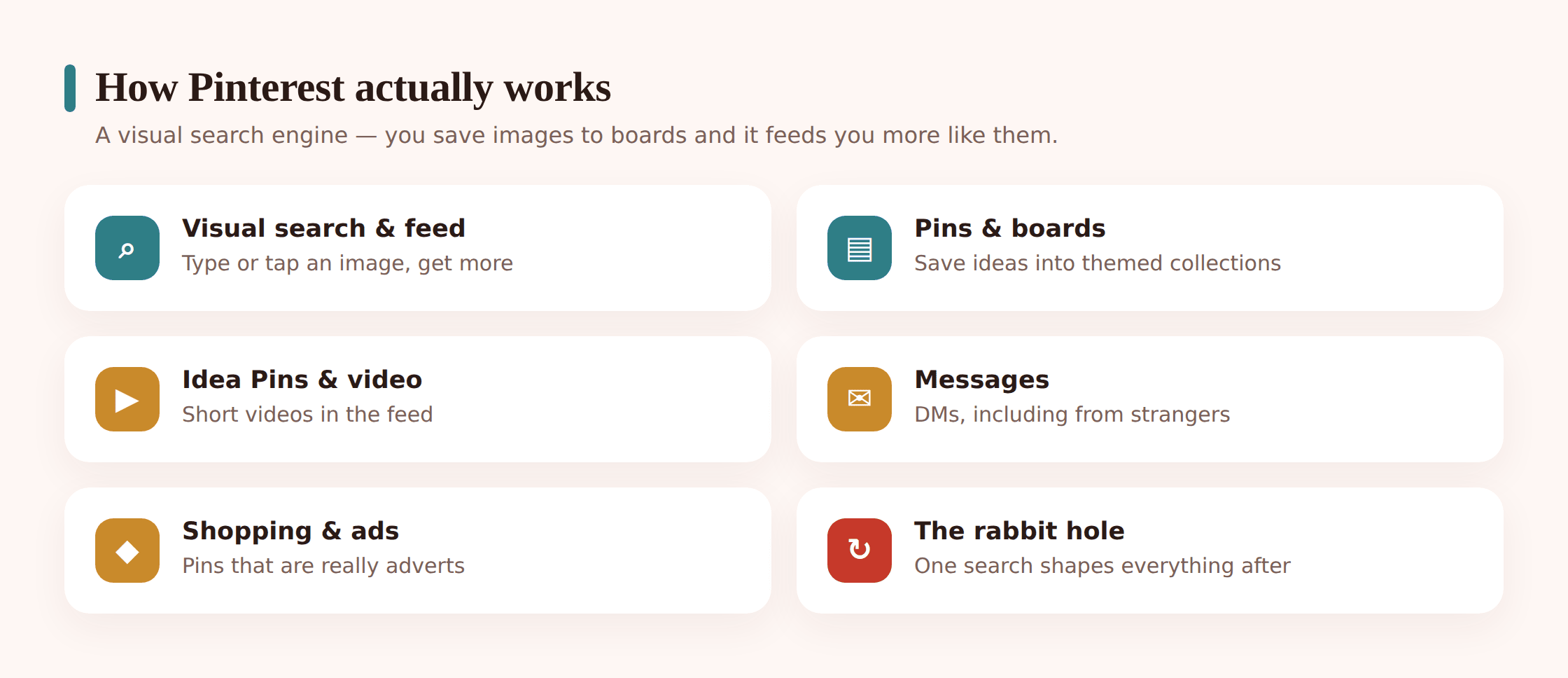
Strip away the branding and Pinterest is a visual search engine. You type in an idea — “cottagecore bedroom,” “easy vegan dinner,” “short shag haircut” — and it returns a scrolling grid of images pulled from across the web. Each image is a pin. Tap one and you can save it to a board, which is just a labelled collection: “Recipes to try,” “Formal 2026,” “Art references.” That’s the core loop, and for a lot of kids it genuinely is the whole app. They come to plan a party, sketch a bedroom redo, gather outfit ideas, and leave.
Why do teenagers like it? Because it’s the one social app that isn’t really social. There’s no follower scoreboard front and centre, no pressure to post your own face, no group chat deciding your weekend. It’s private in feel — a personal cupboard of things you find pretty or useful. For a creative or organised kid, that’s a good fit, and writing it off would miss what draws them to it.
How it works — pins, boards, search, the feed
A few moving parts are worth knowing before you decide anything.
Visual search. Beyond typing words, you can search with a picture. Point the built-in lens at an object, or tap a section of any pin, and Pinterest finds visually similar images. It’s clever and useful — and it means the path from one image to a hundred related ones is a single tap, which matters when we get to the risky end.
The home feed. Once a child has saved a few things, Pinterest builds a personalised feed of “more like this.” It’s a recommendation engine, same family as the ones running TikTok and Instagram, tuned to keep you scrolling. Save three moody black-and-white photos and the feed leans moodier. It learns fast and it doesn’t know how old your child is or what kind of day they’re having. If you want the mechanics, we cover them in how social media algorithms work.
Idea Pins and video. Pinterest isn’t only still images now. There are short videos and multi-page “Idea Pins” — think tutorials, recipes, get-ready clips — which behave more like the short-video feeds kids already know, with the same easy-to-lose-an-hour pull.
Messages. Pinterest has direct messages. You can send a pin to a friend, and you can receive messages too — including, on a loosely set-up account, from people your child doesn’t know. It’s not the app’s headline feature, which is exactly why parents forget it’s there.
Shopping and ads. A lot of pins are shoppable, and a lot of the feed is advertising dressed as inspiration. “Product pins” link straight to a checkout. For a teenager the line between “saving an idea” and “being sold something” is deliberately blurry.
Where the risks actually are
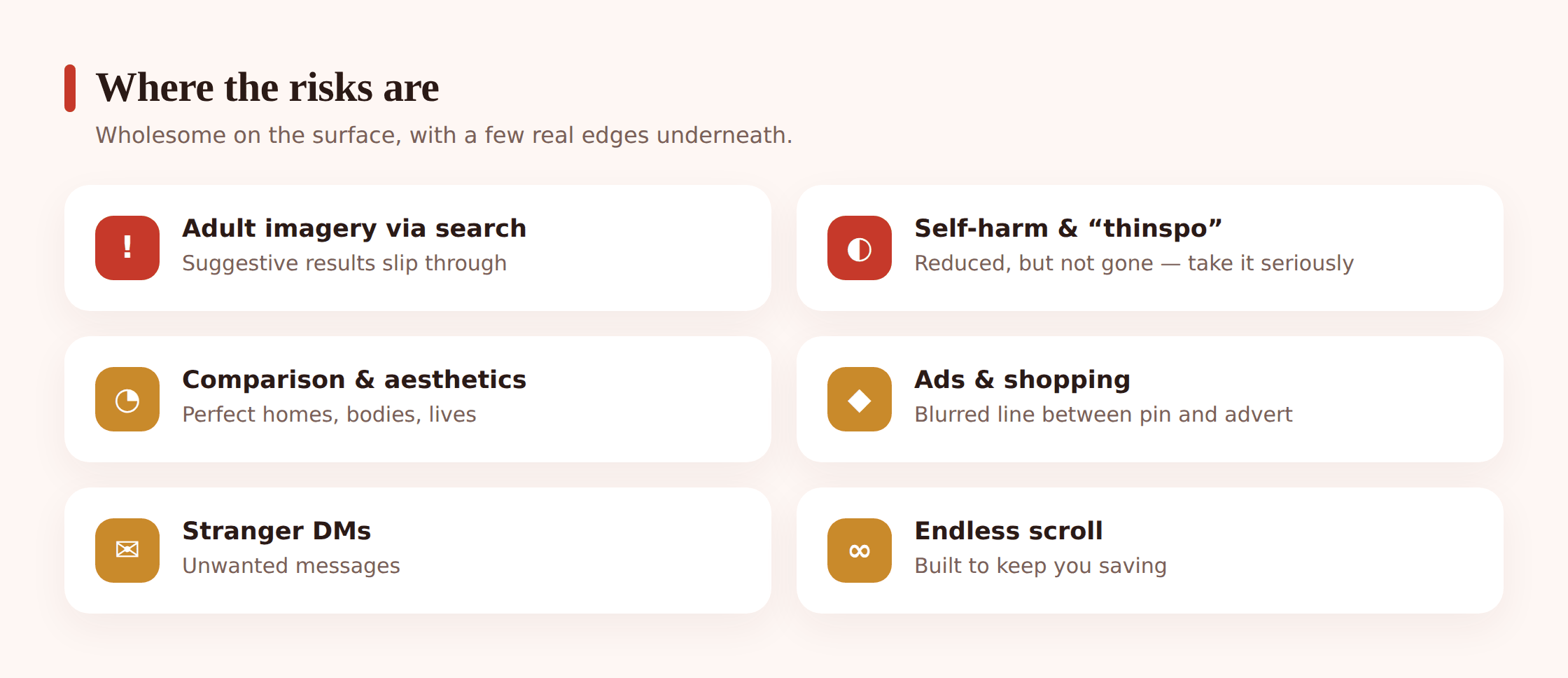
Fair is fair: Pinterest is lower-risk than most of the apps in this genre. It’s not built around messaging strangers, it’s not a live-video free-for-all, and it puts real effort into moderation. But “lower-risk” is a comparison, not a clean bill of health. Here’s what genuinely goes wrong.
Adult and suggestive imagery through search. Because Pinterest indexes images from across the web, a broad or ambiguous search term can surface content that’s more grown-up than the word suggested. “Lingerie” is obvious, but plenty of neutral-sounding fashion, art, or body-related searches drift into suggestive territory in the results grid. Safe browsing filters catch a lot of it, and they’re not perfect. This is the everyday version of the risk — not shocking, just steadily more adult than a parent might assume from the app’s reputation.
Sensitive content around self-harm and eating. Historically, Pinterest — like most image platforms — has had a problem with content that glorifies self-harm and disordered eating, including the “thinspiration” style of imagery that frames extreme thinness as an aspiration. Pinterest has done real work to block these searches and remove this material, and today a search for many such terms returns no results and instead shows a gentle prompt with support resources. That’s the right design. But motivated users find workarounds, spellings shift, and the recommendation feed can still nudge a vulnerable kid from ordinary “fitness” or “diet” pins toward something darker. We’re deliberately not describing any of this in detail — the point is only that you know the category exists, and that it tends to find the child who’s already struggling rather than creating the struggle from nothing.
If your child is affected. If you’re seeing signs of an eating disorder or self-harm, the app settings are not the first thing that matters — support is. The National Alliance for Eating Disorders runs a clinician-staffed helpline and a free therapist directory (allianceforeatingdisorders.com). Pinterest itself surfaces support resources when someone searches related terms. Reach for people first; the settings below are a backstop, not a treatment.
DMs from people they don’t know. The messaging inbox is the quietest risk. It’s not a place kids go to chat, so an unexpected message from a stranger can sit there ignored — or can be the start of exactly the kind of slow, friendly contact adults use to build trust with a child before moving to another app. The messaging controls exist to shut this off, and they’re worth setting.
Ads and shopping pressure. Half the feed wants to sell something, and it’s woven in so smoothly that a younger teen may not clock which pins are ads. That’s a spending-pressure problem and a body-and-lifestyle-marketing problem rolled together — an endless catalogue of things you could own, wear, or look like. Worth naming out loud with them.
The scroll, and aesthetic comparison. This is Pinterest’s own particular flavour of the comparison trap. Instagram compares you to people; Pinterest compares you to an ideal. Perfect rooms, perfect skin, perfect study desks, perfect bodies, all curated into a seamless aesthetic with no mess, no cost, and no real life attached. It can quietly set a standard that nobody’s actual bedroom or body meets. For some kids that’s motivating; for others it’s a low hum of “not enough.” We go deeper on that dynamic in social media & self-esteem.
The 13+ rule
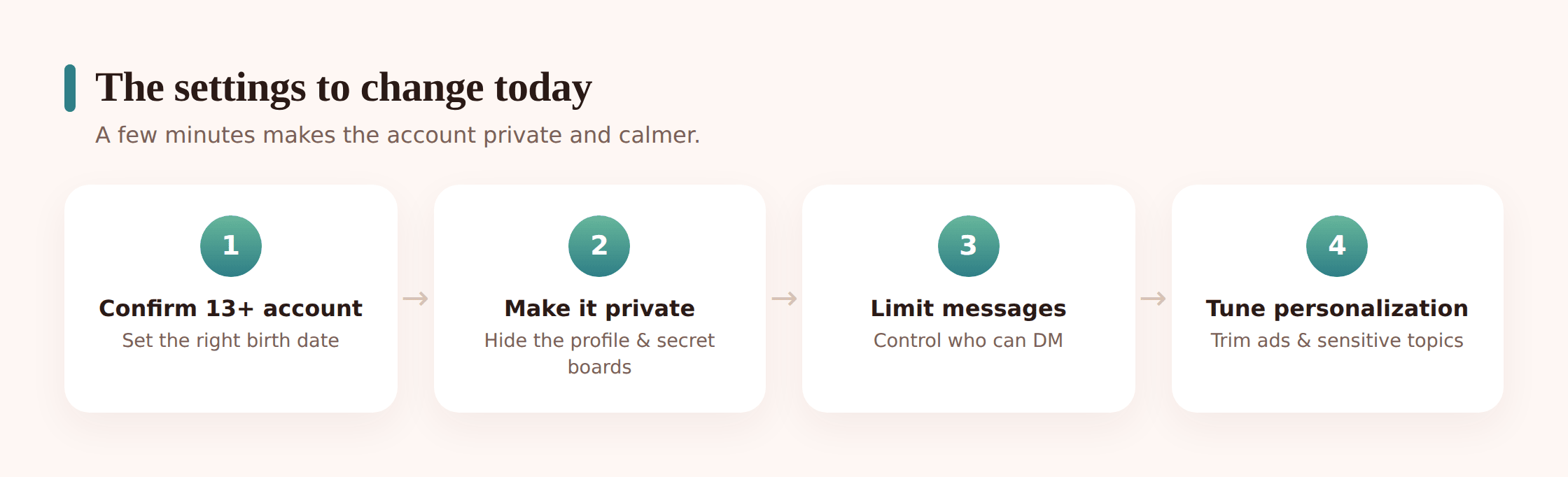
Pinterest’s minimum age is 13. As with every platform, that’s a floor set by data-privacy law, not a safety rating, and a younger child can get on by entering a fake birth year. If your child is under 13, the honest position is that they’re below the app’s own line, and the account won’t carry whatever age-based protections Pinterest applies to teens. Setting up with a truthful birthday is dull but it’s the first real safety step — an account that knows it belongs to a teenager is treated more carefully than one that doesn’t.
The settings to change
Have the child’s phone in your hand for this. None of it takes long. Wording shifts between app versions, so if a label doesn’t match exactly, look nearby — the option is almost always there under a similar name.
Make the profile and boards private
In Settings → Privacy and data (or Account management), turn on the option to keep the profile out of search engines and hide it from public search. Then check individual boards — each board can be set secret, so its pins are visible only to your child. Secret boards are the tool for anything personal, instead of a public collection anyone can browse.
Turn down personalization and ads
In Settings → Privacy and data, switch off the personalization options — using your activity and info from partners to tailor pins and ads. It won’t remove ads, but it loosens the grip of the recommendation engine and cuts how much the feed profiles your child. Fewer of those “based on your activity” nudges toward whatever they lingered on.
Switch on safe browsing / hide sensitive content
Look for the setting that filters mature or sensitive content from search and the home feed (often under Privacy and data, or Profile settings). Turn it on. This is the switch that reduces adult and suggestive imagery surfacing through ordinary searches. It’s not flawless, but it’s the single most useful content control here.
Limit who can message them
In Settings → Social permissions (or Messaging), restrict who can send messages and group-message invites — set it so only people they follow or are connected to can reach the inbox, and turn off message requests from strangers. This closes the quiet DM door.
Tighten discovery and mentions
Still under social permissions, limit who can @mention them and whether their account can be found by email or phone number. For a teenager the goal is: friends can find and message you, strangers can’t cold-contact you.
Know the report and block tools
Show your child how to report a pin, a message, or an account, and how to block. On any pin, the three-dot menu has “Report”; in messages, you can report and block a sender. Kids are far more likely to use these if they’ve tapped through them once with you, calmly, before anything’s wrong.
That set — private profile, secret boards for personal stuff, personalization down, safe browsing on, messaging locked to known contacts — handles the bulk of what the risks section listed. It won’t police every image the search bar can return, and it can’t make the feed wise. But it removes the stranger-contact route and the easiest paths to adult content, which is the real work.
If the concern is a specific site or the wider pull of a whole category of content, that’s a job for the phone rather than the app — see app & website blocking.
Open monitoring, and its limits
Pinterest’s own controls cover Pinterest. Something like FreePhoneSpy sits a level up, on the Android phone itself, and looks across every app rather than one. On a device you own and manage for your child, with them in on it, it gives you a picture of time and activity — which apps got the hours, when the scrolling happens, a keyword safety net for the words you’d want flagged. On an iPhone the equivalent is Apple’s Screen Time and Family Sharing.
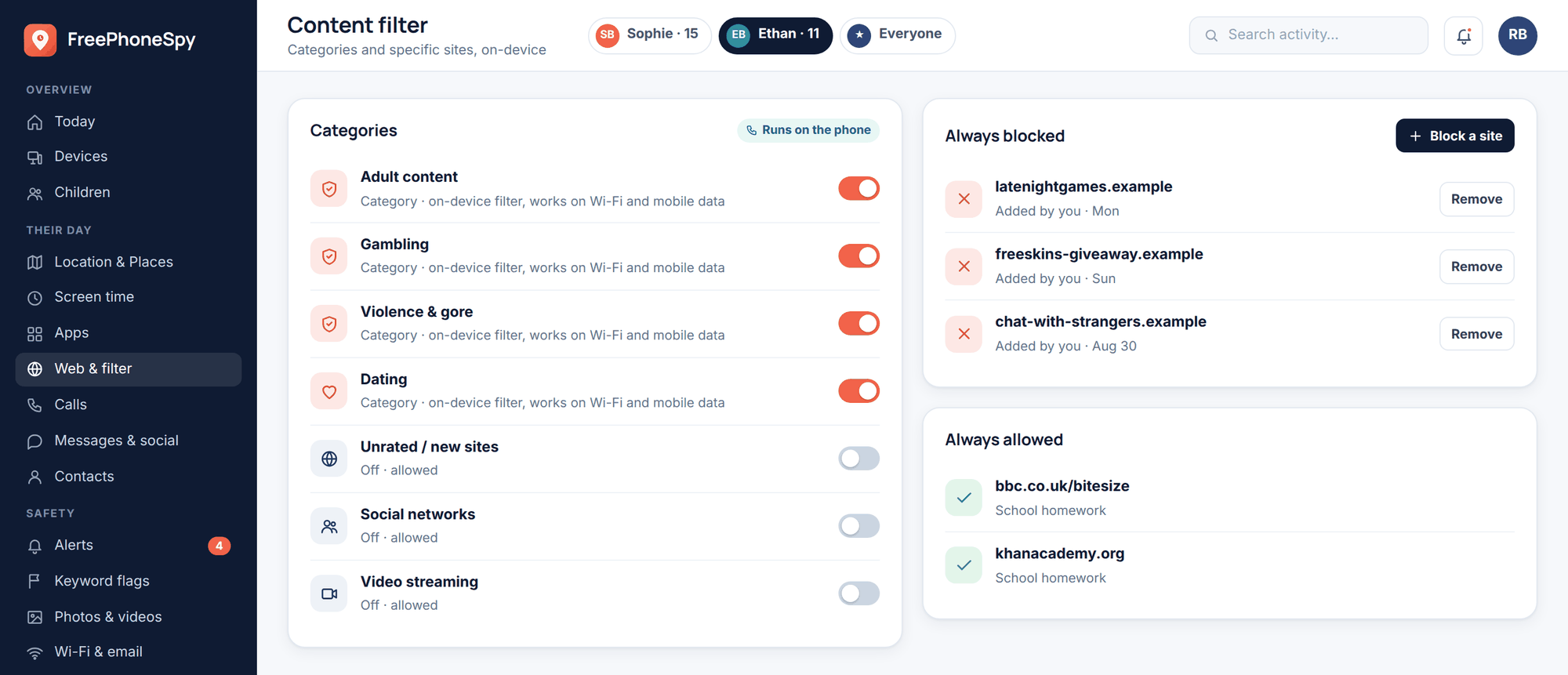
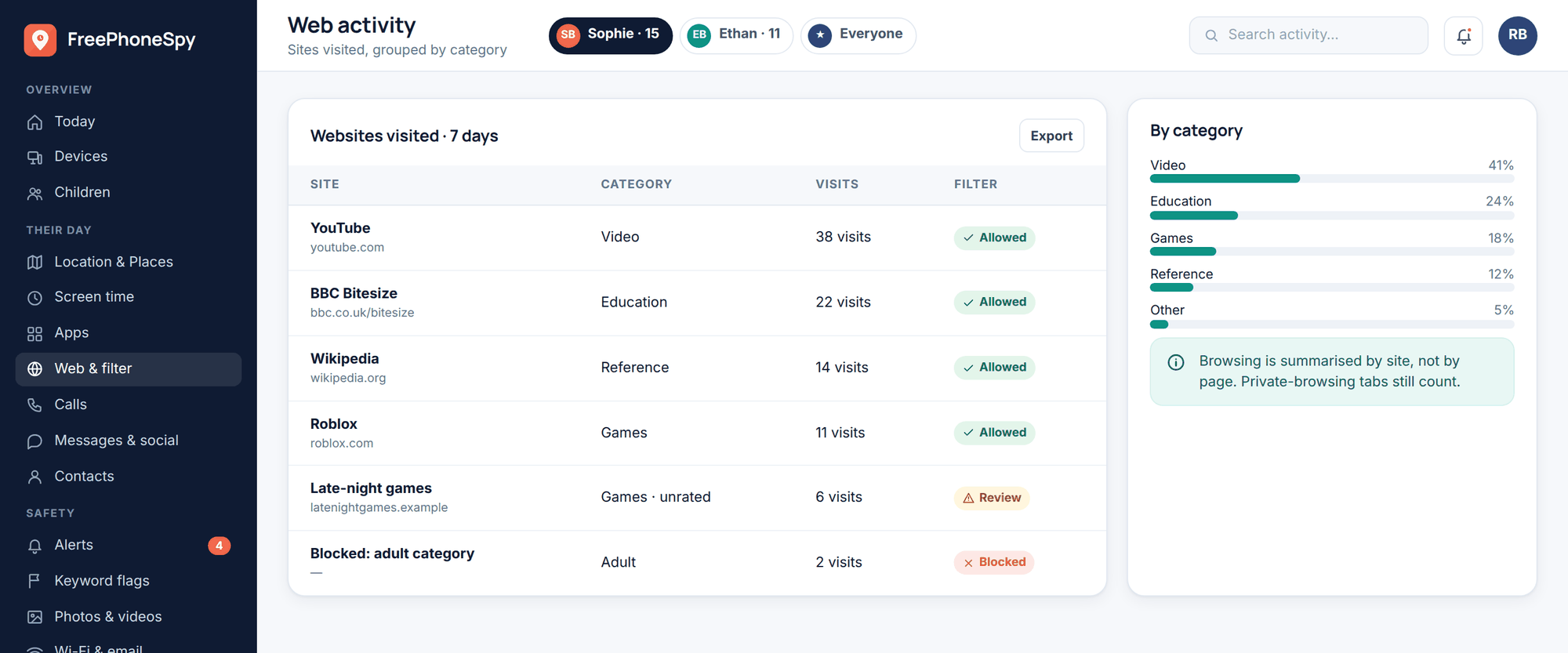
Here’s the honest boundary, though: this kind of tool shows you patterns — time, app use, flagged words — not the contents of your child’s private messages, and it shouldn’t. Anything promising to reveal someone’s secret DMs is covert spyware, a worse risk to your child than most of what you’re worried about. The realistic value is a device-level daily limit on an app that’s eating the evening, and an alert if a word you chose shows up. The rest is the conversation.
Talking about healthy use
Settings are the floor. What actually keeps a kid steady is the running conversation, because that’s what’s live when you’re not in the room.
Name the aesthetic trap out loud. The most Pinterest-specific talk is about the gap between a perfect pin and a real life. Look at a flawless bedroom together and ask what’s out of frame — the mess, the money, the fact that nobody actually lives in a room that clean. The aim isn’t to sneer at the app they enjoy; it’s to hand them a running scepticism they own, so a picture of perfection stops quietly reading as a standard they’re failing.
Talk about the ads. Ask them to spot which pins are trying to sell something. Once a teenager can see the seams, the endless catalogue loses some of its pull. It’s a small media-literacy win that carries across every app they’ll ever use.
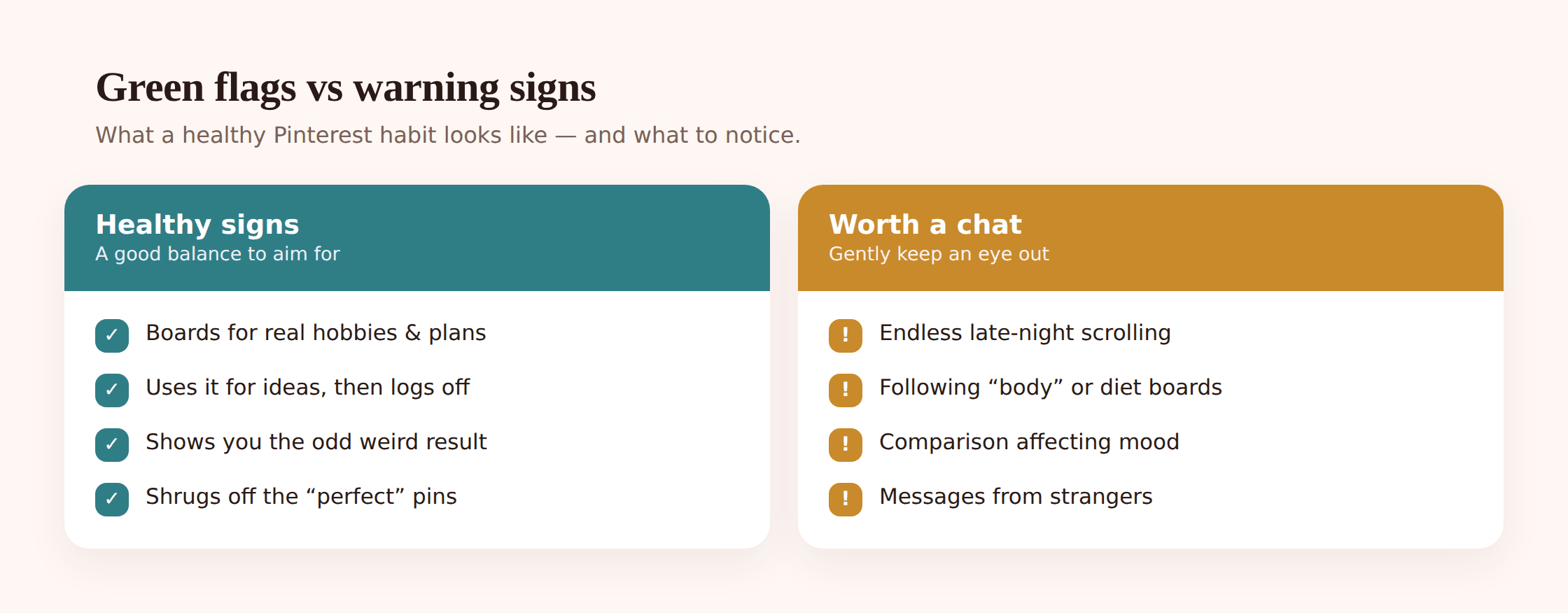
Agree the shape of use, not just the minutes. A daily cap helps, but the more useful signal is how they seem afterwards. Coming off the feed inspired and off to make something is very different from coming off it flat and dissatisfied. Watch for that, and say what you notice without turning it into a verdict.
- Account private, personal boards set to secret.
- Safe browsing / sensitive-content filter switched on.
- Personalization and ad-tailoring turned down.
- Messaging limited to people they know; requests from strangers off.
- They know how to report and block, because you’ve shown them.
- An open agreement about time — and about telling you if something odd turns up in the inbox.
- You’ve talked about the difference between a perfect pin and a real room, body, or day.
The muscle here is the same one every platform needs. If your child is also on the bigger apps, the pattern carries — see Instagram, and the wider frame in social media safety for kids.
FAQ
Is Pinterest safe for a 13-year-old?
It’s one of the lower-risk social apps for a young teen, especially with a private profile, safe browsing on, and messaging limited to known contacts. It isn’t risk-free — search can surface adult or suggestive imagery, the DM inbox can receive messages from strangers, and the feed can push toward sensitive content for a vulnerable child. Safe enough, set up carefully, with a conversation running alongside it — that’s the realistic answer.
Can strangers message my child on Pinterest?
On a loosely configured account, yes — the app has direct messages, and it’s the risk parents most often forget because Pinterest doesn’t feel like a chat app. Under Settings → Social permissions (or Messaging), restrict messages and group invites to people your child follows or is connected to, and turn off requests from strangers. That closes the door.
Does Pinterest have inappropriate content?
Because it indexes images from across the web, some adult and suggestive material can surface through search even from fairly neutral terms. Pinterest also works hard to block and remove content that glorifies self-harm or disordered eating, and many such searches now return support resources instead of results. Turning on the safe browsing / sensitive-content filter reduces what gets through, though no filter catches everything.
My child searches diet and fitness content — should I worry?
Not automatically — plenty of that is ordinary. Watch the effect rather than the search history: changes in eating, mood, or how they talk about their body matter far more than any pin. If you’re concerned, reach for support rather than settings first. The National Alliance for Eating Disorders (allianceforeatingdisorders.com) runs a helpline and a free therapist directory, and it’s the right starting point.
Can I see what my child pins and messages?
You can browse their public boards, and if the account is shared and open between you, their saves. You can’t read private Pinterest messages through any legitimate tool, and you shouldn’t try to with covert software — that’s a bigger risk than most of what you’re guarding against. Phone-level tools show time and activity patterns, not message contents. The better route is an account you set up together and a habit of talking about what turns up.
How much Pinterest time is too much?
There’s no magic number. The signal is how they are when they put it down — inspired and off to make something is healthy; flat, restless, or comparing themselves to a perfect grid is the flag. A device-level daily limit, agreed together through screen time controls, holds better than willpower against an endless feed.