Doxxing: Protecting Your Family’s Personal Information Online
Doxxing is when someone gathers the scattered details of your life — your real name, your home address, your child’s school, a phone number, photos — and publishes them together, usually to frighten, harass, or hand strangers the tools to do the same. The unsettling part is that most of what gets used was out there already, in plain sight, spread thin across old posts and forgotten accounts. This guide is about the two things that actually help: making your family harder to piece together before anything happens, and knowing exactly what to do, calmly, if it ever does.
What doxxing actually is
The word comes from “dropping docs” — publishing documents about a person. In practice, doxxing means someone assembles your private details into one place and posts them where others can see, often with an invitation to go after you. The details vary: a full legal name matched to a face, a home address, a workplace or a school, a phone number, family members’ names, old photos, a car and its plate.
What separates doxxing from ordinary gossip is intent and reach. The point isn’t to know something. It’s to expose you, to make you feel watched, and to lower the effort for anyone who wants to send threats, order things to your door, call your workplace, or turn up in person. Sometimes it follows an argument online. Sometimes it targets a kid over a game, a group chat fall-out, or a video that got attention. Sometimes there’s no reason you’ll ever understand.
Two things are worth holding onto from the start. First, being doxxed is not a punishment for a mistake — the fault sits entirely with the person who did it. Second, the details that get used are almost never dramatic secrets. They’re small, ordinary crumbs that were public and connectable. That’s actually good news, because crumbs can be swept up, and connections can be broken.
Where personal information leaks from
To lower your exposure, it helps to know which of your own doors tend to be left open. Think of this as a home safety walk-through, not a lesson in how anyone operates. Every point below is here so you know what to close on your own accounts.
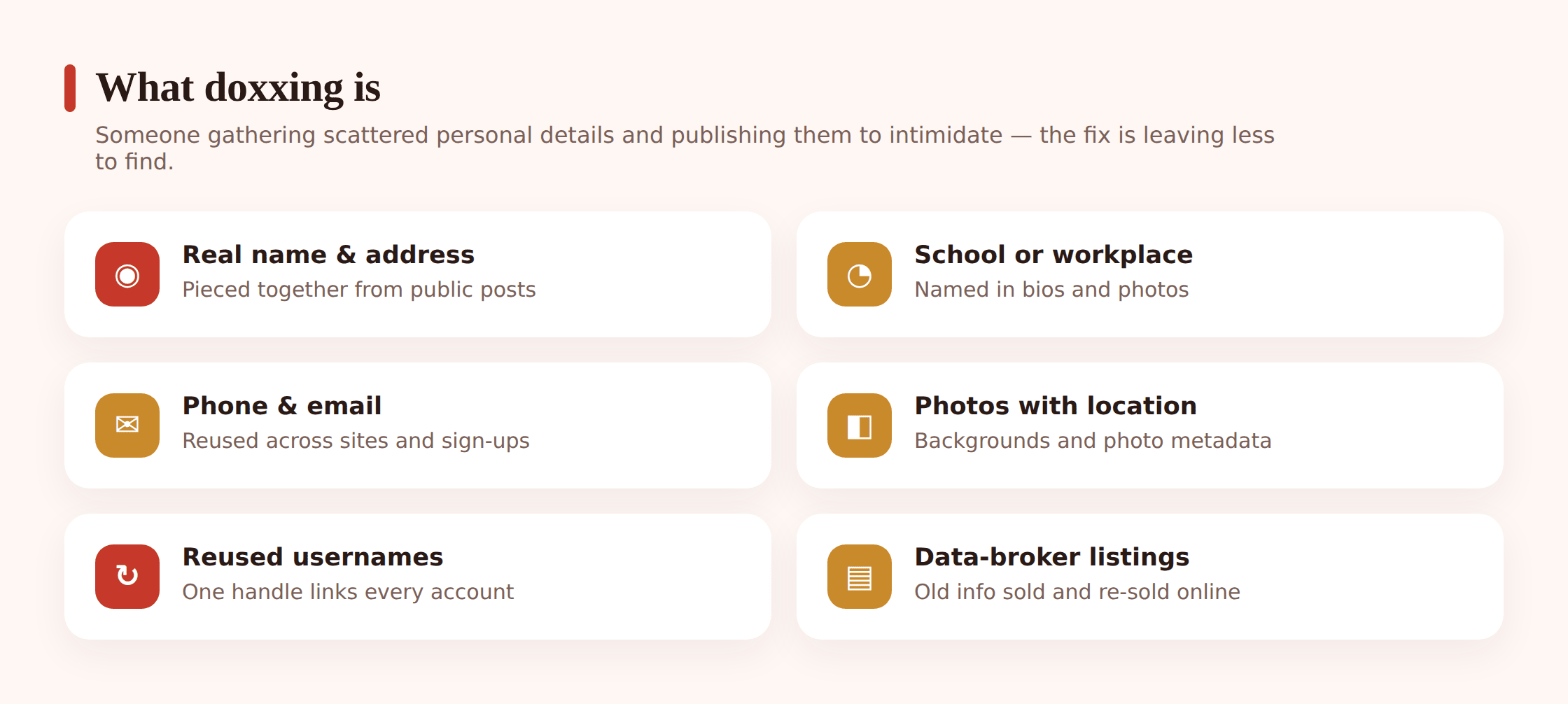
- Public posts and old accounts. A profile set to public, a years-old forum sign-up, a review you left with your real name. Individually harmless; together, a picture.
- Data-broker sites. Companies quietly compile names, ages, past addresses, and relatives into searchable profiles, then sell or show them. You never signed up, but you’re likely listed.
- Oversharing in the moment. A photo of the new house with the number on the door. A “first day!” post tagged at the school gate. A holiday countdown that also announces an empty home.
- Location baked into photos. Many phones save GPS coordinates and a timestamp inside the image file (called EXIF metadata). Share the original file and the location can ride along with it.
- Quizzes and “fun” prompts. “Your first pet, your street name…” These harvest exactly the sort of answers people use for passwords and security questions.
- The same username everywhere. Reuse one handle across a game, a social app, and an old forum, and those separate corners of your life become one searchable thread.
- Gaming and social profiles. Bios, linked accounts, friend lists, and status that quietly shows a real name or a town.
Notice the pattern: none of this requires anyone to hack you. It only requires that the crumbs be public and that they connect. Which means your job is simple to describe — remove the crumbs you can, and cut the threads between the ones you can’t. For a wider look at everything a person leaves behind online, our guide to your child’s digital footprint pairs well with this.
Reduce your family’s exposure before anything happens
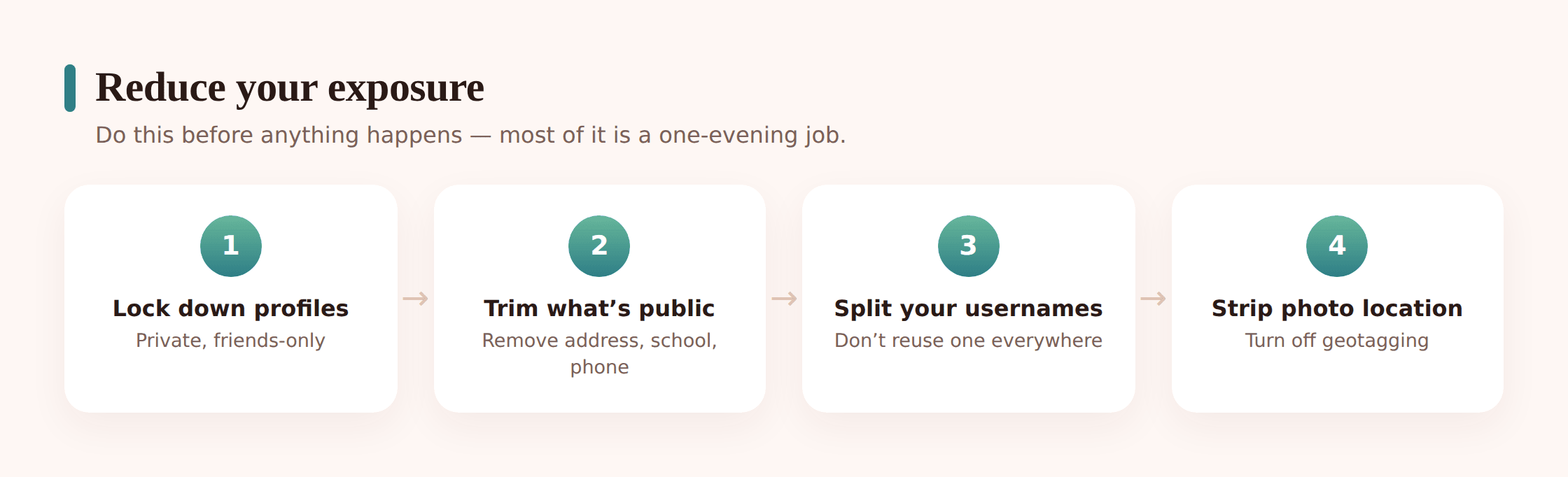
This is the part that does the heavy lifting. You’ll get more safety from an afternoon spent here than from any amount of worry later. Work through it once as a family, then revisit it a couple of times a year.
Lock down the profiles
Set social accounts to private, so only approved followers see posts. Trim who can see friend lists, tagged photos, and “about” details like birthday, hometown, workplace, and school. Turn off public tagging or set it to require your approval. Review old posts — many platforms let you limit past posts to friends in one step. The goal isn’t to go silent. It’s to choose your audience.
Get your details off data-broker sites
Search your own name together and see what comes up. Where a broker site lists your family, most offer an opt-out or removal request — look for a “do not sell,” “opt out,” or “remove my listing” link, usually in the footer or a privacy page. It’s tedious and you may have to repeat it, since listings can reappear. Do the adults first; children generally shouldn’t be listed at all, and any listing of a minor is worth requesting removal of straight away.
Strip location and EXIF from photos
Turn off location tagging in your phone’s camera settings so new photos don’t record where they were taken. When you share pictures, prefer the platform’s normal upload (most strip metadata automatically) over sending the raw file by email or as a file attachment. Before posting, glance at the background too: house numbers, street signs, school logos, the view from the window. A photo says more than the caption. If you’re also worried about being followed in real time, stopping someone from tracking your location covers the live-tracking side that this article doesn’t.
Choose usernames that don’t connect
Keep your real-name accounts separate from your handle-based ones. For gaming and casual accounts, use a username that doesn’t include your real name, birth year, or town, and don’t reuse the same handle across places you’d rather keep unlinked. A gaming tag that also appears on a professional profile ties the two together for anyone looking.
Tighten the account basics
Strong, unique passwords and two-factor authentication won’t stop doxxing on their own, but they stop the follow-on: someone using exposed details to guess their way into an account. Skip the security questions with public answers (mother’s maiden name, first street) or answer them with nonsense only you’d know. Our guide to family passwords and 2FA makes this quick to set up for everyone at once.
If your child or family is doxxed
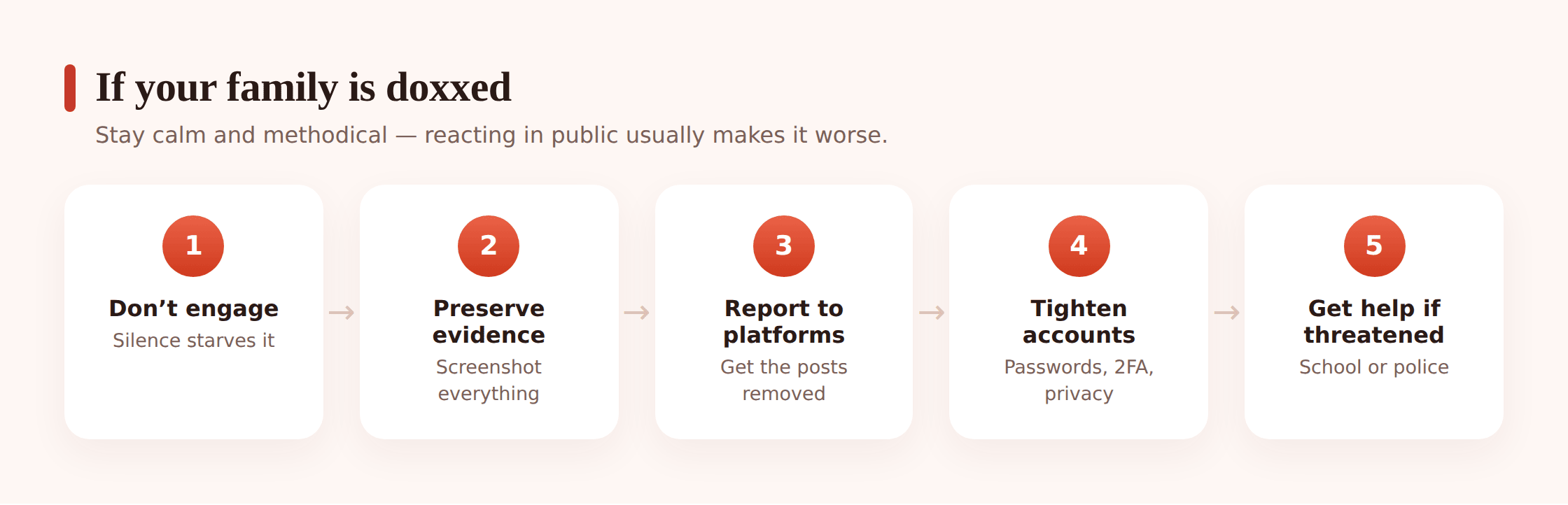
If it’s already happened, the most useful thing you can bring is calm. Doxxing is engineered to make you feel exposed and to provoke a reaction. A steady, methodical response takes away most of its power. Here’s the order that works.
Step 1 — Don’t engage
Don’t argue with whoever posted it, don’t reply to the pile-on, don’t try to reason with strangers. Engagement feeds the attention the doxxing was designed to create, and it can escalate things. Silence from you is not weakness here — it’s you refusing to give them the reaction they wanted.
Step 2 — Preserve the evidence first
Before anything gets deleted, screenshot it: the post with your information, the username and profile that shared it, the web address, the date and time, and any threats. Save the images somewhere safe. If this ever goes to a platform, a school, or the police, this record is what they’ll act on — and posts vanish quickly.
Step 3 — Report it to the platforms
Report the post and the account to the site it’s on. Publishing someone’s private information to harass them breaks the rules of essentially every mainstream platform, and posts targeting a child are taken especially seriously. If the information appears on multiple sites, report each. Our guide to reporting online abuse walks through where and how, platform by platform.
Step 4 — Tell the school if a child or school is named
If your child’s school, class, or schedule was posted, tell the school directly. They can watch for strangers, brief staff, and support your child, and they’ll want to know early. Frame it plainly: someone published my child’s details online and I want the school aware.
Step 5 — Contact the police if there are threats
If the doxxing comes with threats of violence, arrives with someone showing up or contacting you in person, or targets a child, treat it as a matter for the police and report it with your saved evidence. You don’t have to judge whether it’s “serious enough” — describe what happened and let them advise. Trust the uneasy feeling.
Step 6 — Tighten every account
Change passwords on important accounts, switch on two-factor authentication if it isn’t already, and set profiles to private. If a phone number was exposed, your carrier can help; a number can be changed if the harassment follows you there. This is also the moment to run back through the exposure steps above and close anything still open.
Step 7 — Get support around your child
Being doxxed is frightening, and for a kid it can feel like the whole world suddenly knows where they are. Say the true thing clearly: “You didn’t cause this. This person did something wrong, not you. We’re handling it together, and you’re safe.” Keep talking in the days after — the fear tends to outlast the posts.
If there’s an immediate, credible threat to someone’s safety, treat it as an emergency and contact your local emergency number first. Evidence-gathering and reporting come after people are safe, never before.
Protecting kids specifically
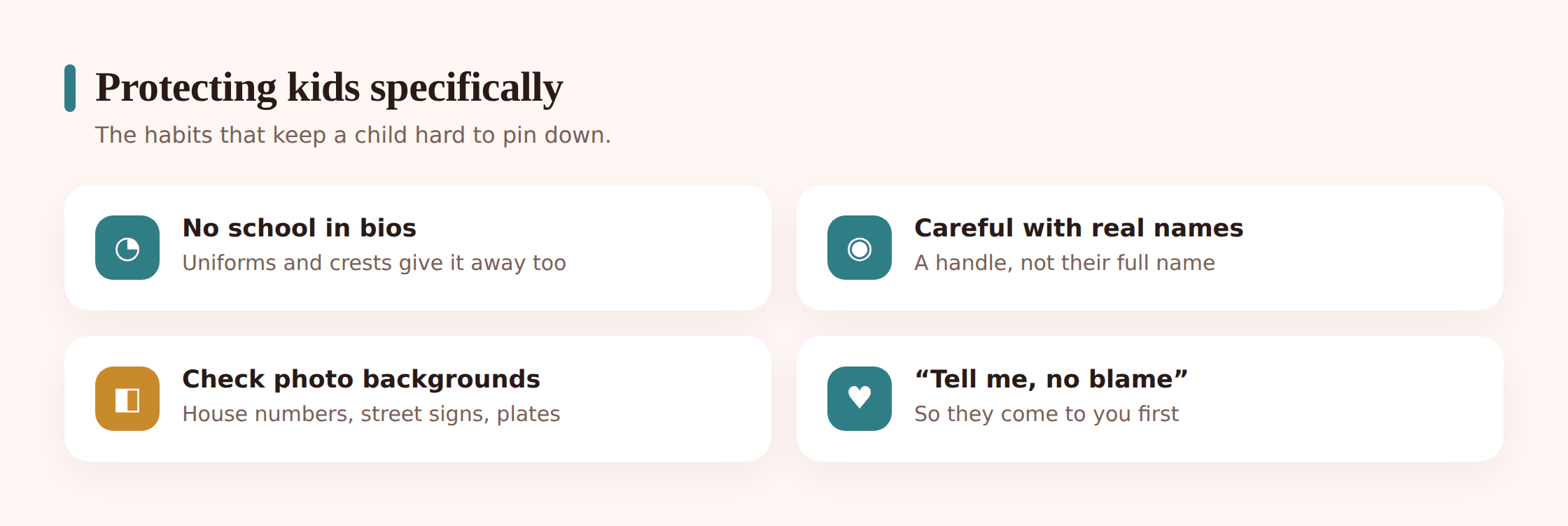
Children are easier to doxx and hit harder by it, for a few reasons. They overshare naturally, they reuse the same username across everything, they tag friends and locations without thinking, and the fallout — a named school, a class timetable — reaches into their day-to-day world in a way an adult’s rarely does. A little structure protects them a lot.
- Set accounts up together, private by default. When your child gets a new app, do the privacy settings side by side and explain the “why.” A child who understands the reason keeps the setting; one who doesn’t switches it off for convenience.
- Teach the no-personal-details rule. Full name, address, school name, phone number, and daily routine stay out of bios, usernames, and public posts. Make it a normal habit, not a scary one.
- Handle over real name for gaming. A username that isn’t their real name or birth year, kept separate from anything tied to their identity. Our notes on online gaming safety go further on the gaming side.
- Watch out for “prove it” pressure. Kids get pushed to share a photo, a location, or a school to seem real or to win an argument. Teach them that no online friend needs those details, and that the pressure itself is the red flag. That same pressure shows up in catfishing and fake profiles, which is worth reading alongside this.
- Keep the door open. The child who tells you the moment something feels wrong is far safer than the one hiding it. Make “you can always tell me, you won’t be in trouble” a promise you keep.
Openness beats secrecy
The instinct, once you’re worried, is to quietly watch everything your child does. It backfires. A kid who feels spied on shares less and hides more, which is the exact opposite of what keeps them safe when someone’s trying to expose them. What works is the open version: agreed settings, honest conversations, and — if you use a tool at all — one your child knows about.
Your exposure-reduction checklist
Run through this together, tick what’s done, and diarise a repeat in six months. Most of it is one-time work that keeps paying off.
- Social profiles set to private, with old posts limited to friends.
- “About” fields trimmed — no public birthday, hometown, workplace, or school.
- Tag approval turned on so you choose what appears on your profile.
- Searched your own family’s names and requested removal from any data-broker listings that appeared.
- Camera location tagging turned off; you check backgrounds before posting photos.
- Gaming and casual handles that don’t contain a real name, birth year, or town — and aren’t reused across accounts you’d rather keep separate.
- Strong, unique passwords and two-factor authentication on the accounts that matter.
- Security questions answered with nonsense only you’d know, not public facts.
- The family knows the plan if it ever happens: don’t engage, screenshot, report, tell us.
- Kids know they can come to you the moment something feels off — no blame, no punishment.
FAQ
Is doxxing illegal?
It depends where you live and what was done. Publishing someone’s private information to harass, threaten, or incite others against them can break harassment, stalking, or data-protection laws in many places, and threats of violence are criminal on their own. Even where a single act sits in a grey area, it almost always breaks the platform’s rules. Keep your evidence and report it; let the police advise on the legal side.
How do I know if my family has been doxxed?
Usually you find out because someone tells you, because a wave of unknown contact starts (messages, calls, followers), or because you search your own name and find your details collected somewhere they shouldn’t be. Sudden, unexplained attention from strangers who seem to know where you are is the common signal.
Should I get my child’s information deleted from the internet entirely?
You can’t remove everything, and chasing total erasure will exhaust you. Aim instead for two realistic wins: get children off data-broker listings where you can, and cut the links between the crumbs — private profiles, non-identifying usernames, no location in photos. Harder to connect is the goal, not invisible.
My teen was doxxed after an online argument. What’s the first thing to do?
Tell them plainly it isn’t their fault, then stop engaging with everyone involved — no replies, no defending themselves to strangers. Screenshot the posts and profiles as evidence before anything’s deleted, report it to the platform, and if the school was named or there are any threats, loop in the school and the police. Then tighten the accounts and keep talking in the days that follow.
Do privacy settings really make a difference against doxxing?
Yes, more than people expect. Most doxxing is built from information that was public and connectable. Private profiles, trimmed “about” fields, stripped photo location, and separated usernames remove the easy crumbs and break the links between the rest — which is exactly the work doxxing depends on.
Can monitoring my child’s phone prevent doxxing?
Not directly — no tool stops someone else from posting your details. What openness plus a monitor your child knows about can do is help you notice an oversharing habit or a leaked detail early, so you fix the setting together before it’s used. The protection comes from private accounts, careful sharing, and a child who talks to you. A tool is a backstop to that, never a substitute.