A Guide to Monitoring Employee Phones (Legally & Fairly)
You bought the phones. You pay the bills. That still doesn’t give you a free hand to watch everything your staff do on them. Monitoring a company device can be perfectly legal and fair, but only when you do it in the open, for a real business reason, with your people’s knowledge. Get that wrong and you’re not managing a fleet of phones anymore — you’re spying on your team, and in many places that’s against the law.
This isn’t about catching people out. Most managers who ask about phone monitoring want something ordinary: keep client data off dodgy apps, know where a lone field worker is if they stop answering, stop the work handset getting used as a personal games console all day. All reasonable. The trick is doing it in a way that’s lawful, proportionate, and that your team would accept if you explained it to their face. If you’d be embarrassed to tell them, that’s your answer.
Secretly tracking employees, reading their private messages without their knowledge, or putting monitoring software on someone’s personal phone is a serious breach of trust and, in most countries, breaks the law. Hidden surveillance destroys the very thing you need from a team. FreePhoneSpy is a transparent tool, visible on the device. Never use it — or anything else — to spy on people.
Why a business might monitor company phones
Start with the reason, not the tool. If you can’t name a legitimate business purpose in one sentence, you don’t have grounds to monitor anything. Here are the common ones that hold up.
- Protecting company and client data. A work phone often carries customer contacts, invoices, logins, and files you’re legally responsible for. Knowing what apps are installed and where data can leak is a real security concern.
- Field-team safety and coordination. If you run a team of drivers, engineers, or carers, knowing a device’s location during a shift helps with dispatch and lone-worker safety. With notice, and only during working hours.
- Device and cost management. Handsets go missing. Data plans get burned. Managing a fleet — knowing which devices you have, what’s on them, whether they’re up to date — is basic admin, not surveillance.
- Acceptable use. A company phone is a work tool. It’s fair to expect it’s used mainly for work, and to have a light way of checking that.
Where’s the line? On the other side of it: reading someone’s personal chats, listening to calls, tracking a person on their day off, or watching a phone your company doesn’t own. Those aren’t business purposes. They’re intrusions. The rest of this guide is about staying firmly on the right side.
The law, in plain terms
Quick disclaimer, and it matters: this is general information, not legal advice. Employment and privacy law varies a lot by country, and often by state or region within a country. Before you monitor anyone, get advice from a qualified lawyer where you operate. What follows is the shape of the rules, so you know what to ask about.
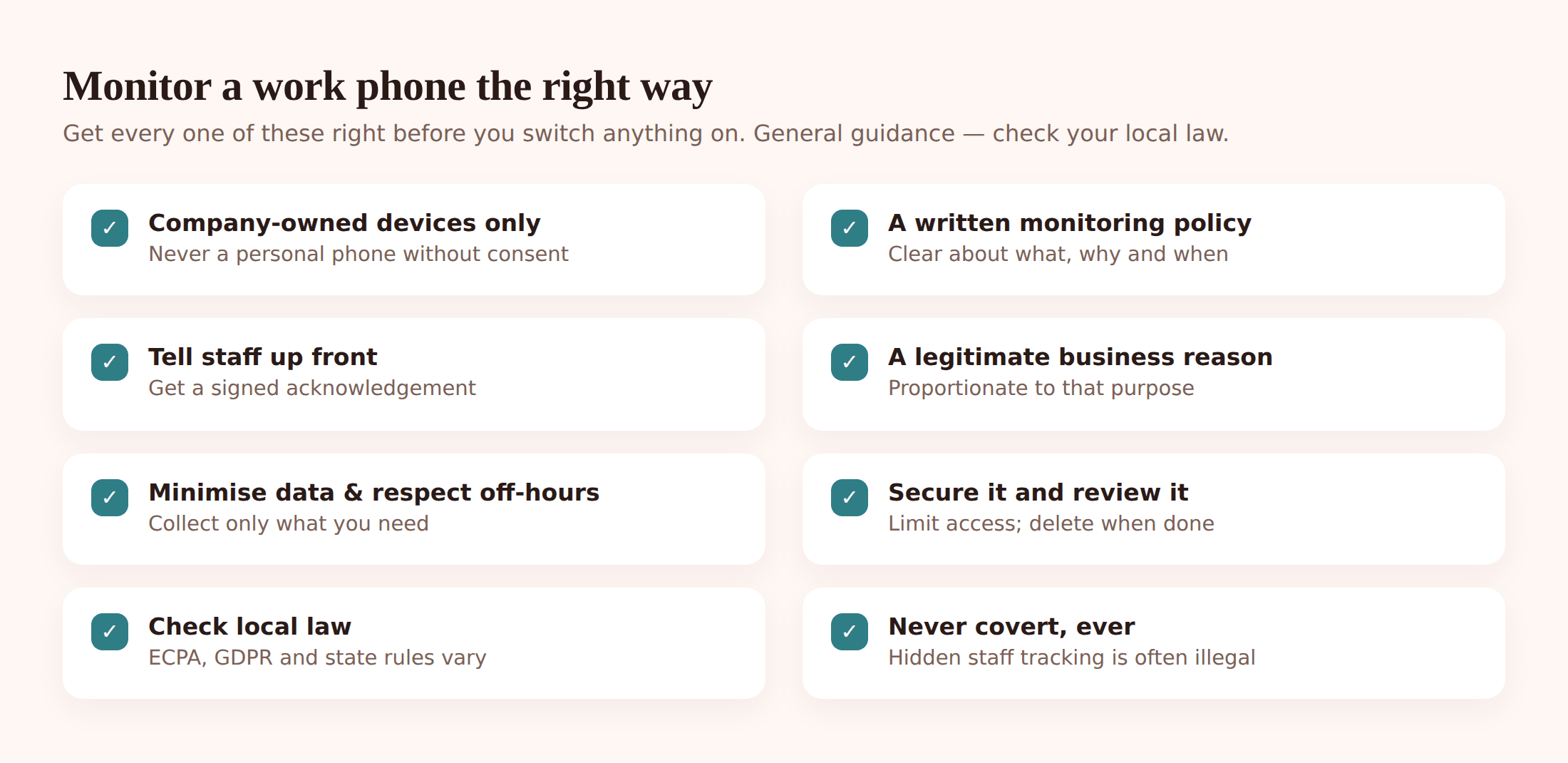
Company-owned vs personal (BYOD). This is the first fork in the road. Monitoring a device your company owns and provides is far more defensible than touching a phone your employee bought. On a personal device, the person’s privacy rights are much stronger, and monitoring it — even with a policy — is legally fraught. When in doubt, only monitor kit you own.
Consent and notice. Nearly every legal framework expects employees to know monitoring is happening. Silent surveillance is the thing the law comes down hardest on. Notice up front, in writing, with a signed acknowledgement, is your foundation everywhere.
United States. The federal Electronic Communications Privacy Act (ECPA) restricts intercepting communications, with exceptions for business use and consent. On top of that, states differ. Some are “one-party consent” states; others are “two-party” (all-party) consent states where everyone in a communication must agree before it’s recorded. That distinction bites hardest around calls and messages. Employee monitoring on company devices with clear notice is generally permitted, but the details are state-specific — check yours.
UK and EU. The GDPR governs any monitoring, because you’re processing personal data. You need a lawful basis (usually “legitimate interests,” which requires you to balance your need against the employee’s privacy and document it). Monitoring must be proportionate — the least intrusive way to meet your aim. For anything significant, you’ll likely need a Data Protection Impact Assessment (DPIA). The UK’s ICO publishes clear guidance on monitoring workers; read it before you start, and follow the same transparency principles across the EU.
Elsewhere. Australia, Canada, and many other jurisdictions have their own workplace-surveillance and privacy rules, some requiring specific written notice before monitoring begins. Assume there are local requirements and confirm them. The universal themes — own the device, have a reason, tell people, stay proportionate — travel well, but the specifics don’t.
Do it right: seven steps
- Monitor only company-owned devices. Provide the phones. Keep them on a company account. Don’t reach onto anyone’s personal handset.
- Write a clear policy. Put in plain words what’s monitored, why, when, who can see it, and how long you keep it. If it needs a lawyer to decode, rewrite it.
- Tell employees up front and get a signed acknowledgement. Brief the team, hand over the policy, and have each person sign that they’ve read and understood it before the phone is issued.
- Limit it to a legitimate business purpose. Collect what serves that purpose and nothing more. “Because we can” is not a purpose.
- Minimise data and respect off-hours. Don’t track location outside working hours. Don’t hoover up personal content. Less data means less risk for everyone, including you.
- Secure the data you collect. Monitoring data is sensitive. Lock down who can access the panel, use strong credentials, and don’t let reports float around in inboxes.
- Review periodically. Is the monitoring still needed? Still proportionate? Retire what you no longer use, and tell the team when things change.
A sample monitoring policy outline
You don’t need a novel. A page or two, in your own words, checked by your lawyer, is plenty. Here are the sections worth including.
- Purpose and scope. Why you monitor, and that it applies to company-owned devices only.
- What is monitored. Be specific: app and web usage, screen time, device location during working hours, installed apps, security status.
- What is not monitored. Say it plainly: no personal message content, no personal devices, no location outside shift hours.
- When monitoring happens. Working hours only for anything time-bound, such as location.
- Who can access the data, and how it’s kept secure.
- How long data is kept and when it’s deleted.
- The employee’s rights — to ask what’s held about them, and who to contact with concerns.
- Acceptable use of the device — reasonable personal use, if you allow it, and what’s off-limits.
- Acknowledgement — a line and a signature confirming the employee has read and understood the policy.
For the difference between fair oversight and something uglier, our note on monitoring vs spying is a useful gut-check while you draft.
What you can and can’t monitor
On a company device, with proper notice, there’s a fair amount you can reasonably keep an eye on — and a clear set of things you shouldn’t touch. Here’s the split.
| Reasonable, with notice | Off-limits |
|---|---|
| Work app & website usage on the device | Reading the content of private messages |
| Device location during working hours (field teams) | Tracking location off-shift, on breaks, or on days off |
| Screen time and general activity patterns | Any monitoring of a personal phone |
| Which apps are installed (security posture) | Covert, hidden, or “undetectable” tracking |
| Fleet inventory and device management | Capturing special-category data (health, religion, etc.) |
A few of those in practice. Web and app usage tells you whether a work phone is being used for work, without you needing to read anything private.
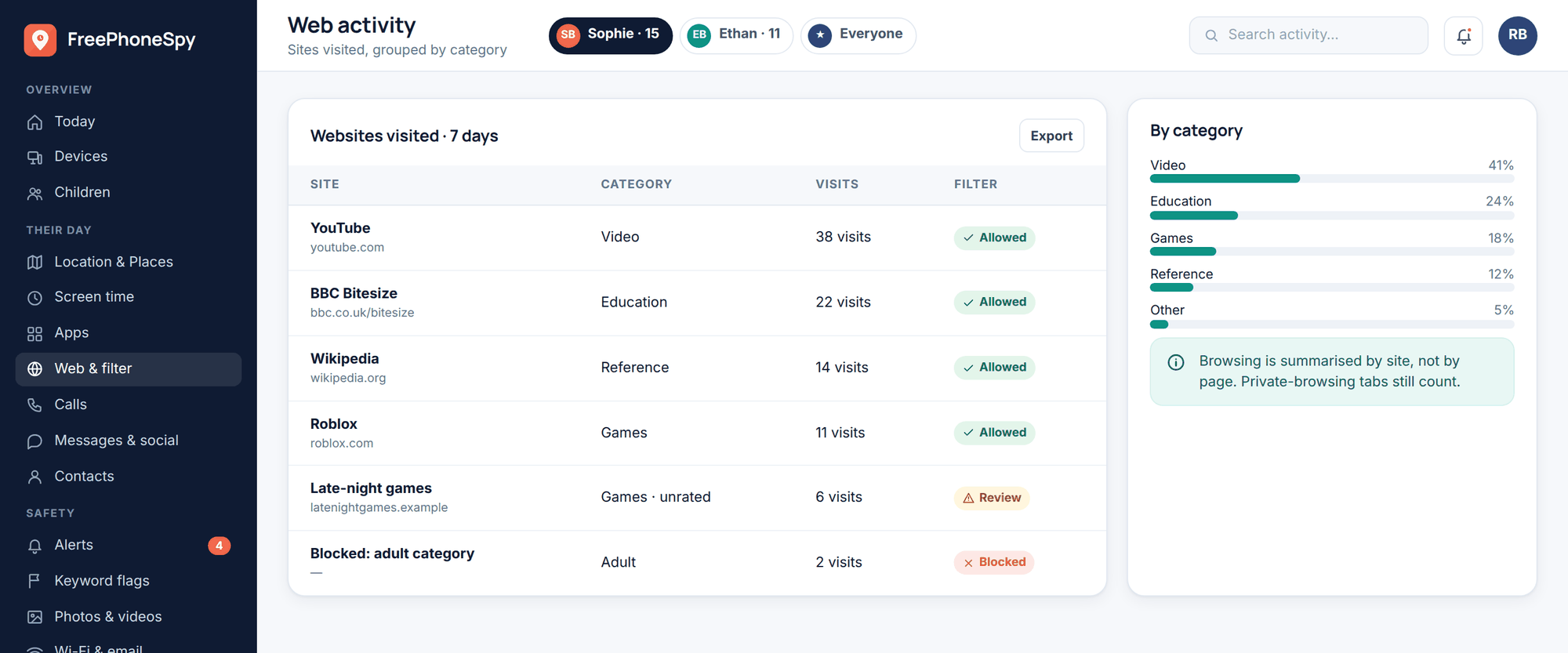
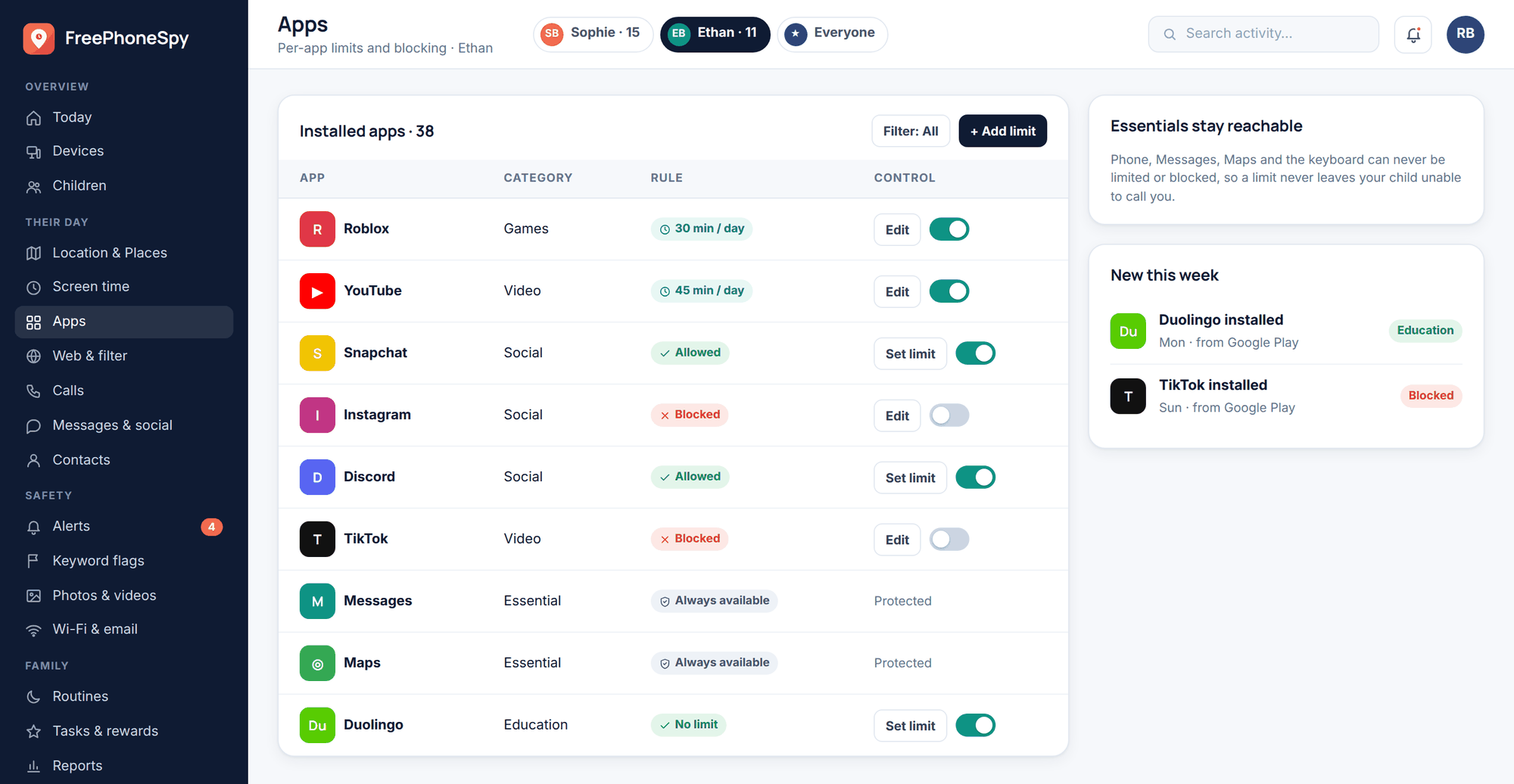
Installed apps matter for security. If a device that holds client data has picked up something risky, you want to know.
Screen time gives you a sense of how the device is used overall, without prying into specifics.
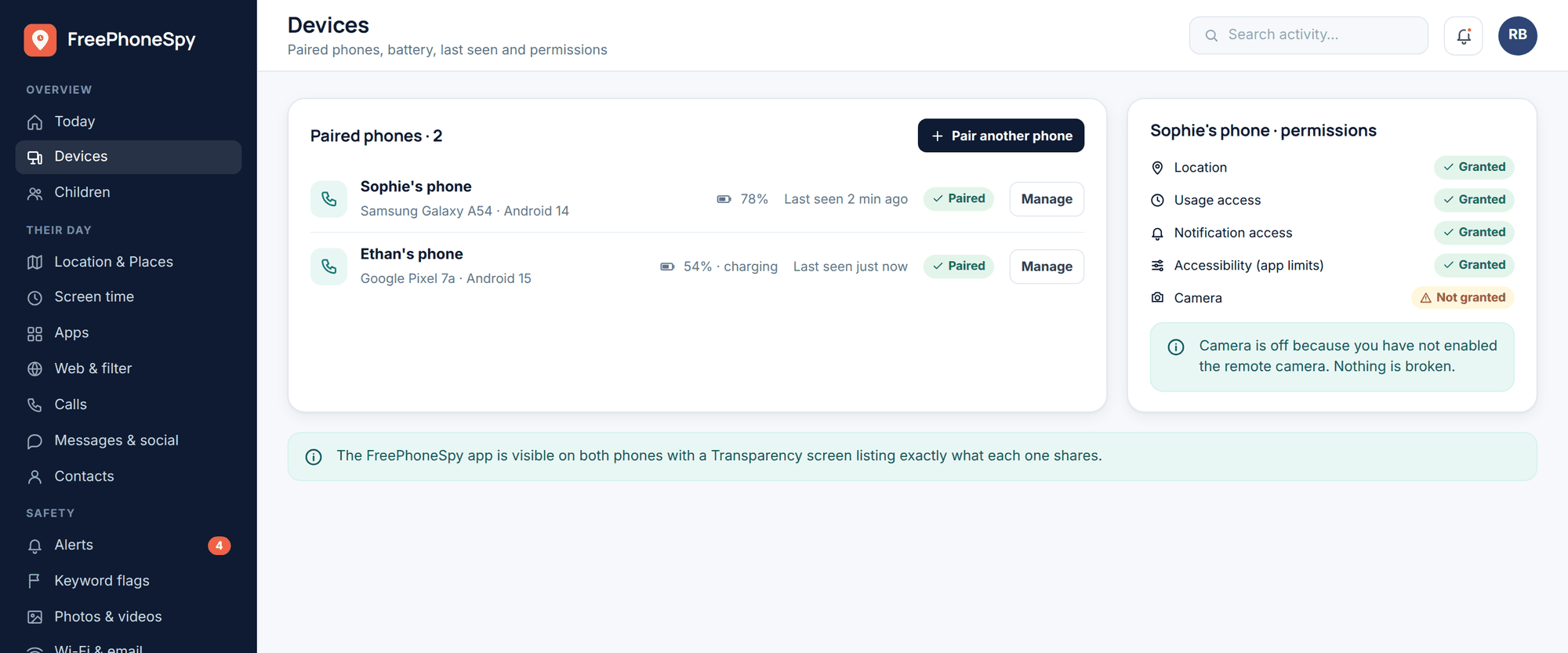
Location earns its own caveat. For a field team, knowing where a work device is during a shift is legitimate — dispatch, safety, proving a visit happened. Outside working hours, leave it alone. If you can turn off-hours tracking off, do. There’s more on doing this responsibly on our location tracking page.
And the things you should never do bear repeating: don’t read private messages, don’t track anyone on a personal phone, and don’t run anything covertly. If a feature only works because the person doesn’t know it’s there, that’s your signal to walk away. Curious staff can, and do, find out — our piece on how to tell if a phone is being monitored exists precisely because people check.
BYOD and personal phones
“Bring your own device” is convenient and cheap, and it’s a legal minefield the moment you try to monitor it. That phone is the employee’s. Their photos, their family chats, their banking, their whole life is on it. You don’t get to see any of that, and you shouldn’t try.
If staff use personal phones for work, the right approach is separation, not surveillance. Use a work profile on Android or a managed container, or a mobile device management (MDM) setup that walls off the work side. You manage the work container — the company apps and data — and the personal side stays entirely private and untouched. That protects your data and their privacy at once, which is the whole point.
What you should not do is install monitoring software on someone’s personal phone. Not with a policy, not with a shrug, not “just in case.” If you need to monitor a device, issue a company device. That’s cleaner legally and morally, and it’s why everything above assumes company-owned kit.
How FreePhoneSpy fits
FreePhoneSpy was built for parents, but the model it’s built on — transparent, consent-first, visible on the device — is exactly the model a business should use. Here’s the honest picture so you can judge the fit.
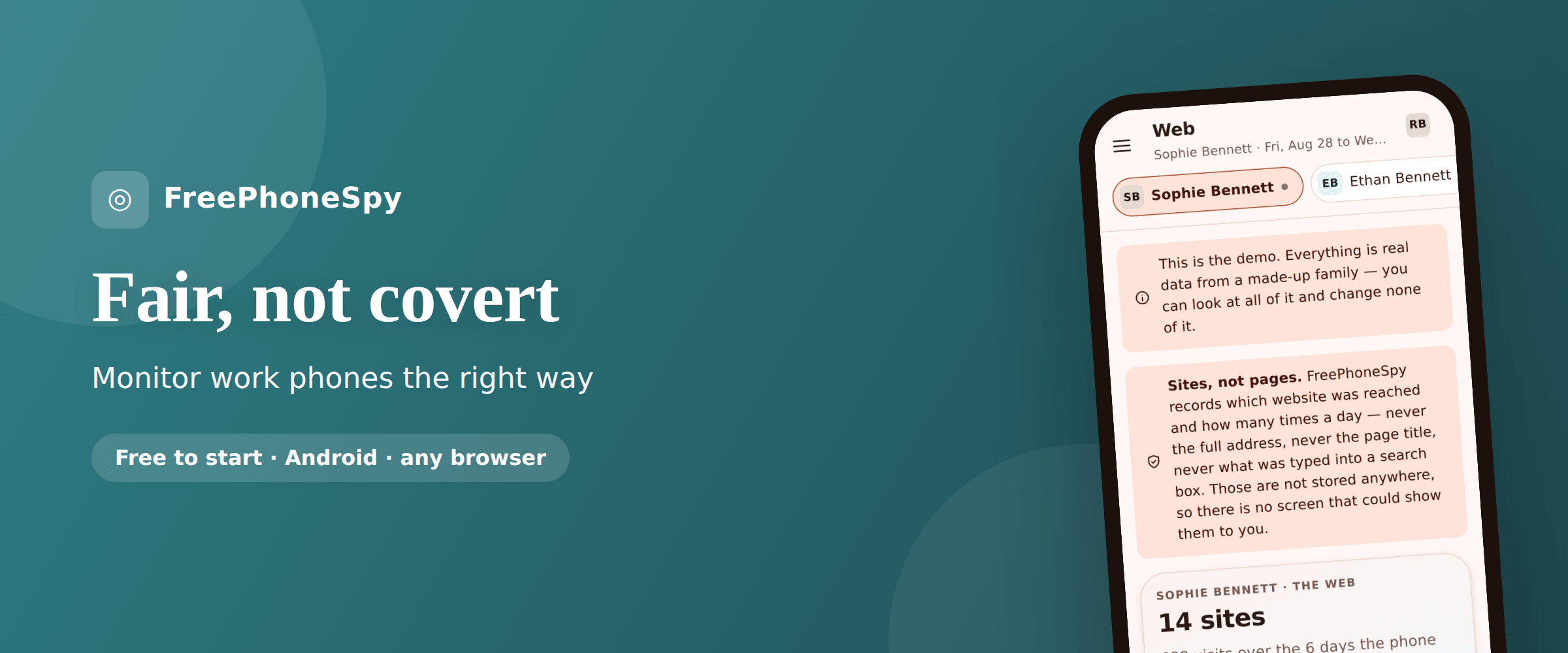
It’s an app you install on an Android phone, and you manage it from a web panel in any browser. Setup uses a simple 6-digit pairing code. Crucially, it’s transparent: it’s visible on the device. It is not a stealth or covert tool, and it must not be used to secretly watch staff or to monitor personal phones. That’s not a limitation to work around; it’s the design.
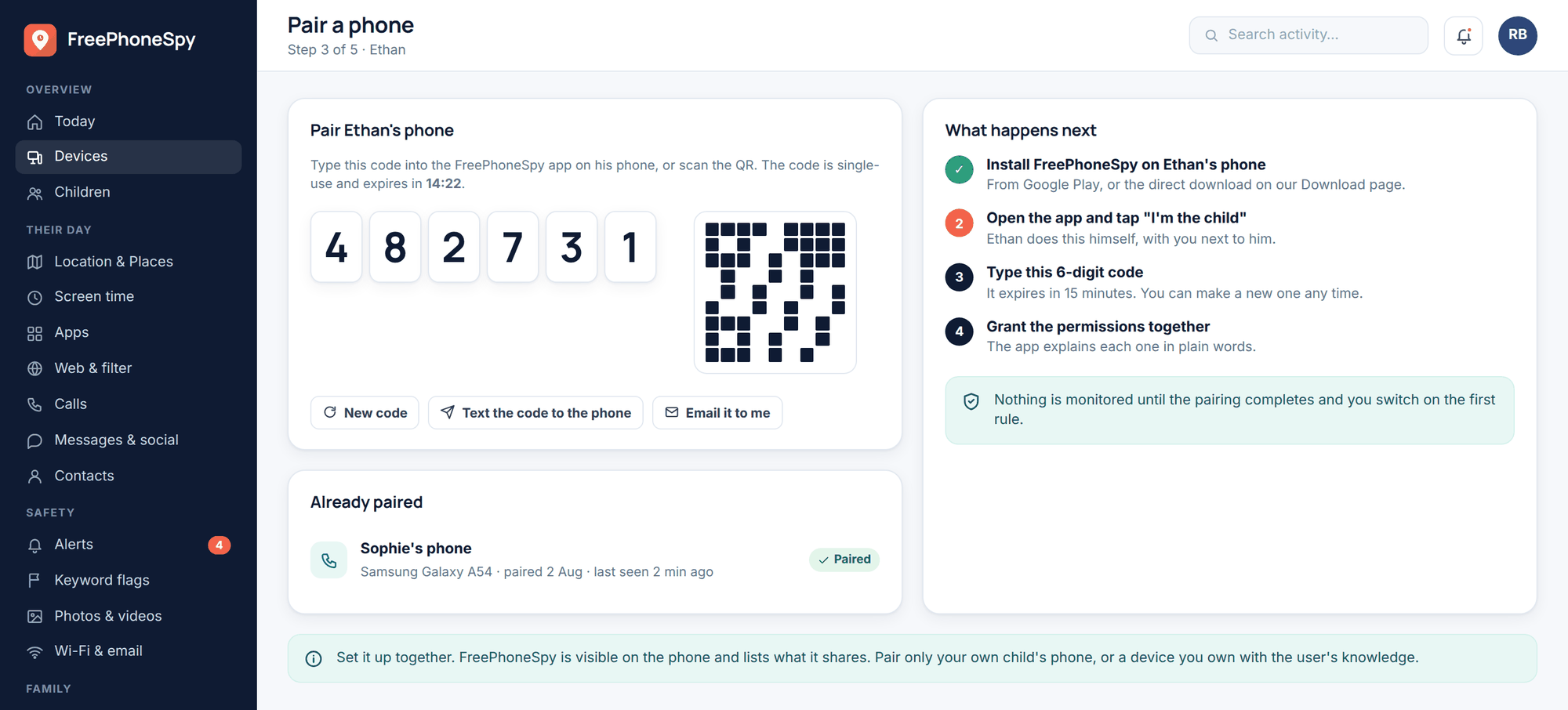
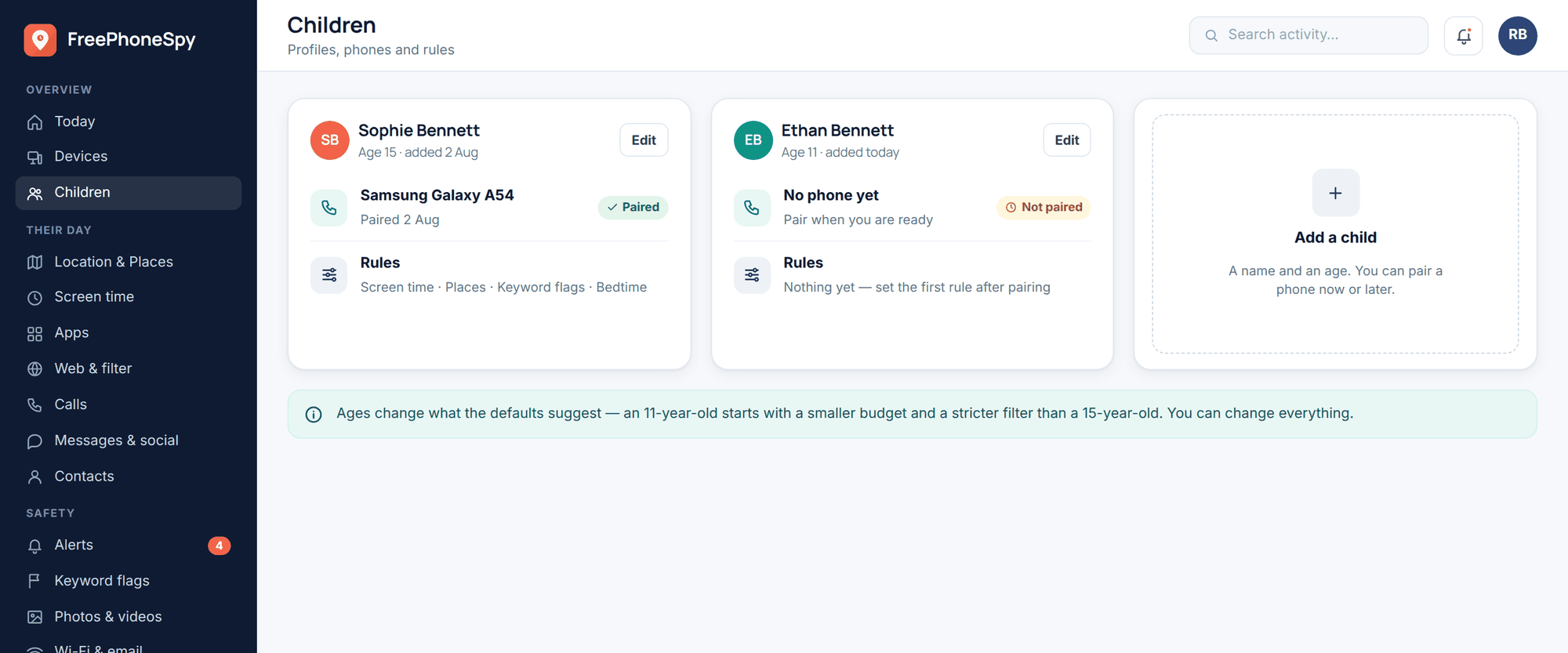
From the web panel you can manage your devices, see app and web usage, review screen time, and check location and Places for a field team that’s been told about it. You can manage unlimited devices, which suits a growing fleet, and pull activity reports when you need a record.
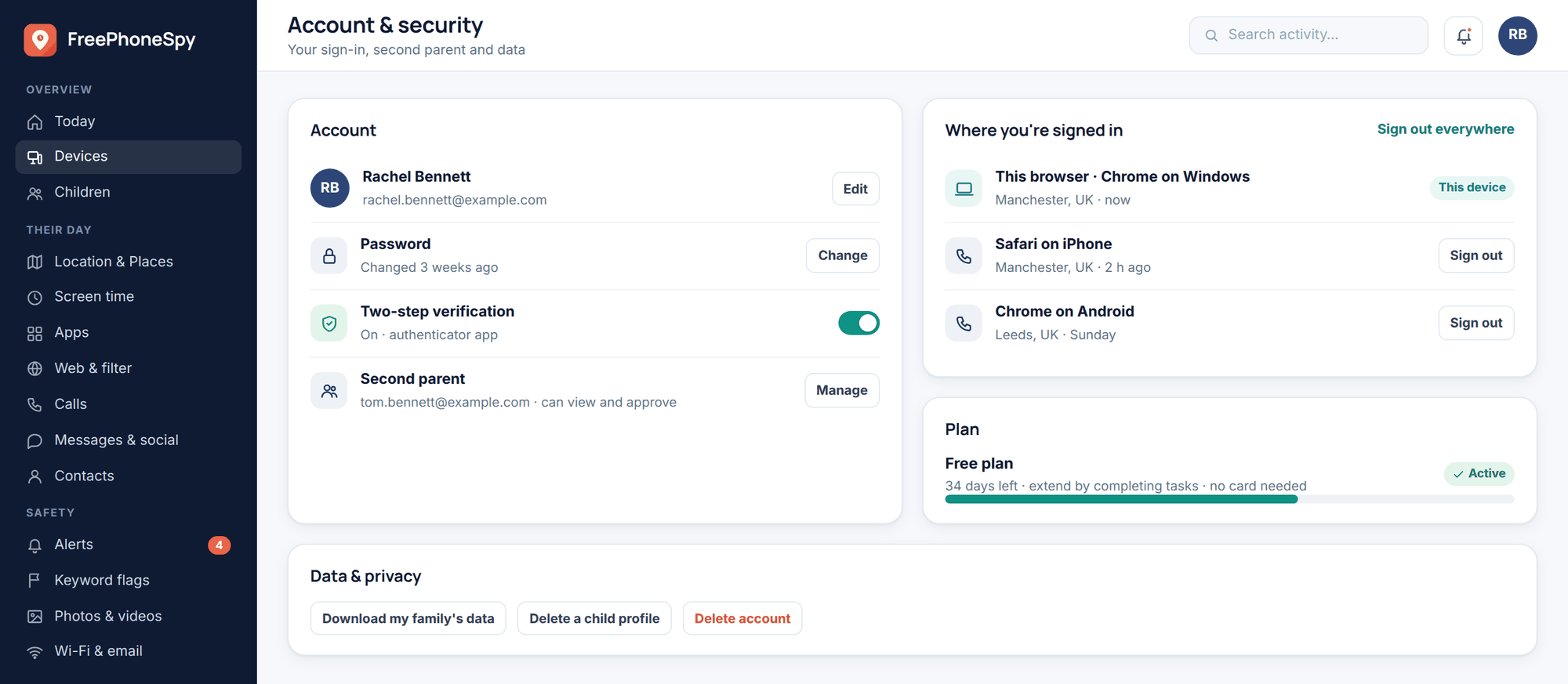
Because monitoring data is sensitive, treat your admin account with care. Strong login, limited access, and sensible housekeeping keep the data you collect as safe as the reason you collected it.
On cost: FreePhoneSpy is free to start, and kept free by simple tasks. And to be straight about the trade-offs — it’s Android only, and the admin side is a web panel rather than a native app. If that matches how you work, it’s a fair, transparent way to keep company devices in order. If you were hoping for something hidden, look elsewhere, because that’s not, and won’t be, what this is.
FAQ
Is it legal to monitor employee phones?
On company-owned devices, with a clear written policy, up-front notice, a signed acknowledgement, and a legitimate business reason — generally yes, though the specifics vary by country and often by state or region. This is general information, not legal advice: confirm with a lawyer where you operate.
Do I have to tell employees I’m monitoring?
Yes. In nearly every jurisdiction, notice is required, and covert monitoring is where the law comes down hardest. Tell people up front, in writing, before you collect anything.
Can I monitor an employee’s personal phone?
No — don’t. Personal devices carry strong privacy rights, and monitoring them is legally risky and ethically wrong. If work needs monitoring, issue a company device, or use a walled-off work profile that leaves the personal side untouched.
Can I track staff location after hours?
No. Location tracking on a company device can be justified during working hours for a field team that’s been told about it. Off-shift, on breaks, and on days off, leave it off. Minimise, don’t maximise.
What can I actually see with FreePhoneSpy?
On a company-owned Android device, with notice: app and web usage, screen time, installed apps, and location and Places for a field team — all from the web panel, with activity reports. It’s visible on the device and consent-first. It’s not a covert tool and shouldn’t be used as one.
Is monitoring the same as spying?
No, and the gap is the whole game. Transparent oversight of company kit, for a real reason, with people’s knowledge, is monitoring. Hidden tracking of a person, or reaching onto their personal phone, is spying. Our monitoring vs spying page walks through the difference.