
Download the FreePhoneSpy APK for Android
This page gives you the FreePhoneSpy child app as an installable file, downloaded directly from us instead of from a store. It is byte-for-byte the build on Google Play, under the very same signature, and it is meant for one thing: to go onto the Android phone you are looking after, set up together with the person who uses it. Confirm the two points below and the download is yours.
Android 8 and up
Resumable over six hours
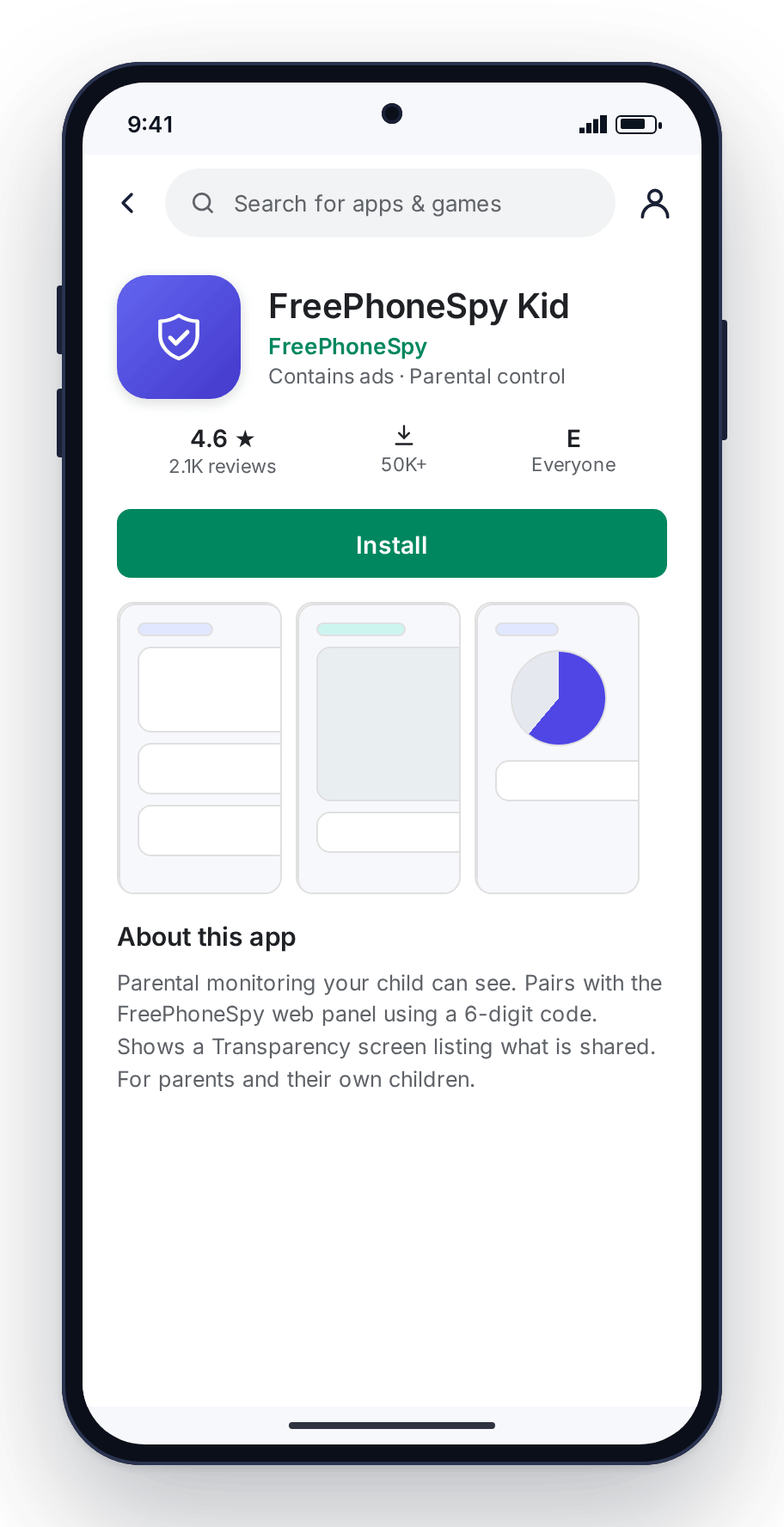
Tick the boxes, and the file is released
FreePhoneSpy never links the file directly. You confirm two things below, and the site issues your browser a short-lived private link to the build. If the download stops halfway, your browser resumes it rather than starting over.
The direct APK exists for the times a store gets in the way: Play is absent from the handset, walled off by the network, or just not the way you want to do it. What it does not change is how FreePhoneSpy is meant to be used. This is a family safety app, set up in the open, on a phone you are responsible for.
Why we ask before we hand it over
The two checkboxes are not a formality bolted onto a download button. They are the line between a family safety tool and something we want no part of. FreePhoneSpy is designed to be visible: the child app carries its own name and icon on the home screen, and a Transparency screen shows the person using the phone what is and is not shared. That design only means anything if the phone belongs to the person installing it, or to a child they are responsible for. So before anything downloads we ask you to confirm that, and to accept the terms in the same step instead of burying them further along.
Putting monitoring software on another adult’s phone behind their back breaks the law in most places, and that is not what this app is for. If that is your aim, this download is not the one, and we would sooner say so now than let you find out later.
Downloading commits you to nothing
The APK on its own is inert. It collects nothing, sends nothing, and reports nothing until you sign in to your panel, generate a six-digit code on the Devices screen, and enter it on the phone. Every one of those steps needs the handset in your hands, which is exactly why there is no such thing as a remote, no-touch install — from us or from anyone.
- No account needed to download; a free one to pair.
- The parent side is a browser tab, with nothing to install.
- Nothing is monitored until you turn a rule on.
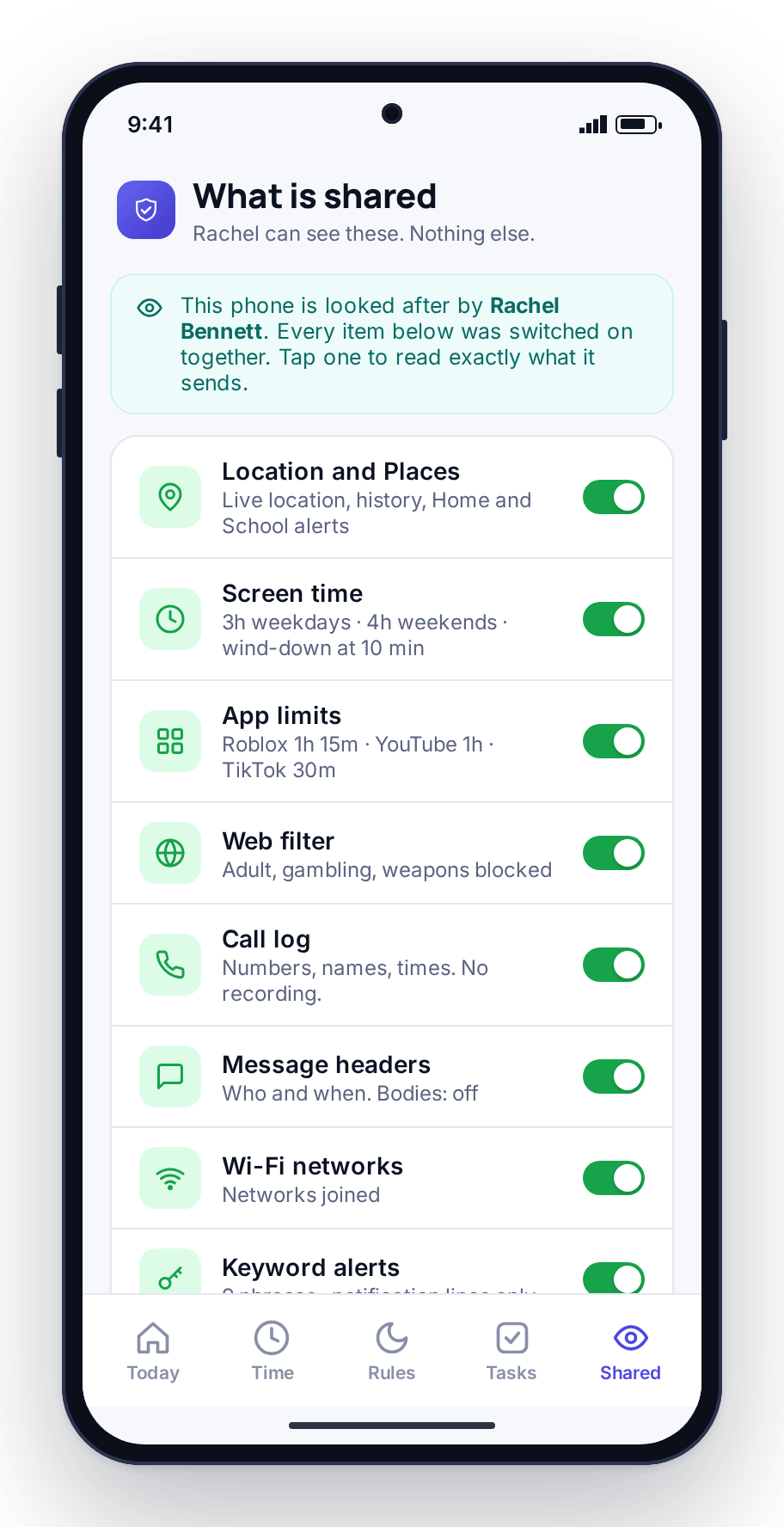
What Android will say, and why none of it is alarming
Sideloading throws up a few prompts a store install never would. Here they are, one after another.
Chrome warns the file could be harmful
That caution appears for any APK at all — it flags files that skipped the store, not files that are unsafe. Keep the download. To be certain it is the real thing, check the SHA-256 fingerprint we show beside the button after you accept the terms against the file that landed on the phone; a match means it is exactly what we shipped.
The phone asks to trust your browser for installs
This is Android’s one-time, per-app gate: no app may install another until you say so. Allow it for the browser you are using, complete the install, and turn it off again afterwards if you like — FreePhoneSpy does not rely on it staying on.
Play Protect offers to check the app
Say yes. Google gives sideloaded apps a quick safety scan as a matter of course; it takes moments and should come back clear.
The transfer breaks off midway
Head to your browser’s downloads and hit resume. The link is range-aware, so it resumes at the point it dropped rather than beginning again. Links last six hours; after that, tick the boxes once more for a new one.
The child’s phone is an iPhone
There is no iOS child app, so an iPhone can’t be paired or monitored. Only the phone being looked after has to be Android — you, as the parent, can run the panel from any browser, Safari on an iPhone included.
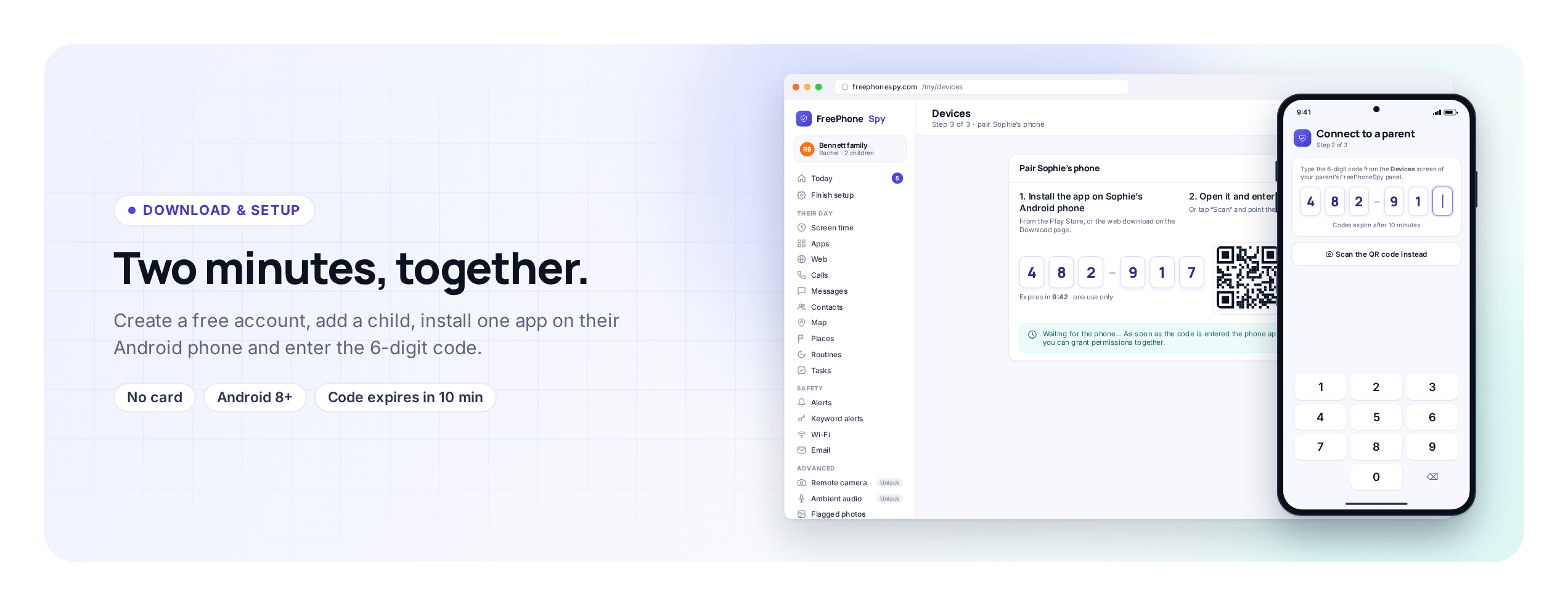
After it installs: four steps to a paired phone
Getting it installed is the easy bit; pairing is the step that brings the app to life and links it to your panel.
Create a free account in your browser
Open the FreePhoneSpy panel on any device and sign up with an email and a password. No card, and nothing to install on your side. You land on an empty Today dashboard, ready for the phone you are about to add.
Add your child, then open Devices
Add a child with a first name and an age. Then open the Devices screen, which shows a six-digit pairing code for the phone you are connecting. A code lasts only a few minutes, so generate it right as you reach for the handset.
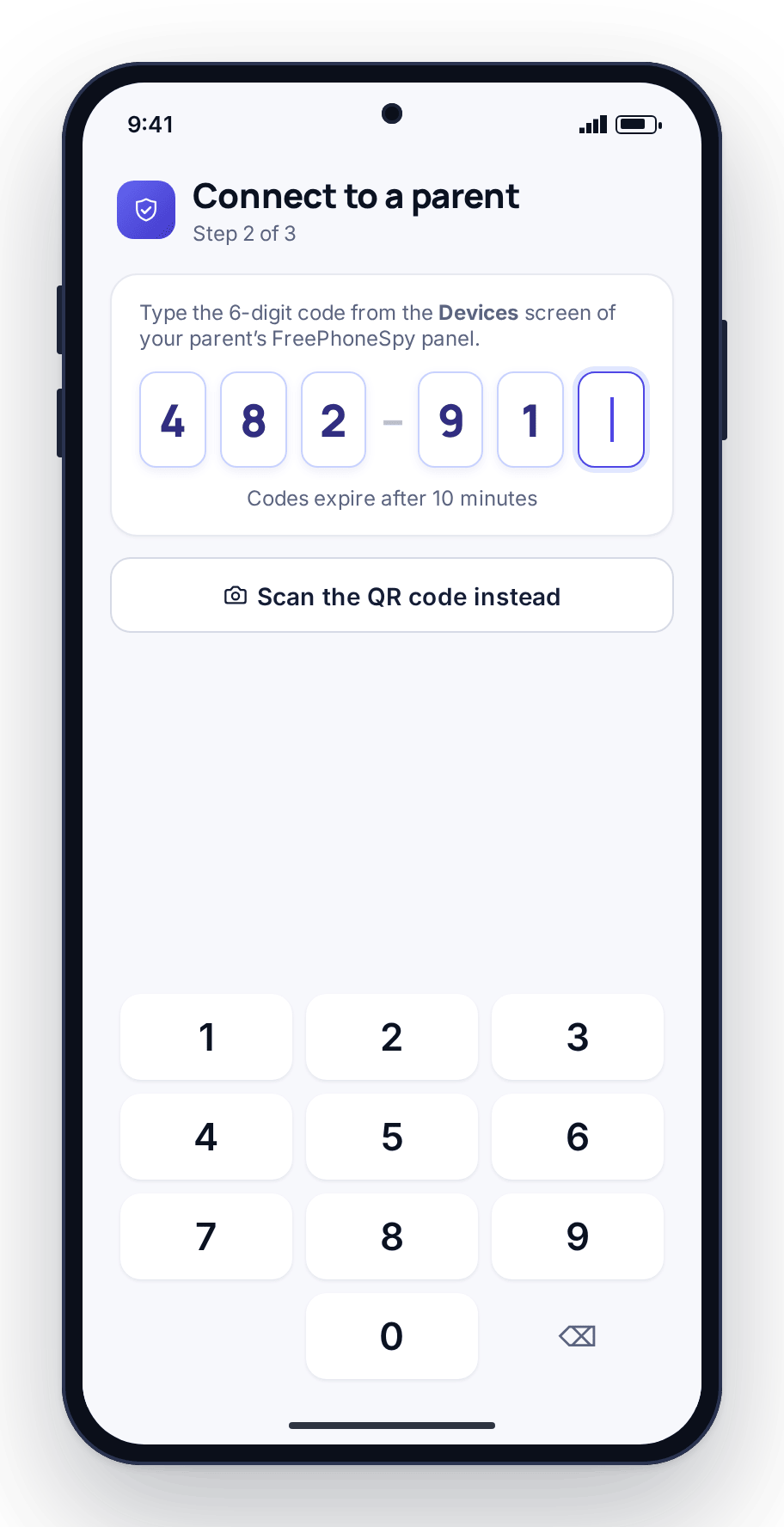
Enter the code on the phone
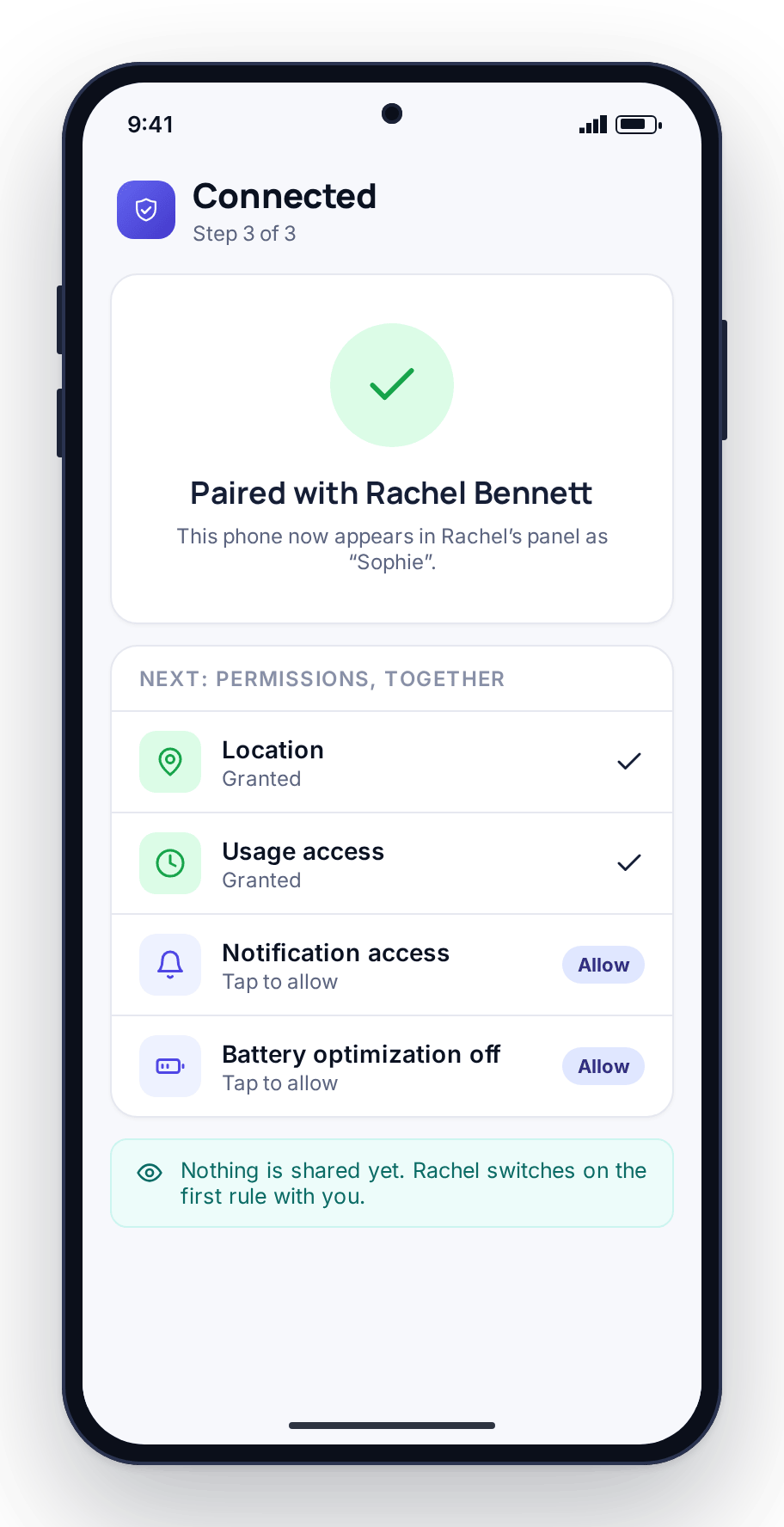
Open the app you installed from the APK and type the six digits, or scan the QR. The device appears in your Devices list within a few seconds, with its name, battery and last-seen time.
Grant permissions together
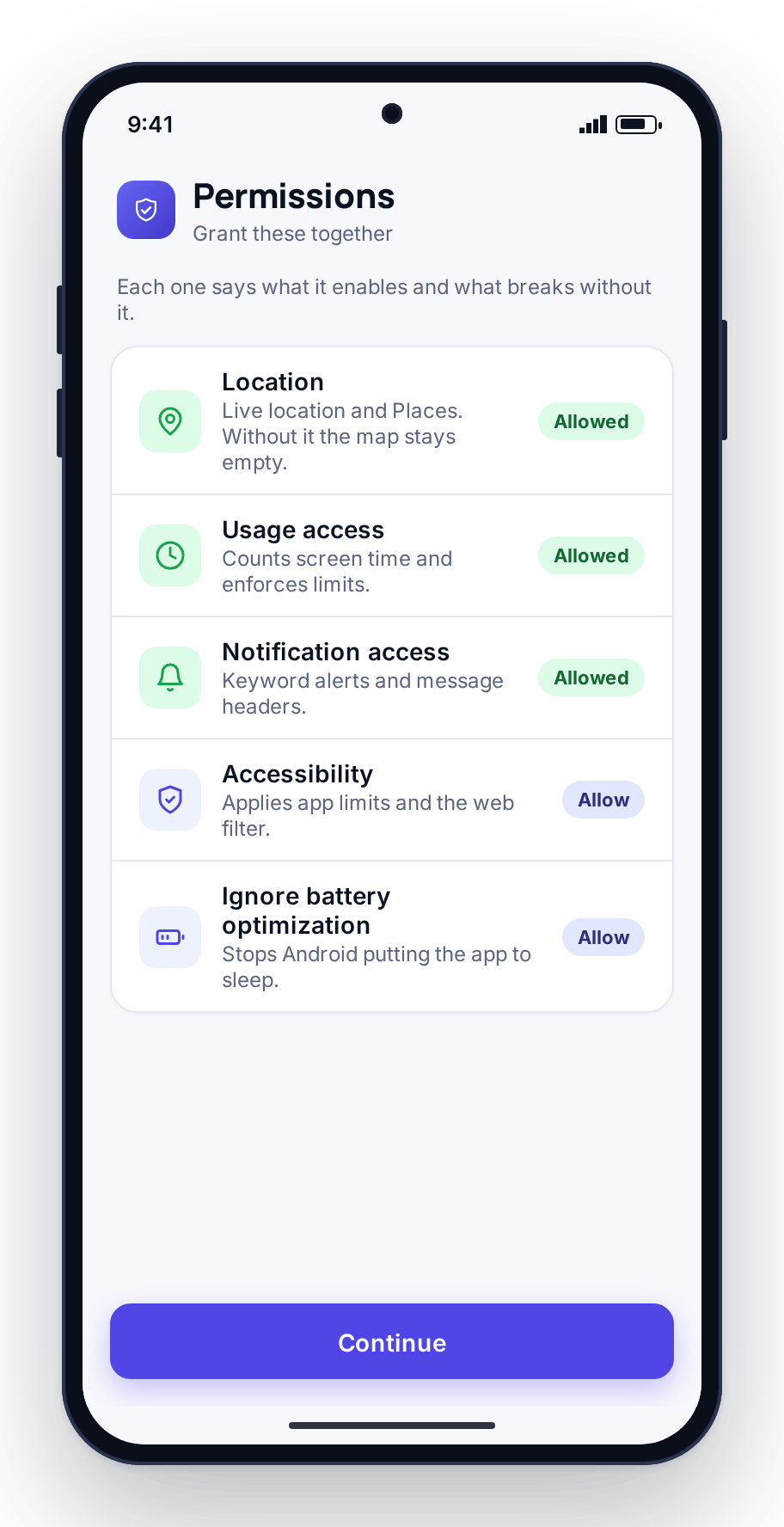
Walk through the permission prompts on the phone side by side. The app explains what each one enables as it asks. Grant the everyday ones — location and usage access — first; the content features stay behind a shared switch until you both turn them on.
Keeping the APK up to date
Sideloaded apps do not refresh themselves the way store apps do. Whenever we ship a new version, you bring FreePhoneSpy up to date by fetching the latest APK here and installing it on top of the old one — the phone stays paired and nothing is lost, since the account holds your child, their history and their settings, not the handset. Where the Play Store is reachable, it is the easier route because it keeps itself current and needs no one-time install permission; this direct file exists for the phones where the store is not on the table.
Direct-download questions
Is this the same app that’s on Google Play?
It is the identical release with the identical signing key — nothing about the app changes. Only the way it keeps current differs: the store version updates on its own, while this one is refreshed by installing the next APK we publish.
How can I confirm the file is authentic?
After the terms are accepted, the build’s SHA-256 hash appears next to the download button. Hash the file that reached the phone and compare; equal values confirm it came through whole and unchanged.
Will the phone need rooting?
No — it installs like any other Android app, with no rooting or unlocking involved.
Is the download genuinely free?
Yes, with no card to start. The core safety features stay free, and you can pair as many child devices as you need on a single account.