
FreePhoneSpy is a parental monitoring app for Android, managed from any web browser, built on a simple idea: a phone your child can use, inside limits you both agreed on. It is not a lockbox and it is not a covert spy tool. It is a way to hand a child a smartphone without handing over every evening to arguments about it.
We built it because the two usual options are both poor. You can lock a phone down so hard it stops being useful, and spend every day fielding “why can’t I” from a frustrated kid. Or you can hand over the phone and hope for the best. Most parents want the option in the middle, and few products offered it: a phone that works, with a budget on it, and a short list of rules everyone understands.
A budget instead of a lockdown
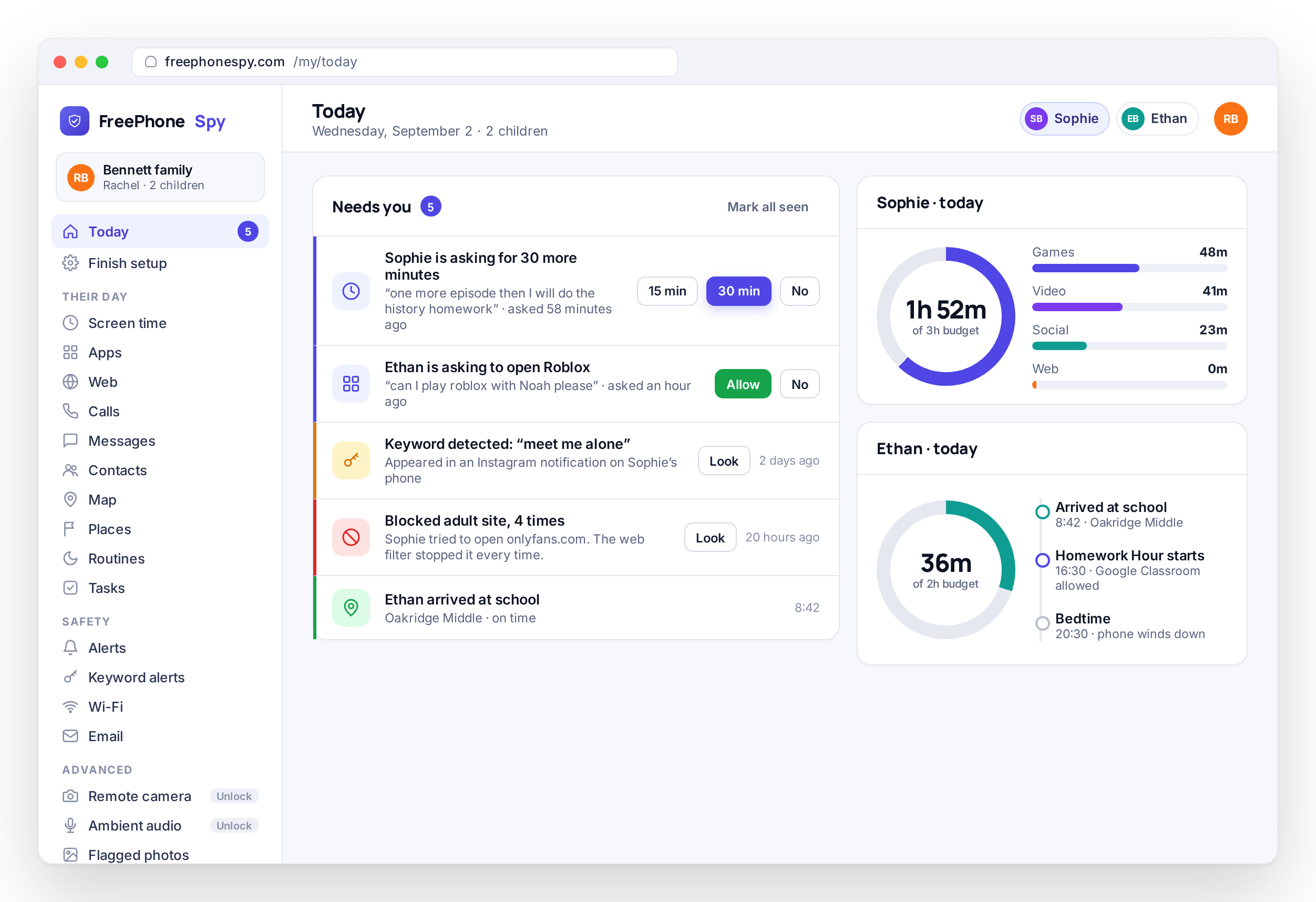
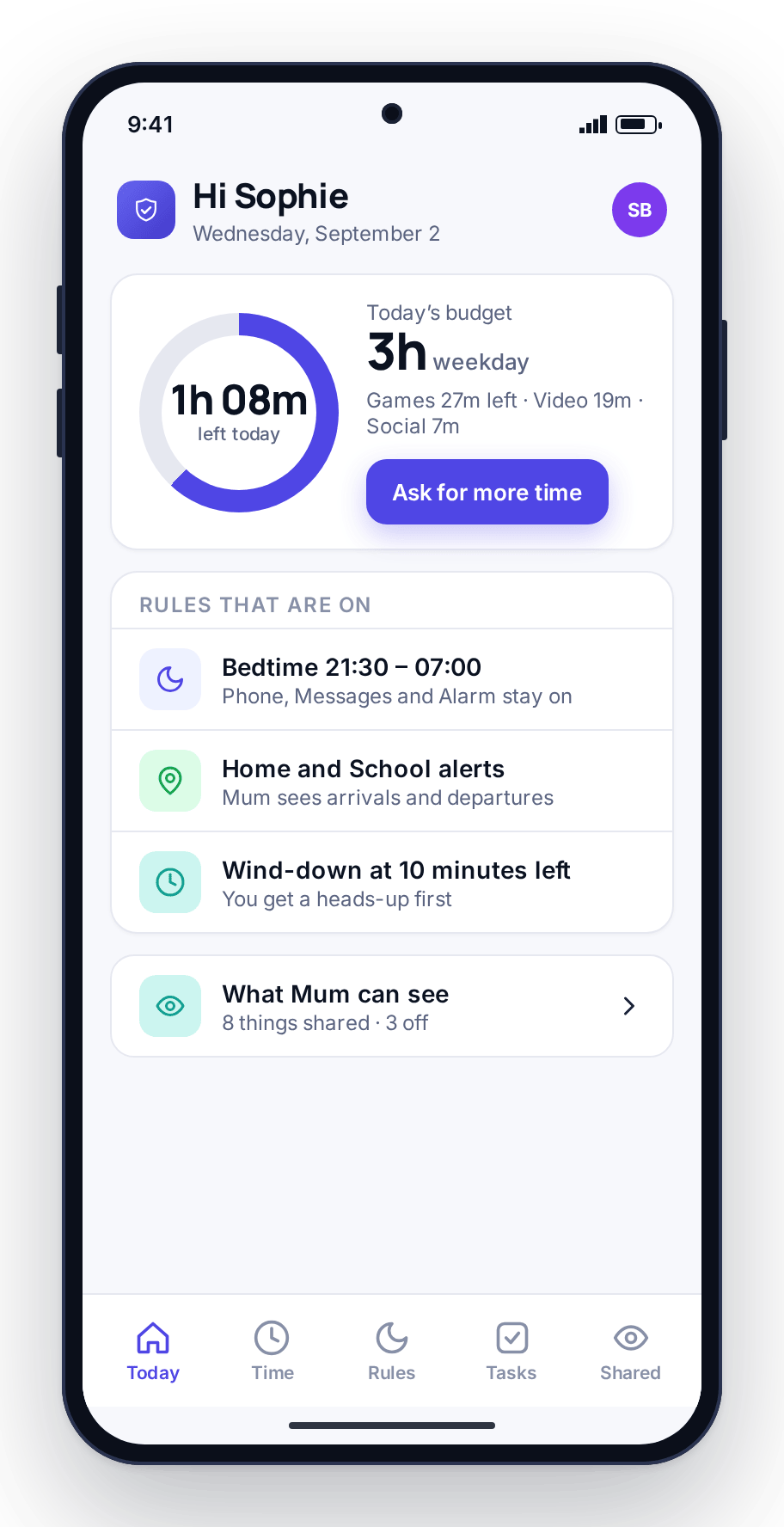
The core of FreePhoneSpy is a daily minute budget rather than a wall of blocks. Your child gets an amount of screen time each day, split across games, video, social, and the web, with different amounts for weekdays and weekends. Inside that budget, the phone is theirs and they choose what to do with the minutes. When the budget is running low they get a wind-down warning, and when it is spent the phone closes the entertainment apps for the day. Phone, messages, maps, and the keyboard keep working throughout.
That one design choice changes the mood of the whole arrangement. A budget is something you can talk about, adjust, and earn more of. “You have forty minutes left, spend them how you like” is an easier conversation than “no, because I said so”. The bedtime argument, where you are prising a phone out of someone’s hands at half past nine, mostly goes away when the phone itself does the closing and everyone knew the number in advance.
Transparency instead of secrecy
Many apps in this category sell secrecy: a hidden icon and a covert watch on someone who never agreed to it. We went the other way. The app on your child’s phone is visible in the app list. There is a Transparency screen on the device that shows what is being shared and what is not, and your child can open it at any time to see the arrangement for themselves.
We chose this approach because it works. Monitoring a child in secret teaches them that being watched is normal and that trust is something taken rather than built. Setting it up together teaches the opposite, and it opens conversations about why a stranger’s DM is worth flagging, why sharing a location on a bike ride is sensible, and why a budget exists at all. A teenager who knows the rules of the phone and helped set them is far more likely to keep to them.
What FreePhoneSpy is, and what it is not
It helps to be clear about both.
What it is
- A parental control and family-safety tool for Android child phones
- A daily screen-time budget your child spends how they like
- Location and Places, so you know they got to school without texting to ask
- App limits, a web filter, and scheduled routines such as Bedtime and Homework Hour
- A short “Needs you” list that surfaces only what wants a parent
- Managed from any browser, with nothing for the parent to install
What it is not
- A hidden app for watching someone without their knowledge
- A way to monitor a partner, an ex, or any adult without consent
- A tool for intercepting communications you have no right to
- A subscription trap with an auto-renew and a hidden premium tier
- A lockdown that turns a smartphone into a brick
- Something you set up behind your child’s back
The four principles we build on
Every product decision runs through these. When we are not sure whether to add something, or how it should behave, this is the test.
Set up together
You install it on your child’s phone with them in the room. You grant the permissions together and agree the first rule together. It takes about eight minutes, done once, and the sit-down is half the value.
The child can see it
The app is visible on the phone, with a Transparency screen showing what is shared. There is no hidden icon and no secret mode. If your child wants to know what the app does, they can look.
Nothing until you turn it on
Fresh out of setup, nothing is being monitored. You choose what to switch on, one thing at a time. The sensitive tools, message bodies and the keylogger among them, sit behind their own consent switches.
Legitimate use only
Your own children, or devices you own with the user’s consent. That is the boundary, and it is who the product is designed and worded for, top to bottom.
Who it is for
Mostly, parents of children with Android phones who want fewer arguments and a bit more trust. The parent who is tired of being the screen-time police and would rather the phone did the enforcing. The parent of a younger child getting a first phone who needs training wheels. The parent of a teenager who needs a lighter touch, more visibility than control, and a way to talk about what shows up.
It is also for families and device owners more broadly, so long as the person using the phone knows and consents: a grandparent’s phone the family looks after, or a shared family tablet. The rule does not change. Monitor your own children, or devices you own with the user aware. If that is not your situation, this is not the tool for you.
What it is not built for is watching an adult who has not agreed to it. We do not write copy that hints at that, we do not ship a hidden mode, and we will not help set it up. That is the line between a family-safety tool and something we will not be part of.
Where we are today: Android first
The child app runs on Android phones today, and that is where every feature described on this site lives. If your child is on an Android phone, everything works now.
An iPhone child app is in development. We are not going to put a date on it or present a half-finished version as complete, because that is the kind of overselling this product exists to avoid. When the iPhone side is ready, we will say so. Until then: Android now, iPhone later. The parent side, the web panel, already works from any browser regardless of what phone you carry.
There are smaller limits too. Call recording is best-effort on modern Android, because the platform restricts it, and we will not claim more than the phone can deliver. Message bodies and the keylogger need the child’s consent, by design. None of this is buried in the fine print. A tool earns trust by being clear about what it does, what it does not, and what is still on the way.
Read more: How it works · Features · Pricing · FAQ · Contact us