Your Child’s First Phone: A Complete Setup & Safety Guide
The first phone is a big moment. Your child has probably been asking for a while. And once it’s in their hands, it doesn’t leave — it’s the map, the group chat, the camera, the clock and the excuse for a lie-in all at once. So it’s worth getting the start right: the phone itself, the settings you put on before you hand it over, and the deal you make together about how it gets used.
Is your child actually ready?
Age isn’t the real question. Plenty of nine-year-olds walk to school on their own and could use a phone to say they’ve arrived. Plenty of thirteen-year-olds lose a water bottle a week. Readiness is about how they handle responsibility, not the number of candles on the cake.
A few honest signs they’re ready:
- They look after things. A phone that lives face-down on a wet bathroom floor won’t last a term.
- They can tell you why they want it — and the answer isn’t only “everyone else has one”.
- There’s a real need creeping in: walking home alone, getting the bus, after-school clubs, a change of school.
- They can hear “no” or “not yet” without it becoming a crisis.
- They already talk to you about awkward things, at least sometimes.
And the pressure to say yes is real. “Everyone in my class has one” is often true, and it stings to be the odd one out. That’s a genuine social cost, not something to wave away. But it isn’t the same as being ready. You can take the pressure seriously and still say “let’s start with a basic phone and see how it goes.” If you’re weighing up the timing more broadly, we’ve written a separate piece on what age to start monitoring a child’s phone that goes deeper on the age question.
It also helps to separate three different things people mean by “a phone”. A basic phone calls and texts and not much else. A smartphone does everything. A hand-me-down — your old handset — is a smartphone with your fingerprints on it, sometimes still logged into your accounts. Each one is a different level of “yes”, and you don’t have to jump straight to the biggest one.
Choosing the phone
You don’t owe an eleven-year-old a flagship. For a first phone, less is usually more.
Consider a basic phone or a kids’ smartwatch first. If the whole reason is “I want to know they got to Grandma’s”, a watch that calls and shows location does that job without dropping a whole internet into their pocket. It buys you a year or two, and it’s a soft landing.
When it is time for a smartphone, here’s the honest version of the Android-versus-iPhone question. FreePhoneSpy’s child app runs on Android, so that’s the platform we can help you manage directly. For a younger child that’s actually an advantage: a mid-range Android gives you finer, more granular control while they’re still learning the ropes, and it costs a fraction of an iPhone you’ll be nervous about them dropping. If your family is all-in on iPhone and a hand-me-down iPhone is what’s going spare, that’s fine too — you’d lean on Apple’s own Screen Time and Family Sharing there instead. There’s no wrong answer, just different tools.
Two practical notes. Refurbished is your friend — a certified refurbished Android is cheaper, kinder to the planet, and stings less when it goes swimming. And don’t overbuy on storage; a child who mostly messages and watches a few videos doesn’t need 512GB. Middle of the road is plenty.
Setting it up safely before you hand it over
This is the part that’s tempting to skip, and the part that matters most. Spend an evening on the phone before your child ever unlocks it. Do it with them where you can, so nothing feels sprung on them later — but the heavy lifting is easiest before it’s “theirs”.
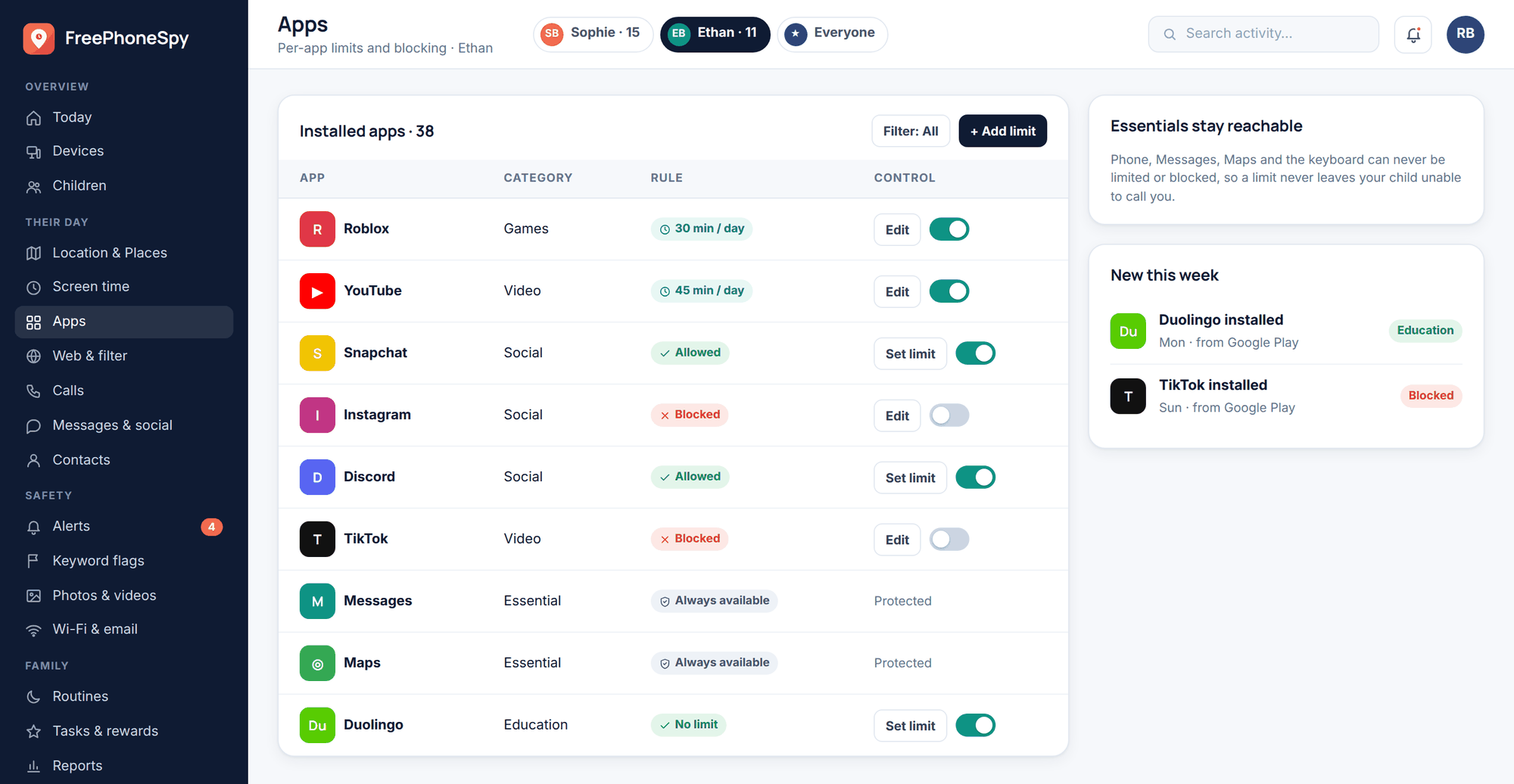
1. Create a child Google account
Set up a Google account for your child, not a spare of your own, and add it to a family group. This is what lets you approve app installs and keeps age-appropriate defaults on. Use their real birth year.
2. Turn on app-store approvals
Set the Play Store so that new installs and purchases need your say-so. Now nothing new lands on the phone without a quick tap from you — no dramatic confiscations required.
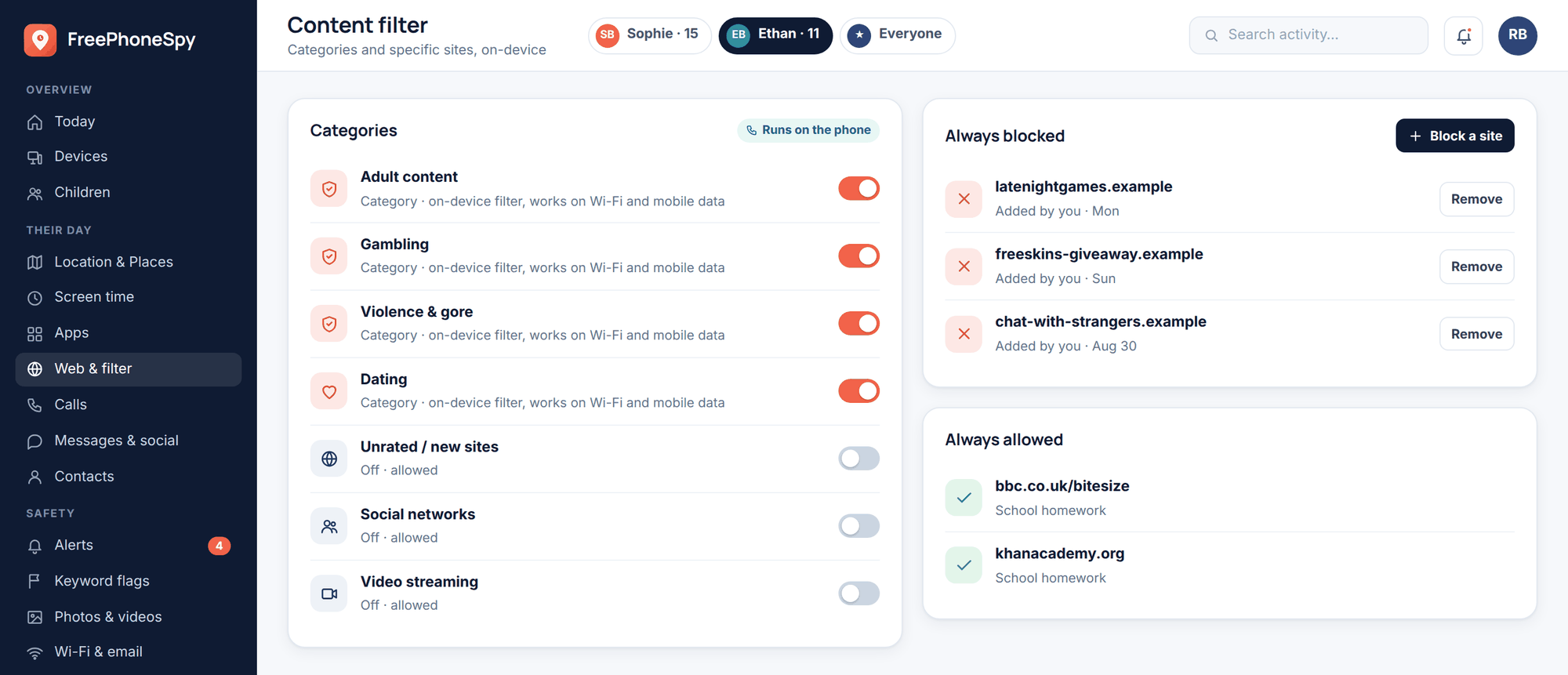
3. Switch the content filter on
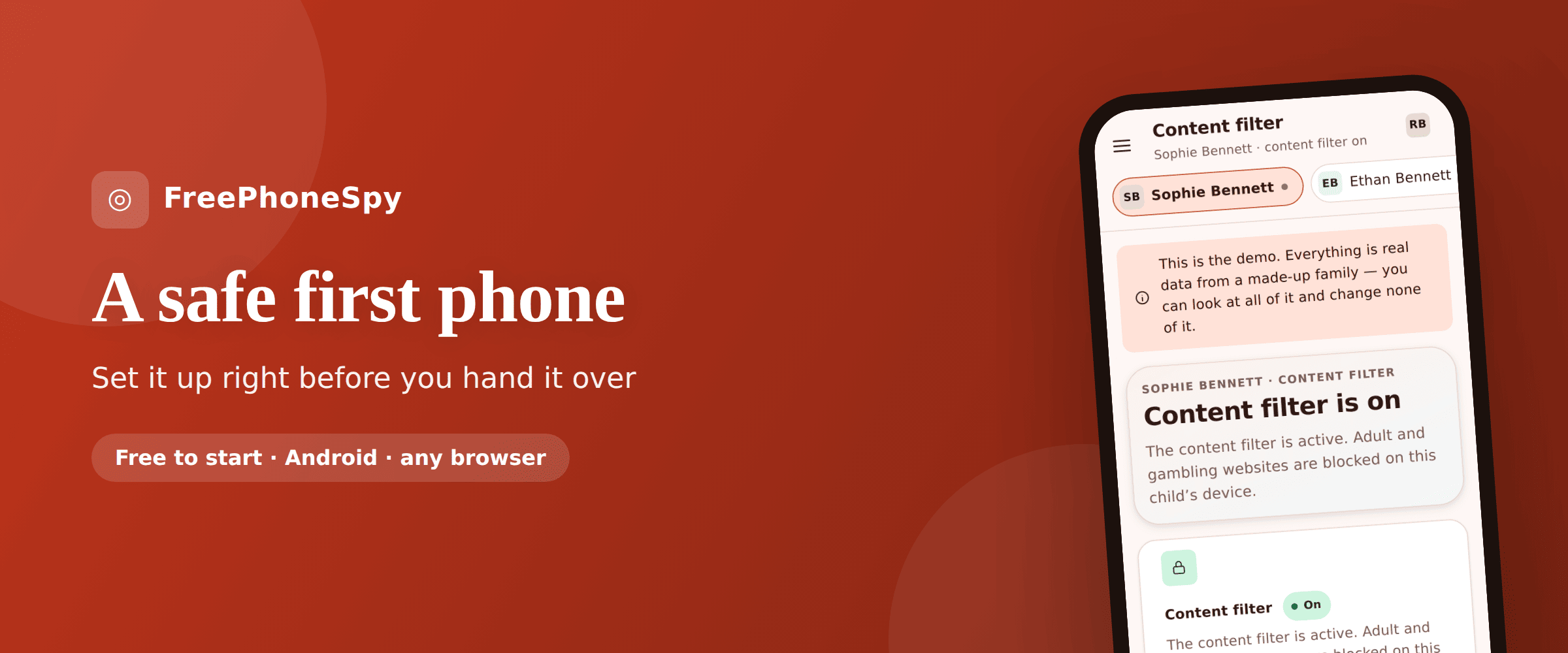
Block the categories you’d expect — adult, gambling and the like — plus any specific sites you want gone. In FreePhoneSpy this runs on the phone itself, so it holds up on mobile data, not just your home Wi-Fi. More on this in our app and website blocking guide.
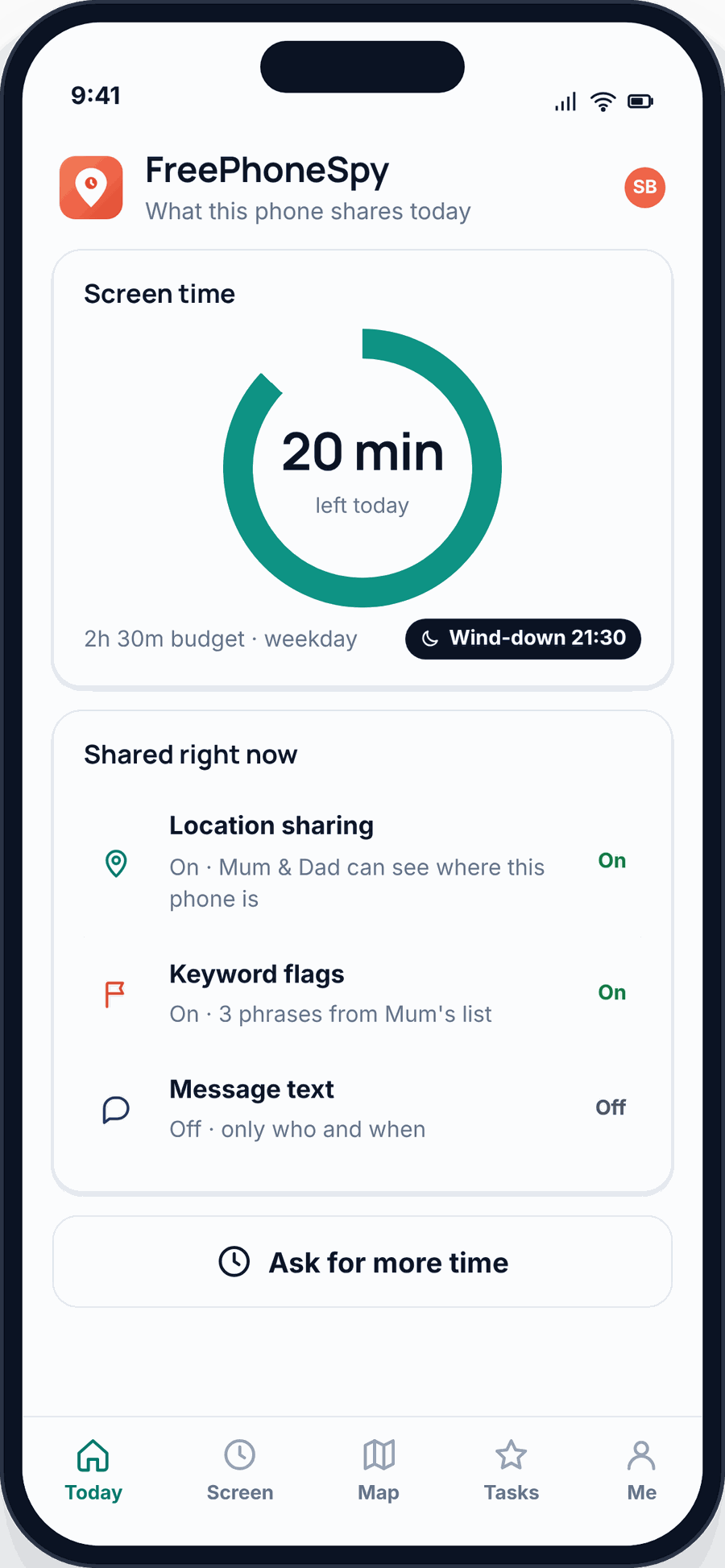
4. Set a screen-time budget
Give the day a sensible minute budget, with different amounts for weekdays and weekends, and a wind-down warning before it runs out so the phone doesn’t just die mid-sentence. The phone enforces it. See screen time for how the budget works.
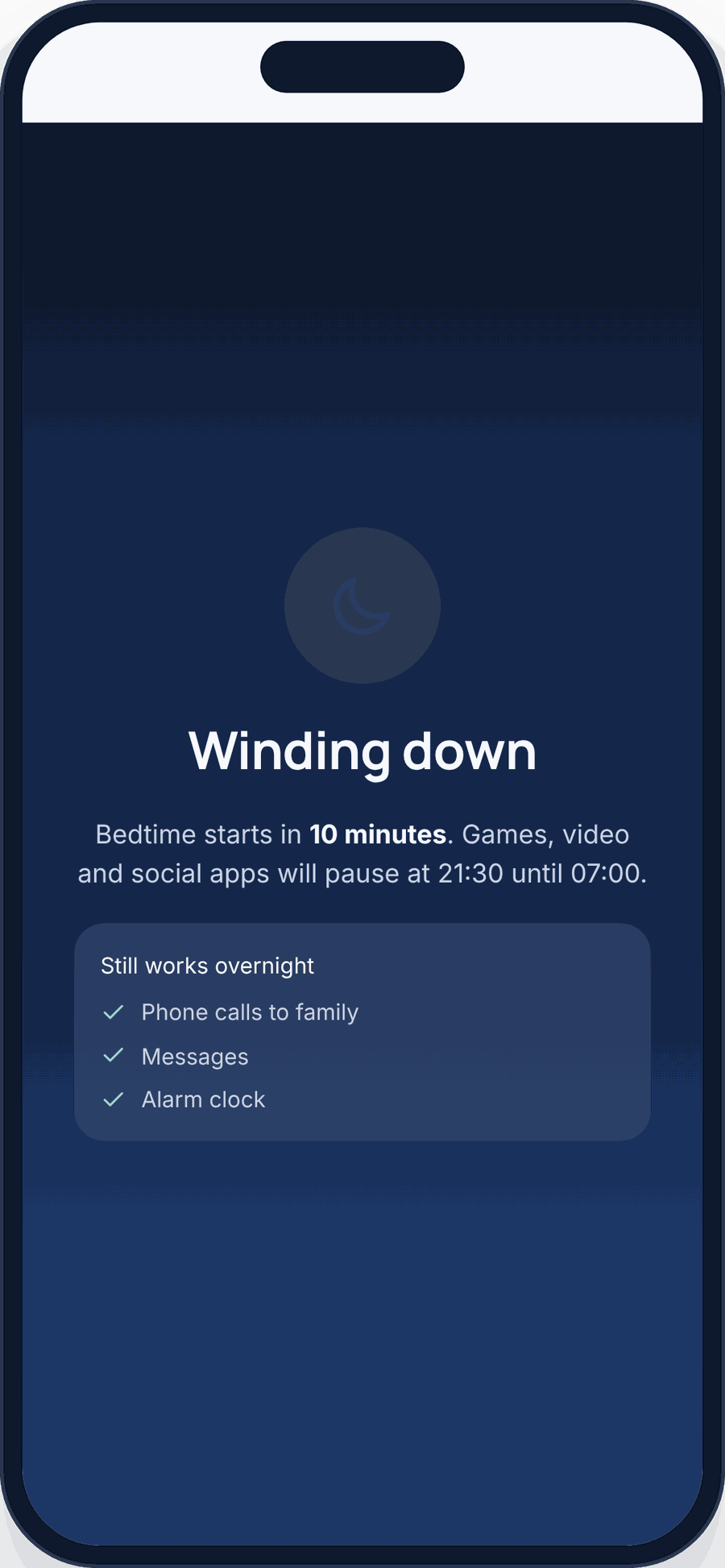
5. Add bedtime and homework routines
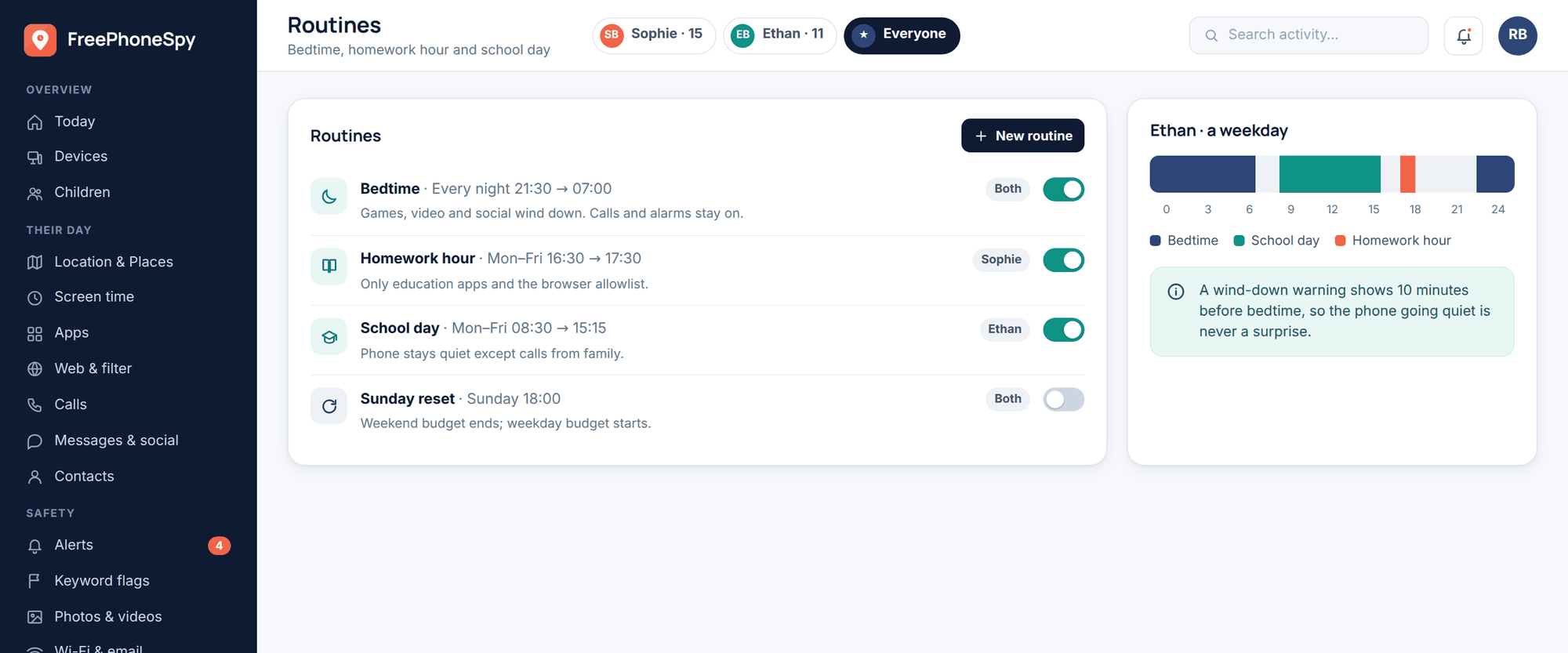
Create a Bedtime routine that quietens the phone overnight and a Homework Hour that parks the games while the maths gets done. School hours too, if the school allows phones at all. Our bedtime routine page walks through this.
6. Set up location and a few Places
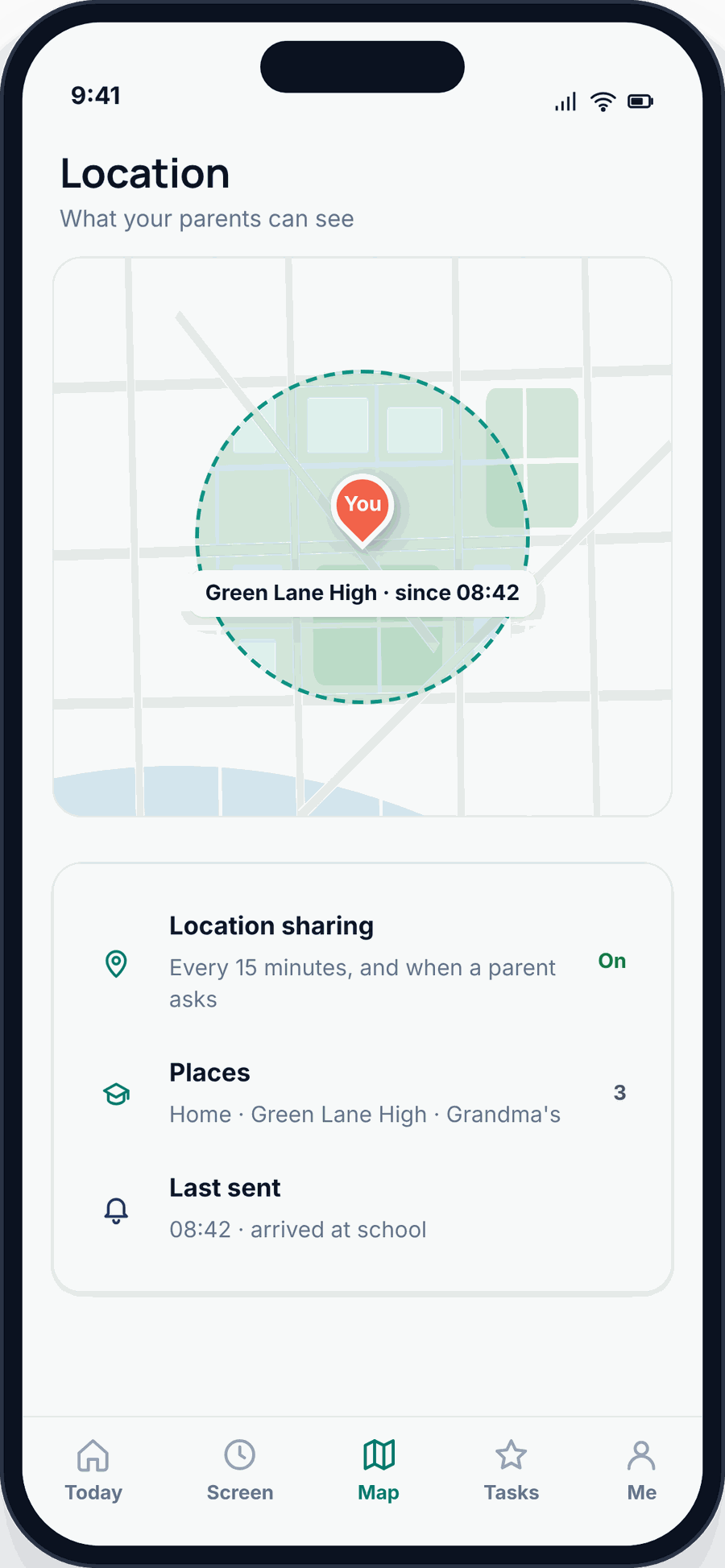
Turn on live location and save a couple of Places — home, school, Grandma’s — so you get an arrive/leave alert instead of texting “are you there yet?” fifteen times. Details on our location tracking page.
7. Pair FreePhoneSpy, openly
Open the web panel in any browser, create a free account and add your child. Install the one app on their Android phone, type in the 6-digit pairing code, and grant the permissions together. It takes about eight minutes, once. Then agree your very first rule side by side — a bedtime, usually — so the phone starts with a deal, not a surprise.
The family phone agreement
Settings are the guardrails. The agreement is the understanding behind them — the bit your child actually remembers. Write it together, keep it short, and stick it on the fridge.
Good things to cover:
- Where and when the phone is used. No phones at the dinner table cuts both ways — it applies to you too.
- Charging out of the bedroom overnight. This one rule does more for sleep than any app setting. The phone sleeps in the kitchen.
- New apps get approved. Not because you’ll say no to everything, but so you can look together and talk about it.
- Being kind. Don’t send anything you wouldn’t say to someone’s face, and tell me if someone’s being unkind to you.
- Tell me anything — no punishment for honesty. If something scary or weird happens online, coming to you should never be the thing that gets them in trouble. This is the most important line in the whole agreement.
Here’s a short sample you can adapt. Change the words so they sound like your family, not a legal document.
Our phone agreement
This phone is mine to use and Mum and Dad’s to help look after.
1. I’ll charge it in the kitchen overnight, not in my room.
2. Phones go away at meals and by bedtime.
3. I’ll ask before I download something new.
4. I’ll be kind, and I’ll tell you if someone isn’t kind to me.
5. If something online scares or confuses me, I can always tell you — and I won’t be in trouble for telling the truth.
6. If I lose track of time, the phone will remind me, and that’s okay.
Signed: ______________ Grown-up: ______________
The Bennetts did exactly this. Ethan, at 11, got a longer list of settings and a shorter leash; Sophie, at 15, helped write her own version and negotiated a later bedtime on Fridays. Same agreement, different dials — which is the whole point.
The first week, and easing off after
Start a little tighter than you think you need to. It’s much easier to relax a rule than to claw one back. In week one, keep the screen-time budget modest, keep app approvals on, and check the Today dashboard once a day — not to police, but to learn what “normal” looks like for your child.
Then, as they show you they can handle it, let go — deliberately. This is the trust ladder: oversight is high when everything’s new, and it steps down as your child proves themselves, until a sixteen-year-old has very little of it left. That’s not oversight failing. That’s oversight doing its job and working itself out of a job.
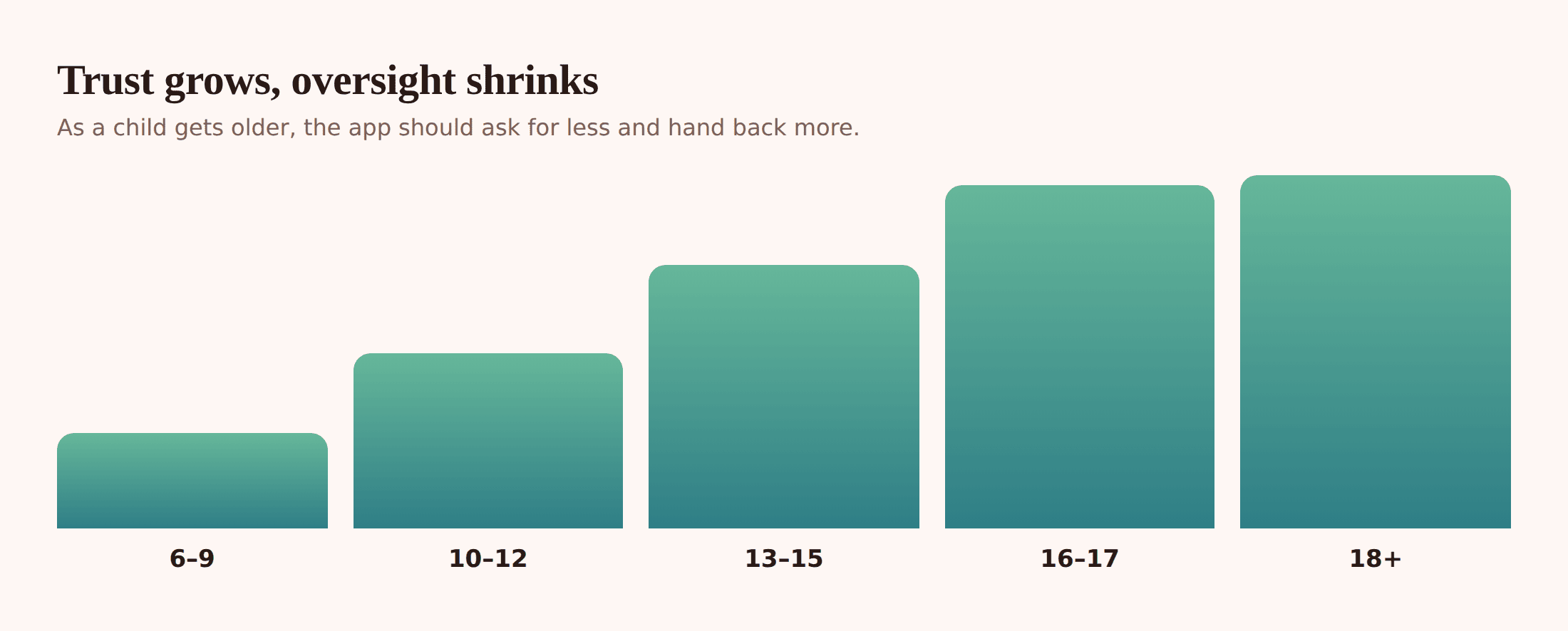
What easing off looks like in practice: a bigger weekend budget after a month of no arguments. Dropping app approvals for a category you’ve come to trust. Letting them keep the phone upstairs — but still off the bedside table — once bedtime holds on its own. Every loosened rule is a small vote of confidence, and kids feel that. For the longer arc of this, our complete guide to child phone monitoring follows it from the first phone to letting go.
Common first-phone mistakes
A few things that trip parents up, so you can skip them:
- Handing it over cold. No settings, no agreement, “we’ll sort it out later”. Later never quite comes, and rules retro-fitted onto a phone feel like a punishment.
- The bedroom charger. A phone within arm’s reach at 11pm beats every good intention. Move the charger, not the willpower.
- All lockdown, no conversation. Filters and limits don’t teach judgement. Talking does. The settings buy you time to have the talks.
- Setting it and forgetting it. A budget that made sense in Year 6 is silly by Year 9. Revisit the dials every few months.
- Modelling the thing you’re banning. If you’re on your phone at dinner, that’s the rule they’ll actually learn.
- Making honesty risky. If telling you about a problem gets the phone confiscated, they’ll stop telling you. Keep that door open.
What monitoring is actually for at this age
Let’s be plain about what all this is and isn’t. At ten, eleven, twelve, a child is learning to use a powerful tool for the first time. Monitoring, at this age, is guardrails on a bridge — there so they can learn to walk across without you holding both hands, and there to come down once they can.
It isn’t spying. It’s not about reading every message or catching them out. FreePhoneSpy is built to be seen, set up together, and eased off over time. The aim isn’t a permanent watch — it’s a child who, by sixteen, has learned enough good habits that they don’t need one. You’re not trying to control the phone forever. You’re trying to work yourself out of the job.
Questions parents ask
What age should a child get their first phone?
There’s no magic number. Many families land somewhere between 10 and 12, often driven by a real need like walking to school. Readiness — how they handle responsibility and whether they’ll talk to you — matters more than age. A basic phone or a watch is a good stepping stone before a full smartphone.
Should I get my child an Android or an iPhone?
Both are fine. FreePhoneSpy’s child app runs on Android, so that’s what we can help you manage directly, and a mid-range Android gives you finer control for a younger child while being cheaper to replace. If your family uses iPhones, Apple’s Screen Time and Family Sharing cover the basics on that side.
Will my child know FreePhoneSpy is on their phone?
Yes, and that’s the point. The app is visible on their Android phone, and nothing is monitored until you set it up together. We’d always encourage you to show them what it does and agree the first rule side by side.
How long does setup take?
The FreePhoneSpy part is about eight minutes, once: open the web panel in any browser, add your child, install the single app on their phone, type the 6-digit pairing code and grant permissions together. Setting up the Google child account, filters and routines around it takes an evening.
Do I have to pay to start?
No. You can start free for 10 days with no card, and the core features stay free after that, kept going by a few simple tasks. Your data is never sold.
What if my child pushes back on the rules?
Some pushback is healthy — it means they’re thinking about it. Write the agreement together so they have a say, start a little tighter than you need to, and make a point of loosening rules as they earn it. A rule they helped set and can see easing off is one they’re far more likely to keep.