SOS & Alerts
If your child needs help, one tap on the SOS button sends an alert with their live location to every parent on the account.
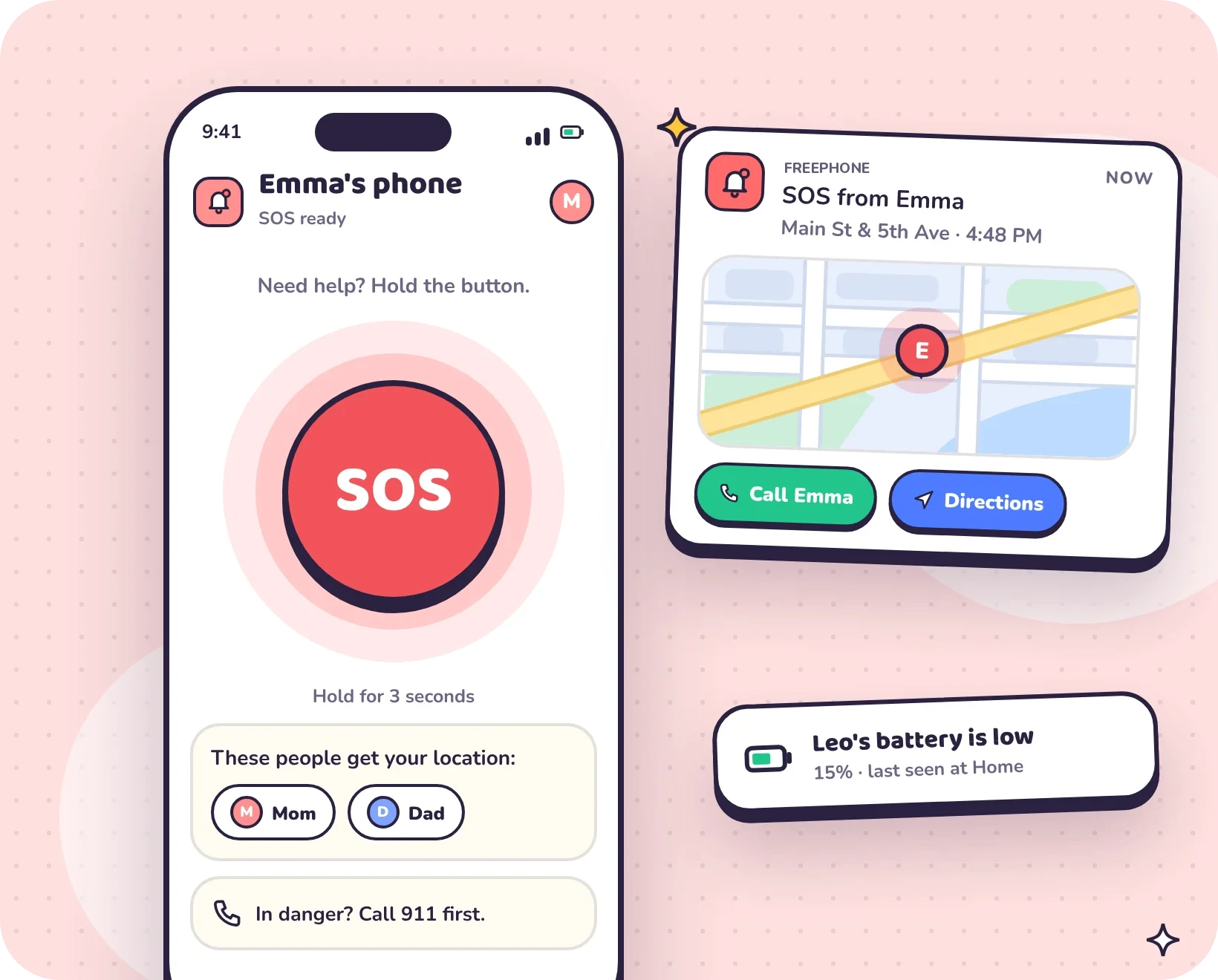
One tap sends your child's location to you.
SOS button
Your child taps SOS and all parents get an alert with the location.
Low battery alert
Know before your child's phone runs out.
Alert center
All alerts in one list: places, apps, screen time, and SOS.
Your choice
Turn each alert type on or off, for each child.
Why parents use SOS & Alerts
In a scary moment, a child should not have to explain where they are. One tap shares the exact place with you.
Tips for parents
- Practice using SOS once, so your child knows where it is.
- Add both parents or a trusted guardian to the account.
- Remind your child to call 911 or the local emergency number first in a real emergency.
Three steps
Show your child the SOS button in the app.
Invite a second parent or guardian.
Turn on the alerts you want.
SOS & Alerts FAQ
Does SOS call 911?
No. SOS alerts parents. In an emergency, your child should call 911 or the local emergency number.
Can two parents get alerts?
Yes. Invite another parent or guardian, and both get every alert.
Does SOS work without mobile data?
SOS needs a data or Wi-Fi connection to reach parents. It retries until it gets through.
Try SOS & Alerts free
Free on Android and the web. Set up in about 5 minutes.