How to Monitor Your Child’s Social Media Activity (Openly)
Social media is where a lot of your child’s friendships now live — the jokes, the fallings-out, the making-up, the quiet scrolling before sleep. That’s exactly why it worries parents, and exactly why the instinct to watch it closely is so strong. Most advice about “monitoring your child’s social media” quietly assumes the goal is to read every post and every DM, and that reading it all is the responsible thing to do. It usually isn’t. A young child on a first account needs you right there beside them; a teenager needs privacy with a safety net for real danger, not a parent reading over their shoulder. This guide is about doing the protective version well — carried out openly, together with your child, and never on the sly.
Why social media worries parents
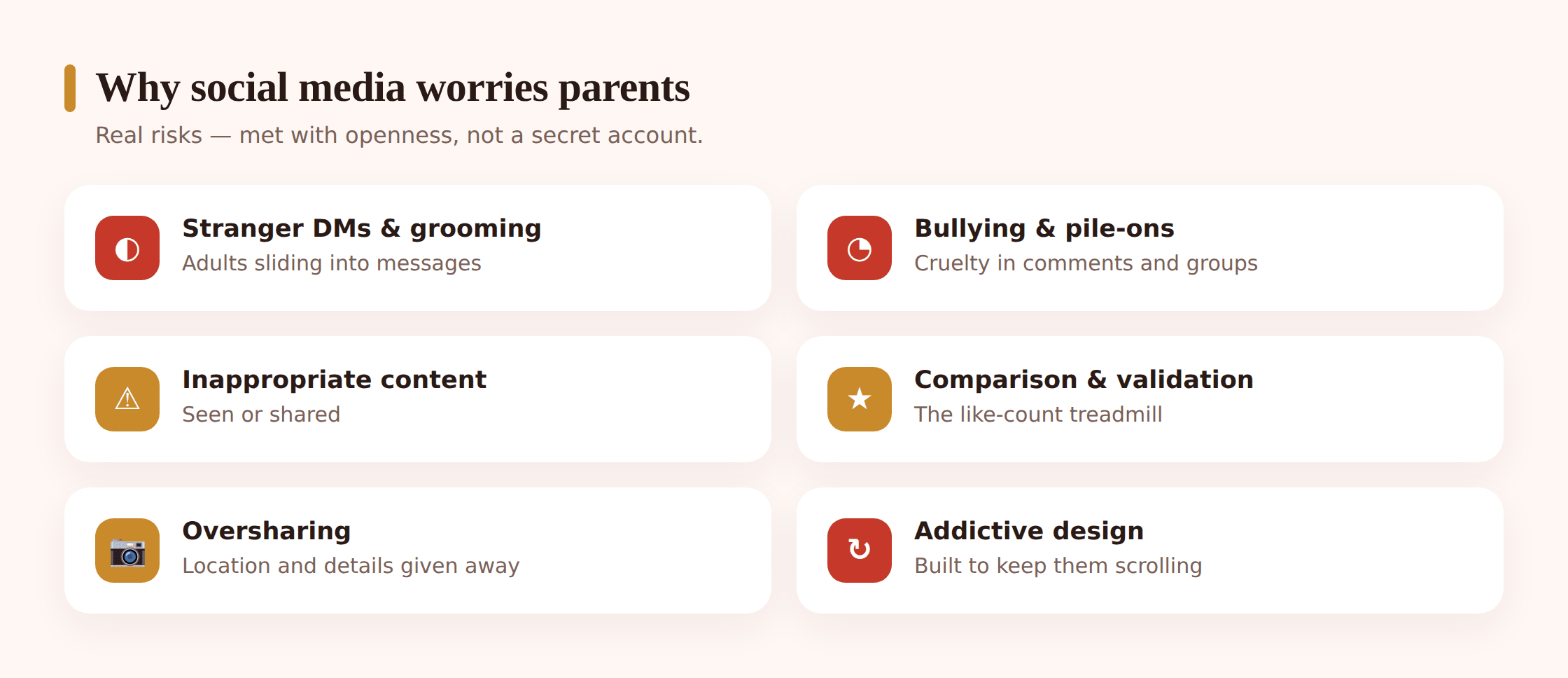
The worry isn’t really about apps. It’s about a short, nameable list of dangers that can find a child through them — and the moment you spell them out plainly, the vague dread becomes something you can actually plan around.
- Strangers and grooming. The genuinely serious one. An adult who follows, messages or befriends a child, builds trust over weeks, then moves the conversation somewhere more private. It rarely looks alarming at the start, which is what makes it dangerous.
- Bullying and group-chat drama. Meanness travels fast and leaves a record. A cruel comment thread, being frozen out of a chat, a photo shared to mock someone — the social hurt of childhood now happens in writing, at all hours, in front of an audience.
- Inappropriate content. Adult, violent or distressing material that a child stumbles into through a feed, a Reel or an autoplay, without ever going looking for it.
- Pressure and comparison. The endless highlight reel of everyone else’s life, filtered and curated, measured in likes. It’s slow and quiet, but it shapes how a child feels about their own body, popularity and worth.
- Oversharing. A location tag, a school uniform, a real name, a bedroom in the background — kids give away more than they realise, to a bigger audience than they picture.
- Addictive design. Infinite scroll, streaks, notifications engineered to pull them back. The apps are built to hold attention, and a child’s brain is the least equipped to resist that pull.
Here’s the useful part. These split cleanly into two groups, and each wants a different response. The genuinely dangerous — a grooming stranger, serious bullying, exposure to harmful content — you want to catch early, and for that you need visibility and closeness, not a full transcript. The slower harms — comparison, oversharing, the pull of the scroll — are about habits and conversations, not surveillance. Keep the two apart and the whole thing gets calmer. This page is specifically about the how-to of keeping an eye on activity openly; for the wider ground rules and app-by-app risks, our guide to social media safety for kids is the companion piece.
What open monitoring actually means
This is worth being precise about, because “monitoring social media” gets used for two very different things, and only one of them is healthy.
One version is protective visibility: knowing which apps your child opens, the rough hours they pour into them, who populates their world, and a flag when something truly troubling surfaces — an adult stranger sliding in, a burst of two-a.m. scrolling, a phrase that points to actual danger. The other version is reading every post and combing every DM just because the option is there. The one keeps a child protected; the other turns them into a subject under watch, and they clock the difference at once. A teen who trusts that you’d catch a real warning sign carries on using their accounts like anyone else. A teen who knows each message gets read absorbs two lessons quickly — shift the genuine stuff onto an account you’ll never find, and register that the trust wasn’t there. What you’re left with is thinner knowledge, not richer.
The age-based sliding scale
There’s no one figure for “the right amount,” because a child of eight and a teen of sixteen want nearly opposite things from you online. The little ones want you sitting beside them; the older ones want elbow room with a thin safety net underneath. The task is to travel steadily from the first setup toward the second as your child earns it.
Young child on a first account (roughly under 11)
Honestly, the healthiest answer here is often “not yet” — most platforms set thirteen as their minimum age for a reason. If your younger child is using a kid-focused app, be right there with them. Co-use it: the account is a shared thing you set up together, you follow it openly, you know the password, and you scroll it side by side rather than from a distance. At this age it isn’t surveillance, it’s teaching — the same as being in the room while they learn to cross a road.
Tween (roughly 11–13)
The push for a “real” account arrives, and the friendships get more independent. If you say yes, set it up together on a private account, follow each other, and agree regular, open check-ins — you look at it with them, not secretly. Turn on the platform’s own family tools. This is the age to be clear that oversight will loosen as they show good judgement, so good judgement becomes worth something.
Teenager (roughly 14+)
A teenager deserves real privacy in their friendships. Your normal setting, by now, is to leave their posts and DMs unread entirely. What holds up as fair is a thin safety net: knowing which apps they use, an alert for genuine danger like an adult stranger making contact, and agreed check-ins that are conversations, not inspections. Scrolling a competent teen’s DMs buys almost no safety and spends a great deal of goodwill, and it pushes their real conversations onto a second account or an app you never see.
Whichever stage your child is at, the arrow points one way: the more they earn, the further back you step. Put that into words for them. Something like “these weekly look-throughs get shorter the more I watch you handle this yourself” lands as a promise, because it pays off exactly the judgement you’re hoping to grow.
The platforms’ own family tools
Before installing anything, start with what’s already built into the apps — because it’s designed for exactly this, it’s free, and switching it on together is itself an open, honest act. The big platforms have added family and supervision tools that let a parent and child link accounts and share the safety-relevant parts without handing over the private ones.
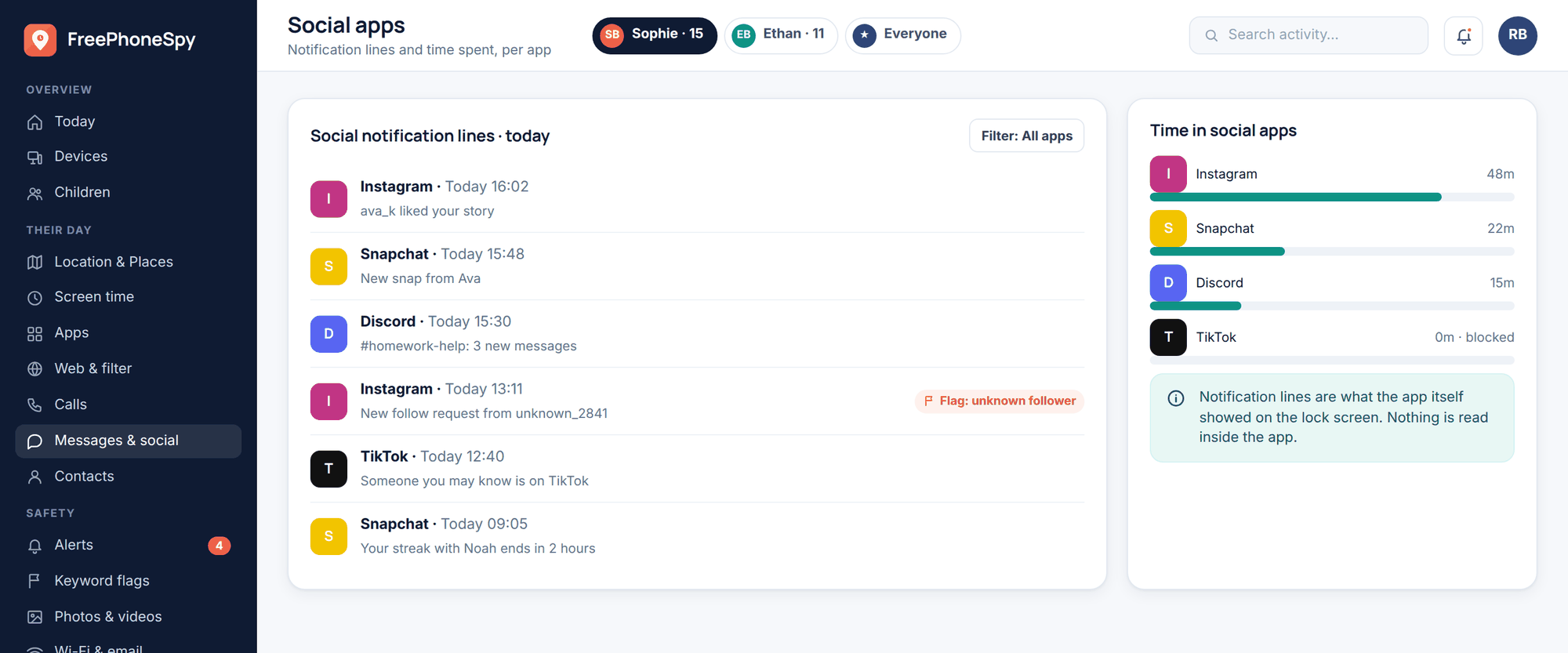
- Family centres and supervision. Instagram’s Teen Accounts and Supervision, TikTok’s Family Pairing, and Snapchat’s Family Centre all let you link to your child’s account and see things like who they’ve added and how they spend time, agree limits, and get some safety alerts — without reading their private messages. Set these up together, not silently.
- Private accounts. The single most protective setting on almost any platform. A private account means only approved followers see posts, which shuts out most stranger contact at a stroke. Turn it on for any child’s account as a default.
- Screen-time and content settings. Most apps now have built-in daily-time reminders, quiet hours, and sensitive-content controls that dial down what gets pushed into a feed. They’re blunt but useful, especially against the addictive-design pull.
- Comment and message controls. Restricting who can DM or comment — to followers or friends only — cuts off a common route strangers use to reach kids.
These tools do a lot of the job on their own, and because you enable them with your child watching, they set the right tone: this is safety we do openly, together. Instagram in particular is worth understanding in depth, since it’s where so many kids land first — our guide on whether Instagram is safe for kids walks through its exact settings.
Setting up device-level visibility responsibly
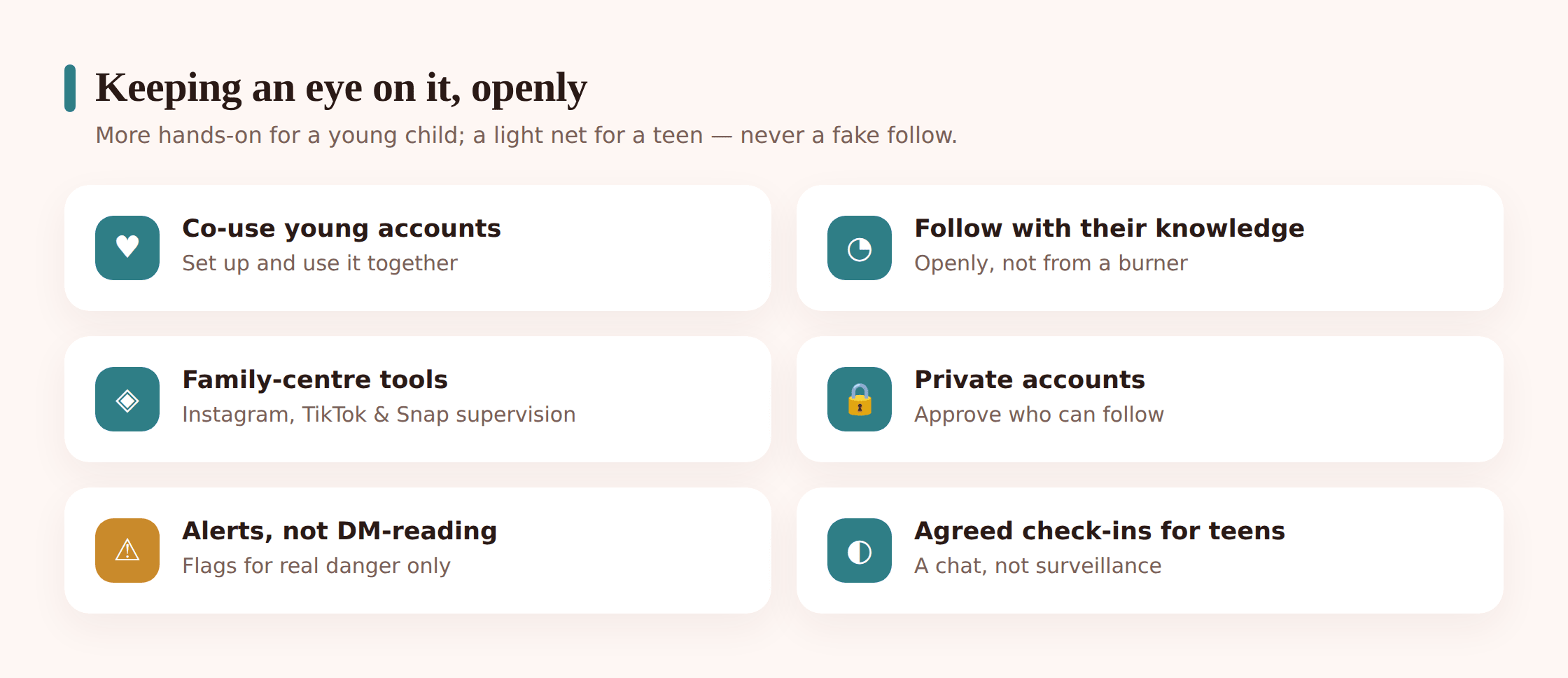
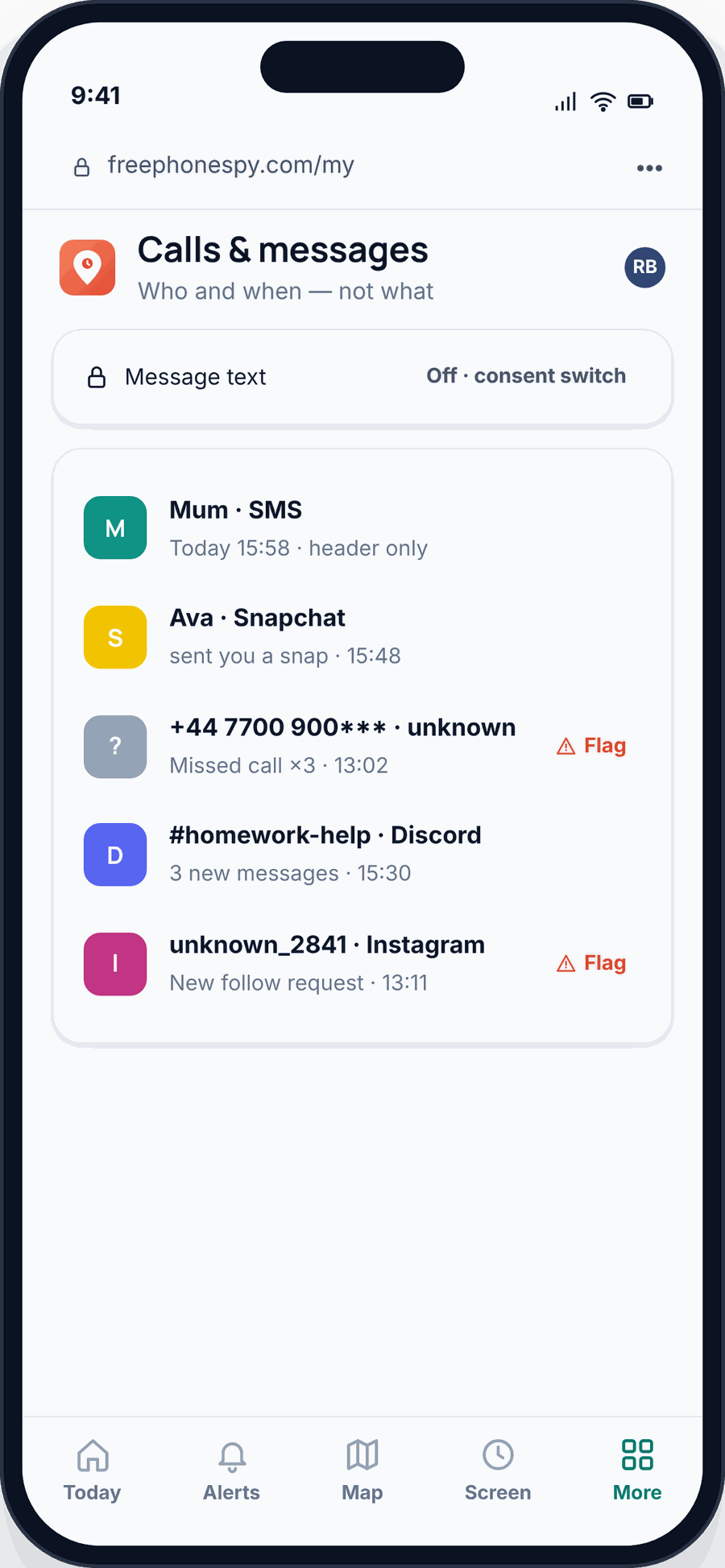
Platform tools have a gap: a child can use apps you didn’t know were installed, and the built-in controls don’t give you a single view across everything. Device-level visibility fills that gap — but the responsible version is deliberately narrow. It’s about knowing which apps are used and roughly how much, and getting alerts on the genuinely concerning — not opening up every private message.
Set up open visibility in five steps
- Agree it first. Ahead of flipping any switch, walk your child through what will show up on your side — which apps they use, time spent, and alerts for real danger — and, just as importantly, what you won’t be reading. No surprises.
- See which apps are in use. Get a simple list of the social and messaging apps on the phone, including any new ones. This catches the app you didn’t know existed far better than checking the home screen.
- Look at time, not transcripts. A sense of how long is spent where tells you plenty about the addictive-design pull without opening a single conversation.
- Set alerts for the genuinely concerning. A notification when an unknown adult makes contact, or a keyword tied to real danger appears, lets the important thing come to you — instead of you reading everything hunting for it.
- Review lightly, and taper off. For most households a quick weekly look does the job. The more sound judgement your child shows, the less you check and the more you pass to them.
The line to hold is simple: visibility of the shape of things — which apps, how much, and a flag on real danger — is protective. A full log of every post and DM is not, past early childhood, and it costs you more than it gives. If you want the fuller picture of the categories a tool can and can’t see, our guide on what a parental monitoring app can track lays them out plainly.
Which signs are worth noticing
Nobody expects you to audit a feed every evening. On an ordinary week the timeline is birthday posts, in-jokes, a friend’s new haircut and forty near-identical selfies, and that ordinariness is its own good news. The thing to stay alert to is a shift away from how your child usually behaves online — a habit or a mood that no longer fits their pattern. Taken one at a time these prove nothing, since teenagers are moody and apps are noisy; it’s two or three of them landing together that earns a quiet closer look.
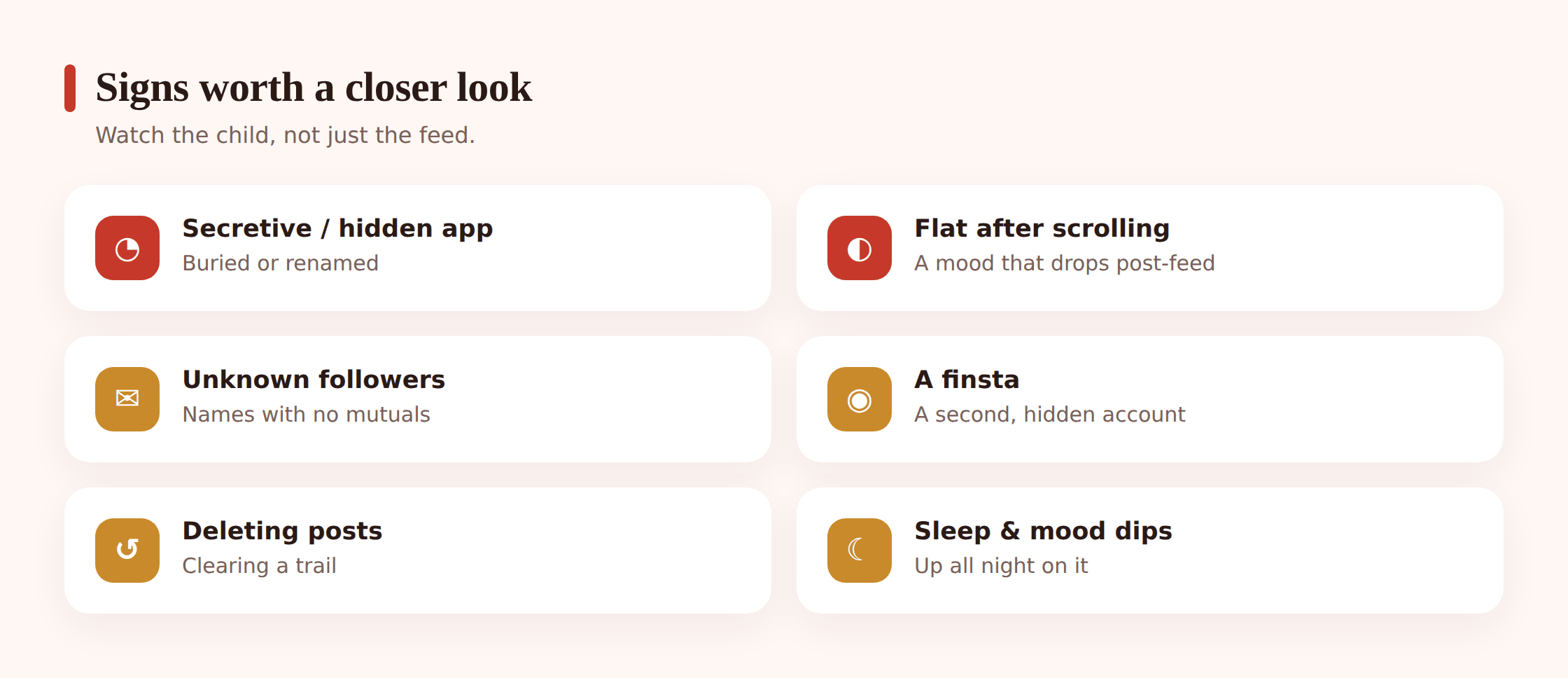
- A new social app on the phone that never came up in conversation, or one tucked into a folder and renamed so it doesn’t stand out on the home screen.
- A switch to Snapchat or disappearing messages, or the DM app closing the instant you sit down next to them — content they’d rather leave no trace of.
- A follow request, a like or a DM from an adult with no mutual friends, or a stranger who suddenly comments on every post and moves fast to “let’s chat somewhere private”.
- Deflation that lands right after a scrolling session — a flat mood after checking who liked a post, or after a group chat they won’t talk about.
- Refreshing the feed past midnight on a school night, or checking the like count on a new post over and over as if the number is a verdict.
- A finsta or throwaway second account — the “real” one kept away from you — that you only hear about by accident.
When you do spot a cruel comment thread, a stranger sliding into their DMs, or a post that gives away too much, resist the urge to react in that first flush. Wait until the adrenaline fades before you open your mouth — a nasty comment or a dodgy follower will keep for an hour, and reacting hot almost always makes the next conversation harder, not the danger smaller. If evidence matters, capture a screenshot of the DM, the profile page and the handle, then step back. Open with worry rather than a verdict: “I saw something that unsettled me and I’d like to understand it together” gets you further than “Who is THIS and why are they messaging you?” And never come down on a child for a post someone else wrote or a message they didn’t ask for — a kid caught in a pile-on or contacted by a stranger needs you on their side, not grounded, or the next incident goes straight underground.
The transparency conversation
The talk is what holds the rest together, and it goes better than most parents expect. Keep it brief and straight. Spell out what shows up on your side: the apps they use, a rough sense of time on each, and a family-centre or supervision alert if an unknown adult makes contact — and be just as clear about what you won’t be scrolling, namely the back-and-forth with friends and the comments under their posts, because that chatter belongs to them. Then say why it exists: strangers who target kids, comment-section cruelty and the odd horrible thing an algorithm serves up are all real, and you would rather spot a grooming DM or a pile-on early, alongside them, than piece it together weeks after the damage.
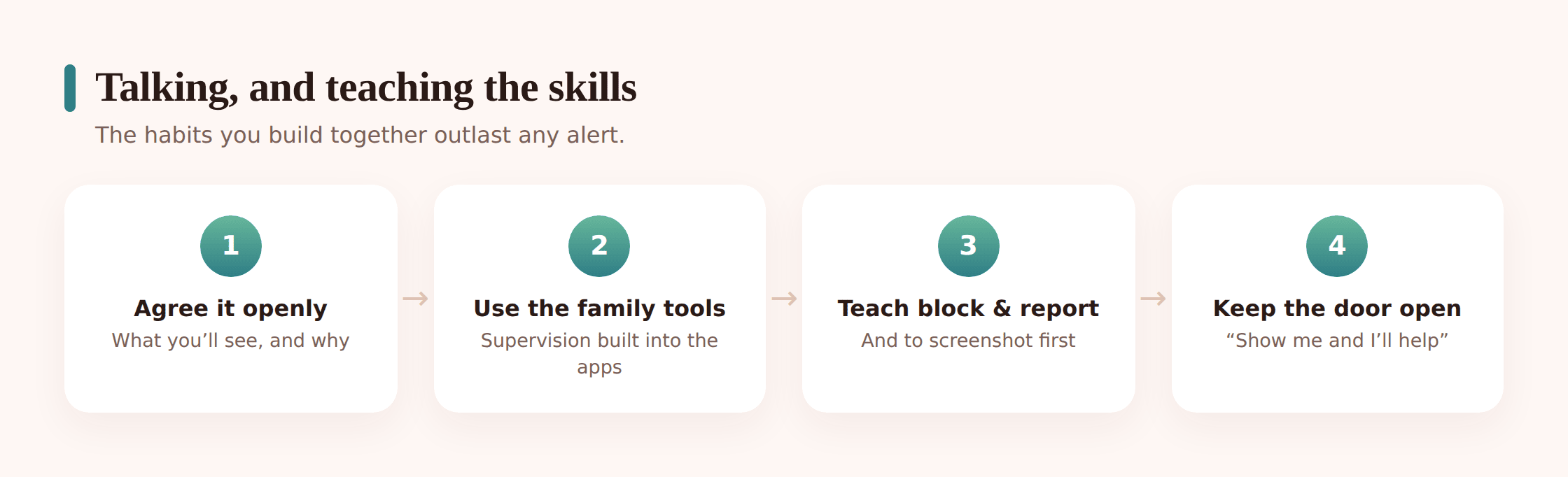
Then put it in writing, together. A short family agreement — a handful of plain lines everyone signs — turns one conversation into something you can point back to without relitigating it every week. The clauses write themselves: which platforms are allowed and from what age, every account stays set to private, the phone charges outside the bedroom at night, you’ll do open check-ins that loosen as they show good judgement, and — the line that matters most — if a DM, a comment or anything they see ever frightens or confuses them, they can bring it to you and land in no trouble at all. Make that promise out loud, then honour it the first time it’s tested, and your child will show you the screenshot no alert would ever have flagged.
Teaching kids to curate, block and report
Every setting is temporary. The child grows, borrows a friend’s phone, gets an account you don’t manage, turns eighteen. What lasts is what you’ve taught them, so the real project underneath all the controls is a kid who can look after themselves online and knows they can come to you.
Teach the small, sturdy habits. To curate: follow accounts that make them feel good and unfollow the ones that don’t; a feed is something you shape, not something that happens to you. To block and mute: a block is not rude, it’s a tool, and they never owe a stranger a reply or an explanation. To report: show them where the report button is on each app and what it’s for — a threatening message, a fake account, cruel content. To protect their privacy: think before tagging a location, posting a school badge or a real name, or accepting a follower they don’t know in real life. And above all, to come to you: repeat the standing offer until they believe it — “if you see something that scares or confuses you, tell me, and you won’t be in trouble for what you saw.”
That’s the endgame. Not an account you can see into forever, but a young person who uses social media with their own good judgement and a parent they trust as backup. Everything else on this page is scaffolding around that.
Where FreePhoneSpy fits
Should you want software for the device-level slice of this, FreePhoneSpy follows the same playbook laid out here. Setup happens alongside your child: their Android handset runs an on-screen transparency notice spelling out what gets shared, so nobody carrying the phone is kept in the dark. Its purpose is a read on which apps get used, how long, and alerts on anything worrying — not quietly harvesting every DM a teenager writes. The dashboard opens in any browser on your laptop or phone, with zero install on your end, and there’s a free tier to begin with. Treat it as an early nudge toward the conversation that needs having — never a stand-in for the platforms’ family settings, the regular chats, and the trust that are what genuinely protect a child.
Questions parents ask
Should I read all my child’s social media messages?
For most families, no. Reading a teenager’s DMs is intrusive, usually more than the situation needs, and it teaches them to move their real conversations to an app you can’t see. Knowing which apps they use, roughly how much, and getting an alert for genuine danger protects them just as well and keeps their trust. The younger the child, the more visibility is reasonable — a young child’s first account you co-use openly; a teenager deserves real privacy.
Should I make a fake account to secretly follow my child?
No. A burner profile made to spy on your own child’s feed is covert monitoring dressed up as caution, and it teaches them that following someone in disguise is normal. If you want to see their posts, follow them openly from your real account with their knowledge, as part of the agreement you set up together. Secret following is the wrong approach.
What are the platforms’ family tools, and are they enough?
Instagram’s Teen Accounts and Supervision, TikTok’s Family Pairing and Snapchat’s Family Centre let you link to your child’s account and share the safety-relevant parts — who they’ve added, time spent, some alerts — without reading private messages. Combined with a private account, they do a lot of the job openly. For most families they’re the right place to start, with device-level visibility added only if you need a single view across everything.
My teenager wants privacy. How much monitoring is too much?
For a teen, keep it light: know which apps they use, keep an alert for real danger like an adult stranger making contact, and do agreed check-ins that are conversations rather than inspections. Reading every post and DM is too much — it breaches the ordinary privacy a teenager is entitled to and pushes their real life out of view. The right amount of oversight shrinks as they grow, and easing off is part of doing it well.
I found something worrying — what do I do first?
Let the adrenaline settle before you say a word; a mean thread or a stranger’s DM won’t get worse in the next hour. Screenshot the message, the profile and the username so you have a record, then talk with worry rather than accusation and let your child explain it. Don’t punish them for something aimed at them, like a grooming message or a coordinated pile-on — that only teaches them to hide the next one. Use the app’s own tools: block the account and report it inside Instagram, TikTok or Snapchat. If it points to an adult targeting your child or any serious harm, keep the evidence, don’t message the person yourself, and take it to the platform and, where it’s warranted, the police.
Watching over a child’s social life was never a matter of reading every post they publish. It comes down to staying near a young one on their first account, granting a teenager privacy under a thin safety net, flipping on the controls the platforms hand you for free, and being the grown-up your kid turns to when something feels off. A light, honest hand — oversight scaled to their age, a warning for genuine danger, and trust that widens as they mature — guards a child far more effectively than any complete transcript, and the bond between you survives it intact. That is the sort of looking-after that truly keeps a kid safe.