Geofence Alerts
Draw a zone around home, school, or practice. FreePhone tells you when your child enters or leaves it.
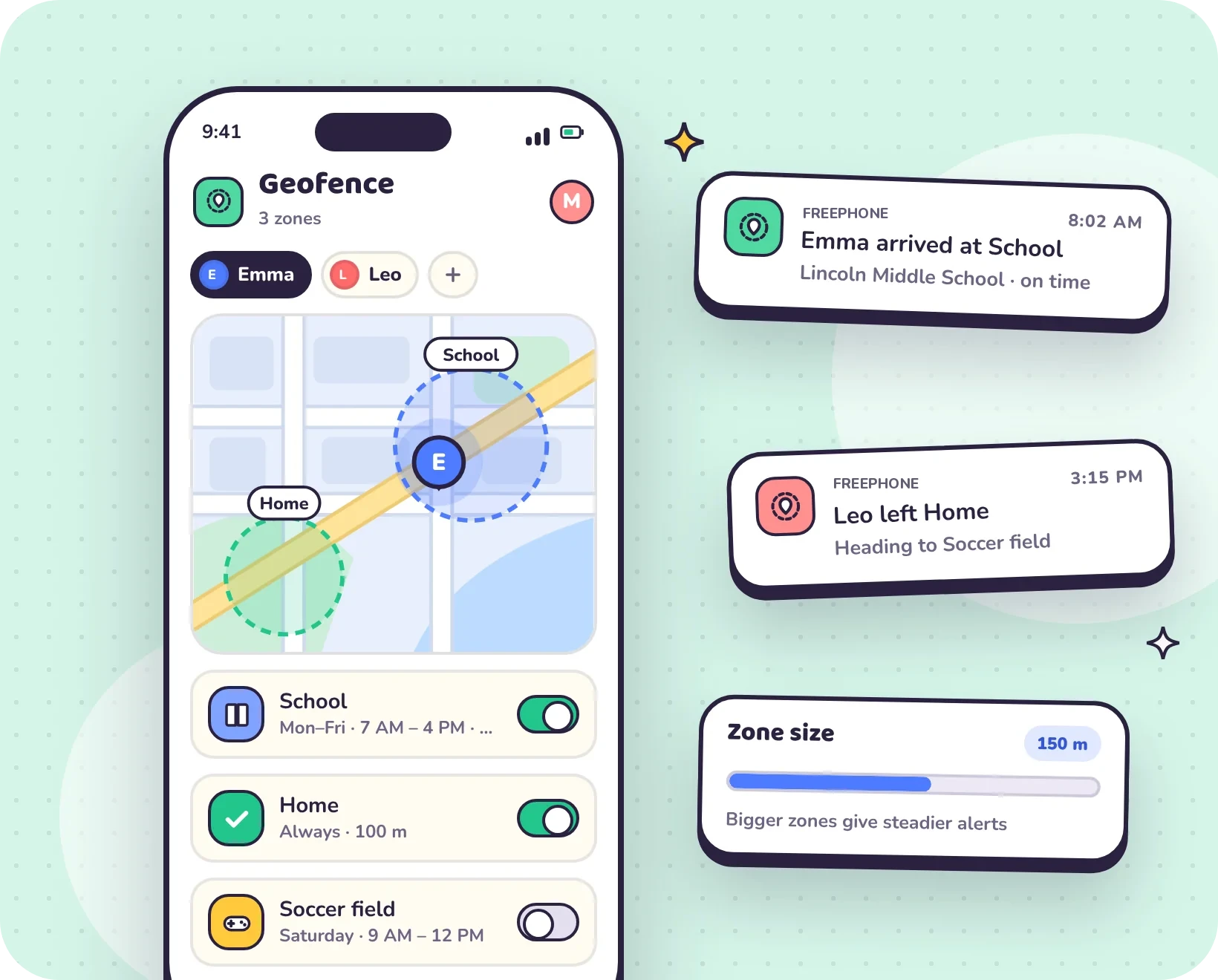
Get alerts when your child arrives at or leaves a place.
Custom zones
Place a circle on the map and choose its size.
Arrive and leave alerts
Get a notification when your child crosses the edge of a zone.
Schedules
Only get alerts during set hours, like school days from 8 to 3.
Many places
Add as many zones as your family needs.
Why parents use Geofence Alerts
You do not need to check the map all day. Zones tell you the moments that matter: arrived at school, left practice, got home.
Tips for parents
- Start with two zones: home and school.
- Make zones at least 100 meters wide for steady alerts.
- Use schedules so you only get school alerts on school days.
Three steps
Open Geofence and tap Add zone.
Move the circle to the place and set its size.
Choose which child it applies to and when to alert you.
Geofence Alerts FAQ
How accurate are zones?
Most phones are accurate to about 50 meters (150 ft). A zone of 100 meters or more gives steady alerts.
Will I get alerts at night?
Only if you want them. Each zone can have its own schedule.
How many zones can I add?
As many as you need. All zones are free.
Try Geofence Alerts free
Free on Android and the web. Set up in about 5 minutes.