Is TikTok Safe for Kids? A Parent’s Guide
Your kid opens TikTok “for five minutes” and surfaces forty minutes later. You’ve seen it happen. The app is funny, clever, and genuinely creative — and it’s also built to keep small thumbs scrolling long past the point of fun. So is it safe? The honest answer is: it depends on the settings, the account, and the conversations you’re having at home. Here’s what actually matters, and what you can do this week.
Why kids can’t put it down
TikTok is short videos, one after another, chosen for your child by a recommendation engine called the “For You” feed. They don’t have to search for anything or follow anyone. They just watch, and the app watches back — how long they linger, what they replay, what they scroll past in half a second — and it uses all of that to serve the next clip. Then the next. It gets uncannily good, fast.
Add sounds and songs that turn into shared jokes overnight, creators your child feels they know, and a comment section full of their mates, and you’ve got something genuinely sticky. This isn’t a moral failing on your kid’s part. The app is engineered by very smart people to hold attention, and it’s competing against homework, sleep, and dinner. Understanding that is the start of dealing with it calmly rather than confiscating the phone in a panic.
The real risks, explained
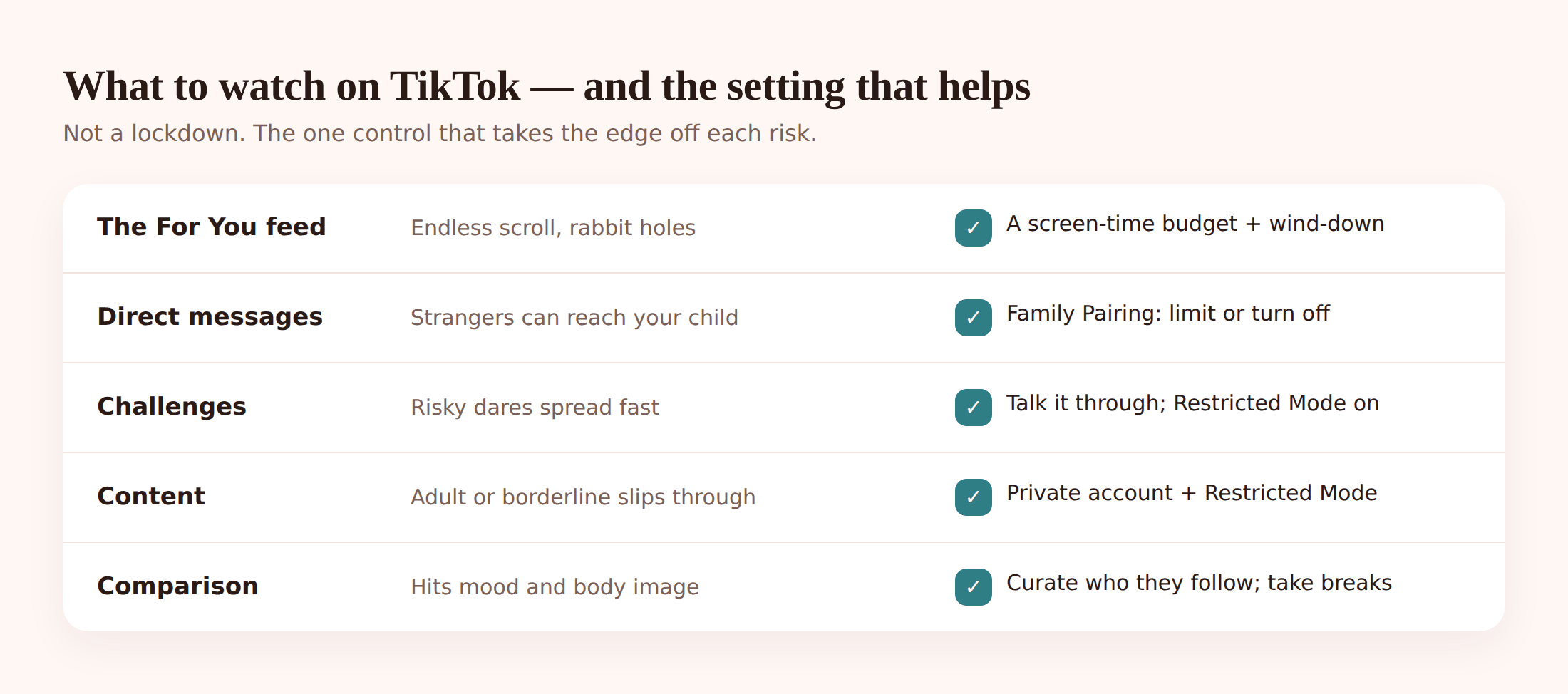
“Is it safe” isn’t one question. It’s about seven, and they don’t all apply to every child equally. Here’s each one, plainly.
The algorithm and rabbit holes. The For You feed is brilliant at finding what holds your child — which is great when that’s skateboarding tricks and terrible when it’s something darker. A few seconds of lingering on the wrong clip can tilt the whole feed. Kids can slide from harmless content into diet culture, self-harm-adjacent posts, or extreme viewpoints without ever searching for them. The feed just kept offering, and they kept watching.
Doomscrolling and the time sink. Because there’s no natural stopping point, TikTok eats time in a way a TV episode doesn’t. “One more” has no end. This is the risk that touches every child, even the sensible ones, and it’s the one you can do the most about.
DMs from strangers. Direct messages are where a lot of the real danger lives. An open account can be messaged by people your child has never met. Grooming rarely looks like grooming at first — it looks like a friendly older kid who’s into the same games. Locking down who can message your child is one of the highest-value things you can do.
Dangerous “challenges”. Every so often a viral dare goes around — hold your breath, eat something you shouldn’t, climb something you shouldn’t. Most are silly. A few have hurt or killed children. Kids do them for the video, for the reaction, because everyone else is. Younger children especially struggle to weigh “it’s on TikTok” against “this could actually harm me”.
Adult and borderline content slipping through. Filters aren’t perfect. Sexual content, graphic material, and language well past their age all leak into feeds that are supposed to be clean. Restricted Mode helps and doesn’t catch everything.
Comparison and body image. An endless reel of edited, filtered, best-moment lives is hard on adults, let alone a self-conscious eleven- or fifteen-year-old. Beauty filters, “what I eat in a day”, and gym content can quietly do a number on how a kid sees their own body. This one’s easy to miss because there’s no single bad video to point at.
In-app spending and gifts. During live streams, viewers buy virtual “gifts” with real money to send to creators. Kids can rack up spending fast, especially if your card is saved to the account. Check what payment methods are attached and whether purchases need a password.
Data and privacy. TikTok collects a lot — location signals, contacts if allowed, detailed behaviour. A public account means strangers can see your child’s videos, comments, and often enough to work out their school or routine. A private account is the single biggest privacy fix, and it’s one toggle.
Age 13+, and whether it fits your child
TikTok’s minimum age is 13. That’s not a suggestion from a health body — it’s mostly about data-protection law, not a judgement that 13 is the right age for your particular kid. Plenty of younger children are on it anyway, often on an account that claims they’re older, which quietly switches off the extra protections that under-16 accounts get.
So the real question isn’t “is my child old enough for TikTok” in the abstract. It’s whether this child, with their temperament, handles it well. A settled 15-year-old like Sophie in our example family might use it socially and put it down. An 11-year-old like her brother Ethan may not have the brakes yet — and if he’s on it, an honest account age plus tighter settings matters even more. There’s no shame in deciding your younger one waits a year or two. “Not yet” is a complete sentence.
Settings that help: Family Pairing, step by step
TikTok has a genuinely useful parental tool called Family Pairing. It links your TikTok account to your child’s so you can manage key settings from your own phone. Set it up with them, not behind their back.
- Get both phones. On your phone and your child’s, go to Profile → Menu (≡) → Settings and privacy → Family Pairing.
- Choose roles. Pick “Parent” on yours and “Teen” on theirs. Scan the QR code to link the two accounts.
- Set who can DM. Under the paired controls, set Direct messages to Friends or No one. For younger kids, “No one” is a reasonable default. Note DMs are off entirely for registered under-16 accounts.
- Turn on Restricted Mode. This filters out content that may not be suitable for younger viewers. It’s not perfect, but it’s better than off.
- Make the account private. On the child’s app: Settings and privacy → Privacy → Private account → on. Now only approved followers see their posts.
- Control comments. Under Privacy, set who can comment to Friends and turn on comment filters to hide spam and offensive words.
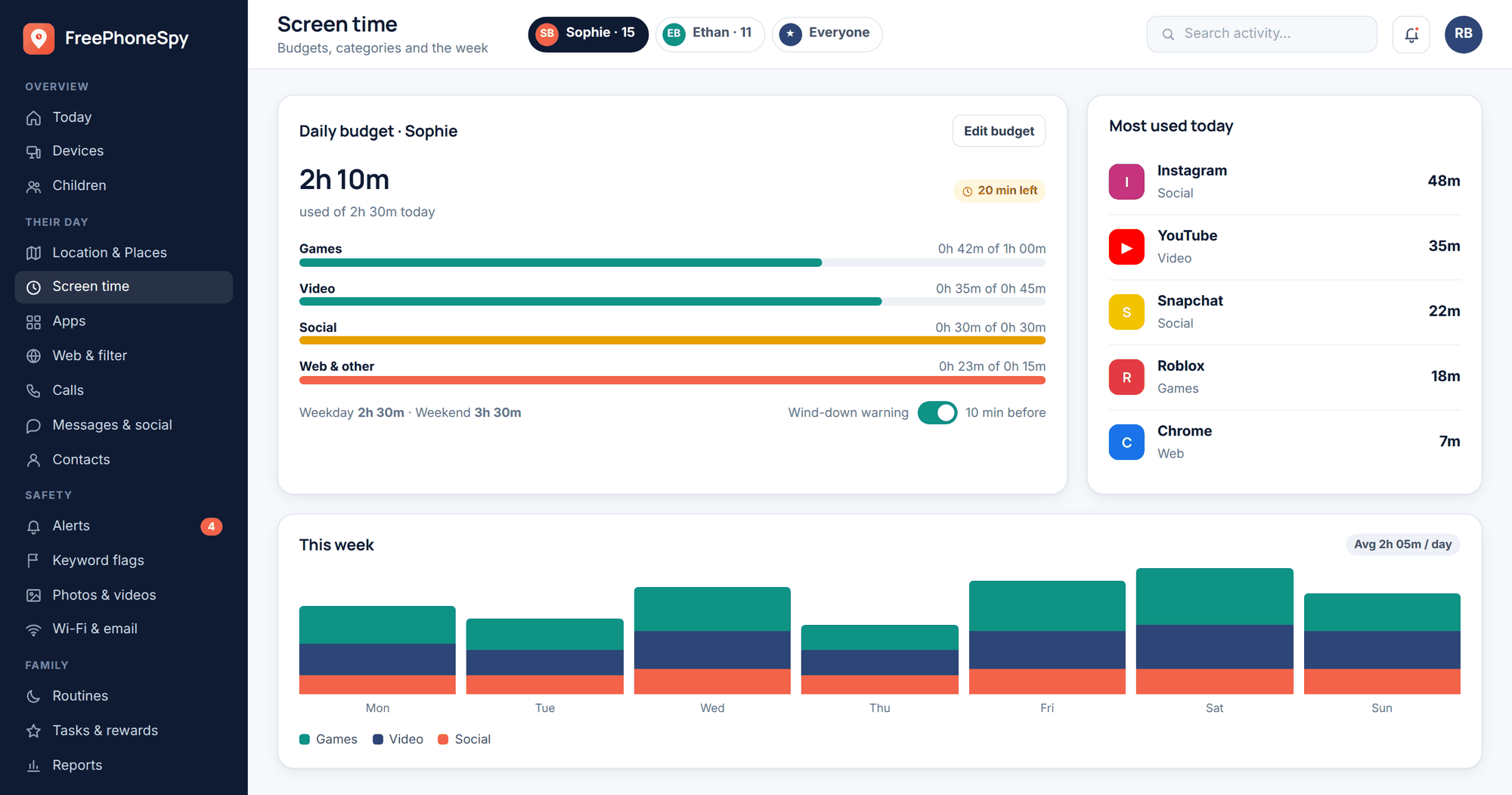
- Set screen time. Family Pairing lets you set a daily time limit inside the app itself. Agree the number together so it doesn’t feel like an ambush.
These controls are real and worth doing. Their weakness is that they all live inside TikTok, which your child also controls, and a determined teen can create a second account you don’t know about. That’s why in-app settings work best alongside limits set at the phone level, which we’ll get to next.
Where phone-level monitoring fits (and where it doesn’t)
TikTok’s own settings manage TikTok. A phone-level tool manages the whole device — which matters because “block TikTok during homework” is more reliable than hoping a teenager keeps to an in-app timer. This is where FreePhoneSpy’s screen time and app controls come in, and it’s worth being straight about what they can and can’t see.
FreePhoneSpy runs on the child’s Android phone as one visible app, paired with a 6-digit code, and you check in from any web browser. (If your child is on an iPhone, this is Apple’s turf — use Screen Time and Family Sharing instead.) Here’s what it does for the TikTok problem specifically.
- App limits and blocking. Cap TikTok to a daily budget, or block it outright during homework and bedtime. Set it once from the app and website blocking panel; it applies on the phone whether or not your child is cooperating that evening.
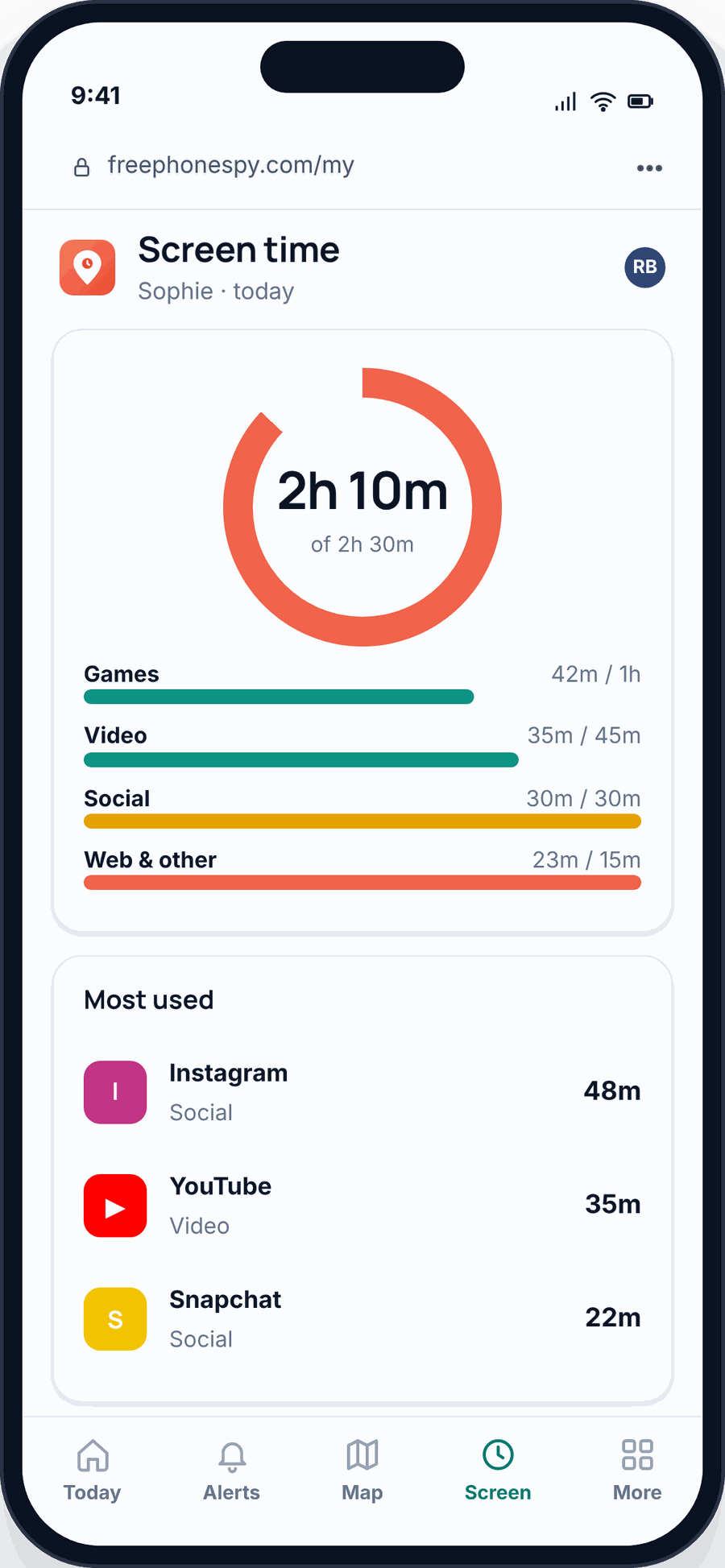
- A screen-time budget. A whole-phone daily limit with a wind-down before bed, so the scroll has an end even when TikTok’s own timer gets ignored.
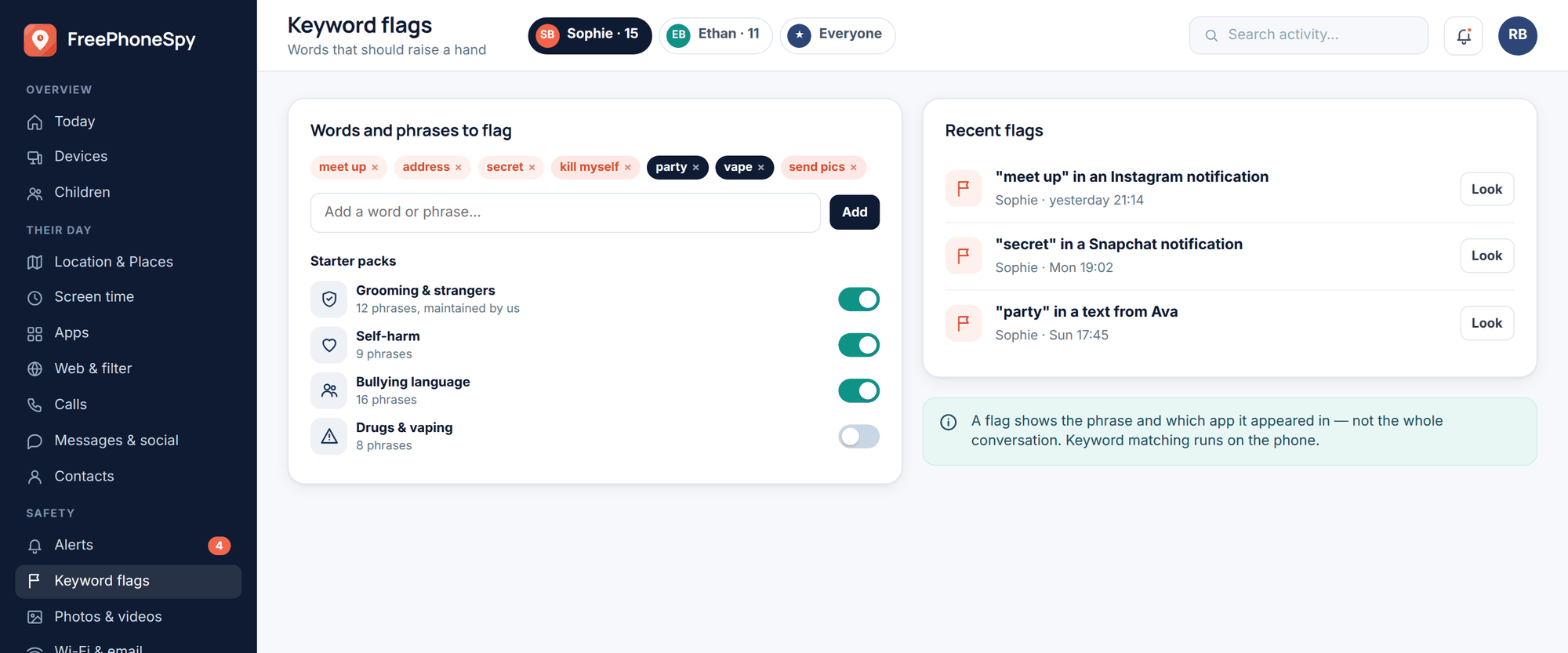
- Keyword alerts. Set words that matter to you and get a heads-up when they show up in notifications and readable text. Useful for catching a worrying “challenge” name or bullying language early. Set these in alerts and keywords.
- TikTok notification lines. You’ll see notification headers — “so-and-so sent you a message”, “so-and-so mentioned you” — which tells you activity is happening and with whom, without pretending to read the conversation.
Now the honest limit, because it’s the most important sentence on this page: you cannot read the inside of TikTok’s private DMs. No legitimate parental tool cracks open another app’s encrypted messages, and you should be wary of anything that claims it can. What you get at the phone level is the shape of things — how long, how late, notification headers, keyword flags — not the full text of a private chat.
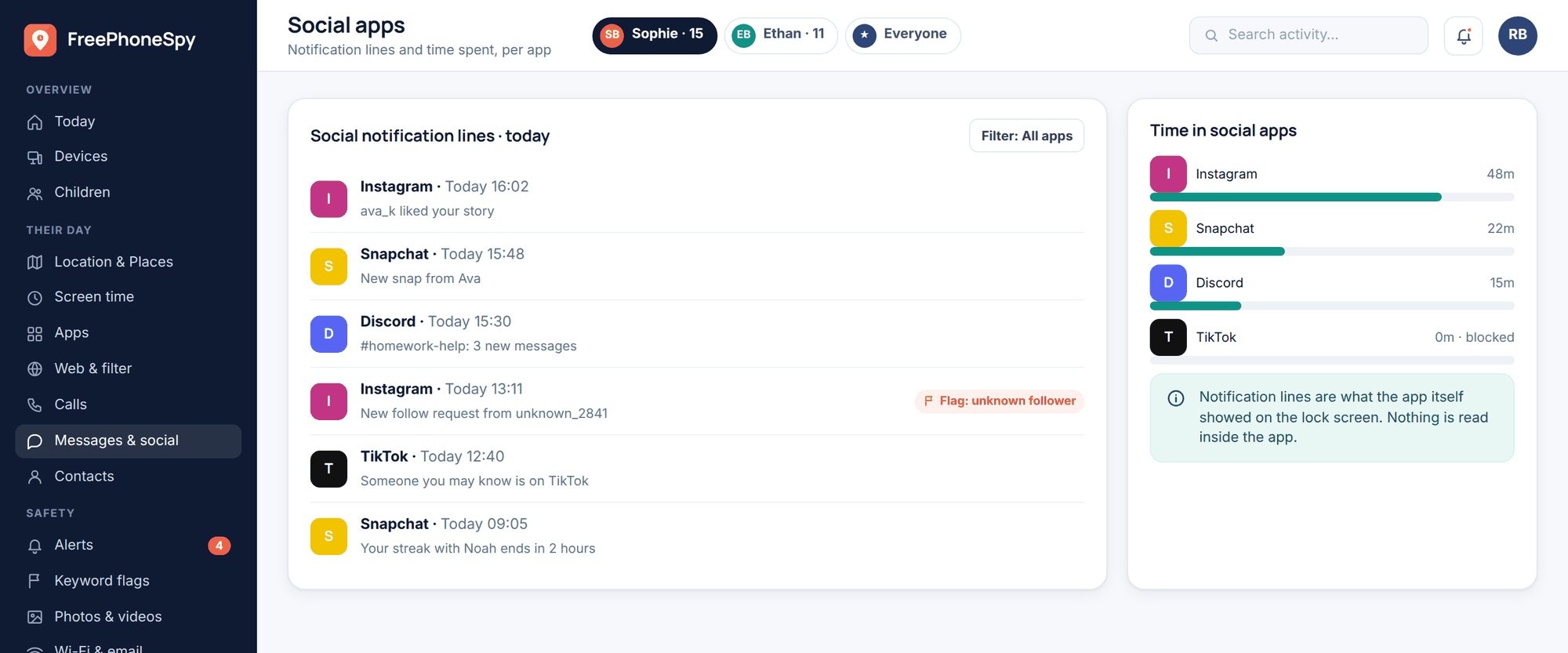
FreePhoneSpy leans into that honesty rather than around it. The messages and social view shows headers by default — who and when — and the actual message bodies only appear if you and your child switch that on together. It’s designed for a parent supporting their own child in the open, which is a very different thing from spying. If you want the full argument for why that distinction matters, we lay it out in monitoring vs spying.
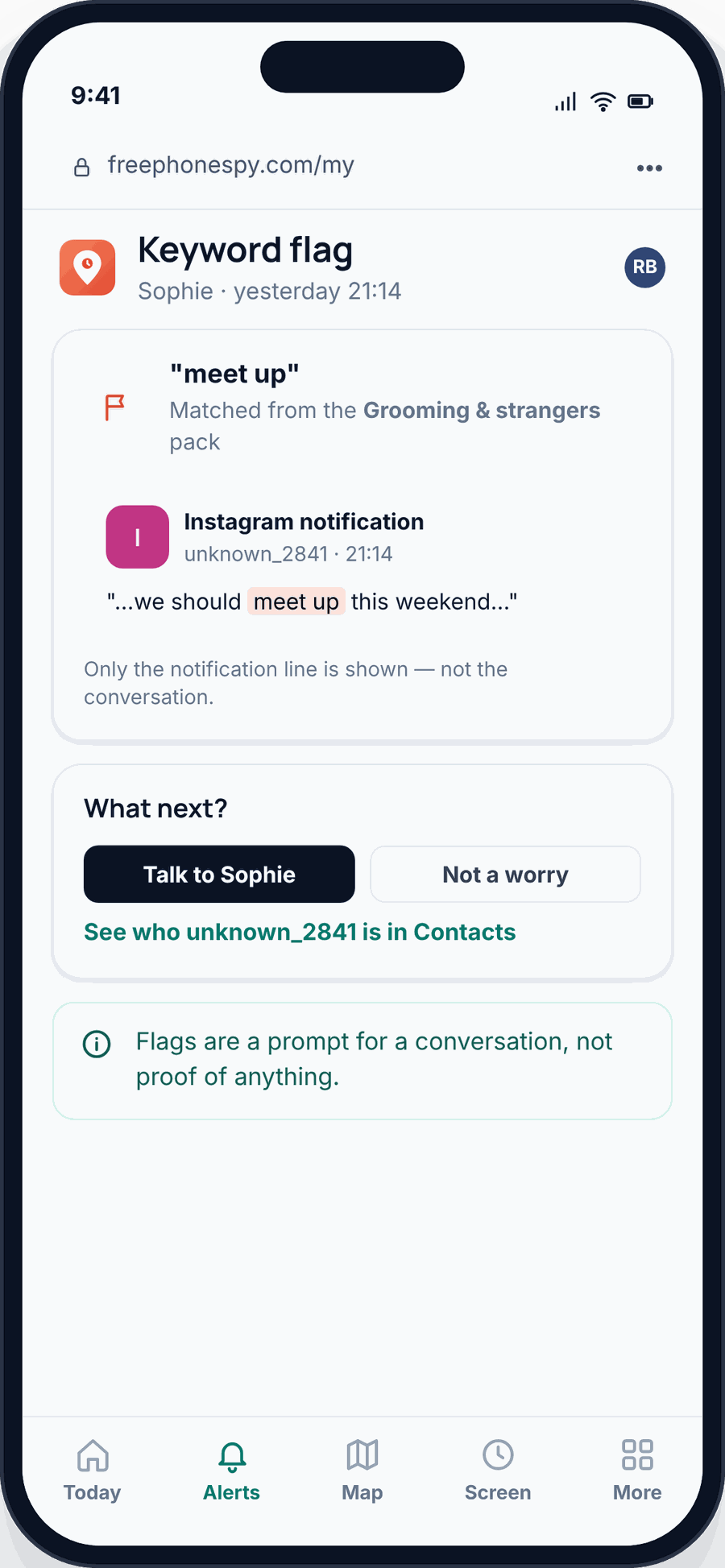
So phone-level tools handle the two things TikTok’s own settings are weakest at — time and cross-app enforcement — and give you early warning through keywords and notification lines. They don’t hand you a transcript of your kid’s private messages. For that, there’s no software shortcut. There’s just talking.
Taming the scroll
The time sink is the risk that hits every child, so it’s worth solving properly. A few things that actually work, in rough order of effort.
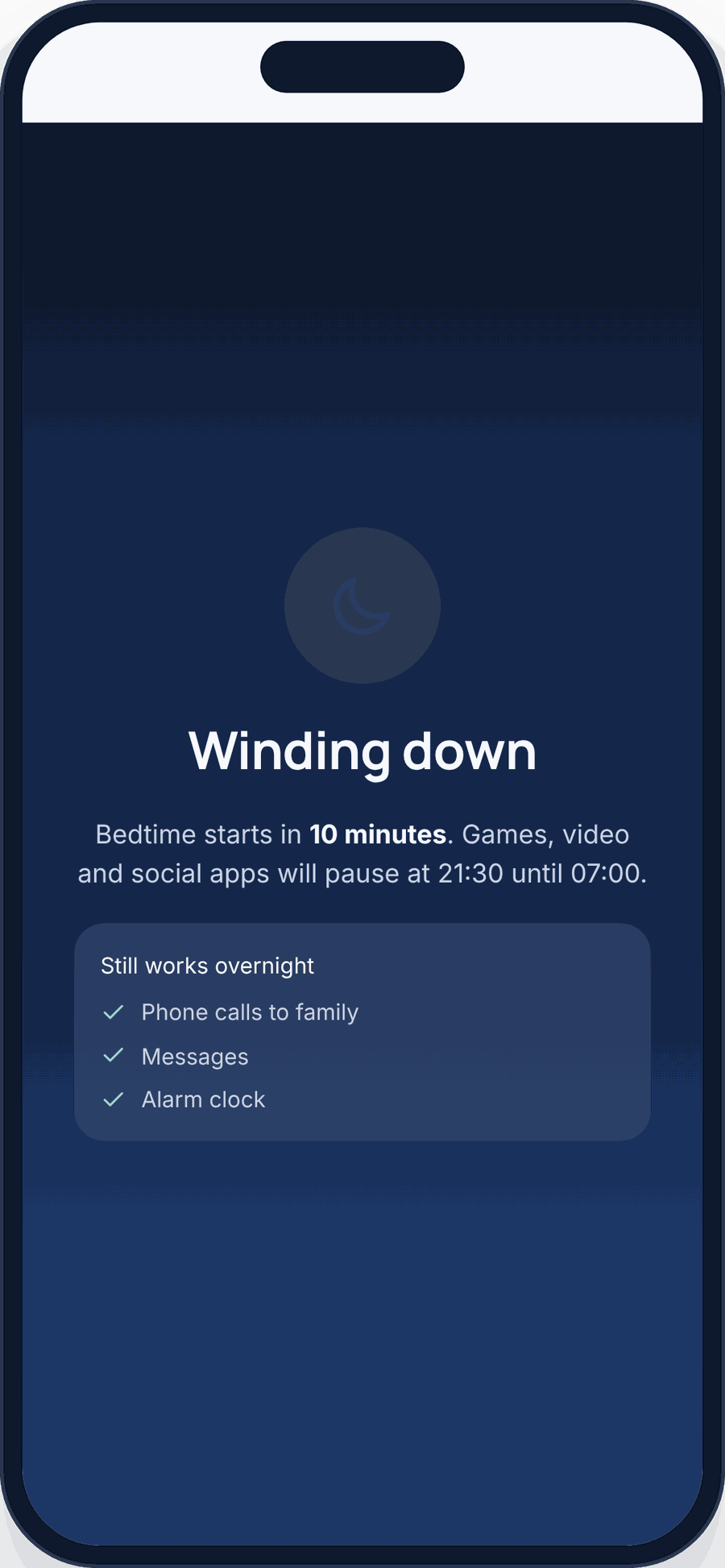
- Set a real budget. Agree a daily number of minutes and hold to it. A number you both signed off on gets far less pushback than a limit sprung on them.
- Use a wind-down. A gentle “you’re near your limit” a few minutes before the end beats a hard cut-off. It gives your child a chance to finish and put it down themselves.
- No phone in the bedroom overnight. This one’s boring and it’s the most effective. Phones charge in the kitchen. Sleep improves, late-night scrolling stops, and a lot of DM trouble simply can’t happen at 1am if the phone’s downstairs.
- Block during homework. A focused block from, say, 5 to 6pm removes the “quick check” that turns into an hour. Set it in app and website blocking and forget about it.
- Model it. If you’re doomscrolling on the sofa, they’ve noticed. You don’t have to be perfect, but “phones away at dinner” has to apply to you too.
The conversation that matters most
Settings are the easy 20%. The 80% is your child feeling they can tell you when something goes wrong — a creepy message, a nasty comment, a video that scared them — without losing the phone as punishment. If reporting a problem means confiscation, they’ll stop reporting.
Try this: instead of interrogating, ask “show me something you like on here.” Let them be the expert for ten minutes. You’ll learn who they follow, what the humour is, what’s normal on the app right now. It also makes the harder conversations — about strangers, about dares, about the diet stuff — land as interest rather than suspicion.
Agree the limits together and write them down: how long, which hours, account stays private, you’ll never punish honesty. Revisit as they get older; what’s right for 11 isn’t right for 15. TikTok trouble rarely shows up as one dramatic event. It’s a drift, and the kids who come through it well are the ones who tell a parent early. That relationship is the actual safety feature. For the wider picture across every app, our social media safety guide ties it together, and the sibling app that raises many of the same DM questions is covered in is Snapchat safe for kids. If the worry is other kids rather than strangers, start with our cyberbullying guide for parents.
FAQ
What age should my child be on TikTok?
Officially 13, mostly for data-protection reasons. Whether it suits your child is a separate call about their temperament and self-control. “Not yet” is a perfectly good answer for a younger kid, and if they are on it, register their real age so the under-16 protections actually apply.
Can I read my child’s TikTok DMs?
No — not the private message text, not with any legitimate tool. Be sceptical of anything claiming otherwise. You can see notification headers and set keyword alerts at the phone level, and you can restrict or switch off DMs in Family Pairing. Beyond that, the real tool is conversation.
What’s the single most important setting?
Two, really: make the account private, and set DMs to Friends or No one. Together they close off most of the stranger-contact risk in about a minute.
Does Restricted Mode block all the bad stuff?
No. It filters a lot of content that isn’t suitable for younger viewers, but things slip through. Treat it as one useful layer, not a guarantee, and pair it with a private account and honest conversations.
My child is on an iPhone. Does FreePhoneSpy work?
The child app is Android. On iPhone, use Apple’s Screen Time and Family Sharing for app limits and downtime, and use TikTok’s own Family Pairing for the in-app settings. The advice about DMs, private accounts, and talking applies just the same.
How do I stop late-night scrolling specifically?
Phone charges outside the bedroom overnight, and set a wind-down plus a bedtime block on TikTok in screen time. Removing the phone from the room does more than any single app setting.