At What Age Should You Monitor Your Child’s Phone?
There is no single age when phone monitoring switches on and no single age when it should switch off. It changes with the child, the device, and what they are doing on it. A six-year-old with a hand-me-down tablet needs a filter and a bedtime and little else. A fifteen-year-old with a full smartphone and three group chats needs a lighter, more targeted kind of attention. This guide goes through the ages one band at a time: what to switch on, what to leave off, and what to hand back at each stage.
The one rule that runs through every age
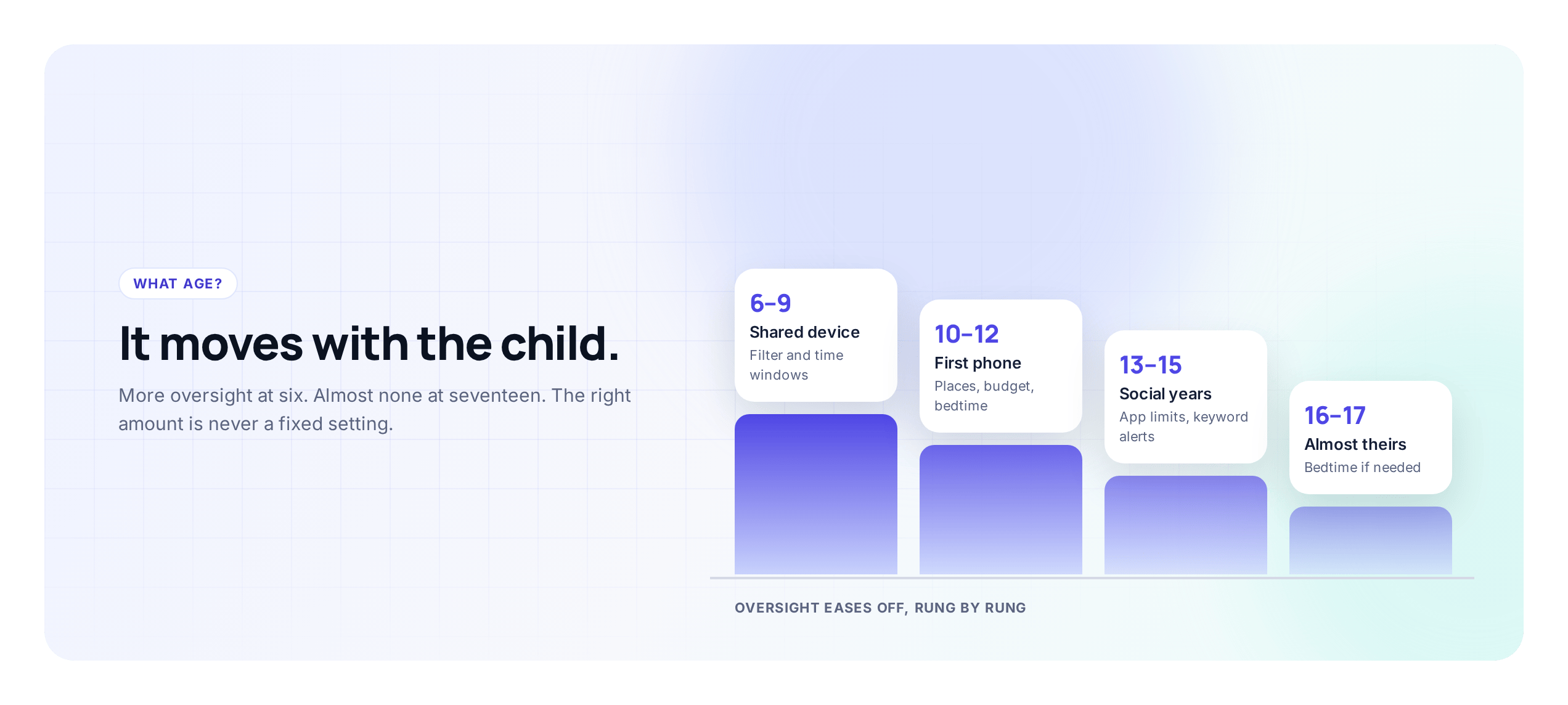
Monitoring should get lighter as trust grows, and your child should be able to see it doing so. A young child gets tight limits because they cannot yet judge risk for themselves. An older teen gets far fewer, because in a year or two nobody will be setting limits for them at all, and the job was always to get them ready for that. So the question at each age is not “how much do I lock down” but “what does this child need to practice next, and what still needs a guard rail while they practice it.” The general approach to setting any of this up openly is covered in the complete guide to child phone monitoring; this article is about matching it to the age in front of you.
Before the first phone: getting it right
The best monitoring you will ever do happens before the phone is unwrapped. Once a device is in a child’s hands with no rules attached, every limit you add later feels like something being taken away. Set it up the other way around and the whole thing is easier.
Have the conversation first. Agree, out loud, that this is a family phone you are lending rather than a private one they own outright, and that it comes with a bedtime, a filter, and a way for you to help if something goes wrong. Frame it as the deal that comes with the phone, the way a learner’s permit comes with a supervising driver. Then set the guard rails on day one, together, so the child watches you do it and knows exactly what is on.
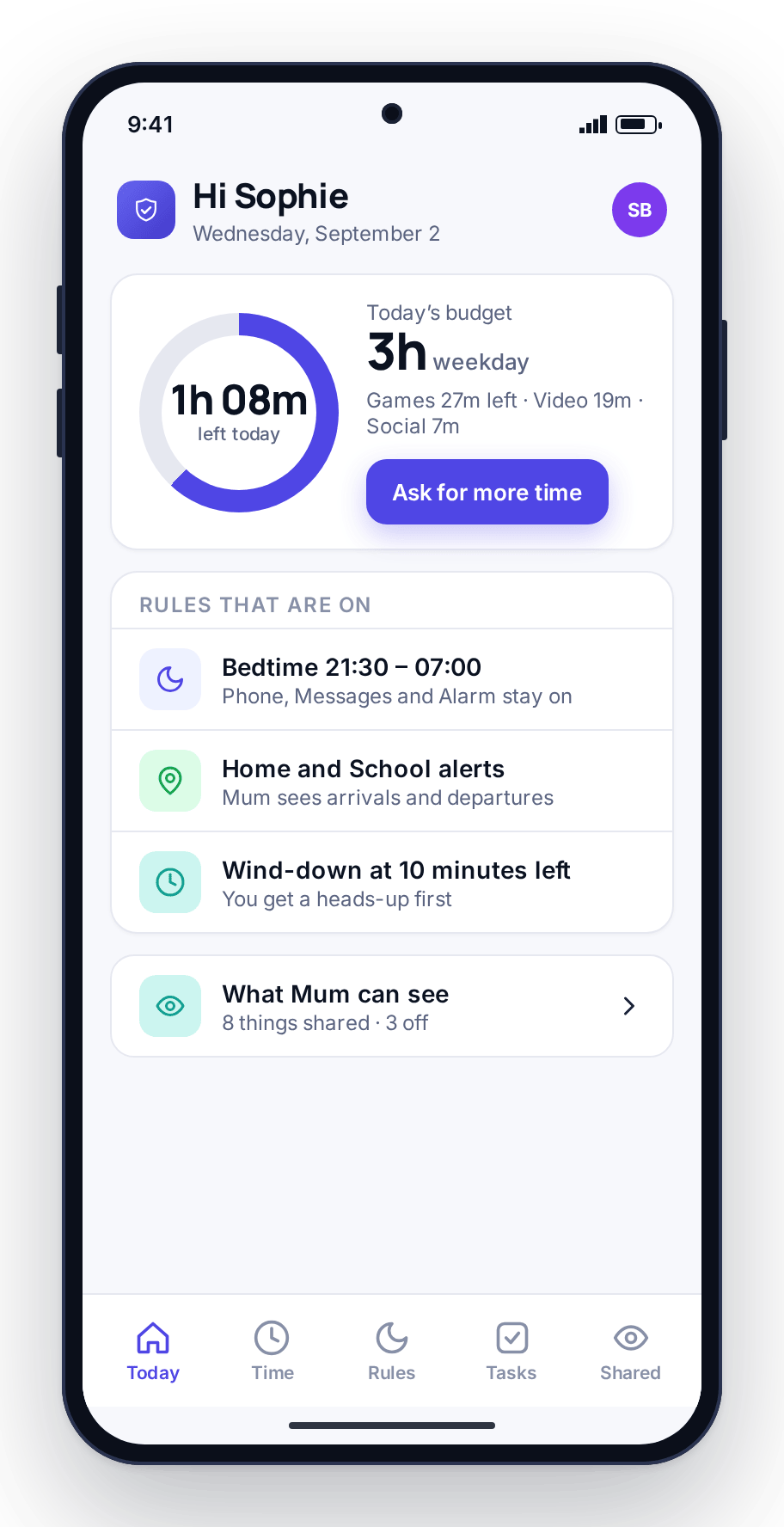
A first-phone starter set that works at almost any age: a content filter blocking adult and gambling categories, a bedtime routine that winds the phone down at night, a screen-time budget sized for their age, and essential apps (phone, messages, maps) left untouchable so they can always reach you. That is the floor. Every band below adjusts up or down from there.
Ages 6–9: the shared-device years
At this age most children do not need a phone of their own. What they usually have is access: a shared tablet, a parent’s old handset with no SIM, a games console. The monitoring that fits is simple and mostly automatic, because a six-year-old is not trying to outwit you. They tap things.
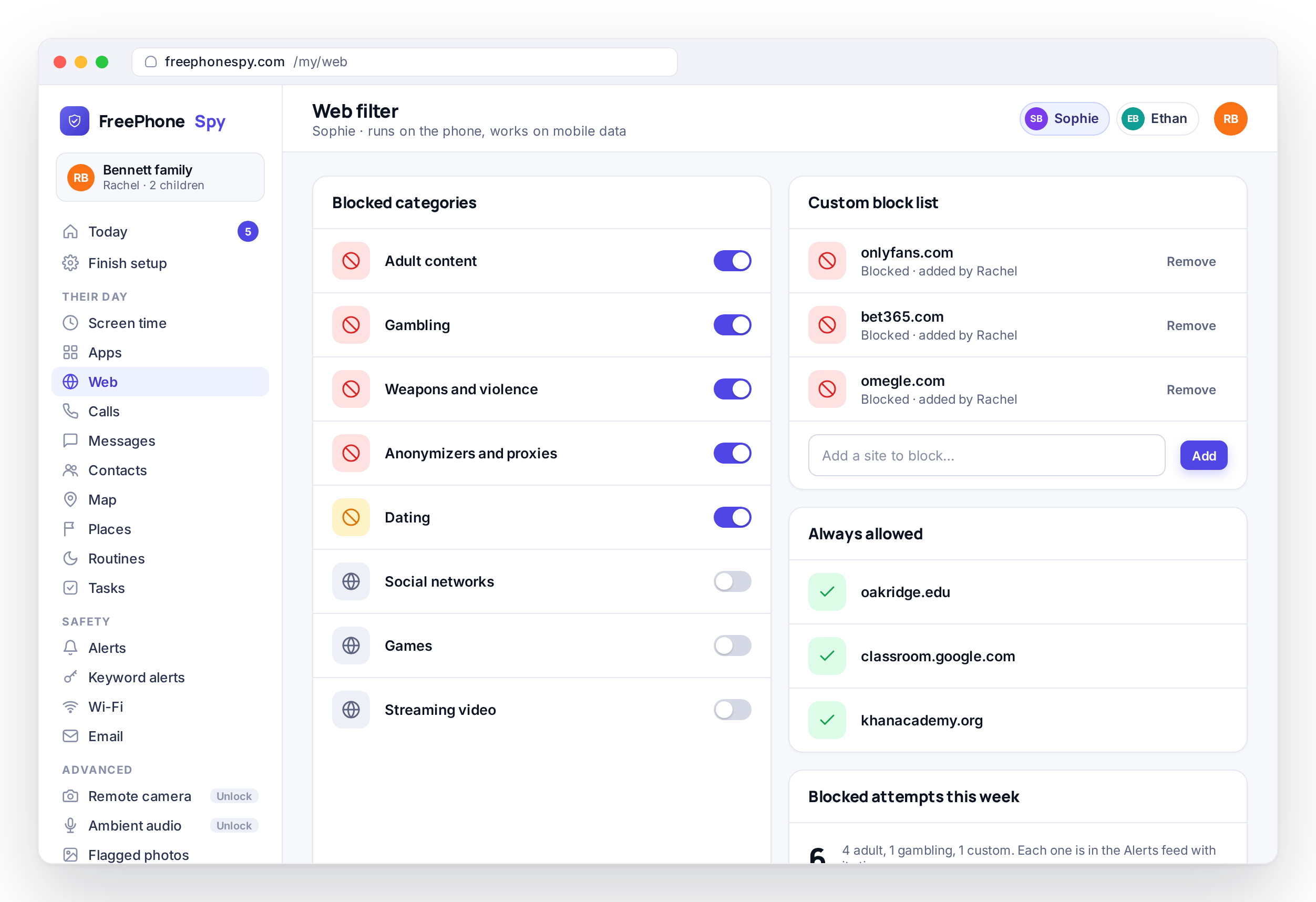
Keep it to a small set. A strong web and content filter is the big one, because the main risk at this age is stumbling into something upsetting rather than seeking it out. A tight screen-time budget matters too, since young children cannot stop on their own, and a firm wind-down with a warning a few minutes before does the stopping for them. Turn off in-app purchases and app installs so a curious tap does not run up a bill or add something you have never seen.
What you do not need at this age is the heavier set. Reading messages, tracking every location, logging calls: a seven-year-old on a home tablet is not doing anything that warrants it, and switching it all on trains you to ignore a lot of noise. Filter, time limit, bedtime, no purchases. That is a complete setup for this band.
Ages 10–12: the first real phone
This is the band where most families cross into a proper phone, often around the move to middle school when a child starts traveling alone for the first time. The reason for the phone changes here, to reaching you and getting to school safely, and the monitoring should follow that reason.
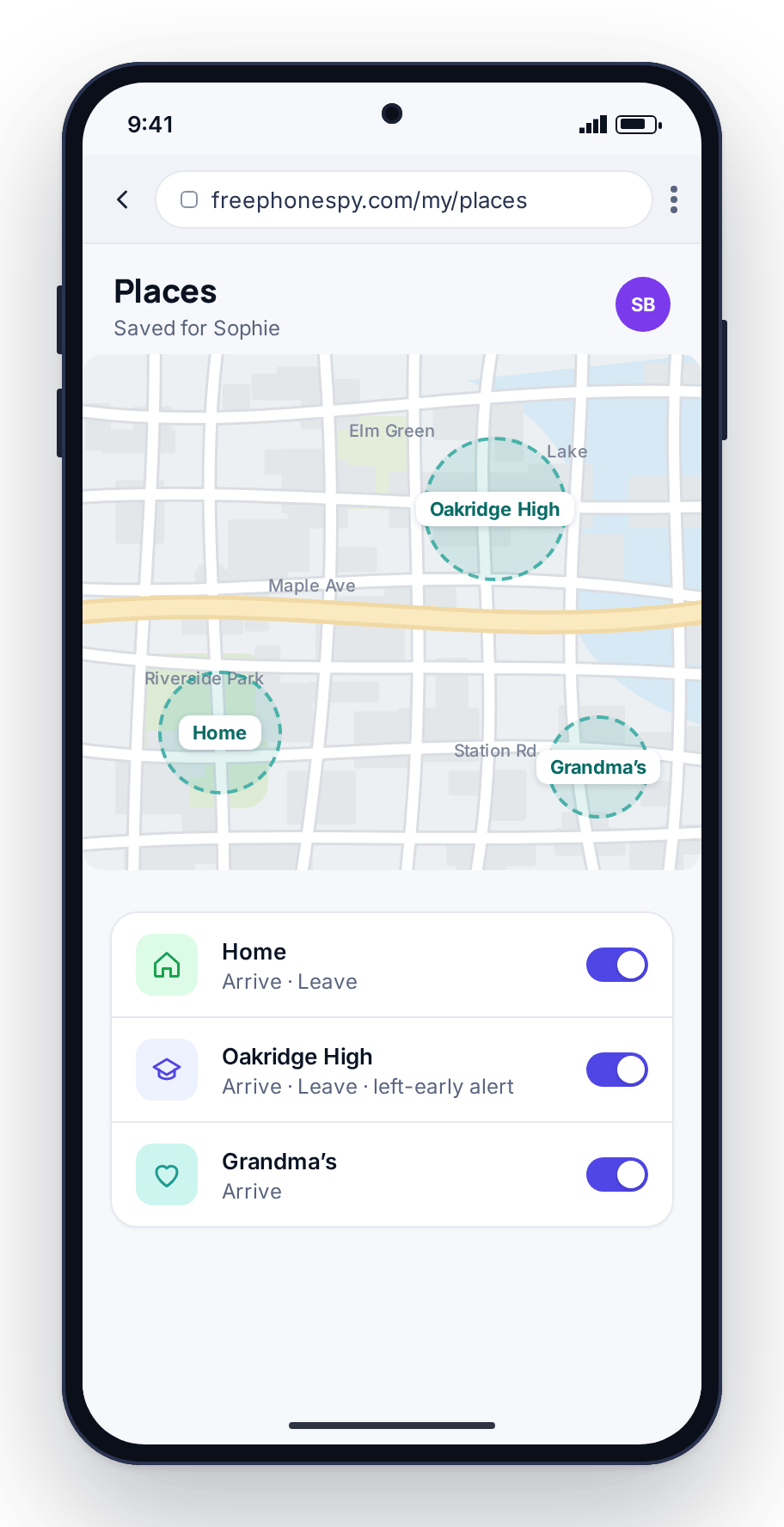
Location becomes useful now, not to hover but to answer real questions: did they get to school, are they where they said, do you need to leave to collect them. With location and saved Places you draw a circle around home and school and get an “arrived at school” notification instead of texting to ask. That is the half of monitoring a ten-year-old benefits from most.
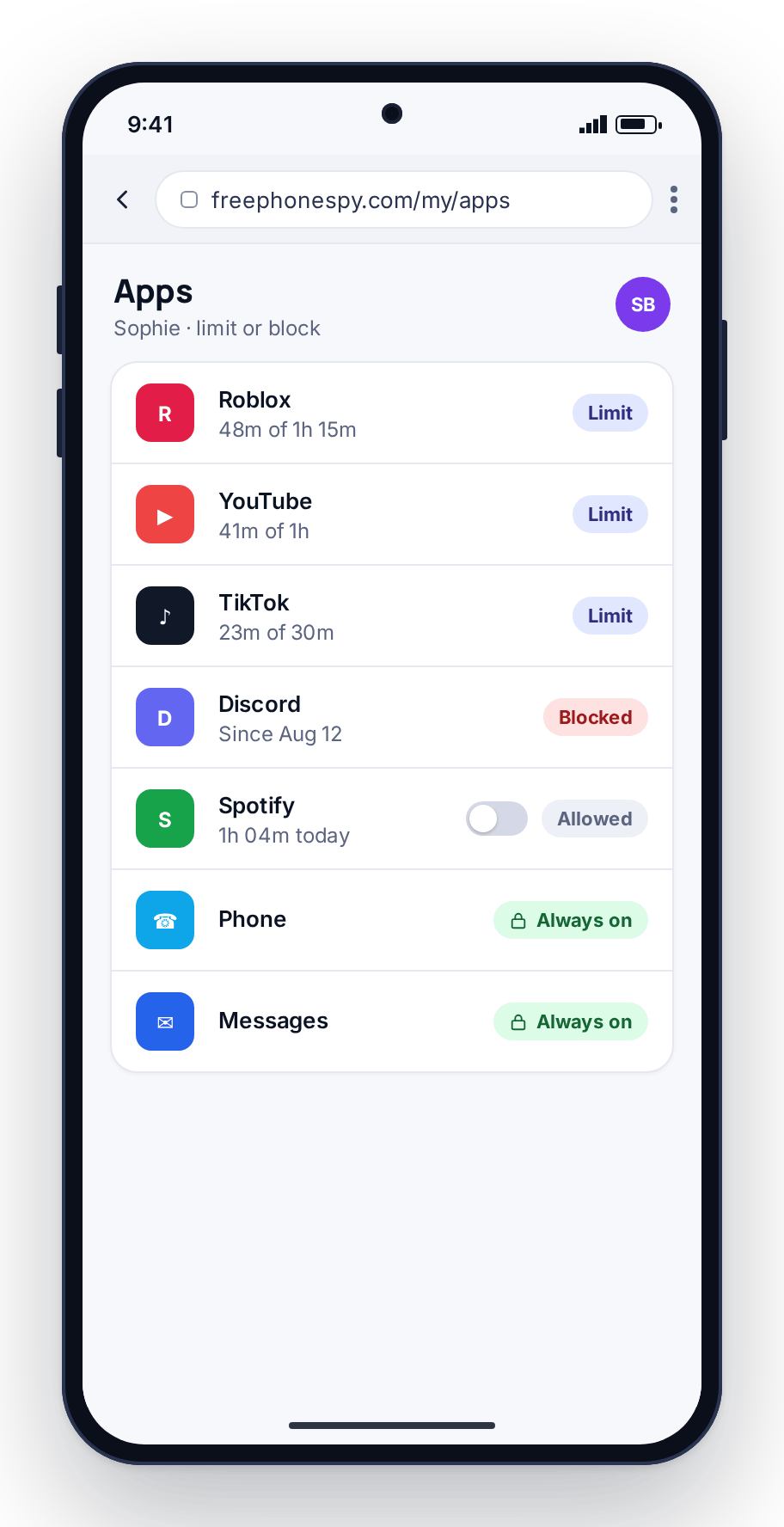
Keep the day-one guard rails from the first-phone set, then tighten the app side. At this age you are deciding which apps are allowed at all. Most social apps have a stated minimum age of thirteen, and eleven is a fair time to hold that line rather than fight it later. Per-app blocking keeps the phone useful while age-gated apps stay off until you are both ready.
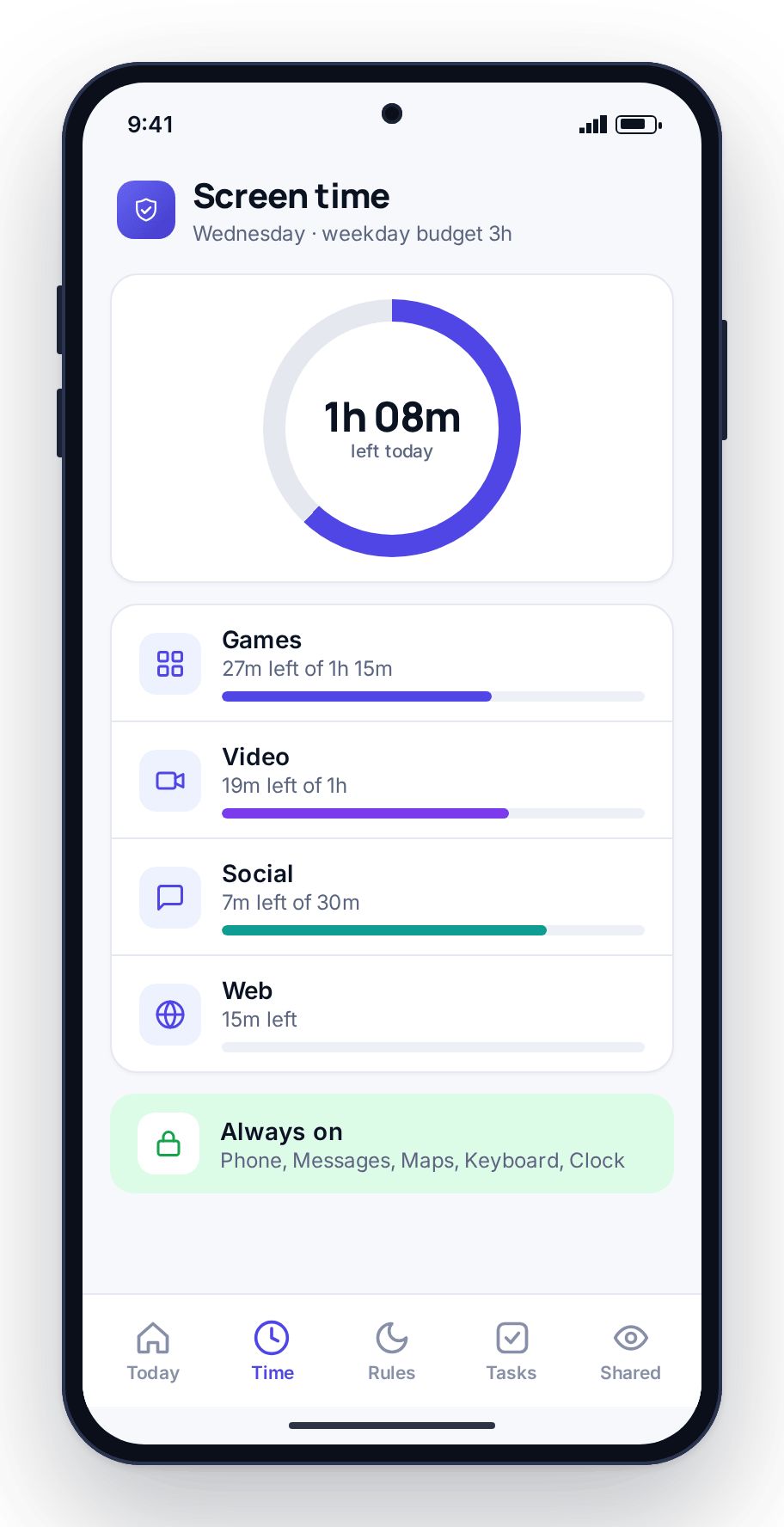
This is also the age to introduce the idea that limits can move. Show your child the screen-time budget on their own screen and tell them: handle this well and it grows. Our guide to screen time by age has starting numbers for this band if you want a reference point, though the number matters less than the habit of setting one and holding it.
Ages 13–15: social, groups and pushback
The teenage years are where monitoring gets more delicate. Your child now has a real social life happening on the phone: group chats, social apps, a friendship world you cannot see from the kitchen. They also have a strong and normal need for privacy, and heavy-handed monitoring at this age does lasting damage to trust.
So the shift is from watching content to watching for trouble. You do not need to read every message a fifteen-year-old sends, and you should not. What earns its place is a safety net: keyword and alert flags that surface only the words that would worry you, the language of bullying, of a stranger pushing too hard, of self-harm, while the ordinary chatter stays private. You see a flag, not a transcript. That is a very different thing from reading their diary, and it is the version teenagers can live with.
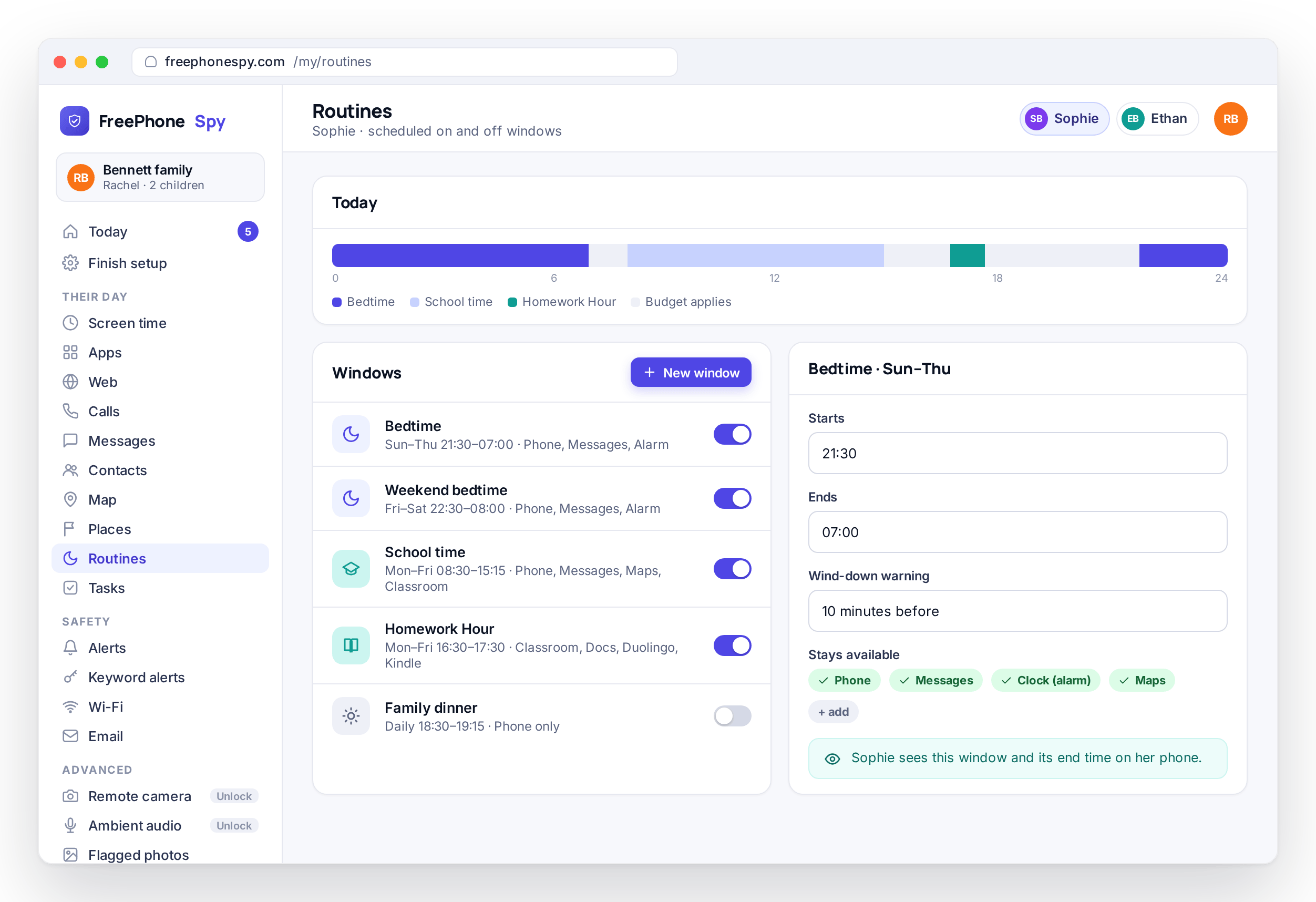
Screen time stays relevant but changes character. Bans stop working around now; a budget the teen helps set and can spend as they like teaches the self-control they will need in two years. Lean on routines for the parts that protect sleep and school, a bedtime wind-down and a homework hour that quiets games and social, rather than trying to cap every minute. Those two routines prevent more arguments at this age than any raw limit.
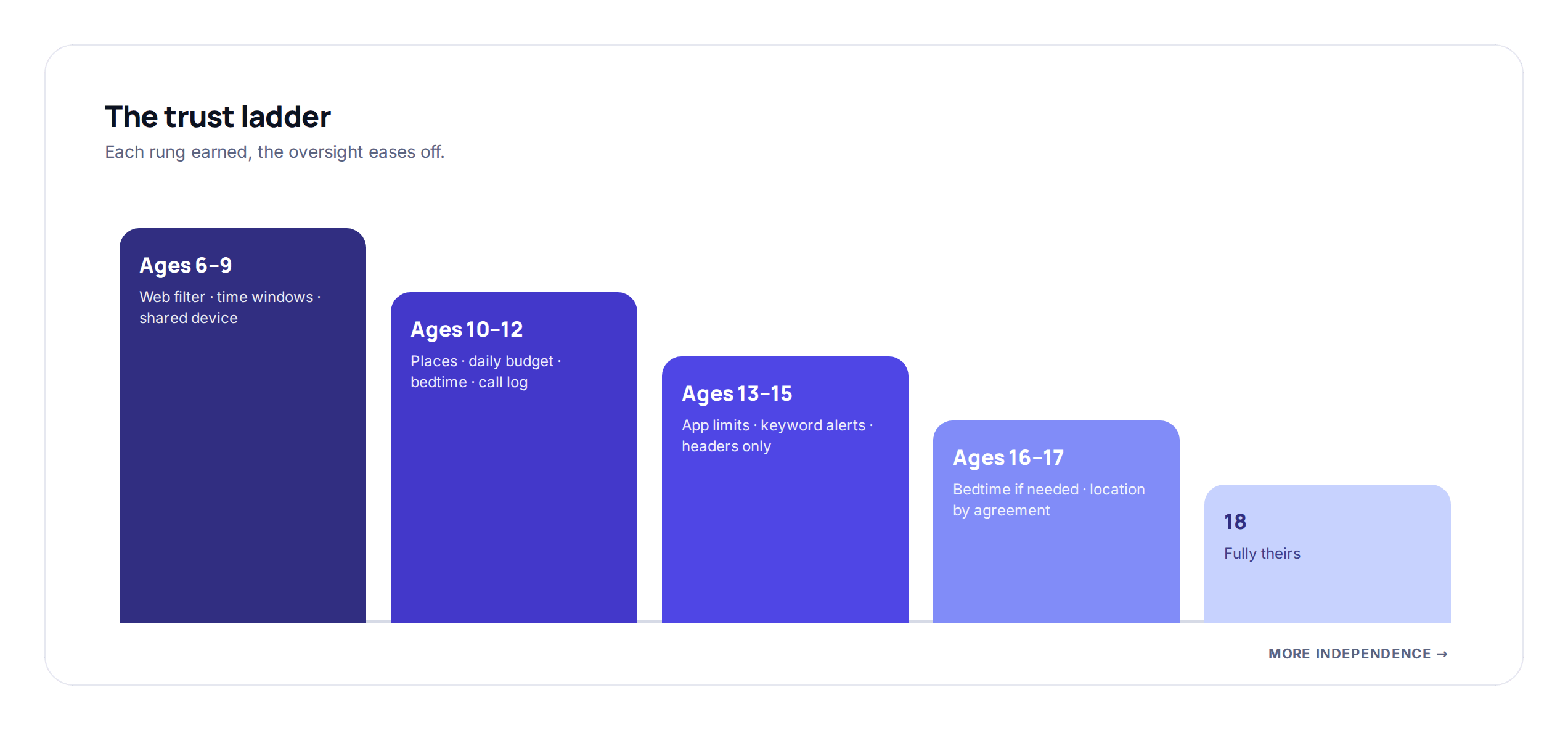
Expect pushback, and do not read it as a sign the approach is wrong. A thirteen-year-old testing the boundary is doing their job. The answer is not to tighten everything in response. Be clear about what you can and cannot see (a flag, not their messages), keep that promise, and let the controls loosen as they show they can be trusted. A teenager who knows monitoring is a ladder they are climbing off pushes against it far less. For wording that works at this age, see talking to your kids about monitoring.
Ages 16–17: nearly an adult
By sixteen, your child is a year or two from managing a phone with no oversight at all, and the setup should reflect how close that is. Most of the controls you leaned on earlier come off. What you are keeping now is a thin safety layer and an open line, not a set of limits.
Location often stays, reframed as a family courtesy: plenty of adults share their location with a partner or parent, and a sixteen-year-old sharing theirs for lifts and late nights is the same ordinary thing. Keyword alerts for real danger can stay if you have both agreed they are worth it. Screen-time budgets mostly go; a seventeen-year-old should be setting their own, and the best thing you can do is let them practice while there is still a safety net under them. Keep the bedtime routine only if sleep is a live problem, and say so.
Have the exit conversation openly. Tell them what you are turning off and why: “You’ve handled this well, so the screen-time limits are coming off. That’s yours to manage now.” Ending monitoring should feel like a graduation they earned, not something they won by wearing you down. That framing is the last lesson the whole arrangement teaches, and possibly the most important one.
Easing off as they grow
Across all four bands the direction is the same: tighter when they are small and cannot judge risk, looser as they show they can. The mistake most families make is not monitoring too much or too little at one age. It is setting a level and never revisiting it, so a fifteen-year-old is still living under the controls that fit them at eleven. That is what breeds resentment.
Put a reminder in your calendar for the start of each school term to look at what is switched on and ask whether it still fits the child you have now. Weekly reports help you see whether a limit is still being hit or has become irrelevant, but trust what you see at home more than any dashboard. When your child earns a loosening, do it out loud so they connect responsibility with freedom.
None of this depends on paying for a bigger plan. FreePhoneSpy is free to start with the whole core set, meaning location, screen time, app limits, filter and alerts, so you can run the right setup for your child’s age without a subscription pushing you toward more than you need. You can also open the live demo and see what the panel shows for a fifteen-year-old and an eleven-year-old before you set anything up.
FAQ
What age should a child get their first phone?
There is no fixed right answer, but the most common point is the move to middle school, around ten to eleven, when a child starts traveling alone and needs to reach you. Readiness matters more than a birthday; a steady ten-year-old may be ready before a distractible twelve-year-old. Whatever the age, set the guard rails on day one rather than adding them later.
Is it wrong to monitor a teenager’s phone?
No, but the kind of monitoring should change. Reading a teenager’s messages is usually the wrong move and damages trust. A safety net that flags only specific worrying words, while leaving ordinary chat private, is a different thing and one most teenagers accept when you are clear about exactly what you can and cannot see.
When should I stop monitoring altogether?
Gradually, across the mid-to-late teens, as your child shows they can manage without each control. By sixteen or seventeen most limits should be off, leaving at most a thin safety layer you have both agreed on, often just shared location. Ending it should feel like something they earned, so tell them what you are turning off and why.
Does the child know the app is there at every age?
Yes. The app is visible on the child’s phone and its Transparency screen lists what it shares, whether the child is six or sixteen. For a young child that means showing them the bedtime and the filter; for a teenager it means they can check for themselves that message bodies are off. Monitoring a child can see, and that loosens as they grow, builds trust rather than spending it.
Do I need to pay more to monitor an older child differently?
No. The core controls that cover every age band, meaning location, screen time, app limits, web filter and alerts, stay free. You adjust what is switched on to suit the age; you do not pay for a bigger tier to do it. Advanced tools exist and are unlocked through tasks, but the everyday, age-appropriate setup does not depend on them.