Is Twitch Safe for Kids? A Parent’s Guide
Your kid isn’t watching cartoons anymore. They’re watching a 22-year-old play a horror game to twelve thousand strangers, live, with a chat bar scrolling faster than anyone can read it. That’s Twitch, and it’s now one of the biggest rooms a child can walk into. Some of it is genuinely wholesome — funny people, real skill, a sense of community. Some of it isn’t. Here’s the honest breakdown: what Twitch is, how the money and messaging actually work, where the trouble tends to sit, and the specific settings and conversations that make it a lot safer without you pretending you’ll watch every stream.
What Twitch actually is
Twitch is a live-streaming site. People broadcast themselves — usually playing games, sometimes just chatting, cooking, drawing, or doing something called “IRL” streaming where they walk around in the real world with a camera. The person broadcasting is a streamer. Everyone watching is the audience, and here’s the part that makes Twitch different from YouTube: it’s live. What happens, happens in real time. There’s no editor cutting out the bad bits, no upload review, no second take. A streamer says something at 8:47pm and thousands of kids hear it at 8:47pm.
That “live” quality is the whole appeal and most of the risk in one word. Kids love the immediacy — they can react, the streamer might read their message out loud, it feels like hanging out with someone rather than watching a video. But live also means unpredictable. A stream that’s family-friendly on Monday can go somewhere very different on a Friday night, and nobody trimmed it first.
On the age question: Twitch’s own terms require users to be 13 or older, and a minor is supposed to use it with a parent or guardian’s permission and supervision. Plenty of younger kids watch anyway, usually on a phone, a tablet, or a games console. If your child is well under 13, an unfiltered live platform is more than they’re ready for, and there’s nothing wrong with saying so plainly. For a teenager, the useful question isn’t whether they watch at all — it’s how the account gets set up before they do.
How it works: chat, follows, subs, bits, whispers
To keep your kid safe on Twitch you need to know the machinery. It’s not complicated, but every part of it is a place where something can go right or wrong.
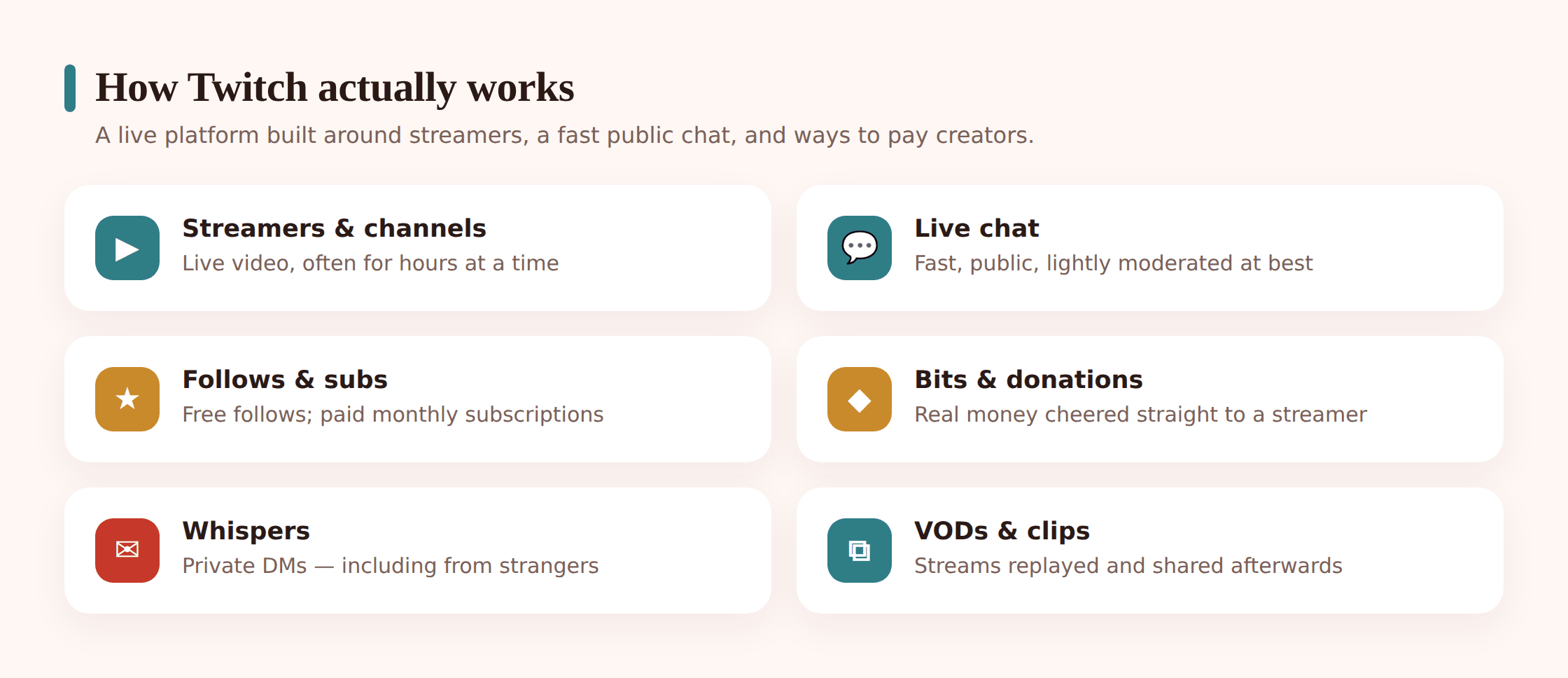
Chat
Every stream has a live chat running alongside the video — a column of messages from viewers, moving constantly. On a small stream, chat is a handful of friendly regulars. On a big one, it’s a firehose. Some streamers run tight chats with volunteer moderators who delete rude messages and ban troublemakers. Others let it run wild. Your child reads chat, and on many streams they can post in it too. This is where most of a kid’s actual exposure to strangers happens.
Follows and subscriptions
A follow is free — it just means “show me when this person goes live.” A subscription (“sub”) costs money, usually a few dollars a month, and gives perks like special chat emotes and an ad-free view. Kids collect follows the way they used to collect trading cards. Subs are where real money starts leaving the account.
Bits and donations
Bits are Twitch’s on-platform currency. You buy them with real money, then “cheer” them at a streamer during a stream — it pops your message to the top and the streamer often reads it aloud. Kids can also send straight donations through third-party links. Both are designed to feel generous and instant, and both spend real money fast. A child chasing a shout-out from someone they admire can burn through a surprising amount in one evening.
Whispers
This is the one to circle. A whisper is a private direct message on Twitch — a one-to-one chat that runs completely separate from the stream and its chat. Live chat is public and it scrolls: hundreds of viewers can see every line as it flies past. A whisper has an audience of exactly one, and nobody else can read it. When a conversation leaves the scrolling public chat and lands in a whisper, it has just gone from something a whole stream can witness to something only your child can see — and that is precisely the move worth teaching them to notice.
Where the trouble actually sits
Twitch isn’t dangerous like a cliff edge. It’s more like a music festival — mostly a good time, well run in places, and with a few corners you wouldn’t want a 12-year-old wandering into alone. These are the corners worth knowing before your kid does.
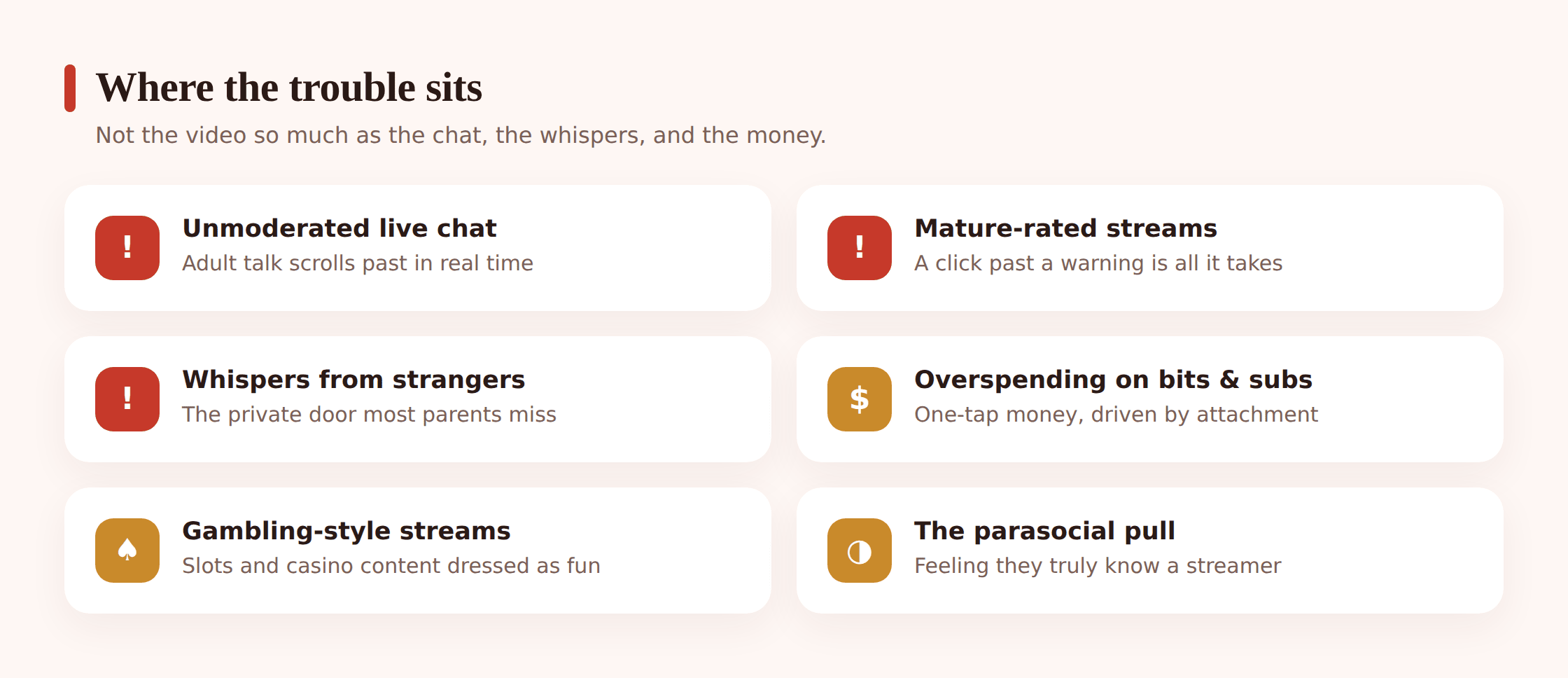
- Mature and adult content, live. Twitch has a “mature content” flag and rules against explicit material, but enforcement happens after the fact, and live means the flag can’t catch everything in the moment. Horror games, heavy language, sexual jokes, gambling streams, and the “hot tub”-style suggestive streams all live on the platform. A child browsing categories can land on any of it in two taps.
- Unmoderated chat. On a poorly moderated stream, chat is a stream of swearing, slurs, links, and spam. Even on decent streams, a fast chat exposes kids to a lot of adult language and the occasional nasty stranger. Chat is where the platform is least filtered.
- Strangers in whispers. The big one. A friendly regular in chat starts talking to your child, then sends a whisper to “keep chatting.” From there it can move to Discord, Snapchat, or a game — somewhere even less watched. See our Discord guide for where these conversations often go next.
- Grooming that starts with kindness. Predators don’t announce themselves. They’re patient, they flatter, they offer to gift a sub or send bits, they act like the one adult who “gets” the kid. It looks like friendship. We keep this non-graphic on purpose, but the pattern to teach is simple: an adult who wants to move the conversation somewhere private, keep it secret, or give your child money is a red flag every single time. Our guide on protecting kids from online predators goes deeper.
- Parasocial attachment. This one’s subtle and very common. A kid watches the same streamer for hours a day, feels like they know them, and starts caring intensely about their approval — spending money to get noticed, staying up late so they don’t miss a stream, taking the streamer’s opinions as gospel. It’s a real emotional pull, and it’s worth naming with your child rather than mocking.
- Gambling and gaming-adjacent content. Some streamers broadcast slots, loot boxes, and casino-style content that makes losing money look thrilling and easy. For a young brain, that’s a direct advertisement for gambling dressed up as entertainment. Twitch has restricted some of this, but it hasn’t vanished.
- Scams. “Free bits,” fake giveaways, “click here to win the sub,” and links that steal logins circulate constantly in chat. Kids are quick to click. Our guide to online scams targeting kids covers the tells.
- Time, quietly disappearing. Streams run for hours, then a raid fires the whole audience straight into the next streamer and the clock keeps running. “I’ll stop when this streamer ends” isn’t a stopping point when the next one starts the second they sign off. It’s the least dramatic risk on this list and, by a distance, the one you’ll meet most nights.
The money trap: bits, subs and gambling-adjacent streams
Twitch is built to convert enthusiasm into spending, smoothly and fast. A sub button, a bits cheer, a donation link — all one or two taps, all tied to whatever card or balance is on the account. And the emotional engine behind it is strong: your kid genuinely wants their favourite streamer to notice them, and spending is the fastest way to get noticed.
The practical fixes are boring and they work. Don’t leave a payment method saved on your child’s account or console. If they want to sub to someone, make it a conversation and a shared decision, not a reflex. Watch for the pattern where money follows attention — a child who’s suddenly spending is often a child who’s suddenly very attached to one streamer, and that’s worth a gentle chat about parasocial pull, not just a lecture about money. We go deeper on the mechanics of impulse spending in in-app purchases and kids.
The settings to change today
Twitch has real controls, and most families never open them. Do these together, on your child’s account, in about ten minutes.
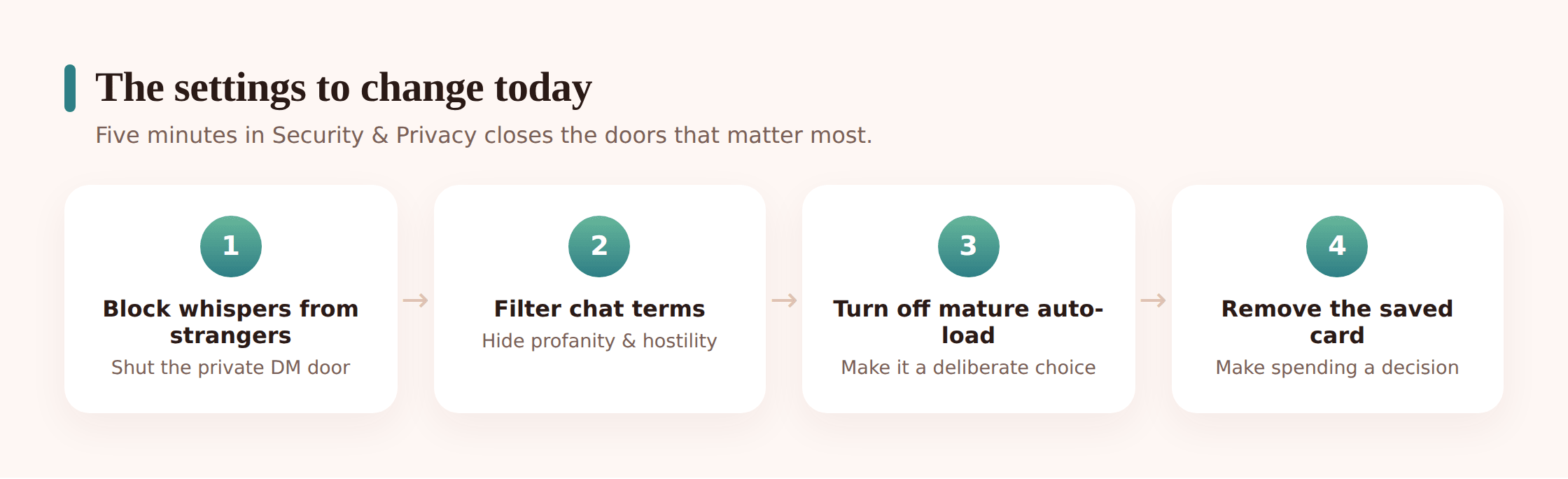
Lock down whispers
In Settings → Security and Privacy, turn on Block Whispers from Strangers. This stops accounts your child doesn’t follow from sending them private messages — the single most valuable switch on Twitch. While you’re there, turn on Block invitations from strangers too.
Turn off the mature content auto-load
Twitch shows a warning gate before mature-flagged streams. Make sure your child’s account isn’t set to auto-skip that gate, and talk about what the flag means. The gate is an honesty check, not a wall, so pair it with the phone-level filtering below.
Filter chat with blocked terms
In Settings → Security and Privacy, use Chat filters to hide profanity, hostility, sexual language, and discrimination. Add specific blocked terms of your own. It won’t catch everything on a fast public chat, but it noticeably cleans up what your child reads.
Set who can chat and check privacy
Review whether your child’s own channel (if they have one) allows chat from everyone, and whether their profile shows more than it needs to. Make sure the account’s date of birth is set correctly — a fake older age quietly unlocks more of the adult side of the platform.
Teach blocking and reporting
Show them how to block a user (from the profile) and report a message, a user, or a stream. Practise it together once, calmly, so it isn’t scary in the moment when they actually need it.
Twitch is a live platform, and the same instincts apply to any of them. Rather than repeat it all here, our livestreaming safety guide covers the habits that carry across every live app, and because so much of Twitch is games, the online gaming safety guide covers the world your child is usually watching.
Backing it up at the phone level
Worth saying plainly, since some products online claim otherwise: no legitimate app can open your child’s private Twitch whispers. They stay sealed. The lever you actually hold is the device itself, and in day-to-day terms that’s where most of the useful control sits.
When Twitch starts swallowing school nights, device-level limits are what pull it back. FreePhoneSpy is a see-it-on-the-phone parental app for an Android handset, run from any browser you like. Put a daily cap on the Twitch app, or shut it off through homework and bedtime, and “screens away by nine” becomes something the phone enforces instead of a nightly negotiation. Do the setup as a pair — you’ll find it under app and website blocking.
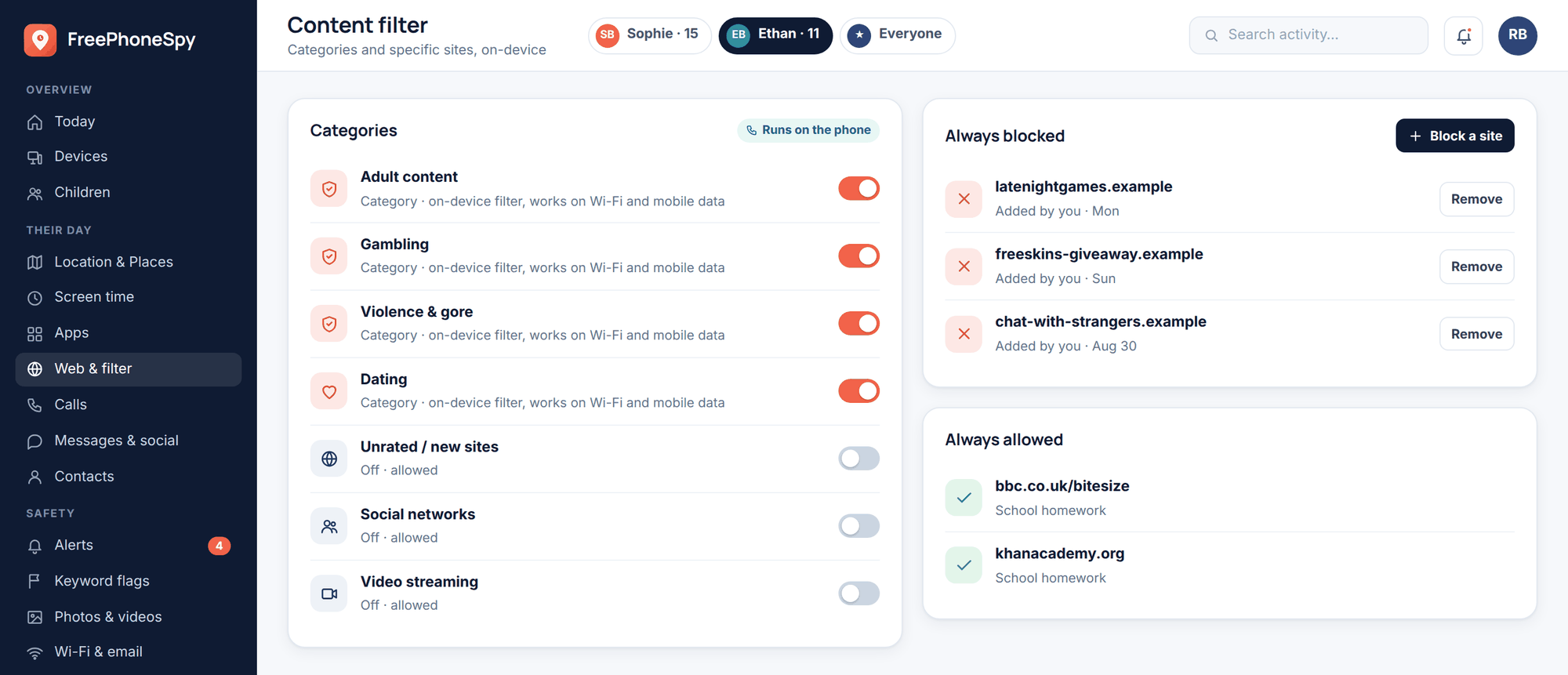
Any Twitch-literate kid knows the whole thing loads in a browser, so limiting only the app leaves the back door wide open. Switching on the web and content filter closes the site as well, which is what makes the cap real. Alongside it, a plain screen-time readout tells you how many minutes the app ran and at what hours — normally enough to catch the moment “just this last stream” has crept up to a three-hour habit.
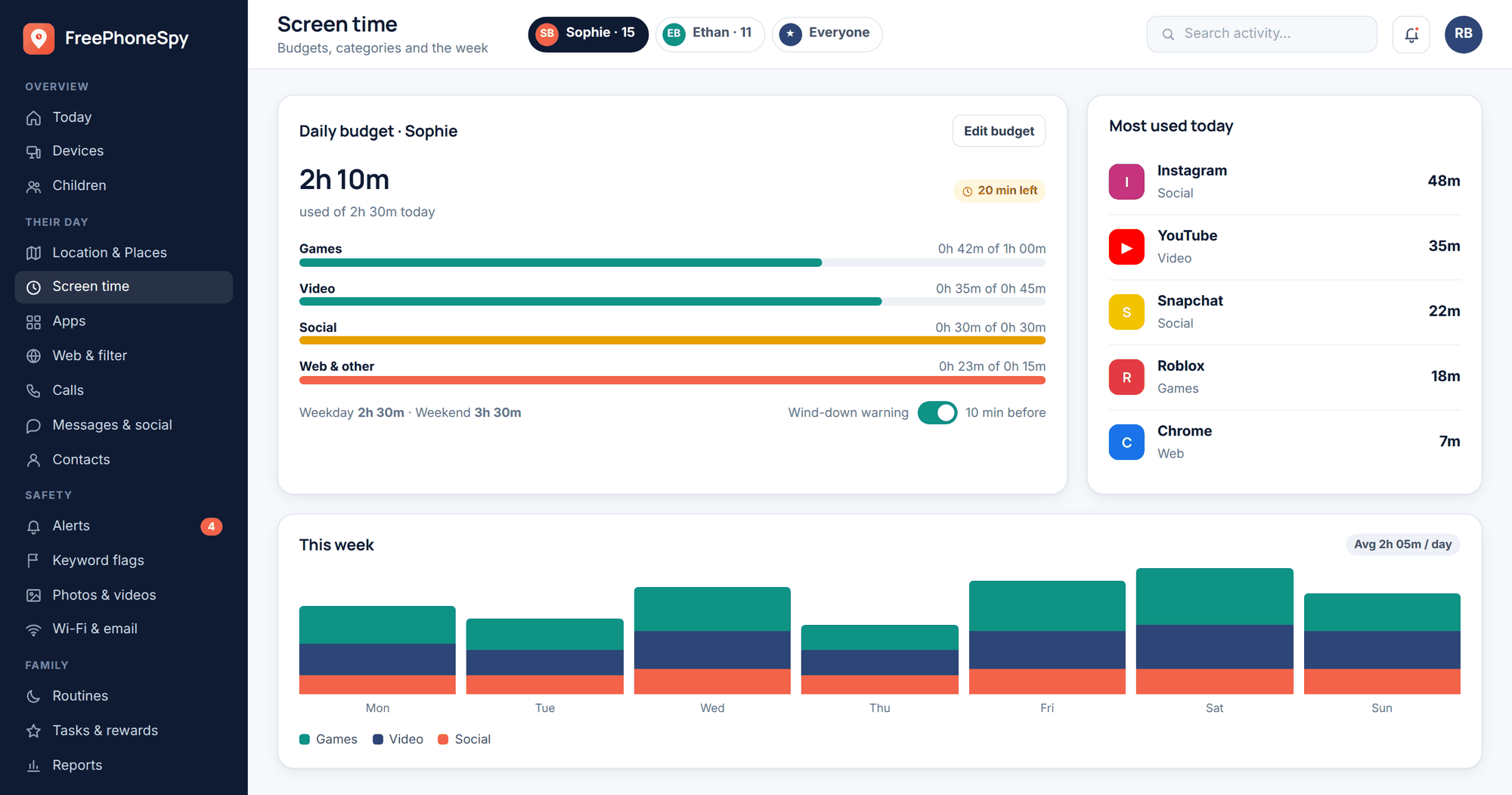
None of this stands in for a conversation, and it never pries Twitch open. Think of it as a warning light on the dashboard, not a chaperone. Its whole worth is letting you catch a change — a spike in 2am viewing, a sudden fixation, money leaking somewhere — while there’s still time for a relaxed chat rather than a nasty surprise weeks later.
The conversation that does the real work
There’s a single failure point that beats every toggle above: a child who stays quiet when something feels wrong. Getting them to speak up is the actual goal, and no setting on this page comes close to it in value.
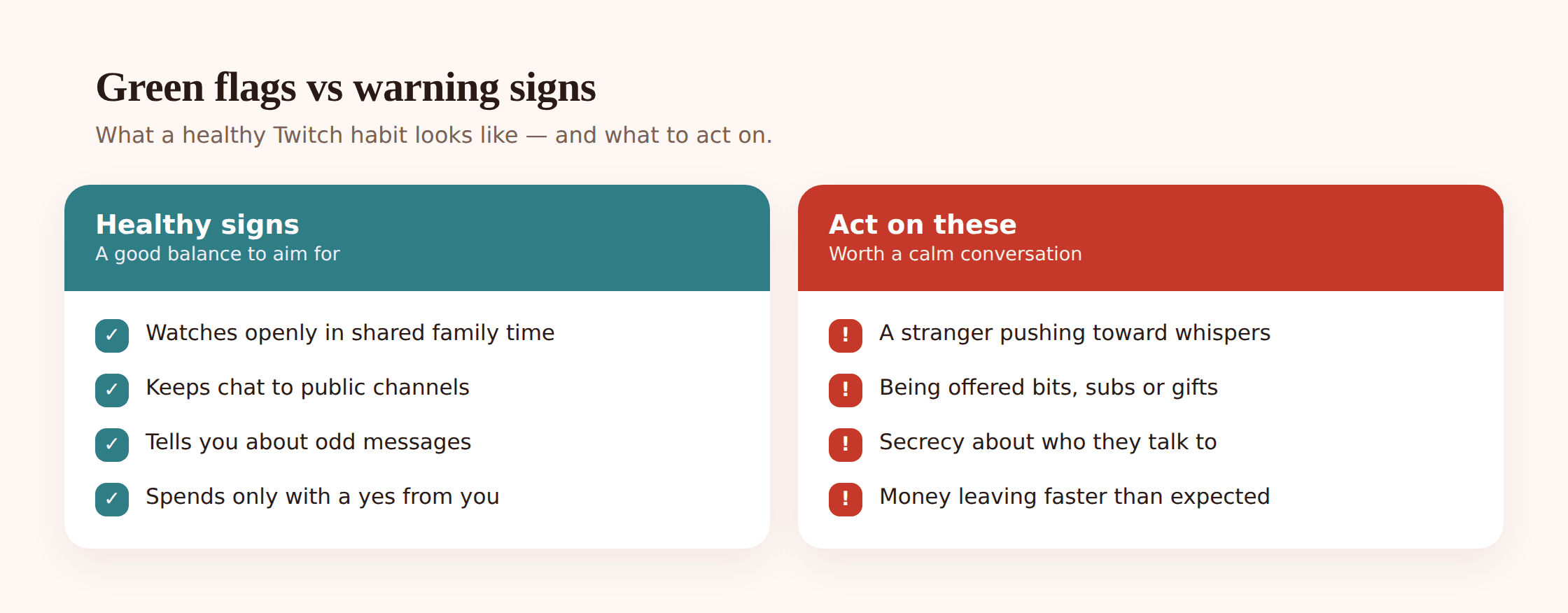
Keep it plain and un-scary. A few lines that actually stick:
- “If a whisper ever feels weird, show me — you’re not the one in trouble.” Say the second half out loud and mean it, because the first time they actually bring you a screenshot is the test. React with calm and thanks, not a lecture, and you stay the person they come to next time.
- “Grown-ups don’t gift kids bits or subs for nothing.” When someone older starts handing your child money on a stream, there’s usually a string attached. It’s one of the easiest warning signs for a kid to memorise.
- “We don’t take a stream friendship into DMs, Discord, or Snap.” The pull to continue somewhere quieter is the moment to stop, not a sign someone likes them. Name that plainly so it doesn’t feel flattering when it happens.
- “Your face, your school badge, your town, your surname — those stay off chat.” Individually harmless, together they’re a map. Kids rarely connect the dots on their own, so spell it out.
- “Liking a streamer and paying a streamer are two different things.” Don’t mock the attachment — it’s real. A child who can name why the urge to sub is strong handles it far better than one who just hears “no.”
- Write the rules with them, not at them. Set the whisper block and chat filters side by side, agree a time cap, and loosen it as they grow. A family phone agreement you both sign sticks in a way a handed-down rule never does.
If something has already crossed a line — a persistent stranger, threats, pressure, or a push to move your child off Twitch — act now rather than waiting to be sure. Screenshot what you can, use Twitch’s block and report tools, and work through our guide to protecting kids from online predators. When a child is genuinely being targeted, bringing in their school or the police is the right call, not an overreaction.
Your quick setup checklist
- Confirm your child is 13+ and set the correct date of birth on the account.
- Turn on Block Whispers from Strangers and block invitations from strangers.
- Set chat filters to hide profanity, sexual language, hostility, and discrimination, and add your own blocked terms.
- Remove any saved payment method; make subs and bits a shared decision, not a reflex.
- Talk through mature-content flags and gambling-style streams together.
- Practise blocking and reporting once, calmly, so it’s familiar.
- Set a phone-level time limit and block the browser version too, so the cap holds.
- Make the report-without-blame promise — and keep it the first time it’s tested.
FAQ
What age is Twitch safe for?
Twitch requires users to be 13+, and minors are meant to use it with a parent’s permission and supervision. Even at 13, it’s a lot safer with whispers from strangers blocked, chat filtered, and a parent in the loop. Well under 13, it’s genuinely too young — it’s an unfiltered live platform and the safeguards assume an older, supervised user.
Can strangers message my kid on Twitch?
By default, yes — through whispers, Twitch’s private direct messages. Turning on Block Whispers from Strangers in Security and Privacy stops accounts your child doesn’t follow from messaging them privately, which closes the most important door.
Can I read my child’s Twitch whispers?
Not honestly — private whispers stay private, and any tool promising otherwise is either lying or asking for your child’s login. What you can do is manage the phone: set time limits, block the app during homework and sleep, block the browser version too, and watch how much the app is used with app and website blocking. You get the patterns, then you talk.
How do I stop my kid overspending on bits and subs?
Don’t leave a saved payment method on the account or console, and make every sub or bits purchase a shared decision rather than a one-tap reflex. Watch for spending that follows a strong attachment to one streamer — that’s usually the real driver. See in-app purchases and kids.
Is watching gambling streams on Twitch harmful for kids?
It can be. Slots and casino-style streams make losing money look exciting and easy, which is effectively gambling advertising aimed at a young brain. Twitch has restricted some of it, but not all, so it’s worth naming directly with your child rather than assuming they’ll see through it.
Is it wrong to monitor my child’s phone?
Not when you do it openly, for your own child, on a device you own, with their knowledge and at a level you’ve agreed together. FreePhoneSpy is transparent by design — the app is visible on the phone and nothing runs until you set it up as a team. The line is honesty: supporting your kid in the open is parenting; secret surveillance isn’t.