Monitor text messages and social media, out in the open
See who your child is texting and messaging, spot the names you don’t know, and read the words only when you’ve both switched that on. FreePhoneSpy is an SMS tracker and social media monitoring tool for parents, built so your child can always see what’s shared.
Android child app
Runs in any browser
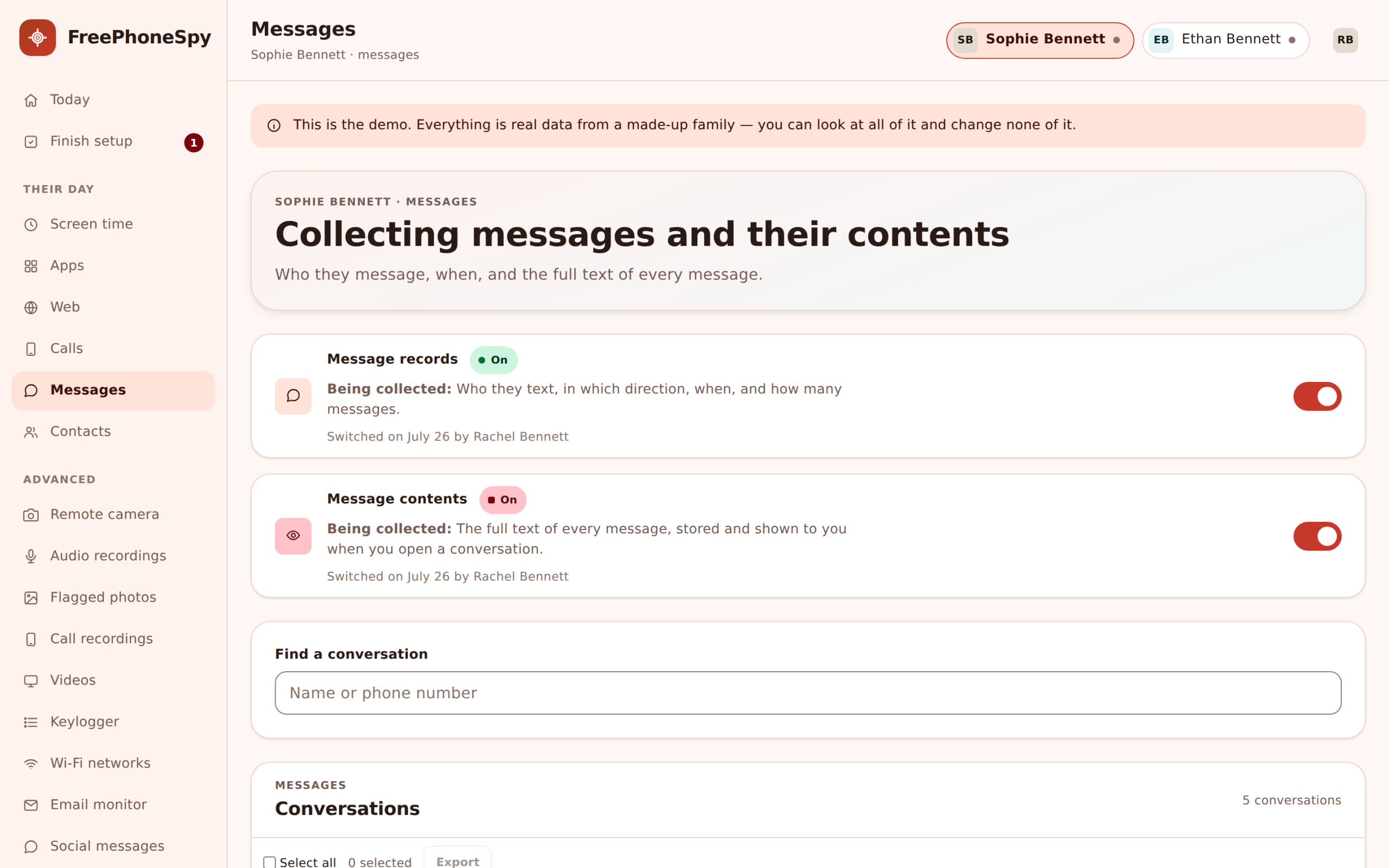

What “monitor text messages” really means here
A lot of worry starts with a phone lighting up at the dinner table. A name you’ve never heard. A group chat that changes your child’s mood by breakfast. You want to know they’re okay, and you don’t want to become the parent who reads every word over their shoulder. Those two wishes pull against each other, and most monitoring apps ignore the second one entirely.
FreePhoneSpy tries to hold both. It runs one app on your child’s Android phone, and you watch from a browser on your own laptop or phone. There is nothing to install on your side. The child’s app carries a Transparency screen that lists exactly what is being shared, and the most sensitive tool here, reading the actual words of a message, stays off until you both switch it on. That is the whole idea. Real visibility for you, and no surprises for them.
It helps to think about messages in two layers. The outer layer is the header: who the message is with, which app it came through, and when. The inner layer is the body: the words themselves. Nearly everything a worried parent needs lives in the outer layer. A new contact texting fifty times a day, a burst of messages at two in the morning, a number with no name attached. You can act on all of that without reading a single private sentence. The body is there when you genuinely need it, and it opens the same way for both of you to see.
This page is about texting and social messaging only. Calls are their own thing, with their own log and their own honest limits, so we’ve given them a separate home. If that’s what you came for, jump straight to the call log and call recording page.
The SMS log: headers you can act on straight away
Start with plain text messages, because that’s still where a lot of first-phone contact happens. FreePhoneSpy lists each SMS thread by contact, newest first, with a count and a time. If the number is saved in your child’s phone, you see the name. If it isn’t, you see the number and an unknown flag.
That header view answers more than you’d think. You can see that a new number started texting on Tuesday and hasn’t stopped. You can see that the messages cluster after lights-out. You can see whether the “one friend from school” is really one person or six. None of that requires reading the words. It’s the shape of the conversation, laid out cleanly, and for most families it’s where the answers already are.
Because the SMS log is the least intrusive tool on the page, it’s a sensible first thing to switch on while you and your child are both getting used to how this feels. You can widen it later, or you can decide headers are plenty and leave it there.
- Every SMS thread, grouped by contact, newest first
- Contact name when it’s saved, number plus unknown flag when it isn’t
- Message count and time, so bursts and odd hours stand out
- Works as headers only until you choose otherwise
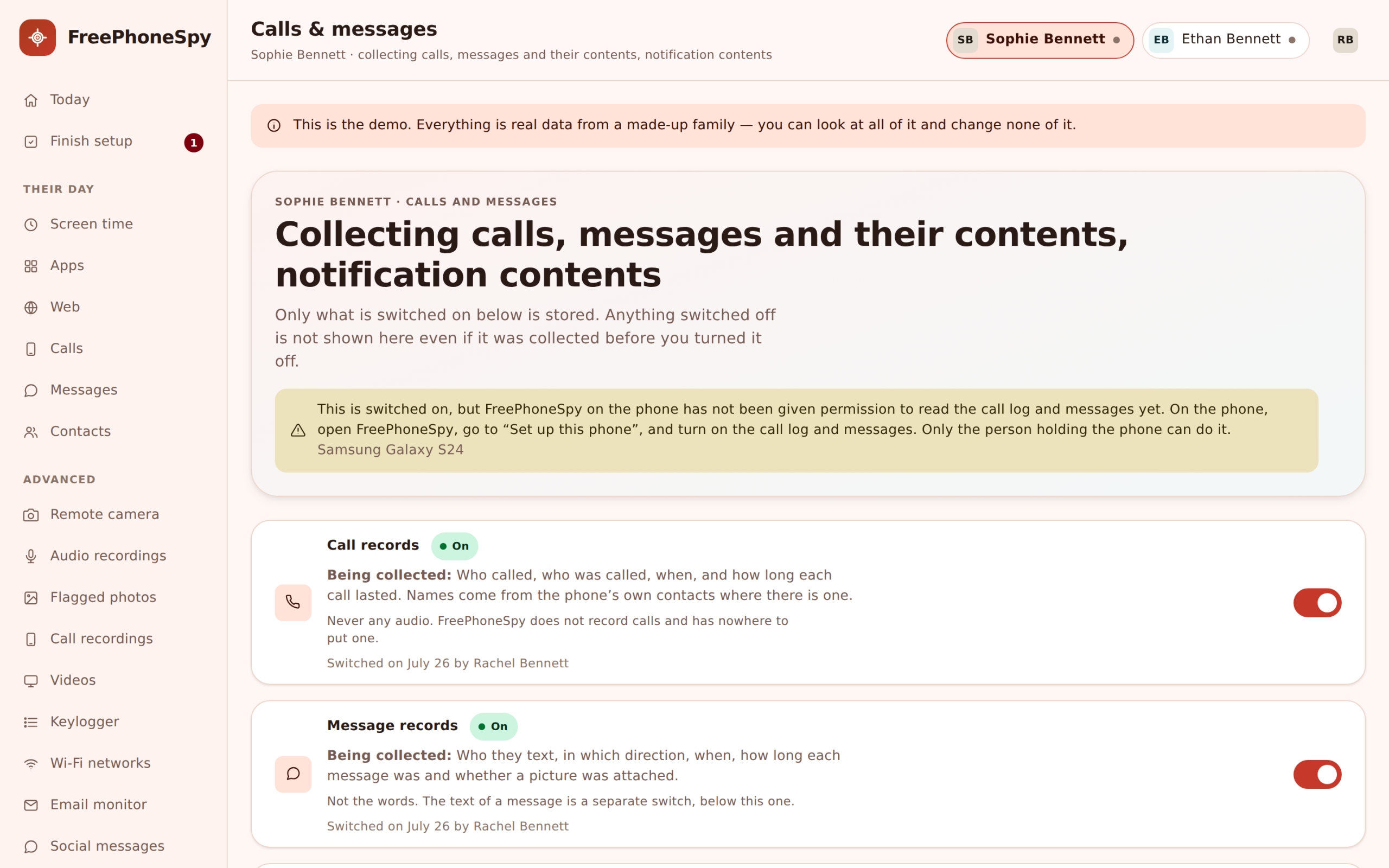
Message bodies, only with the consent switch on
Here’s where we do it differently. To read the actual words of a message, you turn on a consent switch. It’s a real switch, not a checkbox buried three menus deep. When you flip it, your child sees it appear on the Transparency screen on their phone. Turn it off and it disappears from there too.
We built it this way on purpose. A short conversation, “we can both see the messages now, and here’s why”, does far more for trust than quietly hoovering up every text and hoping it never comes up. For a younger child on a first phone you might leave bodies on for a while. For a teenager you might keep them off and lean on headers and keyword flags instead. Either way it’s your call, and it’s a visible one.
The switch is per child, too. On for the eleven-year-old, off for the fifteen-year-old, if that’s the balance your family has landed on. Nobody has to guess where they stand.
- SMS and social headers show without the switch: contact, count and time
- Full message bodies appear only once you turn the consent switch on
- The switch is listed on the child’s phone, never hidden
- Set it per child, and change it whenever the conversation changes
Social media monitoring for parents, without living inside their DMs
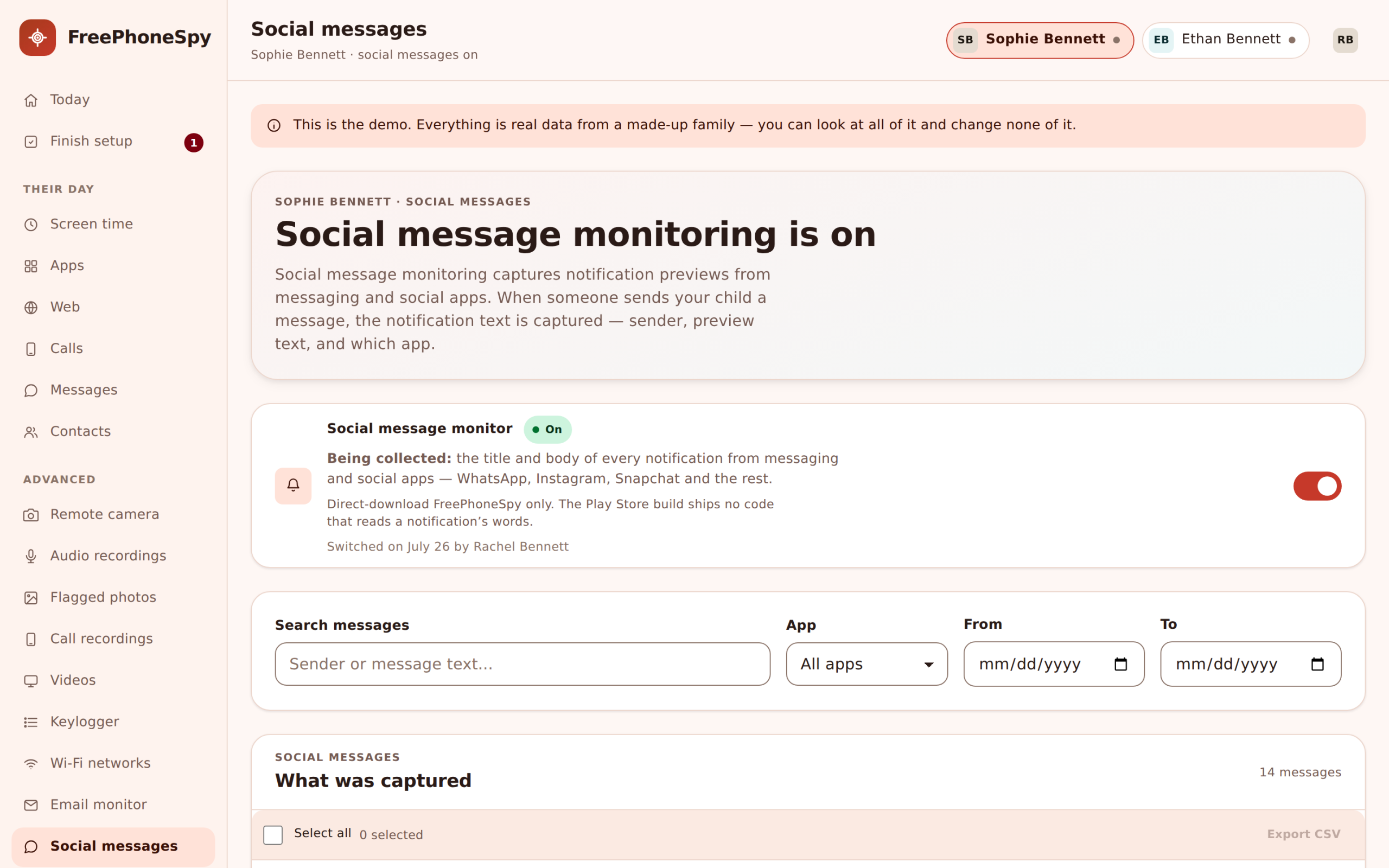
Most of the talking has moved off SMS. It’s on Snapchat, Instagram, WhatsApp, TikTok, and half a dozen apps you’ve probably never opened. FreePhoneSpy reads the notification lines those apps push to the phone, so you see that a message arrived, from which app, and usually the sender’s name and the preview line the app itself chose to show.
That gives you social headers the same way you get SMS headers: who your child is talking to, through which app, and how often. You are not sitting inside a private thread reading every reply. You’re seeing the pattern from the outside. If a name you’ve never heard keeps surfacing across two apps, that’s worth a gentle question. If the volume from one app spikes overnight, you’ll spot it in the morning without hunting for it.
It all lands in one running feed. No opening Snapchat, then Instagram, then WhatsApp to piece a picture together. You scroll one timeline and the picture is already there.
- Notification lines from Snapchat, Instagram, WhatsApp, TikTok and more
- App name, sender and the preview line each app displays
- One combined feed across every messaging app on the phone
- New contacts and late-night spikes are easy to notice
See it for yourself before you decide
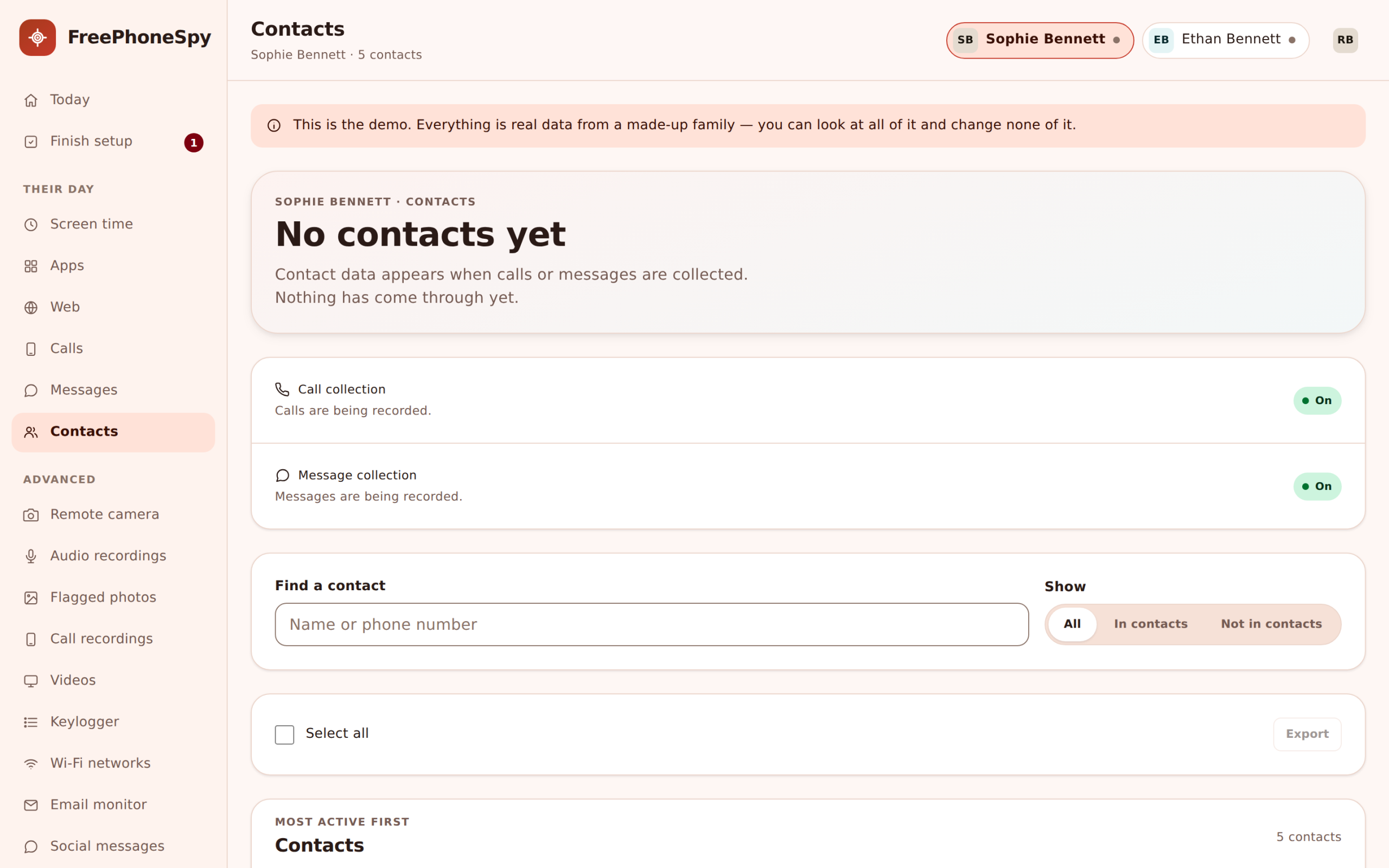
Reading about headers and consent switches only goes so far. The demo panel has a sample family loaded, so you can click through the message feed, flip the switch, and see exactly what shows and what stays hidden, all without pairing a phone.
Keyword flags for the words that matter
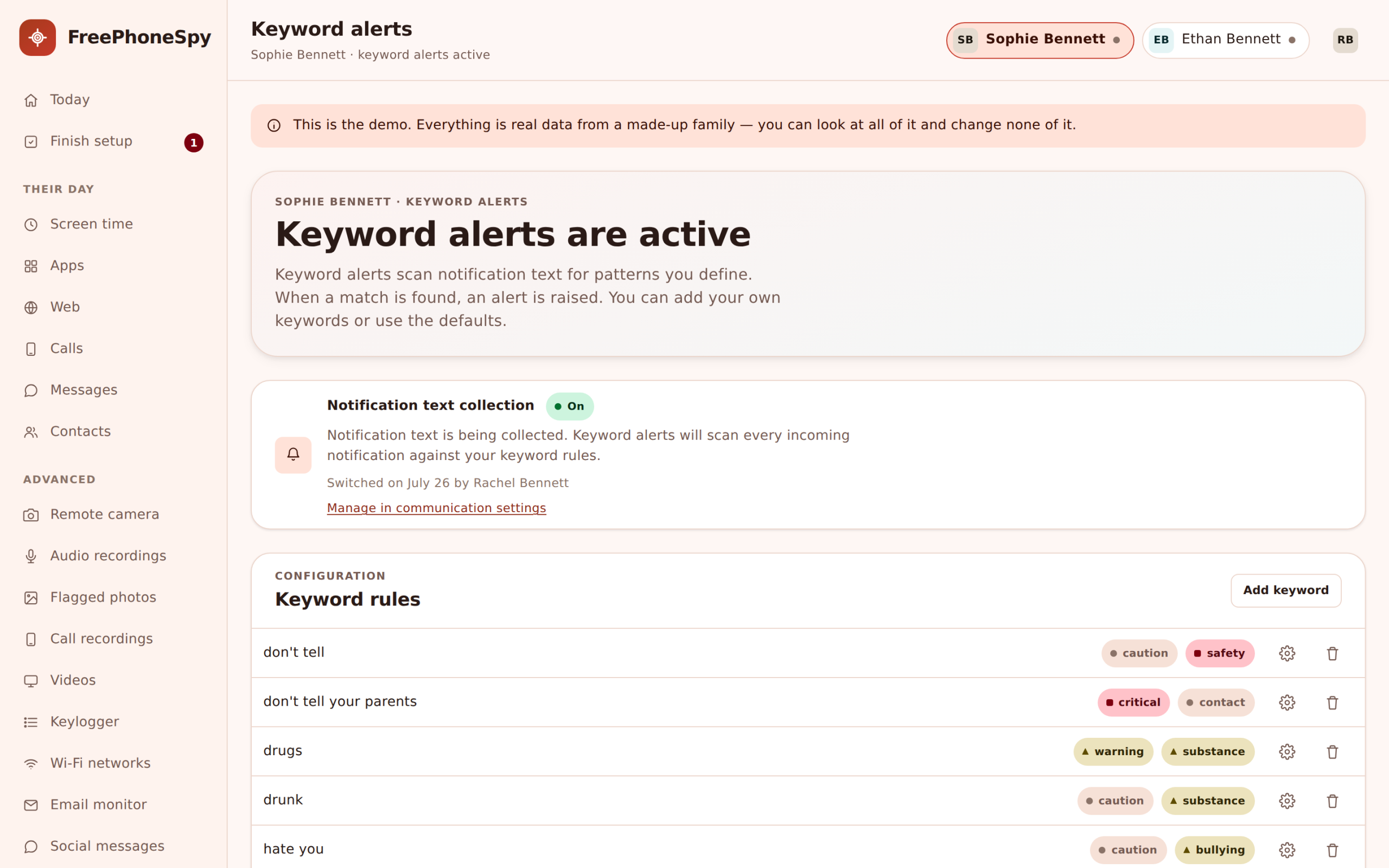
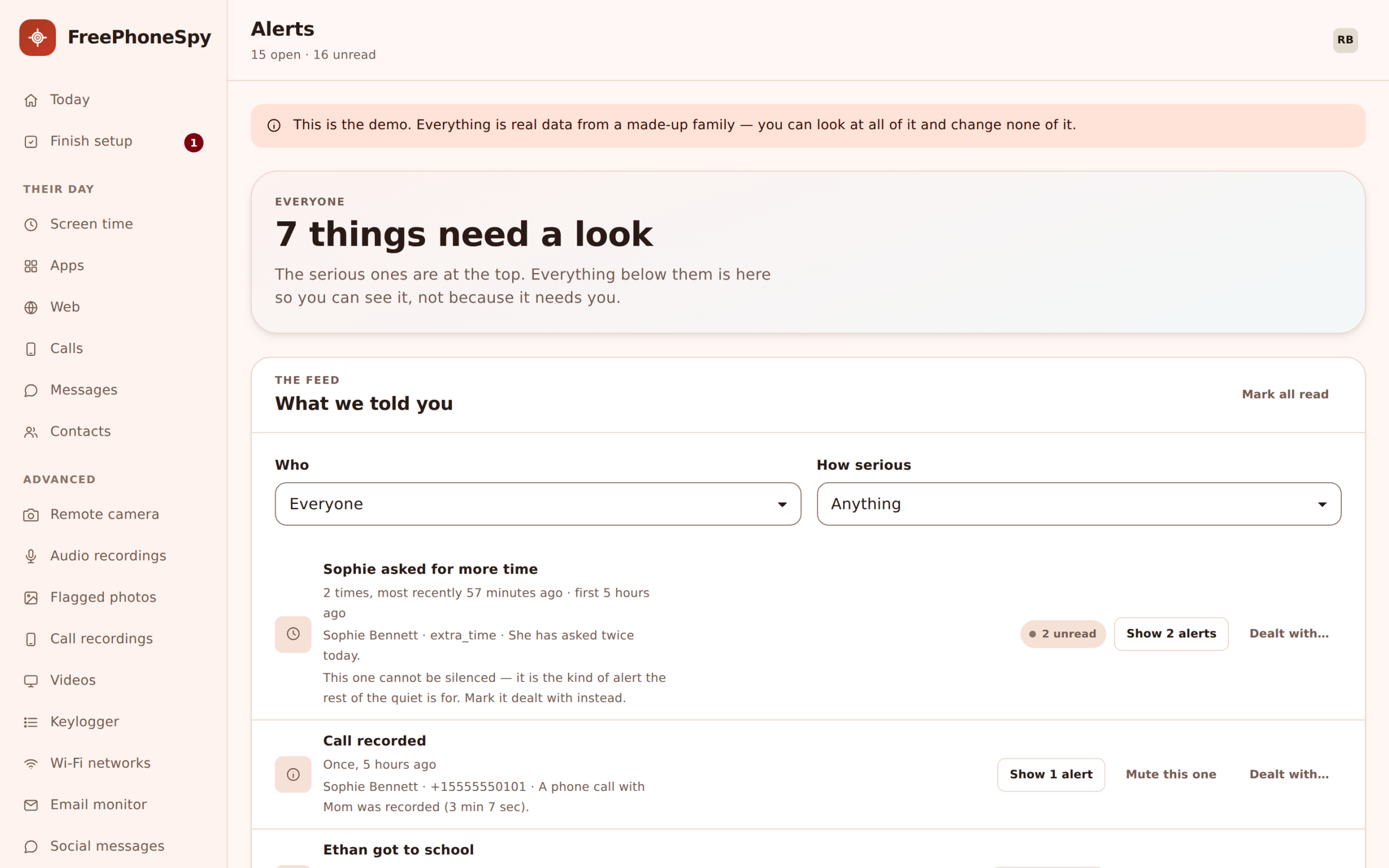
You can’t read every message, and honestly you shouldn’t want to. Keyword flags are the middle path. You add words and phrases that matter to your family, and FreePhoneSpy watches the SMS and social notification lines for them. When one shows up, it lands in your Alerts feed with the app and the time attached.
A phrase like “meet me alone” or “don’t tell your mum” is exactly the sort of thing you’d want to catch early, wherever it appears. You set the list. It might be about strangers, about bullying words, about a name you’re worried by, about anything you’d rather not have to scroll past to find. And it works with bodies switched off, so you can rely on flags and patterns instead of reading whole conversations. It’s a lighter touch that still catches the heavy stuff.
- Your own list of words and phrases to watch for
- Matches surface in the Alerts feed with app and time
- Works even when message bodies stay switched off
- Good for stranger-contact, bullying and risky-plan phrases
Contacts turn numbers into names, and flag the ones that aren’t
Names are what give the message log its meaning. FreePhoneSpy reads your child’s Contacts, so a thread shows as “Grandma” or “Coach Ellis” instead of a string of digits. That alone is most of the reassurance. You recognise the people, and the ones you recognise almost never worry you.
When a sender isn’t in Contacts, it’s flagged as unknown. One unknown number is nothing, a wrong number or a delivery text. The same unknown number messaging six times across two evenings is a reason to ask a calm question. You don’t have to go digging for it. The unknown flag brings it up to the surface. And it’s a read of the phonebook only. FreePhoneSpy never edits your child’s contacts, it just uses them to label who’s who.
- The child’s saved contacts, so message threads show as names
- Unknown senders flagged automatically in SMS and social
- Repeat unknown contacts stand out from one-off wrong numbers
- A read of the phonebook only, never an edit
It reaches you on your own phone
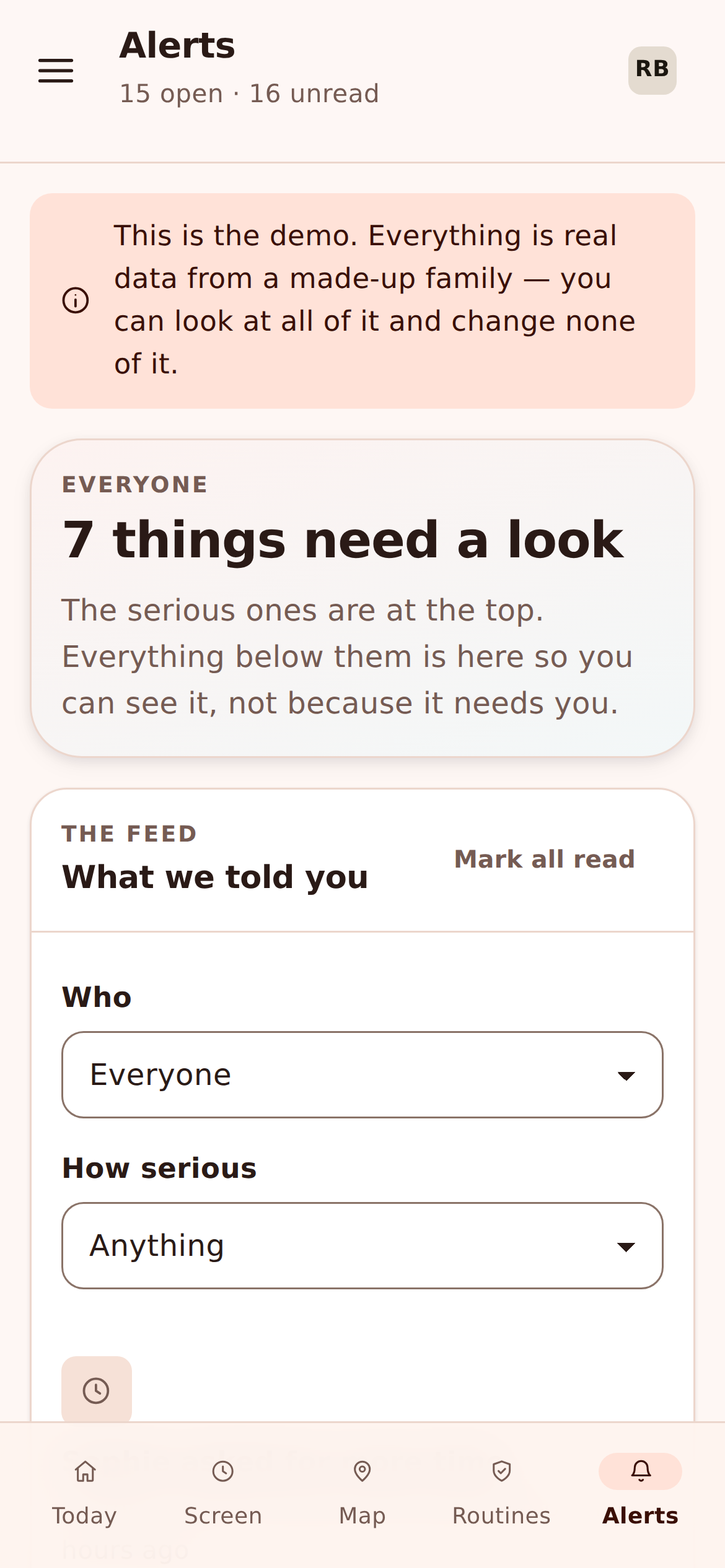
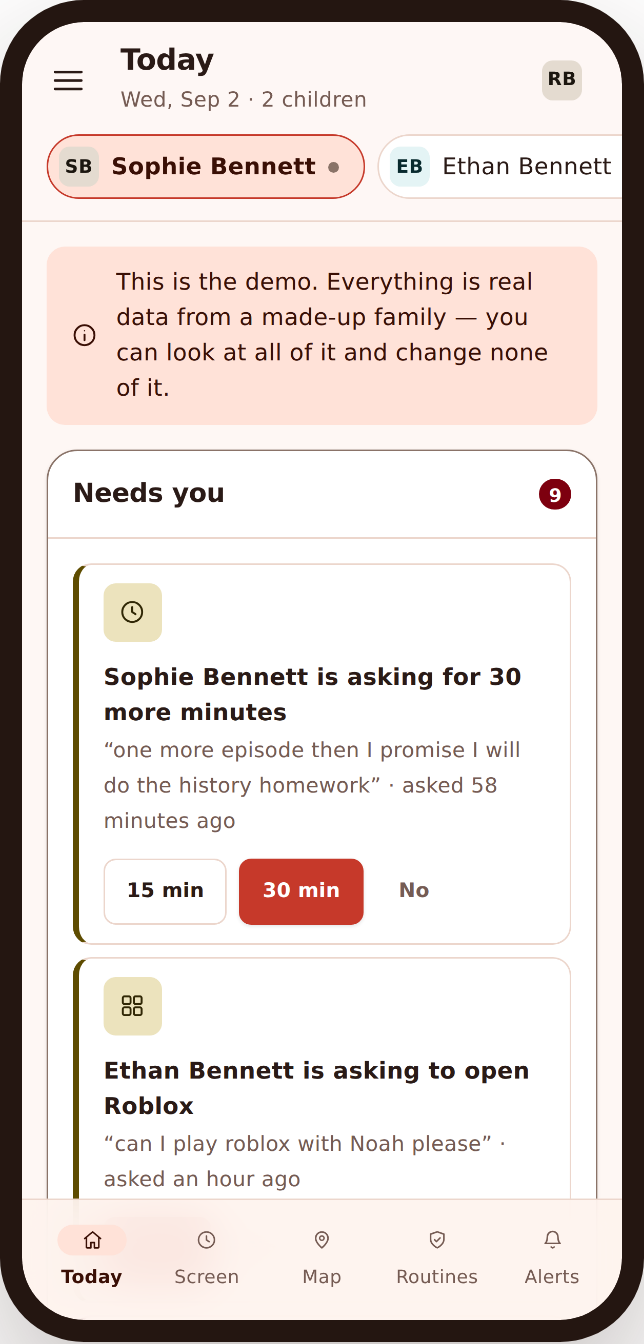
You won’t sit at a laptop all day, so the panel works just as well in your phone’s browser. The message and social feed, the unknown-sender flags, the keyword matches, all of it fits a small screen. When something lands in Alerts, you can check it in a queue at the shops or on the bus, decide whether it’s a nothing or a something, and get on with your day.
That’s really the point of the header-first approach. Most of what you’ll look at is a quick glance that ends in “fine”. The rare thing that isn’t fine gets your attention because it stands out, not because you were reading everything.
- The full messages and social feed in any mobile browser
- Alerts and keyword flags come to you, you don’t go hunting
- Nothing to install on your side, on any device
- A glance is usually all it takes
How the consent switch actually works
We keep coming back to the consent switch because it’s the part that makes this honest, so here’s exactly what it does. Reading message bodies isn’t a setting you tick once and forget. It’s a state both of you can see, and either of you can point to.
1. You turn it on in the panel
Message bodies are off by default. To read them, you flip the switch on that child’s page in the web panel. Until you do, you only ever see headers: contact, app, count and time.
2. The phone shows it
The moment it’s on, the child’s Transparency screen lists it. There’s no version of this where the words are shared and the phone stays quiet about it. The switch and the phone always agree.
3. Either of you can reopen the conversation
Because it’s visible, it’s discussable. A teenager can ask you to turn it off, and that’s a talk worth having. A younger child earns more privacy as you ease it back. The switch gives you both something concrete to agree on.
That’s the whole design in a sentence: the sensitive read is opt-in, it’s shown on the phone, and it’s meant to be talked about rather than sprung on anyone. Do it that way and monitoring feels less like surveillance and more like the deal you both signed up to. If you want the automatic side of it running alongside, pair this with Alerts and keyword flags, and remember everything sits together in one web panel.
Good for
- A parent keeping an eye on a child’s phone the parent manages
- A first phone, where headers and flags act as training wheels
- Catching stranger-contact and late-night patterns early
- Families who’d rather agree the rules than hide them
Not for
- Reading a partner’s or ex’s messages without them knowing
- Monitoring an employee’s personal device without notice
- Anyone wanting an app the phone’s user can’t detect
- Covert interception of any adult, which the law may forbid
Being honest about the limits
A tool that oversells itself isn’t one you can trust, so here’s the plain version of what this does and doesn’t do. Social apps show what they push to the phone as notifications. If an app sends nothing, or your child clears a chat before it notifies, there’s nothing for FreePhoneSpy to read. It sees the notification the phone received, not the app’s private servers, and not a disappearing message that vanished before it arrived.
Message bodies need the consent switch. That’s a deliberate choice, not a missing feature, and we’d rather be clear about it than pretend otherwise. Headers work without it. This is also the Android child app: the iPhone child version is still in development, so everything on this page is for Android phones today. And everything sensitive is listed on the child’s Transparency screen. Nothing here is designed to be invisible to the person carrying the phone, because that’s exactly the kind of use FreePhoneSpy isn’t built for.
- Reads notifications the phone received, not an app’s private servers
- Bodies are opt-in on purpose; headers and flags always work
- Android child app today; iPhone child app is in development
- Everything sensitive appears on the child’s Transparency screen
Where it fits with everything else
Messages rarely tell the whole story on their own. A flagged phrase makes more sense when you can see it landed at 1am, and a name in the message log means more when you can see the same number ringing in the call log. The pieces are stronger together, and they’re all in the same feed.
Set the messages tools up in a couple of minutes, agree the first rule together, and you’ve got a calm way to keep an eye on the part of your child’s life that used to be a total blind spot. Free for the first ten days, and free to keep going by helping the project along. There’s more on that on the pricing page.
Questions parents ask about text and social monitoring
Can I read my child’s text messages with FreePhoneSpy?
Yes, but only once you turn on the consent switch, and your child can see that it’s on. Without it you get message headers: who the texts are with, how many, and when. Many parents find headers plus keyword flags is enough, and it keeps everything honest between you.
How does the social media monitoring work?
It reads the notification lines apps like Snapchat, Instagram, WhatsApp and TikTok push to the phone. You see the app, the sender and the preview line the app itself shows, gathered into one feed. It’s the header view for social, not a way into an app’s private servers.
Will my child know these features are on?
Yes. The child’s app has a Transparency screen that lists what’s being shared, and the message-body switch shows there when it’s on. FreePhoneSpy is built for open, consented use between a parent and their own child, not for covert monitoring of another adult.
Can I flag specific words like “meet me alone”?
You can. Add any words or phrases to your keyword list and matches appear in your Alerts feed with the app and the time. It’s a light way to catch the things that matter without reading every conversation.
What about phone calls, are they covered here?
No, calls have their own page so each can be explained properly. Head to the call log and call recording page for the numbers, names, times, duration and the honest truth about recording on modern Android.
Does this work on an iPhone?
Not yet. The child app is Android for now, and the iPhone version is in development. The parent side already runs in any browser, on any device you like.
More: Call log & recording · Alerts & keyword flags · The web panel · Pricing · All FAQs