Screen Time for Toddlers & Young Children: A Parent’s Guide
Your two-year-old is glued to a cartoon and you’re wondering if you’ve made a mistake. You haven’t. Screen time isn’t a moral test you pass or fail. It’s just one more thing to handle thoughtfully, like sugar or bedtime. What matters most isn’t the number of minutes. It’s what they watch, when they watch it, and whether an adult is nearby.
The honest picture
Let’s clear something up first. A bit of screen time isn’t ruining your child. The panic-headline version of this topic treats every minute like damage, and that’s just not how it works. Kids grow up watching shows, playing games, and video-calling grandparents. Plenty of them turn out curious, kind, and well-rested.
The useful question isn’t “screens or no screens.” It’s “what, when, and with whom.” A slow, gentle show watched next to you while you chat about the colours on screen is a different thing from an hour of autoplay while nobody’s talking. Same minutes. Very different experience.
So if you came here expecting a lecture, relax. The goal is to help you make small, doable choices that fit your family. You know your child. You know your week. Some days are calm and craft-filled. Some days you need twenty minutes to cook dinner without a toddler attached to your leg, and a show buys you that. Both can be true.
Quick reframe. Instead of “How do I cut screen time?”, try “How do I make the screen time we have better?” That single shift takes the guilt out and puts you back in charge.
Age-by-age guidance (0–5)
Health bodies like the World Health Organization and the American Academy of Pediatrics publish age-based screen guidance, and most of it points the same way. Treat what follows as widely-cited general advice, not law. Every child and every family is different, and a rigid rule that stresses everyone out helps no one.
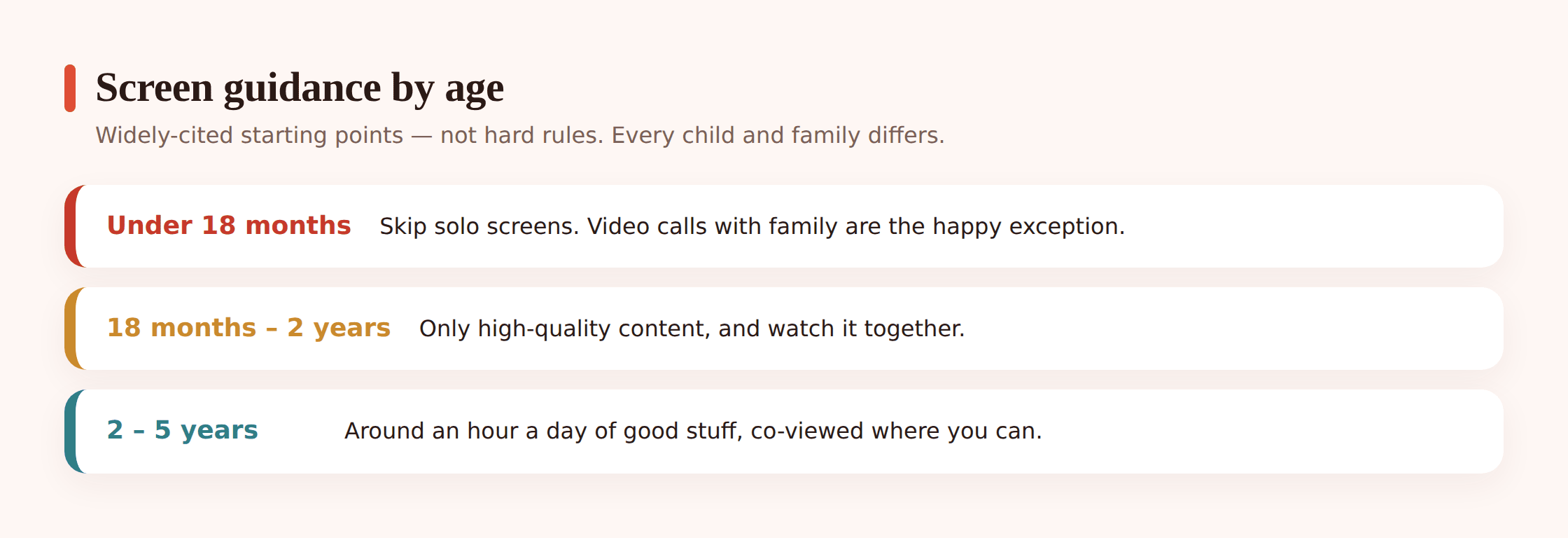
Under 18 months
Skip solo screens at this age. Babies this young learn from faces, voices, and their own hands, not from a display. The one clear exception is video calls. When your baby waves at grandma on a call, that’s real social connection, and it’s a lovely thing. It counts as togetherness, not “screen time” in the worrying sense.
18 months to 2 years
If you introduce screens here, keep it to high-quality content and watch it together. That “together” part is doing the heavy lifting. A toddler watching alone gets much less from a show than a toddler watching with you, because you’re the one naming things, asking questions, and connecting what’s on screen to real life. A little goes a long way.
2 to 5 years
A common figure you’ll hear is up to about an hour a day of good-quality content, ideally co-viewed. It’s a sensible ballpark, not a stopwatch you must obey. Some days it’ll be less. The odd rainy Sunday or long flight, it’ll be more, and that’s fine. Aim for the average across a week, not perfection every single day.
Quality over quantity
If you take one idea from this page, make it this. The what and the with whom matter more than the clock.
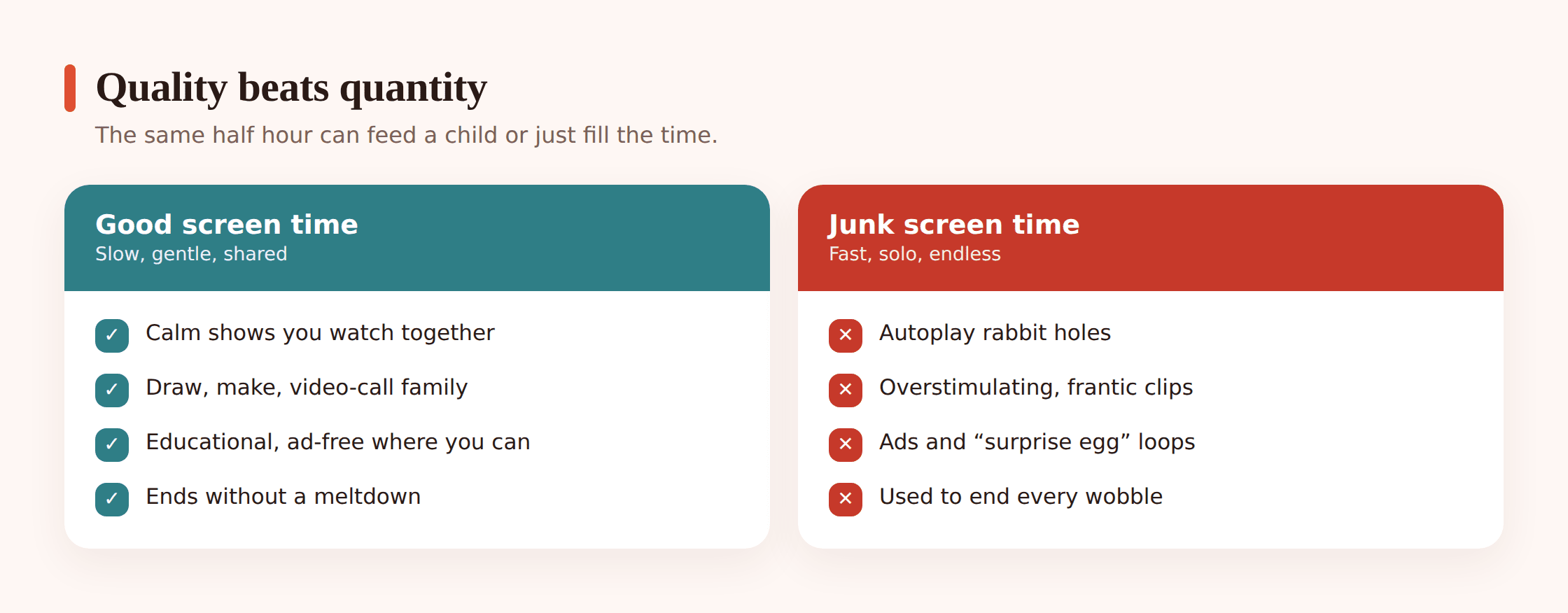
Here’s what to look for:
- Co-view and talk. Sit with your child, at least sometimes. Ask “What do you think happens next?” or “That’s a big red truck, isn’t it?” You turn passive watching into a conversation, and that’s where the learning lives.
- Slow and gentle beats fast and flashy. Shows with a calm pace, simple stories, and space to breathe are easier on a young brain than rapid cuts, loud noises, and constant stimulation. After a fast show, a lot of kids come off wired and cranky. You’ll notice the difference.
- Ad-free where you can manage it. Young children can’t tell an advert from the show. Ad-free apps and curated playlists spare them the hard-sell and the sudden tonal whiplash.
- Educational, not autoplay junk. There’s a real gap between a thoughtful show designed for little kids and an endless auto-playing stream of loud clips. Autoplay is built to keep them hooked, not to help them. Turn it off.
Good news: you don’t need to police every second. Pick a small shelf of shows and apps you actually like, and let that be the menu. Curation up front means less refereeing later.
The habits that matter more than the clock
You can hit the “right” number of minutes and still have screens causing friction, or go a bit over on a busy week and be totally fine. The habits around screens matter more than the total. These few make the biggest difference:
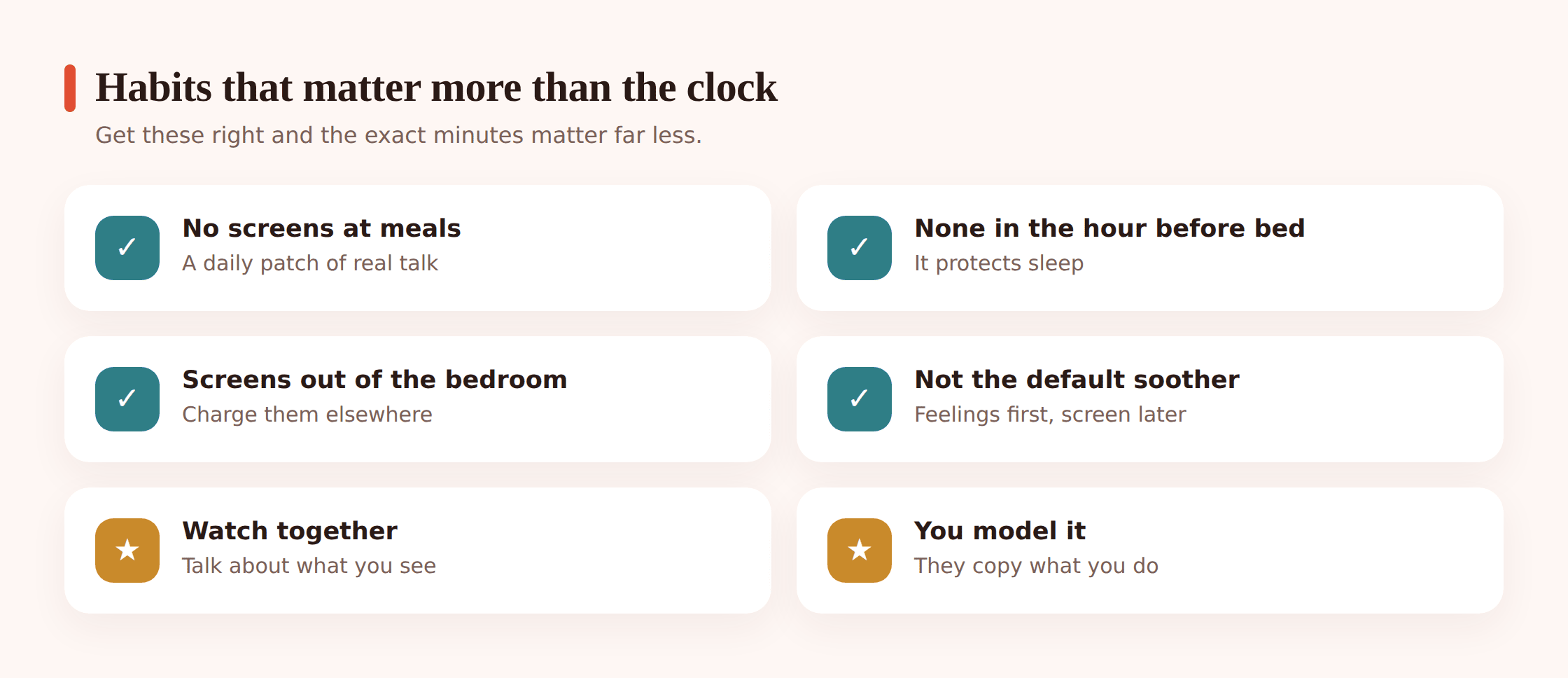
- No screens at meals. Mealtimes are for eating, talking, and learning to sit with the family. A propped-up tablet quietly takes all of that away. Keep the table screen-free and you protect one of the best connection points of the day.
- None in the hour before bed. Screens in the wind-down window make it harder for young kids to settle. Switching off an hour before bed protects sleep, and good sleep fixes more toddler problems than almost anything else.
- Screens out of the bedroom. Keep tablets and phones in shared spaces. A bedroom screen becomes a late-night temptation and a solo habit, exactly what you don’t want at this age.
- Not the default soothe button. A screen now and then to get through a haircut or a long wait is fine. But if it becomes the only tool for every meltdown, kids miss the chance to learn to calm themselves. Keep a few other tricks in your pocket too.
- You model it. This one stings a little. Kids copy what they see, and they see you on your phone. You don’t have to be perfect. Just narrate it sometimes (“I’m putting my phone away, it’s dinner time”) so they learn that screens go off, and that grown-ups do it too.
Pick one, not all five. Trying to change every habit at once usually collapses by Wednesday. Choose the single one that’d help your home most this week. Nail that, then add another.
Practical set-ups
Once a young child is regularly using a device, a bit of setup saves you a lot of daily negotiation. None of this needs to be complicated.
- A kid-safe tablet. If your child has their own device, or shares a family one, set it up for them specifically. A curated home screen with only the apps you’ve approved removes most of the wandering.
- A curated app and video shelf. Build a small, hand-picked collection of shows and apps. When the choices are all good ones, “what can I watch?” stops being a fight.
- YouTube Kids and timers. If you use video apps, use the kids version, turn off autoplay, and set a timer. A visible countdown (“the tablet goes to sleep in ten minutes”) makes the ending predictable instead of a surprise.
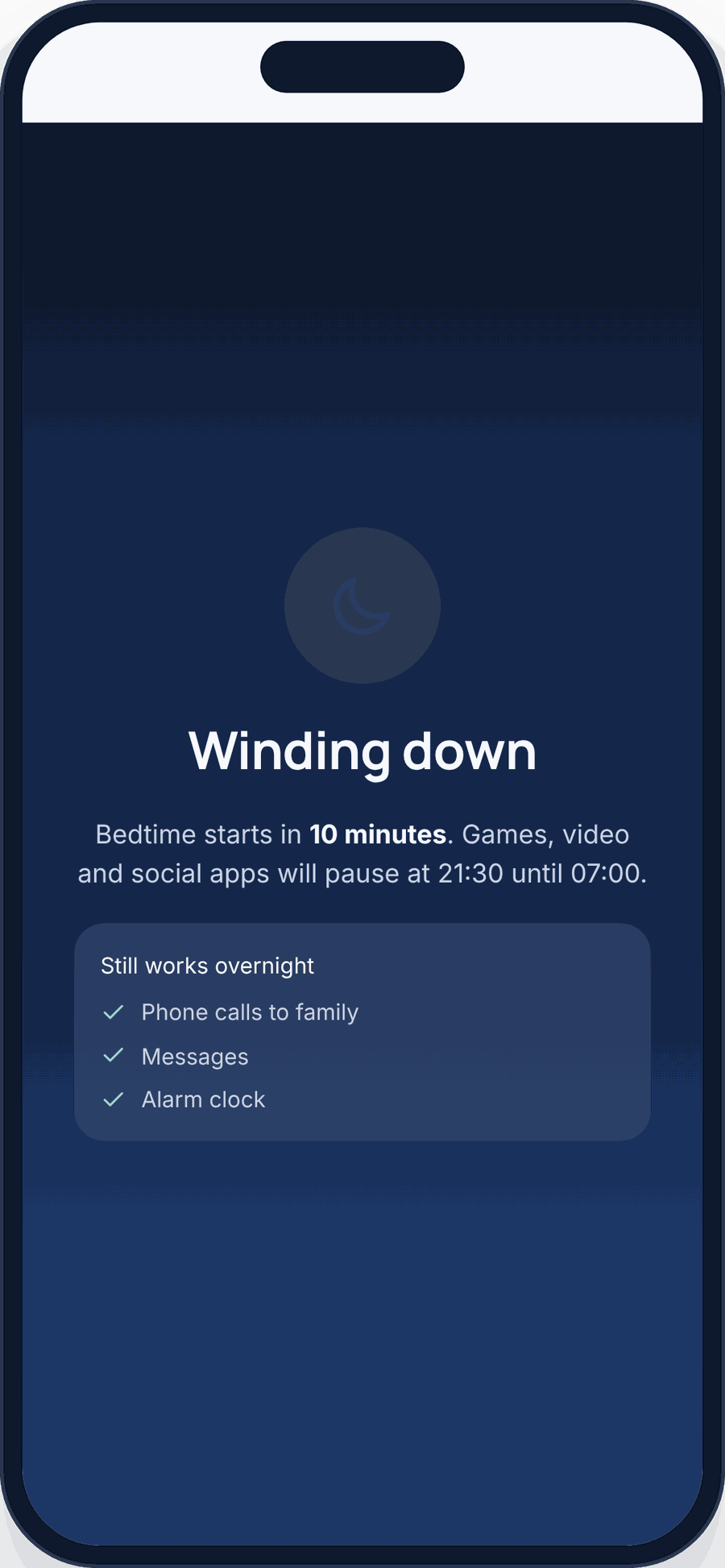
- Screen-time budgets and wind-down. On a shared device, you can set a daily budget, limit specific apps, and schedule a wind-down before bed. On iPhone and iPad, Apple’s built-in Screen Time handles this well. On Android phones and tablets, you can use the built-in tools, or a transparent parental app.
That last point is where a tool like FreePhoneSpy can help on Android. It’s a consent-first parental app with a web panel where you set screen-time budgets, app limits, a bedtime wind-down, and block specific apps on your own child’s Android phone or tablet. It’s free to start, then kept free by simple tasks. For the very youngest children, though, honestly, you won’t need software at all. It’s mostly about your habits and watching together. The software earns its keep later, once a child is old enough to use a shared tablet on their own. For iPhone or iPad, Apple Screen Time covers the same ground. For a wider look at options across both platforms, see our guide to parental controls on Android and iPhone.
You can dig into the details on our screen time page, and if you want limits tuned to a specific age, our screen time by age guide breaks it down further.
A calm bedtime routine
Screens and sleep don’t mix well for little kids, so a good bedtime routine mostly means one that ends with screens well before the lights go out.
A routine that works for a lot of families looks something like this:
- Screens off about an hour before bed. This is the anchor. Everything after it is calm.
- A predictable wind-down. Bath, pyjamas, teeth, a couple of books. Same order most nights. Young kids feel safe when they know what comes next.
- Dim the lights and lower the energy. Quiet voices, gentle play, no roughhousing. You’re signalling that the day is ending.
- Books beat screens for winding down. Reading together does the settling job a show can’t, and it’s some of the sweetest time you’ll get.
If evenings are a battle, the wind-down schedule on a shared device can help by having the tablet quietly switch off at the same time each night, so it’s the rule doing the enforcing, not you. For a fuller walkthrough, see our bedtime routines guide.
When “screen off” ends in tears
The hardest moment isn’t the watching. It’s the stopping. A toddler deep in a show does not want it to end, and turning it off cold usually triggers a meltdown. That’s not your child being difficult. It’s a small person with a big feeling and not many words for it. You can make these transitions much smoother.
- Warn before you stop. “Two more minutes, then we turn it off.” Then a one-minute warning. Sudden endings feel unfair to a young child. A heads-up gives them time to adjust.
- Let the timer be the bad guy. “The tablet’s going to sleep now” lands better than “I’m taking it away.” When the device ends it on a timer, you’re not the villain, and there’s less to argue with.
- Have the next thing ready. Transitions go best when there’s somewhere to go. “Screen off, now let’s build the train track” beats “screen off” followed by an empty room and a bored, cross toddler.
- Stay calm and hold the line kindly. If the tears come anyway, you don’t need to fix the feeling or cave in. “I know, you loved that show. It’s finished now. I’m right here.” Naming the feeling and staying steady teaches them more than a lecture ever would.
Some days it’ll go smoothly. Some days it won’t, no matter what you do. Both are normal. Consistency over weeks matters far more than any single rough evening.
Aim for balance, not perfection
If you’ve read this far worried you’re getting it wrong, here’s the part to hold onto. There’s no perfect number and no perfect parent. The families who do well with screens aren’t the ones with iron rules. They’re the ones who pay a little attention, adjust when something’s off, and don’t beat themselves up over a lazy Sunday.
Pick good shows. Watch together when you can. Keep screens off at meals and before bed. Model putting your own phone down. Do those most of the time and you’re doing great. The occasional over-the-limit day won’t undo it.
Your child needs a relaxed, present parent far more than a flawless media plan. Aim for balance. Give yourself the same grace you’d give a friend. And when the tablet’s off and you’re building blocks on the floor together, know that’s the part they’ll actually remember.
If you’re thinking ahead to the bigger questions that come with older kids, our piece on phones and teen mental health picks up where this one leaves off.
FAQ
Is a little screen time really bad for my toddler?
No. A modest amount of good-quality content, especially watched with you, isn’t harmful. The concern is with lots of solo, fast, autoplay screen time crowding out sleep, play, and talking. Keep the habits sensible and a bit of screen time is nothing to feel guilty about.
How much screen time is okay for a two-year-old?
A widely-cited figure is up to about an hour a day of quality content for ages two to five, ideally watched together. Treat it as a ballpark, not a strict limit. Some days will be less, the odd day more. Aim for the weekly average.
Are video calls with family counted as screen time?
Not in the worrying sense. Video calls are real social connection, and they’re fine even for babies under 18 months. Your child interacting with a grandparent on a call is a good thing, not a screen-time cost.
My child melts down every time I turn the screen off. What do I do?
Warn them first (“two more minutes”), let a timer end it so you’re not the bad guy, and have the next activity ready to go. Stay calm, name the feeling, and hold the line kindly. It gets easier with consistency.
Should my toddler have their own tablet?
They don’t need one. A shared family tablet, kept in a common room and set up with a curated shelf of approved apps, works well and keeps you involved. If they do use a device, set it up for their age and keep it out of the bedroom.
What’s the single most important screen habit?
If you can only change one thing, switch screens off about an hour before bed and keep them out of the bedroom. Protecting sleep does more for a young child’s mood and behaviour than almost anything else.