Is WhatsApp Safe for Kids? A Parent’s Guide
WhatsApp is where a lot of family life happens now. It’s how the school run gets sorted, how cousins send silly videos, how a class of eleven-year-olds keeps a group chat running past bedtime. So when your child asks for it, “is it safe?” is the wrong question. Safe-ish, with the right settings and the right conversation. Risky, if you hand it over and look away. Here’s what actually goes wrong on WhatsApp, the settings that genuinely help, and where phone-level monitoring fits — including the honest bit about what it can’t do.

What WhatsApp is, and why kids love it
WhatsApp is a free messaging app. Texts, voice notes, photos, video, calls — all over the internet rather than as paid SMS. It works phone-to-phone using contacts, so once your number is in someone’s phone, they can message you, and you them.
Kids use it for the ordinary stuff. The family chat where Nan posts birthday reminders. The five-friend group that’s really just memes and voice notes. The football team chat run by a parent coach. And, increasingly, school class groups — sometimes official, more often a pupil-run one nobody’s supervising.
None of that is bad. WhatsApp isn’t a scary app the way an anonymous stranger-chat app is. It’s a plumbing app: it moves messages between people who already have each other’s numbers. The trouble starts at the edges — when a number they don’t know appears, when a group grows past the people they actually trust, or when a message is built to disappear before you’d ever see it.
The age rules (and why they’re fuzzy)
WhatsApp’s minimum age depends on where you live. In much of Europe and the UK it’s 16. In the US and many other places it’s 13. WhatsApp doesn’t verify age — you type a number, you’re in — so the rule is really a line in the terms of service, not a gate.
That means the age question lands back on you. A switched-on 13-year-old with the right settings and an honest agreement can handle WhatsApp better than a 16-year-old who was handed it with no conversation. Treat the official age as a floor to think about, not a permission slip. The Bennetts let Sophie (15) have it with settings locked down; Ethan (11) isn’t on it yet, and that’s a fine answer too.
The real risks, explained plainly
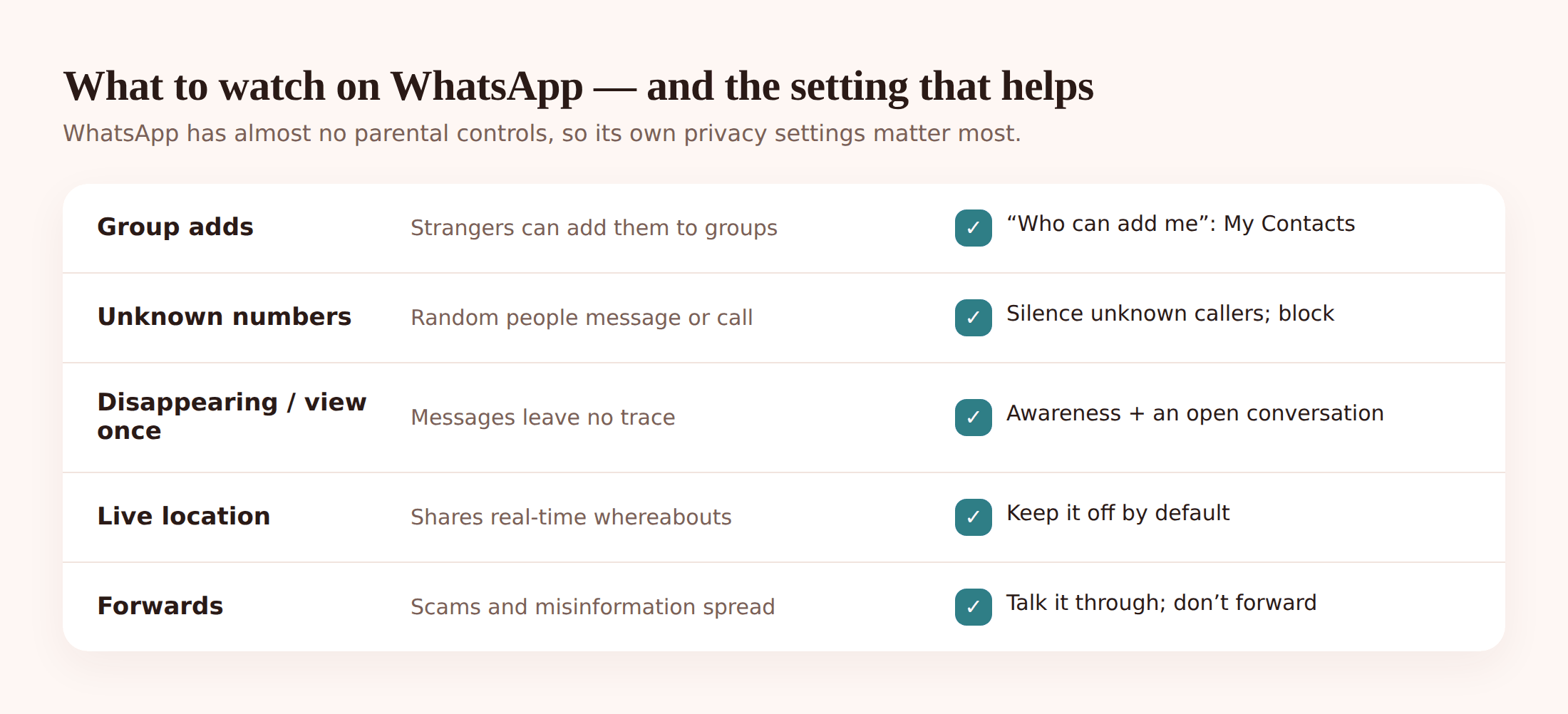
Here’s what parents actually run into. Not scaremongering, just the things that happen.
Being added to a group by a stranger. Anyone who has your child’s number can, by default, add them to a group. That group might be fine. It might also be a “deals” spam group, a crypto scam, or something with adult content posted before your child even reads who’s in it. The add happens without asking.
Unknown numbers messaging directly. A number your child has never saved sends a “hey, is this you?” or a fake delivery notice or a “hi, wrong number, but you seem nice” opener. Some are bots. Some are scammers warming up. A few are adults fishing for a reply from a young person.
Disappearing and view-once messages. WhatsApp can set messages to vanish after a set time, and photos to be viewable once then gone. Used innocently it’s just tidiness. Used badly it’s a way to send something — a picture, a nasty message, a dare — that leaves no trace for a parent to find later.
Live location sharing. Your child can share their real-time location with a chat for up to eight hours. Handy for meeting a friend. Risky if it’s switched on in the wrong group, or shared with someone who shouldn’t know where they are minute to minute.
Forwarded scams and misinformation. WhatsApp is a superhighway for chain messages — the “forward this or something bad happens”, the fake competition, the health scare, the “click here for free V-Bucks” link that steals a login. Kids forward without checking, because a friend sent it.
Adult content in groups. In a larger or looser group, someone posts something they shouldn’t. Your child sees it before anyone removes it. No filter catches this — it’s people, not an algorithm.
Almost no parental controls. This is the big one. WhatsApp has no built-in “child account”, no dashboard for you, no content filter, no time limits of its own. Compared with a proper kids’ platform, there’s nothing to tune from a parent’s side inside the app. Everything protective lives in the general privacy settings — which is why the next section matters so much.
Screenshots and bullying that carry over. A private message gets screenshotted and spread. A group turns on one kid. Because it’s their close friend group, it hurts more, and it follows them home in their pocket. If that’s happening, our guide for parents on cyberbullying walks through what to do next.
The privacy settings that actually help
Do these together, on your child’s phone, once. Ten minutes. It’s the single most useful thing in this whole article. In WhatsApp, tap Settings, then Privacy (some are under Account > Two-step verification).
- Who can add you to groups. Set this to My Contacts, or better, My Contacts Except… if there’s someone specific to exclude. Now a stranger can’t drop them into a group — they’d have to send an invite link your child chooses to accept.
- Last Seen & Online. Set to My Contacts. No need for the whole world to see when they’re active.
- Profile photo. My Contacts. A public profile photo of a child is an easy thing to remove.
- About and Status. My Contacts for both. Status updates (the disappearing photo/video reel) should never be visible to people they don’t know.
- Live location. Leave it OFF by default. Teach them to share it only with you or one trusted friend, only when needed, and to stop it when they’re home.
- Turn on “Silence unknown callers.” This stops random numbers from ringing the phone. The call still logs, so a genuine unknown caller isn’t lost, but your child isn’t interrupted or pressured live.
- Two-step verification. Under Account. Set a PIN so nobody can hijack the number onto another phone. Write the PIN somewhere you both can find it.
- Learn Block & Report together. Show them the two taps: open the chat, tap the name, scroll to Block and Report. Make it feel normal, not dramatic. Blocking a creep is a win, not a fuss.
- Talk about disappearing messages. They can’t disable other people using them, but they should know: if someone insists on view-once or disappearing messages for something that feels off, that’s a flag, not a feature.
- Groups: My Contacts (or My Contacts Except…)
- Last Seen, Profile Photo, About, Status: My Contacts
- Live location: off by default
- Silence unknown callers: on
- Two-step verification PIN: set and saved
- Block & Report: practised once, together
Where open monitoring fits — and its honest limit
Settings reduce the risk. They don’t tell you how things are actually going day to day. That’s where FreePhoneSpy comes in — and where we’ll be straight with you about what it can and can’t see.
FreePhoneSpy is parental monitoring for an Android child phone, viewed from any web browser. One app goes on your child’s phone, you enter a 6-digit code, and you set up together. It’s transparent by design: your child can see it’s there, and nothing is monitored until you’ve set it up as a family. This isn’t spying software. If you want the difference spelled out, we wrote a whole page on monitoring versus spying.
Now the honest limit, because it matters most here. WhatsApp chats are end-to-end encrypted. That means the messages are scrambled everywhere except inside the two phones actually chatting. No app, no panel, no parent, no company can read them from outside. Anyone who claims a tool that quietly reads a child’s live WhatsApp conversations from a web dashboard is either lying to you or doing something that breaks the encryption in a way you shouldn’t trust. We won’t pretend otherwise.
So what does open, phone-level monitoring actually give you with WhatsApp?
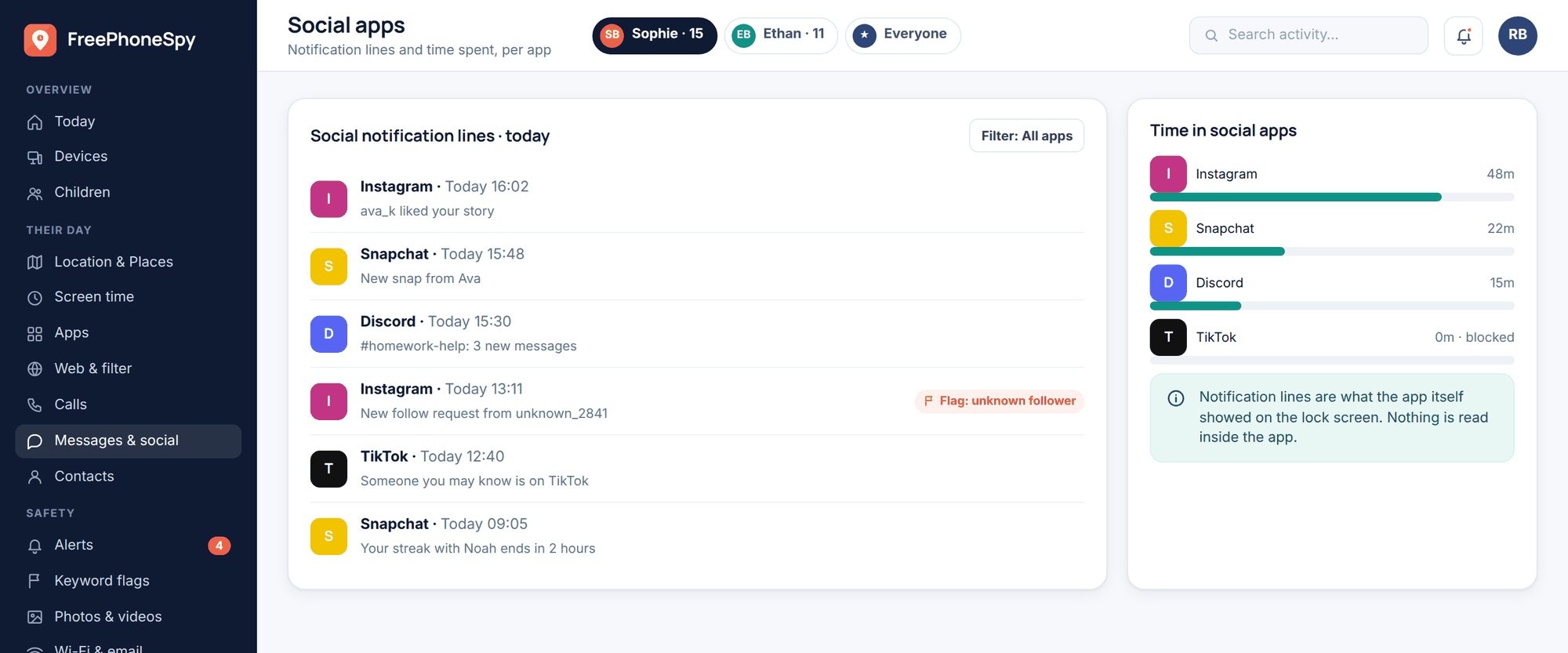
WhatsApp notification lines. The Messages & Social view surfaces the notification-style previews the phone itself shows — who messaged, when, the short line that pops up. You’re seeing the shape of the activity: a new contact suddenly messaging a lot at 1am is visible even though the full thread isn’t.
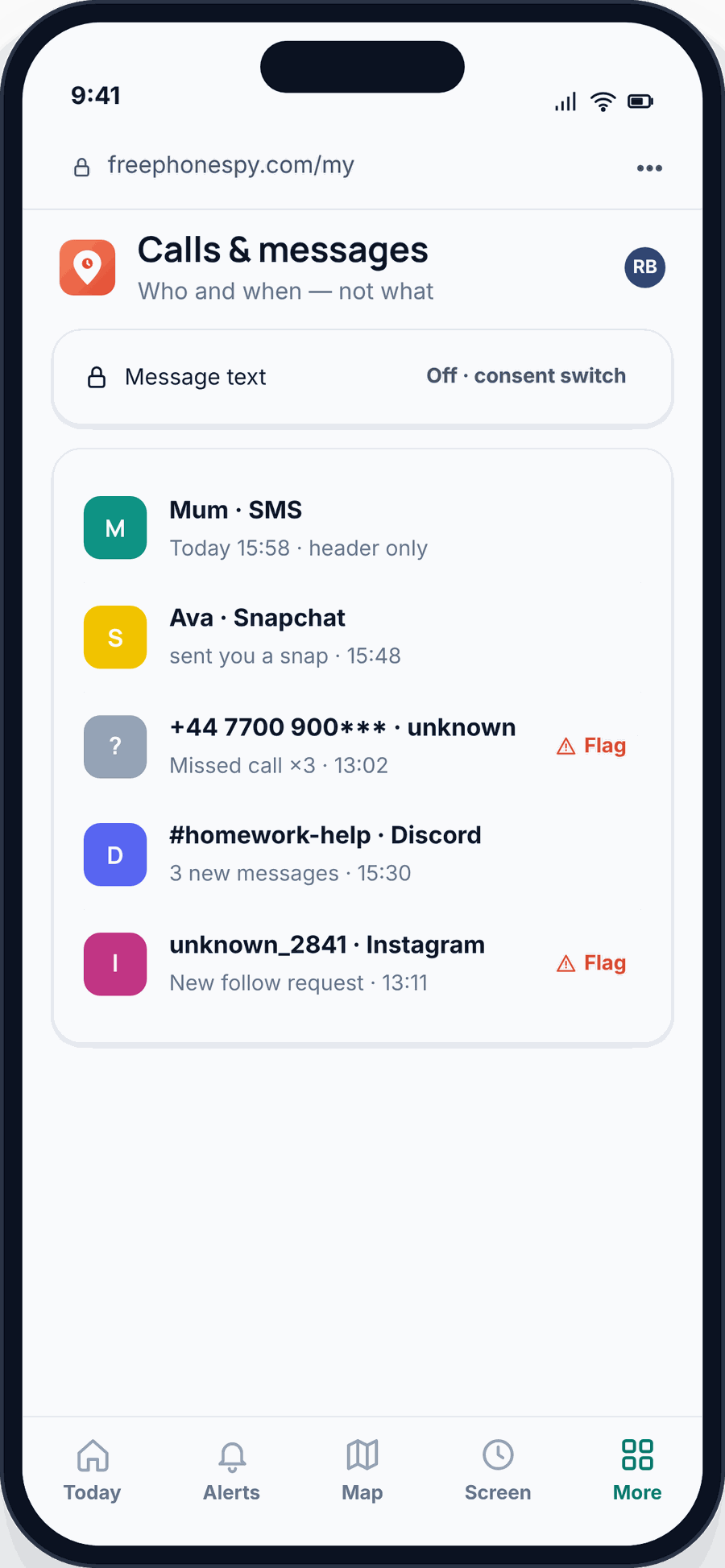
Keyword alerts. This is the quiet hero for encrypted apps. Set words that worry you — bullying language, self-harm terms, a slang word for a drug, “don’t tell your mum” — and get an alert when one shows up in what the phone can see. You don’t sit reading everything. You get a nudge when it counts. Full detail is on the keyword alerts page.
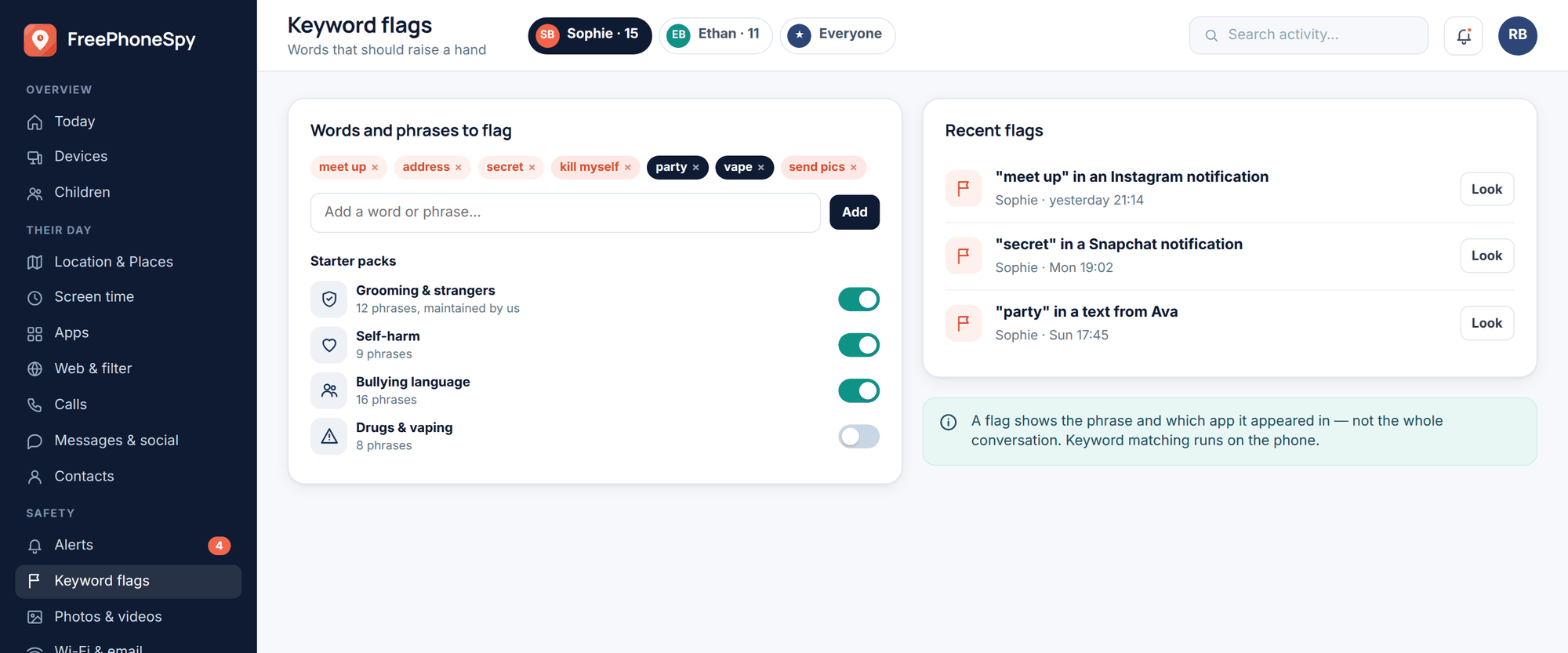
Contacts and unknown-number flags. The panel lists who’s in the phone’s contacts and flags numbers that aren’t saved. Given that unknown numbers are the top WhatsApp risk, seeing a strange number appear — and being able to ask about it calmly — is genuinely useful.
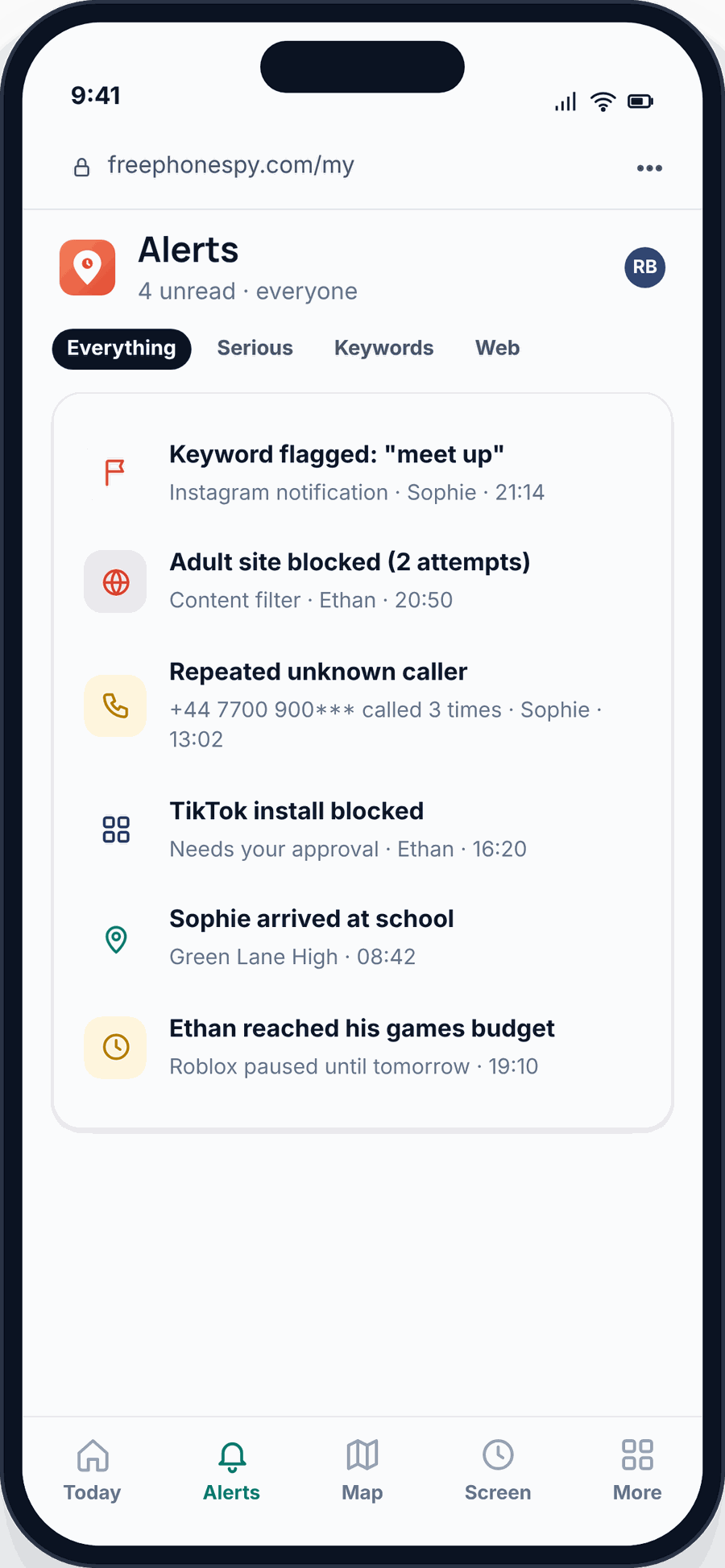
App limits and screen time. You can set time limits on apps, so WhatsApp doesn’t run till 2am. Not a spy tool — a bedtime tool.
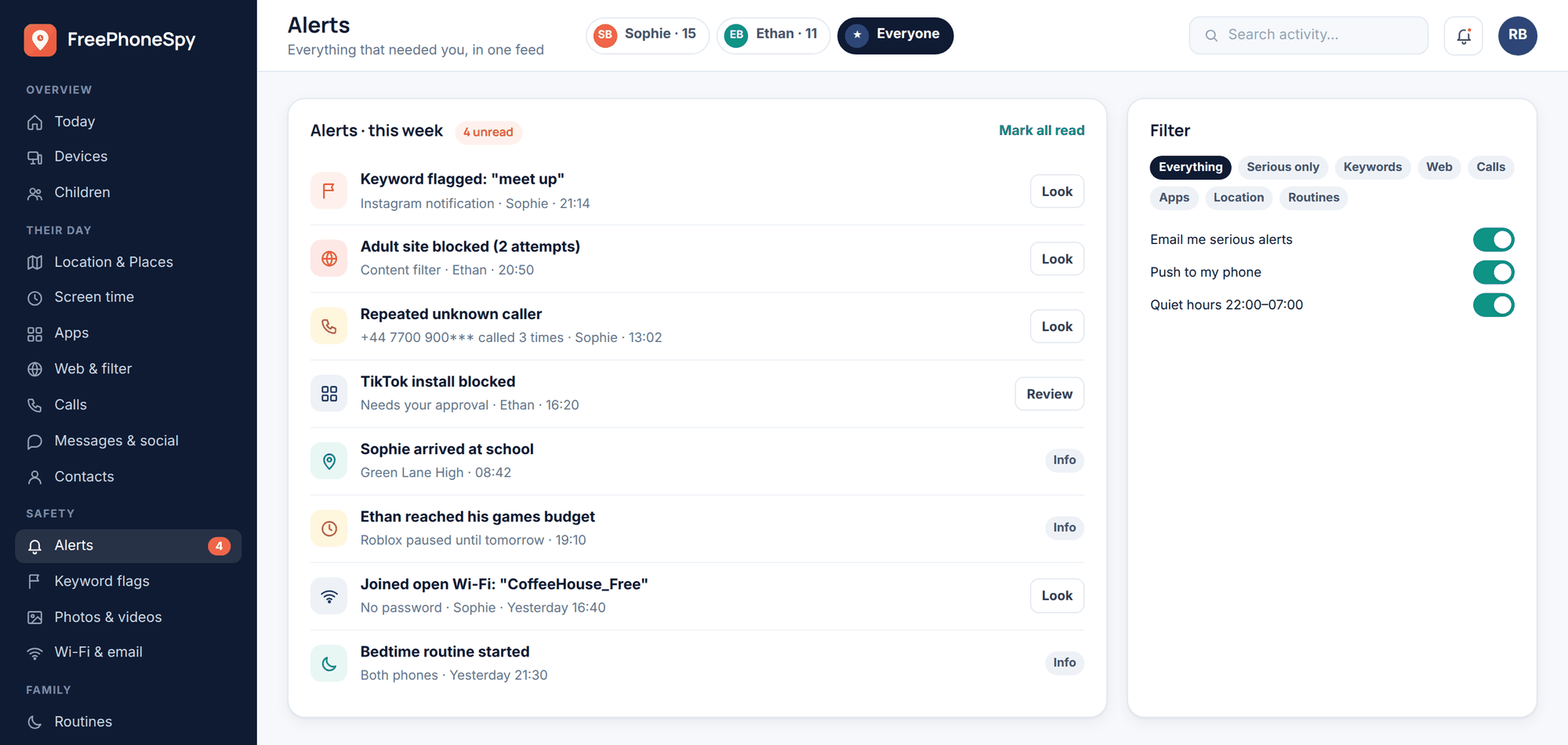
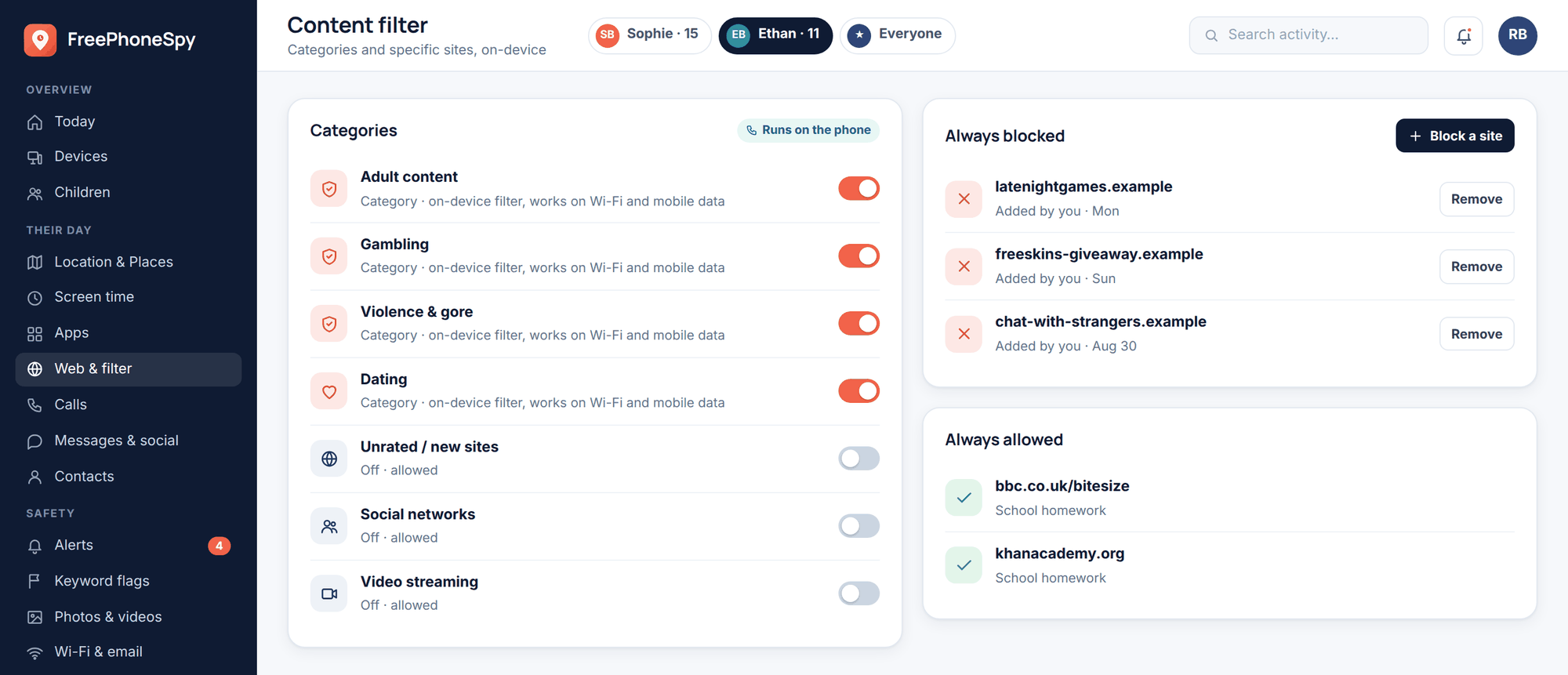
Put plainly: monitoring gives you the signals — who, when, unknown numbers, keyword hits, time on the app — and the guardrails — limits and alerts. It does not give you the content of encrypted chats, and we’re not going to tell you it does. On WhatsApp especially, the real tool is trust and conversation, with monitoring as the backstop.
Unknown numbers and group-chat hygiene
Two habits protect a child on WhatsApp more than any setting.
The unknown-number rule. If a number they don’t recognise messages them, they don’t reply, don’t send a photo, don’t confirm their name or school. They screenshot it and show you, then block if it’s dodgy. Scammers and predators both rely on a first reply. No reply, no hook. Predators specifically groom through exactly this doorway, which is why we cover it in depth in protecting kids from online predators.
Group hygiene. Teach them that leaving a group is always allowed. If a group gets weird — strangers appear, content turns nasty, someone’s being ganged up on — they leave and tell you. Leaving a chat isn’t rude and isn’t a big deal; it’s them looking after themselves. Practise it once so the option feels real: open the group, tap the name, scroll to Exit group. Done.
The conversation to have first
Before the settings, before the monitoring, have the talk. It’s short.
Tell them WhatsApp is theirs to use and you trust them. Tell them there are two rules that keep it safe: strangers get blocked and shown to you, and bad groups get left. Tell them the phone has monitoring on it — you’ll show them exactly what it sees and what it can’t (the chats stay private, the encryption’s real) — and that it’s there as a safety net, not a spy hole. Ask them to come to you with the weird stuff, and promise that “coming to you” never means punishment.
Kids keep the rules they helped write. Set the privacy settings together, agree the two habits, and revisit it in a month. That combination — locked-down settings, honest monitoring, an open door — is what “safe” actually looks like on WhatsApp. For the wider picture across every app, see our social media safety guide, and if Snapchat’s next on the list, we’ve covered that too.
FAQ
Can I read my child’s WhatsApp messages from a parent panel?
No, and be wary of anything that claims you can. WhatsApp chats are end-to-end encrypted, readable only inside the two phones chatting. Open monitoring shows notification lines, unknown-number flags, keyword alerts and time on the app — not the chat contents. On WhatsApp the real safety comes from settings and conversation.
What’s the minimum age for WhatsApp?
16 in much of Europe and the UK, 13 in the US and many other regions. WhatsApp doesn’t verify age, so treat the number as a starting point and judge your own child’s readiness — settings and an honest agreement matter more than the birthday.
How do I stop strangers adding my child to groups?
Settings > Privacy > Groups, set to “My Contacts” (or “My Contacts Except…”). Now only saved contacts can add them; anyone else has to send an invite link they can decline.
Are disappearing and view-once messages dangerous?
Not on their own — plenty of people use them for harmless, tidy chats. The concern is when someone pushes a child to use them for something that shouldn’t leave a trace. Teach your child that insistence on disappearing messages for anything uncomfortable is a red flag to tell you about.
Should I use monitoring if I can’t read the chats anyway?
Yes, for what it does do: flag unknown numbers, alert on worrying keywords, show WhatsApp activity patterns, and set time limits. Set up openly with your child, it’s a backstop that catches the signals while the encryption keeps their private chats private — which is a fair balance for a teenager.
My child is on iPhone — does FreePhoneSpy work?
FreePhoneSpy is for Android child phones. On iPhone, use Apple’s built-in Screen Time and Communication Safety tools, and apply the same WhatsApp privacy settings and conversation described here — those work on any phone.