Is Discord Safe for Kids? A Parent’s Guide
Your kid says all their friends are “on the server.” You nod, then quietly wonder what that means, who else is in there, and whether a grown stranger could slide into their messages. Discord is where a lot of childhood now happens — homework help, game nights, meme swapping. It can be great. It can also drop a 12-year-old into a room with adults they’ve never met. Here’s the honest version: what Discord is, where the real danger sits, the settings that actually help, and how to back it all up on the phone without pretending you can read every message.

What Discord actually is
Discord is a chat app built around servers — think of a server as a clubhouse. Inside each server are channels, which are separate rooms for separate topics: one for general chat, one for a game, one for pictures, maybe one for voice. Kids hop between them by tapping.
Within those channels people talk by text, voice, or video, and they can share images, links and files. There are also DMs — direct messages — which are private one-to-one or small-group chats that happen off to the side, away from any server. That distinction matters a lot, so hold on to it: a public channel is a room full of people; a DM is a closed door.
Why do kids and teens love it? Because it’s built for the way they actually hang out. A gamer can talk to five friends in voice while they play. A class group can pin homework in a channel. A fandom can gather thousands of people who like the same show. It’s fast, it’s free, and it feels like their space rather than a parent’s.
The age reality: Discord’s own terms say you must be 13 or older to use it (higher in some countries). Plenty of younger kids are on it anyway, usually because an older sibling or a friend set it up. If your child is under 13, the simplest honest answer is that they’re too young for it, and it’s fair to say so. For a 15-year-old like Sophie in our demo family, the question isn’t “yes or no” — it’s “how do we make it safe.” For an 11-year-old like Ethan, it’s closer to “not yet, and here’s why.”
The real risks, one by one
Discord isn’t dangerous the way a broken stair is dangerous. It’s dangerous the way a big city is — mostly fine, occasionally not, and the trouble tends to find the kids who wandered somewhere they didn’t understand. Here’s what to actually watch for.
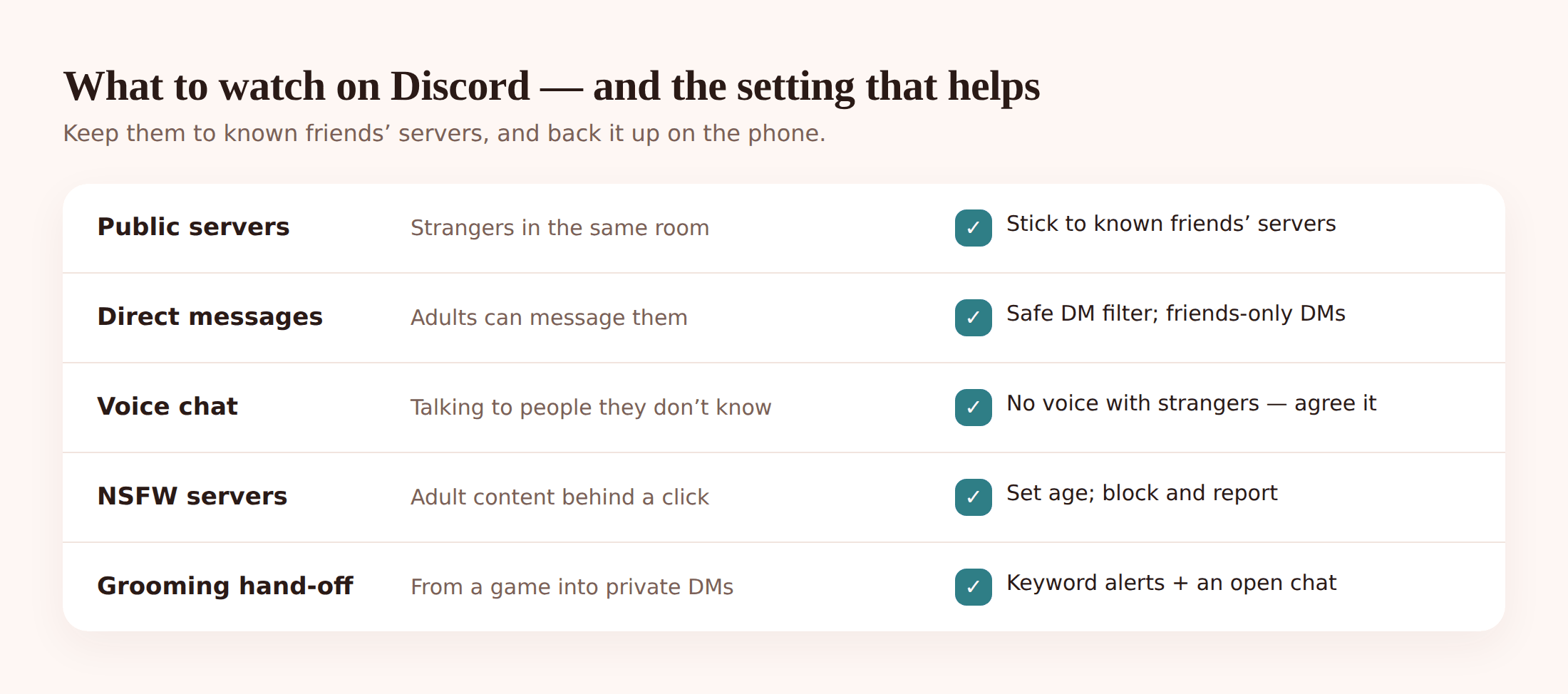
- Public servers full of strangers. Big open servers — for a game, a creator, a topic — can hold thousands of accounts. Your child might be there for the game. Some adults are there for the children. Nobody in a public server is verified as who they say they are.
- DMs from adults. This is the big one. In a lot of servers, anyone who shares that server can message your child privately. A friendly stranger starts in the channel, then moves it to DMs where no one else can see. That shift — public to private — is the single most important pattern to teach a kid to notice.
- Voice chat with people they don’t know. Voice feels more intimate and more trusting than text, and it leaves no written trail. A child who’d never send a risky message might say things out loud in a voice channel with someone they’ve only known for a week.
- Grooming and the hand-off from games. Predators rarely start on Discord. They meet a child in a game — Roblox, Fortnite, Minecraft — build a bit of trust, then say “add me on Discord” because it’s less watched. The grooming playbook is patient and it counts on parents not seeing the move between apps.
- Adult and NSFW servers. Some servers are gated as “age-restricted” and hold explicit content. The gate is an honesty check, not a real barrier, and links to these servers get passed around.
- Scams. “Free Nitro,” fake giveaways, crypto and game-item cons, and links that steal account logins are everywhere. Kids are trusting and quick to click.
- Disappearing context. Messages scroll, servers get left, chats vanish from view. If something goes wrong, there often isn’t a tidy record to point at — which is exactly why the conversation habit below matters more than any log.
- Screen-time creep. Voice channels stay open for hours. “Just finishing this game” turns into midnight. It’s the quietest risk and the most common.
Discord’s own safety tools, step by step
Discord has built real controls, and most families never switch them on. Do these with your child, on their phone, not behind their back. It takes about ten minutes.
- On your child’s account, open Settings → Family Center and follow the prompt to connect it to your account (you’ll scan a QR code with your phone).
- Once linked, you can see who they’ve messaged, the friends they’ve added, and the servers they’ve joined — recent activity, updated regularly.
- Understand the limit: Family Center shows you the who and where, not the content. You’ll see that they DM’d someone new; you won’t see what was said. That’s by design, and it’s still genuinely useful — patterns are what you’re after.
- Go to Settings → Privacy & Safety.
- Turn on Safe Direct Messaging (also called the DM content filter) to its strictest setting, so Discord scans and blocks explicit images in DMs.
- Under who can send you friend requests, switch off “Everyone.” Leave “Friends of Friends” and “Server Members” off too if you can — “Friends of Friends” only if they’re older and you trust their circle.
- Turn off “Allow direct messages from server members.” This is the setting that closes the public-to-private door. New servers won’t be able to DM your child by default.
- Make sure the account’s date of birth is set correctly. It controls whether age-restricted servers and content are reachable, and a fake older birthday quietly unlocks the adult side.
- For each server they’re in, open the server name → Privacy Settings and turn off direct messages from that server’s members. You can do this server by server if you don’t want a blanket rule.
- Show them how to block a user: tap the profile → Block. Blocked users can’t message them.
- Show them how to report a message or user to Discord, and to leave a server that feels wrong. Practise it together once so it’s not scary in the moment.
Backing it up at the phone level
Here’s where we’re going to be straight with you, because the internet is full of tools that promise to “read your child’s Discord messages” and then don’t. FreePhoneSpy cannot read inside Discord DMs, voice channels, or private servers. Nobody honest can, without your child’s login. Discord’s private chats are private.
So what’s the point? The point is the phone. FreePhoneSpy is a parental monitoring app for your child’s Android phone that you view from any web browser — the web panel. One app on their phone, a 6-digit code, and everything shows up on your side. (If your child is on an iPhone, use Apple’s own Screen Time and Family Sharing tools instead — we’ll tell you that rather than sell you something that won’t work.) It doesn’t crack Discord open. It gives you the patterns and the guardrails around it, so the conversation you have is an informed one.
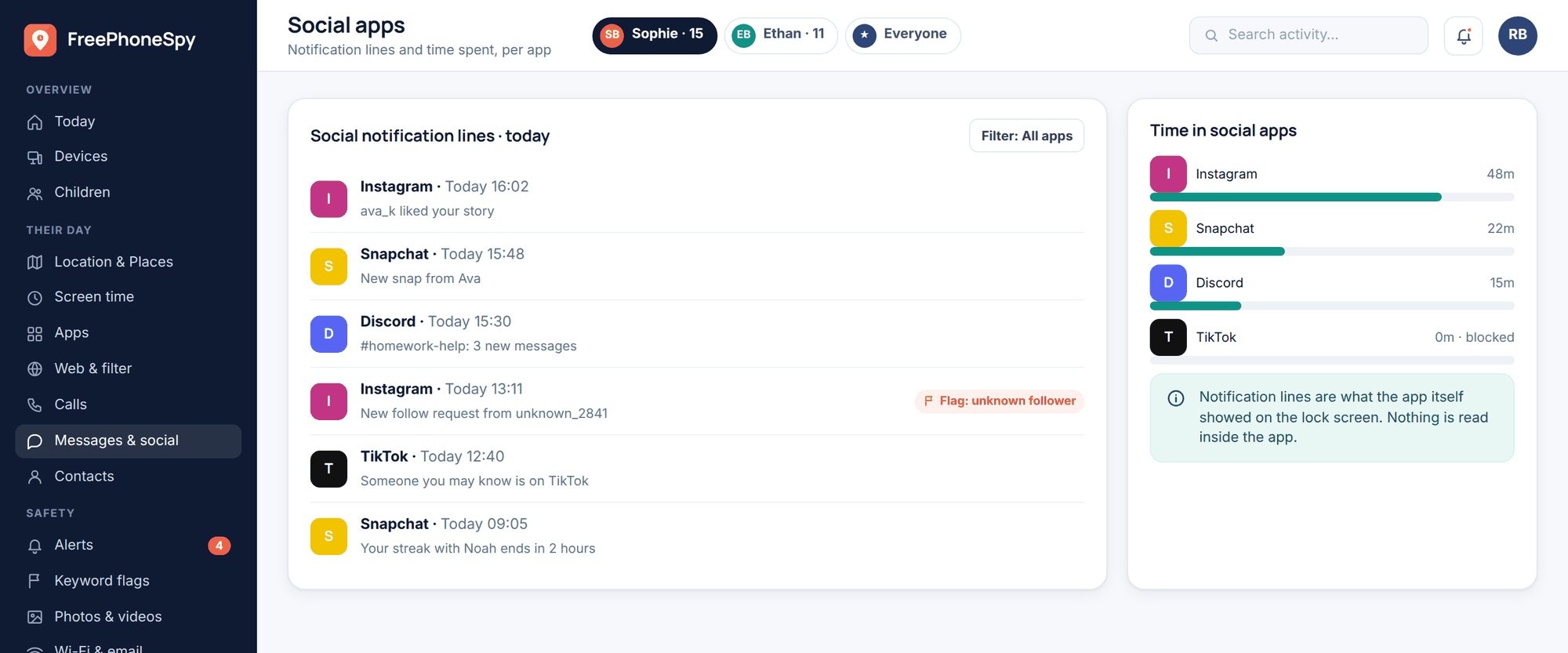
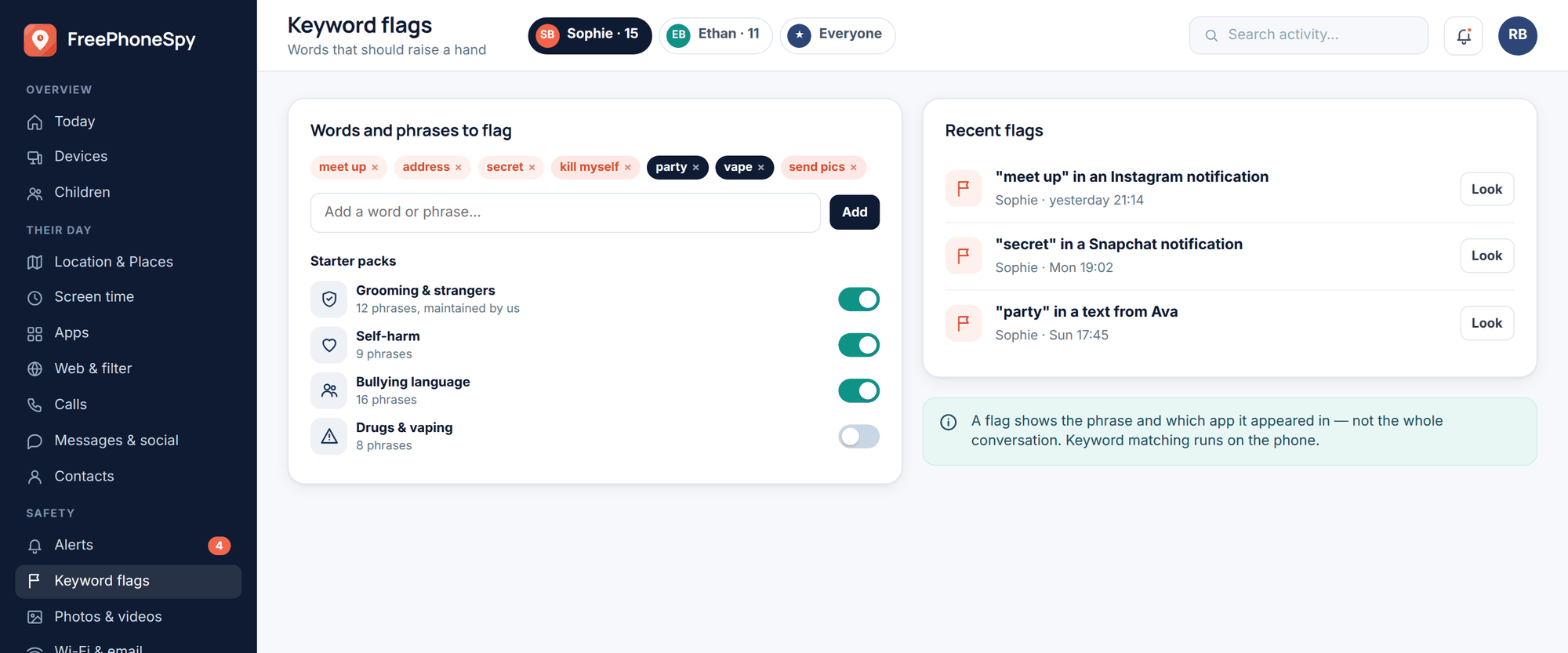
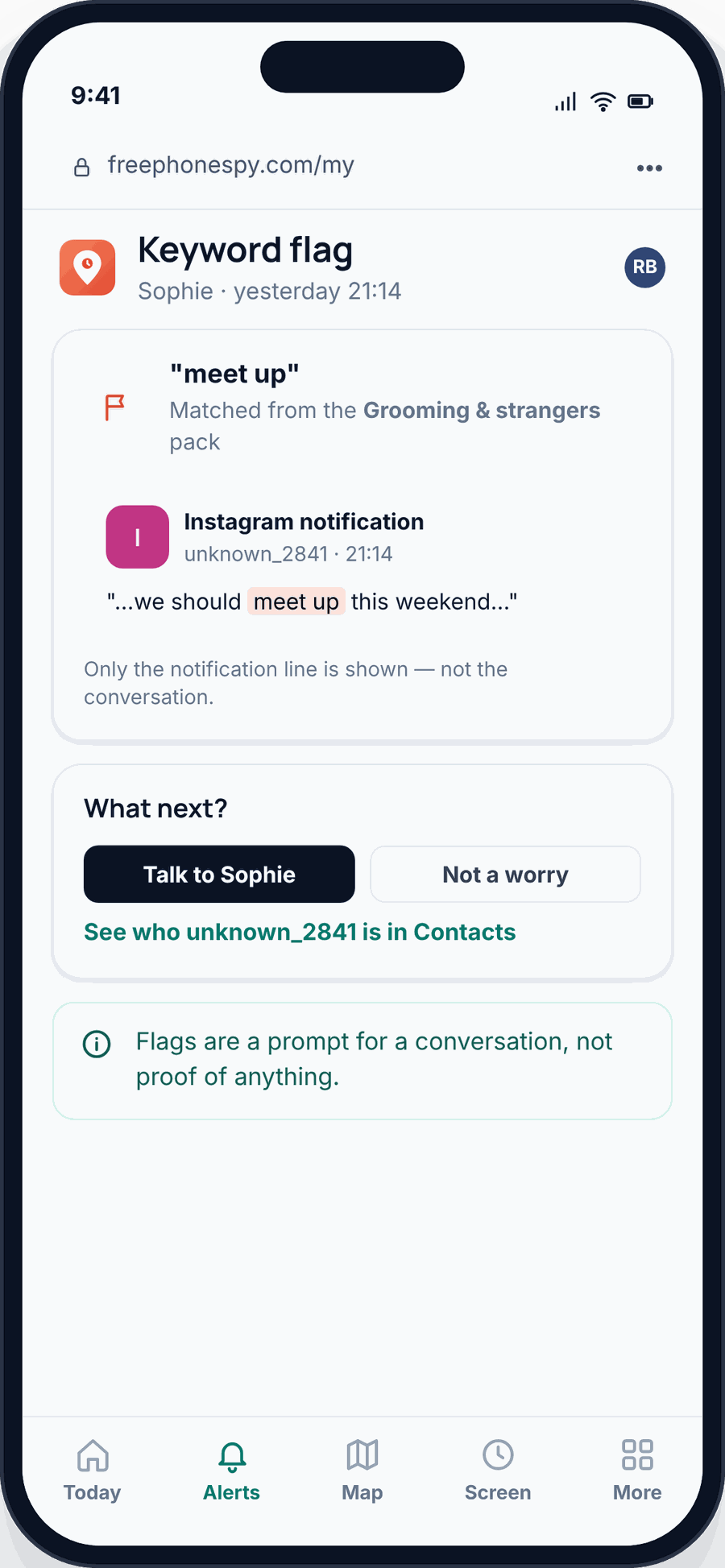
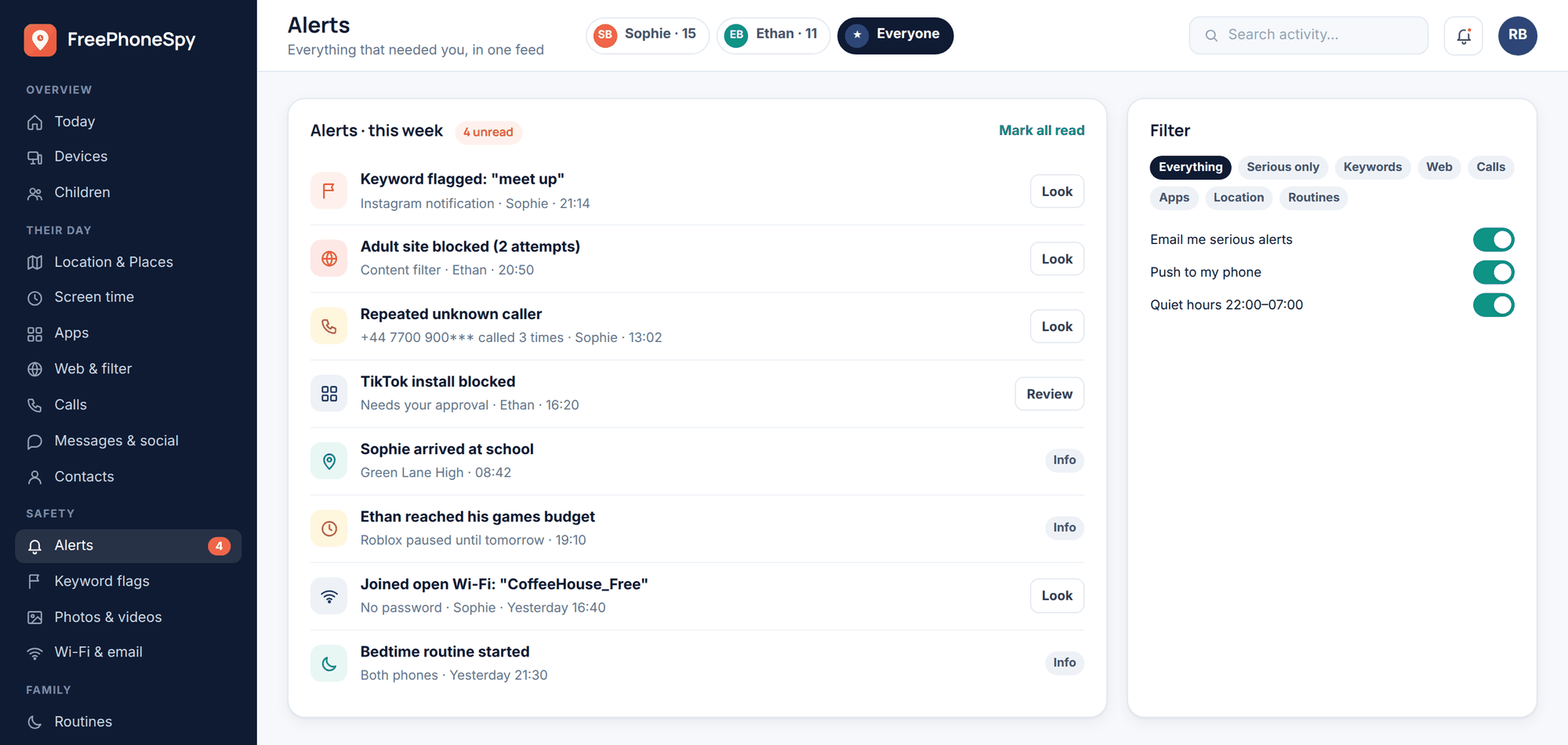
Keyword alerts on notifications. This is the quiet hero. When a Discord message lands on the phone, it usually shows up as a notification line — often the sender’s name and the start of the message. FreePhoneSpy can watch those notification lines and flag words you’d want to know about: a stranger’s name, sexual language, “don’t tell your mum,” an address, a meeting plan. You don’t get the whole conversation. You get a nudge that says look at this one. Set your list on alerts & keywords.
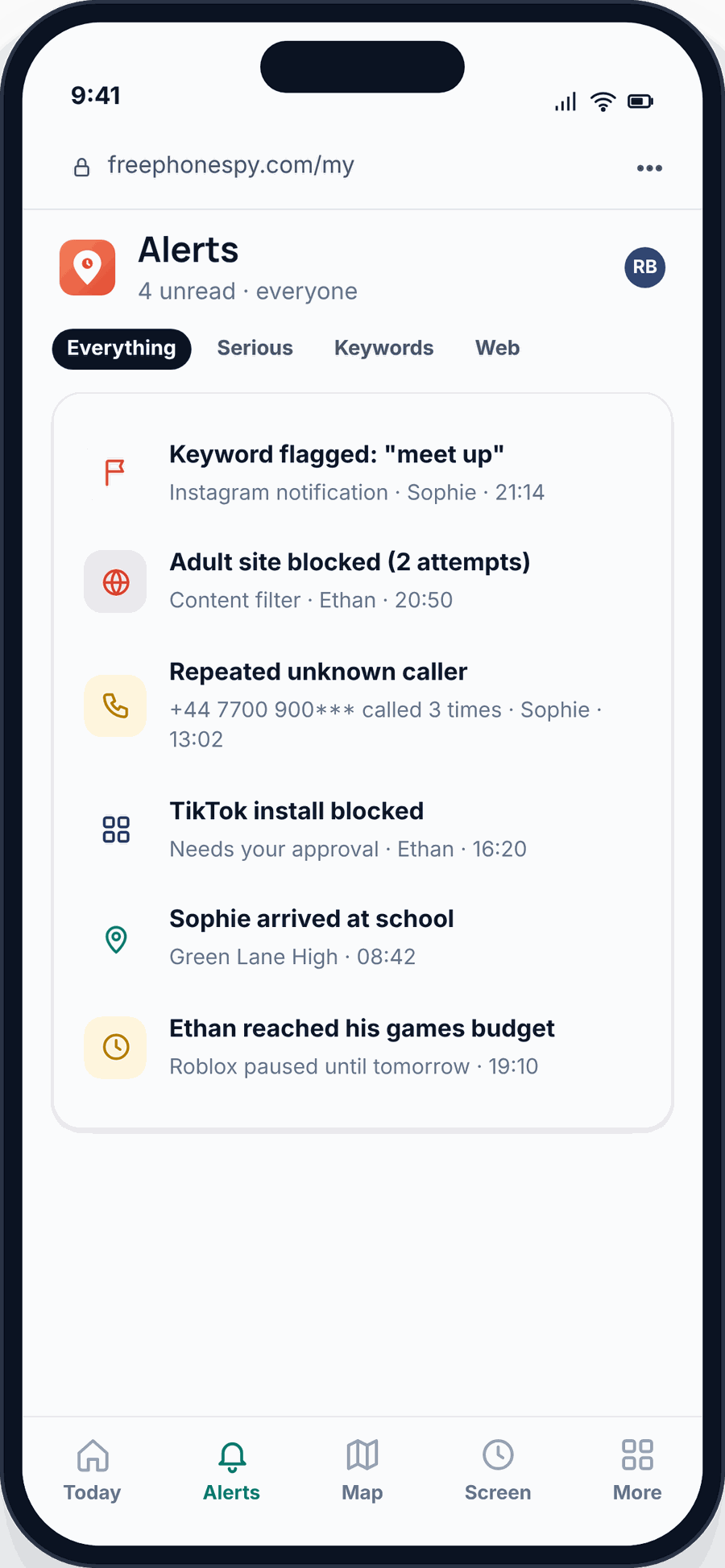
Social message headers. In the Messages & Social view you’ll see the headers — who’s messaging, on which app, how often — while message bodies stay off unless you turn on a specific consent switch. That’s enough to notice a brand-new contact who’s suddenly messaging a lot, which is the pattern that matters. For ordinary texts, the SMS view works the same way.
App time limits and blocking. If Discord is eating the evening, set a daily limit or block it during homework and sleep. You can pause it, cap it, or switch it off for a while. Do it openly — “phones-down at nine” is a house rule, not a punishment. It’s all under app & website blocking.
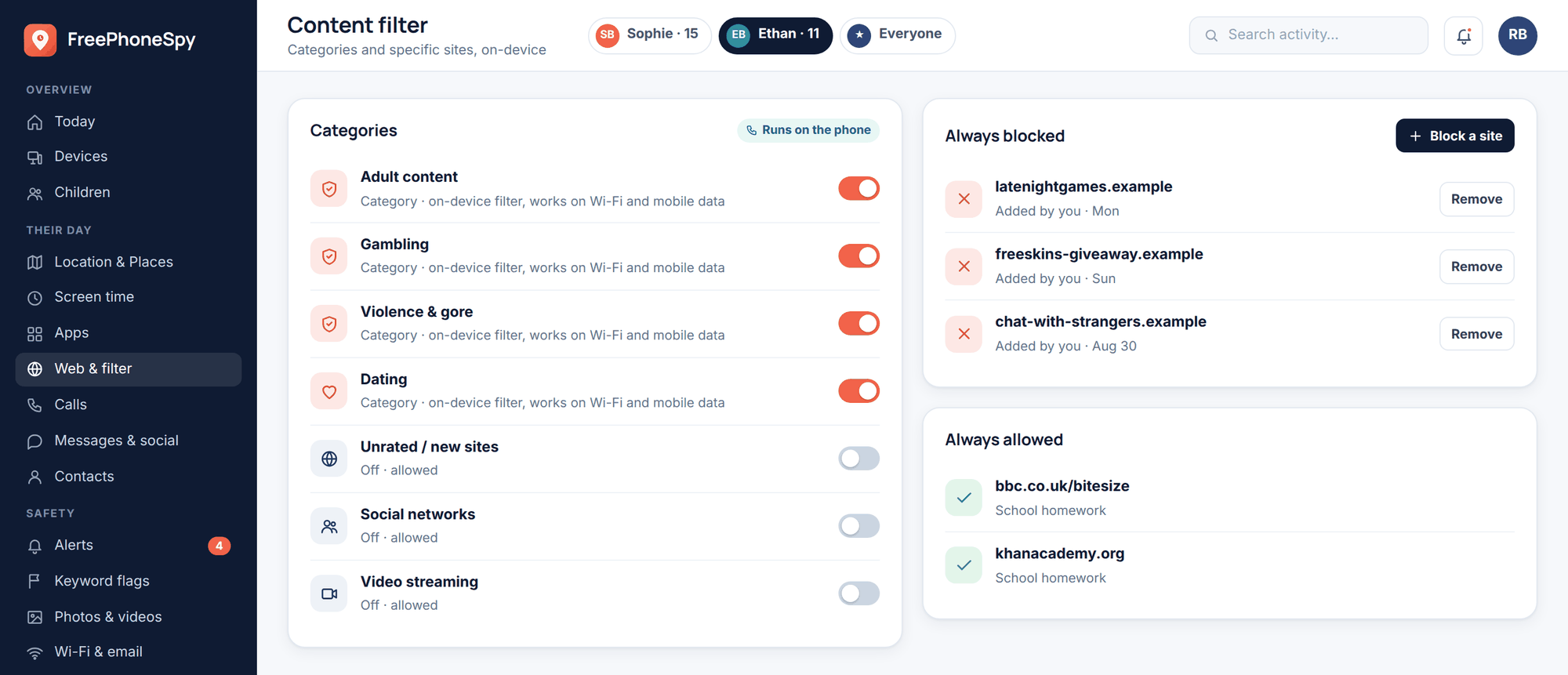
Block the browser version too. Smart kids know Discord runs in a web browser as well as the app, so blocking the app alone is a half-measure. FreePhoneSpy’s web & content filter can block the browser version of Discord as well, so the limit actually holds.
Screen time and the alerts feed. A simple screen-time view shows how long Discord ran and when. And your alerts feed pulls the flags, the unknown-contact notices and the limit events into one place, so you can glance once a day instead of hovering.
None of this replaces talking. It’s the smoke alarm, not the parent. The value is that you’ll notice the shift — a new name, a spike in late-night use, a flagged word — early enough to ask a calm question instead of finding out too late. On pricing: it’s free to start, and stays free through a few simple tasks. The core stays free.
Server hygiene: sticking to the good rooms
Most of a child’s Discord safety comes down to which servers they’re in. Help them keep to a small, known set.
- Known friends first. The safest servers are the ones for a real-life friend group, a class, or a small club where everyone knows everyone. Encourage those and be relaxed about them.
- Be wary of huge public servers. A server with thousands of members isn’t automatically bad, but it’s a crowd of strangers. If they want to join one for a game, join it with them once and see what the general channel actually looks like.
- Spot a bad server. Warning signs: lots of adults chatting with kids, sexual jokes or “age-restricted” channels, pressure to move to DMs or voice, links to other servers, or admins who ask for photos or personal details. Any of those, and it’s time to leave.
- Leave safely. Leaving a server is quiet — no one gets a notification, and your child can block anyone who bothers them afterwards. Reassure them there’s no social cost to walking out of a room that feels off. Practise the “leave server” tap together.
Discord is a form of social media, and the same instincts apply across apps. If you want the broader picture, our social media safety guide covers the habits that carry over, and the TikTok guide shows how the same risks look on a very different app.
The conversation that does the heavy lifting
All the settings in the world lose to one thing: a kid who won’t tell you when something feels wrong. So the real work is making sure they will. That’s a conversation, and it’s worth more than any control on this page.
Keep it plain and non-scary. A few rules that actually work:
- “Tell me if an adult DMs you.” Not “you’re in trouble if” — “tell me and I’ll help.” Make it a report-without-blame promise, and keep the promise the first time they test it.
- “No voice chat with people you don’t know in real life.” Voice with school friends, fine. Voice with a stranger from a big server, no. Simple line, easy to remember.
- “Never move a chat to somewhere private because someone asked.” If a person you met in a channel wants to go to DMs, that’s a flag, not a compliment.
- “Don’t share your face, your school, your address, or photos.” The stuff that turns an online stranger into a real-world one.
- Agree the rules together. Kids follow rules they helped write. Sit down, set the DM and friend-request settings as a team, agree the screen-time limit, and revisit it as they get older.
If the worst is already happening — a stranger who won’t leave them alone, threats, pressure, or bullying spilling across apps — read our guides on protecting kids from online predators and handling cyberbullying, and don’t wait to loop in the school or the police if a child is being targeted.
FAQ
What age is Discord safe for?
Discord requires users to be 13+, and that’s a fair floor. Even at 13, it’s safer with DM and friend-request settings locked down and a parent in the loop. Under 13, it’s genuinely too young — the app isn’t built for them and the safeguards assume an older user.
Can I read my child’s Discord messages?
Not honestly, and not with FreePhoneSpy — private DMs and voice chats stay private. What you can do is watch the phone: flag worrying words in Discord’s notification lines with keyword alerts, see who’s messaging and how much, and use time limits. You get the patterns, then you talk.
Can strangers message my kid on Discord?
By default, often yes — anyone in a shared server can DM them unless you change it. Turn off “direct messages from server members” and restrict friend requests in Privacy & Safety, and that door closes for new servers.
What is Family Center and does it show me messages?
Family Center links your account to your child’s so you can see who they message, who they add, and which servers they join. It shows the who and where, not the content of messages. It’s a good early-warning view, not a way to read chats.
Does FreePhoneSpy work on iPhone?
The child app is for Android. If your child uses an iPhone, use Apple’s built-in Screen Time and Family Sharing for limits and oversight — we’d rather tell you that than sell you a tool that won’t do the job.
Is it wrong to monitor my child’s phone?
Not when you do it openly, for your own child, with their knowledge. FreePhoneSpy is transparent by design — the app is visible on the phone and nothing runs until you set it up together. The line is honesty: supporting your kid out in the open is parenting; secret surveillance isn’t.