Track a phone location without the guesswork
See where your child’s phone is right now, where it has been today, and get a nudge when it arrives at school or leaves it early. A phone location tracker built for parents, set up in the open with your child.
Android child app
Runs in any browser
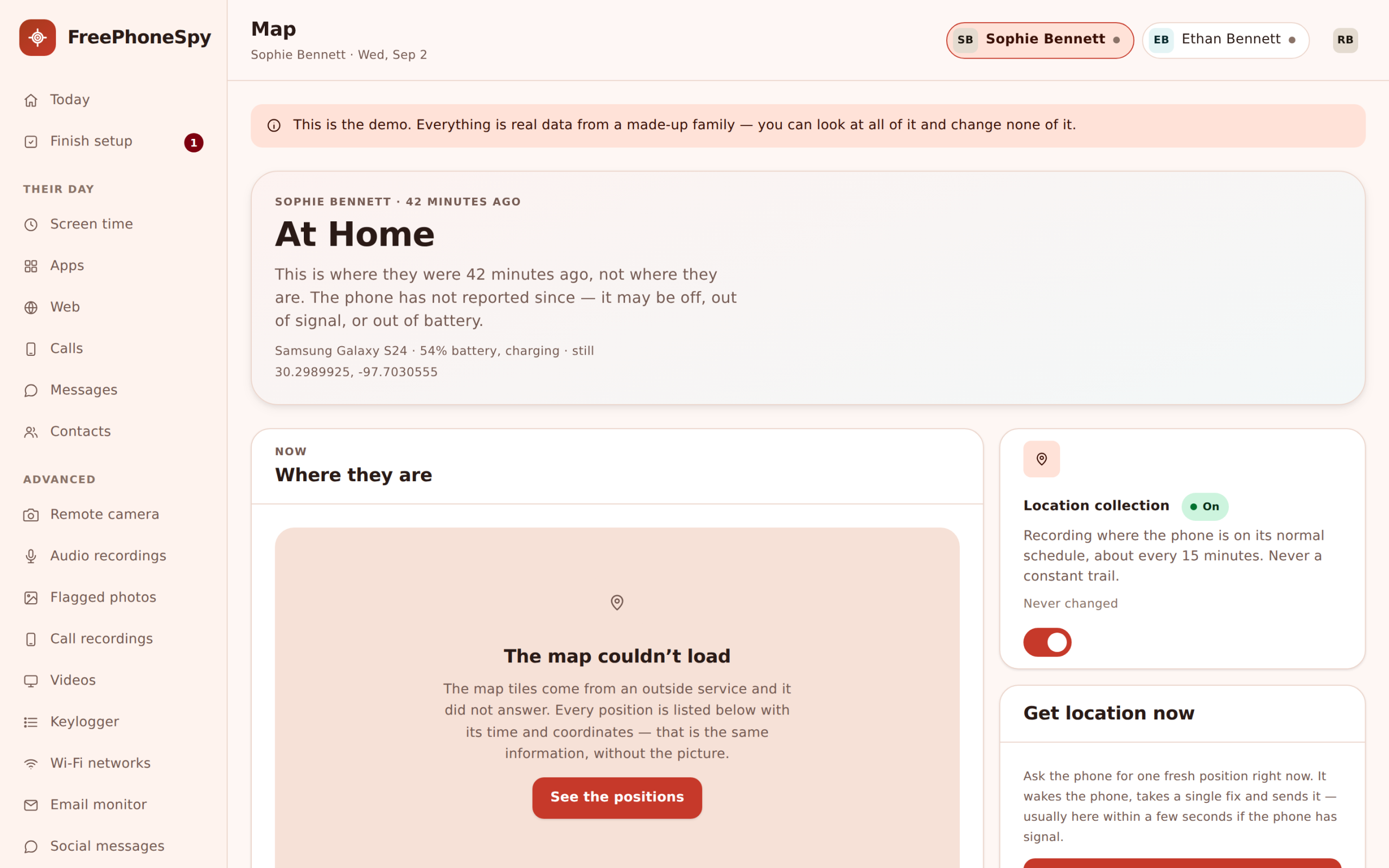

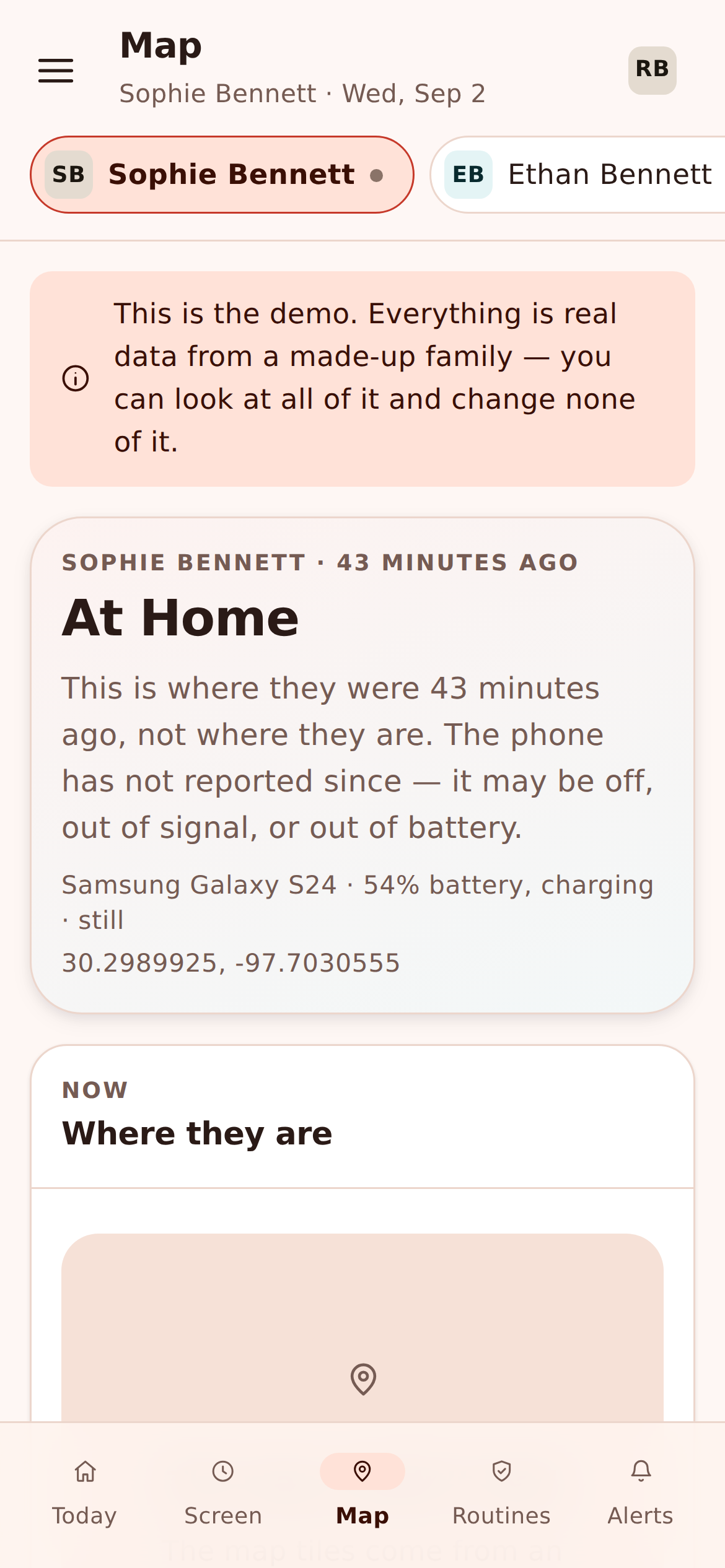
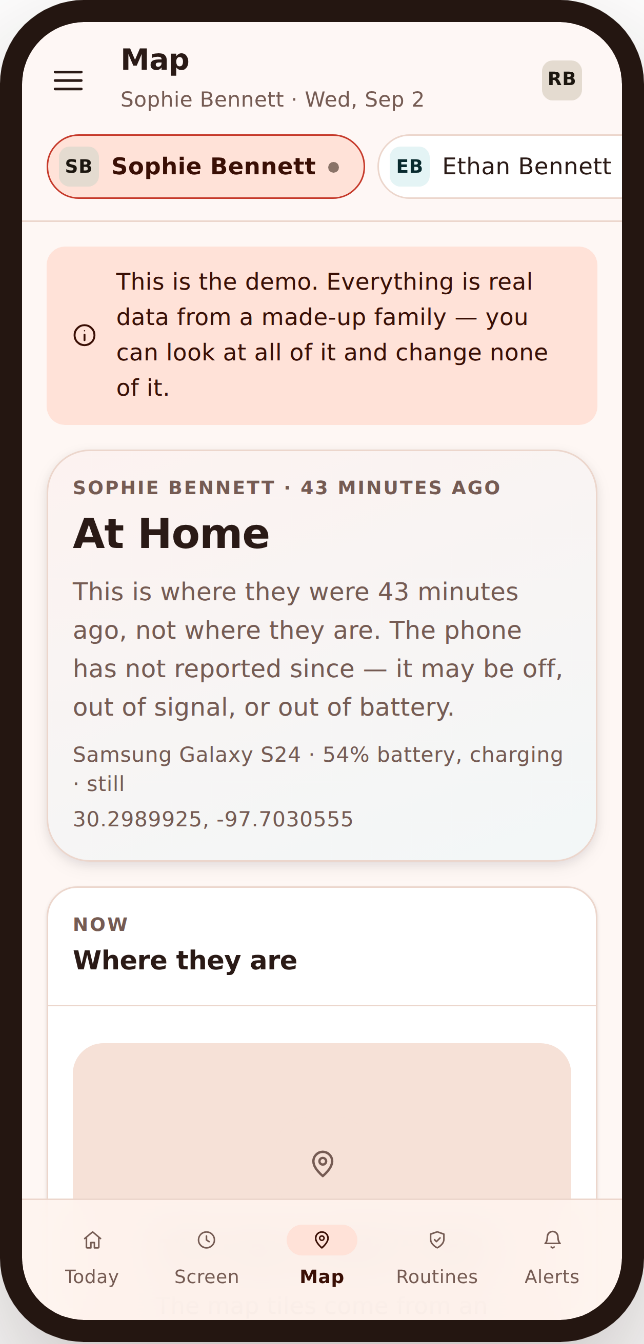
Most days you don’t need a map. You need one answer: did they get there? That’s what this is for. Open any browser, glance at the child location tracking view, and get on with your morning. When something’s off — the phone left school an hour early, or it’s sitting somewhere it shouldn’t be — you’ll know, because you asked to be told.
FreePhoneSpy runs one app on your child’s Android phone. You manage everything from the web panel, in a browser, on your laptop or your own phone. There’s no parent app to install and nothing to keep signed in. And the child knows the app is there — there’s a Transparency screen on their phone that lists exactly what’s shared. Location works the same honest way: it’s a safety net you both agreed to, not a secret you’re keeping.
Live location, when you actually need it
Open the map and you’ll see where the phone is now, with a marker and a time stamp. If the reading is a few minutes old, it says so — no pretending a stale point is a live one. When you need a fresh fix, tap Locate now and the phone reports back in a moment.
For the longer moments — a school trip running late, a first walk home alone — open a live-location window. For a set stretch of time the map updates more often, so you can watch the little dot move from the bus stop to the front door and then stop worrying. When the window ends, it ends. You’re not tailing a phone all day; you’re checking in when it counts.
- Current position with a clear last-seen time
- Locate-now for an on-demand fresh fix
- A time-boxed live window for the walk home
- Honest accuracy — GPS is good outdoors, weaker deep inside buildings
Location history you can scroll back through
Sometimes the question comes later. “Where were you after five?” is a much better conversation when you’re not guessing. Location history keeps a timeline of where the phone has been through the day, so you can scroll back and see the route instead of interrogating a fifteen-year-old.
It’s not there to catch anyone out. It’s there so that on the rare day something feels wrong, you have a calm, factual answer — the phone was at the library, then home — and everyone can move on. Most weeks you’ll never open it.
- A day-by-day timeline of visited spots
- Scroll back to answer “where was the phone at 4pm?”
- Ties into place events so arrivals and departures line up
Saved Places: home, school, grandparent’s
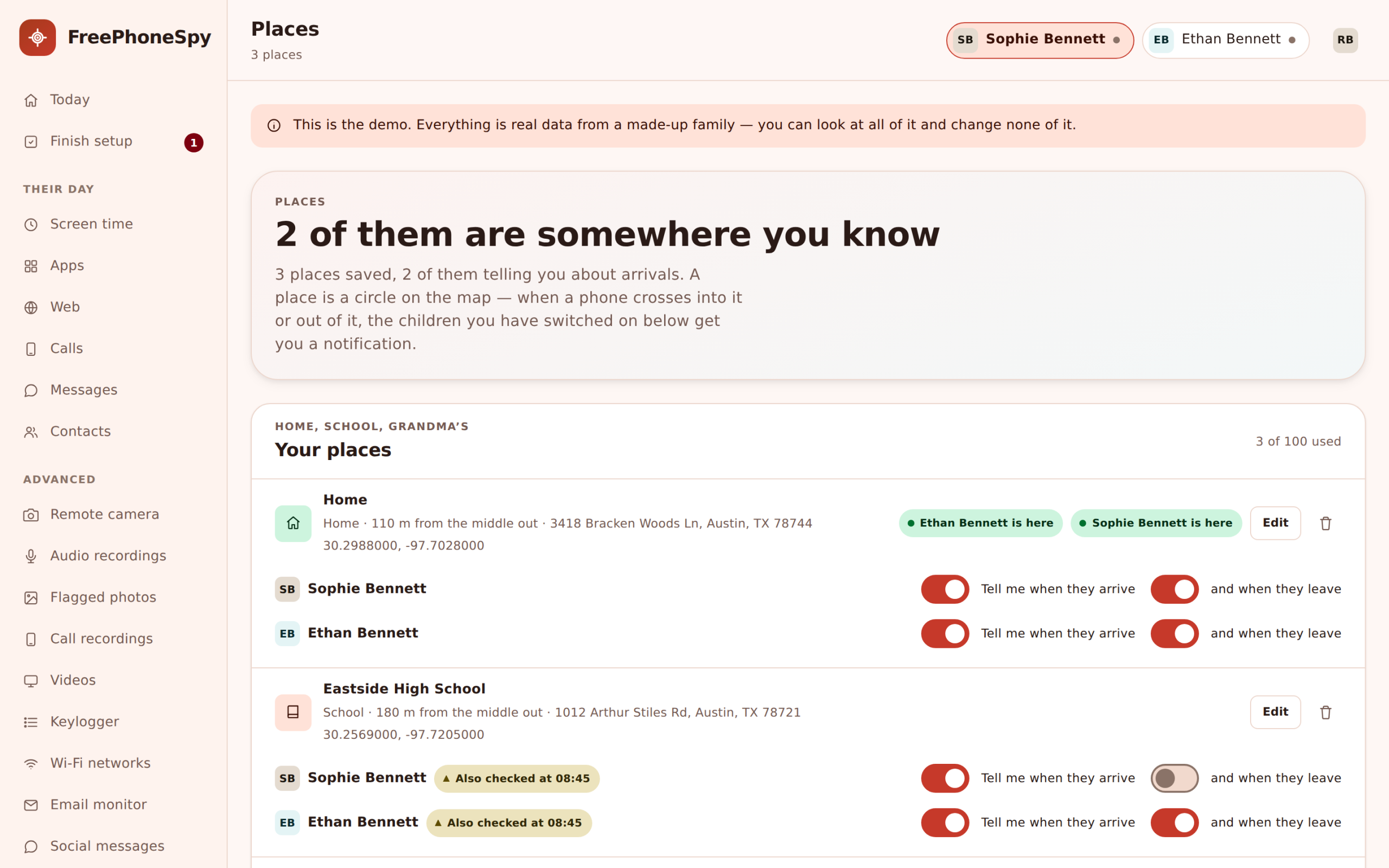
A Place is a spot you name and draw a circle around — a geofence, if you want the technical word. Set up home, school, and a grandparent’s house in a couple of minutes each. Give each one a name a human would use, drop the pin, and pick how big the circle is.
Once a Place exists, the map gets easier to read. Instead of “the phone is at 51.5, -0.12” you see “at School” or “at Grandma’s”. And Places are what power the alerts below — the phone knows when it crosses into or out of a circle you drew.
- Name Places the way your family talks about them
- Adjustable radius for a big school or a small flat
- Add as many as you like — clubs, the other parent’s house, work
Arrive and leave alerts — the ones parents actually want
This is where a child location tracking app earns its place. You don’t want to stare at a map. You want a quiet message that says the thing you were wondering about.
Arrived at school
A small “arrived at School” note lands when the phone crosses into the school circle. No more texting “you there yet?” from your desk.
Left school early
If the phone leaves the school Place during school hours, you get a left school early alert. Usually it’s a dentist appointment you’d forgotten. Occasionally it’s the message you needed.
Home safe
An arrive alert at home means you can stop half-watching the clock. The walk home is done and you didn’t have to hover.
Every alert points at a Place you set and a rule you chose. You decide which Places send alerts and which stay quiet. A grandparent’s house might only matter at the weekend; school matters on a weekday morning. Turn on what helps and leave the rest off — a wall of notifications helps nobody.
Battery and last-seen, told straight
Here’s the honest part, because a location tracker that lies to you is worse than none. A phone’s location is only as good as the phone. If it’s off, out of battery, or with no signal in a lift or a basement, there’s nothing to report — and we say “last seen at 3:42pm near School” rather than inventing a live dot.
The panel shows the phone’s battery level and its last-seen time next to the map for exactly this reason. A flat battery is the most common reason a location goes quiet, and it’s usually nothing. Knowing the phone died at four tells you a lot more than a frozen pin pretending everything’s fine.
- Battery level shown next to location
- Clear last-seen time when the fix isn’t current
- No fake “live” points — stale is labelled stale
- Indoors and underground, GPS is weaker; we don’t hide that
How to set up location tracking
About five minutes, most of it naming Places. Here’s the whole thing.
1. Open the panel and pair the phone
Create a free account in any browser, add your child, and install the app on their Android phone. Type the 6-digit pairing code and grant location permission together. Done once.
2. Add your Places
Drop pins for home and school first. Name each one, set the circle size, and add a grandparent’s or a club when you get to them. Two minutes each.
3. Choose your alerts
Pick which Places send arrive and leave alerts, and turn on “left school early” if that’s the one you care about. Leave the rest quiet.
4. Agree it together
Show your child the map and the Transparency screen on their phone, so they know what location sharing does and when it’s on. Then you’re set.
Location is part of a bigger picture
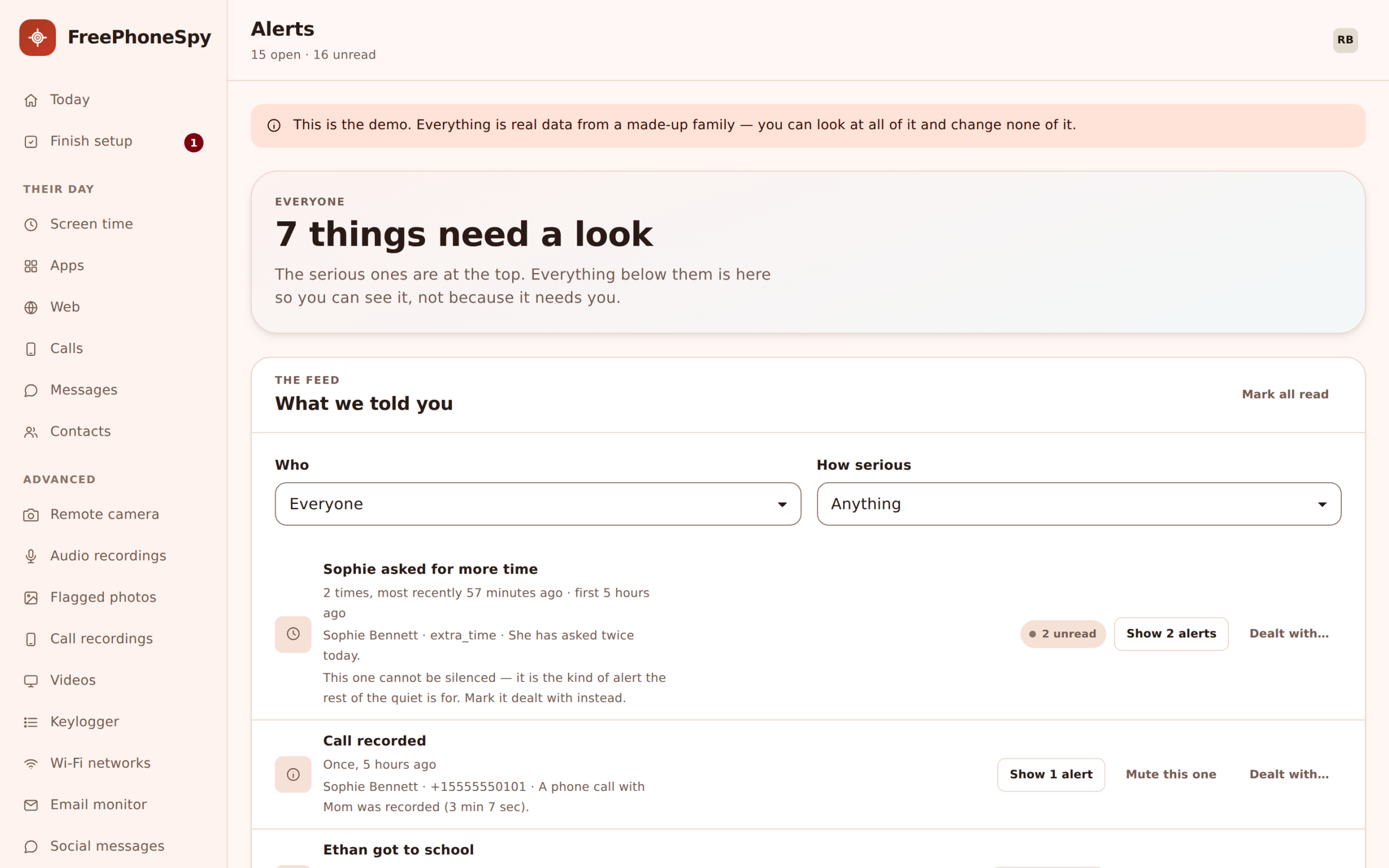
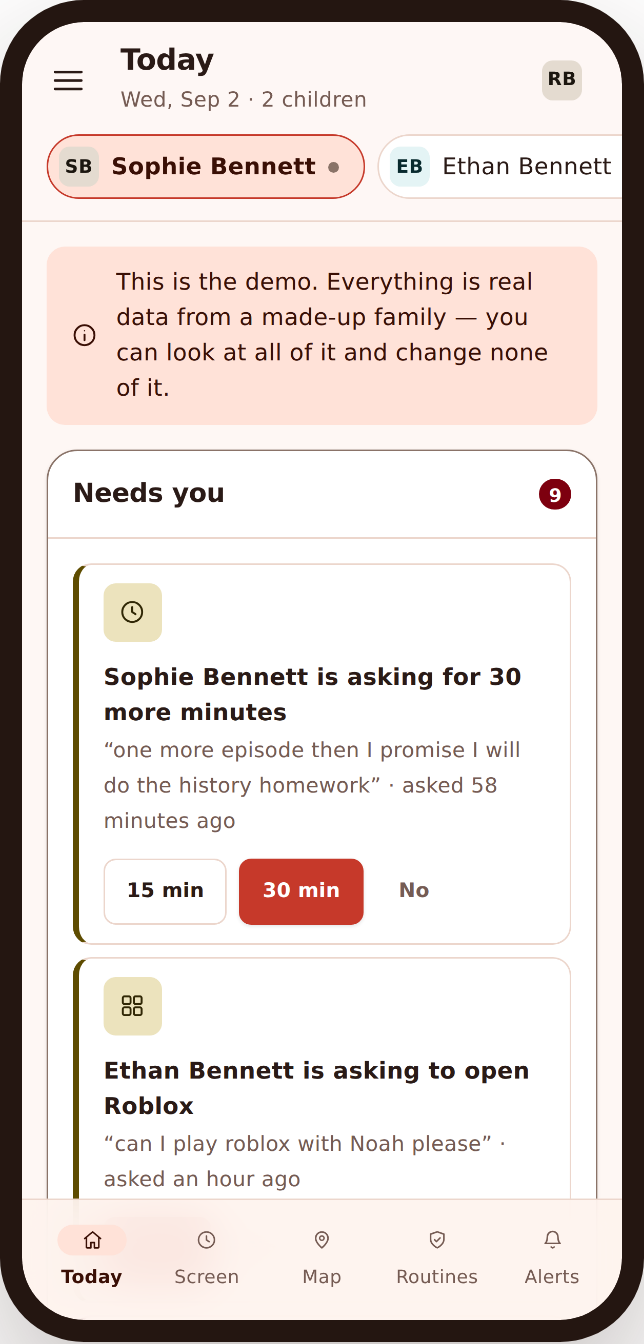
Knowing where the phone is answers one question. The rest of FreePhoneSpy answers the others, and it all lands in one place. The Today dashboard puts a “Needs you” list at the top — ask requests, place events, flagged words, blocked sites — so a “left school early” note sits next to everything else that happened this morning. Those place events also surface in your alerts and keyword feed, and you manage the lot from the web panel in any browser.
If location matters to you, screen time and app rules probably do too. They work together: a Routine can dim the phone at bedtime while location stays on, so the phone winds down without going dark.
- Screen time — a daily minute budget the phone enforces
- App & website blocking — per-app limits and a content filter
- All features — the full list, grouped the way the panel groups it
Who a phone location tracker is really for
Be honest with yourself about what you need, because that decides whether this fits. FreePhoneSpy is built for parents keeping an eye on a child’s own Android phone, and for families and device owners looking after devices they own, with the person’s knowledge. That’s the whole design. It is not a tool for tracking another adult without their consent — no partner, no ex, no colleague. If that’s what you’re after, this isn’t it, and honestly the law usually isn’t on your side either.
Where it shines is the ordinary stuff. The eleven-year-old walking to school on their own for the first time. The teenager at a party across town who forgot to text. The grandparent’s on a Sunday when you’re not sure the bus turned up. In each case you’re not surveilling anyone — you’re keeping a light hand on a phone you’re responsible for, with the young person in on it. That’s the difference between a family safety net and spying, and it’s the only side of the line this app is built for.
Good for
- Your own child’s Android phone
- The first solo walk to school
- A late bus or a party across town
- Checking a grandparent visit went to plan
- Family devices you own, set up openly
Not for
- Tracking a partner or ex without consent
- Watching an adult who hasn’t agreed
- Covert, “they’ll never know” surveillance
- Anything your local law doesn’t allow
Location tracking questions, answered
Can I track a phone location in real time?
You can open a live-location window that updates the map more often for a set stretch of time — good for a walk home or a late bus. Outside that window you get the current position on demand with Locate now, plus a last-seen time. GPS is accurate outdoors and weaker deep inside buildings, and we always label how fresh a reading is.
What is a geofence, and how do Places use it?
A geofence is a circle you draw around a spot on the map. In FreePhoneSpy you save it as a named Place — home, school, grandparent’s. When the phone crosses into or out of that circle, it can send an arrive or leave alert. You choose the size of the circle and which Places send alerts.
Will I really be told if the phone leaves school early?
Yes, if you turn that alert on for the school Place. If the phone leaves the school circle during the hours you set, you get a “left school early” note. Most of the time it’s a known appointment. On the rare day it isn’t, you’d rather know sooner.
What happens if the phone dies or loses signal?
There’s nothing to report, and we say so plainly — “last seen at 3:42pm” rather than a fake live dot. The panel shows the phone’s battery and last-seen time next to the map. A flat battery is the usual reason location goes quiet, and it’s almost always nothing to worry about.
Does my child know their location is shared?
Yes. FreePhoneSpy is transparent by design. The app is visible on the phone and there’s a Transparency screen listing what’s shared, location included. It’s meant to be set up together as a family safety net, not used to track anyone secretly. Consent and local law come first.
Does location cost extra?
No. You get full access free for the first 10 days with no card. After that, location and the core guard keep working for free, and you extend the rest by completing simple tasks like leaving a review or referring a friend. No subscription, no auto-renew, no hidden premium tier.