How to Monitor Your Child’s Roblox
Roblox isn’t one game — it’s millions of them, stitched together into a single app where a seven-year-old building a pizza shop and a grown adult can end up in the same public chat room within a couple of taps. That mix is what unsettles parents, and rightly. The app skews young, far younger than most of the platforms you worry about, yet its open chat, its endless user-made experiences and its own currency put a real world in a child’s pocket. Faced with that, plenty of parents go looking for software that promises to quietly read every message their kid types into a game. This page argues for the opposite. Its subject is keeping a child genuinely safe on Roblox, out in the open, with the child’s knowledge, using the parental tools Roblox built for exactly this — and the household habits that outdo any hidden feed. One rule runs the length of it: nothing set up behind your child’s back, and only ever your own child, on a device you look after.
- Why Roblox specifically worries parents
- The honest approach, not the secret one
- Match the controls to your child’s age
- Roblox’s own parental tools
- Chat, contacts and content settings
- Robux, spending and the “free Robux” trap
- Device-level visibility, done openly
- Roblox-specific signs worth noticing
- If something surfaces
- Where FreePhone fits
- Questions parents ask
Why Roblox specifically worries parents
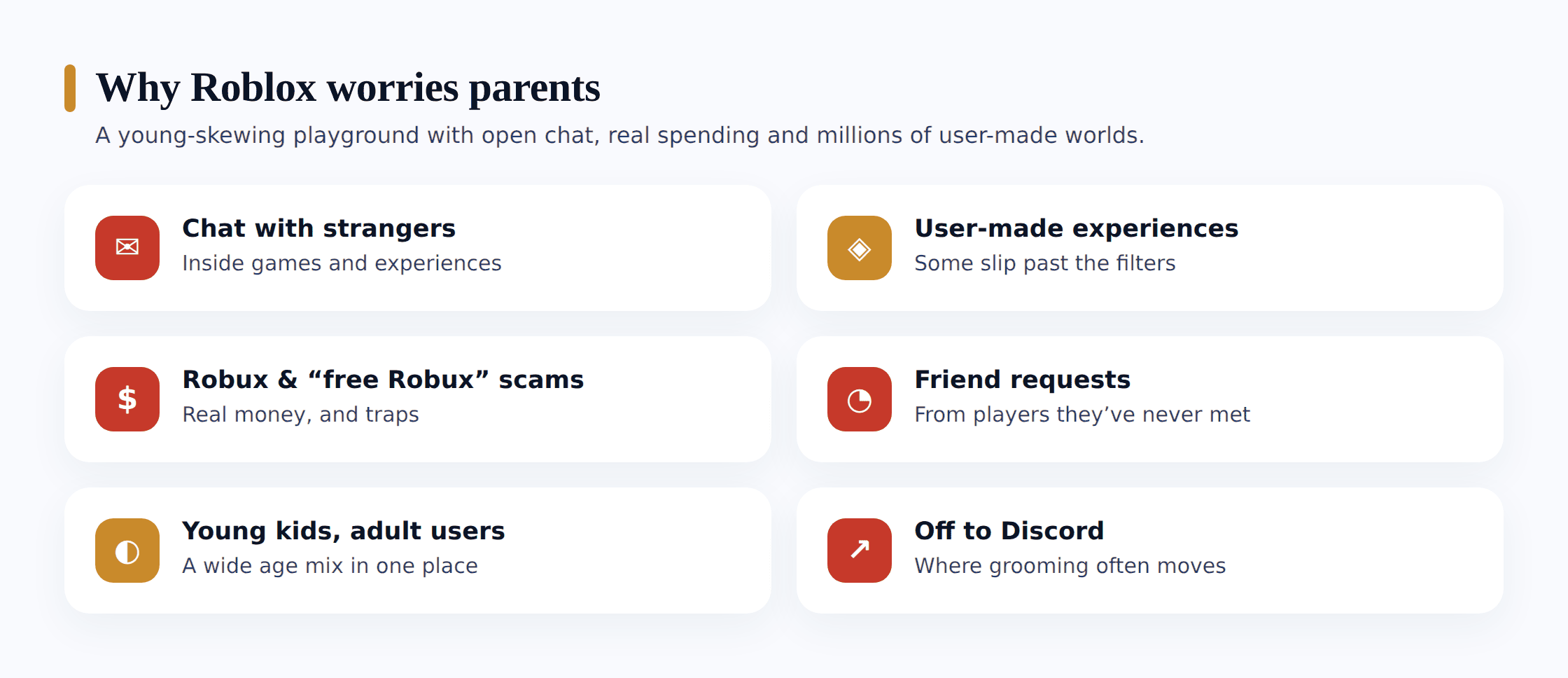
Roblox gathers several separate risks under one friendly, blocky exterior, and it helps to lay each one out by name. A worry you can point at is a worry you can act on.
- Open chat with strangers, inside the games. Most Roblox experiences carry a live chat box, and by default your child can be typing back and forth with players they’ve never met. The cartoon look hides the fact that some of those players are adults.
- Millions of user-made experiences. Anyone can build and publish a game on Roblox. The vast majority are harmless fun, but the sheer volume means some inappropriate, scary or violent ones slip past the filters — a “horror” experience or a copycat of an adult game dressed up in Roblox blocks.
- Robux, and the scams around it. Roblox runs on its own currency, Robux, which children spend on outfits, items and access to games. That fuels a whole ecosystem of “free Robux” websites, in-game traders and generator scams built to fleece a child out of money, an account, or both.
- Friend requests from people they don’t know. A stranger your child bumped into in a busy game can send a friend request, and once accepted, that person has a standing line to them across the platform.
- Private servers. Roblox lets players spin up invite-only servers. Among real school friends that’s lovely; with someone your child met an hour ago in a public game, a private server is a small, unwatched room.
- Young players, adult users, one app. This is the crux. Roblox is beloved by young children and simultaneously used by teenagers and adults, all in the same chats and games. The age mixing is the platform’s central safety problem.
- The move to Discord. A recurring pattern: a friendly stranger meets a child inside a Roblox game, then suggests carrying the chat over to Discord or another app, away from Roblox’s filters and any household rules. Grooming rarely stays where it started.
It’s worth weighing the platform on its own terms too. We’ve looked hard at whether Roblox is safe for kids, which unpacks the design, the age ratings and the content questions at more length than there’s room for here.
The honest approach, not the secret one
The advice you’ll find elsewhere — install something that silently logs every word your child types into Roblox — gets both the ethics and the practicality wrong. A great deal of Roblox chat happens live inside games and private servers, and chasing a secret transcript of it usually means loading dodgy software onto the device, weakening the phone’s defences, and going behind your child’s back for a partial view at best. The honest path reaches less far and protects far better: your child’s knowledge and consent, Roblox’s own parental controls locked with a PIN, sensible chat and spending settings, device-level visibility that the app is installed and used, and a kid who comes to you when a game turns nasty.
Match the controls to your child’s age
Because Roblox spans such a wide range of ages, the right setup for a six-year-old looks nothing like the right setup for a fourteen-year-old, and treating them the same is where parents come unstuck.
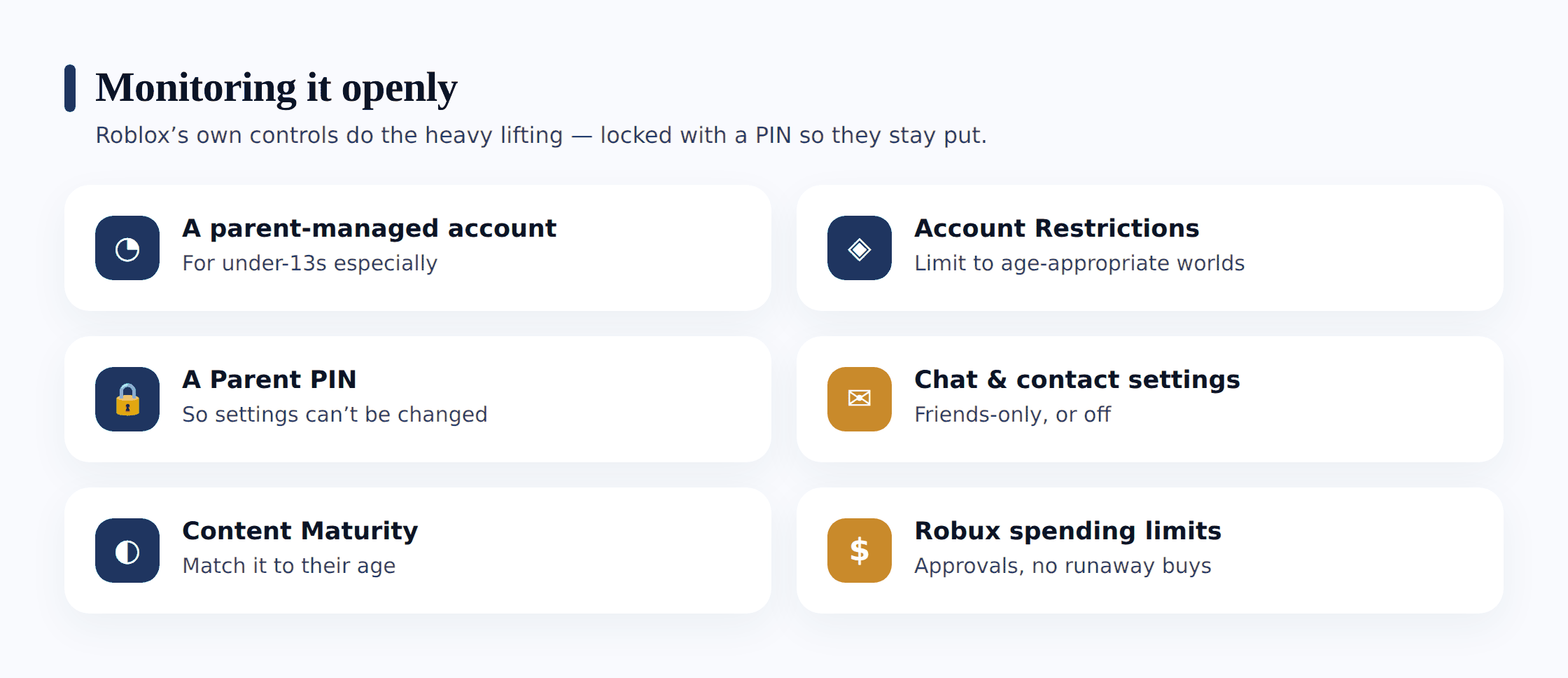
A young child needs the walled garden. That means a parent-managed account, Account Restrictions switched on so they can only enter age-appropriate experiences, chat turned down low or off entirely, and a PIN locking all of it so they can’t undo your work with a few curious taps. At this age you’re playing alongside them, not surveilling from a distance — Roblox on the sofa, together, is genuinely the safest way in.
A teenager needs a lighter touch. The walled garden that keeps a seven-year-old safe will feel like a cage to a fourteen-year-old and push them toward a second, hidden account. Here you loosen the content maturity setting a notch, keep spending controls firmly on, agree who they can chat with, and shift most of the weight onto conversation and trust. For the bigger picture across every title your child plays, how to monitor your child’s gaming walks through the same openly-agreed, trust-as-you-go approach applied more widely.
Roblox’s own parental tools
The best instruments you have are the ones Roblox built for parents, and they’re more capable than most people realise. They live in the account settings under Parental Controls, and the key move is to set them and then lock them with a PIN your child doesn’t know.
Setting up Roblox’s parental controls together
- Add a real birthdate to the account. Roblox uses it to gate content and settings, so an honest age matters more here than anywhere.
- Open Parental Controls and add your own email and a phone number, so account changes and password resets route through you, not your child.
- Turn on Account Restrictions for a young child — this limits them to a curated set of age-appropriate experiences vetted by Roblox.
- Set the Content Maturity level to match their age, choosing which maturity ratings of experiences they can enter.
- Set a Parent PIN to lock every setting above. Without it, a child can simply switch the restrictions back off; with it, your choices hold.
- For under-13s, link the account to your own through the parent dashboard, where you can review their friends, their recent experiences and their settings.
Frame it as a shared safety layer rather than a lockdown: “I’ll set the maturity level and the PIN so the really rough games stay out, and we’ll change it as you get older.” A child who understands where the line sits, and that it moves with their age, is far readier to leave it alone.
Chat, contacts and content settings
A handful of chat and contact settings shut most of the doors a stranger reaches for, and they’re worth stepping through at the same sitting.
- Decide whether chat is on at all. For a young child, turning off in-experience chat removes the single biggest stranger risk in one move. They can still play; they just can’t be typed at by people you don’t know.
- Set who can chat and who can message. Roblox lets you narrow chat and messaging to friends only, or nobody, rather than everyone. For most children, friends-only is the right floor.
- Review the friends list together. Sit down and go through who’s actually on it. A username your child can’t tie to a real-world friend is a conversation, not an accusation — often they accepted a request without thinking.
- Talk through private servers. Agree that private servers are for real friends, not for someone met an hour ago in a public game.
- Keep the content maturity setting honest. It’s the dial that decides which experiences they can even open, so revisit it as they grow rather than setting it once and forgetting.
Doing these shoulder to shoulder pulls double duty: it closes the gaps, and it shows your child why each one matters. A setting they understand is a setting they’re far less likely to quietly reverse the moment you leave the room.
Robux, spending and the “free Robux” trap
Money is where Roblox catches a lot of families out. Robux buys outfits, items and access to games, and the excitement around it makes children an easy mark for scams. Two jobs here: keep the spending in check, and inoculate them against the traps.
On the spending side, don’t leave a card saved for one-tap buying. Use Roblox’s spending controls, set a monthly Robux limit, and where you can, run an ask-to-buy style arrangement so a purchase needs your nod first. A gift-card top-up model works well for younger children — they spend what’s loaded and no more. Our guide to managing in-app purchases goes deeper on locking down store passwords and app-store approvals across every app.
On the scam side, teach the one rule that covers most of it: there is no such thing as free Robux. Every “free Robux generator”, every site asking for their password to “add Robux”, every in-game trader promising to double what they hand over — all of it is a scam built to steal an account, a card or their existing Robux. Make it safe for them to tell you when they nearly fell for one, because they will nearly fall for one, and a child who reports a near-miss is a child who won’t hide the real thing later.
Device-level visibility, done openly
Peering into the messages traded inside an experience is not on offer, and that’s the right call. What you do get is a broad view of the phone itself, which reveals more than parents expect. It shows Roblox sitting on the device, a rough measure of how much time it swallows, when play peaks, and any shift in that rhythm — a stretch of midnight sessions, say, or a new “Robux” app waiting for your approval. The talk within games stays closed off deliberately, and your child understands that view is there because the two of you switched it on together. That usage picture nudges you toward a chat worth having; it never replaces the chat itself.
Roblox-specific signs worth noticing
The cues that matter need no chat-reading. They grow out of Roblox’s own mechanics and show up in your child far more than in anything you could intercept.
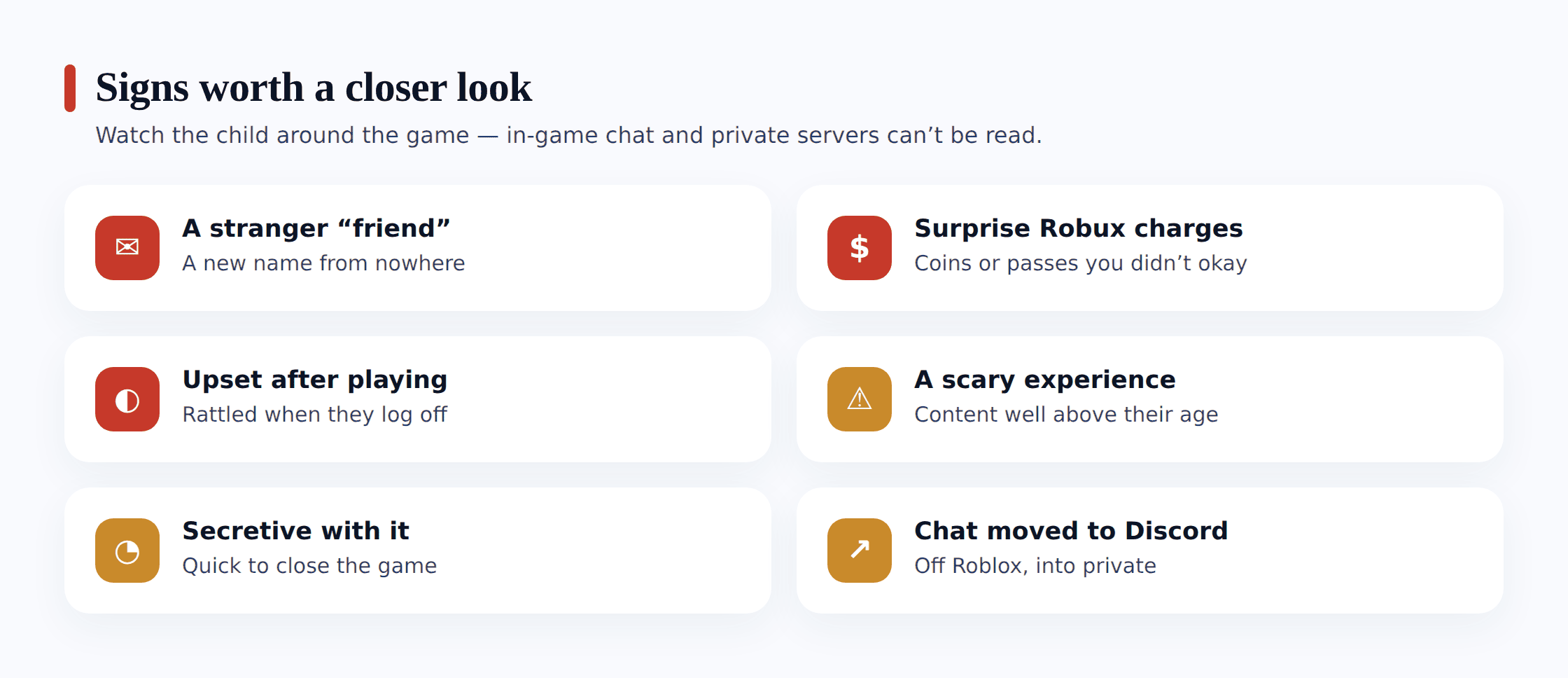
- A stranger “friend” you can’t place — a username in their friends list with no link to school or the neighbourhood, often one that surfaced in a busy public game.
- Surprise Robux charges — top-ups or purchases you didn’t approve, or Robux that vanished, which can point to a trade scam or a “free Robux” site that harvested their details.
- A game that clearly scared them — a child who comes away from Roblox subdued or shaken may have wandered into a violent or frightening experience that slipped past the maturity filter.
- Chat that moved to Discord — mentions of a Roblox friend they now talk to on Discord or another app is the pattern most worth a gentle question, since it’s the classic move off Roblox’s filters.
- Sudden secrecy or a second account — angling the screen away, or a new account you didn’t set up, often means the restrictions started to chafe and they went around them.
If something surfaces
Say your child shows you a chat that unnerved them, or a pattern trips a real alarm — a stranger friend who keeps messaging, an unexplained Robux charge, a “friend” nudging them onto Discord. The next few minutes shape where this lands more than the thing itself does.
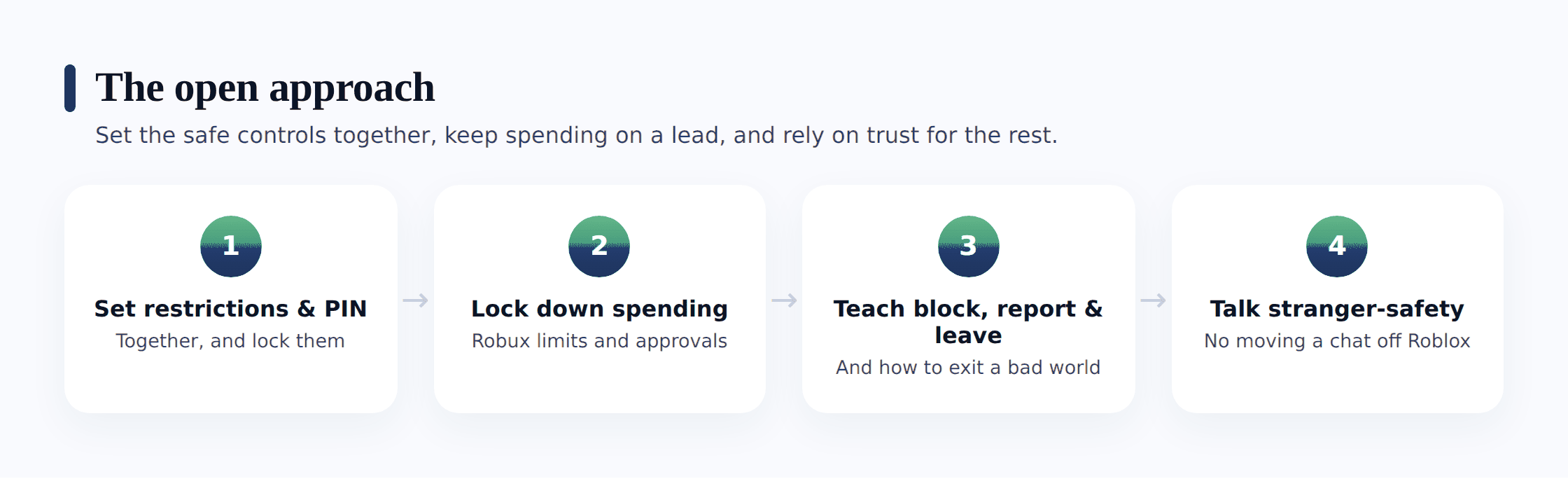
Lead with curiosity about the game, not blame. “Show me the game where that happened — who was chatting to you?” opens a child up; a sharp “Who is this and why were you talking to them?” shuts them tight. Children stumble into these corners far more often than they seek them out, and the real story rarely matches the one you built on the way over.
Handle a Robux scam without a lecture. If they lost Robux or handed over a password to a “free” site, change the account password and any reused ones straight away, check for unfamiliar charges, and treat the moment as a lesson rather than a crime. A child who gets help instead of a telling-off is one who’ll flag the next scam before it costs anything.
Never make honesty expensive. If your child worked up the nerve to show you a creepy chat or admit a stranger asked them to move to Discord, meeting it with a deleted account and a confiscated tablet teaches exactly one thing: handle it alone next time. Answer with a steady voice, real help, and a genuine “I’m really glad you told me,” and the line between you stays open for whatever comes next.
When the pattern looks like grooming — a grown-up engineering a secret bond, angling for photos, nudging your child onto Discord or toward meeting up — take it entirely seriously. Capture screenshots of the messages, the profile and the experience details first, because a block can wipe a conversation, then use Roblox’s built-in report button to flag and block the account. UK parents can report to the CEOP Safety Centre; in the US, file with the NCMEC CyberTipline at report.cybertip.org. Childline is free and confidential on 0800 1111 whenever your child is ready to talk. And if anything sexual is directed at your child, contact the police straight away — when your instinct says a line has been crossed into something criminal, act on it as such.
Where FreePhone fits
Here, briefly and honestly, is how our own tool sits in all this, because we built it to back this kind of parenting rather than cut across it. FreePhone is set up with your child, out in the open — the phone shows a “What my parents can see” screen listing exactly what it shares. What it gives you is device-level visibility: how much time Roblox takes and when, a daily limit or quiet time if you agree one, and approval before a new app — Discord, say — can be used. What it is not is a way to read the chat inside their games — it reads no messages at all, and doesn’t filter websites, and we won’t pretend otherwise. It lives on your child’s Android phone, you check it from any browser, and it’s free, with every feature. Think of it as an early nudge toward a conversation — not a replacement for Roblox’s parental controls, the chat and spending settings, and the check-ins that do the real work.
Questions parents ask
Can I secretly read my child’s Roblox chat?
No, and it’s worth saying plainly that it’s neither dependably achievable nor the right goal. Much of Roblox chat runs live inside experiences and private servers, and any product that swears it can capture every line tends to mean sketchy software and a broken trust with your child. The honest path is stronger: Roblox’s own controls sealed behind a PIN, chat limited to friends or switched off, a device view your child is aware of, and a relationship where they carry their worries to you.
What’s the safest Roblox setup for a young child?
A parent-managed account with Account Restrictions on, so they can only enter age-appropriate experiences; chat turned down low or off; a Content Maturity level matched to their age; and a Parent PIN locking all of it so they can’t switch it back. For under-13s, link it to your account so you can review their friends and recent experiences. And where you can, play alongside them.
How do I stop surprise Robux charges?
Don’t leave a card saved for one-tap buying. Use Roblox’s spending controls, set a monthly Robux limit, and run an ask-to-buy style approval so purchases need your nod. Gift-card top-ups work well for younger children — they spend what’s loaded and no more. Teach them the core rule too: there is no such thing as free Robux, and any site or trader offering it is a scam.
A stranger my child met on Roblox wants to chat on Discord. What now?
Treat it as the signal it is — moving off Roblox is the classic step away from its filters and your rules. Don’t panic or punish; ask calmly who the person is and how they met. Keep the conversation on Roblox where the settings apply, review the friends list together, and if anything about the adult feels off, screenshot, block and report. A child who can tell you about this without fear is your best protection.
My child is under 13. Should they even be on Roblox?
They can be, safely, but only with the walled-garden setup: parent-managed account, Account Restrictions on, chat limited or off, a PIN locking the settings, and you nearby. If you’re not ready to set that up and stay involved, it’s reasonable to wait. The danger isn’t Roblox existing on the device — it’s an under-13 account left wide open with chat on and no restrictions.
Protecting a child on Roblox was never a matter of logging every phrase they tap into a game. So much of it is live and unrecorded anyway, and you lose nothing there — a full transcript was never the thing keeping your child out of harm’s way. What actually protects them is a parent-managed account they helped create, Account Restrictions and a PIN set up side by side, chat pared back to friends, Robux held on a tight rein, and a child comfortable enough to spin the screen toward you the second a stranger starts prying. A light grip held entirely in the open — agreed together, alert to genuine danger, eased as they mature — does far more than any covert feed, and it leaves the trust between you intact. Build toward that, and most of the safety follows on its own.