What Can a Parental Monitoring App Actually Track? A Parent’s Guide
Before you install anything on your child’s phone, it helps to know exactly what these apps can see — and, just as usefully, what they can’t. The marketing tends to promise everything and explain nothing. This guide does the opposite. It walks through the real categories a family-safety app can track, in plain language, so you can make an honest choice about what you actually want turned on. And it draws a firm line under the things a responsible tool leaves well alone.
The honest short answer
A modern parental monitoring app can track more than most parents expect and more than most parents ever need. The point of learning the categories isn’t to switch them all on. It’s the reverse — once you understand what each one does, you can pick the small handful that keeps your child safe and leave the rest off. That’s the whole game. A good setup is light, and it’s light on purpose.
Everything here assumes one thing: this is your own child, on a phone you own or manage, set up with their knowledge in a way that fits their age. The app is visible on the device. Your child can see it’s there and knows roughly what it shares. That single fact — that it’s open, not secret — is what separates a safety tool from surveillance, and it changes how every feature below should be used. If you want the fuller picture of building a setup that lasts, the complete guide to child phone monitoring covers it end to end.
Location and places
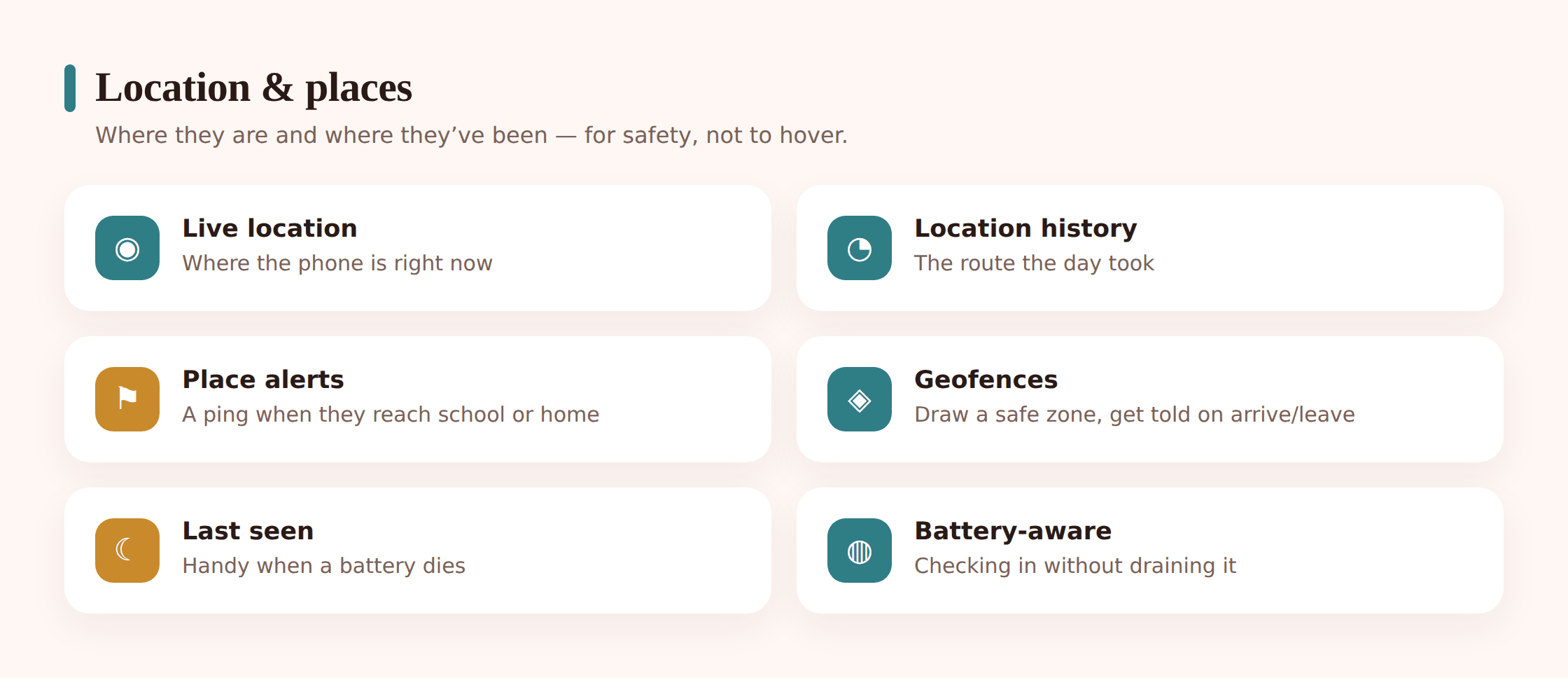
Location is the feature most families start with, and for good reason — it answers the ordinary, daily question of “did they get there?” without anyone reading anything private. It comes in three flavours, and they’re worth telling apart.
Live location shows roughly where the phone is right now, on a map. It’s what you glance at when practice runs late or a walk home takes longer than it should. It tells you the phone is at the sports centre; it doesn’t tell you what your child is saying or doing there.
Location history is the trail over time — the places the phone has been across the day or week. For a younger child this is mostly reassurance you never look at. It becomes useful only when a specific worry sends you back to check a pattern, which for most families is rarely.
Geofence and place alerts flip the model around so you don’t have to watch a map at all. You mark a place that matters — home, school, a grandparent’s house — and the app pings you when the phone arrives or leaves. That’s the least-intrusive form of location tracking there is: you get a single “arrived at school” notification instead of following a dot around all morning.
Calls and messages
This is the category where care matters most, because it’s the one closest to your child’s private life. Here’s the honest breakdown of what’s technically visible, and where a respectful setup draws its own lines well inside what’s possible.
Call logs show who your child called or was called by, and when — the number, the contact name if it’s saved, the time, and how long it lasted. It’s the phone-bill view: the pattern of contact, not the content of it. A call log can tell you an unknown number has rung eleven times since Tuesday. That’s a genuine safety signal, and you got it without hearing a single word anyone said.
Text and message overview is where families should be most deliberate. An app can surface texts, but a healthy default keeps this at the header level — who a message was with and when — rather than laying every private conversation open. The contents of messages are exactly the sort of thing a teenager is entitled to keep to themselves, and reading them wholesale is the fastest way to teach your child that you don’t trust them. The better approach treats message bodies as something you leave off, behind a deliberate switch you’d only ever consider for a real, named worry — ideally with an older child in the loop when you do.
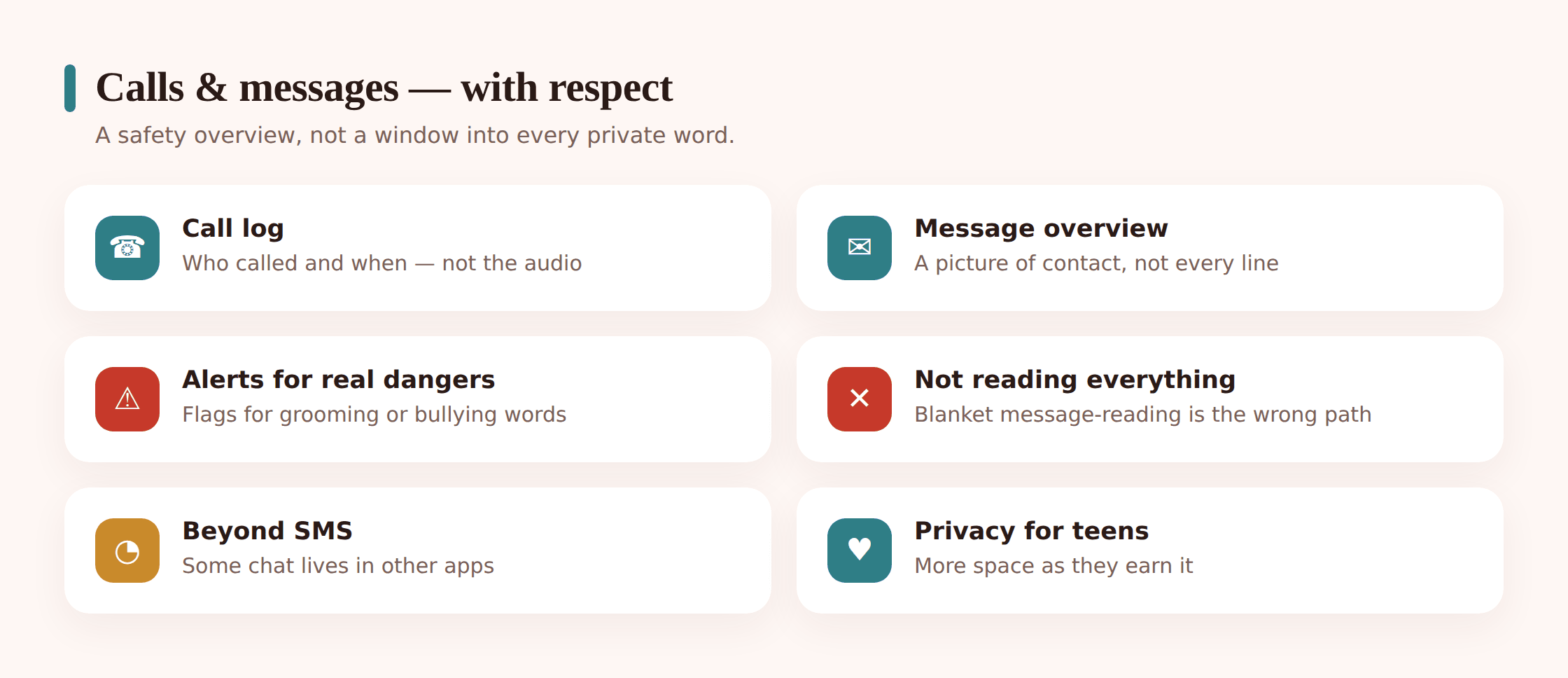
The instinct to read everything usually comes from love and worry, so it’s worth saying plainly: seeing every message rarely gives you what you actually want. What keeps a teenager safe isn’t you reading their chats — it’s them trusting you enough to bring you the message that scared them. Blanket reading spends that trust. A light touch here protects both your child’s privacy and the relationship that does the real safety work.
Apps, screen time and the web
The third big category is about how the phone gets used rather than who it talks to. This is mostly the stuff of ordinary daily life — hours, apps, and websites — and it’s where monitoring overlaps most with plain parenting.
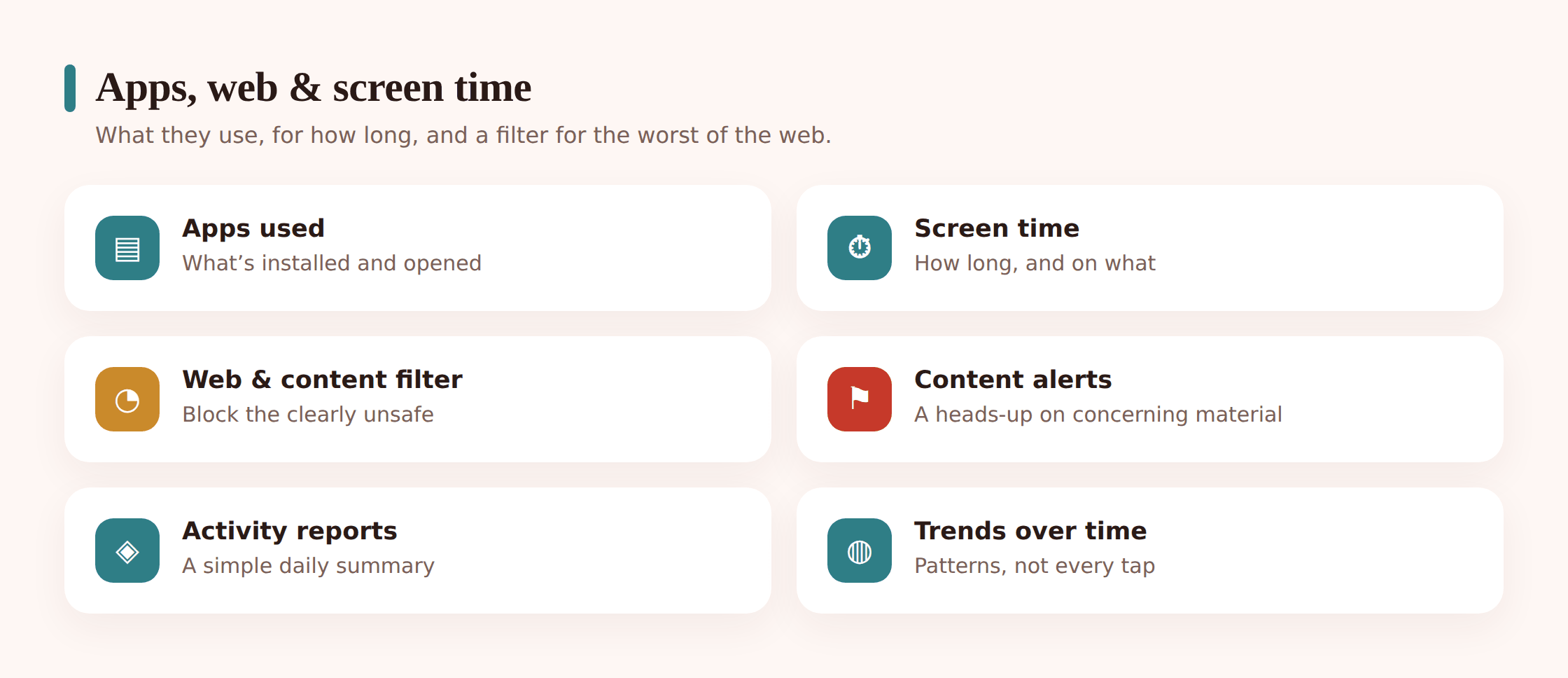
Installed and used apps tells you what’s actually on the phone and which apps are getting the hours. It’s how you notice that a new social app appeared last week, or that one game has quietly eaten every evening. That’s a conversation starter, not a verdict.
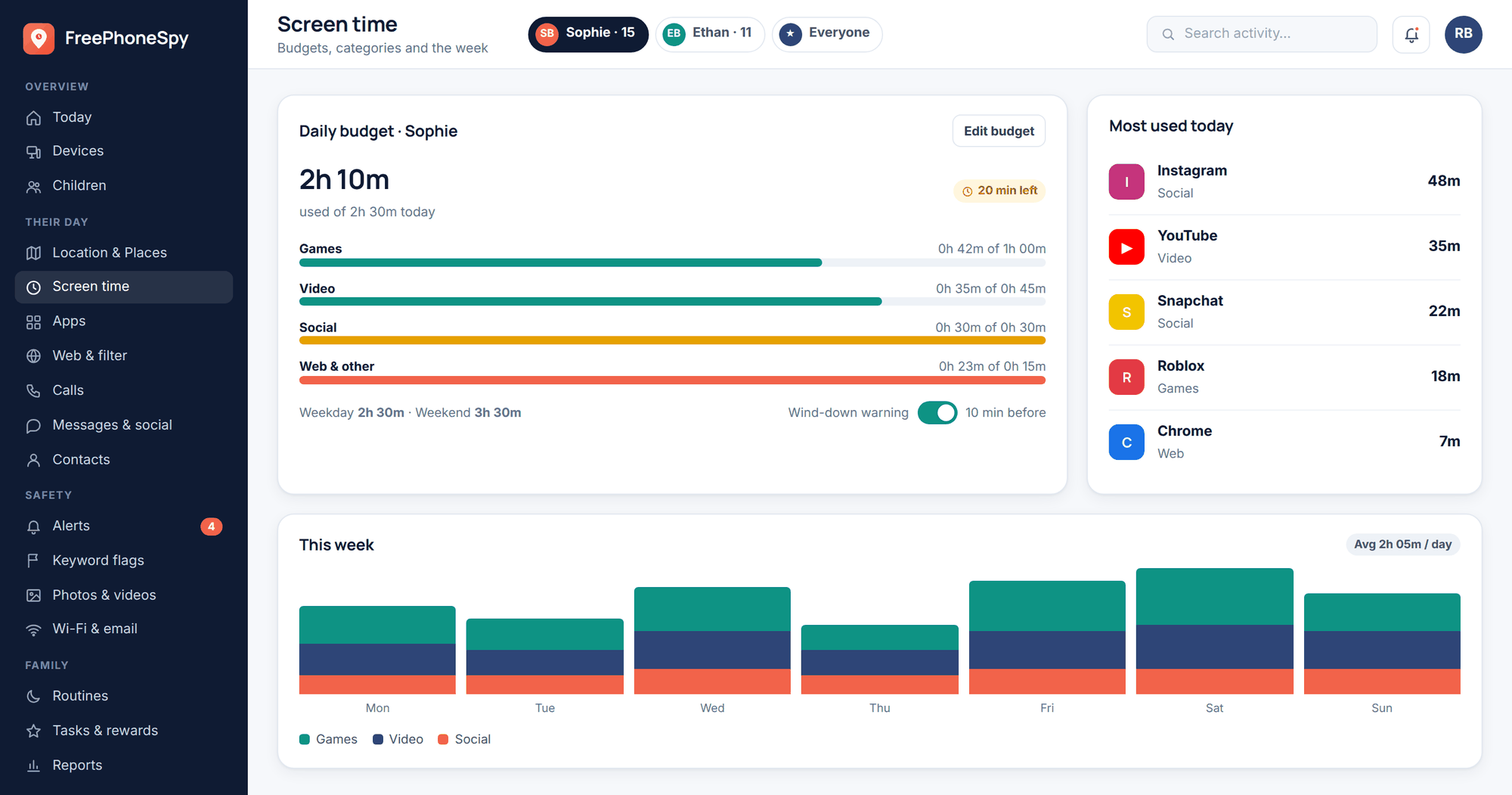
Screen time is the breakdown of how long the phone is in use and where those minutes go. For a lot of families this is the single most useful number, because it turns a vague “you’re always on that thing” into something specific you can both look at.
Web and content filtering works ahead of the problem rather than after it. Age-appropriate filtering blocks the categories no child should stumble into, so you’re preventing exposure instead of reviewing it later. For younger children this does most of the heavy lifting on its own.
Keyword and content alerts are the proportionate alternative to reading everything. Instead of scrolling a child’s messages or history, you flag a short list of words or phrases that would genuinely worry you, and you hear about them only if they come up. You get the safety signal without living inside your child’s private chatter.
Activity reports and alerts
You don’t want to spend your evenings reading logs, and a good app is designed so you never have to. The two features that make monitoring livable are summaries and alerts — the difference between a firehose and a briefing.
Activity reports roll the week up into something you can read over coffee: the trend on screen time, the top apps, the places visited, anything that got flagged. The value is the direction of travel, not any single day. Reading a summary once a week is a completely different experience from watching a phone in real time, and it’s the one that actually fits a parent’s life.
Alerts and flags surface the few things that might need you — a flagged keyword, an unknown contact, an arrival or departure you asked to know about — and stay quiet about everything else. A well-built panel leads with a short “needs you” list rather than a full log of the day, because the design itself carries a value: watch what matters, leave the rest alone.
Treat every flag as the start of a conversation, not the end of an investigation. “I saw an unknown number rang you a few times — everything okay?” does more good than a silent log ever could. The alert is a prompt to talk; it isn’t a gotcha.
What a responsible tool does not do
Just as important as the list of what these apps can track is the list of what a decent one refuses to be used for. Some products in this space market themselves on exactly the wrong things, and it’s worth naming them so you can steer clear.
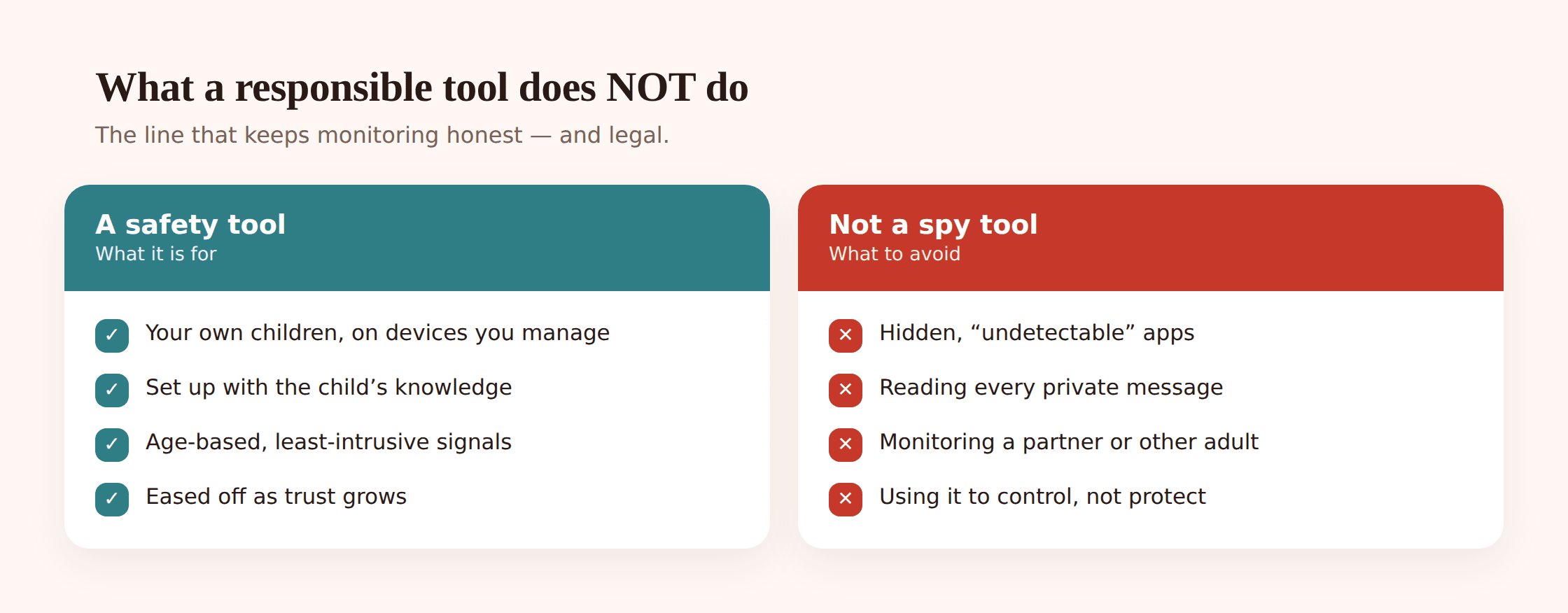
- It isn’t hidden. Any product that sells itself as invisible, or that promises to run where your child can’t find it, is built for spying, not parenting. A responsible tool is visible on the phone by design. Secrecy is the feature to avoid, not seek.
- It isn’t for reading every private message. The ability to expose message contents wholesale exists, but a healthy setup keeps it off. Blanket reading of a teenager’s chats trades a small amount of information for a large amount of trust.
- It isn’t for other adults. Monitoring a partner, an ex, an adult child, or an employee without their consent isn’t a parenting decision — it’s often illegal, and it’s a use these tools should never be turned to. The consent that makes monitoring your own minor child fine simply isn’t there.
- It isn’t a substitute for talking. No app raises a child. Tracking gives you signals; the parenting still happens in conversation, and the app that forgets this does more harm than good.
If you want the line drawn sharply, the difference is one thing: knowledge. Monitoring is something you do with your child’s awareness; the moment it goes secret, or points at someone who hasn’t agreed, it has become surveillance. We put the whole case in where monitoring ends and spying begins. And because the rules genuinely vary by place — especially around recording calls and monitoring anyone but your own child — it’s worth reading up on whether phone monitoring is legal where you live before you switch anything on.
Using tracking proportionately
The features are only half the picture. How you use them matters more than which ones exist. Proportionate monitoring means matching the amount of oversight to your child’s age and to the actual risk — and easing off as they earn it. Here’s the shape of getting it right.
- Start from the child’s age, not the feature list. A nine-year-old with a first phone and a sixteen-year-old are different situations. Younger children get more oversight because they’re less able to judge risk; older teens get less, and more say in the setup. Let age set the dial before you touch a single toggle.
- Choose the least-intrusive option that answers your worry. If the worry is “did they get to school,” a place alert answers it — you don’t need live tracking or a message reader for that. Pick the lightest tool that solves the actual problem, every time.
- Do it in the open. Show your child what’s on and what it does. Name the rules. There should be nothing running that they don’t know about, and no feature you’d be mortified for them to discover. Openness is what keeps the whole thing on the parenting side of the line.
- Keep message contents off by default. Watch the who-and-when if you need to, and leave the words alone. Reserve any deeper look for a specific, named concern — and tell your teen when you do it.
- Loosen the controls as trust grows. Monitoring should have a trajectory. As your child shows they can handle things, features come off. A setup that never eases isn’t protection anymore — it’s just surveillance that outstayed its welcome.
How you actually see it
All of this lands in one place: a secure web panel you open from any browser. You don’t need your child’s phone in your hand to check in — you sign in on your own laptop or phone, and the location, reports, apps, and alerts are laid out for you there. The phone does the collecting; the panel is where you read it, at whatever moment suits you.
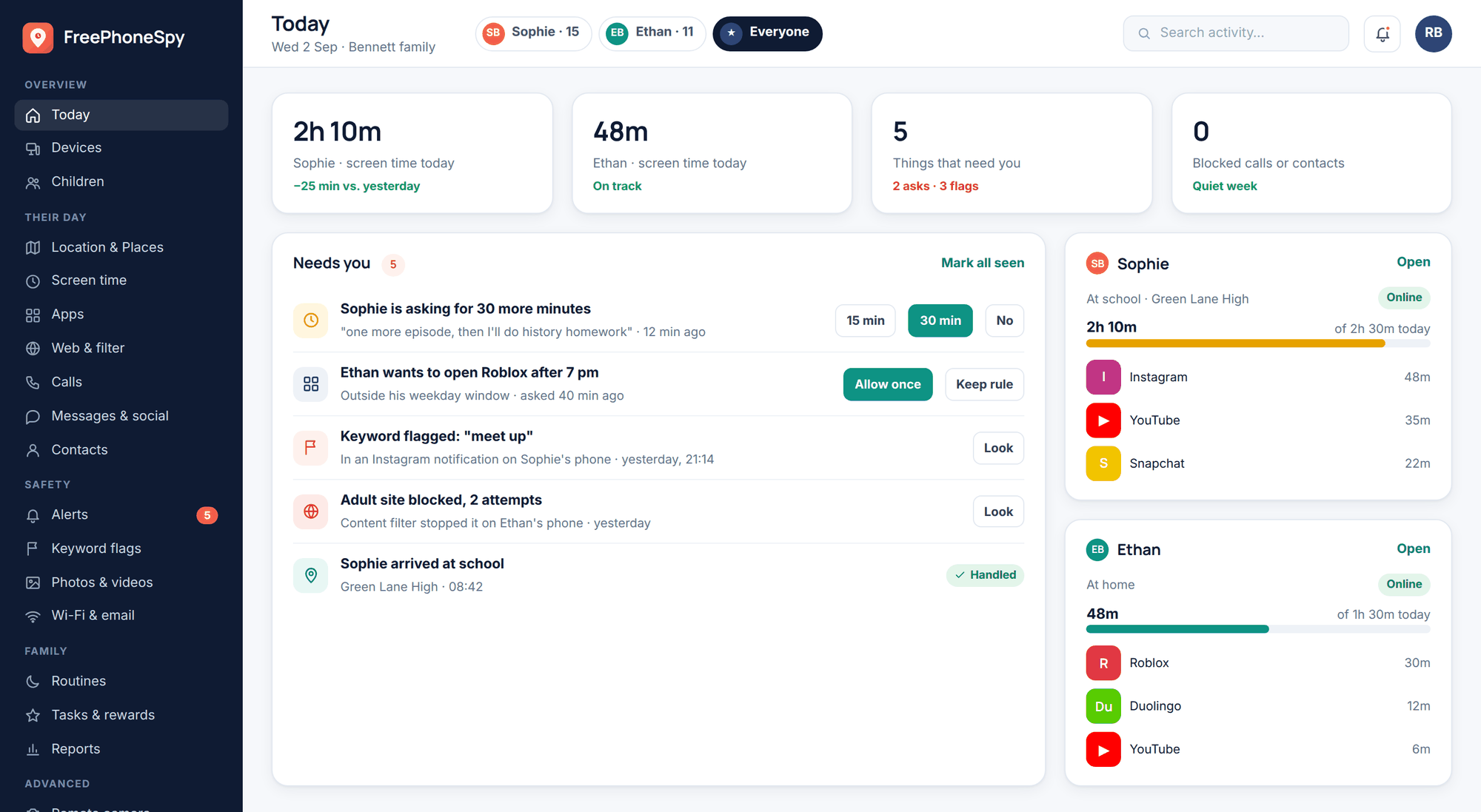
A well-designed panel leads with the short list of things that might need you and keeps the full detail one tap away rather than in your face. That’s deliberate. The goal is a two-minute check-in that tells you whether anything’s off, not an invitation to pore over every minute of your child’s day.
Where FreePhoneSpy fits
FreePhoneSpy is built around the honest version of all this. It’s an Android family-safety app that’s transparent by design — the child can see it’s installed, and nothing is monitored until you set it up together. You read everything from a web panel in any browser, so you’re never handling their phone to check in. It’s free to start, so you can see how a light, open setup feels before committing to anything. And it’s built to be a safety net and a conversation, not a way to watch someone in secret — the covert route is exactly the job it refuses to do.
FAQ
Can a monitoring app read my child’s private messages?
Technically these apps can surface message contents, but a responsible setup keeps that off by default and shows only the who-and-when. Reading a teenager’s private chats wholesale costs more trust than it’s worth. Reserve any deeper look for a specific, real concern — and tell your child if you ever do it.
Will my child know the app is there?
With a tool used the right way, yes — and that’s the point. FreePhoneSpy is visible on the phone by design, set up with your child’s knowledge. Anything that sells itself as hidden or undetectable is built for spying rather than parenting, and it’s the approach to avoid.
Do I have to watch everything all the time?
No, and you shouldn’t. A good app rolls activity into a weekly summary and pings you only about the few things that might need attention. Most parents do a two-minute check-in and let the alerts do the watching, which is far healthier than sitting over a live feed.
What’s the least-intrusive way to keep tabs on a younger child?
Place alerts and age-appropriate web filtering usually cover it. You get an “arrived at school” ping and a block on content they shouldn’t reach, without following a map or reading anything. Add more only if a specific worry calls for it, and take it off as they grow.
Is it legal to use one of these apps?
Monitoring your own minor child, openly, on a device you own or provide is generally on firm ground. Monitoring another adult without their consent — a partner, an ex, an employee — is a different matter and often illegal, and recording calls adds stricter, location-specific rules. Laws vary, so check your local ones first.
Knowing what these apps can track is really about knowing what to leave off. The full menu is long, but a caring, proportionate setup uses only a small corner of it — a place alert or two, a screen-time number, a short list of keywords, a weekly summary — all of it visible to your child and all of it loosening as they earn your trust. Track the things that keep them safe, talk about what you see, and let the rest go. That’s monitoring that protects a child without ever making them feel watched.