How to Monitor Your Child’s Email Safely
Email feels old-fashioned to a child. They live in chats and games, and the inbox is the dull place a school login gets sent. But that dull inbox is quietly the most important account they own. It’s the master key: every password reset, every “verify your account”, every way back into a locked app runs through it. Keeping it safe isn’t about reading your child’s mail over their shoulder — it’s about locking the front door of their whole online life, and teaching them to hold the key.
Why email is the account that matters most
Ask a child which of their accounts matters most and they’ll say the game, or the group chat. The honest answer is the email. Here’s the thing they can’t see yet: email sits underneath everything else. Lose the password to a game and you click “forgot password” — the reset link arrives in the inbox. Same for the app store, the streaming profile, the social account when they’re old enough for one. Whoever controls the email controls the lot.
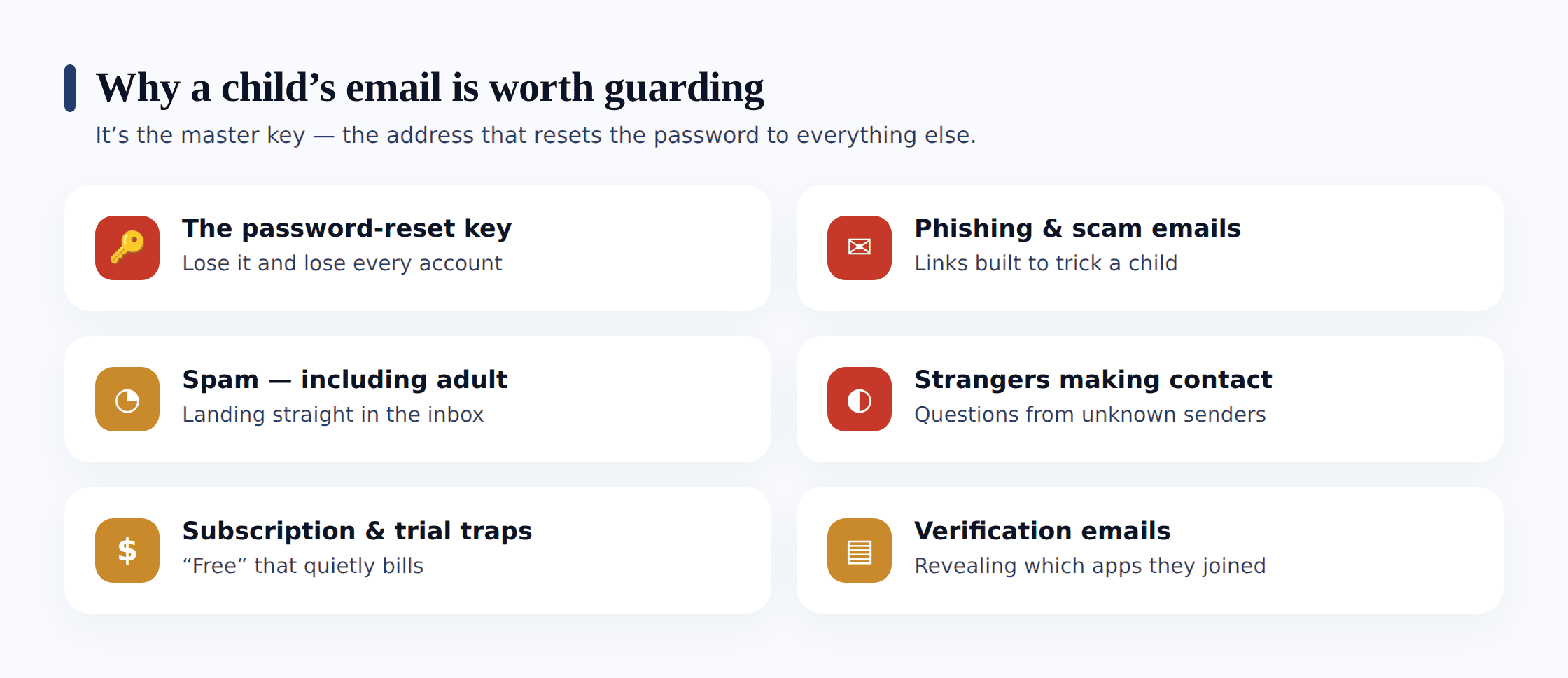
That’s why a child’s inbox deserves more care than any single app, and why “keeping it safe” is a different job from “monitoring their chats”. A few reasons it’s worth guarding closely:
- It’s the recovery key for every other account. A stranger who gets into the email can reset passwords across the board and lock your child out of their own things.
- It’s where scams arrive dressed up. Phishing, fake prize wins, “your account will be closed” panic messages — email is the classic delivery route, and children are the easiest mark.
- Spam finds it fast. Once an address leaks onto a few sign-up lists, in comes the junk, some of it adult-content spam that no child should be sorting through alone.
- It’s a way for strangers to make contact. Anyone with the address can email. Unlike a locked-down chat app, a plain inbox has no friend list guarding the door.
- It quietly records what they’ve signed up for. Verification and “welcome” emails reveal every app and site your child has joined — useful to you, and useful to anyone who shouldn’t be looking.
- Subscription and free-trial traps land here. “Your trial ends in 3 days, you’ll be charged £39.99” — confusing for an adult, alarming for a ten-year-old.
None of that means panic. It means the inbox earns a bit of setup and a bit of oversight, sized to your child’s age. Get the foundations right once and most of the danger simply never reaches them.
What actually lands in a child’s inbox
Before setting anything up, it helps to know exactly what you’re protecting against. A child’s inbox attracts a particular slice of nastiness, and it’s worth being able to name each type — both for your own filtering and for the lessons you’ll teach later.
Phishing. The headline threat. A message designed to trick your child into clicking a link, typing a password, or handing over a code. It might look like it’s from a game they play, the app store, or even a friend whose account was hacked. The tell is almost always urgency plus a request to click or log in.
Prize and “you’ve won” scams. Free Robux, a free console, a gift card if they “just confirm their details”. Aimed squarely at a child’s excitement. A real prize never needs a password or a parent’s card.
Spam, including adult-content spam. Bulk junk that finds any address left lying around. Some of it is explicit, and a young child shouldn’t be the one deleting it. Strong filters keep the bulk of it out of sight.
Strangers making contact. An open inbox lets anyone write in. Most is harmless marketing, but an unknown sender asking your child questions — where they go to school, how old they are, whether they’re home alone — is a red flag that deserves a grown-up’s eyes.
Subscription and free-trial traps. Confirmations for things they didn’t mean to sign up for, or “your trial is ending” notices designed to frighten a card number out of someone. Kids rarely read the small print, which is exactly what these rely on.
Unexpected password-reset emails. This one deserves special attention. A reset email your child didn’t request usually means someone is trying to break into that account. It’s not spam to ignore — it’s an early warning.
Setting it up and overseeing it openly
The single best thing you can do for a child’s email happens before they ever read a message: set the account up properly, together. If you haven’t created the account yet, our guide to setting up a child’s first email account walks through choosing a provider and a safe username. This section is about locking down and overseeing an account that already exists — openly, with your child in the room.
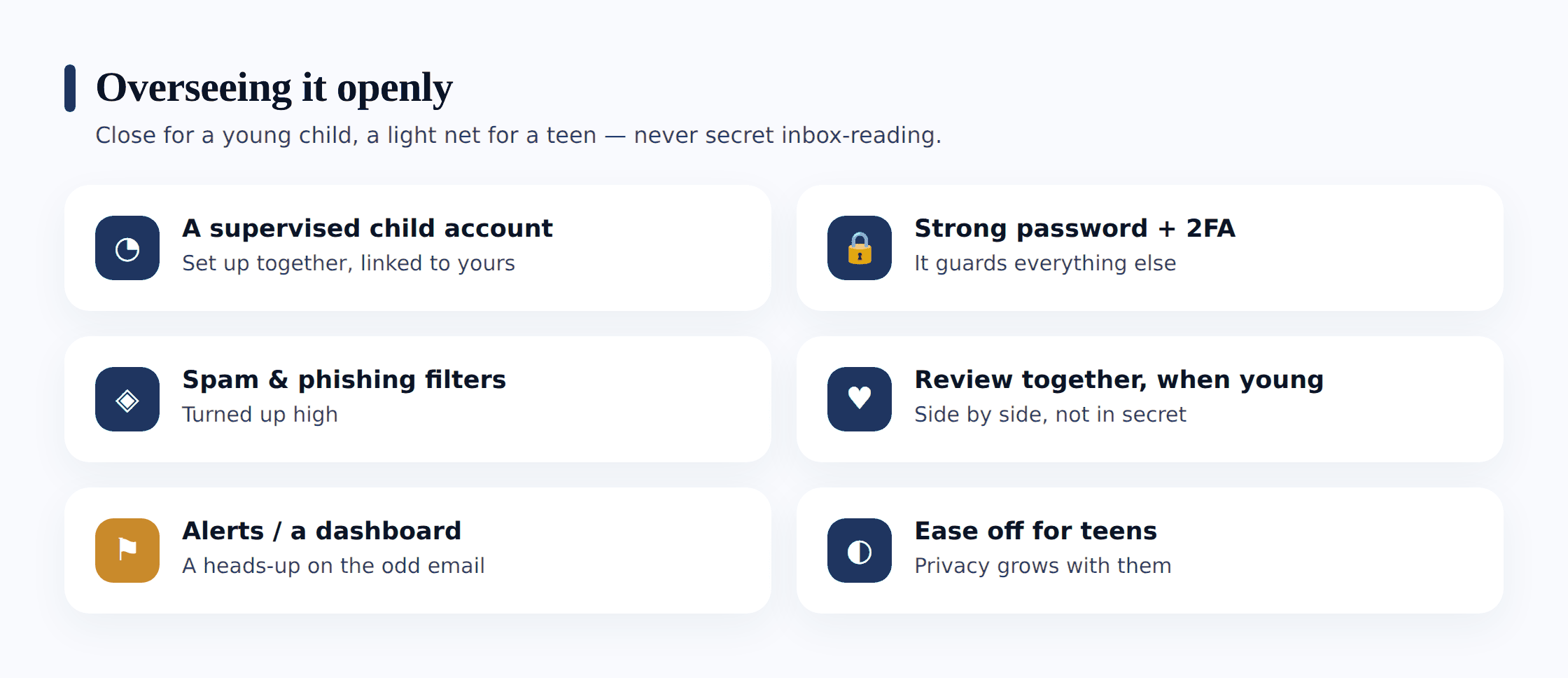
1. Make it a supervised child account
For anyone under 13, use a proper child account inside a family group — a supervised Google Account through Family Link, or an Apple Child Account with Family Sharing. That’s what unlocks the parental tools and age-appropriate defaults, and it keeps the account linked to yours so you can help when something goes wrong. Don’t hand over a spare adult account instead; it skips every protection you actually want.
2. Put a strong password on it, then 2FA
Because email protects everything else, it earns the strongest password in the house — a long passphrase stitched from several unrelated words, never a birthday or a pet. Then switch on two-factor authentication, pointing the second factor at your own device while your child is young, so no login slips through without you knowing. That single control blocks the overwhelming majority of account takeovers.
3. Turn spam and phishing filters up high
Every provider has them; most people never touch the settings. In Gmail or iCloud, confirm spam protection is switched on, and drop real family, friends and the school into the contacts list so genuine mail stands out. Switching off automatic image loading blocks the tracking pixels that quietly signal to spammers that a real person is reading. Well-set filters mean your child simply never lays eyes on most of the junk.
4. Keep recovery pointing to you
Set the recovery email and phone to yours. Should the account get locked, get targeted, or should the password slip out of a young head the week of a deadline, the reset code arrives with you and you can rescue it. Recoverable by you is different from read by you — hold the first, and you rarely need the second.
5. For a young child, review the inbox together
With a seven- or eight-year-old, treat the inbox as shared. Sit down now and then, open it side by side, and sort the good from the junk together. This isn’t surveillance — it’s teaching. Your child sees what spam looks like, learns to spot a dodgy sender, and picks up the habit of asking before clicking.
6. Use alerts or the family dashboard, not constant reading
You don’t need to read every message to stay in the loop. Family Link and Family Sharing give you a dashboard view of the account and its settings. Turn on the notifications your provider offers for new sign-ins and security changes, so you hear about the things that matter without hovering over ordinary mail.
7. Teach the one rule that catches most trouble
Hand your child one line they can actually remember: “Anything that wants me to click a link, pay, or enter my password gets checked with a grown-up before I touch it.” Short enough for a young child to carry, it defuses phishing, fake prizes and trial traps in a single stroke.
Email safety and message safety overlap but aren’t the same job. If you also want to think through chats and texts, our guide to how to monitor text messages the right way covers that side with the same open, proportionate approach.
What to watch for
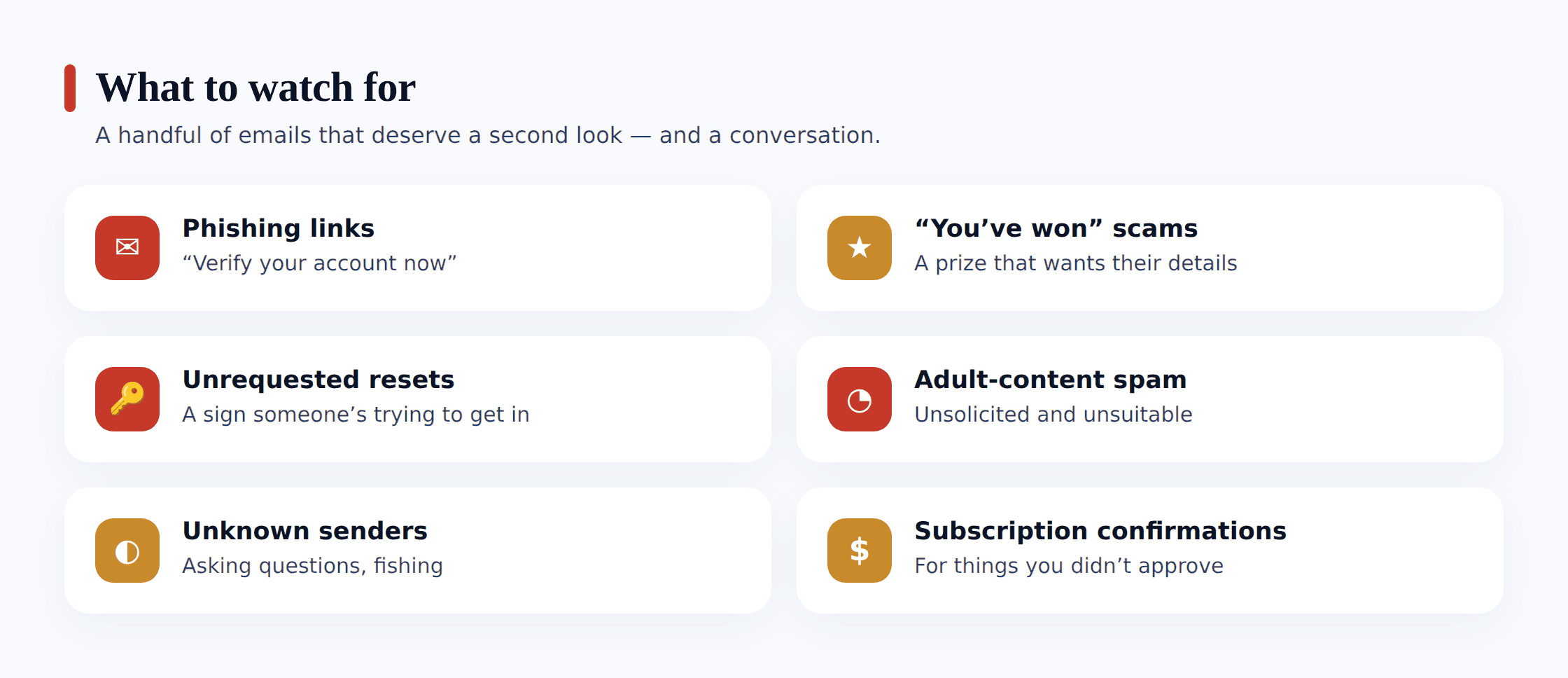
Reviewing a young child’s inbox together, or just staying loosely aware of a teen’s, a handful of things are worth flagging. These are the messages that deserve a pause and a conversation.
- Links from senders you don’t recognise. Hovering over a link shows where it really goes; if the address doesn’t match the supposed sender, it’s a trap. Teach your child never to click first and check later.
- “You’ve won” and prize emails. Any message promising something for free in exchange for details, a login, or a small payment. The excitement is the weapon.
- Password-reset emails they didn’t request. The clearest early warning there is. If a reset arrives for an account your child didn’t touch, someone is trying to get in — change that account’s password and check its security immediately.
- Adult-content spam. A sign the address has leaked. Mark it as spam so the filter learns, tighten the filters, and be ready to migrate to a fresh address if it keeps coming.
- Unknown senders asking questions. Especially anything fishing for age, location, school, or whether a child is alone. This is the one to bring straight to a parent.
- Subscription and trial confirmations. Sign-ups your child doesn’t remember making, or “your card will be charged” notices. Worth catching early, before a free trial quietly becomes a bill.
Many of these tells are shared with scam texts, because the same playbook works across every channel. If you want to drill the pattern-spotting itself, our guide to how to spot phishing and scam messages breaks down the giveaways in detail — and everything there applies to the inbox too.
How much oversight, at what age
The right amount of email oversight is not a fixed thing — it slides steadily downward as your child grows. A young child’s first inbox can be co-managed and watched closely. A teenager deserves real email privacy with only a light safety net underneath. Getting the proportion right is most of the skill.
Young (roughly 7–10): close and shared. The account is a supervised child account, you hold recovery and 2FA, and you review the inbox together as a teaching exercise. At this stage the inbox sits nearer to a shared family mailbox than a private one, which is precisely as it should be. The goal is protection while the reflexes form.
Middle (roughly 11–12): more room, same net. Your child now handles their own messages and looks after their own contact list. You keep hold of recovery access and the security settings, and you talk openly about anything strange that surfaces instead of reading their mail. The role shifts from manager to coach.
Teen (13+): privacy, with a light touch. The platforms begin to treat the account as the teen’s own, and the honest move is to follow their lead. This is not the age to be secretly reading a teenager’s email. Keep the safety net light — 2FA still solid, the occasional check-in about scams, recovery details handed over when they’re ready — and rely on trust and conversation. If any device-level safety arrangement is still in place, it should be openly agreed, not hidden.
Teaching the email safety skills that last
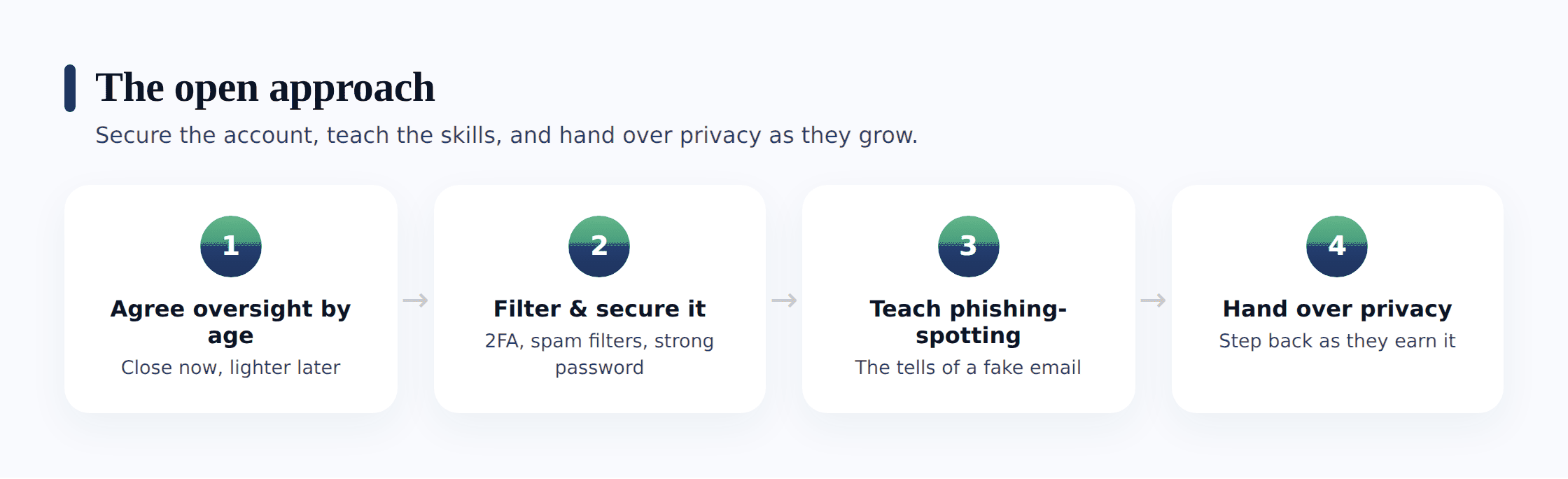
Filters catch the junk, but skills catch the clever stuff — and the point of oversight is to work yourself out of a job. A handful of habits cover almost everything that matters, and they stick best when built at the screen rather than read off a list.
- Spotting phishing. Teach the tells — a manufactured sense of urgency, a link whose real address doesn’t match the sender, a demand for a password or a code, an offer too generous to be true. When a familiar name sends something odd, that’s when to check hardest — hacked accounts send scams to their whole contact list.
- Never sharing the password or a login code. Not for a best friend, not for a stranger in a game dangling “free stuff”, not for any pop-up that demands it. The email password is the house key; the one-time codes that arrive are the keys to the rest.
- Unsubscribing properly. From real, legitimate lists, the unsubscribe link works and cuts the clutter. From obvious spam, clicking anything just confirms the address is live — better to mark it as spam and delete. Teaching the difference is a real skill.
- Reporting spam, not just deleting it. Marking junk as spam trains the filter and protects future messages. Show your child the button so it becomes second nature.
- Protecting the address itself. An email address works a little like a home address — it shouldn’t go to every site that demands one. For disposable sign-ups, an alias or a plus-address keeps the real inbox tidy. The less it’s spread around, the less spam arrives, and the fewer dodgy messages ever reach them.
- When in doubt, ask. Praise loudly the child who says “I wasn’t certain, so I left it alone and asked.” A kid whose first instinct is caution beats one who never puts a foot wrong but never pauses either.
Model it, too. When your child sees you frown at a dodgy message, mutter “that’s a scam,” and bin it, the reflex lands more firmly than any rule ever could. And keep the door open: a child who feels safe admitting they clicked something is far safer than one who hides it. Treat mistakes as lessons, never crimes.
Where FreePhone fits
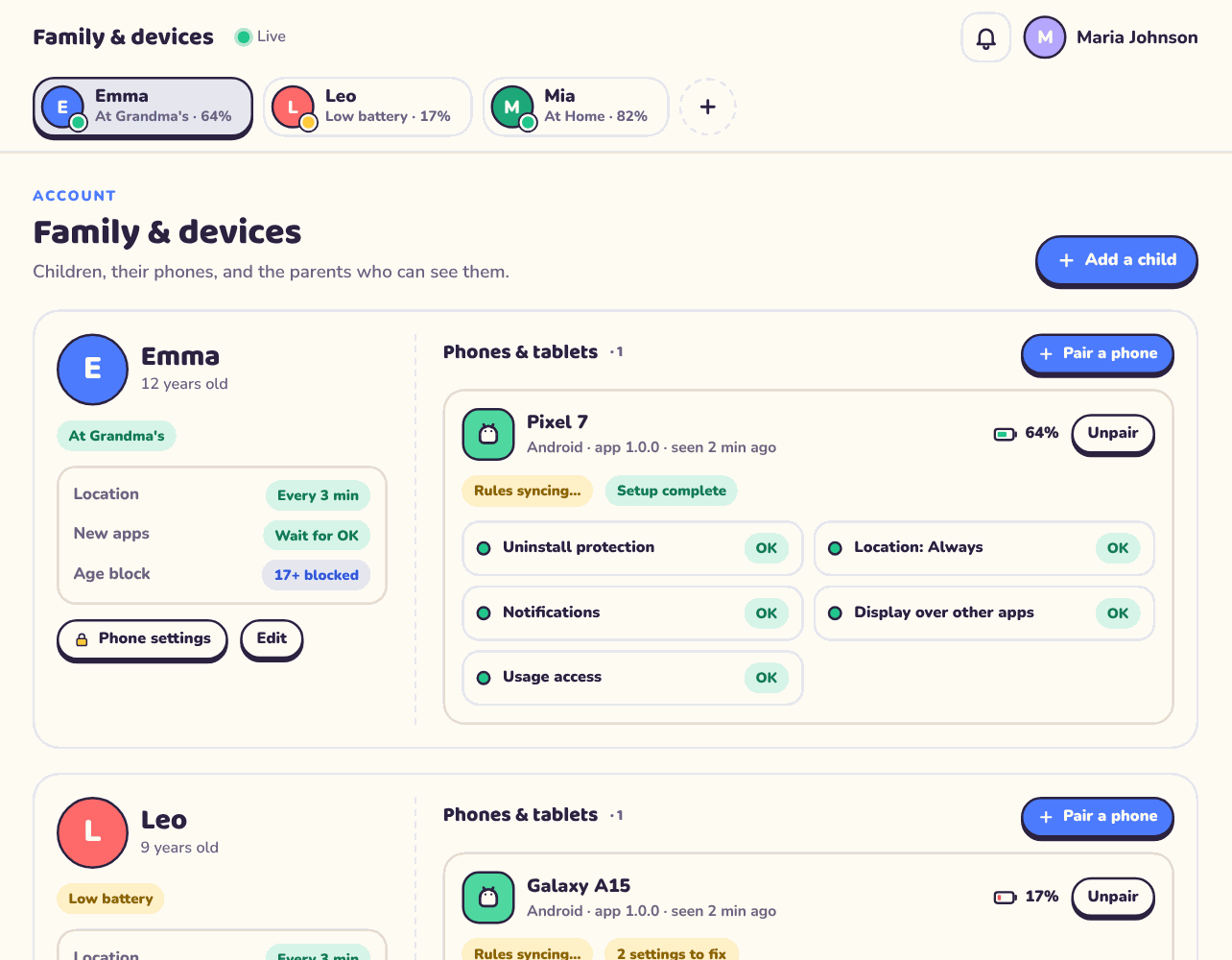
A brief, honest word on how our own tool fits this picture, because it’s built around the approach above rather than against it. FreePhone is set up with your child, not behind their back — the phone shows a “What my parents can see” screen listing what’s shared, and the app is visible, not hidden. It doesn’t read email or messages and doesn’t filter websites; for scam sites and adult content, use the email provider’s filters and Google’s own settings. What it adds is the phone around the inbox: screen time, app limits and approval before a new app is used. It runs on the child’s Android phone, you view it from any browser, and it’s free, with every feature. Think of it as a way to notice sooner and start the right conversation, not a replacement for the setup, the filters, and the check-ins that do the real protecting.
Questions parents ask
Why does my child’s email matter more than their other accounts?
Because it sits underneath all of them. Password resets for games, apps, the app store and eventually social accounts all flow through the inbox, so whoever controls the email can get into everything else. It’s the master key. That’s why it earns the strongest password and two-factor authentication, even when it seems like the account your child cares about least.
Should I read my child’s emails?
For a young child on a first account, reviewing the inbox together is reasonable and useful — it’s how they learn. For a teenager, no: they deserve email privacy, and the job shifts to a light safety net and open conversation rather than reading their mail. Keeping recovery access so a locked account can be rescued is a separate thing from signing in to read private mail. Keep the former, and release the latter as they grow up.
How do I stop spam and adult-content junk reaching my child?
Turn the spam and phishing filters up high, add real contacts to the safe-sender list, and switch off automatic image loading so tracking pixels can’t confirm the address is live. Above all, keep the address from spreading — a new mailbox that hasn’t been keyed into fifty websites stays quiet. Flag junk as spam so the filter keeps learning. If explicit spam keeps arriving, the address has likely leaked, and moving to a fresh one is a fair reset.
My child got a password-reset email they didn’t ask for. What now?
Treat it as a warning, not spam. An unrequested reset usually means someone is trying to break into that account. Don’t click the link in the email — go directly to the account, change its password to something strong and unique, and make sure two-factor authentication is on. Then check the email account itself the same way, since that’s the master key. Once it’s secure, talk your child through what happened so they recognise it next time.
When should I stop overseeing my teen’s email?
Gradually, and earlier than you might think. By the early teens the platforms treat the account as theirs, and so should you. Keep the security strong — 2FA, a good password, recovery you can help with if asked — but step back from reading their mail. Shift to occasional chats about scams and privacy, and pass the recovery details across once they’re able to manage them themselves. The plan from day one is to work yourself out of the job.
Keeping a child’s email safe isn’t about looking over their shoulder. It’s about locking the most important door in their online life, teaching them to hold the key, and loosening your grip as they show they can. Put the strong password and 2FA on early, turn the filters up, review the inbox together while they’re small, and then step back to a light, honest safety net as they grow. Do that, and the inbox stops being the weak point and becomes the thing that quietly keeps everything else secure.