How to Spot Online Scams Targeting Kids & Teens
A kid who plays Roblox or Fortnite gets pitched a “free 10,000 Robux” link before most adults finish their coffee. The people writing these scams know exactly who they’re talking to: someone who wants the skin, trusts the friendly message, and might just know a parent’s card number. The good news is that scams follow patterns. Once your child can name the trick, the trick stops working.
Why kids are prime targets
Scammers don’t target kids because they’re stupid. They target them because kids are wired to trust, and because the payoff is easy to reach.
Think about the setup. A ten-year-old wants V-Bucks. Everyone in their game seems to have the good skins. They don’t have their own money, but they know where Mum keeps her card, or their account is already linked to it. They haven’t spent years learning that “you’ve won a prize you never entered for” is a lie. And when an adult-sounding message says their account will be deleted in 24 hours, the panic is real.
Kids also read text differently. A slightly-off URL or clunky grammar that screams “fake” to you barely registers to a child skimming for the word “free.” They assume a message inside a game they love comes from someone trustworthy. And they’re used to doing what a screen tells them.
None of that is a character flaw. It’s inexperience. Your job isn’t to scare them off the internet. It’s to hand them the pattern-recognition they haven’t lived long enough to build on their own. That’s also why the same conversations matter for gaming safety and social media safety more broadly — the scams travel across all of it.
The scams your kid will actually see
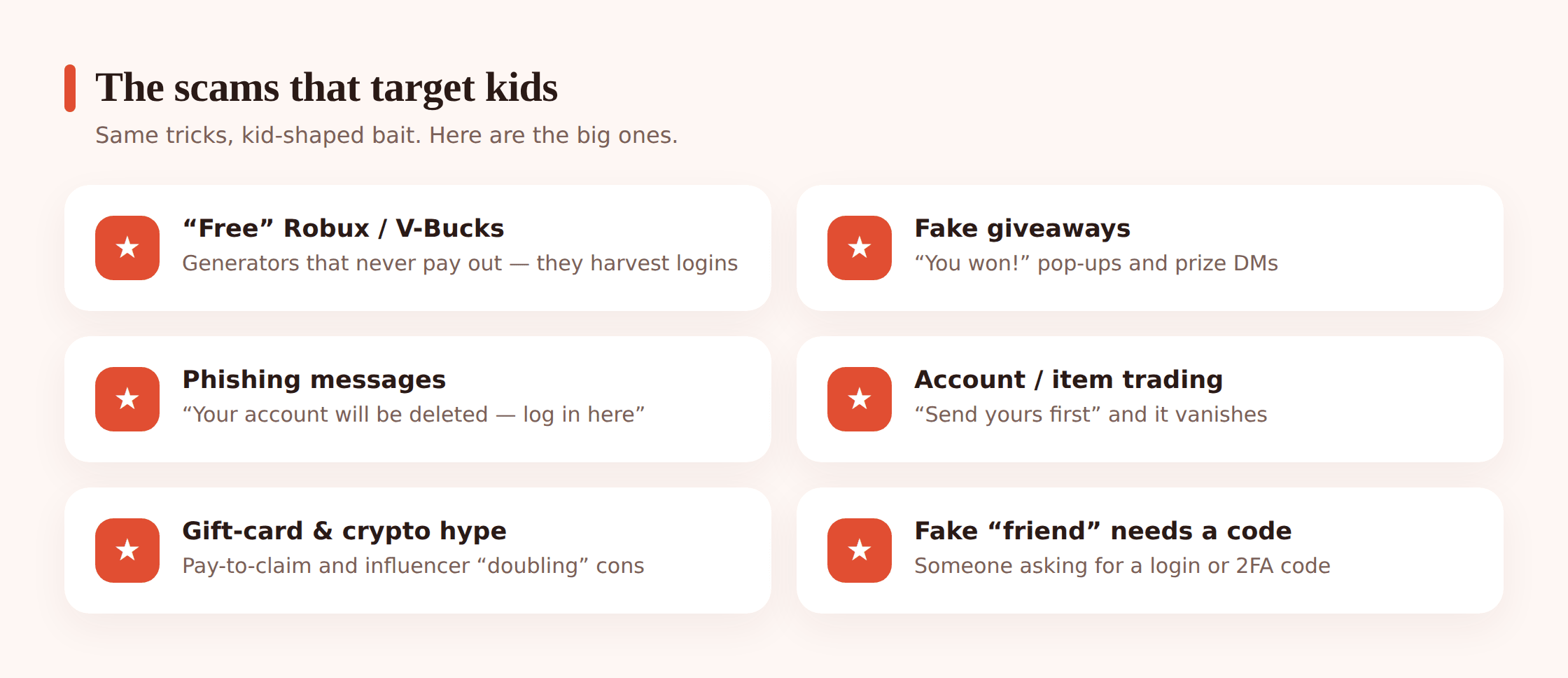
Free currency generators. “Free Robux generator! No human verification!” This is the big one. There is no generator, anywhere, ever. Roblox, Epic, and every other platform make their money selling that currency — they aren’t leaking it through a random website. What these sites actually do: make your child “verify” by entering their account login (now stolen), completing endless surveys (which pay the scammer), or downloading something nasty. Teach one flat rule: free currency generators do not exist. Full stop.
Fake giveaways and “you won!” pop-ups. A flashing banner: “Congratulations! You’re the 100,000th visitor — claim your free Nintendo Switch!” Or a YouTuber “giveaway” that asks kids to click a link and log in to enter. Real giveaways don’t need your password, and you can’t win a contest you never entered.
Phishing DMs and emails. A message that looks like it’s from Roblox, Discord, or Instagram: “We’ve detected suspicious activity. Your account will be permanently deleted unless you confirm your password here.” The link goes to a lookalike site. Your child logs in, and the scammer now owns the account — often to run the same scam on their friends. The tell: real platforms never ask for your password by message, and never threaten instant deletion to rush you.
Account trading and “flip” scams in games. “I’ll trade you my rare skin for your account login” or “give me your account for 5 minutes, I’ll add free items.” The moment your child hands over the login, the account is gone. Same with “middleman” trade scams where a supposed neutral third party holds the items and then vanishes.
Fake influencer promos and crypto/NFT hype. Older kids get pulled into “my favourite streamer said this coin will 10x” or a hacked verified account promising to “double any crypto you send.” A real giveaway never asks you to send money first to receive more back.
Marketplace and ticket scams. Concert tickets, a cheap phone, a rare trading card, sold through a marketplace or a DM. Pay by bank transfer or gift card, and the item never shows. Teens buying and selling on their own are especially exposed here.
The in-game “friend” who needs your login. A kid befriends your child over weeks, then: “My account’s locked, can I log into yours to save my progress? I’ll give you loads of items.” It plays on a real friendship. This one overlaps with catfishing and fake profiles — the “friend” may not be a kid at all.
Romance and gift-card scams for older teens. A teen meets someone online who’s warm, attentive, and always just out of reach for a video call. Eventually there’s an emergency, and could they help with a gift card? Or the flip side — sextortion, where an image gets used as leverage. These hit teenagers hard because the emotional hook is real even when the person isn’t.
Subscription and “free trial” traps. A game mod or app offers a “free trial” that quietly needs card details and rolls into a pricey monthly charge buried in the fine print. Kids don’t read the fine print. Neither do most adults.
The red flags that give every scam away
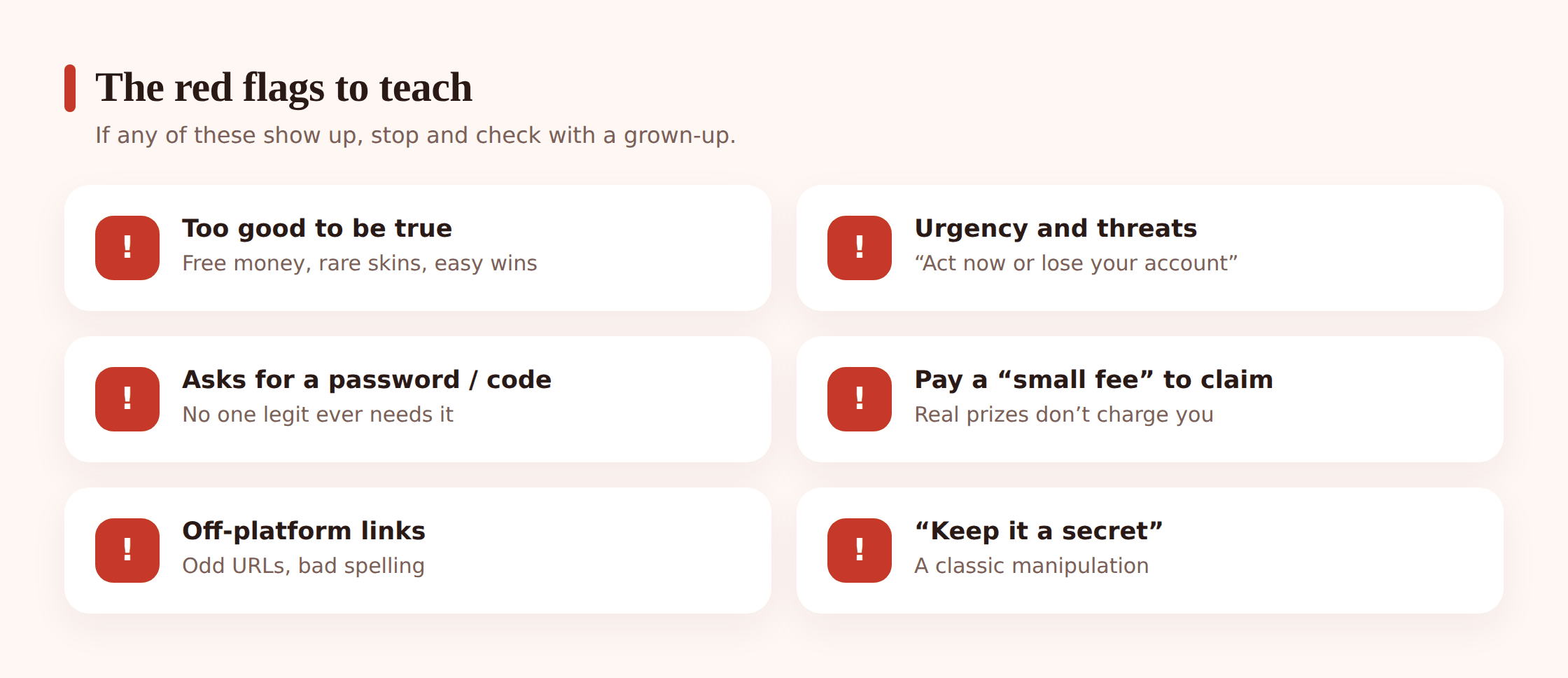
You can’t teach a child every scam — new ones launch weekly. You can teach the handful of signals underneath all of them. If a message trips even one of these, it’s a stop-and-check moment.
- Too good to be true. Free money, free rare items, a prize from a contest they never entered. If it’s free and amazing and random, it’s bait.
- Urgency and threats. “Act now,” “24 hours or your account is deleted,” “only 3 left.” Rushing you is the whole trick — a panicked person doesn’t stop to think.
- Asking for a password, login, or 2FA code. No legitimate person or platform ever needs these. A 2FA code sent to your phone is the one thing a scammer can’t get without you handing it over — so that’s exactly what they’ll ask for.
- “Pay a small fee to claim.” You don’t pay to receive a prize. Any “just cover shipping” or “small verification fee” is the scam collecting money.
- Off-platform links. A message inside a game or app that pushes you to some outside website to “claim” or “verify.” Real rewards happen inside the official app.
- Bad spelling and odd URLs.
rob1ox.com,free-vbucks-now.net, awkward grammar, a logo that’s slightly wrong. Look at the actual web address, not the words on the page. - Pressure to keep it secret. “Don’t tell your parents,” “this is just between us.” A real reward doesn’t need to be hidden. Secrecy is a scammer protecting the scam.
The rules to teach your child
Keep the rules short enough to remember in the moment a scam actually appears. Six is plenty.
- Never share a password or a 2FA code. Not with a friend, not with “support,” not with anyone. Ever.
- “Free” currency generators never work. Not once. Not the one that “really works this time.” Never.
- Don’t click links in DMs or pop-ups. If a message says to log in somewhere, close it and open the official app yourself instead.
- Check with me before paying for anything. No fee, subscription, or purchase without a quick yes from a parent — and that’s not you being in trouble, that’s the rule for everyone.
- Log in only through the official app or website. Never through a link someone sent you.
- It’s always okay to say no and to ask. Saying “let me check” is never rude. And you will never be in trouble for asking me about something online.
That last rule carries the most weight. Kids fall deeper into scams because they’re embarrassed or afraid of losing their device. If asking you feels safe, they’ll ask early — before the money’s gone. Make “come to me and I won’t be angry” a promise you actually keep. There’s more on building that kind of trust in our guide on talking to kids about online safety.
Locking down the money side
Most of the damage from a kid-targeted scam is money leaving your account. Close that door and you’ve cut the worst outcome off at the source.
- Don’t store a card on the child’s account. Use gift cards or a controlled top-up balance instead, so there’s a hard ceiling on what any scam can drain.
- Turn on purchase approval. Both Google Play (Family) and the console stores let a purchase require a parent’s password or a tap on your phone. Every in-app buy then routes through you.
- Watch for unexpected charges. Check your card statement for small odd amounts and “free trials” that started charging. Scammy subscriptions bank on you not noticing a few pounds a month.
- Know how refunds work before you need them. Google Play and most game stores can reverse an unauthorised or accidental purchase if you report it quickly.
How monitoring tools help (and where they don’t)
Let’s be honest up front: no tool catches every scam, and any parent who tells you otherwise is selling something. Scams evolve daily, new links spin up constantly, and the cleverest ones arrive as a normal-looking message from a real friend’s hacked account. The real defence is a kid who can spot the pattern and a parent they’ll talk to. Tools buy you time and visibility — they don’t replace the conversation.
With that said, here’s where FreePhoneSpy genuinely helps on an Android child phone, all through the web panel.
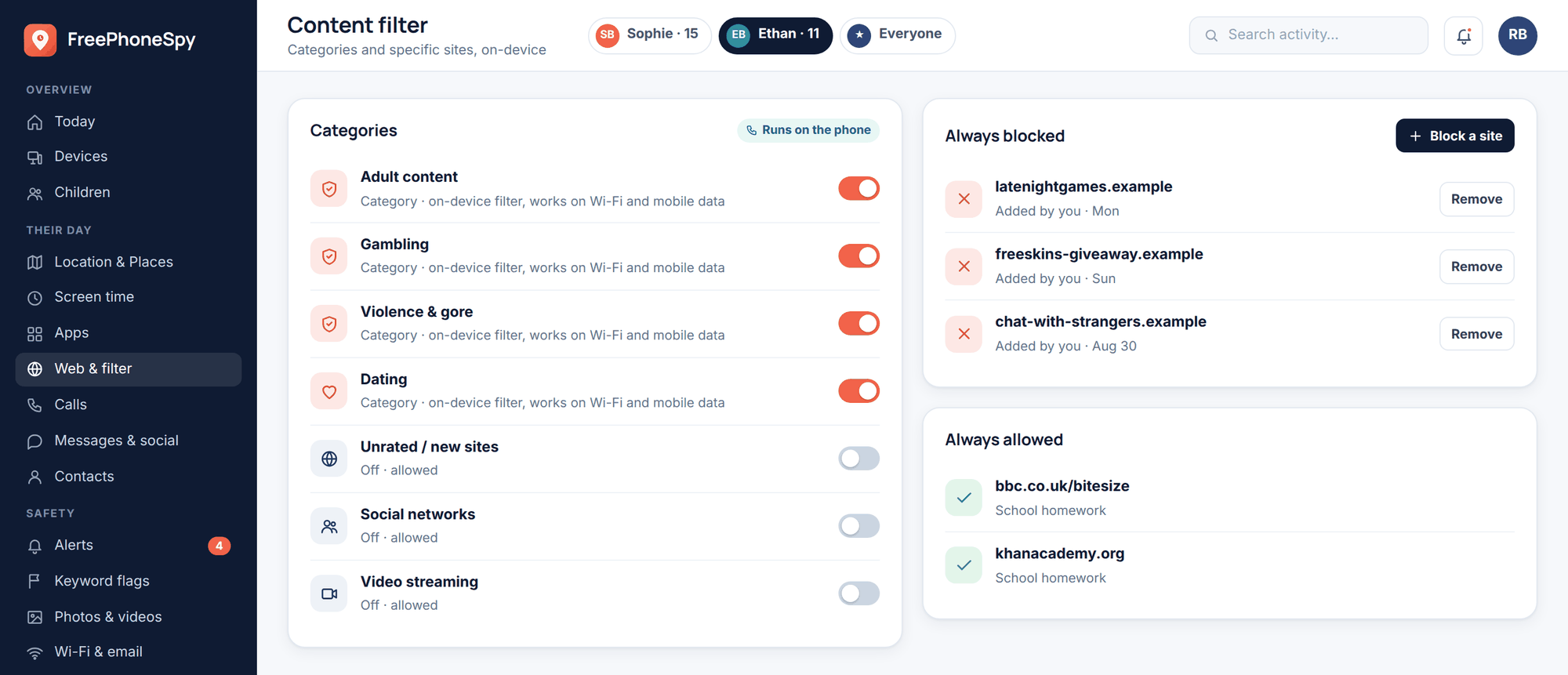
Web and content filter. A big share of these scams end on a website — a fake generator, a phishing login page, a lookalike store. The web and content filter blocks known scam and phishing sites and lets you block whole risky categories, so a lot of bait links hit a wall before your child ever reaches the login box. It won’t know about a site that launched an hour ago, but it stops the vast, recycled majority.
Keyword alerts. You can set keyword alerts to flag worrying words showing up in notifications — things like “password,” “gift card,” “free Robux,” or “don’t tell.” When one trips, it becomes a chance to check in, not an accusation. It’s a smoke detector, not a lie detector: it won’t see everything, but it can surface a conversation you’d otherwise have missed.
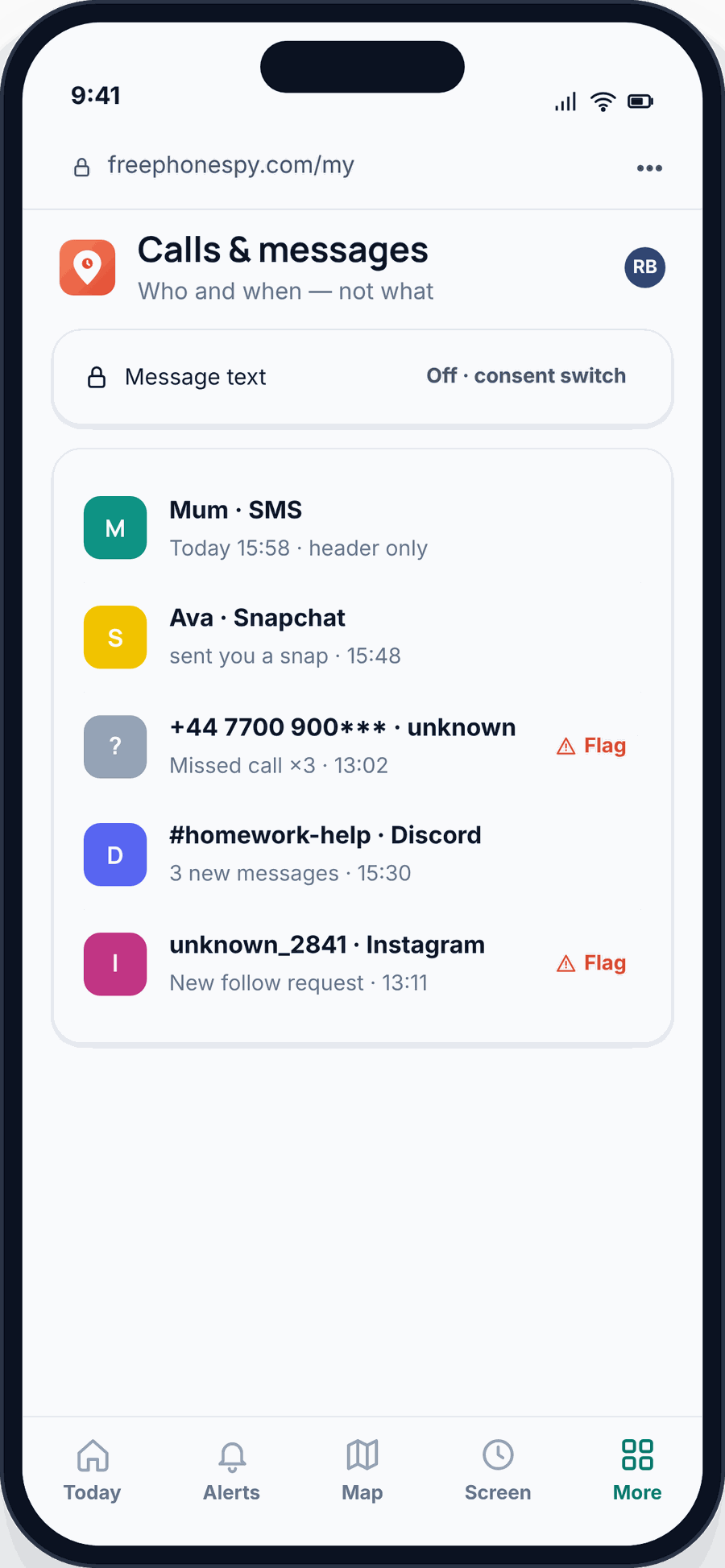
App limits and message headers. App limits and blocking reduce the hours of exposure on the riskiest apps, which cuts the number of scam attempts that ever reach your child. Message headers let you see the shape of who’s contacting them — a brand-new “friend” messaging constantly is worth a gentle question — while keeping the focus on patterns rather than reading every private word.
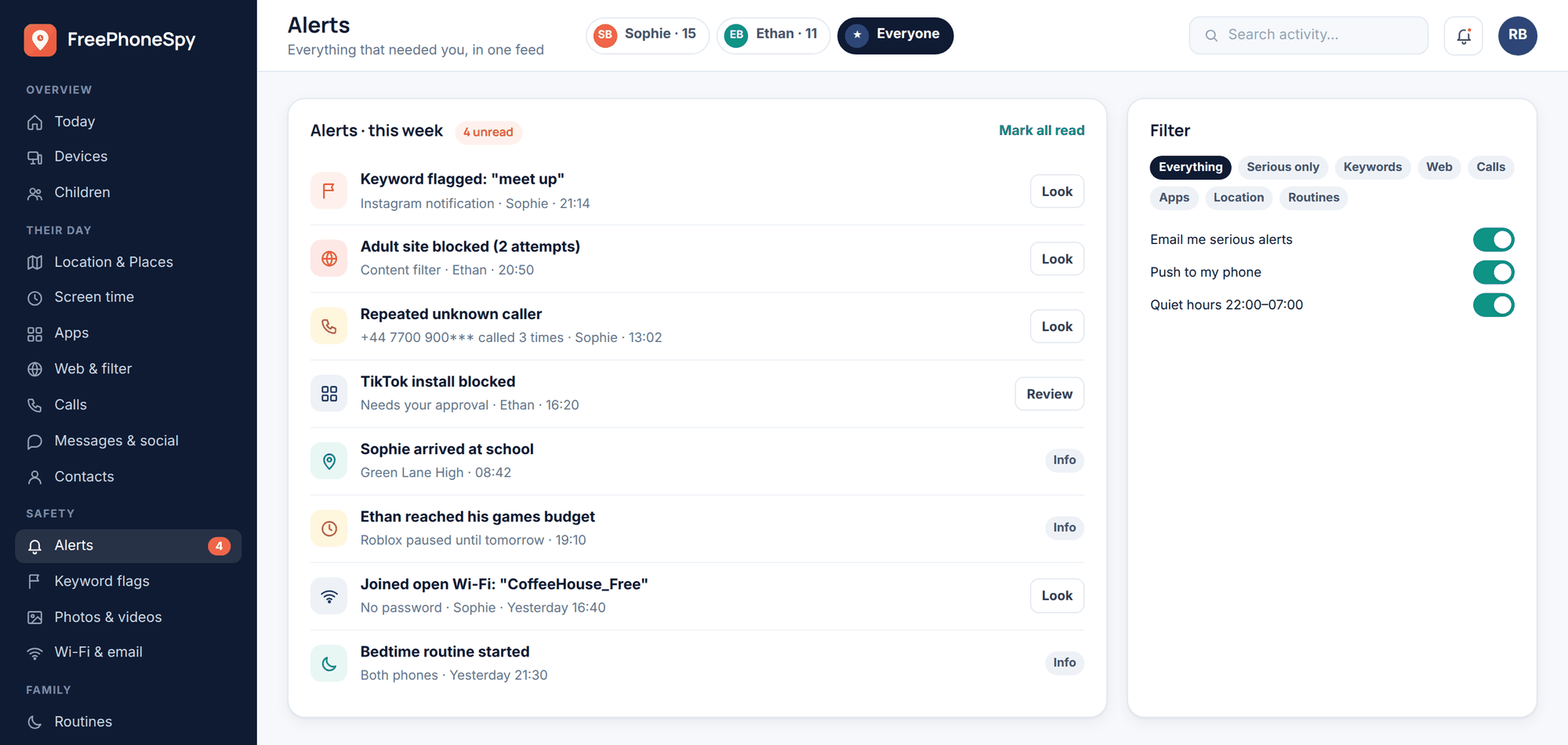
The alerts feed brings it together in one place. What you’re looking for isn’t a single event — it’s a pattern. Repeated hits on blocked scam sites, or the same worrying keyword popping up, tells you it’s time for a calm chat.
Two honest notes on scope. FreePhoneSpy is an Android child app — if your child’s on an iPhone, Apple’s own Screen Time and Family Sharing are the tools to reach for. And it’s free to start and stays free through simple tasks, with the core features staying free, so cost isn’t a reason to leave a kid unprotected. But every feature above is a support for the real work, which is teaching. Don’t let any dashboard lull you into skipping the conversation.
What to do if your child got scammed
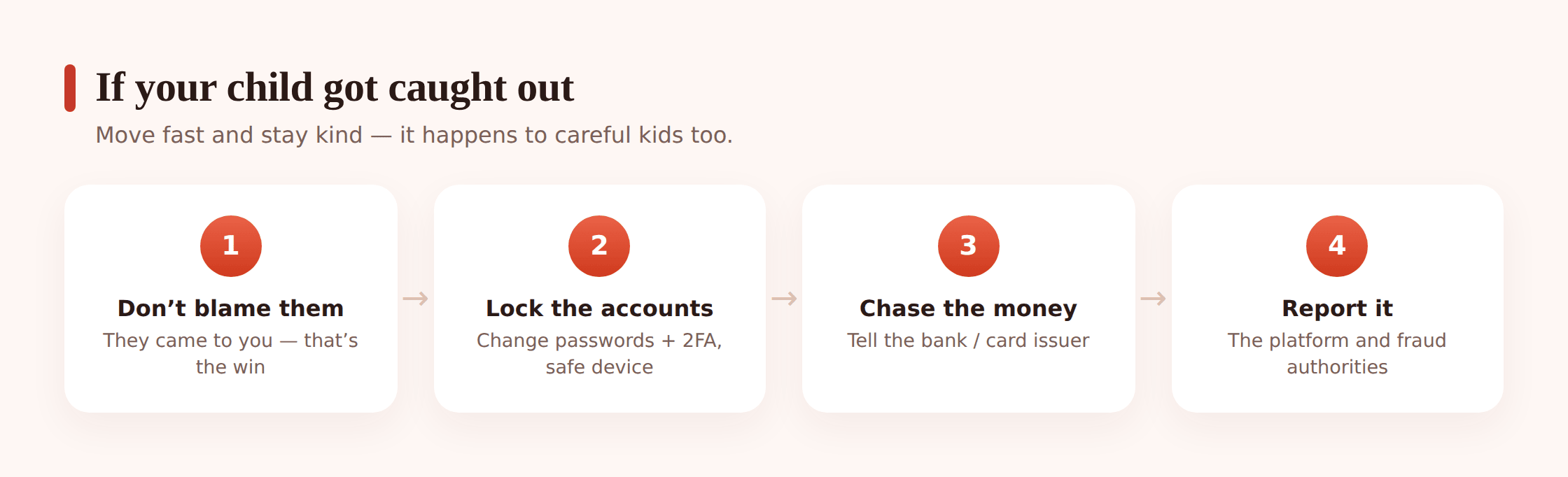
It happens to careful families. If it happens to yours, how you react in the first five minutes shapes whether your child ever tells you next time. Start there.
- Don’t blame them. First words matter: “Thank you for telling me. We’ll sort this out together.” A kid who feels safe reporting the first scam is a kid who reports the next one early, while it’s still fixable.
- Change the passwords from a safe device. Use your phone or a clean computer, not the compromised one. Change the password on the hacked account and on anything that shared that password. Turn on 2FA everywhere you can.
- Contact the bank or card issuer. If money moved or card details were exposed, call them right away. Report unauthorised charges and ask about freezing the card. Fast reporting is often the difference between a refund and a loss.
- Report to the platform. Report the scam account or message to Roblox, Discord, Instagram, whoever it happened on. It can help recover a hacked account and protects other kids.
- Report to fraud authorities. File with your country’s consumer or fraud body (Action Fraud in the UK, the FTC at reportfraud.ftc.gov in the US, your local equivalent elsewhere). It won’t always recover money, but it builds the case that shuts these operations down.
- Watch for follow-on scams. Once someone’s been scammed, they get targeted again — often by a “recovery” scam promising to get the money back for a fee. That’s a second scam. Expect it and refuse it.
A quick “spot the scam” family game
Lectures slide off. A five-minute game at dinner sticks. Read out a scenario and let your child call it: scam or safe? Then ask which red flag gave it away.
- “A pop-up says you’re the 1,000,000th visitor and you’ve won an iPhone. Click to claim.” (Scam — prize you never entered, too good to be true.)
- “A message from ‘Roblox Support’ says your account will be deleted in 24 hours unless you confirm your password.” (Scam — urgency, threat, asking for a password.)
- “A friend in the game asks to borrow your login for five minutes for free items.” (Scam — never share a login, even with a friend.)
- “You get an email from the actual game receipt for a purchase you made, with no link asking you to log in.” (Safe — but always open the app yourself to double-check.)
- “A site offers 10,000 free Robux if you complete a survey and enter your username and password.” (Scam — generators don’t exist, and it wants your login.)
- “Someone you met online this week says they love you and needs a gift card for an emergency.” (Scam — off-platform pressure, secrecy, asking for money.)
Make up your own, aimed at whatever games and apps your kid actually uses. The goal is for “hang on, that’s got a red flag” to become their reflex, so it fires the day a real one lands.
FAQ
Are “free Robux” and “free V-Bucks” sites ever real?
No. Never. Platforms sell that currency — it’s their income, and they don’t give it away through random websites. Every “generator” is a scam to steal a login, run surveys for the scammer, or push malware. Teach it as an absolute rule: no free currency generator has ever worked.
My child is embarrassed and won’t tell me what happened. What do I do?
Lead with reassurance, not questions. “You’re not in trouble, I just want to help fix it” gets you further than an interrogation. Kids hide scams out of shame and fear of losing their phone. If you can separate the mistake from the punishment, they’ll open up — and you’ll catch the next one sooner.
Can a monitoring app block every scam?
No, and be wary of any tool that claims it can. A web filter stops many known scam sites and keyword alerts can flag worrying messages, but scams evolve daily and the best ones come from hacked accounts of real friends. Tools cut your child’s exposure and give you visibility. A kid who spots the pattern, plus a parent they’ll talk to, is the actual protection.
Should I take my child’s phone away after a scam?
Usually not as a punishment. Removing the phone teaches them that telling you leads to losing it — so next time they won’t tell you. Fix the security problem together instead, tighten the settings, and treat it as a lesson learned. Save device limits for a genuine safety need, not as a penalty for honesty.
What’s the single most important rule?
Never share a password or a 2FA code with anyone, for any reason. Almost every serious scam eventually asks for one. If that rule holds firm, most attacks stop dead — and the account, and often the money, stay safe.
My kid uses an iPhone — does FreePhoneSpy work?
FreePhoneSpy is an Android child app. On iPhone, use Apple’s Screen Time and Family Sharing for filtering and purchase approval. Either way, the scam-spotting conversation in this article is the part that matters most, and it works on any device.