Finstas & Hidden Apps: Understanding Secret Accounts on Your Teen’s Phone
You picked up your teen’s phone to check a football fixture and noticed something odd: two Instagram icons, or a second account name you didn’t recognise, or a calculator app that seemed to do a little more than arithmetic. Your stomach drops a notch. Before it drops further, take a breath. A lot of what looks like hiding is ordinary teenage identity-building — a smaller, sillier, more honest corner of their world. This guide is about understanding the difference between that and a genuine worry, and about responding in a way that keeps the door open rather than slamming it.
Finsta and rinsta, explained
The vocabulary sounds like code, and to teens it more or less is. A rinsta is the “real Instagram” — the public-facing, tidy account with a nice grid, the one grandparents follow and classmates screenshot. A finsta is the “fake Instagram,” though “fake” is misleading. It’s usually the more honest of the two: a locked-down account with a joke username, a handful of close friends approved as followers, and a feed full of unflattering selfies, in-jokes, half-baked thoughts and general silliness.
The irony is worth sitting with. The account labelled “real” is often the performance, and the account labelled “fake” is often where your teen is most themselves. A finsta is a backstage pass to a small, trusted audience — a place to be awkward, vent about a bad day, or post the ugly-funny photo that would never make the polished grid.
None of this is unique to Instagram, and the “finsta” idea has spread far beyond it. Snapchat, TikTok and other platforms all support multiple accounts under one login, so the same person might run a public self and a private self on each. If you want the grounding on the main platform itself, our piece on Instagram safety for kids covers the features and settings underneath all of this.
Alts, burners and spam accounts
Finsta is the famous term, but the family of second-account behaviours is broader, and the words shift by platform and friend group. Knowing the rough map helps you ask better questions instead of assuming the worst.
- Alt account (“alt”). Short for “alternate.” A general-purpose second profile for a different audience, a different interest, or a different vibe. A teen deep into art, gaming or a fandom often keeps an alt so their hobby posts don’t clutter the account their classmates see.
- Spam account. Confusingly, “spam” here means the opposite of junk. It’s the close-friends account where a teen posts freely and often — many small, low-stakes updates a day. The name comes from the sheer volume, not from anything malicious.
- Burner account. A throwaway profile, often anonymous, made for a single purpose and abandoned. Sometimes harmless — following a crush without being seen, lurking in a fan community. Sometimes a worry, if it’s used to say things anonymously that a named account couldn’t.
- Priv / close-friends list. Not a separate account at all, but a curated subset within one — Instagram’s “Close Friends” story ring, for instance. Same instinct as a finsta, smaller footprint.
The label matters less than the function. Ask yourself what a given account is for, and most of the mystery dissolves. A vent account and a fandom alt are wildly different things wearing similar disguises.
Why teens keep more than one account
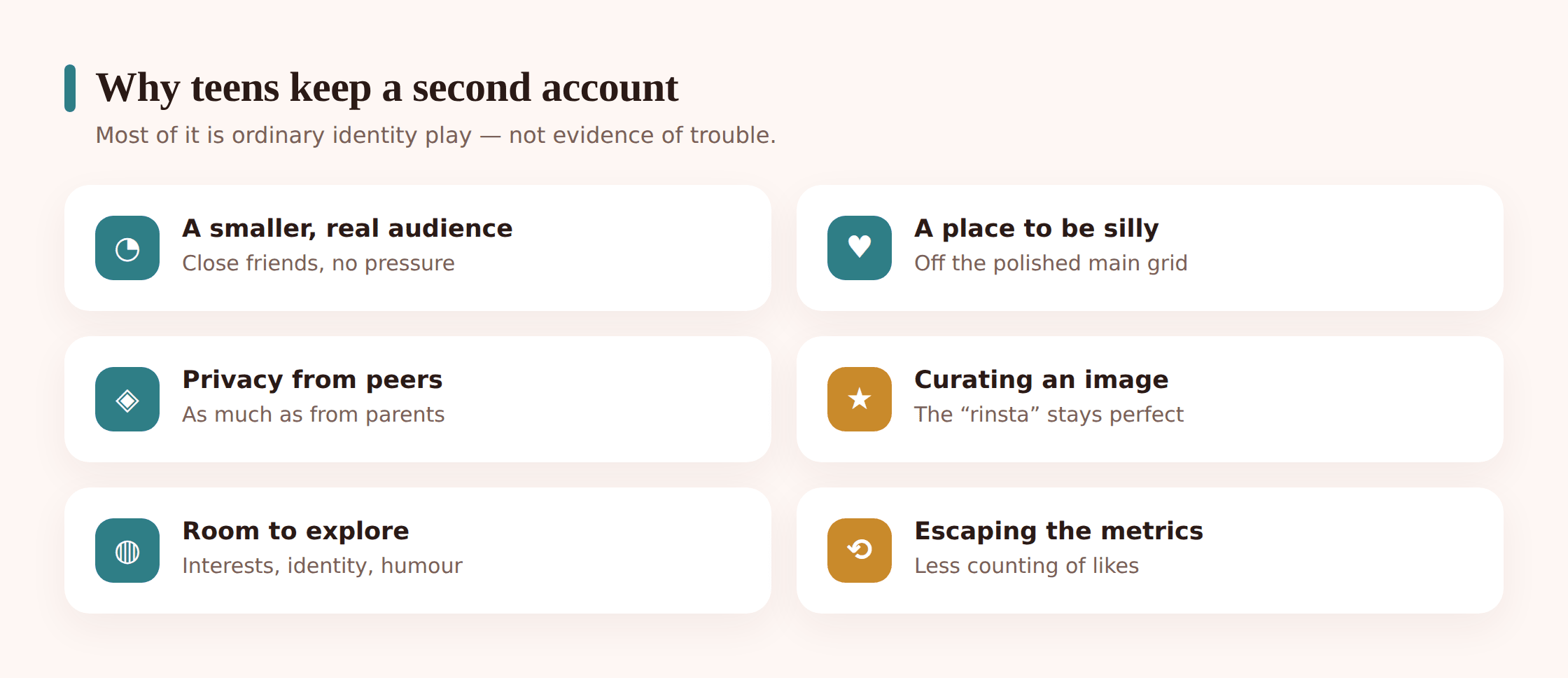
Here’s the part that’s easy to miss when you’re anxious: most of the reasons are developmentally normal, and some of them are genuinely healthy. Adolescence is the job of working out who you are, and that work is messy. A second account is often just a lower-stakes room to do it in.
A smaller, realer audience. Posting to two hundred acquaintances is stressful. Posting to eight people who love you is not. The finsta exists because performing for a crowd is exhausting, and everyone deserves a place to drop the act.
Privacy from peers, not only parents. This surprises a lot of adults. Much of the secrecy isn’t aimed at you at all — it’s aimed at the wider social world: the classmate who screenshots, the group that judges, the ex who still lurks. A private second account is a wall against social exposure, which is one of the biggest fears of teenage life.
Curating an image. Teens are acutely aware that the main grid is a kind of résumé. Keeping the polished stuff separate from the goofy stuff lets them manage how they come across without having to be perfect everywhere at once.
Interest, not deception. A whole account devoted to a niche — a specific game, a band, digital art, a sports team — keeps a passion from overwhelming the everyday account. It’s organisation as much as secrecy.
Space from your gaze, which is developmentally appropriate. Wanting a corner parents don’t see is not the same as having something to hide. Some privacy from adults is a normal, necessary part of growing up. Our guide to balancing a teen’s privacy and independence unpacks where that line reasonably sits, and why crowding it too hard tends to backfire.
Reframe before you react. “Why is my child hiding things from me?” lands very differently as “My child is building a private social space, the way I kept a diary or a friend group my parents didn’t fully know.” The behaviour is often the same instinct you had at that age, running on newer hardware.
Hidden and vault apps
Separate from second accounts is a different phenomenon: apps designed to conceal content or other apps. This is where a parent’s radar reasonably sharpens, because some of these tools exist specifically to hide, and a few are built to look like something innocent.
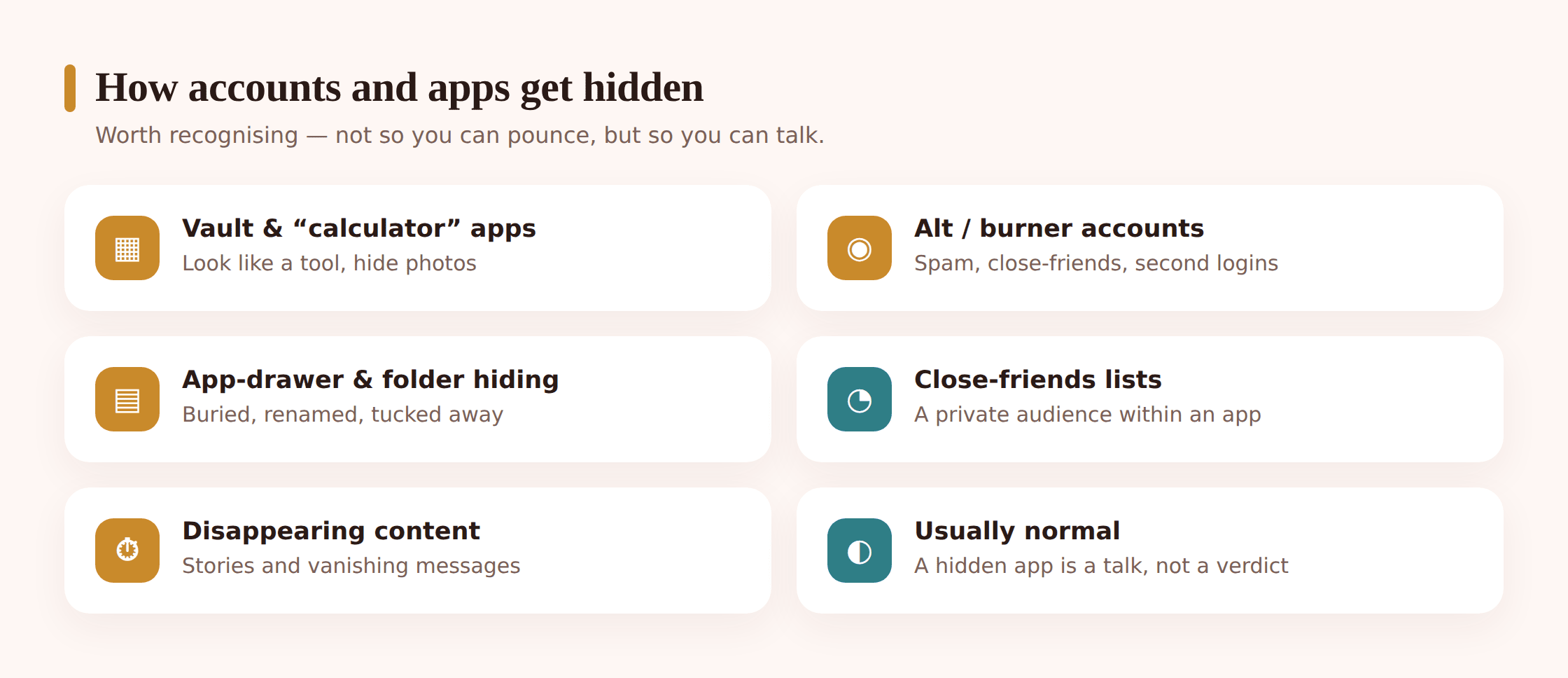
Vault apps. These are private, password-protected storage lockers for photos, videos, messages or other apps. Many are marketed for legitimate privacy — keeping financial documents away from a nosy sibling, say. Used by a teen, a vault might hold anything from harmless private photos to content you’d want to know about. The app itself is neutral; the question is always what it’s for and why.
Calculator-lookalike apps. A well-known category: an app that appears to be an ordinary calculator, works as one, but reveals a hidden photo or file store when you type a secret passcode. Similar disguises exist as fake clocks, notes or utility apps. The whole point of the design is that a casual glance at the home screen reveals nothing.
Hiding apps in plain sight. No special software required for this one. Android lets you tuck apps into folders, bury them several screens deep, or — on some phones and launchers — remove them from the app drawer entirely so they only open via search or a shortcut. It’s the digital equivalent of shoving something to the back of a drawer.
It helps to separate the tool from the intent. A locked photo vault on a sixteen-year-old’s phone might be nothing more than teenage privacy about perfectly ordinary things — and teenagers are entitled to some of that. The same app could also be concealing something that genuinely needs a conversation. You can’t tell which from the icon alone, and assuming the worst is the fastest way to lose the trust you’d need to find out. The presence of a vault app is a reason to talk, not a verdict.
When it’s a genuine red flag
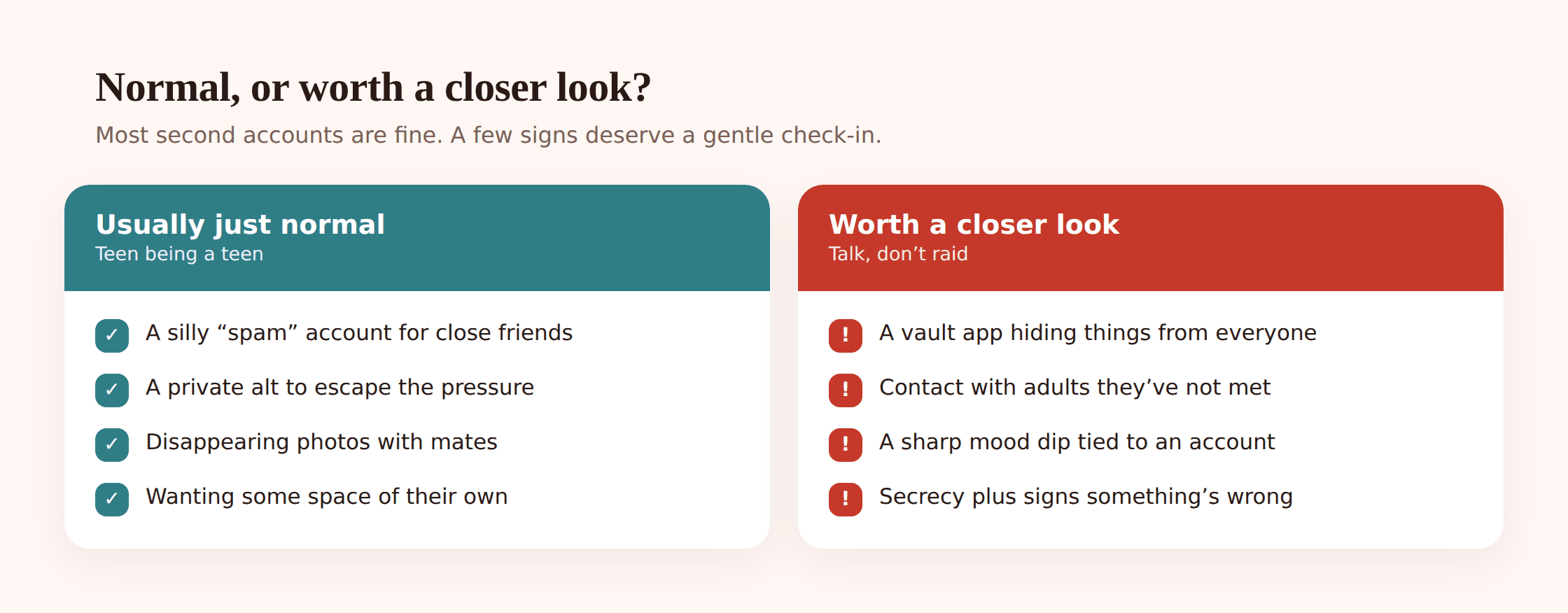
All of the above can be benign. Some of it isn’t. The signal usually isn’t a single account or app — it’s a cluster of changes that point to distress or to a relationship you can’t see. Trust your read on your own child here; you know their baseline.
- A sharp behaviour change alongside the secrecy. Withdrawal, sleeplessness, anxiety, a sudden drop in grades or mood that lines up with the hidden activity. The account matters because of what it’s connected to.
- An account built around a person you can’t identify. A burner that exists mainly to talk to one unknown adult, or contact that ramps up in intensity and secrecy, is the classic grooming pattern and warrants a calm, direct conversation.
- Content that could harm them or others. A finsta used for cruelty toward a classmate, an account tied to self-harm communities, or a vault concealing things they’ve been pressured to send.
- Elaborate, escalating concealment. One private account is normal. A calculator vault, plus decoy apps, plus deleted histories, plus fresh burners each week suggests energy going into hiding that’s worth understanding.
- Age-inappropriate audiences. A “spam” account that has quietly accumulated adult strangers, or private content shared beyond the close circle it was meant for.
How to notice, and how to respond
You’ll sometimes notice a second account or a hidden app by accident — a switcher screen, an unfamiliar icon, a notification from a name you don’t know. What you do in the first thirty seconds sets the tone for everything after.
Responding well when you spot something
- Pause before you react. The instinct to confront is strong and almost always counterproductive. Sit with the discovery for a beat. Most of what you’ve found is probably ordinary.
- Lead with curiosity, not accusation. “I saw you’ve got a second account — what’s that one for? I hear finstas are where the funny stuff goes” invites a real answer. “What are you hiding from me?” guarantees a wall.
- Ask to be shown, don’t demand to inspect. Being invited in tells you far more than a forced search ever will, and it keeps you on the same team. If they’re reluctant, that reluctance is information, not proof of guilt.
- Normalise the impulse. Tell them you understand wanting a space that isn’t on display for everyone. That single acknowledgement often does more to open them up than any amount of pressing.
- Separate the account from the safety question. You can respect their right to a private finsta and still ask the safety questions that matter: who’s the audience, is anyone making you uncomfortable, is anything on there you’d want help with.
Resist the arms race. If your response to one hidden app is a crackdown, the reliable result is a better-hidden second one — teens are faster at this than most parents, and secrecy that’s punished simply gets more sophisticated. The families who stay informed are almost never the ones who searched the hardest. They’re the ones whose kids still talk to them, because talking never cost them anything. For the wider platform-by-platform picture, our overview of social media safety pairs naturally with the conversation side covered here.
Building an open agreement instead of an arms race
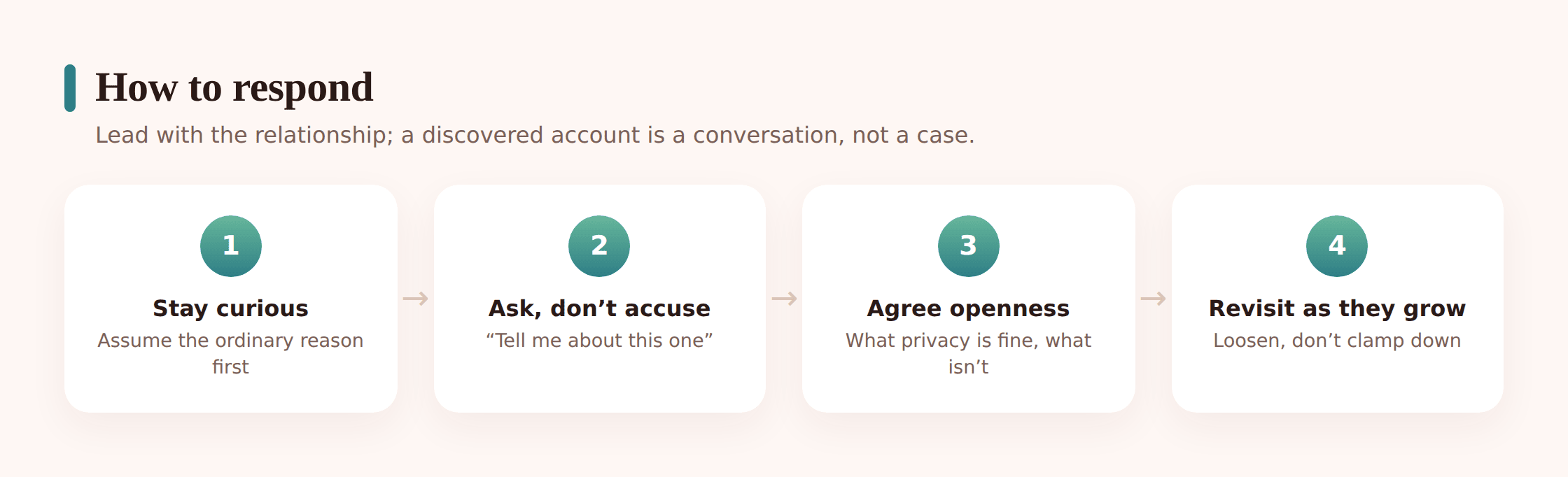
The durable answer to “what’s on my teen’s phone?” isn’t a tool or a tactic. It’s a standing agreement, set up together and revisited as they grow, that makes secrecy less necessary in the first place. When a teen has some genuine privacy by right, they have less reason to manufacture it by hiding.
- Grant privacy on purpose. Name the spaces that are theirs — their finsta, their group chats, their private thoughts — so privacy is something they’re given, not something they have to steal.
- Agree on the non-negotiables. A short, shared list: no secret contact with adults you haven’t met, no accounts built to hurt someone, come to me if anything online scares you. Fewer rules, clearly meant, beat a long list nobody remembers.
- Make it a conversation, not a contract signing. The talk matters more than the document. Revisit it as they get older and earn more room.
- Say the quiet part out loud. “I’m not trying to read every message. I’m trying to make sure you’re safe and to be the person you come to when something’s wrong.” Teens can tell the difference between protection and surveillance.
The trust dividend. Every time your teen tells you something they could have hidden and you respond calmly, you make the next disclosure more likely. Every time you overreact, you make the next secret deeper. With each reaction, you are training them on one question: are you a safe person to bring a problem to.
Some families like a light, agreed-upon tool as part of that openness, especially with younger teens still learning the ropes — and if you use one, transparency is the entire point. FreePhone is one option worth knowing about: an Android app you set up together, with your teen fully aware it’s there, viewable from any browser, and free, with every feature. Used the way it’s meant to be, its value here is simple visibility of what’s installed — a shared checkpoint where a new app appearing becomes a prompt for a friendly “hey, what’s this one?” rather than something discovered in secret. It’s a conversation-starter you both know about, not a detection tool run behind their back. As your teen shows they can manage their own space, that scaffolding loosens, the way any good guardrail should.
FAQ
Is it bad that my teen has a finsta?
Usually not. A finsta is most often a private, close-friends account where your teen can be silly and honest without performing for a big audience — a normal and even healthy part of growing up. The account itself isn’t the concern. What’s worth a gentle, curious conversation is who the audience is and whether anything on there is making them uncomfortable.
How can I tell a harmless second account from a worrying one?
Look at function and context, not the label. A fandom alt or a vent account with a few close friends is ordinary. Warning signs are clusters: secrecy paired with a sharp mood change, an account built around an unknown adult, content that could harm them or others, or concealment that keeps escalating. Trust your knowledge of your own child’s baseline.
I found a calculator app that hides photos. What should I do?
Stay calm first — vault apps are neutral tools, and plenty of teens use them for perfectly ordinary privacy. Rather than demanding they unlock it, open a conversation: “I noticed this app hides things — tell me about it.” What you’re really assessing is whether anything inside points to a safety problem. A vault is a reason to talk, not proof of wrongdoing.
Should I secretly install monitoring to catch hidden accounts?
No — and not only for trust reasons. Covert surveillance, once discovered, tends to destroy the openness that actually keeps teens safe, and it teaches them to hide better. Any tool works best set up together and known about. The families who stay genuinely informed are the ones whose kids still talk to them, not the ones who searched hardest.
My teen won’t show me their private account. Is that a red flag?
Not on its own. Wanting some space that parents don’t see is developmentally normal, and pushing hard usually backfires. Respect the privacy while keeping the safety questions open: is anyone bothering you, is anything on there you’d want help with, will you come to me if something goes wrong. Reluctance to share a diary-like space is different from hiding something dangerous.
A second account or a hidden app is rarely the story your fear tells you it is. More often it’s a teenager doing the ordinary, necessary work of figuring out who they are, in a space that feels like theirs. Your job isn’t to find every account — it’s to be the person they’d tell about the one that matters. Lead with curiosity, grant the privacy that’s theirs by right, keep any tool you use out in the open, and save your worry for the genuine red flags. Do that, and you trade an unwinnable game of hide-and-seek for the one thing that actually protects them: a teen who still comes to you when it counts.