Sometimes a phone isn’t coming back, and the priority shifts from recovering the device to protecting what’s on it. Remotely erasing a stolen phone wipes your photos, messages, emails, banking apps, and saved passwords, so a thief can’t mine them. It’s a powerful tool — but also an irreversible one that usually ends your ability to track the phone. This guide explains when erasing is the right call, what to do first, and exactly how to do it on Android and iPhone.
Erasing a phone remotely feels dramatic, and in a sense it is — it’s the digital equivalent of pulling a fire alarm. Used at the right moment and in the right order, it’s a powerful way to keep your most sensitive information out of a thief’s hands. Used too hastily, it can throw away a perfectly recoverable phone. This guide helps you tell the difference and act with confidence either way.
When to Erase — and When to Wait
Erasing should rarely be your first move. Because it typically cuts off tracking and is permanent, you want to be confident before pulling the trigger. Consider erasing when:
- You’re certain the phone was stolen, not just misplaced.
- It holds highly sensitive data — work files, financial apps, private photos — that you can’t risk being accessed.
- Recovery attempts have failed and the phone has been offline or moving away from you.
If there’s still a realistic chance of getting the phone back, lock it instead. Locking protects your data and keeps tracking alive, which makes it the better first response in most situations.
Do These Steps First
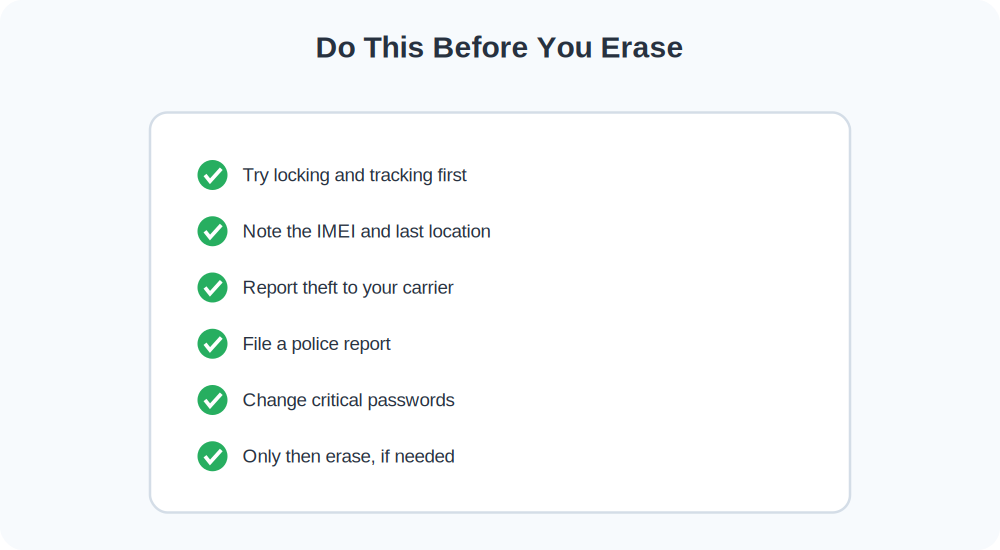
Erasing removes information you may need later, so handle these first:
- Lock and track: If you haven’t already, lock the phone and watch its location for a while.
- Record the IMEI: Find it on the original box, your carrier account, or your Google/Apple device list. You’ll need it for the carrier and police.
- Note the last known location and time: Screenshot the finder map.
- Report to your carrier: Ask them to suspend service and blacklist the IMEI.
- File a police report: Many carriers and insurers require a report number.
- Change passwords: Update email, banking, and social logins from another device.
How to Erase an Android Phone Remotely
- Go to google.com/android/find and sign in with the phone’s Google account.
- Select the device and choose Erase Device.
- Confirm. If the phone is online, it wipes immediately; if offline, it wipes the next time it connects.
After a wipe, Find My Device can no longer locate the phone, so make sure you’ve captured the last known location beforehand. On most modern Android phones, Factory Reset Protection still requires your Google credentials to set the phone up again, which deters thieves even after a wipe.
How to Erase an iPhone Remotely
- Open icloud.com/find or the Find My app on another Apple device.
- Select your iPhone and choose Erase iPhone.
- Confirm with your Apple ID password.
Here’s the reassuring part for iPhone owners: Activation Lock survives the erase. Even after wiping, the iPhone stays tied to your Apple ID and can’t be reactivated without your password. You can also leave a phone number on the screen during the erase so an honest finder can still reach you.
What Happens to Tracking After You Erase
On Android, erasing generally removes the phone from Find My Device, so live tracking stops. On iPhone, the device usually still shows Activation Lock status, but real-time location tracking ends too. This is precisely why capturing the last known location before erasing matters so much — it’s the final breadcrumb you’ll have to give the police.
After the Wipe
Erasing protects your data, but a few follow-ups close the loop:
- Confirm with your carrier that the line is suspended and the IMEI is blacklisted.
- Make sure your police report includes the IMEI and last known location.
- Check that two-factor authentication still works on your other devices.
- If the phone was insured, start the claim with your report number.
Frequently Asked Questions
Can I undo a remote erase?
No. A remote wipe is permanent. That’s why locking is the better first step whenever recovery is still possible.
Will erasing help me get the phone back?
Generally no — it usually ends tracking. Erasing is about protecting your data, not recovering the device.
Is my data backed up after an erase?
Only if you had cloud backups enabled beforehand. With iCloud or Google backup on, you can restore your data to a new phone. Without it, wiped data is gone.
What Erasing Really Removes
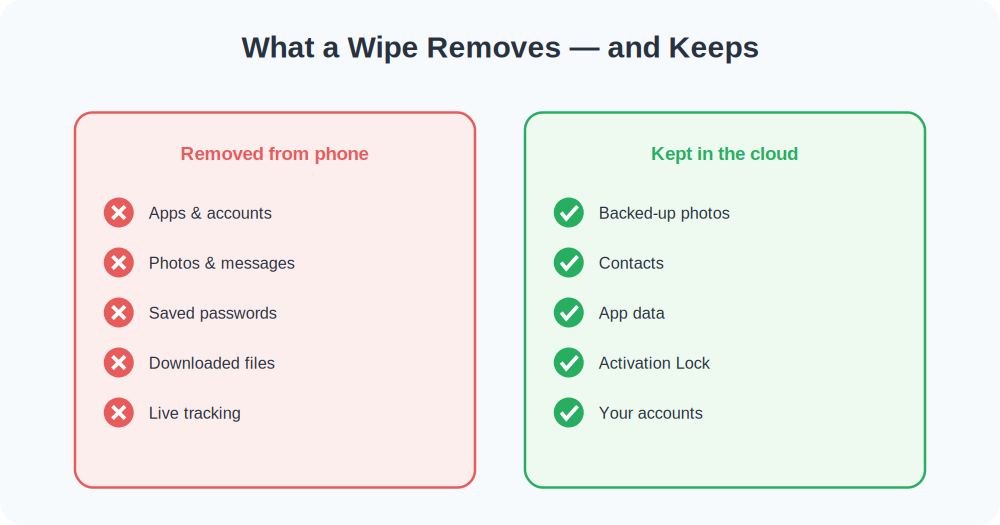
It helps to know exactly what a remote wipe does and doesn’t touch. Erasing restores the phone to factory condition: it deletes your accounts, apps, photos, messages, downloaded files, and saved passwords from the device. What it does not delete is anything already synced to the cloud — your iCloud or Google data stays safe and ready to restore onto a new phone. So the wipe destroys the copy on the lost device while leaving your real digital life intact, provided you had backups running.
There’s one more thing erasing generally removes: your live tracking. On Android, a wiped phone usually drops off Find My Device entirely. On iPhone, real-time location ends too, although Activation Lock keeps the device tied to your Apple ID. This is the single most important reason to capture the phone’s last known location and IMEI before you erase — those details vanish from your reach the moment the wipe completes, and they’re exactly what the police and your carrier will ask for.
The Difference Between Lost and Stolen
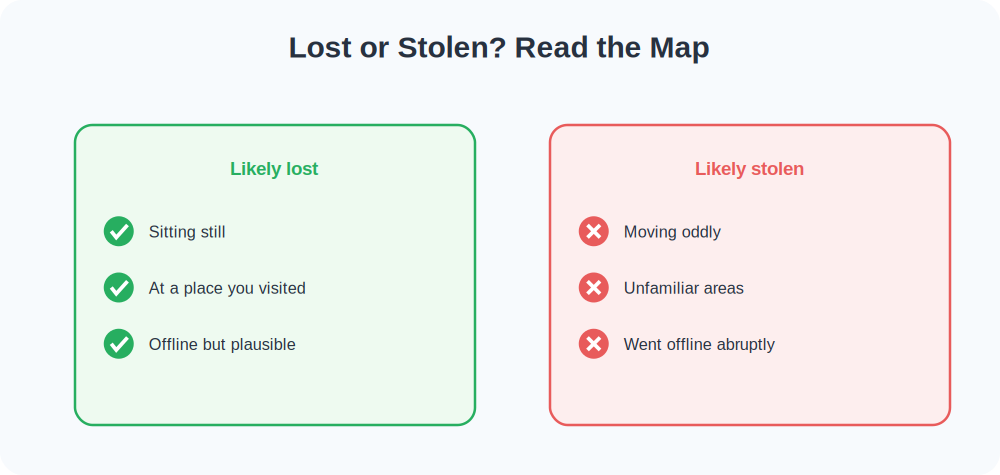
Erasing is a theft response, so it’s worth being honest with yourself about which situation you’re in, because the right action differs. A lost phone is one you probably misplaced — it’s sitting still on the map at a place you visited, or it’s offline but last seen somewhere plausible. A stolen phone behaves differently: it moves in ways you can’t explain, travels to unfamiliar areas, or goes offline abruptly right after it left your possession.
For a lost phone, lock and track — erasing would be throwing away a recoverable device. For a stolen phone where recovery looks hopeless and sensitive data is at stake, erasing becomes justified, but only after you’ve reported it and captured the evidence. The map’s behavior over the first hour usually tells you which scenario you’re facing, so resist the urge to wipe in the first few panicked minutes.
Protecting Your Accounts Beyond the Phone
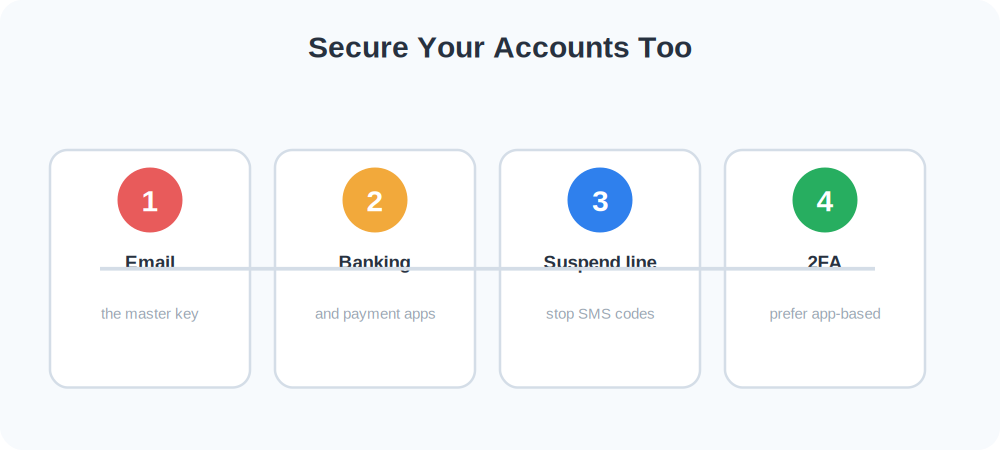
A wipe protects what’s stored on the device, but your accounts live in the cloud, so they need their own attention. From another device, change the passwords on your email first — it’s the master key that can reset everything else — then your banking and any apps with saved payment details. If you use SMS-based two-factor authentication, be aware that a thief with your phone could intercept those codes, which is another reason to suspend the line with your carrier quickly and to prefer app-based or hardware authentication where you can.
Once your email and finances are secured and the line is suspended, the urgency drops sharply. The phone itself becomes far less dangerous in someone else’s hands, and you can work through the remaining steps — police report, insurance claim, eventual replacement — at a calmer pace.
After the Wipe: Insurance, Replacement, and Closure
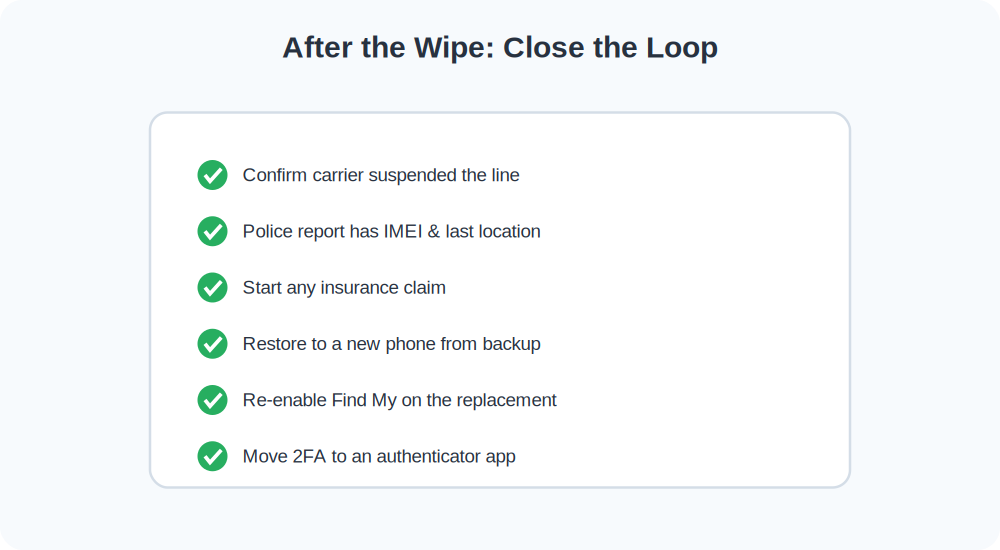
Once the phone is erased and your accounts are secured, a few practical steps close the loop. If your phone was insured — through the manufacturer, your carrier, or a home-contents policy — start the claim with the police report number in hand, since most insurers require one. Keep the IMEI and the report number together in a note, because you’ll reference them more than once. When you get a replacement, restore from your cloud backup and you’ll find most of your digital life waiting for you, from contacts to photos to app data.
It’s also worth doing a brief security review while it’s fresh. Turn on Find My Device or Find My on the new phone immediately, confirm your backups are running, and consider switching any SMS-based two-factor codes to an authenticator app. A stolen phone is unsettling, but it’s also a useful prompt to tighten habits that protect you next time. Most people come out of the experience with a better-secured setup than they had before.
Why Backups Make Erasing Painless
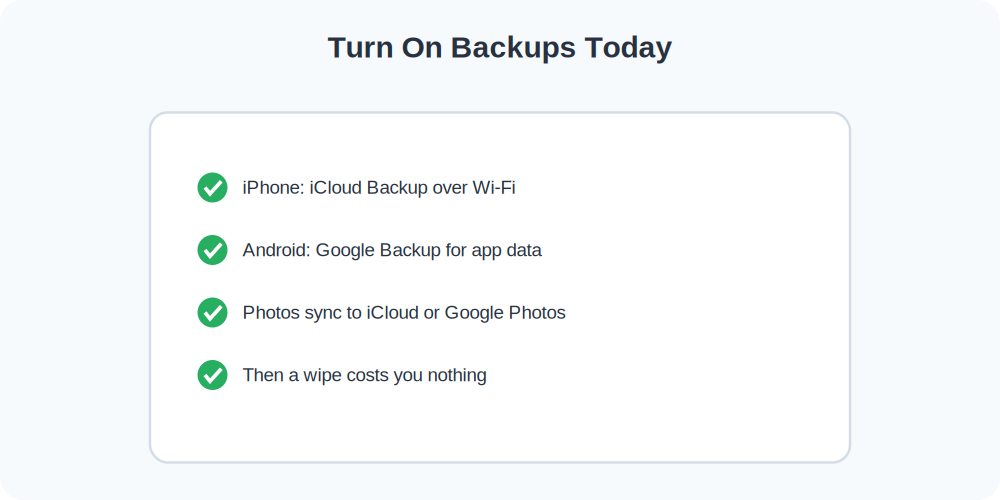
The reason a remote wipe feels so drastic is the fear of losing everything — photos, notes, contacts, the lot. Regular cloud backups remove that fear entirely. With iCloud Backup or Google One/Google Backup running automatically, your data lives safely in the cloud, so erasing the phone only destroys the local copy. You restore to your next phone and pick up where you left off.
- On iPhone: Settings → your name → iCloud → iCloud Backup → turn on, and back up over Wi-Fi nightly.
- On Android: Settings → Google → Backup → turn on, which saves app data, contacts, and photos to your account.
- Photos especially: Make sure Google Photos or iCloud Photos is syncing — they’re the items people most regret losing.
Set this up now, while you still have the phone, and the prospect of erasing it later becomes a shrug rather than a tragedy.
A Real-World Walkthrough
Suppose your phone is stolen from a cafe table. You track it for an hour; it moves across the city and then goes offline. It holds your banking and work email. Here’s the responsible path:
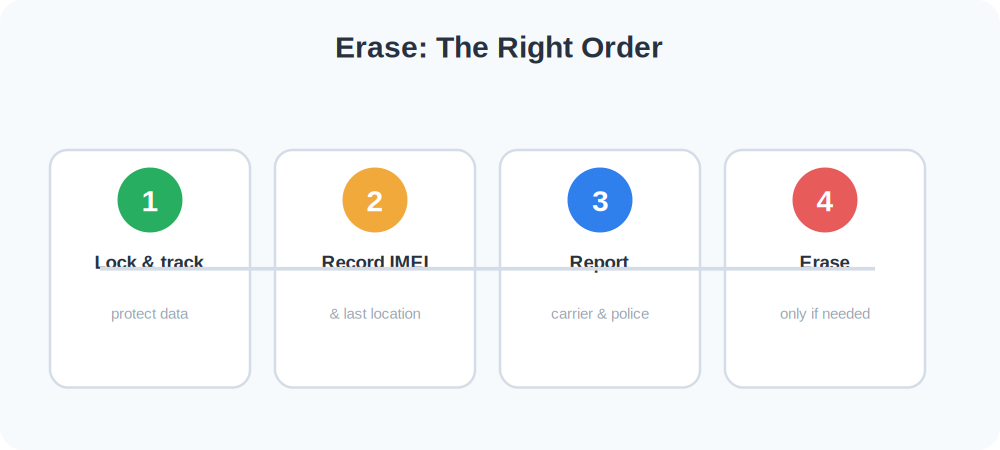
- You lock the phone immediately and add a callback number, watching the map.
- You record the IMEI from your Google or Apple account and screenshot the last known location.
- You call your carrier to suspend the line and blacklist the IMEI.
- You file a police report with the IMEI and last location.
- Once it’s clear the phone won’t resurface, you erase it to protect your banking and email — knowing your cloud backup means you lose nothing.
Notice that erasing comes last, only after every recovery and reporting step. That ordering is the whole point: you protect your data without throwing away the information that might still help.
Common Mistakes to Avoid
- Erasing before recording the IMEI and last location. Once wiped, you can’t pull these from the phone — capture them first.
- Erasing when the phone was only misplaced. If there’s any chance of recovery, lock instead.
- Skipping the carrier and police steps. Blacklisting the IMEI and filing a report protect you long after the phone is gone.
- Having no backup. Without one, erasing means losing your data permanently. Turn backups on today.
Frequently Asked Questions
Will a thief be able to use my phone after I erase it?
On iPhone, no — Activation Lock keeps it tied to your Apple ID even after a wipe. On modern Android, Factory Reset Protection similarly requires your Google credentials to set it up again. Both make a wiped phone far less useful to a thief.
Can I still report the theft after erasing?
Yes, and you should. Just make sure you captured the IMEI and last known location before the wipe, as those details support the report.
Quick Takeaways
- Erasing is permanent and usually ends live tracking.
- Lock and track, capture the IMEI and last location, report — then erase.
- Cloud backups mean a wipe costs you nothing important.
- Activation Lock / Factory Reset Protection deters thieves after a wipe.
- Secure your email and bank accounts from another device too.
The Bottom Line
Remote erase is your data’s emergency exit when a phone is truly lost to theft. But because it’s permanent and ends tracking, treat it as a last resort: lock and track first, capture the IMEI and last location, report to your carrier and the police, and only then wipe. With cloud backups running in the background, you can erase with confidence — protecting your personal information without losing a thing that matters.