How to Monitor Snapchat: A Parent’s Guide
Snapchat is built to leave no trace. Messages fade the moment they’re read, the photos your teen sends are gone within seconds, and the whole app is designed around the feeling that nothing sticks. That design is exactly what unsettles parents, and it’s exactly what sends some of them looking for a tool that promises to quietly capture every snap. This guide takes the other road. It’s about keeping your teen genuinely safe on Snapchat — out in the open, with their say-so, drawing on the honest visibility that’s actually available, Snapchat’s own family tools, and the relationship that outperforms any of it. A single boundary holds from the first heading to the last: nothing done behind your teen’s back, and no account but the one belonging to your own child.
- Why Snapchat specifically worries parents
- The honest truth about disappearing snaps
- Is your child even old enough?
- Snapchat’s own Family Center
- Snap Map, Ghost Mode and location
- Quick Add and who can contact them
- Device-level visibility, done openly
- Snapchat-specific signs worth noticing
- If you find something worrying
- Where FreePhone fits
- Questions parents ask
Why Snapchat specifically worries parents
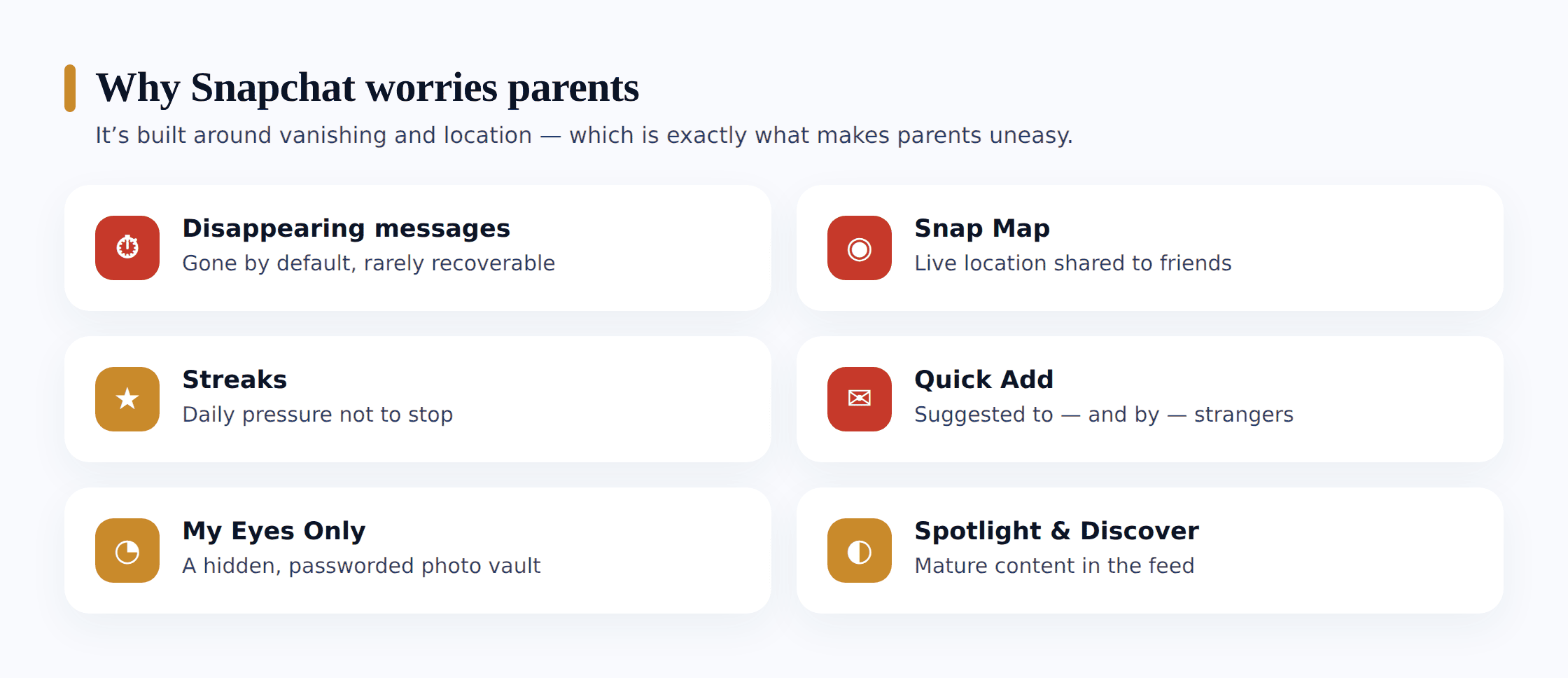
Loads of apps put parents on edge, yet Snapchat brings together a cluster of features that pile up in a way few rivals manage. There’s no single villain here — rather a spread of distinct mechanics, each defensible by itself, that combine into the disquiet. Pinning a name on each is worth the effort, since a worry you can spell out is a worry you can actually tackle.
- Disappearing messages. Snaps and chats delete by default once viewed. To a teenager that can feel consequence-free — a photo or a comment that would never be sent if it stayed forever gets sent because it “won’t exist” in a few seconds. It also means something genuinely harmful can arrive and be gone before any adult sees it.
- Snap Map. Snapchat’s map can broadcast your teen’s exact location to everyone on their friends list, updated every time they open the app. If a stranger has slipped onto that list, they can see where your child lives, goes to school, and hangs out.
- Streaks. A Snapstreak counts the consecutive days two people snap each other, and losing one can feel like a genuine loss. That pressure keeps some teens snapping people they barely like, and hands their login to a friend to “keep the streak” when they’re away — a small habit with real safety holes.
- Quick Add. Snapchat suggests new people to add based on mutual friends and other signals. It’s how friend circles grow, but it’s also how a stranger two hops away can appear as a friendly suggestion and get accepted without a second thought.
- My Eyes Only. A passcode-locked section of Memories where photos and videos can be hidden from anyone who picks up the phone — including you. It has innocent uses, but it’s also exactly where a teen would tuck away something they don’t want seen.
- Spotlight and Discover. The public content feeds serve a stream of viral clips and publisher stories that a young teen can scroll endlessly, and the material isn’t always age-appropriate.
It’s worth reading the platform on its own terms too. We’ve looked closely at whether Snapchat is safe for kids, which walks through the app’s design and age questions in more depth than we can here.
The honest truth about disappearing snaps
Here’s the part most “Snapchat spy” advice skips, and it changes the whole approach. Snaps and chats are deleted by design once they’re opened, and much of what passes through the app is genuinely not recoverable afterward. No tool can hand you a reliable, ongoing transcript of your teen’s snaps, and any product claiming to capture every vanished message is either promising more than it can deliver, taking shortcuts that leave the whole phone exposed, or flatly making it up.
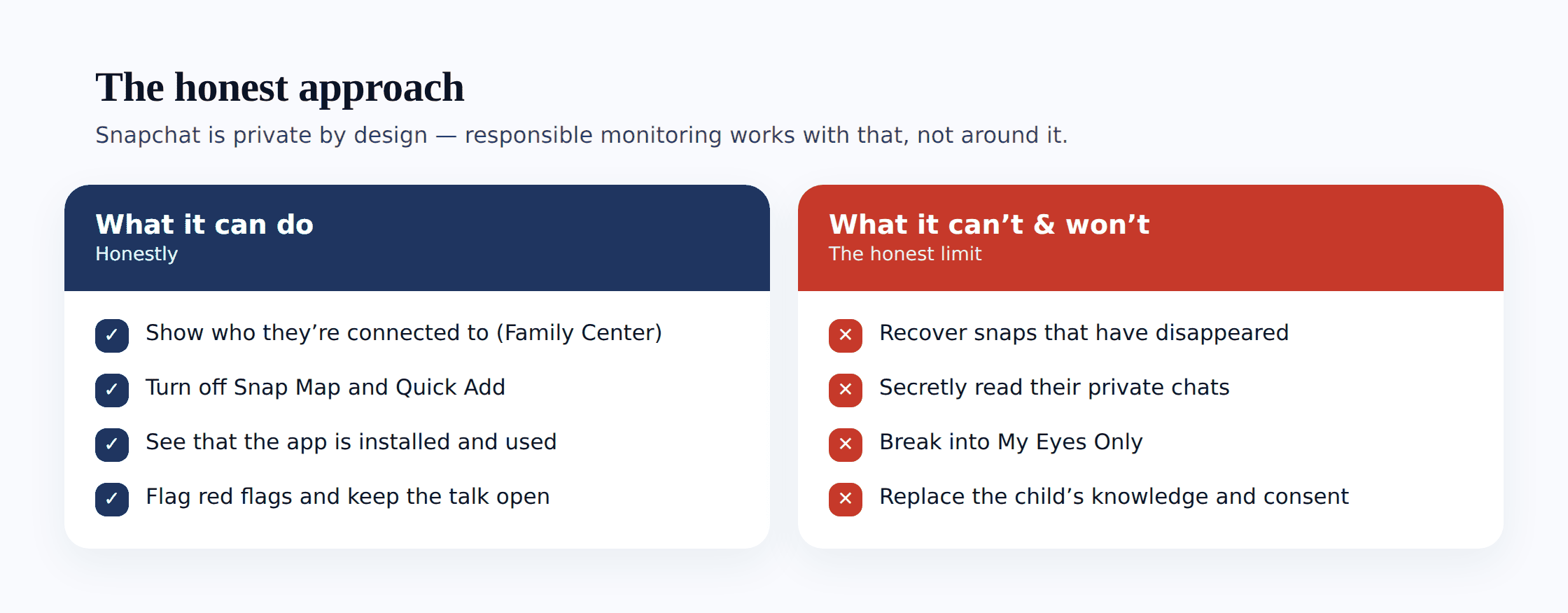
So let’s be plain about what responsible monitoring is not. It is not chasing the contents of snaps that were built to vanish. Going after that tends to mean loading dubious software onto the handset, tearing a hole in its security, and going behind your teen’s back — and the payoff is a feed that still doesn’t hold together. The straight path is smaller in scope and works far better: your teen’s knowledge and consent, Snapchat’s own Family Center, careful Snap Map and Quick Add settings, device-level visibility that the app is present and in use, and an open relationship where they come to you first. The last of those gets inside a vanishing-snap app in a way software never manages.
Is your child even old enough?
Before any settings, the first question is whether Snapchat belongs on the phone at all. Snapchat’s own rules set the minimum age at 13, and that isn’t an arbitrary number — the app’s disappearing messages, location map and stranger-suggestion features assume a level of judgement a younger child simply hasn’t built yet. A nine- or ten-year-old shouldn’t have a Snapchat account, full stop; the honest answer to “monitoring” it is not to give it to them in the first place.
For a teenager who is old enough, the choice isn’t between Snapchat and no Snapchat — it’s between doing it openly and doing it covertly. Family Center paired with a real conversation beats secret snooping every time, because the app is designed so that snooping barely works anyway. If you’re setting this against other platforms, our guide to how to monitor social media openly sets out the same loosen-as-they-earn-it method across the apps a teen lives in.
Snapchat’s own Family Center
The single most useful tool for a parent here is one Snapchat built itself, and it’s designed for exactly this situation. Family Center lets a parent link their account to their teen’s — with the teen’s agreement, since they have to accept the invitation — and once connected, it gives you a genuinely honest kind of visibility.
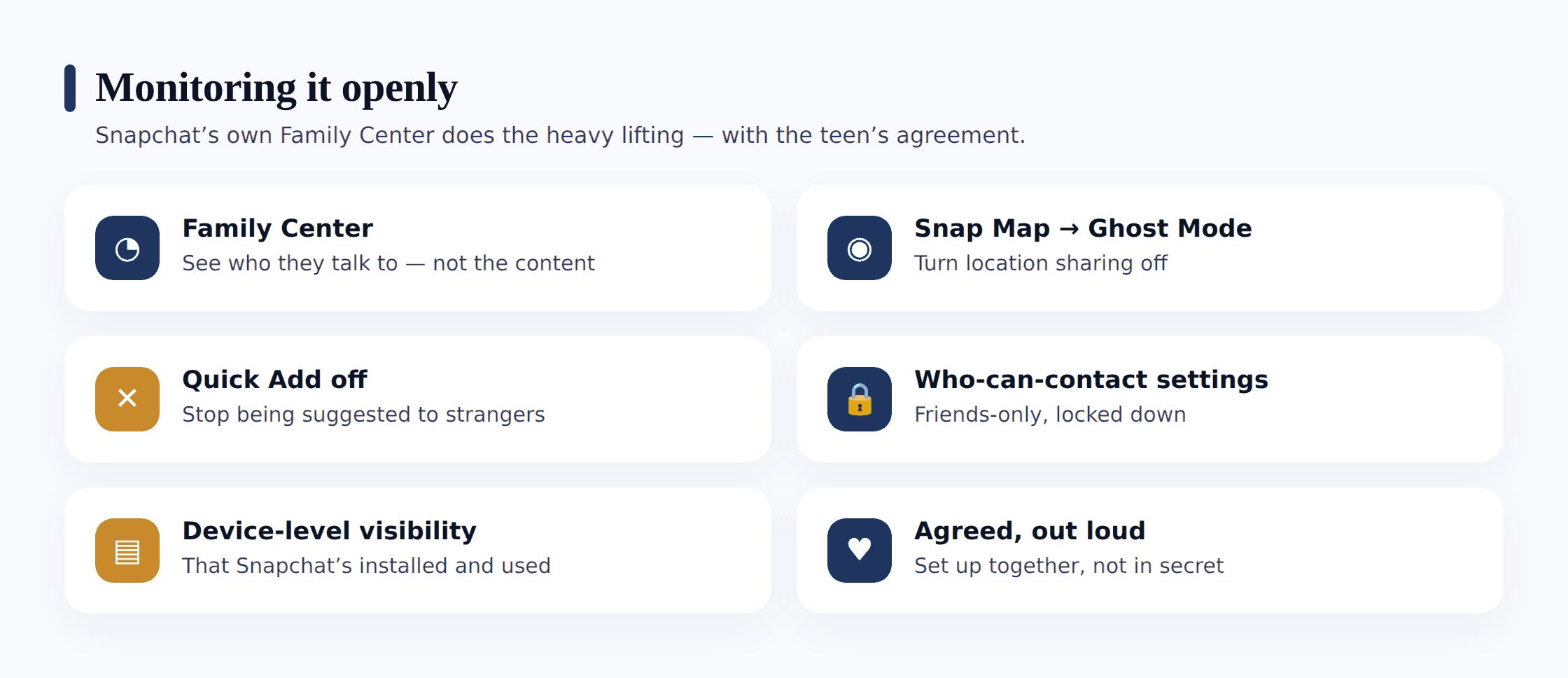
What Family Center shows you is deliberately limited, and that limit is the point. You can see who your teen has been messaging in the last seven days and who their friends are — but not the contents of any of those conversations. You can also see who they’ve added recently, and you can report an account to Snapchat’s Trust and Safety team directly from the tool. It’s a friends-and-contacts view, not a snap-reading view, and that’s precisely what makes it something you can use without betraying your teen.
Setting up Family Center together
- Both of you need Snapchat installed and to be friends on the app.
- Open your own profile, find Family Center in Settings, and send your teen an invitation.
- Your teen opens the invite and accepts it — this is the consent step, and it can’t be skipped.
- Once linked, you’ll see their friends list and who they’ve messaged recently, not what was said.
- Talk through what you can and can’t see, so there are no surprises later.
Because your teen has to accept the link, Family Center is transparent by design — there’s no covert version of it. Frame it as a shared safety layer rather than a leash: “I’ll be able to see who you’re talking to and who your friends are, not what you say, and that’s all I want.” A teen who understands the boundary is far more likely to keep the link active than to quietly remove it.
Snap Map, Ghost Mode and location
Of all Snapchat’s features, Snap Map is the one worth checking first, because it can quietly share where your teen physically is. When it’s on, their Bitmoji sits on a map that their friends can open, updated to their real location each time they launch the app. If even one stranger has been accepted as a friend, that stranger can watch where your child sleeps and studies.
The fix is simple and lives inside the app: Ghost Mode. Turned on, it hides your teen’s location from everyone on the map while still letting them see public content and events. You can also set the map to share location with only a chosen few — but for most teens, Ghost Mode is the sensible default, and it’s a two-minute change you make together. Sit down, open the map, tap the settings cog, and switch Ghost Mode on side by side, explaining why as you go.
Location deserves its own honest conversation rather than a silent setting-flip, and there’s a healthy version of sharing where a family does it mutually and openly. We walk through that balance in our guide to teen location sharing — the short version is that location you both agreed to beats location a stranger stumbled onto, every time.
Quick Add and who can contact them
Quick Add is how Snapchat friend lists grow, and it’s also how they grow in the wrong direction. The feature suggests accounts based on mutual friends and other signals, and a teen tapping through suggestions can add someone they’ve never actually met simply because a classmate did. That’s the pathway a stranger uses to look like a safe, familiar face.
Two settings close most of that gap, and both are found in your teen’s privacy settings. First, switch off the option that lets Snapchat show them in other people’s Quick Add — it stops strangers being nudged toward your child. Second, set who can contact them and who can see their story to “Friends” only, rather than everyone. Together these mean a random account can’t slide into their chats or watch what they post. Do this as part of the same sit-down where you set up Family Center and Ghost Mode, so the whole privacy picture gets sorted in one honest go.
Device-level visibility, done openly
Reading the snaps themselves is off the table, and rightly so; what remains within honest reach is a picture of the handset itself, taken at device level — and it clears up more than you might assume. What’s on offer here is the outline of how your teen uses Snapchat, not the contents of individual snaps — and it happens with them in the loop, not while they’re looking the other way.
In practice, an open device-level view tells you Snapchat is installed and about how hard it’s leaned on, the hours it runs hot, and when that rhythm changes — those abrupt 2am bursts, or a fresh chat app that turned up beside it overnight. The snaps stay shut, by design. Nearly everything that nags at a parent surfaces in this outline well ahead of any content: a late-night pile of activity, or Snapchat time that jumps the very week your teen falls silent over dinner.
One caveat stays on the table: since snaps erase themselves, this device-level read is only ever partial. Which is the very reason the open habits and Family Center count for more here, not less. A usage picture points you toward a conversation — it’s no substitute for having one.
Snapchat-specific signs worth noticing
Catching the signals that count takes no snap-reading at all. The ones deserving your notice grow out of Snapchat’s particular mechanics, and they tend to show through your teen’s behaviour more than through anything written down.
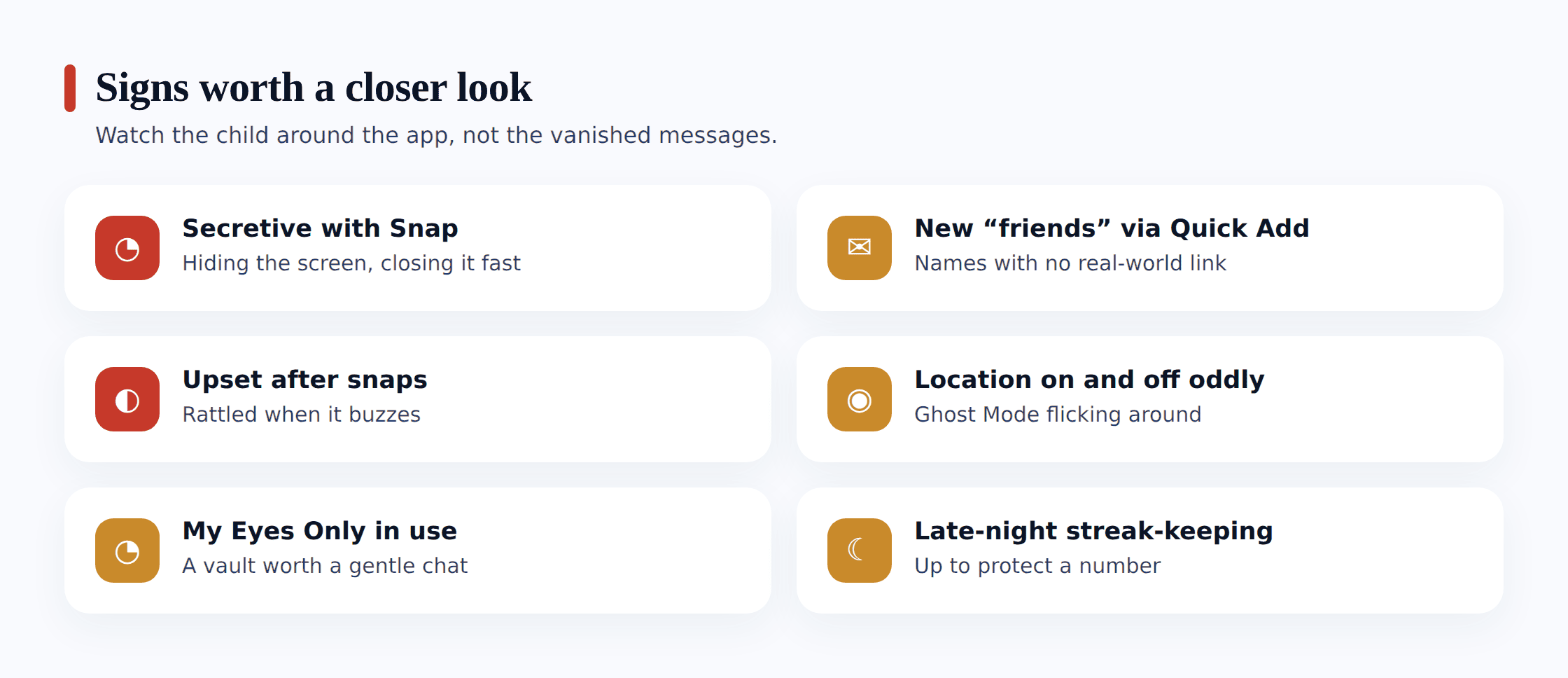
- A new name in the friends list you don’t recognise — especially one that arrived through Quick Add and has no real-world connection to your teen’s actual circle.
- Guarded reactions when snaps come in — tilting the screen away, or a visible unease at who a particular streak is with.
- Streak pressure spilling over — anxiety about opening the app, or handing their login to a friend to keep streaks alive while they’re away, which quietly hands over their whole account.
- My Eyes Only in heavy use — a passcode-locked Memories section they’re suddenly protective of can be innocent, but it’s worth an open question about what’s being kept there and why.
- A mood dip that tracks their Snapchat use — quieter, flatter or more on-edge in a way that lines up with time on the app, which can point to a group freezing someone out or a stranger applying pressure.
If you find something worrying
Say your teen shows you a snap, or a pattern trips real alarm — an unfamiliar account that keeps adding them, a streak with someone who makes them uneasy, a photo tucked into My Eyes Only that turns out to be from a stranger. The way you spend the next handful of minutes decides how this lands far more than the thing you found ever will.
Let the jolt pass before you say anything. Every nerve says to burst in, phone held high, and demand to know who this account belongs to. Nothing about the situation deteriorates over the next quarter of an hour — but the way you meet it certainly can, if you speak with your heart still pounding. Step to the kitchen, breathe once or twice, and see to it that the first thing out of your mouth isn’t the frightened thing.
Question gently; don’t cross-examine. Lead with worry, not blame. “There’s a name on your Snap I didn’t know, and I’d really like to get who it is” draws your teen out; a snapped “Who’s this, and why are they snapping you?” shuts them down flat. Teenagers land in things they never set in motion far more often than they drive them, and the true version seldom lines up with the one you assembled walking down the hall.
Don’t let honesty cost them. Suppose your teen found the nerve to show you a snap from a stranger, or to own up to a Quick Add contact who turned creepy — answer that with a wiped account and a pocketed phone and you’ve taught them one thing only: from here on, deal with it quietly and alone. Reply instead with a level manner, some real help, and a genuine “I’m so glad you brought this to me,” and the line between you stays open for whatever arrives after.
Should what you’ve turned up read like grooming — a grown-up forging a secret closeness, angling for photos, pressing to shift the chat somewhere more private, or nudging toward meeting up — give it every ounce of seriousness. Capture screenshots of the chat, the account and the friend details before you lay a finger on anything, since a block can make the whole thread evaporate; only after that, block and report the account from within Snapchat or straight through Family Center. In the UK the CEOP Safety Centre takes these reports; stateside, it’s the NCMEC CyberTipline at report.cybertip.org. Childline is reachable free and in confidence on 0800 1111 whenever your teen needs to talk it through. Any time something sexual touches your child — or the weight is simply more than one person should shoulder — bring the police in; a gut that reads criminal deserves to be treated as criminal.
Where FreePhone fits
A quick, plain note about the place our own tool takes here, because we made it to prop up this way of parenting, not to cut against it. FreePhone goes on with your teen watching — the phone shows a “What my parents can see” screen spelling out precisely what gets shared, so no part of it hides. What it offers is device-level insight: how much time Snapchat takes and when, a daily limit or quiet time if you agree one, and approval before a new app is used. What it flatly isn’t is a way to read snaps or chats — it reads no messages at all, and we won’t dress it up as though it could. It runs on your teen’s Android handset, you read it through any browser, and it’s free, with every feature. Think of it as a way to spot a pattern and start the conversation that pattern deserves — never a replacement for Family Center, Snapchat’s own settings, and the check-ins that carry the real load.
Questions parents ask
Can I secretly read my teen’s Snapchat messages?
No — and it’s worth being clear that this is neither reliably possible nor the right approach. Snaps and chats are built to delete once viewed, so much of what passes through is simply not recoverable, and any tool claiming to capture it all usually means risky software and a betrayal of your child. The honest route is open: Snapchat’s Family Center, sensible privacy settings, device-level visibility your teen knows about, and a relationship where they’ll come to you. That protects them far better than a secret window ever could.
What does Snapchat’s Family Center actually show me?
Who your teen has been messaging in the last week and who their friends are — but not the contents of any conversation. You can also see who they’ve added recently and report accounts to Snapchat directly. Crucially, your teen has to accept the invitation, so it’s transparent by design and there’s no hidden version of it. Think friends-and-contacts view, not a snap-reading view.
How do I stop Snapchat sharing my child’s location?
Turn on Ghost Mode. Inside Snap Map, open the settings and switch Ghost Mode on, which hides your teen’s location from everyone while still letting them use the map. Do it together and explain why. It’s also worth having an open conversation about location sharing generally, because a version you both agreed to is healthy — a version a stranger stumbled onto through Snap Map is not.
My young child wants Snapchat. Should I let them?
If they’re under 13, no — that’s Snapchat’s own minimum age, and the app’s disappearing messages, location map and stranger suggestions assume judgement a younger child hasn’t developed. The honest answer to monitoring it for a young child is not to give it to them yet. For a teenager who is old enough, the real choice is doing it openly — Family Center plus a real conversation — rather than covertly.
Can I use this to check my partner’s or someone else’s Snapchat?
No. Everything here is about your own child, on a device you manage, with their knowledge. Reading another adult’s Snapchat — a partner, an ex, anyone — is a serious privacy violation and is illegal in many places. It isn’t monitoring, and it isn’t something we support or provide a way to do. This guide is strictly about keeping a child safe, openly.
Protecting a teen on Snapchat was never really a matter of grabbing the snaps. They’re made to disappear, the bulk of them do just that, and that’s no tragedy — a full transcript was never the thing standing between your child and harm. The true guard is a Family Center link they said yes to, Ghost Mode flipped on side by side, Quick Add sealed against strangers, and a teenager who feels safe enough to turn the screen toward you when some unknown account starts adding them. A soft touch held out in the open — agreed between you, watchful for genuine danger, unwinding by degrees as they mature — outdoes any secret window, and your bond with them comes through whole. Point yourself there, and most of the safety arrives on its own.