How to Monitor Your Child’s Web Browsing and Search History
The open web is where your child does most of their growing up now — homework, curiosity, boredom at eleven at night. It’s also the one place where the whole internet can reach a kid in a single mistyped search. Search “monitor my child’s browsing” and nearly every result assumes what you’re after is a log of every page they open, as if scrolling that log were the dutiful thing to do. Usually it isn’t. Small children want a web that’s walled and filtered down to a safe few corners; an older teenager wants ordinary privacy backed by a tripwire for the truly dangerous, not a running record of everything they’ve read. This guide sets out the protective version and how to run it in plain sight — with your child in the know, not behind their back.
Why the web worries parents
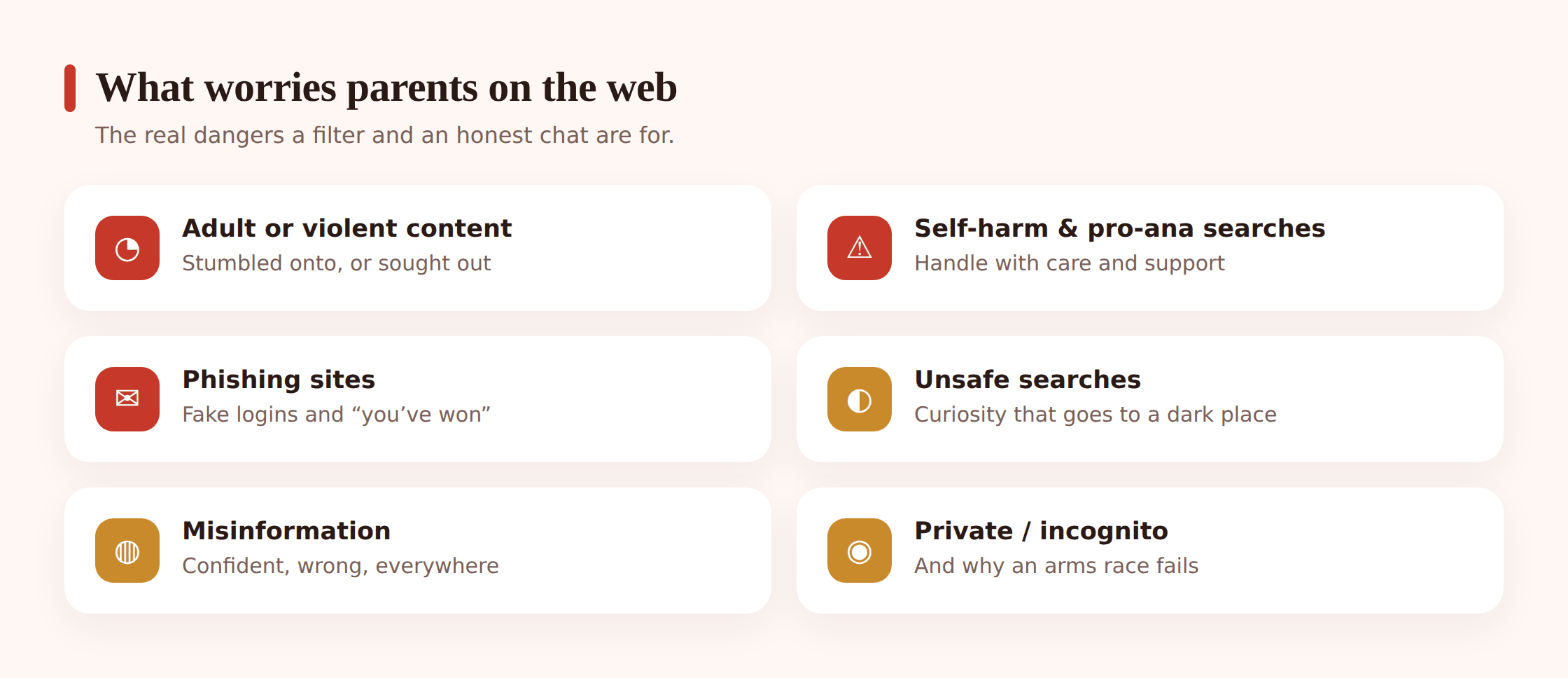
The dread rarely centres on browsing itself. It’s about the handful of things a browser can put in front of a child who didn’t go looking for them, and the smaller number of things a struggling child might go looking for on purpose. Name them plainly and the fog of dread turns into a short, manageable list.
- Accidental exposure to adult or violent content. A wrong turn, an autocomplete gone sideways, a link shared in a group chat. Kids stumble into pornography and graphic violence far more often by accident than by intent, and a young child has no filter of their own for what they see.
- Self-harm and pro-ana content. The genuinely dangerous corner of the web — communities and content that encourage self-harm, suicide or disordered eating. A child who is already struggling can find it fast, and it can make a bad moment much worse.
- Unsafe searches. A curious question typed into a search bar can return results no child should be one click from. The search itself is often innocent; the results are not.
- Phishing and scam sites. Fake login pages, “you’ve won” prizes, downloads carrying malware. Kids trust more readily than adults and hand over details a savvier user wouldn’t.
- Misinformation. Confident nonsense, conspiracy rabbit holes, health claims dressed up as fact. It’s rarely a single-moment danger, but it shapes how a child sees the world over time.
Here’s the useful part. Most of these hazards fall into two camps, and the two call for different handling. The clearly, universally unsafe — hardcore pornography, pro-self-harm content, malware sites — you want simply blocked, especially for younger kids, and you don’t need to read anything to do it. The subtler risks — a worrying search, a slide into misinformation — are about noticing a pattern and having a conversation, not about logging every page. Keep those two apart and the whole thing gets clearer.
What responsible monitoring actually means
It pays to be exact here, because the phrase “monitoring browsing” covers two quite separate things, and only one is healthy.
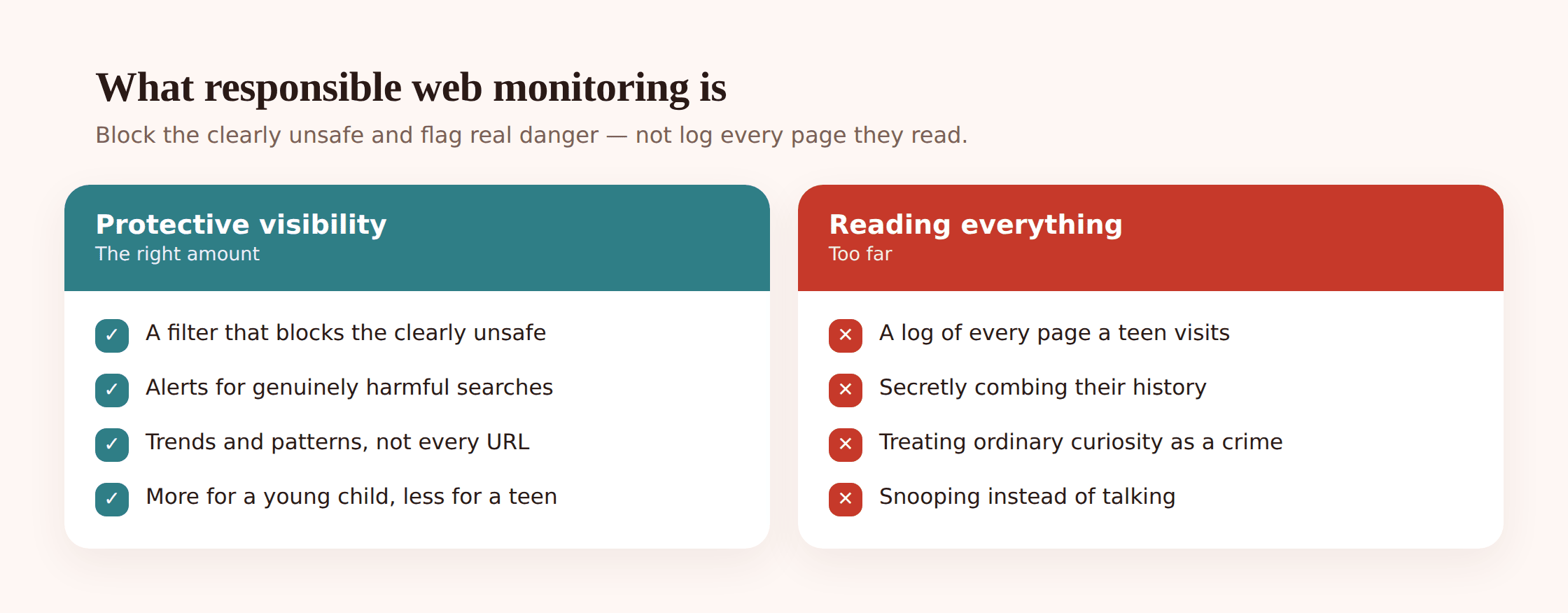
To one side lies protective visibility: a content filter that stops the plainly unsafe before it renders, a feel for the general drift of what your child gets up to online, and a nudge the moment something truly worrying shows up — a self-harm query, a run at an adult site. To the other side lies combing through every page a teenager loads: paging down their entire search and reading history, for no reason beyond being able to.
One shelters your child; the other keeps them under watch, and no teenager misses which is which. When a kid trusts the filter to catch the plainly dangerous and believes a genuine red flag would register with you, they carry on browsing like any curious person. When a kid realises every page they open is being read, two lessons land quickly: steer the real browsing to a device or app beyond your reach, and take it that the trust was never there. What you’re left with is thinner knowledge, not richer — bought at the price of the bond itself.
So the responsible version leans hard on the filter and the alert, and almost never on the full history. Block what’s clearly unsafe. Get a heads-up on the genuinely concerning. Leave the ordinary, private business of a teenager reading about music, relationships, embarrassing health questions and everything else exactly that — private. This is distinct from simply locking sites down: if your question is really about shutting off access to particular sites, categories or apps, that’s covered in our guide on how to block websites and apps. This page is the companion to it — about visibility and proportion rather than the block itself.
The age-based sliding scale
“How closely should I watch their browsing?” resists one clean answer, since what a six-year-old needs from the web and what a sixteen-year-old needs sit at opposite ends. Little ones do best in a small, filtered, well-supervised patch; older ones need latitude to roam with only a thin net beneath them. The work is to move steadily along that line, releasing your grip as your child proves they’ve earned it.
Young child (roughly 6–10)
A filtered, walled garden is exactly right here, and no child this young feels wronged by it. SafeSearch locked on, a strict content filter, browsing that mostly happens in shared spaces, and a short list of sites and apps you trust. At this age you’re not watching a history — you’re building the fence so accidents can’t happen in the first place. Openly, as a normal part of teaching them to use the web.
Tween (roughly 11–13)
The searching gets more independent and the questions get bigger. Keep a solid filter for the clearly unsafe, but shift from a fenced garden toward “I’ll be alerted to something genuinely worrying” rather than watching over every page. This is the age to start talking openly about what the filter does and why, and to make plain that the rules ease as their judgement proves sound.
Teenager (roughly 14+)
By the teenage years, privacy over what they read online is theirs by right. Take it as given that their history goes unread. A thin margin of safety still earns its place — the filter continuing to intercept the worst, plus a flag on any search pointing to real peril such as self-harm. Trawling a capable teenager’s whole history returns next to no protection while draining the very trust the setup depends on, and it drives whatever they explore even further out of sight.
Whatever stage they’re at, the arc bends one way: the more they earn your trust, the lower the fence drops. Name it aloud. Something like “the filter’s tuned this tightly for now, and once you keep showing me steady judgement online, I’ll dial it back” is a pledge children take to heart, since it puts a real value on getting things right.
Setting it up well
The practical work is mostly about setting the fence at the right height in a few places at once. None of it requires reading a history. Do these openly, ideally with your child watching so they know what’s on and why.
Turn on SafeSearch and safe browsing
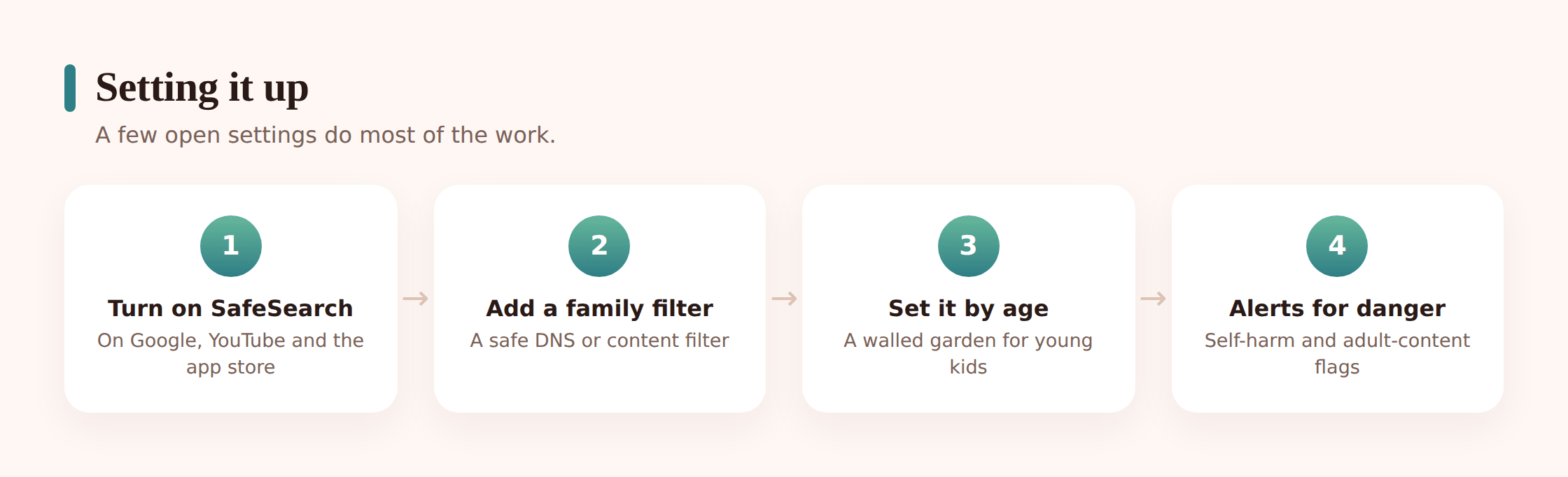
Start with the search engine, because that’s where most accidental exposure begins. Lock SafeSearch on in Google (via Family Link, which prevents it being turned back off), and set the same on any other engine and on YouTube’s Restricted Mode. Turn on the browser’s built-in safe-browsing protection, which warns on known phishing and malware sites. These are free, they’re built in, and they catch a surprising amount before anything else has to.
Add a family-friendly DNS or filter
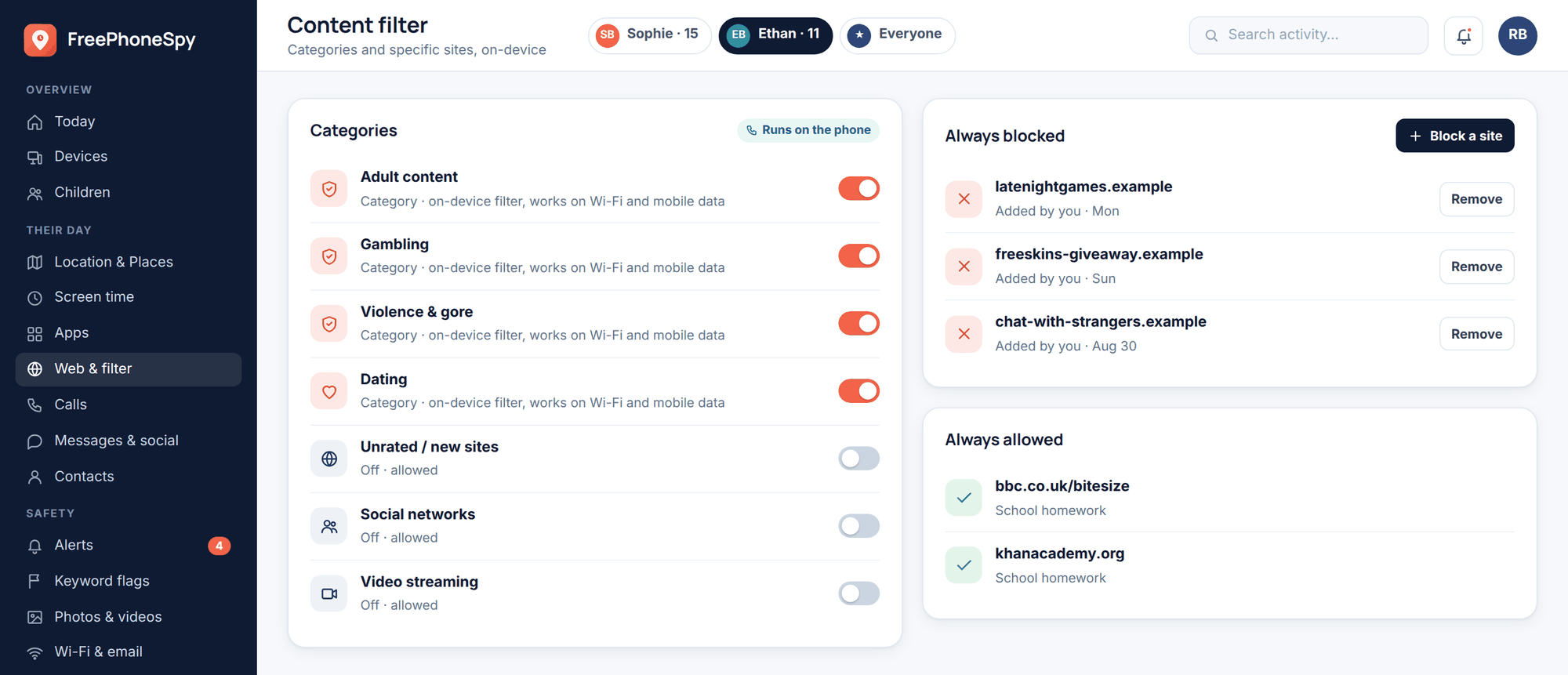
A content filter that runs at the network or device level catches what SafeSearch alone can’t. A family-friendly DNS service, or a dedicated filtering app, can block whole categories — adult content, gambling, known self-harm and pro-ana sites, malware — before a page loads. Because a good one runs on the phone itself, it holds up on mobile data and other networks, not just your home Wi-Fi.
Check the browser and app settings
Filters live in several places at once, and it’s worth checking all of them. Chrome’s site settings, the parental controls in Family Link, the settings inside individual apps that have their own browsers built in. A child can reach the web through a game, a social app or a video app, not just the main browser — so the fence has to go around all the doors, not only the front one.
- SafeSearch locked on across search engines and YouTube.
- Safe browsing (phishing and malware warnings) switched on.
- A network- or device-level filter for the clearly unsafe categories.
- In-app browsers checked, not just the main one.
- The whole set matched to the child’s age, and eased as they grow.
Match the visibility to the age
Once the fence is set, decide how much you actually watch — and for most families, past early childhood, the honest answer is “the trends and the alerts, not the history.” Seeing the broad shape of what your child does online, and being told when something genuinely concerning appears, answers nearly every real worry without opening a single page they’d rather keep private.
Incognito, private browsing and the arms race
You’ll run into this quickly, so it’s worth being straight about it. Incognito mode, private browsing, other browsers, a VPN, a proxy site — there are plenty of ways a determined teenager can get around a filter or hide a history. Some of them a tech-savvy kid will find in an afternoon.
Here’s the honest picture. A network- or device-level filter usually still applies in incognito mode, because it works below the browser — so the clearly dangerous stuff generally stays blocked even in a private window. But hiding a browsing history from view is a different matter, and a teenager who wants to can. If you respond by tightening the net every time they slip it, you’ve started an arms race, and the arms race is one you lose. Each new block teaches a smarter workaround, and every round spends a little more trust.
The better move is to treat a workaround as a signal, not a battle. If your teenager is going out of their way to hide their browsing, the question isn’t “how do I lock it down harder” — it’s “what’s going on, and why don’t they feel they can do this openly?” That’s a conversation, not a config change. The filter keeps the genuinely dangerous away; the relationship handles the rest. A kid can defeat your software. They can’t defeat a parent they actually talk to.
Reading the signals and talking about them
Say an alert lands in the panel — the content filter logs a blocked-page hit on an adult site, or a search string surfaces that stops you cold: a query about self-harm, a pro-ana phrase, a how-to that has no business in an eleven-year-old’s search bar. The words on the screen are frightening on their own. What you do in the next few minutes shapes the outcome far more than the search itself does.
Read the whole entry before you react. One line in a history log arrives stripped of its context. That search about razor blades might be a design-and-technology project; that adult URL might be a mistyped domain, an ad redirect, or a link a group chat dropped without warning. Look at what sits around it in the list — the pages either side, whether it was opened once or returned to across days, whether the history was cleared right after. A self-harm search especially is a cue to lower your voice, not raise it: the child behind that query is far more often reaching for help than hiding a plan, and it should be handled gently and, if it’s real, with a GP or helpline behind you.
Open with the search, not a verdict. A query is a question your child typed to a machine because they didn’t yet know they could type it to you. “How do I know if I’m depressed,” “is it normal to,” “what does it mean when” — behind a lot of alarming search terms is a kid trying to make sense of their own body, a rumour from school, or something disturbing they clicked once and can’t un-see. Sit beside them and start there: “I saw you were looking this up, and I wanted to check you’re okay.” That invites an answer. “Why were you searching for THIS?” fired across a room only teaches them to switch on private browsing before the next question.
Don’t make the search itself the crime. Curiosity is not misconduct, and a child who gets grounded for typing a question into Google learns exactly one thing: open an incognito window before you ask anything real. Private mode exists in part because kids are afraid of precisely this reaction. Meet the search with help instead of a punishment and the browsing stays somewhere you can still see and steer. If what turned up is pornography, our guide on talking to kids about online porn walks through that specific conversation without the panic. If it’s a drift into conspiracy videos or health nonsense dressed up as fact, building media literacy and spotting misinformation does more lasting good than any block ever could.
Before you scroll past the alert into the rest of the history, ask one plain question: is there a specific safety reason I need to read further, or do I just want to know what my teenager has been Googling? If it’s the latter, shut the tab. A private history you went digging through, once they find out, teaches a lesson no filter can undo.
Teaching kids to browse safely
No filter follows a child everywhere. There’s a friend’s unfiltered phone, the library computer, the school laptop set looser than yours, and eventually a legal adult who can type whatever they like into any search bar they own. SafeSearch and a DNS block are training wheels with an expiry date stamped on them. What outlasts every one of them is the judgement your child carries in their own head — so the real work underneath all the toggles is raising someone who can meet a grim corner of the web, recognise it for what it is, and know your door is open when they can’t handle it alone.
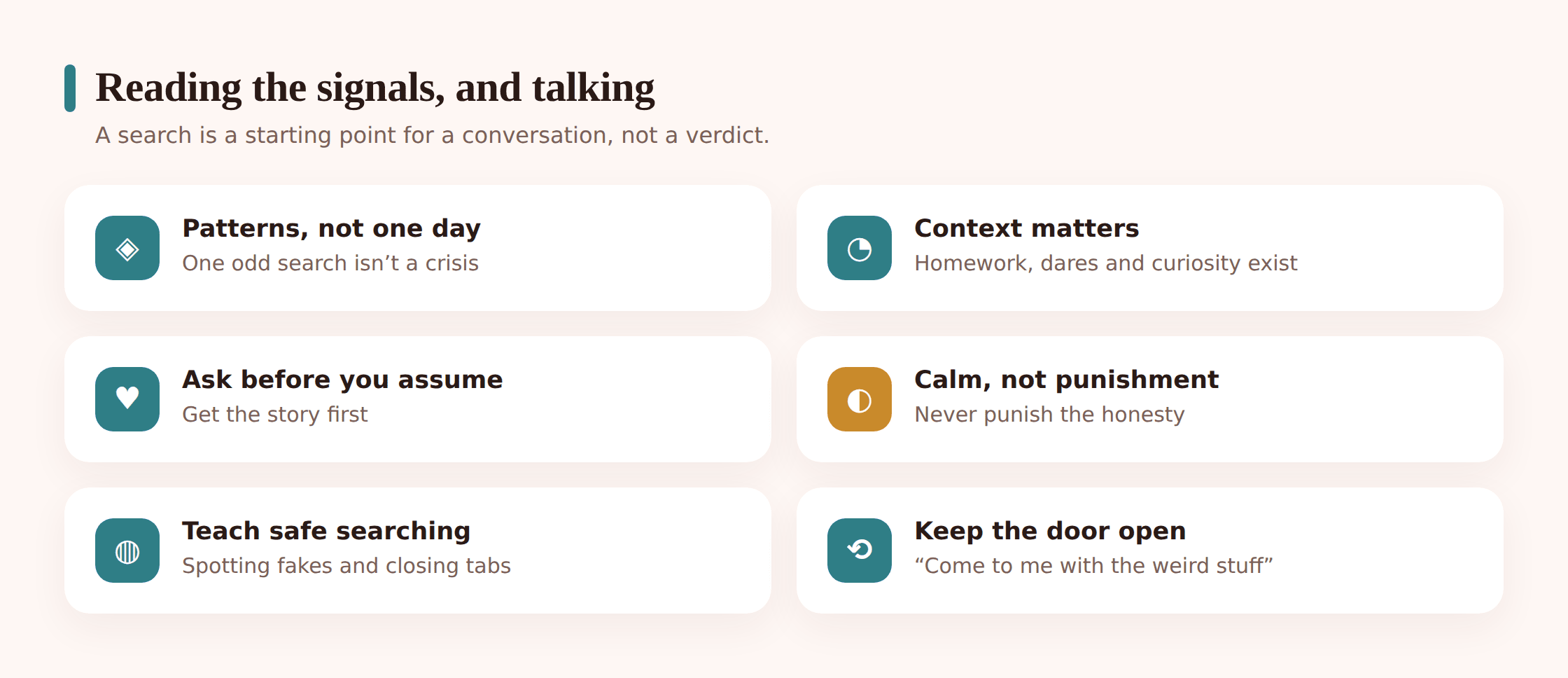
Teach the small, durable habits that keep filtering once you’re not standing there. The top search result isn’t automatically the true one, and a slick, confident website can still be wrong. A login page that appears out of nowhere is probably a fake harvesting a password; a “you’ve won a prize” banner is bait; a file that starts downloading on its own is best left un-opened. A page that keeps making them feel worse about their body or their life is one to close, not keep scrolling. Say out loud that pornography and graphic violence sit out there on the open web and that landing on them by accident is not something they’re ever in trouble for. Then repeat the one promise that matters more than all of it put together: if a search result or a site ever scares or confuses you, show me, and getting punished for what you saw is the last thing that will happen. A child who genuinely believes that will hand you the page SafeSearch never flagged and the filter never saw.
That’s the entire point. Not a browsing log you get to pore over indefinitely, but a young person able to open any browser, meet whatever the open web puts in front of them, and steer by their own good sense — with a parent in the background they’d genuinely turn to. Every setting on this page exists only to buy time until that’s true.
Where FreePhoneSpy fits
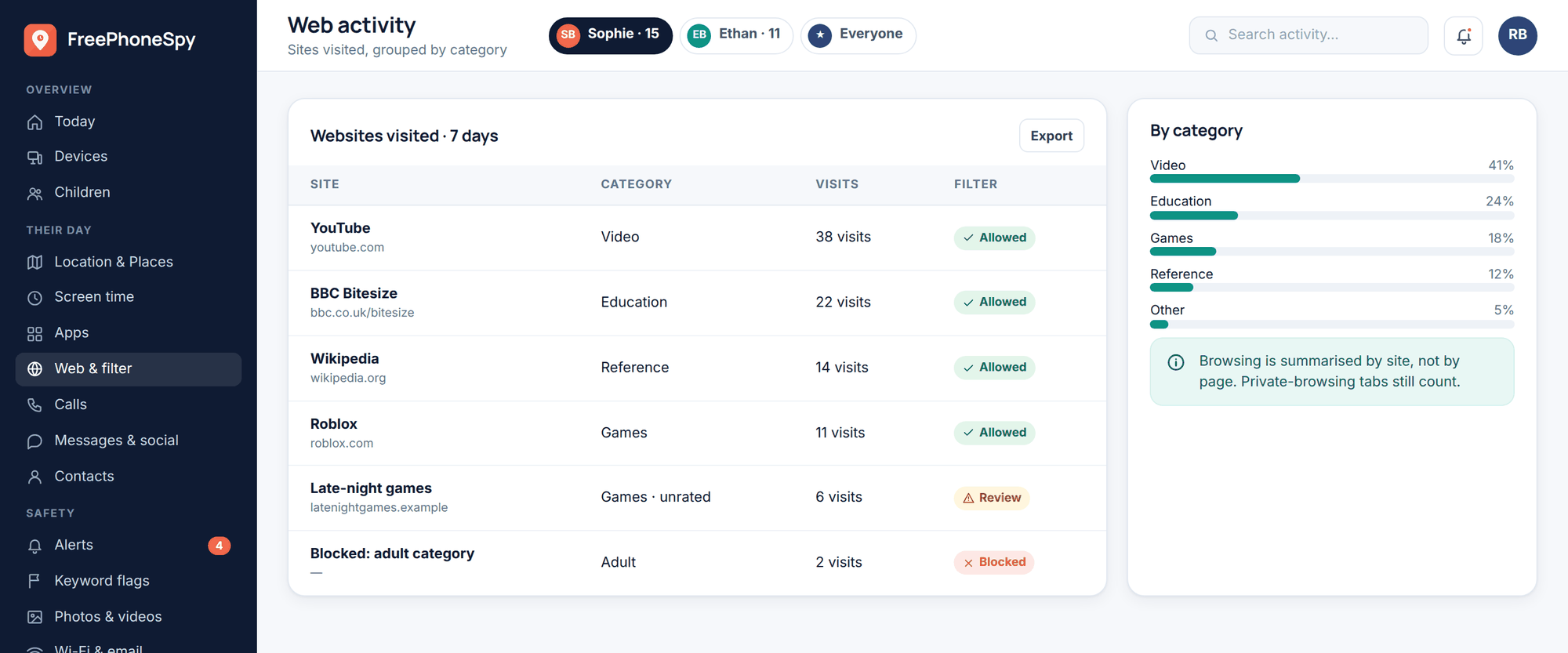
A short, straight note on our own product, since it’s designed to serve the approach on this page rather than undercut it. You put FreePhoneSpy in place alongside your child, out in the open — the phone it runs on shows a plain transparency screen listing everything that’s shared, so it keeps no secret from the person holding it. Its job is filtering and alerts: barring the plainly unsafe and raising a hand when a search looks truly concerning, not quietly cataloguing each page a teenager reads. The app lives on the child’s Android handset; you check the trends and flags through any web browser, with zero setup on your end, and getting going costs nothing. Think of it as a way to hold the real hazards at bay and catch a warning sign in time to open the right conversation — never a stand-in for the trust and regular talking that do the real work of keeping a child safe.
Questions parents ask
Should I be reading my child’s entire browsing history?
For most households, no. Paging through a teenager’s whole history intrudes further than the moment calls for, and it trains them to do their real browsing where your eyes don’t reach. A filter that bars the plainly unsafe, paired with a flag for a truly worrying search, guards them every bit as well while leaving their trust intact. The smaller the child, the more looking-in is fair; by the teenage years, genuine privacy over their browsing is theirs.
Isn’t a content filter the same as monitoring their browsing?
They overlap but aren’t identical. A filter blocks things before they load — that’s about access, and it’s covered more fully in our guide on blocking websites and apps. Monitoring, done responsibly, is about visibility of broad trends and alerts for the genuinely concerning, so you notice a real problem early. The healthy setup uses both: a filter for the clearly dangerous, light visibility for everything else, and full history-reading almost never.
My teenager uses incognito mode. Should I block it?
You can, but think about what you’re really solving. A device-level filter usually still blocks the clearly dangerous stuff even in incognito, so the worst is already covered. If your teen is hiding their history, that’s a signal worth a calm conversation, not the opening move in an arms race you’ll ultimately lose. Tightening the net every time teaches smarter workarounds and spends trust. Talking works better.
I found a worrying search — about self-harm. What do I do?
Keep your voice level and lead with gentle concern, not alarm or punishment. A search like that is often a child reaching for help they didn’t know how to ask you for. Open a caring conversation, let them talk, and don’t make them regret being honest. If it points to a real risk, get support — your GP, the school, or a helpline. What protects them long-term is a child who trusts you enough to come back the next time.
At what age should I stop filtering my child’s web use?
No age is set in stone, though the trend line runs one way: lower the fence as your child’s judgement earns it. The very young need a filtered, watched-over web; come the mid-teens, the norm should be real privacy with just a thin net for actual danger. Lay the plan out for them — “keep showing me you can handle this and I’ll loosen it” — because it makes sound judgement pay off.
Guarding a child on the open web has never meant reading every page they load. Three things done well carry the whole load: fence off the short list of genuinely dangerous corners so they can’t load in the first place, let a real red flag — a self-harm search, a repeated push toward an adult site, a phishing page the browser blocked — come to you on its own, and stay close enough that your child shows you the confusing stuff instead of clearing it. A filter pitched at their age, an alert for the searches that truly matter, and a leash that lengthens as their judgement grows will guard a child far better than any page-by-page log, and it does so without spending the relationship you’re trying to keep them safe for.