Cyberflashing & Unwanted Explicit Images: What Parents Should Know
Your child opens a message from a stranger, or hears the buzz of an unexpected AirDrop request in a crowded train carriage, and suddenly there is an explicit image on their screen that they never asked to see. This is cyberflashing. It is upsetting, it is more common than most parents realise, and it is not something your child did. This guide walks you through what cyberflashing is, how to respond in a way that keeps your child feeling safe, and where to report it.
What cyberflashing actually is
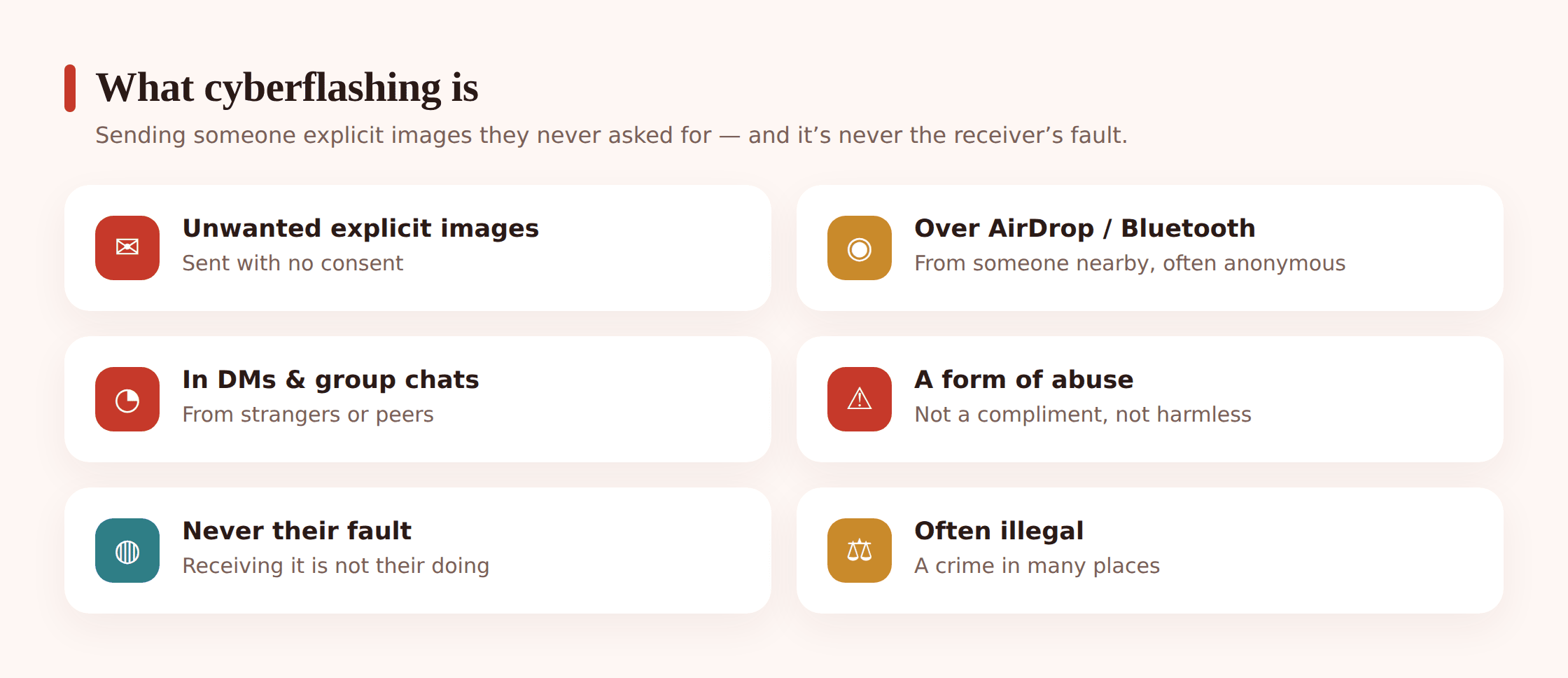
Cyberflashing is the sending of unsolicited explicit images to someone who did not ask for them and does not want them. The word covers a range of situations, but the common thread is the same: an image arrives without consent. Your child is on the receiving end. They did nothing to invite it.
It can arrive in several ways, and it helps to know the routes so nothing feels mysterious:
- AirDrop and Bluetooth. In public places, someone nearby can push an image to any phone with sharing set to receive from everyone. This is why it often happens on trains, buses, and in shopping centres, sometimes from a stranger the child never sees.
- Direct messages. On Instagram, Snapchat, TikTok, and similar apps, a stranger or a distant acquaintance can drop an image straight into a chat request or DM.
- Messaging apps and group chats. An image can appear in WhatsApp, Discord, or a school group chat, sometimes forwarded by a peer who thinks it is funny.
- Gaming and forums. Chat features inside games and community sites are another entry point.
Two quick distinctions, because these topics blur together. Cyberflashing is about receiving something unwanted. That is different from talking to a teen about sexting, which deals with images a young person might choose to send. It is also different from sextortion and how it works, where someone uses images to threaten or blackmail. If your situation involves coercion or threats, that second guide is the one to read next. Here, the focus stays on the moment an unwanted image simply appears.
Why it is never your child’s fault
Start here, because everything else rests on it. A child who receives an explicit image has been targeted by someone else’s choice. Nothing about their clothes, their online friends, the apps they use, or a message they sent earlier makes them responsible for what a stranger or peer decided to send. The person who sent it is the one who acted wrongly.
Children often absorb blame quietly. They may worry you will take their phone, be angry, or think less of them. That fear is exactly what stops them telling anyone, which is the outcome we most want to avoid. When a child hides an incident, they carry the distress alone and the sender faces no consequence. Your job is to be the safe place, not the second problem.
Say it plainly and early: “If anything ever shows up on your phone that makes you uncomfortable, you can bring it to me. You will not be in trouble. I will help you deal with it.” A child who has heard this before anything happens is far more likely to come to you when it does.
Signs your child may have received something
Some children say nothing but show it in other ways. You know your child best, so watch for changes rather than any single behaviour. A shift that lasts more than a day or two is worth a gentle check-in.
- Suddenly reluctant to use a device they usually enjoy, or quick to hide the screen.
- Turning off notifications, deleting an app, or asking to change their number without explaining why.
- Becoming withdrawn, jumpy, or upset after being on a train, bus, or in a busy public place.
- Avoiding a particular group chat, friend, or platform they were fine with before.
- Trouble sleeping, or a knot of worry they cannot quite put into words.
None of these proves cyberflashing on its own. Plenty of them have ordinary explanations. They are simply an invitation to open a calm conversation, not evidence to confront a child with.
A note on how we approach monitoring throughout this guide: everything here assumes your child knows the tools on their phone are there. Transparent, agreed monitoring works because it is paired with trust. A child who understands that content filtering exists to protect them, not to catch them out, is far more likely to talk to you when something slips through. Secret surveillance does the opposite, teaching a child to hide rather than to share.
How to respond calmly in the moment
If your child brings an image to you, or you learn one arrived, the first few minutes shape everything. Your calm is the message. Here is a simple order to follow.
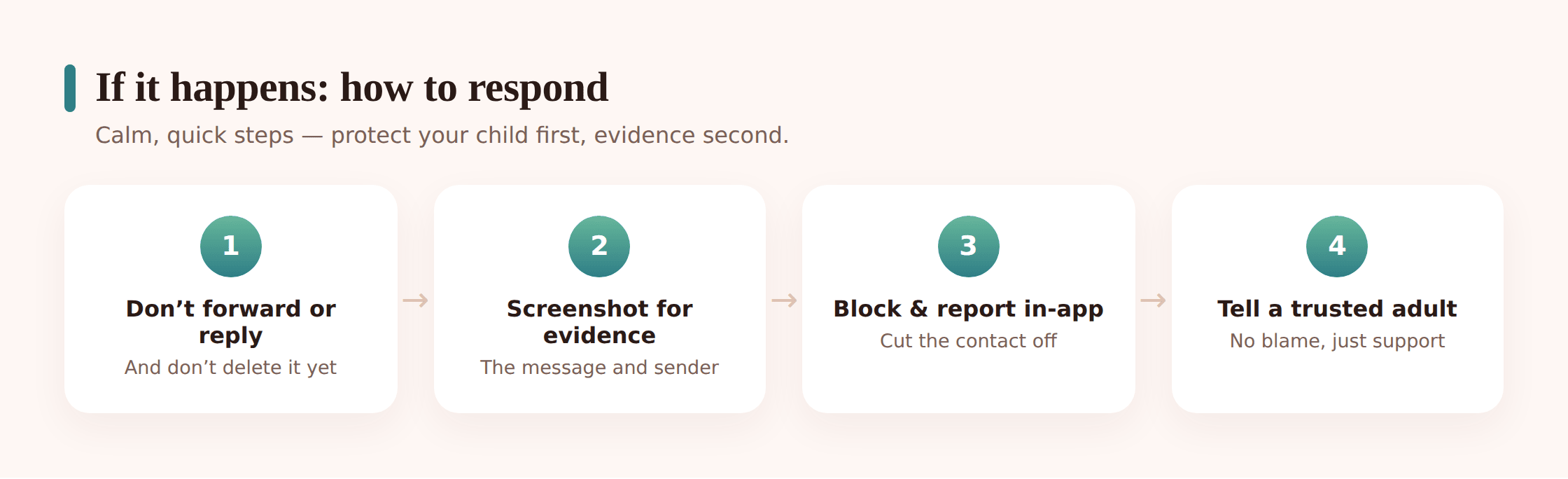
- Thank them for telling you. Whatever else you feel, lead with this. “I am really glad you showed me” makes coming to you the right decision, and makes the next time easier.
- Keep your face and voice steady. Shock, disgust, or anger, even aimed at the sender, can read to a child as directed at them. Slow down. Breathe.
- Reassure them it is not their fault. Say it out loud, even if it seems obvious. They need to hear it from you.
- Do not forward or delete in a rush. Do not send the image to anyone to “show” them, including other parents. If reporting to police is on the table, ask them not to delete it yet, because it may be evidence. Simply close it and put the phone face down for now.
- Block the sender together. Once you have decided about reporting, block and, where possible, restrict who can contact them.
- Check in over the following days. One good conversation is a start, not a full stop. Feelings can surface later.
If an image of your child is involved — for example someone has shared or threatened to share a nude of them — this moves beyond cyberflashing and needs the takedown resources below. In the US, Take It Down from NCMEC can help remove images of under-18s. In the UK, Childline’s Report Remove tool does the same. Both are free and built for young people.
How to report and block
Reporting does two things: it can get the content removed, and it creates a record. Your child does not have to do this alone, and in many cases you can do it together, which itself is reassuring.
Report to the platform
Every major app has a report and block function. Report the specific message or account, then block the sender. Platforms review reports and can remove accounts that send explicit content to minors. This is usually the fastest step and worth doing first.
In the United States
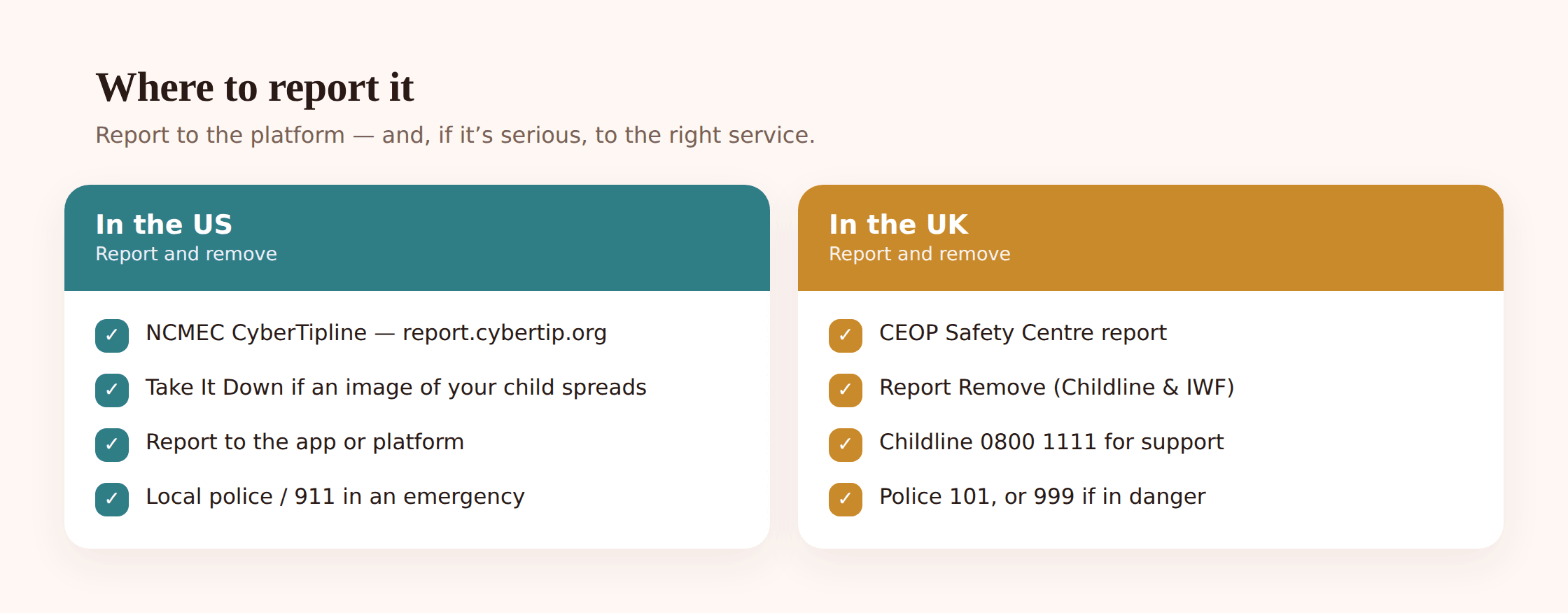
- NCMEC CyberTipline at report.cybertip.org is the national place to report the online exploitation of children, including explicit images sent to a minor.
- Take It Down at takeitdown.ncmec.org if an explicit image of your child is involved and you need help getting it off platforms.
- Local police, and 911 if there is any immediate danger.
In the United Kingdom
- CEOP Safety Centre lets you report a concern about a child’s online safety to specialist officers.
- Report Remove from Childline at childline.org.uk/get-support/report-remove helps a young person remove a nude image of themselves from the internet.
- The Internet Watch Foundation (IWF) works to remove child sexual abuse imagery online.
- Childline on 0800 1111 offers free, confidential support for children and young people.
- The police. Cyberflashing is a criminal offence under the Online Safety Act, so you can report it. Call 101 for non-emergencies, or 999 if someone is in immediate danger.
For a fuller walk-through of documenting and escalating, our guide to reporting online abuse covers the practical steps of keeping records and following up.
Talking about it without making it worse
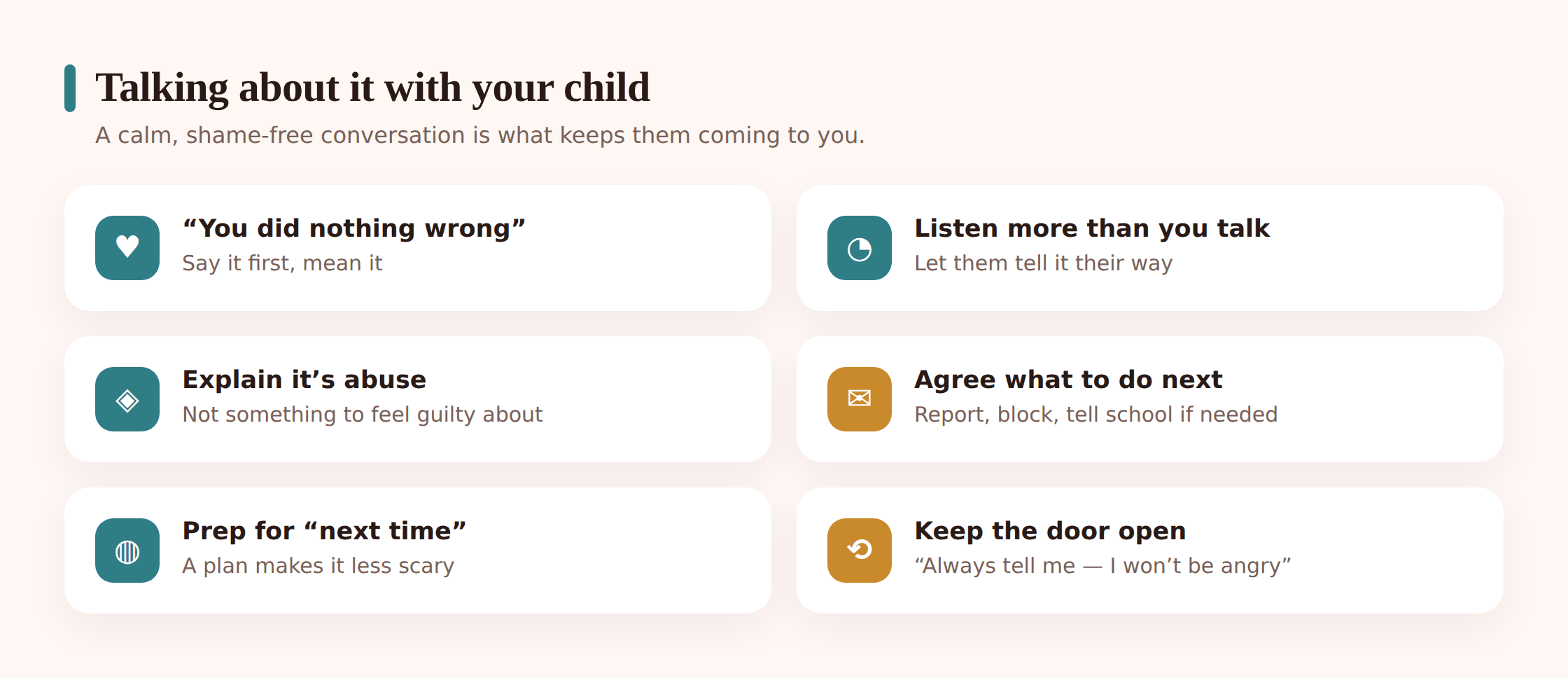
The conversation matters as much as the reporting. Handled well, it teaches your child that hard things can be shared and dealt with. Handled clumsily, it can make them close the door.
Do
- Ask open questions and then listen: “How are you feeling about it?” rather than “Why were you on that app?”
- Validate whatever they feel, including if they say it did not bother them much. You do not need to make it a bigger deal than they experience it as.
- Name the wrongdoing clearly and put it where it belongs: on the sender.
- Let them help decide what happens next, within limits. A child who chooses to report feels less powerless.
Try to avoid
- Interrogating, or firing off a list of rules in the heat of the moment.
- Taking the phone away as a first reflex. To a child it can feel like punishment for telling you, and it teaches them to hide the next incident.
- Overwhelming them with worst-case stories. Keep it grounded in what actually happened.
- Assuming they are traumatised, or that they are fine. Ask, then follow their lead.
If your child is quiet: some children process by not talking at once. Let them know the door stays open. “You do not have to talk about it right now. I am here whenever you want to, later today or next week.” Then check back gently, so the offer is real.
Small settings that lower the risk
You cannot wrap a child in cotton wool, and the goal is not to lock the phone down until it is useless. A few quiet adjustments, made together, cut off the most common routes without turning the phone into a battleground.
- Set AirDrop and Bluetooth sharing to “contacts only” or off. This alone closes the public-place route that catches so many children by surprise.
- Tighten who can send DMs and message requests in each social app, so strangers cannot slide straight into a chat.
- Turn on the platform’s own safety and sensitive-content filters where they exist. Many apps now blur or hold suspected explicit images.
- Review privacy settings together so accounts are not fully public unless there is a reason.
- Agree what “come to me” looks like, so the plan exists before anything happens.
Do these side by side with your child and explain why. A setting they helped choose is one they understand and are less likely to quietly undo.
How a transparent family tool can help
Alongside the built-in settings, some families like an agreed layer of support that both parent and child can see. That is where a tool like FreePhone fits, and the emphasis is on agreed. You set it up together on the child’s Android phone, manage it from any browser, and it is free, with every feature. The child knows it is there, because it works as coaching, not spying.
Used this way, two features tend to matter most for this topic. Content filtering can screen out explicit material before it lands, reducing how often an unwanted image reaches the child at all. And alerts can let you know when something concerning comes through, so you can check in warmly rather than stumbling on it weeks later. The point is never to catch your child doing something. It is to make sure they are not facing a stranger’s bad behaviour by themselves, and to give you a reason to start the caring conversation sooner.
The healthiest way to use any monitoring tool is out in the open. Show your child what it does, why it is on their phone, and what you will and will not do with it. Monitoring works as one part of a trusting relationship, not a substitute for one. If the app ever surfaces something, treat it as the start of a conversation, not the end of one.
Questions parents ask
Is cyberflashing actually illegal?
In the United Kingdom, yes. Sending an unsolicited explicit image is a criminal offence under the Online Safety Act, and you can report it to the police on 101, or 999 if someone is in immediate danger. In the United States, laws vary by state, but you can still report explicit images sent to a minor to the NCMEC CyberTipline at report.cybertip.org and to local police. Either way, the platform should be told as well.
Should I take my child’s phone away after this?
Usually not as a first move. To a child, losing the phone right after they told you can feel like being punished for being honest, and it teaches them to hide the next incident. Deal with the image, report and block, and keep talking. Adjust settings together rather than confiscating. If you do need to change something about their access, explain that it is about safety, not blame.
My child says they are fine. Do I still need to do anything?
Take them at their word about how they feel, and still handle the practical side. Report the sender, block them, and check the relevant privacy settings, because that protects other children too. Let your child know the door is open if feelings surface later. You can hold both truths: they are okay, and the sender’s behaviour still needs reporting.
What if the sender is another child from school?
It still counts and still deserves a calm, serious response. Report it on the platform and block the account. Depending on what happened, the school’s safeguarding lead may need to know, and in the UK the police and CEOP remain options. Avoid confronting the other family directly in anger. Let the school or the proper channels handle it so your child is protected and the situation does not escalate.
How do I bring this up if nothing has happened yet?
Keep it light and general. You might mention that sometimes strangers send pictures people never asked for, that it is not the fault of the person who receives them, and that they can always come to you if it happens. Pair it with a quick check of AirDrop and message-request settings. A short, low-drama chat now makes a real difference later.
Cyberflashing is one of those problems that shrinks the moment a child knows they are not alone with it. You do not need the perfect words. You need to be reachable, unshockable, and on their side. Set the phone up together, agree what “tell me” looks like, and let your child hear, before anything ever happens, that an unwanted image is never their fault and never something they have to face by themselves.
This is a sensitive subject, and it is normal to feel unsure. If you or your child needs support, the resources above are there for you: in the US, the NCMEC CyberTipline (report.cybertip.org) and Take It Down (takeitdown.ncmec.org); in the UK, the CEOP Safety Centre, the IWF, Childline on 0800 1111, and Report Remove (childline.org.uk/get-support/report-remove). In an emergency, contact your local police, 999 in the UK or 911 in the US.