Screen Time That Sticks
Most screen-time rules fail the same way. You set a hard limit, your child treats it as an obstacle to get around, and within a fortnight you are back to negotiating every evening. The problem is usually not the number. It is the shape of the rule. A daily budget your child spends themselves teaches something a blanket ban never can, and it keeps working on the evenings you are too tired to enforce anything. This guide is about the mechanics: how to build a budget, what routines to add around it, what to do about “just one more,” and how to adjust it without starting over.
Why hard bans backfire
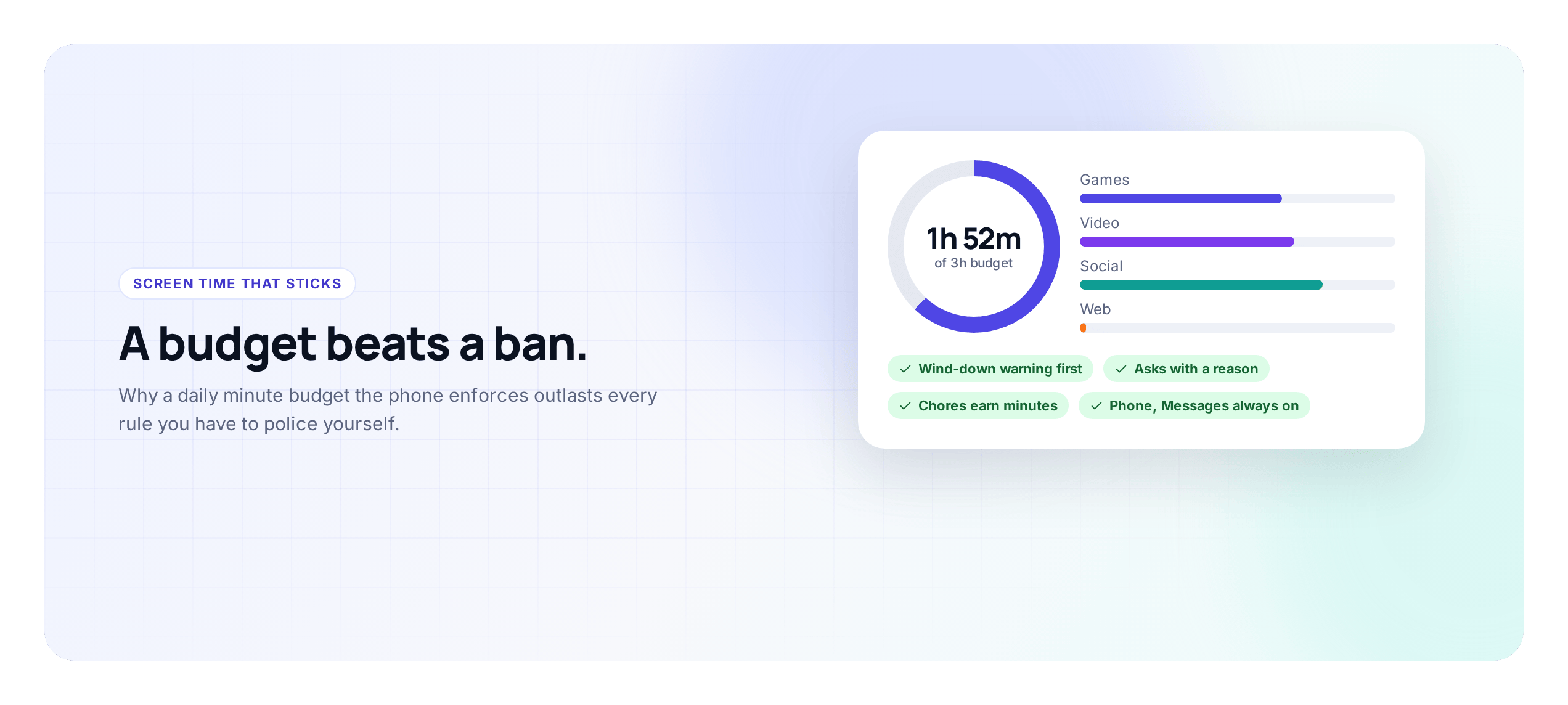
A blanket ban feels decisive. No phone after seven, no games on school nights, done. The trouble is what it teaches. A child under a hard ban learns to see the phone as forbidden fruit and you as the guard, and their energy goes into working around you: the phone under the pillow, the “I need it for homework” that is really a group chat, the friend’s device at lunch. None of that is your child being bad. It is what most people do when a rule feels imposed rather than agreed.
Bans also teach nothing about self-control. A phone in a child’s life is practice for the unsupervised adult version, where nobody sets a limit for them. A child who only ever had the phone taken away never learned to put it down. A budget makes them practice that every day.
And bans are brittle. They work until the one evening you are too tired to enforce, and then the whole thing wobbles, because the child has learned the rule depends on your energy rather than on anything fixed. A budget the phone enforces does not depend on how you are feeling at half past nine.
The budget idea, in practice
A budget is simple: your child gets a set number of minutes a day and decides how to spend them. Instead of you policing each app, they make the trade-offs. Forty minutes on a game now means forty fewer for videos tonight. Making that choice, and living with it, is the lesson.
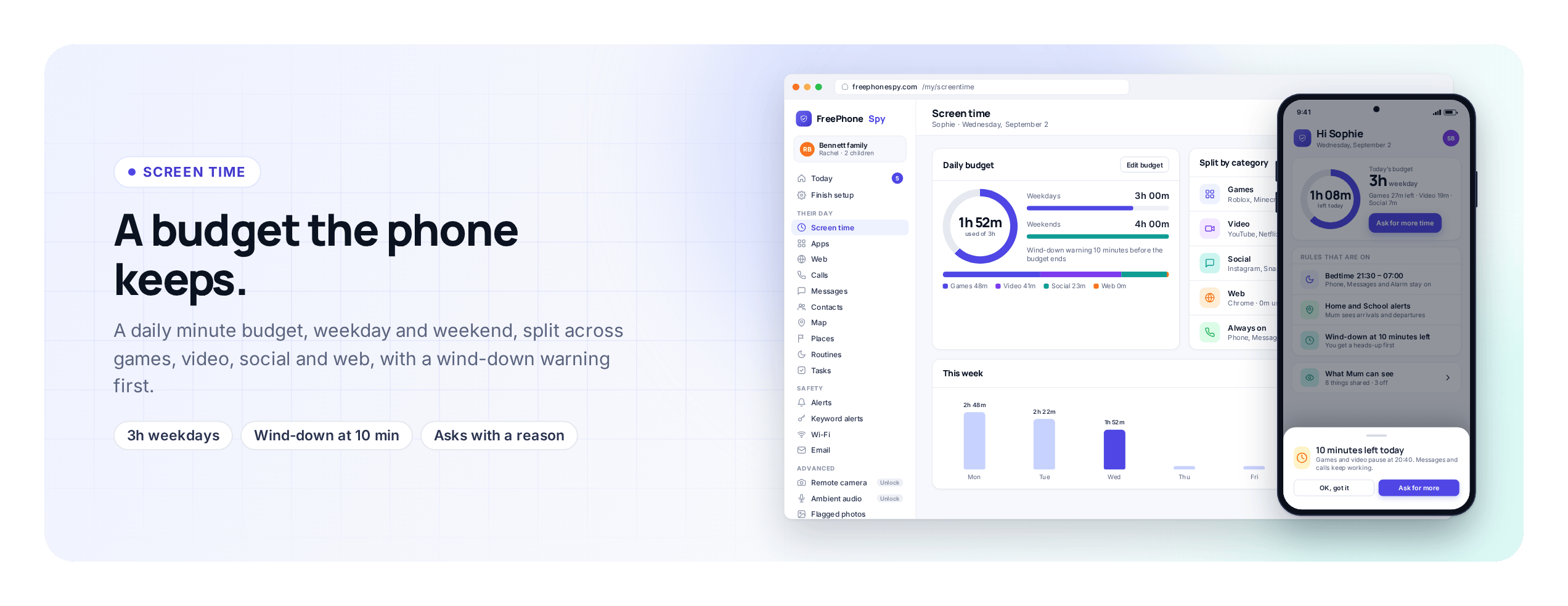
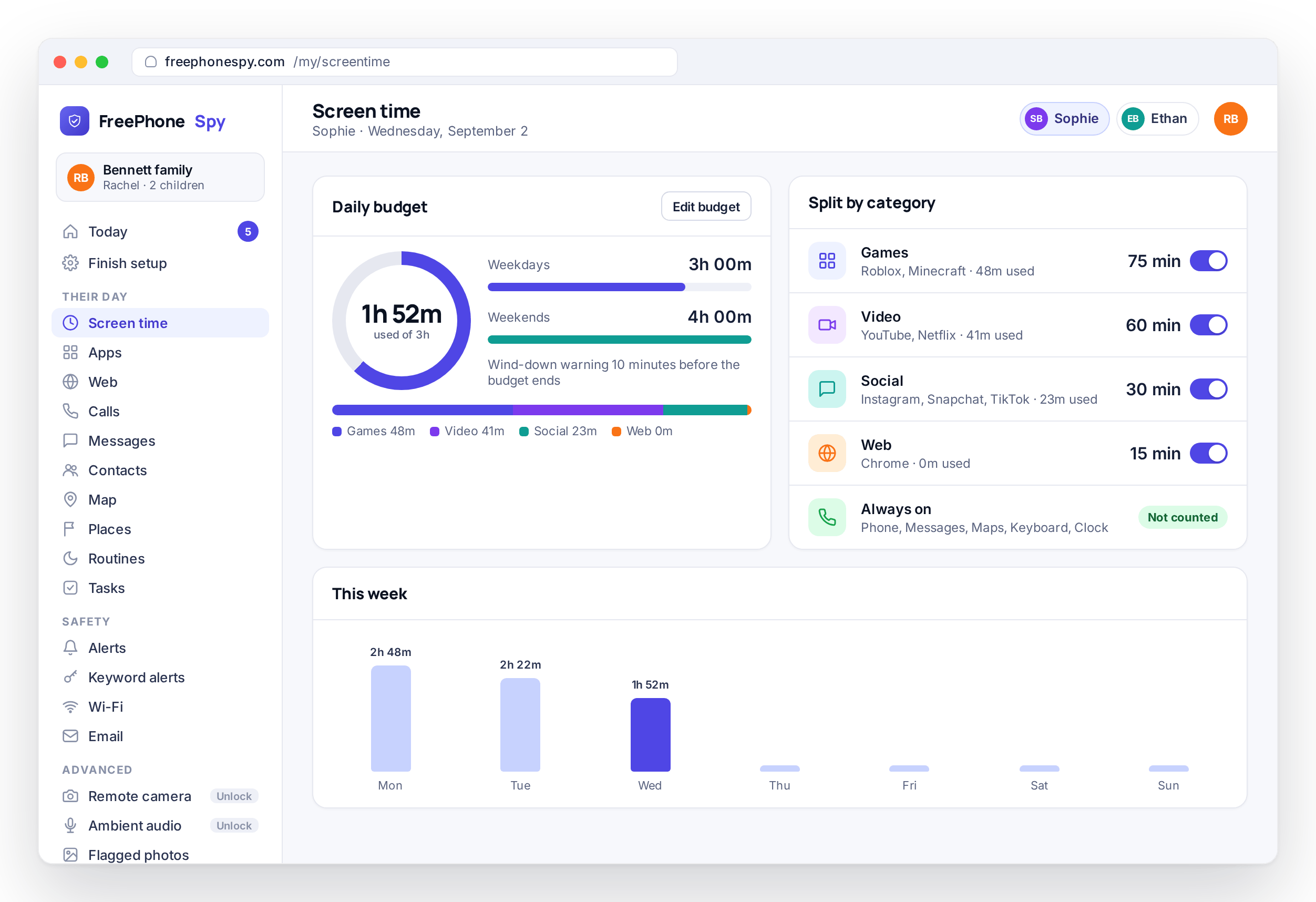
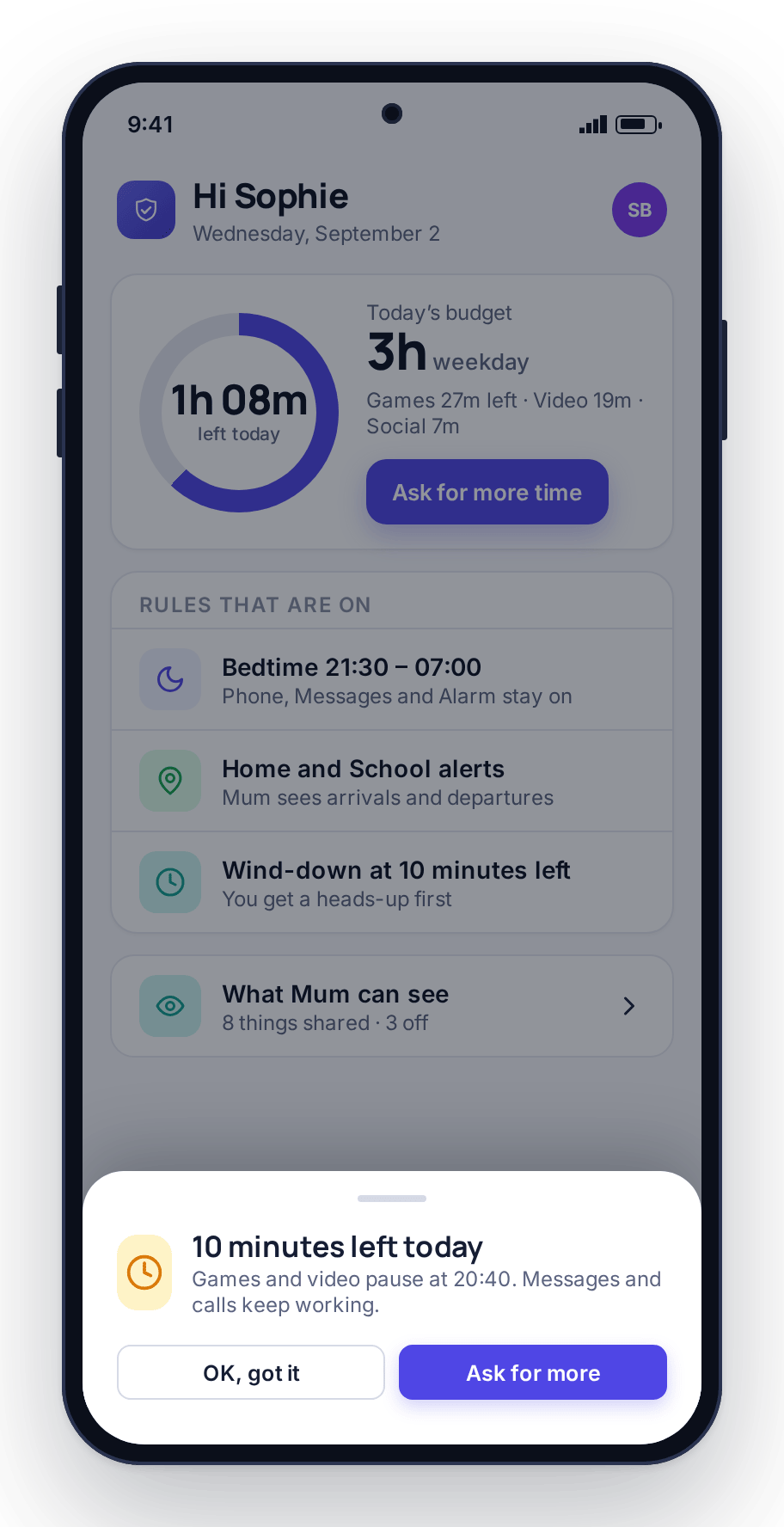
With FreePhoneSpy screen time you set a daily minute budget per child and split it across four categories: games, video, social and web. Weekdays and weekends can have different totals. As the budget runs low the phone shows a wind-down warning, and when it runs out the phone enforces the limit itself, with the category’s apps blocked until the next day or until extra time is approved. You stop being the timer.
A few things make a budget hold:
- Start generous. Set it a little higher than you think for the first week, then tighten. Loosening after a harsh start feels like a defeat; starting loose and holding steady feels fair.
- Let them see it. A budget only teaches trade-offs if the child can watch it tick down on their own screen. The minutes-remaining figure and the wind-down warning matter as much as the limit itself.
- Split by what you care about. If social worries you more than a puzzle game, give social a smaller slice rather than banning it outright. A small allowance they control beats a ban they resent.
- Keep essentials free. Phone, messages and maps should not eat the budget and are never blocked. A child should always be able to call you, even at zero minutes.
Choosing the number itself is a separate question, and it depends on age: a nine-year-old and a fifteen-year-old should not have the same total. Screen time by age has starting points for each band. This guide assumes you have a number and is about making it stick.
Routines: bedtime and homework hour
A budget handles “how much.” Routines handle “when.” They are the other half of the setup, and for sleep and school they matter more than the raw minute count does.
Bedtime. This is the one that saves the most arguments. A bedtime routine winds the phone down at a set time regardless of budget left, so half past nine stops being a negotiation. Games, video and social go quiet; messages and the alarm still work. The phone made it happen, not you, and there is nobody to argue with. For many families this single routine is a bigger win than any limit.
Homework hour. A scheduled window where games, video and social go off but the phone still works for messages and for looking things up in a browser. It is not about distrust. It removes a temptation that adults cannot resist either, a phone buzzing next to an open textbook. Set it for the hour they do homework in practice, not an aspirational one, or it will quiet the phone while they are eating dinner and be over by the time they sit down.
Both are set once in routines and then run every day. One detail worth knowing: routines override the budget in the strict direction only. A child with an hour of minutes left still loses games at bedtime; a child with zero minutes left still has messages and maps during homework hour.
Letting kids earn time
Here is where a budget beats a ban most clearly: a budget can grow. Under a ban there is nothing to earn, so there is no incentive to do anything but wait it out. A budget lets you tie extra minutes to real effort, and that changes the dynamic.
The tasks-and-rewards flow works like this. You set a chore and the number of minutes it is worth, the child completes it and sends a bit of proof from their phone, usually a photo, and you approve it from the panel. The minutes are added to today’s budget. Walking the dog, emptying the dishwasher, thirty minutes of reading, a page of music practice. Screen time stops being something you ration and becomes something they can influence.
Keep it balanced. Do not make every minute something they have to grind for, or the phone becomes a chore in itself and the chores get resented. A baseline budget they always get, plus a modest amount they can earn, is the balance most families land on. And earned minutes never buy a later bedtime; the bedtime routine ignores them.
Handling “just one more episode”
Every parent knows the ask. The budget has run out, the show is on a cliffhanger, and you get “just one more, please, it’s the last one.” A hard ban gives you two bad options: cave, and the limit means nothing, or refuse, and you are the villain over a cartoon.
A budget gives you a third option that keeps the rule intact. The child sends a request for more time from their phone, with a reason typed in, and it appears in your panel’s “Needs you” list. You tap 15, 30, or No from wherever you are. The rule still stands, because the default was no. But you can say yes to a good reason without the phone silently ignoring the limit. “Finishing the episode I started” might get a yes; “I’m bored” probably will not.
The ask itself is the useful part. Your child has to name a reason, which makes them consider whether it is a good one, and you get to show that sometimes the answer is yes and sometimes it is no, and both are normal. Over a few weeks the asks get more reasonable, because the unreasonable ones do not work.
Adjusting over time
The budget you set in September should not be the one you are running in March. A good setup loosens as your child shows they can handle it, and seeing that happen is part of what makes them accept the budget in the first place.
Check in every few weeks. Are they spending their minutes thoughtfully, or blowing them all before dinner and then miserable? Is the bedtime routine improving sleep, or just moving the argument earlier? The weekly report shows the category split and the days the limit was hit, and the requests log shows how often they asked for more and why. Use both, but trust what you see at home more than any number.
Then adjust out loud. “You’ve been good about homework hour, so I’m giving you more weekend minutes” tells your child that responsibility earns freedom. Small changes are better than big ones: raise the weekend budget by twenty minutes rather than doubling it, move bedtime by fifteen minutes rather than an hour. If a change goes badly, roll it back and say why, and try again in a month. A budget that moves in small, explained steps is one a child can trust.
FAQ
What’s a reasonable daily screen-time budget?
It depends on age and on what else is in their day, so use the starting points in our screen time by age guide and then adjust. Whatever number you pick, set it generously for the first week, watch how they spend it, and tighten to what feels right. A budget you tightened fairly holds better than a number picked off a chart.
Won’t my child just find a way around the limit?
It is harder than with a ban, because the phone enforces the budget itself rather than relying on you at bedtime. The wind-down warning means the limit is never a surprise, and essential apps stay free so there is no need to “borrow” a sibling’s phone to reach you. Because they helped set the number, there is also less reason to fight it.
How do routines like bedtime differ from the budget?
The budget controls how much time; routines control when. Bedtime winds the phone down at a set time regardless of minutes left, and homework hour turns off games and social while keeping messages and the browser working. Routines protect sleep and focus, which a budget alone will not, and they ignore earned or requested extra time.
Can my child earn more time?
Yes, two ways. Tasks and rewards let you set chores worth a number of minutes, which are added once the child sends proof and you approve. Requests let the child ask for extra time with a reason, which you answer with 15, 30 or No. Both keep the default as no while giving them a legitimate way to influence the limit.