A Stranger Messaged My Child: What to Do
You’ve just seen it: a message from someone your child doesn’t know. Maybe you found it on their phone, maybe your child came and showed you, maybe a friend request from an adult account popped up in a game. Your stomach drops. Before anything else — you’re doing the right thing by paying attention, and your child is safe right now with you. Most stranger contact online is spam, bots, or a clumsy scam, and even the serious kind is something parents handle successfully every day. What follows is a calm order of operations, so you’re acting on a plan instead of on adrenaline.
First, don’t panic — but do take it seriously
Those two things sit together more comfortably than they sound. Panic makes for bad decisions: confronting the stranger, deleting things you’ll later wish you’d kept, or turning on your child in the heat of the moment. Taking it seriously means you don’t wave it away either — you slow down, look properly, and decide what kind of thing this is before you react to it.
Here’s the reassuring part to hold onto. A single message from a stranger, on its own, is not proof that your child is being targeted by a predator. The internet is full of automated accounts, mass-DM scams, and people fishing for clicks. Your job in the first few minutes isn’t to conclude the worst — it’s to gather what’s in front of you and read it clearly. And whatever it turns out to be, one fact doesn’t move: an adult who reaches out to a child inappropriately is the one in the wrong. Your child didn’t cause this by existing online.
Work out what you’re actually looking at
Not all stranger contact is the same, and the response depends on which of these you’re dealing with. Read the message with your child if they’re comfortable, and place it in one of three buckets.
A one-off: spam or a bot
A generic message that could have gone to anyone. “Hey, saw your profile, check out my page.” A random follow from an account with no real posts. A comment full of links or emojis. These are usually automated and go out to thousands of accounts. They’re annoying and worth blocking, but they aren’t personal and rarely need more than a report to the platform.
A scam
Something after money, an account, or information. A “free Robux” or “free V-Bucks” offer, a fake giveaway, a message pretending to be from the game asking your child to log in somewhere, a stranger offering to trade rare items. Kids are prime targets for these because they’re trusting and keen. If money or a login was involved, that changes the follow-up — our guide to how & where to report covers the scam side in detail, and catfishing dresses up as friendship, which we cover in catfishing & fake profiles.
A pattern: possible grooming
This is the one that needs the most care. It’s rarely a single message — it’s a person who keeps showing up, gets friendly fast, and slowly steers the conversation somewhere more private. The warning signs section below lays out what to look for. If what you’re seeing fits that shape, treat it as serious and read the reporting section carefully.
First steps: what to do in the next ten minutes
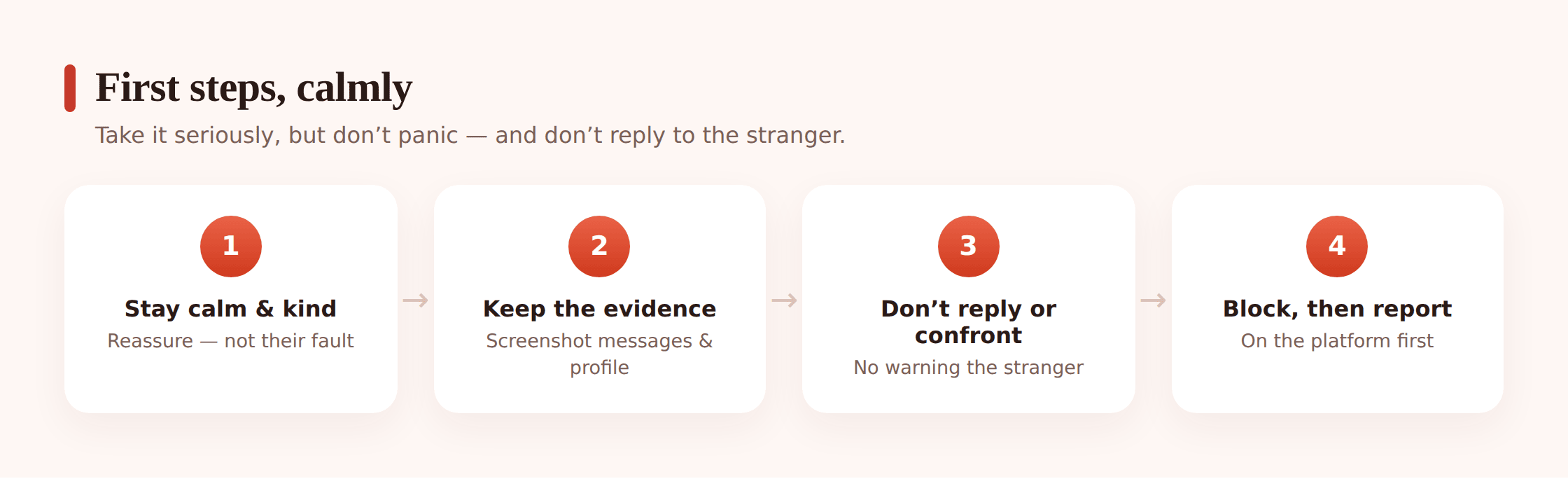
Do these in order. The order matters — some of it is about protecting your child, and some is about protecting evidence in case this needs reporting later.
Step 1 — Keep the messages. Don’t delete anything yet.
Your instinct might be to wipe it all away. Resist that. If this turns out to be something the platform or police need to see, those messages are the record. Leave the conversation, the profile, and the account in place for now. Deleting first and reporting later means reporting with nothing to show.
Step 2 — Screenshot everything.
Capture the messages, the sender’s username and profile, the date and time, and anything that shows how the contact was made. Get the profile page itself, not just the chat, because accounts can vanish. Save the screenshots somewhere that isn’t only the child’s phone — email them to yourself or save to a folder. This is your evidence whether or not you end up reporting.
Step 3 — Do not reply, and do not confront the stranger.
It’s tempting to fire back a warning, or to pose as your child to draw the person out. Don’t. Replying can escalate things, tip the person off so they delete their account and disappear, or — if this becomes a police matter — complicate a case. Say nothing to the stranger. Let the platform and, if needed, the authorities handle contact.
Step 4 — Block, once you’ve captured everything.
After the screenshots are saved, block the account so it can’t message your child again. Blocking and reporting are usually two separate actions on most apps — do both. Blocking protects your child in the moment; reporting is what actually gets the account looked at.
Step 5 — Sit with your child, not opposite them.
Once the practical steps are done, turn to the person who matters most. Thank them if they told you. Reassure them they’re not in trouble. The support section below is about this part, and it’s the part that keeps them coming to you next time.
Grooming warning signs to watch for
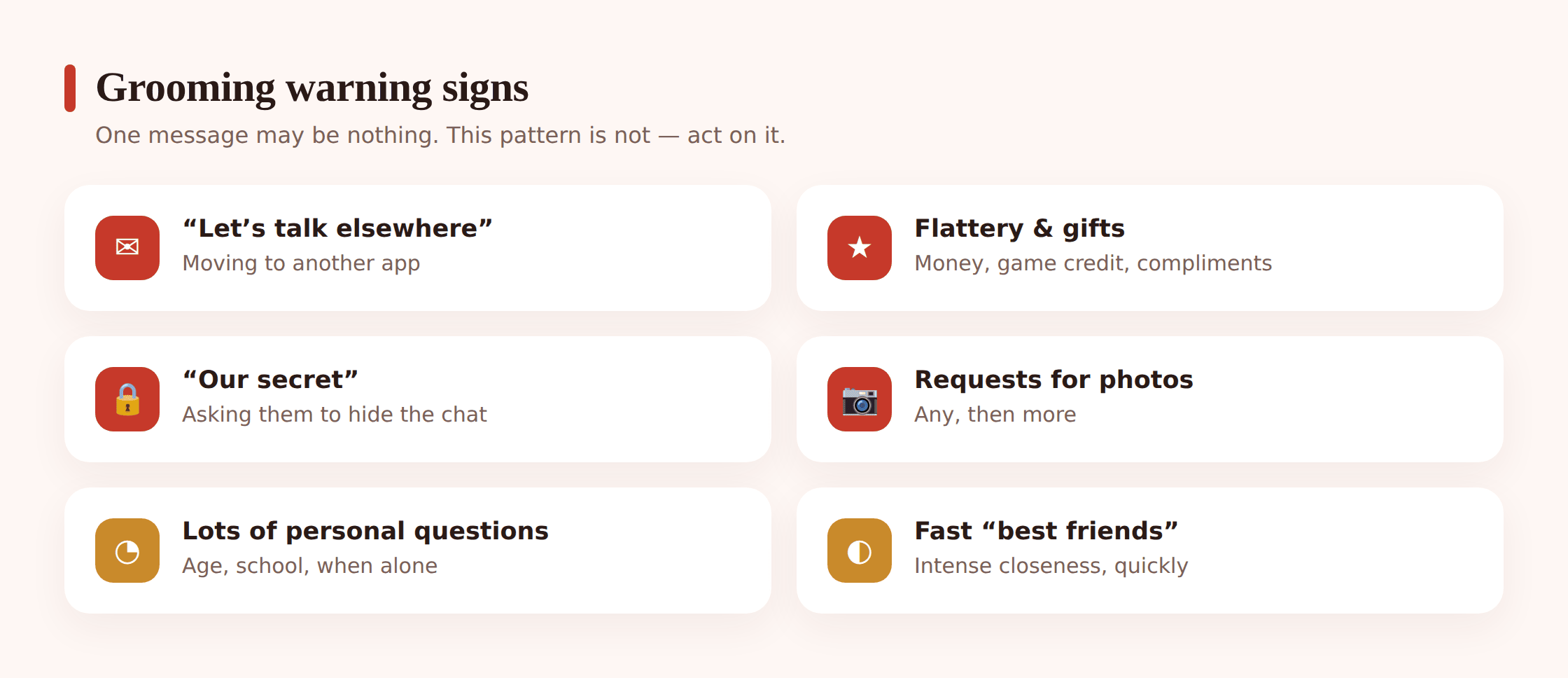
Grooming is a slow process of building trust and then exploiting it. No single sign proves anything, and plenty of these can have innocent explanations. It’s the combination, and the direction things move, that tells you to lean in. Here’s the shape it tends to take.
- Wanting to move to another app. “This chat’s boring, add me on Snapchat / Telegram / Discord.” Shifting off a public, moderated space onto something private where messages disappear is one of the clearest signals there is.
- Fast, intense friendliness. Lots of attention very quickly. “You’re so mature,” “you’re not like other kids your age,” “I feel like I can really talk to you.”
- Flattery, gifts, or offers. Game currency, in-game items, gift cards, promises of followers or fame. Something given creates a sense of owing something back.
- Secrecy. “This is just between us,” “don’t tell your parents, they wouldn’t get it,” “our little secret.” Anything that builds a private world your child is meant to hide from you.
- Asking about you, or about being home alone. Questions about the child’s routine, when parents are out, where they live, what school they go to.
- Asking for photos. It usually starts ordinary — “send a selfie” — and pushes further over time. Any request for photos from an adult stranger is a stop sign.
- Turning your child against you. “Your parents are so strict,” “your friends don’t really understand you.” Isolating the child so the stranger becomes the one person who “gets” them.
If you’re recognising several of these, you’re not overreacting by treating it seriously. And the good news buried in that list: grooming needs every stage to work. A child who tells a parent early, a secret contact that gets spotted, an open home where there’s no shame in speaking up — any one of those breaks the chain. For the fuller picture on how this works and how to prevent it, our guide to protecting kids from online predators goes deeper.
How and where to report
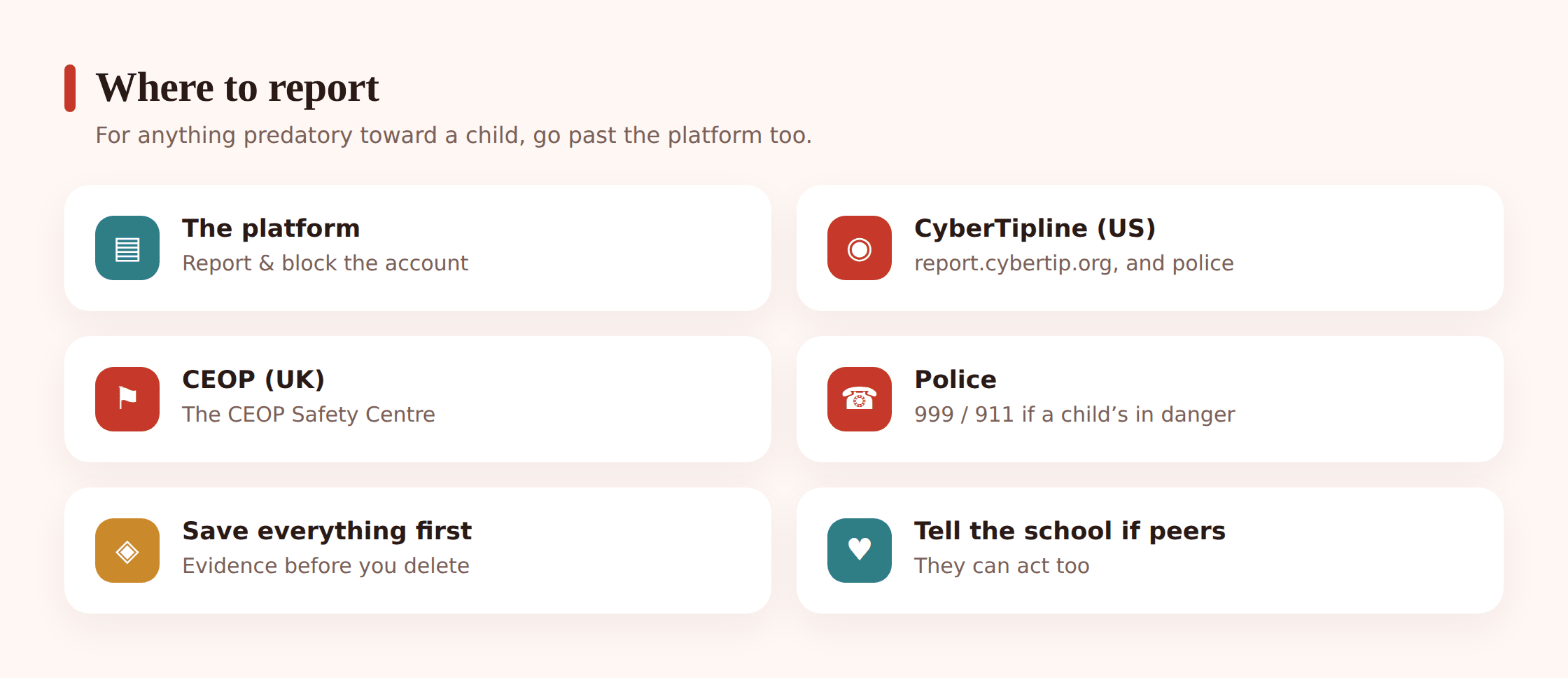
Where you report depends on what happened. Start with the platform in every case, and escalate to the specialist authorities for anything predatory or sexual toward a minor.
Report to the platform, always
Every game, app, and social network has a report function — usually behind the “…” menu on a profile or message. Report the account and pick the reason closest to what happened (harassment, a stranger contacting a minor, spam, a scam). This is what gets the account reviewed and often removed, and it flags the sender to moderators who may see a pattern across many children.
For anything predatory or sexual toward a child (US)
Report to the NCMEC CyberTipline at report.cybertip.org. This is the US national clearinghouse for reports of child exploitation, and it routes cases to the right investigators. Alongside that, contact the FBI (tips.fbi.gov) or your local police. If there’s any immediate danger, call 911 first.
For anything predatory or sexual toward a child (UK)
Report to CEOP (the Child Exploitation and Online Protection command) through its Safety Centre. If an intimate image of your child may have been shared, Report Remove — run by the IWF and Childline — helps get images of under-18s taken down; Childline (0800 1111) is there for your child directly. In an emergency, call 999.
If you’re unsure which route fits your situation, our full walkthrough of how & where to report online abuse and scams maps the options by type of incident.
How to support and talk to your child
Everything above is logistics. This part is the one that shapes what happens for years. How you respond in the next hour teaches your child whether it’s safe to tell you the next time — and there may well be a next time, because this is the world they’re growing up in.
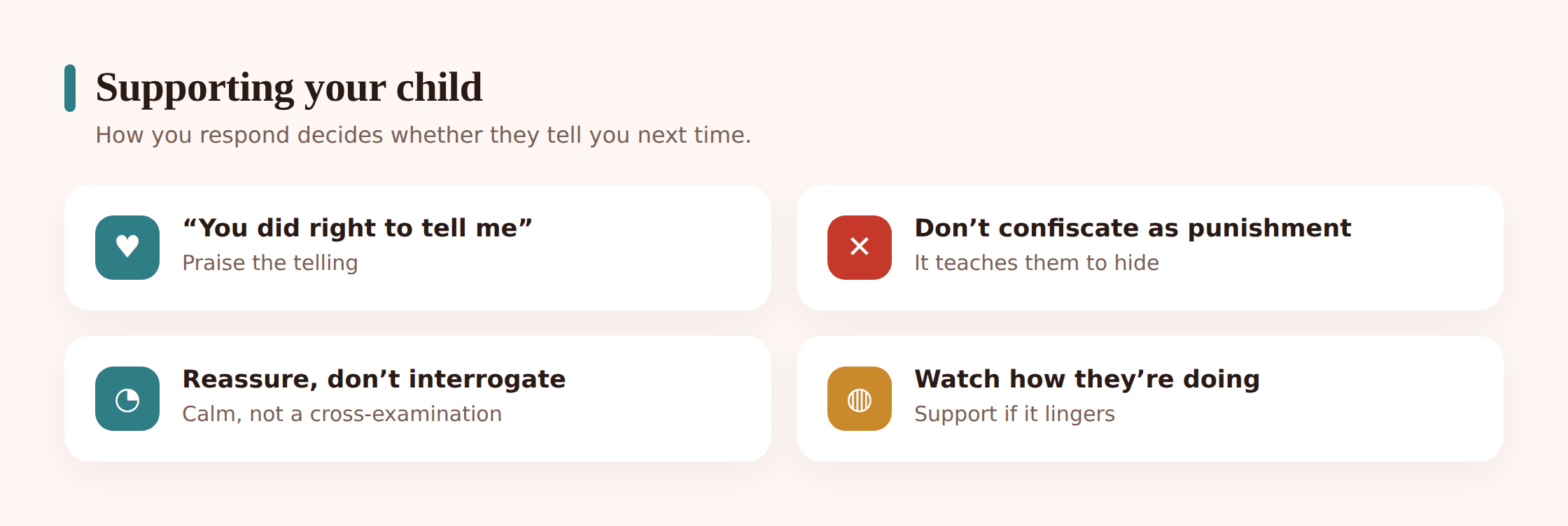
Lead with reassurance, before anything else. “I’m really glad you showed me this.” “You haven’t done anything wrong.” “We’ll sort this out together.” A child who’s been contacted by a stranger often feels a confusing mix of embarrassment, fear, and sometimes guilt for having replied or been flattered. Naming out loud that none of it is their fault takes a weight off that they may not even have told you they were carrying.
Then listen more than you talk. Ask open questions gently — how did this person find you, what did they say, how did it make you feel — and let the answers come without jumping in to correct or scold. If your child engaged with the stranger, even sent a photo, hold your reaction steady. The offender is the adult who targeted a child. Kids who fear the blowback are exactly the ones who stop telling.
And here’s the one that trips up a lot of well-meaning parents: don’t take the phone or the game away as a punishment. It feels protective, but to your child it lands as a consequence for speaking up. The lesson they take is “telling Mum got my phone confiscated” — so next time they’ll handle it alone. You can absolutely tighten settings together (that’s the next section), but frame it as a fix, not a penalty. If the incident hit your child hard, a helpline like Childline (UK) or a school counsellor gives them someone to talk to who isn’t you — some things are easier to say to a stranger. And look after yourself too; discovering this is a shock, and you’ll handle it better without running on guilt and adrenaline.
Reducing contact from strangers going forward
Once the immediate situation is handled, a few settings changes cut down how easily strangers reach your child in the first place. Do these together, at the kitchen table, so your child understands what each one does.
- Set accounts to private / friends-only. On social apps, lock profiles so only approved friends can see posts and send messages. On most platforms this is one toggle.
- Turn off messages from non-friends. Many apps let you limit DMs, comments, and requests to people your child already follows. Strangers simply can’t get through.
- Lock down in-game chat. Games like Roblox and Minecraft have chat and privacy settings — restrict chat to friends, or off, and set age-appropriate controls. Our guide to online predator prevention and your platform’s own parental controls both help here.
- Review the friends and followers list together. Anyone your child doesn’t actually know in real life is worth a second look. It’s fine to remove accounts that are just strangers.
- Agree a simple rule. Something like: “If someone you don’t know messages you, you don’t have to reply — just show me.” Make telling you the easy, expected default.
- Keep the conversation open. Settings drift and apps change. The strongest protection isn’t a toggle, it’s a child who talks to you. Our piece on talking to kids about online safety has more on keeping that going.
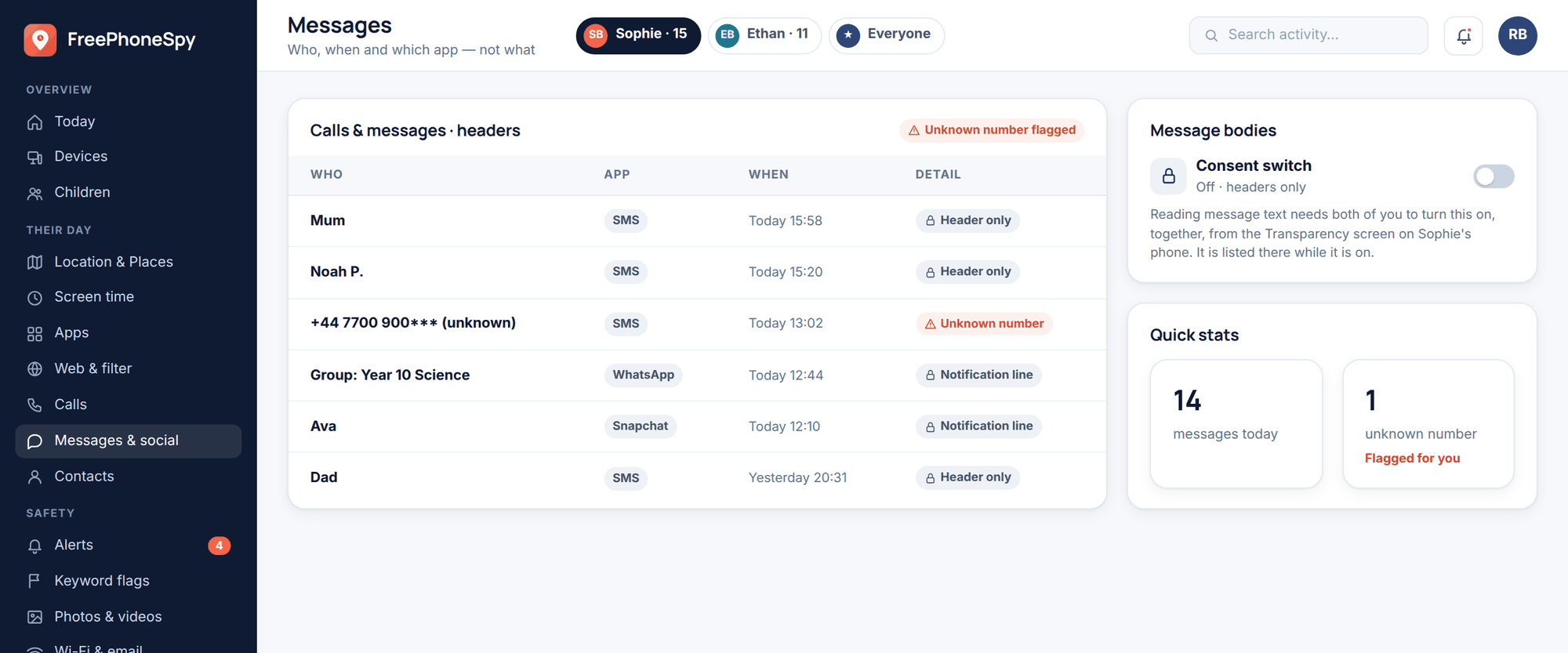
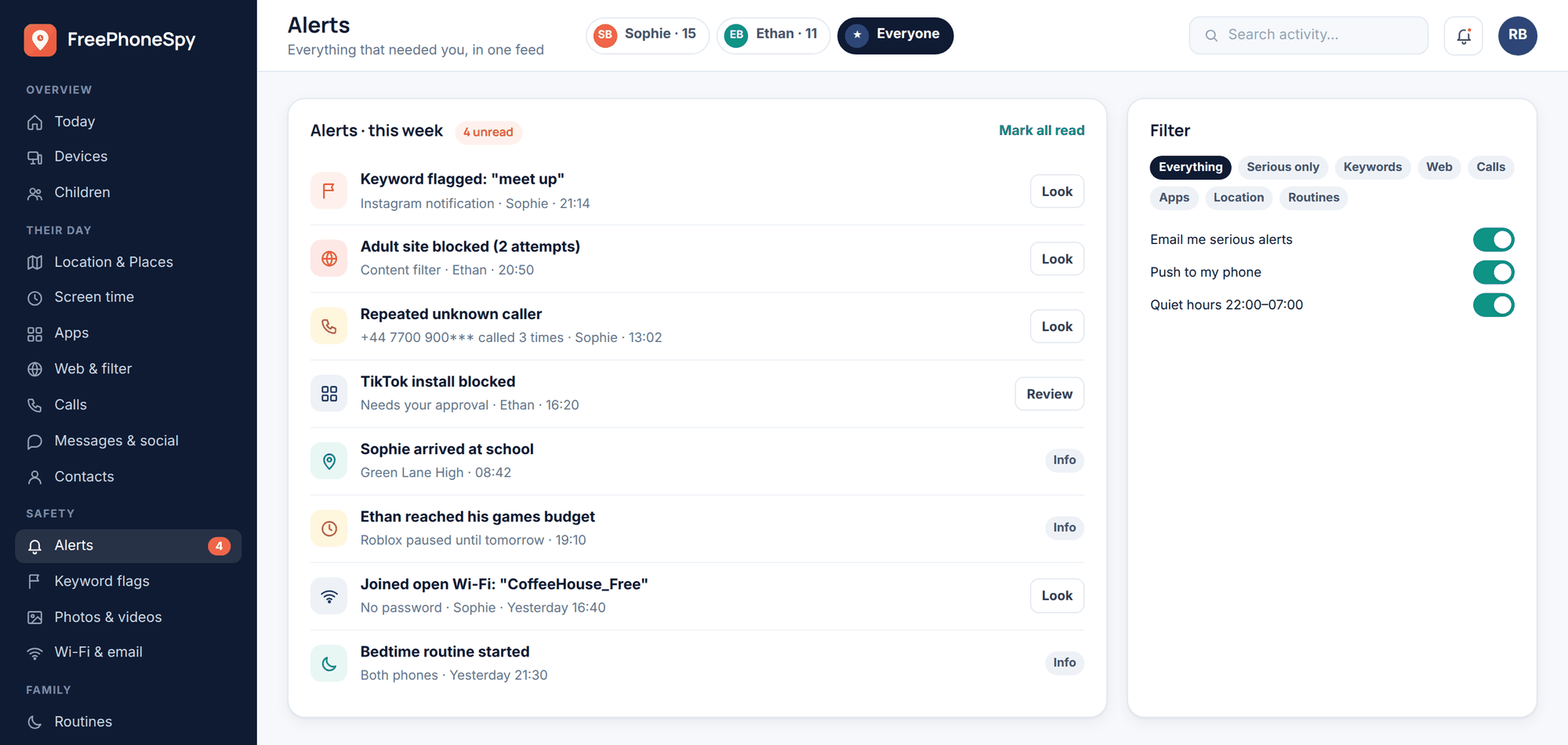
If your family already uses an open monitoring setup, this is where it quietly earns its place. Seeing that a blocked account hasn’t come back under a new name, or that no new unknown number has started messaging late at night, is the kind of low-key reassurance that lets you stop refreshing the worry. Most days there’s nothing to see — and that’s exactly the point.
Common questions
Should I message the stranger back?
No. Don’t reply, don’t warn them off, and don’t pretend to be your child to find out more. Any of those can make the person delete their account and vanish, escalate the situation, or — if it becomes a police matter — get in the way of a case. Capture the evidence, block, and report. Let the platform and, if needed, the authorities be the ones who make contact.
It might just be spam — do I still report?
Yes, report it on the platform even if you think it’s a bot. Reporting takes seconds and helps moderators spot accounts that are messaging lots of children. You only need to escalate to NCMEC, CEOP, or police when the contact is predatory or sexual toward a minor — plain spam and scams stay at the platform level. When in doubt, a platform report costs you nothing.
Should I take the game or phone away?
Not as a punishment. Confiscating the device after your child told you something teaches them that speaking up gets them punished, so next time they’ll hide it. Tighten the privacy settings together instead, and frame it as fixing the problem, not penalising your child. Keeping the door open matters far more than any single app.
My child already replied, or sent a photo. How bad is this?
Stay steady — this is more common than you’d think, and it doesn’t make your child at fault. The adult who targeted a child is the one who did wrong, full stop. Keep the evidence, report to the platform and to NCMEC (US) or CEOP (UK), and if an intimate image was involved use Take It Down (US) or Report Remove (UK) to help get it removed. Reassure your child clearly and often that they’re not in trouble; offenders rely on a child’s shame to keep them silent.
How do I know if it’s grooming or just a friendly kid online?
Look at the pattern, not one message. Grooming tends to move fast toward intimacy, push to a private app, involve gifts or flattery, ask for secrecy or photos, and probe about when your child is home alone. A genuine peer doesn’t do those things. If several of those signs are present — especially secrecy and moving off-platform — treat it as serious and report it. When you’re not sure, err toward reporting.
Will reporting get my child in trouble?
No. Child-safety organisations and police exist to protect children, not to blame them, and reporting is about the adult who made contact. Your child isn’t the subject of the report — the stranger is. Making that clear to your child, out loud, often helps them feel safe enough to tell you the whole story.
You handled the hard part the moment you took this seriously instead of brushing it off. Save the evidence, block, report where it belongs, and then put the phone down and be the calm, un-blaming presence your child needs. That combination — practical steps plus an open door — is what keeps kids safe and keeps them talking to you, which in the end is the protection that outlasts every setting.