Random Video Chat Apps: The Stranger-Danger Risk Parents Miss
One tap, and your child is face to face with a stranger who could be anywhere in the world and any age at all. Random video chat apps promise a harmless thrill, a new face every few seconds, a break from boredom. For a lot of children they deliver something far riskier. This guide explains what these apps are, why they pull kids in, the specific dangers they carry, and the calm, practical steps you can take to check for them, block them, and open a conversation your child will actually welcome.
What random video chat apps are
Random video chat apps connect two people who have never met and pair them on a live camera feed. There is usually no profile, no name, no history. You tap a button, the app finds another user somewhere in the world, and suddenly two strangers are looking at each other in real time. Tap again and the current person vanishes, replaced instantly by someone new. People sometimes call this format “video roulette” because every spin is a gamble on who appears.
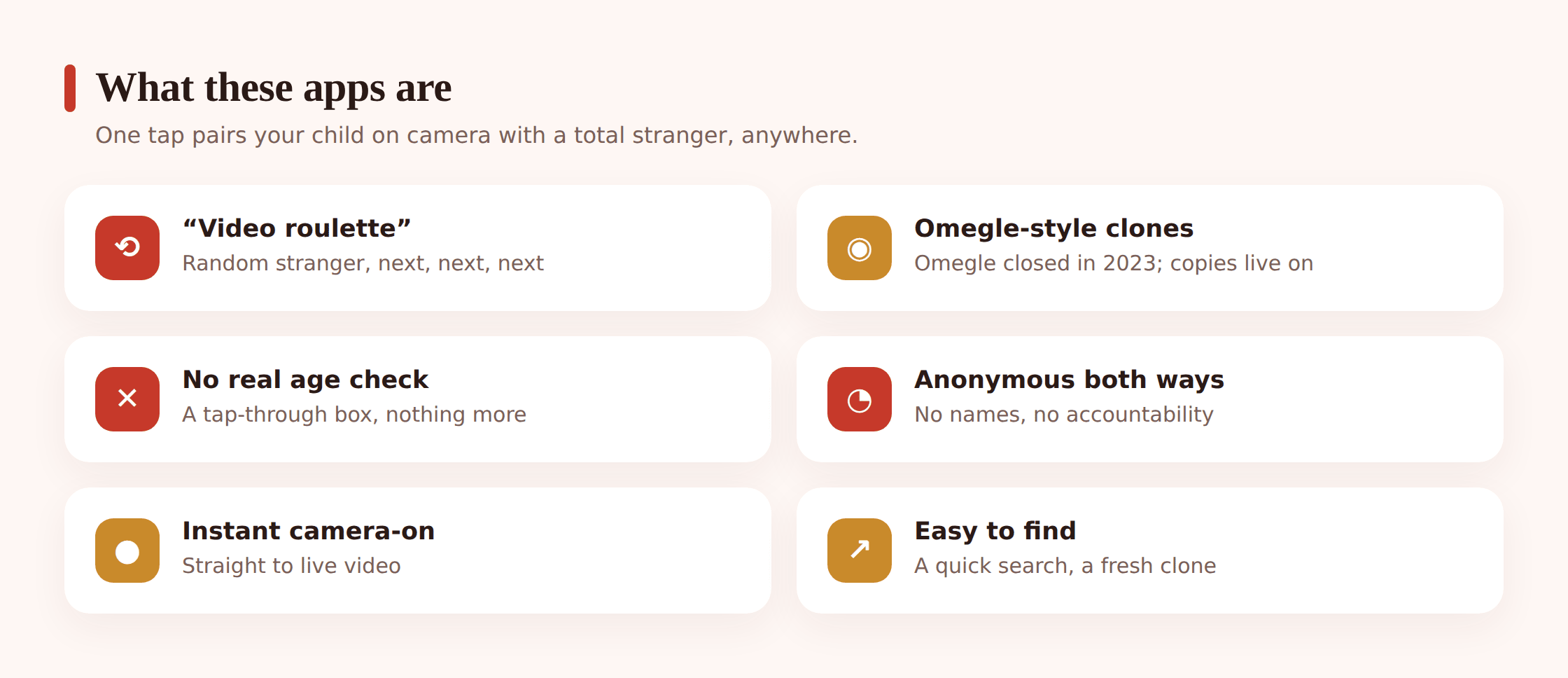
The category has many names and many lookalikes. Some pitch themselves as friendly ways to “meet new people” or practice a language. Others lean on the roulette novelty outright. Common examples over the years have included Monkey, OmeTV, Uhmegle, various Chatroulette-style sites, and a steady churn of “random cam” or “live stranger” apps that appear, get removed, and reappear under new names. The branding shifts constantly. The underlying mechanic does not: an unverified stranger, on camera, with no accountability.
Why kids and teens are drawn in
It helps to understand the pull before you judge it. Children are not seeking danger. They are seeking the things these apps package attractively.
- The thrill of the unknown. Not knowing who appears next is genuinely exciting to a developing brain wired for novelty. Each spin is a tiny surprise.
- Boredom relief. These apps fill empty minutes with zero effort. No account to build, no friends to add, no waiting.
- “Meeting new people.” Teens who feel isolated, shy, or different can find the promise of instant connection with strangers deeply appealing. Nobody at school has to know.
- Social dares. Friends egg each other on. Using one of these apps together at a sleepover can feel like a game rather than a risk.
- A sense of anonymity. Children often believe that because there is no profile, there is no trace, so nothing can follow them home. That belief is wrong, and it is exactly what makes them lower their guard.
None of these motives are shameful. They are ordinary. A child drawn to a random chat app is usually curious or lonely, not reckless. Holding that in mind will make every later conversation easier.
The real risks parents miss
The danger of this category is not abstract. The format itself removes almost every safeguard that protects a child elsewhere online. Here is what genuinely goes wrong, described plainly and without detail no parent needs.
Being paired with adults
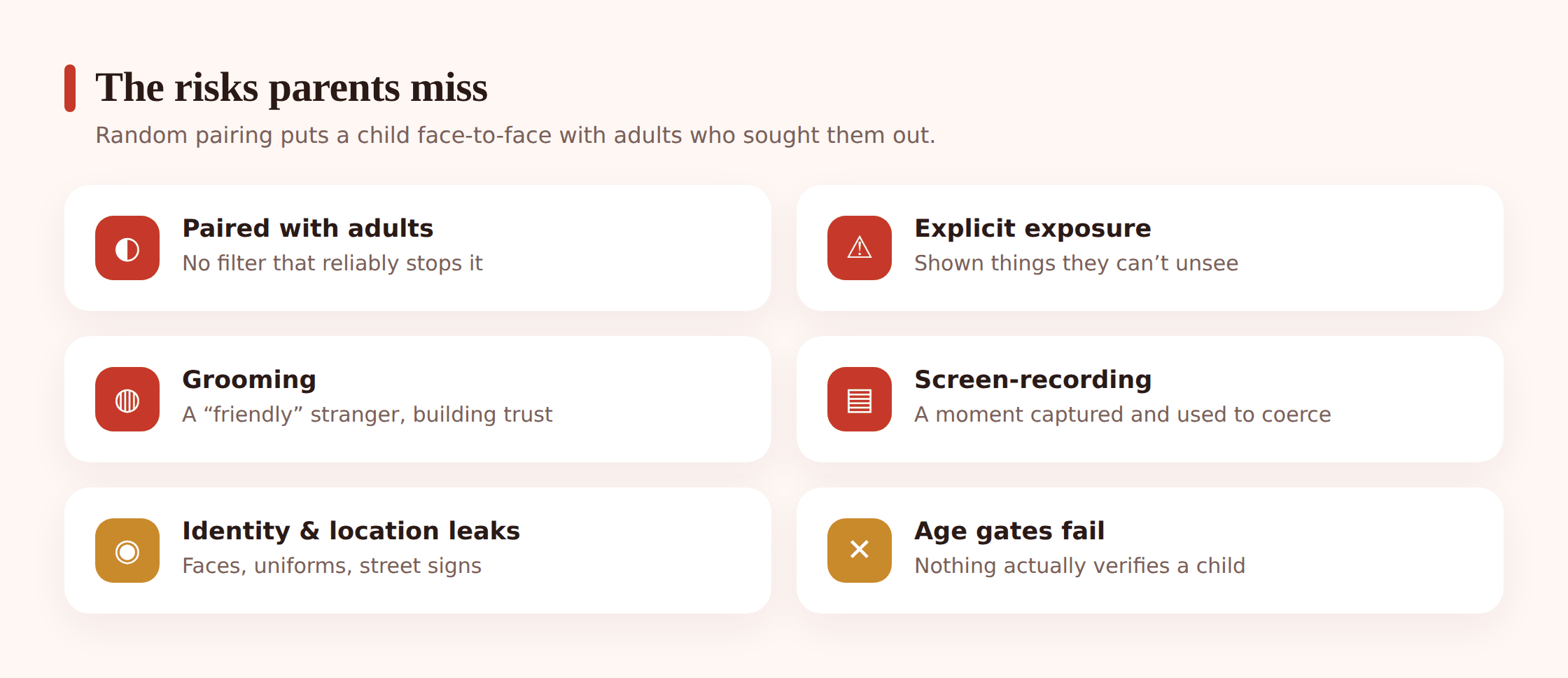
There is no reliable way for these apps to keep adults and children apart. A child who taps “start” can be connected to a grown adult within seconds. Most calls are harmless and quickly skipped. But it only takes one paired stranger with bad intent, and the child has no warning and no filter standing between them.
Exposure to explicit content
Because anyone can appear on camera, children are sometimes shown things they should never see, without any choice in the moment. This is one of the most common complaints about the category, and it can be distressing even for a brief exposure. A child cannot un-see it, and many are too embarrassed to tell anyone it happened.
Grooming and manipulation
A predatory adult can use the format to test a child, appear friendly, and try to move the conversation to a private app where there is less oversight. The random pairing is the doorway. The harm usually develops afterward, elsewhere. This is closely related to the wider pattern we cover in protecting kids from online predators, and it is worth reading alongside this page.
Screen recording and coercion
Anything on camera can be recorded silently by the person on the other end. A child who is persuaded or tricked into doing something on video can later be threatened with that recording. Coercion of this kind is one of the most serious outcomes tied to these apps, and children rarely see it coming because the app felt anonymous and temporary.
Location and identity leakage
Children assume anonymity protects them. It does not protect them nearly as much as they think. A visible school logo on a hoodie, a poster on the bedroom wall, a passing comment about their town or their timetable, a reflection in a window: any of these can hand a stranger clues to who and where the child is. The camera shows more than a face.
Why age gates fail
Many of these apps display an age warning or ask the user to confirm they are 18. Parents sometimes take comfort from that. They should not. An age gate that asks “are you 18?” and accepts a single tap is not protection. It is a legal formality. A ten-year-old taps “yes” as easily as anyone.
Even apps that claim stronger checks rarely verify anything meaningful, and clones routinely ship with no checks at all. The category as a whole is built for anonymity, and anonymity and reliable age verification cannot easily coexist. Treat every age gate on these apps as decoration, not a barrier.
Omegle closed, but the clones didn’t
Omegle was the best known name in this space for years, and many parents still search for it by that name. It shut down in 2023 after sustained criticism over how the platform was misused against children. That closure was a genuine step forward.
It did not end the category. The demand and the simple technical model both remained, so a crowd of successors and clones moved to fill the gap. Sites and apps mimicking the original format, sometimes even echoing its name, continue to appear. If your child mentions Omegle, do not assume the risk is gone because the original site is. Assume they mean the format, and that a working substitute is a single search away.
How to check for and block these apps
You do not need to be technical to do this well. A short, consistent routine matters more than any single clever setting. Do this together with your child where you can, and explain what you are doing and why as you go.
- Look through installed apps together. Open the app drawer and Settings, then Apps, and scroll the full list. Watch for anything with “random”, “cam”, “stranger”, “roulette”, “meet”, or “live” in the name, and for icons you do not recognise.
- Check the browser too. Many of these run as websites, not apps, so they leave no icon. Look through browser history and bookmarks together, and talk about what you find rather than reacting to it.
- Review recent installs and permissions. In Settings, check which apps have camera and microphone access. An unfamiliar app with camera permission deserves a question.
- Use Google Play parental controls and Family Link. These let you set content restrictions, approve new installs, and see what is on the device, all with the child’s knowledge.
- Block at the app-store and network level. Restrict installs so new apps need your approval, and consider content filtering that blocks known random-chat sites in the browser.
- Agree the rule out loud, don’t just enforce it silently. A child who understands why a category is off limits is far more likely to keep to it than one who only knows something was taken away.
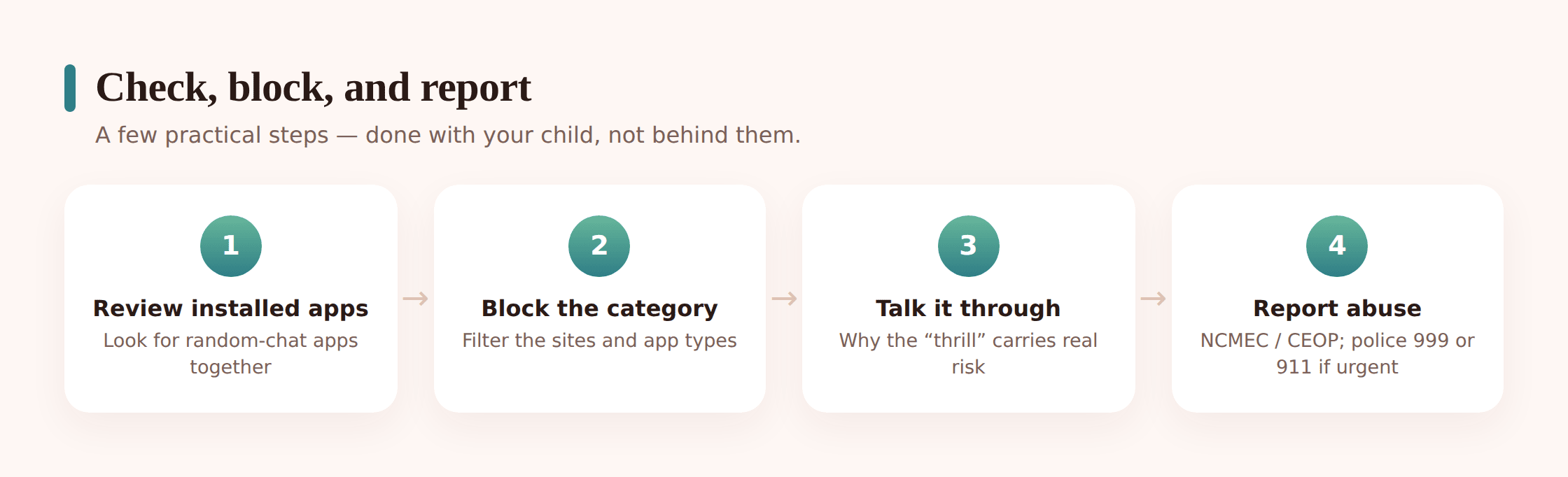
If you find one of these apps already installed, stay calm. Remove it together, talk about how it got there without accusation, and treat it as a chance to understand what your child was looking for. The removal is the easy part. The conversation is what actually protects them next time.
How to talk to your child about it
The most powerful safety tool you have is being a person your child can come to. That standing is built in ordinary conversations, long before anything goes wrong. Here is how to approach it.
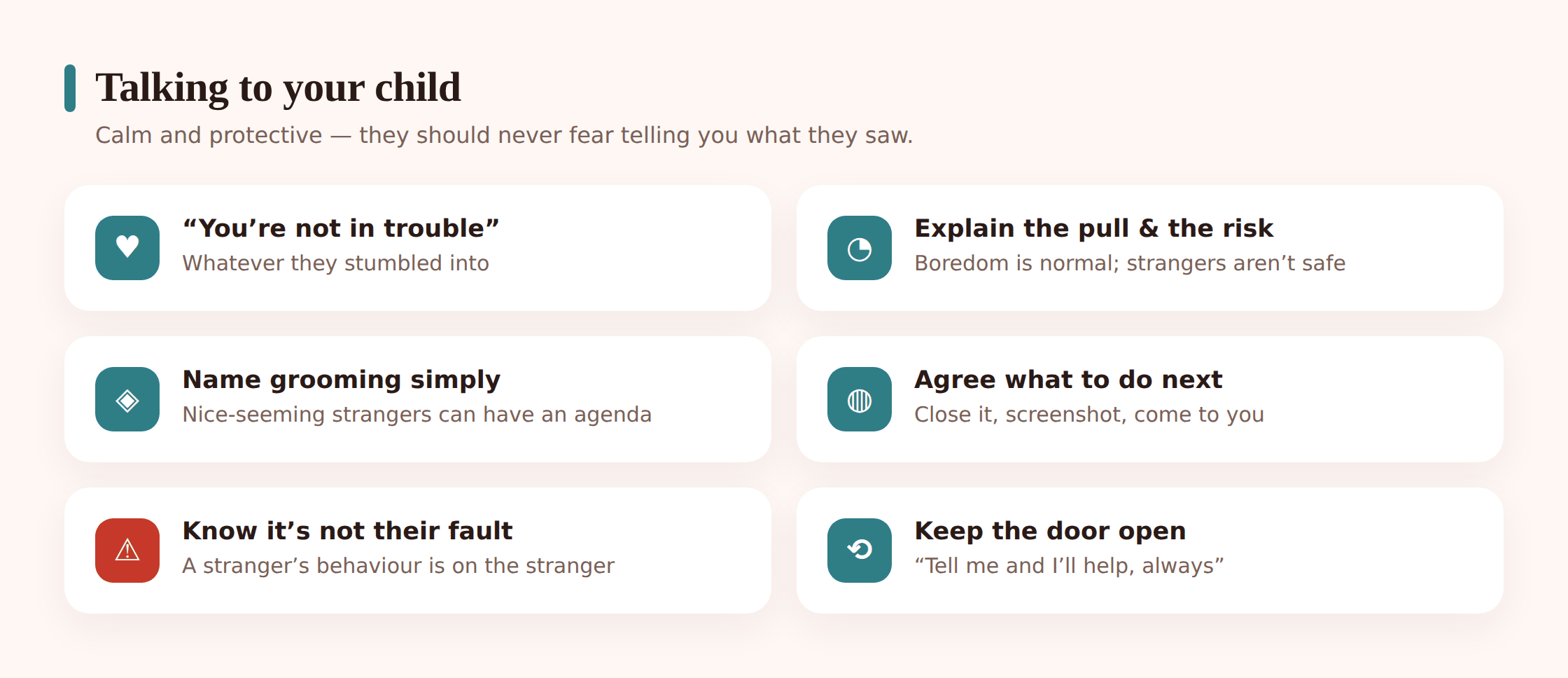
- Lead with curiosity, not accusation. Try “have you ever come across those apps that put you on video with random people?” rather than “have you been using X?” You want a conversation, not a confession.
- Name the appeal first. Acknowledge that they can be fun or exciting. A child who feels understood keeps listening. A child who feels judged shuts down.
- Explain the specific risk simply. “The problem is you can’t tell who’s on the other side, and once you’re on camera you can’t control what they do with it.” Concrete beats vague.
- Make the promise explicit. Tell them plainly: if they ever see something upsetting or a stranger makes them uncomfortable, they can come to you and they will not be in trouble. Then keep that promise the first time it is tested.
- Teach the exit. Close the app, tell an adult, and never move to a private chat with someone met this way. Practise it so it is a reflex, not a decision made under pressure.
If a stranger has already reached your child through one of these apps, our guide on what to do when a stranger messages your child walks through the immediate steps. And if your teen is forming genuine online friendships, our advice on meeting online friends safely covers how to tell a healthy connection from a risky one.
Where a transparent family tool fits
Tools support the conversation. They do not replace it. FreePhone is built as a transparent family tool for exactly that role: something you and your child set up together, on their Android phone, so protection is shared rather than hidden. It asks for your approval before a new app can be used, so a random-chat app does not slip in unnoticed, and it can block apps above an agreed age rating. It does not filter websites, so pair it with the browser’s own settings. It runs on Android, is managed from any browser, and is free, with every feature.
Used the way we recommend, it is support, not spying. The child knows it is there. Its job is to help you have earlier, calmer conversations, not to catch anyone out.
Questions parents ask
My child says “everyone uses these apps.” Are they that common?
They circulate widely among children, often shared at sleepovers or between friends rather than used alone. “Everyone” is usually an exaggeration, but the apps are easy to find and easy to hide, so treat the claim as a signal that your child has at least been exposed to the idea. That is a good moment to talk, not to panic.
Is it enough to just delete the app if I find one?
Deleting it is the right first step, but on its own it rarely solves the problem. These apps are easy to reinstall, and many run in a browser with no app to delete at all. The lasting protection is the conversation about why the category is risky, paired with install controls and content filtering set up together.
The app has an 18+ age warning. Doesn’t that keep young children out?
No. Almost all of these age checks accept a single tap with no verification. A young child passes them as easily as an adult. Treat any age gate on a random-chat app as a formality, not a safeguard.
My child saw something disturbing on one of these apps. What do I do?
Stay calm and thank them for telling you. Make clear they did nothing wrong. If a stranger recorded them, threatened them, or tried to move them to a private chat, save any evidence and report it through the CyberTipline in the US or CEOP and Childline in the UK. If there is any immediate danger, call the police.
Should I install monitoring secretly to be sure?
We do not recommend covert monitoring. A child who discovers hidden surveillance usually stops trusting the parent, which makes them less likely to come to you when something goes wrong. A transparent setup the child knows about protects the relationship and the child at the same time.
This is a sensitive subject, and it is normal to feel uneasy reading about it. Take it a step at a time: understand the category, check the phone together, keep the conversation open, and know where to turn if something has already happened. In the US, the NCMEC CyberTipline at report.cybertip.org takes reports. In the UK, the CEOP Safety Centre and Childline on 0800 1111 can help. If a child is in immediate danger, call 999 or 911 without waiting. Your calm presence, more than any setting, is what keeps your child safe.