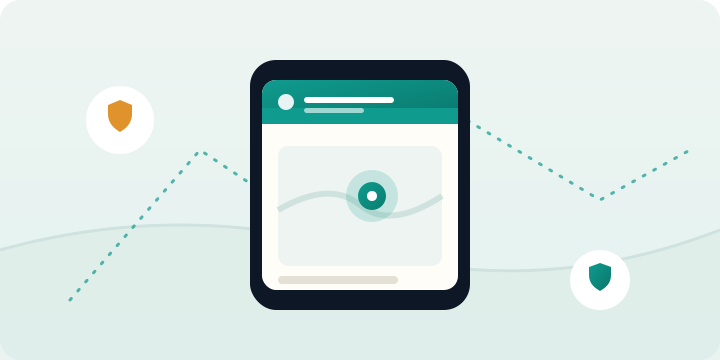
If you've ever sent a third "are you nearly home?" text and watched the little dots pulse with no reply, you already understand why parents track phones. It isn't about control. It's about the small, specific reassurances of family life: that they made it to school, that practice ran late rather than something worse, that the sleepover is at the house you were told about. Done well, phone tracking gives you those reassurances quietly, so you can stop worrying and they can get on with growing up.
The trick is doing it well — choosing the right tool for your child's age, and setting it up in a way that strengthens trust rather than corroding it. This guide walks through four reliable methods, from the free tools already on the phone to dedicated monitoring, and then covers the part most articles skip: how to track your child's phone legally and without turning your home into a surveillance state.
1. Built-in tools: Find My and Family Link
Start here, because they're free and already on the device. Apple's Find My lets family members share their location with each other through Family Sharing. On a child's iPhone you can see their current location on a map, get directions to them, and set up notifications when they arrive at or leave a place. For families fully inside the Apple ecosystem, it's often all a parent of a teenager needs.
On Android, Google Family Link does the location piece and a good deal more. It shows your child's device on a map, and for younger children it adds screen-time limits, app approval, and content filtering on top. It's designed specifically for parent-child use, which makes it a more natural fit than the general location-sharing built into Google Maps.
The honest limitation of both: they're easy for an older child to pause, and they assume a single platform. If your household is a mix of iPhones and Androids, or you want a child to be unable to quietly switch tracking off, you'll quickly bump into the edges. That's where the next options come in.
2. Dedicated family-locator apps
A whole category of apps exists purely to show family members' locations to each other — you've probably heard of the big ones. They work across iPhone and Android, add a friendly interface, and bundle features like place alerts, driving reports for new teen drivers, and an SOS button. For a family that mostly wants location and likes the idea of everyone sharing with everyone, they're a sensible middle ground.
Two things to weigh. First, these apps are usually mutual by design — the whole family shares, which is great for trust but means you're sharing your location too. Second, read the privacy policy. Location data is sensitive, and a few free locators have made money in ways parents wouldn't love. Pick one with a clear, paid business model rather than one monetising the data itself.
3. Your mobile carrier's family service
Most major carriers sell a family-locator add-on that tracks any phone on your plan, regardless of make. Because it can work at the network level, it doesn't always depend on an app the child can close, which some parents prefer for younger kids. The trade-offs are accuracy (network location is coarser than GPS), a monthly fee, and the fact that it only covers phones on your account. If your child's phone is on your plan and you want something simple and hard to disable, ask your carrier what they offer.
4. Dedicated monitoring software
If location is only part of what you need — if you also want to know about a worrying new contact, a disguised app, or a message that signals trouble — a dedicated monitoring tool covers all of it in one place. Alongside GPS location tracking and geofencing alerts, software like FreePhoneSpy adds things general locators don't: keyword alerts on messages, an inventory of installed apps, and web-history visibility, all in a single dashboard.
This is the most capable option and, precisely because of that, the one to use most thoughtfully. For a younger child it can be a genuine safety net; for a teenager, the right move is usually to lean on the location and alert features and leave their everyday messages alone. The point of more capability isn't to use all of it — it's to have the right piece available when a real concern appears.
Which method should you choose?
| Your situation | Best starting point |
|---|---|
| Teen, all-Apple household, location only | Find My via Family Sharing |
| Younger child on Android, want limits too | Google Family Link |
| Mixed phones, whole family sharing | Family-locator app |
| Simple, hard-to-disable, phones on your plan | Carrier family service |
| Location plus safety alerts and oversight | Dedicated monitoring software |
There's no single right answer — a 9-year-old and a 16-year-old need very different things. Many parents even layer two: Find My for everyday location, plus monitoring software's alerts as a safety backstop they rarely need to open.
Is it legal to track your child's phone?
For your own minor child, in almost every jurisdiction: yes. As a parent or legal guardian you generally have the authority to monitor a minor in your care, especially on a device you own and pay for. The legal lines get sharp in two places, though. The first is age — once your child is a legal adult, tracking them without consent is no longer your call to make. The second is other people: tools that capture messages or calls can sweep in conversations with friends, and recording laws in particular vary widely. None of this should alarm a parent acting in good faith, but it's worth knowing the framework. When in doubt, check the rules where you live.
How to track without breaking trust
This is the part that actually determines whether tracking helps your family or harms it. A few principles that hold up across ages:
Be open about it. Secret tracking discovered is a trust catastrophe; agreed tracking is just a family rule. Tell your child what you can see and, importantly, what you won't be doing. "I'll know where your phone is and I'll get a ping when you reach school — I'm not reading your messages" is a sentence that keeps the peace.
Prefer alerts over watching. Sitting and refreshing a map is bad for your anxiety and feels like surveillance to them. Geofencing flips it around: you get a notification when they arrive or leave the places that matter, and otherwise you leave the map closed.
Loosen the reins as they earn it. Make explicit that boundaries widen with demonstrated responsibility, then follow through. A teenager who sees that good judgement buys more freedom has every reason to exercise it.
The goal of tracking a child's phone isn't to know everything. It's to keep them safe while you teach the judgement that one day makes the tracking unnecessary.
Getting started
If a free built-in tool covers your need, start there — there's no virtue in paying for more than you'll use. If you want location and safety alerts together, or you're managing a mix of devices and ages, a dedicated tool earns its place. Either way, our setup guide walks through installation in a few minutes, and the features overview shows exactly what each tool can and can't do, so you can pick deliberately rather than by guesswork.
Want location plus safety alerts in one place?
Setup takes about 5 minutes on a device you own or manage.
- Create your secure account
- Install on the target device you own/manage
- View activity in your private dashboard