“Can someone listen to my phone calls?” is a reasonable worry in a world of spyware headlines and true-crime podcasts. The reassuring reality: a random person cannot simply tune into your calls out of the air. The genuine risks are narrower, more specific, and — importantly — largely preventable. Here's the honest picture.
The real risks
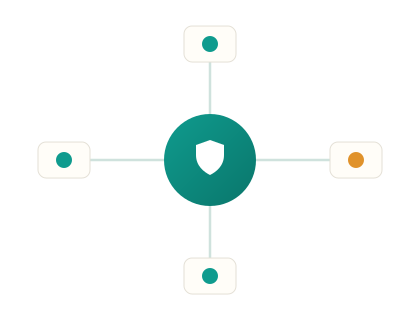
The practical threats come down to two. The first and most common is spyware installed on the phone itself — which generally requires someone to have had physical access to your unlocked device to install it. The second, much rarer for ordinary people, is interception on an insecure network. Modern mobile calls are increasingly encrypted, which makes casual over-the-air interception genuinely difficult, so the device itself is the realistic weak point.
Lawful interception
Legitimate interception of calls happens only through carriers under proper legal authority — a tightly controlled process reserved for serious criminal investigations, not something available to an ordinary person, a suspicious partner, or an app you can download. If you've seen a service claim otherwise, it's a scam.
How to protect yourself
The defence is mostly good device hygiene: keep your phone locked with a strong passcode so nobody can install spyware while it's unattended; keep the operating system and apps updated; don't install apps from untrusted sources; and periodically review which apps have microphone permission, removing any you don't recognise. Watch for spyware's tell-tale signs — unexplained rapid battery drain, the phone running hot, or unfamiliar apps. If you suspect monitoring software, our note on seeing every installed app by its real name explains how hidden apps get surfaced.
Common myths worth retiring
A few persistent myths cause needless worry. ‘Hearing clicks means you're tapped’ — clicks and odd noises are almost always ordinary network or hardware quirks, not surveillance; modern interception leaves no audible trace. ‘A hot battery means someone's listening’ — overheating usually means a misbehaving app or an old battery, and is worth investigating for its own sake but isn't a spying signal. ‘There's an app that lets anyone listen to any phone’ — these are scams; no such consumer capability exists. Treating these myths skeptically frees you to focus on the one thing that genuinely matters: keeping control of physical access to your unlocked phone.
The privacy habits that actually protect you
Whatever the specific question, a small set of habits does more for your privacy and security than any single trick. Use a strong, unique password for this service and everything important — ideally from a password manager — so one leak can't cascade across your accounts. Turn on two-factor authentication everywhere it's offered; it blocks the large majority of account takeovers even if a password is stolen. Be sceptical of links and urgent messages asking you to log in — go to the app or site directly instead of tapping through. And review your privacy settings periodically, because apps change their defaults and a setting you locked down last year may have quietly reopened. None of this is dramatic, but together it puts you well ahead of the realistic threats.
If you're asking as a parent
A lot of these questions come from parents trying to keep a child safe, and the honest framing helps. You don't need secret tricks or scam apps — you need the right tool used openly on a device you own. Keyword alerts flag genuinely concerning content without you reading every ordinary message, which protects a child while respecting their everyday privacy. Pair that with an open conversation — a child who knows the arrangement and feels trusted is far safer than one who's learned to hide — and you have both safety and a relationship intact. Our guides on monitoring messages safely and signs a child is in danger online go deeper.
Related reading
Want to stay in control?
Setup takes about 5 minutes on a device you own or manage.
- Create your secure account
- Install on the target device you own/manage
- View activity in your private dashboard