How to Monitor Your Child’s Gaming Activity
Gaming is where a lot of childhoods now happen — the after-school hangout, the group chat, the place friendships are made and, sometimes, the place a stranger tries to make one. What worries parents about it isn’t usually the game itself. It’s the voice channel running underneath it, the friend request from a name nobody recognises, the surprise charge on the card, and the way a “quick match” turns into three hours no one meant to spend. This guide takes the road the spyware ads don’t: staying close to your child’s gaming in plain view, with their agreement — leaning on each game’s built-in controls, the phone’s screen-time tools, and honest conversations that outlast any setting. One boundary carries through every heading below: nothing arranged behind your child’s back, and no player but your own kid, on a handset that belongs to you or sits under your care.
Why gaming specifically worries parents
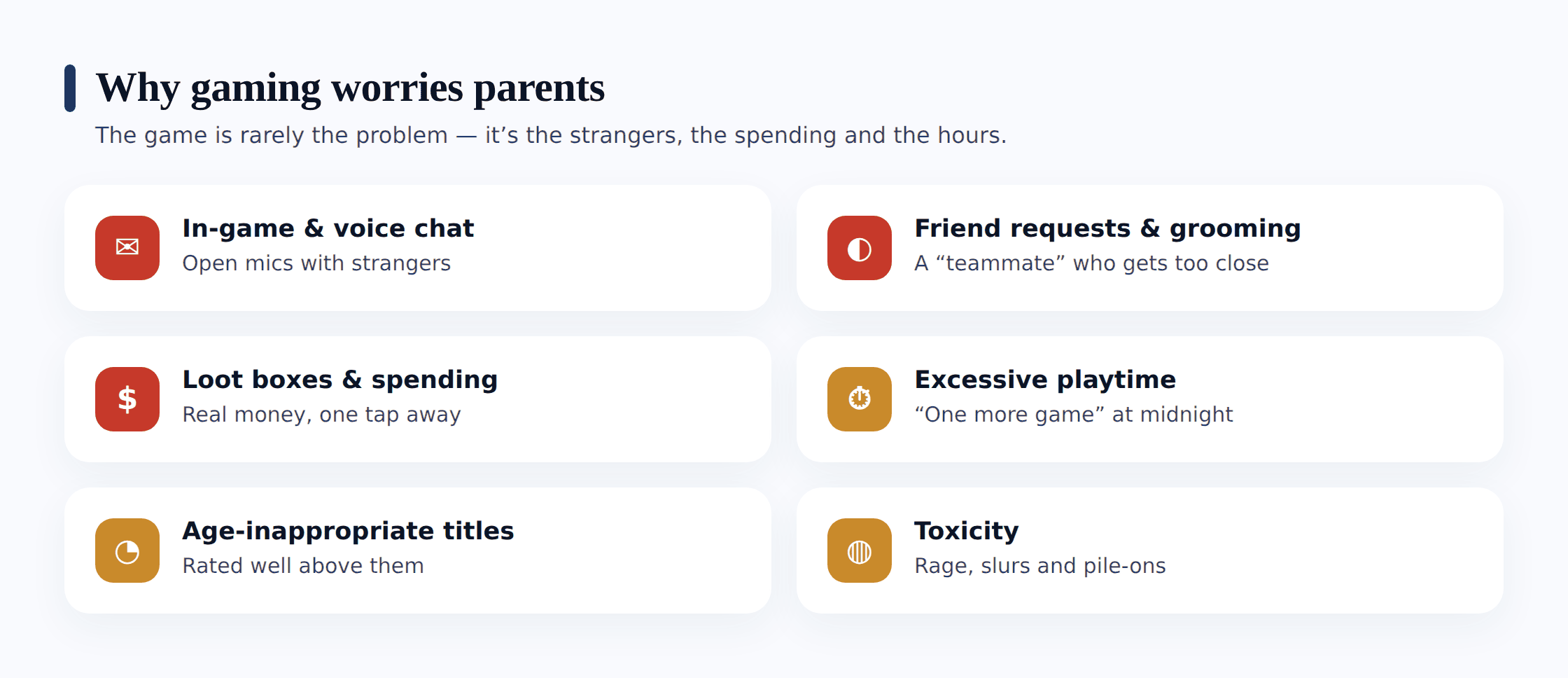
A game looks like a closed box — a track, a battlefield, a building world. What makes modern mobile gaming different is everything wrapped around that box: the chat, the store, the friend system, the social pull. Each part is reasonable on its own. Stacked together, they add up to the unease most parents feel but struggle to name. Putting an exact name to each one helps, because a danger you can describe plainly is one you can actually guard a child against.
- In-game chat with strangers. Most multiplayer games drop your child into a lobby with people they’ve never met, and the text or voice channel is wide open. A ten-year-old in a public match can be talking to adults within seconds, with no profile, no vetting and no record they’d think to keep.
- Voice chat and party channels. Voice is harder to see than text and often runs through a separate app or headset. It’s where the real conversation happens — and where an adult trying to build trust with a child does the patient, friendly work of grooming, one match at a time.
- Friend requests and moving off-platform. A new “friend” met in a game rarely stays in the game. The pattern to watch is the nudge to somewhere more private — “add me on Discord,” “let’s chat on Snap” — where the game’s own protections don’t reach.
- In-game spending, loot boxes and skins. Free-to-play games make money by turning “just one more” into a reflex — battle passes, limited-time skins, and loot boxes that pay out at random. A child chasing a rare item can run up a real bill without ever seeing it as spending money.
- Excessive playtime. Games are engineered to be hard to leave — daily streaks, timed events, teammates counting on them to stay. The result is sessions that outlast anyone’s intention and creep into homework, sleep and mealtimes.
- Age-inappropriate games. A shooter or a horror title rated for adults is a tap away on a phone, and the content — violence, language, themes — can land on a child who isn’t ready for it and can’t quite say so.
- Toxicity and bullying. Competitive lobbies can be brutal. Slurs in voice chat, pile-ons after a lost round, and a teammate raging at a younger player are routine, and a child rarely reports how much it stings.
It helps to read the wider picture too. Our overview of online gaming safety for kids walks through the risks and protections in more depth than we can here. Two neighbouring topics get their own guides because they run deep: spotting and handling gaming addiction for when play tips into problem use, and managing in-app purchases for the money side in full.
Age ratings as your anchor
Before any monitoring tool, the simplest anchor is the age rating printed on every game — because it tells you, at a glance, whether a title belongs on your child’s phone at all. Two systems cover most of what you’ll meet. In Europe and much of the world, PEGI rates games 3, 7, 12, 16 or 18, with little icons for the reason — violence, bad language, in-game purchases, online interaction with other players. In North America, ESRB uses E, E10+, T, M and A, with the same kind of content descriptors. On the Google Play store, every game shows its rating on the listing before you install.
Read the rating as a starting line, not the whole race. A game rated for your child’s age can still carry open chat with strangers and a store full of loot boxes — the two things ratings warn about but don’t remove. So use the number to filter what gets installed, then use the controls below to handle the chat and the spending underneath — the rating decides whether a game belongs on the phone, and the settings handle what happens once it’s there.
What to monitor, and how, openly
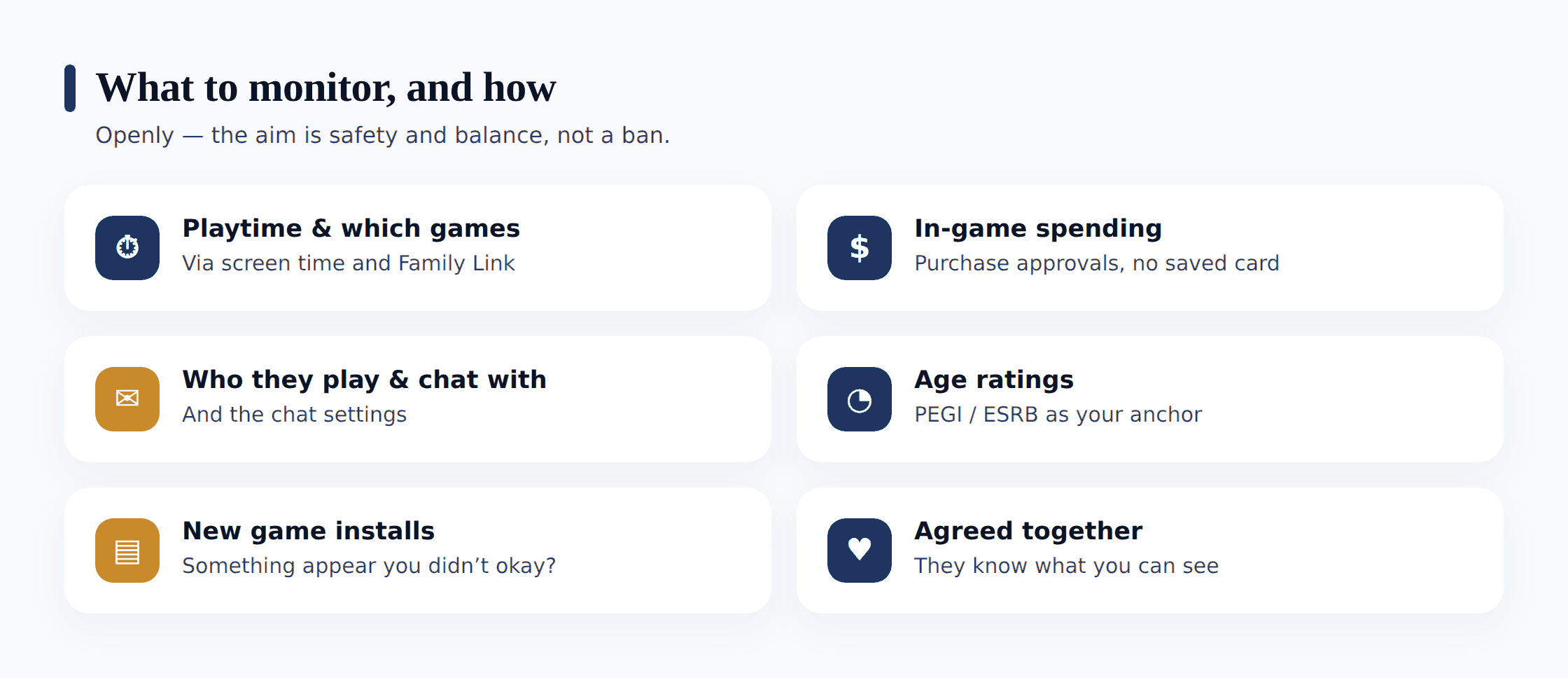
There’s no need to watch every match to know how your child’s gaming is going. A handful of things tell you almost everything, and every one of them can be checked in a way your child knows about.
- Playtime and which games. How long they play, when, and what — the shape of the habit. This is the single most useful signal, and the phone reports it without opening a single game.
- In-game spending. Whether real money is going into the game, how much, and how often — caught before the statement arrives, not after.
- Who they play and chat with. The friend list, the party they run with, and any new name that’s suddenly always around.
- New game installs. A game appearing on the phone that nobody mentioned, especially one rated well above their age.
- The chat and privacy settings themselves. Whether voice and text are open to everyone or limited to friends — a setting you agree on, not one you flip in secret.
How to see gaming activity on a phone
On an Android phone, the honest routes to your child’s gaming activity are all built in or clearly visible. You don’t need to intercept anything.
Seeing gaming activity, out in the open
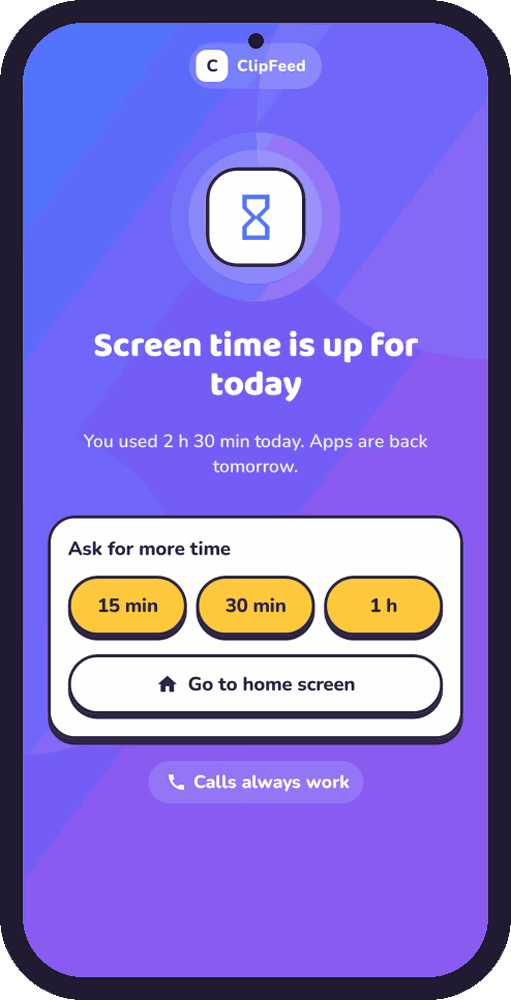
- Check app usage in Digital Wellbeing or Family Link. Android’s own Digital Wellbeing, or Google Family Link on a supervised child’s account, shows each game’s daily minutes and the times of day it’s busy. This is where runaway playtime becomes visible — not in one session, but in the wall of evening hours no one really chose.
- Set an app timer on the game. Both tools let you cap a specific game’s daily time, with an agreed end rather than an open-ended one. Set it together so the limit is a shared rule, not an ambush.
- Turn on purchase approvals. In Family Link and in the Play Store settings, require approval or a password for every purchase and in-app buy, so nothing is bought without a grown-up saying yes first.
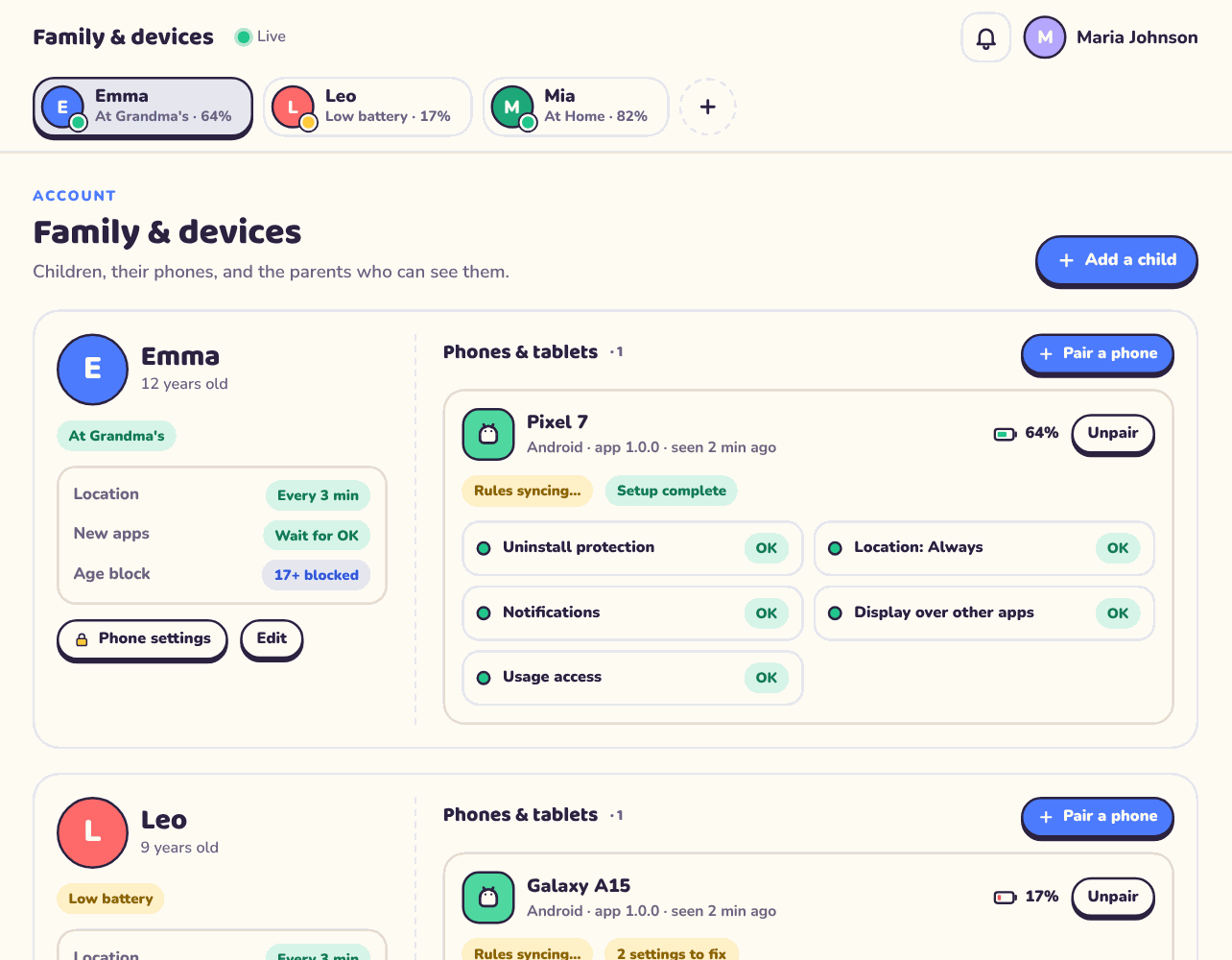
- Watch for new installs. Family Link can ask you to approve new app installs, and a quick scroll through the app list surfaces anything that appeared quietly — a reason to ask a question, not to accuse.
- Open the game’s own parental controls. Most big games have a settings menu for chat, friend requests and spending caps — set these alongside the phone’s controls, and check them together now and then.
Keep this phone-focused. Consoles and PCs have their own, separate control panels, and they’re worth setting up too — but the phone is where most mobile gaming, chat and spending happens, and it’s the device this guide stays on. Looking over game usage like this is simply the open, device-level habit you’d apply to any app — it maps the shape of when they play, not a ledger of the choices themselves.
Chat, friends and spending
Three parts of gaming deserve a closer, hands-on look than a usage chart gives, because this is where the real risks live.
Chat settings first. Most games let you limit who can message or talk to your child — everyone, friends only, or no one. For a younger child, “friends only” or off is the sensible floor, agreed together. Voice chat is the one to be most deliberate about, because it’s where trust gets built fastest and seen least. If your child uses a separate voice app alongside the game, set its privacy up the same way rather than leaving it wide open.
Friend requests. The list of people your child plays with is worth glancing through together every so often — not to interrogate, but to notice. A name that’s always in the party and that your child can’t quite place is worth a light, curious question. The moment that matters most is any push to move off the game — “add me somewhere else.” That’s the pattern predators use, and it’s the one to name plainly with your child before it ever comes up.
Spending. Purchase approvals are the single strongest brake here — nothing is bought without a yes. Beyond that, keep the payment method off auto-fill, avoid storing a card in the game, and consider gift-card balances over a linked card so there’s a hard ceiling. Loot boxes deserve a specific conversation: they pay out at random, they’re designed to feel like a near-miss even when you lose, and chasing a rare item is how a small habit becomes a real bill. Naming that mechanic out loud does more than any block. The full money side gets its own treatment in the in-app purchases guide linked above.
Gaming-specific signs worth noticing
You don’t need to audit every match to catch the signals that matter. The ones worth your attention are specific to how gaming works, and they show up in behaviour and on the phone rather than in any single game.
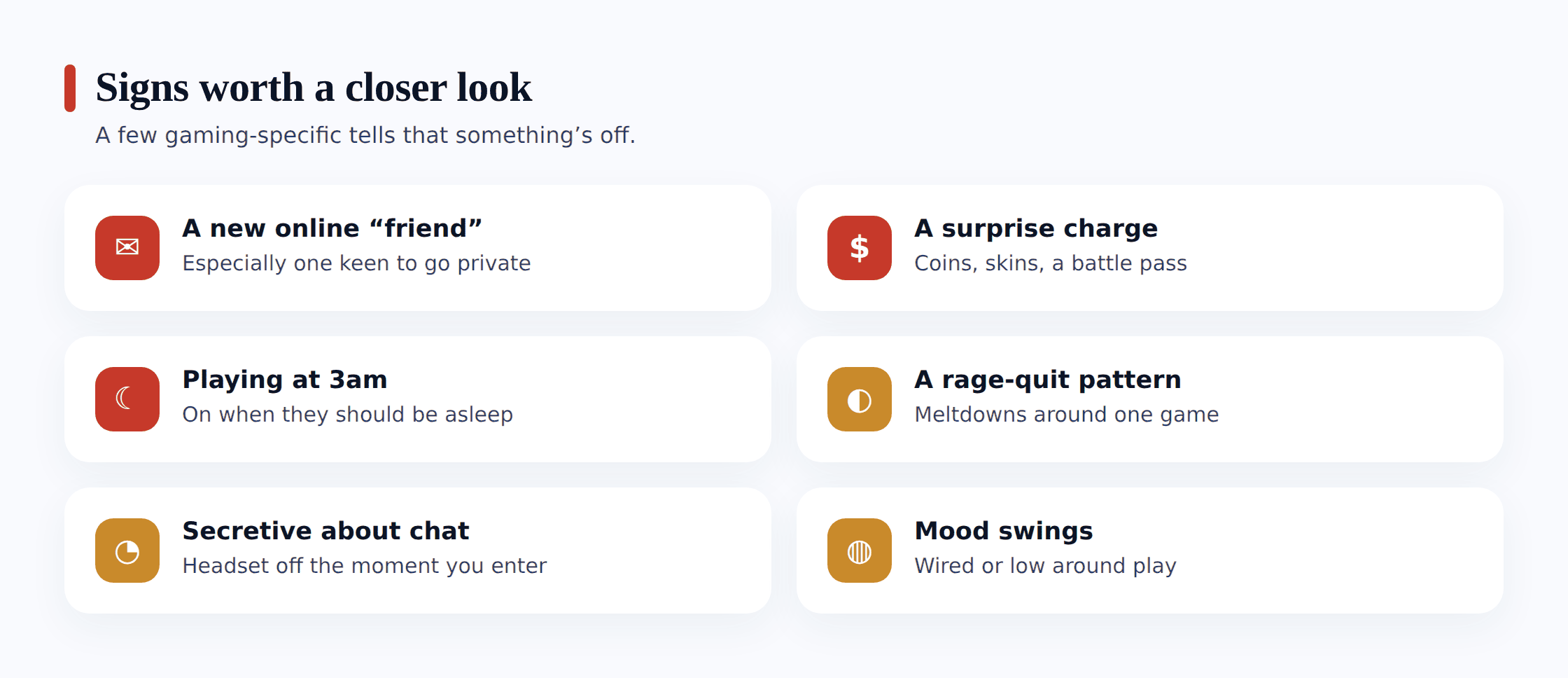
- A new online “friend” who’s suddenly always around. A name that dominates the party or the chat, especially one who’s steered talk toward another app, or who seems older than your child’s usual circle.
- A surprise charge. A payment or a run of small in-game buys nobody approved — the classic loot-box or skin trail — showing up on the card or in the Play Store history.
- Playing at 3am. Usage that spikes deep into the night, when a timed event or a distant teammate has pulled a session long past bedtime and into lost sleep.
- A rage-quit pattern. Slammed-down phones, tears or fury after lost rounds, or a mood that curdles every time a particular game comes out — often a sign of toxicity in the lobby, not just a bad match.
- A game you don’t recognise, rated above their age. A title that appeared on the phone quietly, carrying an M or PEGI 18 rating, is worth an open, calm question about where it came from.
Turning what you see into a conversation
What you notice is only useful if it becomes a conversation rather than a verdict. Say the usage chart shows a game running past midnight, or a new friend keeps turning up, or a charge appears you didn’t approve. The next few minutes shape the outcome more than the discovery itself.
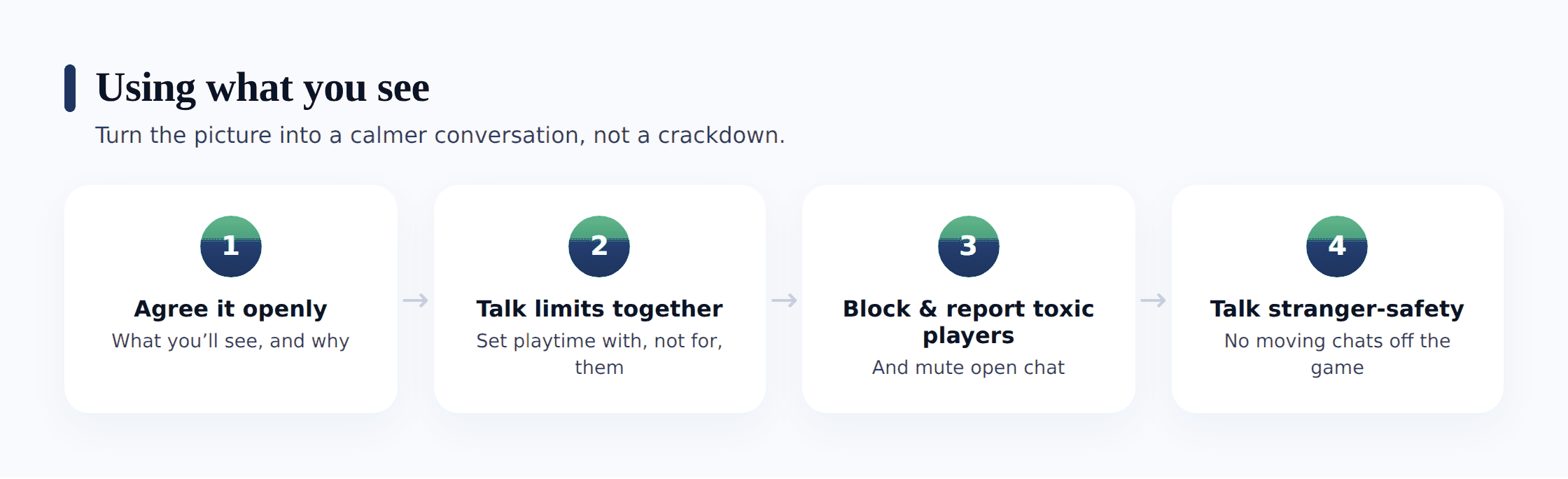
Get curious about how it happened. A surprise charge is far more often a child who didn’t grasp that a loot box costs real money than a child being sneaky. “Walk me through how this one got bought” opens the door; an accusation slams it. The same goes for a late-night session — “what kept you in so long?” usually surfaces a timed event or a teammate, and a fix you can make together.
Use the settings as a shared fix, not a punishment. When a new friend feels off, sit down and tighten the chat to friends-only together, and talk through why the “add me elsewhere” nudge is the line. When spending got away, set the purchase approval on together. Your child gets to feel, first-hand, that these controls are steering wheels they can take hold of themselves — a lesson worth more than any lecture.
Aim at limits and stranger-safety, not a ban. Yanking the game usually teaches one thing: hide it better next time — play at a friend’s, use another account, keep the phone out of sight. A healthier target is a shared limit that fits their age and a clear-eyed sense of the strangers in the lobby. If your child was the one who flagged the creepy player, meet that with a warm “I’m really glad you told me,” not a confiscated game — and you keep the line open for whatever surfaces next time.
If what comes to light is truly serious — a grown-up using voice or chat to work a private, sexual or secretive bond with your child, or pressure to slip off somewhere hidden and send photos — treat it with the gravity it demands. Save what you’ve found before you touch anything, then report it inside the game and on the platform. UK families can raise it with the CEOP Safety Centre; in the United States the NCMEC CyberTipline at report.cybertip.org takes these reports. For a child who needs to talk, Childline runs a free, confidential line on 0800 1111. Any time something sexual touches your child, pull in the police — an instinct that says crime is one to trust.
Where FreePhone fits
A brief, plain word about how our own product fits, because it was made to reinforce everything above rather than quietly undo it. FreePhone goes onto the phone with your child watching — the phone shows a “What my parents can see” screen that spells out exactly what’s being shared, and none of it hides. On the gaming side, it gives you a device-level read: which games sit on the phone and how many hours they pull, the screen-time pattern around them — those late-night marathons above all — limits per game or for all games, plus approval before a new game is used. What it plainly isn’t is a way to listen to voice chat, read messages or see purchases; the truthful view of who they play alongside comes from the friend list and the settings the two of you check together, and spending sits in the store’s own approvals. The app installs only on the Android phone your child uses; you check it from any browser; and it’s free, with every feature. Use it to notice a pattern and open the talk that pattern deserves — not a stand-in for each game’s own settings, Family Link, and the sit-down check-ins that do the real work.
Questions parents ask
How do I know how much time my child spends gaming?
Android’s own Digital Wellbeing, or Google Family Link on a supervised account, shows each game’s daily minutes and the times of day it’s busy — no need to watch over their shoulder. Set an app timer on the game together to cap it with an agreed end, and review the pattern openly now and then. A monitoring app your child knows about adds the same picture, viewable from any browser.
Can I stop my child spending money in games?
Yes, and it’s the strongest single control you have. In Family Link and the Play Store settings, require approval or a password for every purchase and in-app buy, so nothing is bought without a grown-up saying yes. Keep a card off auto-fill, consider gift-card balances for a hard ceiling, and talk through how loot boxes are built to keep a child chasing a rare item — the conversation matters as much as the setting.
How do I keep strangers from chatting with my child in games?
Most games let you set who can message or talk to your child — everyone, friends only, or no one. For a younger child, friends-only or off is the sensible floor, agreed together, and voice chat deserves the most care because it’s the hardest to see. The key habit is naming the pattern out loud: a new “friend” who pushes to move to another app is the line, and your child should know it before it ever comes up.
Should I ban a game that’s rated above my child’s age?
Use the rating to decide what gets installed rather than reacting after the fact — PEGI and ESRB tell you about violence, language, chat and purchases at a glance, and the Play Store shows the rating before you install. If an over-age game is already on the phone, start with a calm question about where it came from rather than a straight ban, which tends to push play out of sight. Match the game to the age, and keep the conversation open.
Can I use this to check someone else’s gaming or messages?
No. All of this is about a child of yours, on a phone you look after, who knows it’s going on. Quietly prying into another adult’s games, chat or handset — a partner, an ex, whoever — breaches their privacy badly and breaks the law in a great many places. That is not monitoring, and we neither support it nor offer any means to do it. The point here, start to finish, is keeping a child safe out in the open.
Keeping close to your child’s gaming was never about logging every match they played. The real work is quieter — the right titles for their age, chat limits you settled on side by side, purchase approvals so nothing gets bought without a yes, a play pattern you look over side by side out of curiosity, not suspicion, and a kid who has learned to call out the player who felt off and question the loot box promising the world. A gentle, visible touch — settled between you both, alert to genuine harm, easing as they mature — steadies the lobby better than any secret record ever could, and the bond between you comes through intact. Aim for that, and most of the safety takes care of itself.