How to Recover Deleted Text Messages (Android & iPhone)
A text vanishes. Maybe you fat-fingered “delete all” in a thread, maybe a kid cleared their inbox, maybe an app hiccup swallowed a whole conversation. The good news: a deleted message often isn’t gone the instant it disappears from your screen. The bad news: what actually gets it back depends on the phone, the backups you had running before it happened, and how fast you move. Let’s sort the methods that work from the ones that just want your money.

Act fast: stop using the phone
Here’s the thing most guides bury. When you delete a text, the phone doesn’t scrub it off the storage chip straight away. It just marks that space as “free to reuse.” The old data sits there until something new writes over it. That’s why speed matters.
Every photo you take, every app that syncs, every message that arrives afterwards is a chance for that free space to get reused — and once it’s overwritten, the message is genuinely gone. No app can bring back data that no longer physically exists.
So if a message you care about just disappeared and you’ve got no backup to fall back on:
- Stop using the phone for anything you don’t have to.
- Turn on Airplane mode, or at least switch off mobile data and Wi-Fi, so nothing syncs in and overwrites the space.
- Don’t install a pile of “recovery” apps in a panic — installing apps writes to storage too, and may overwrite the very thing you’re trying to save.
- Check your backups first (below). That’s almost always the real answer.
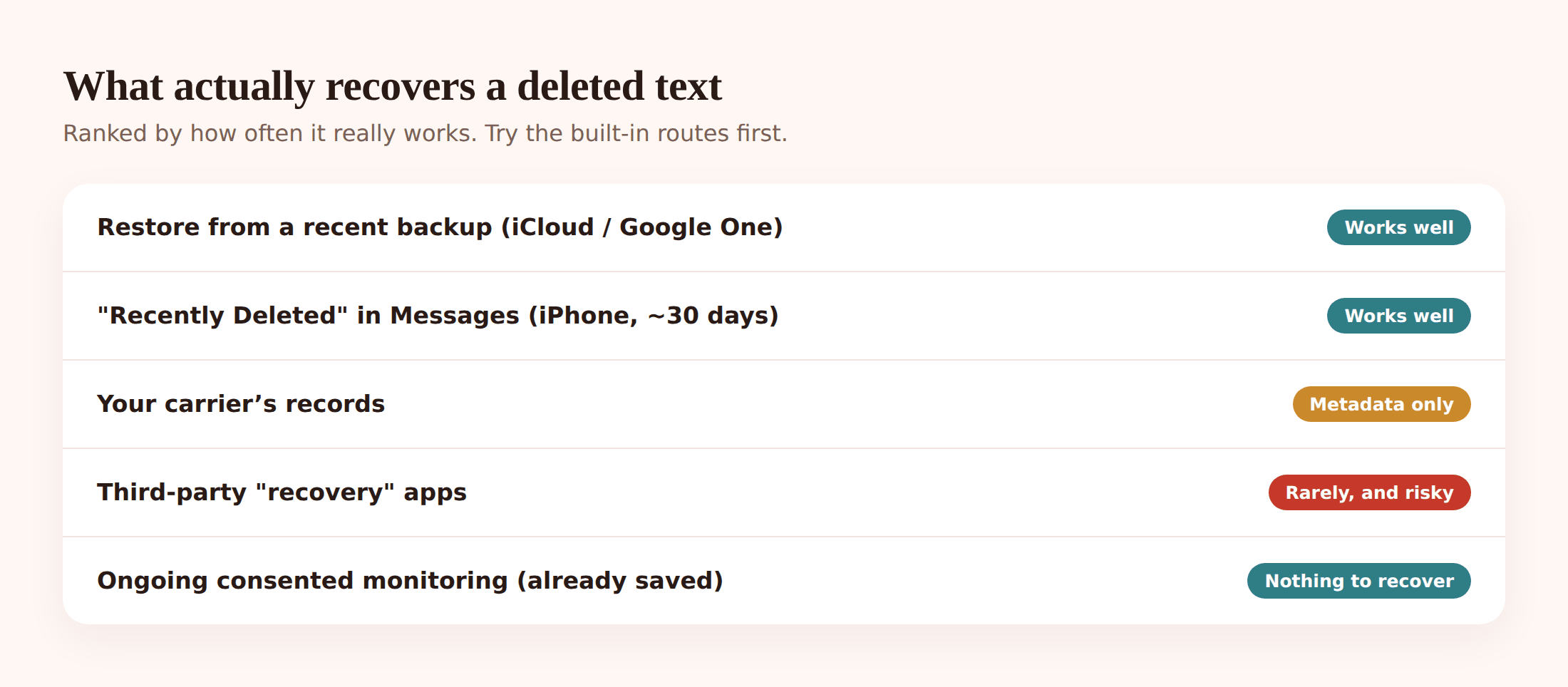
Be realistic, though. On a modern phone with no backup and no built-in “recently deleted” folder, recovering a raw deleted SMS is hard, and often not possible without specialist tools and, on Android, root access. Backups are what save you — which is the whole point of the last section.
Recover deleted texts on iPhone
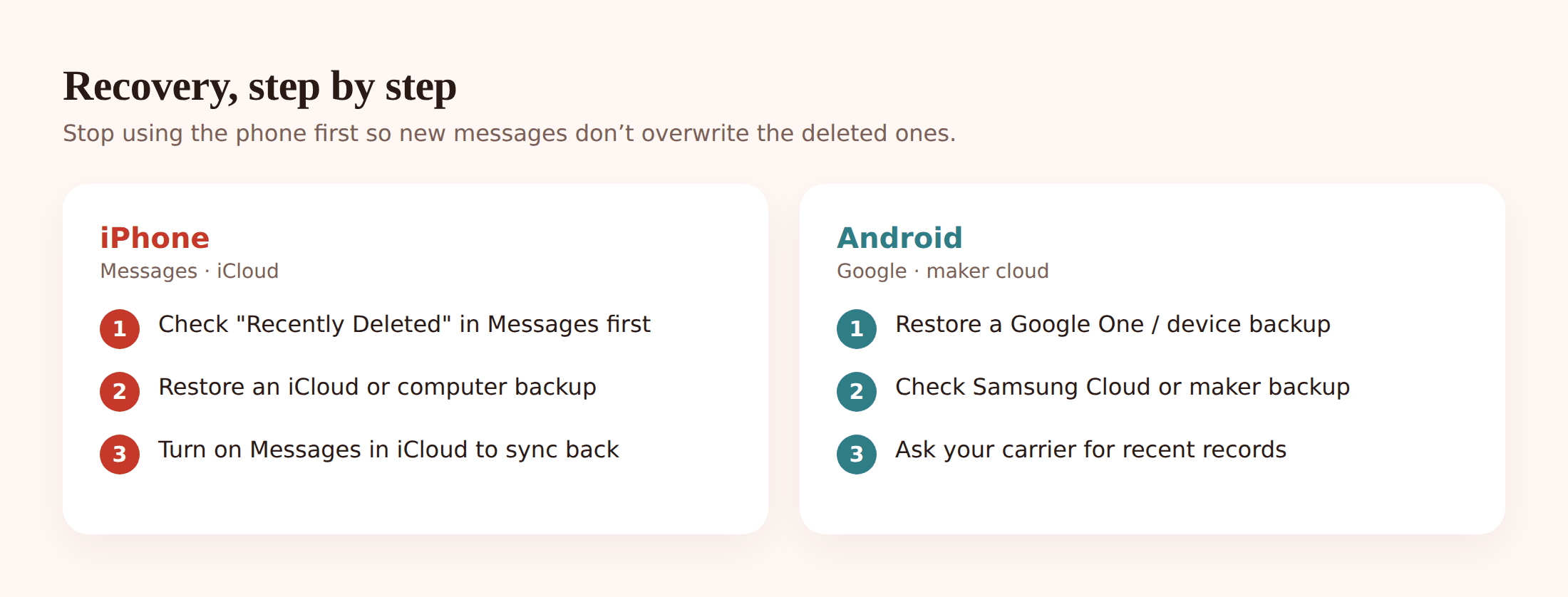
iPhone gives you more built-in routes than most people realise. Try them in this order, easiest first.
1. Check “Recently Deleted” in Messages (do this first)
On iOS 16 and later, deleted texts don’t vanish — they sit in a Recently Deleted folder for around 30 to 40 days. Open Messages, tap Edit (or the three-dot menu) at the top of your conversation list, then Show Recently Deleted. Pick the conversation, tap Recover. Done. This alone solves a huge share of “help, I deleted my texts” moments, so always check it before anything drastic.
2. Check whether Messages in iCloud is on
Go to Settings > [your name] > iCloud > Messages. If sync is on, your texts live in iCloud and stay consistent across your devices. That doesn’t un-delete a message on its own, but it means the Recently Deleted folder is your friend, and a message deleted on one device may still be reachable if another signed-in device hasn’t synced the deletion yet.
3. Restore from an iCloud or computer backup
If the message was already gone before the 30-day window — or you’re on older iOS — a full backup is the route. Restoring rewinds the whole phone to the moment that backup was made. Anything created after that backup (newer photos, newer messages) is lost in the process. So weigh it up. To do it: Settings > General > Transfer or Reset iPhone > Erase All Content and Settings, then during setup choose Restore from iCloud Backup (or restore from a Mac/PC backup via Finder or iTunes). Pick a backup dated before you deleted the text.
4. When restoring is too costly, restore to a spare device
Don’t want to wipe your current phone just for one thread? If you have an old iPhone lying around, restore the backup onto that instead, read the message off it, and leave your main phone untouched. Fiddly, but it saves you from losing everything since the backup.
Recover deleted texts on Android
Android is messier because there are many manufacturers, and plain SMS doesn’t have a universal “recently deleted” bin the way iMessage now does. Your best bets are backups and the archive.
1. Was it archived, not deleted?
In Google Messages, Archive and Delete sit right next to each other, and it’s easy to hit the wrong one. Archived chats aren’t gone — they’re just hidden. Open Messages, tap your profile picture, choose Archived, and if your conversation’s there, long-press it and unarchive. Free recovery, if you’re lucky.
2. Restore from Google One / device backup
Android backs SMS up as part of the Google device backup. Check Settings > Google > Backup to see if it’s been running and when it last ran. To restore, you generally have to reset the phone (Settings > System > Reset options > Erase all data) and, during setup, restore from your Google Account and pick the right backup. Like on iPhone, this rewinds the device — you’ll lose anything newer than the backup, so decide if it’s worth it.
3. Check your manufacturer’s cloud (Samsung Cloud and friends)
Samsung, and some other makers, keep their own message backup separate from Google. On a Samsung, look in Settings > Accounts and backup > Restore data and see if messages are in there. If you’re a Samsung Messages user, Samsung Cloud may hold a copy that Google’s backup doesn’t.
4. RCS chats (Google Messages) behave differently
If you and the other person both use RCS (the modern “chat features” in Google Messages), those messages aren’t classic SMS. RCS history isn’t backed up the same way — it’s tied to the app and device — so an RCS message deleted with no backup is usually not recoverable. Worth knowing before you go hunting for it.
What your carrier keeps (and doesn’t)
People often assume the phone company has a copy of every text and can just hand it over. Mostly, they can’t.
Carriers keep metadata — the record of which number texted which number, and when — for a while, for billing and legal reasons. That’s the “who and when,” not the “what.” The actual message content is usually not stored, or only held very briefly, and even then it’s not something they’ll pull up because you asked nicely over the phone. Getting content out of a carrier generally takes a legal process, not a support call.
So a carrier can sometimes confirm a message existed. Don’t count on them to give you the words back. Set your expectations there and put your energy into backups instead.
WhatsApp and other app messages
Messages in WhatsApp, Signal, Telegram and the like aren’t SMS and don’t live in your phone’s texting app. Phone-level recovery won’t touch them. Each app runs its own backup.
For WhatsApp, that’s the real route: it can back up your chats to Google Drive (Android) or iCloud (iPhone) on a schedule. If a chat’s gone and your last backup was made before you deleted it, uninstall and reinstall WhatsApp, verify your number, and when prompted, restore from the backup. Same rewind caveat applies — anything after that backup won’t come back. Signal keeps things very local and private by design, so without its own backup file, deleted Signal messages are typically gone for good.
The recovery-app scam warning
Search “recover deleted text messages” and you’ll drown in apps promising to bring back everything with one tap. Be sceptical. A lot of them are, bluntly, not honest.
- They overpromise. No app can recover data that’s already been overwritten, and none can magically read deleted SMS off a normal, unrooted Android phone. If it claims to, that’s a red flag.
- They gate the “results” behind payment. A common pattern: the app “scans,” shows you blurry previews of messages it claims to have found, then demands money before it’ll reveal them. Often the previews are fake.
- They want risky permissions. Some ask you to root your phone or grant sweeping access. That’s a security and privacy hole you’ll regret, and it can void warranties or brick the device.
- They bury a subscription. “Free scan,” then an expensive auto-renewing subscription hidden in the fine print.
If you’re going to try recovery software at all, stick to well-known names, read recent reviews with a critical eye, and never pay upfront on the strength of a preview you can’t verify. Honestly, your time is better spent checking Recently Deleted and your backups — those are free and they actually work.
A phone you already manage
There’s one situation where “recovery” isn’t even a question, because the messages were never lost in the first place.
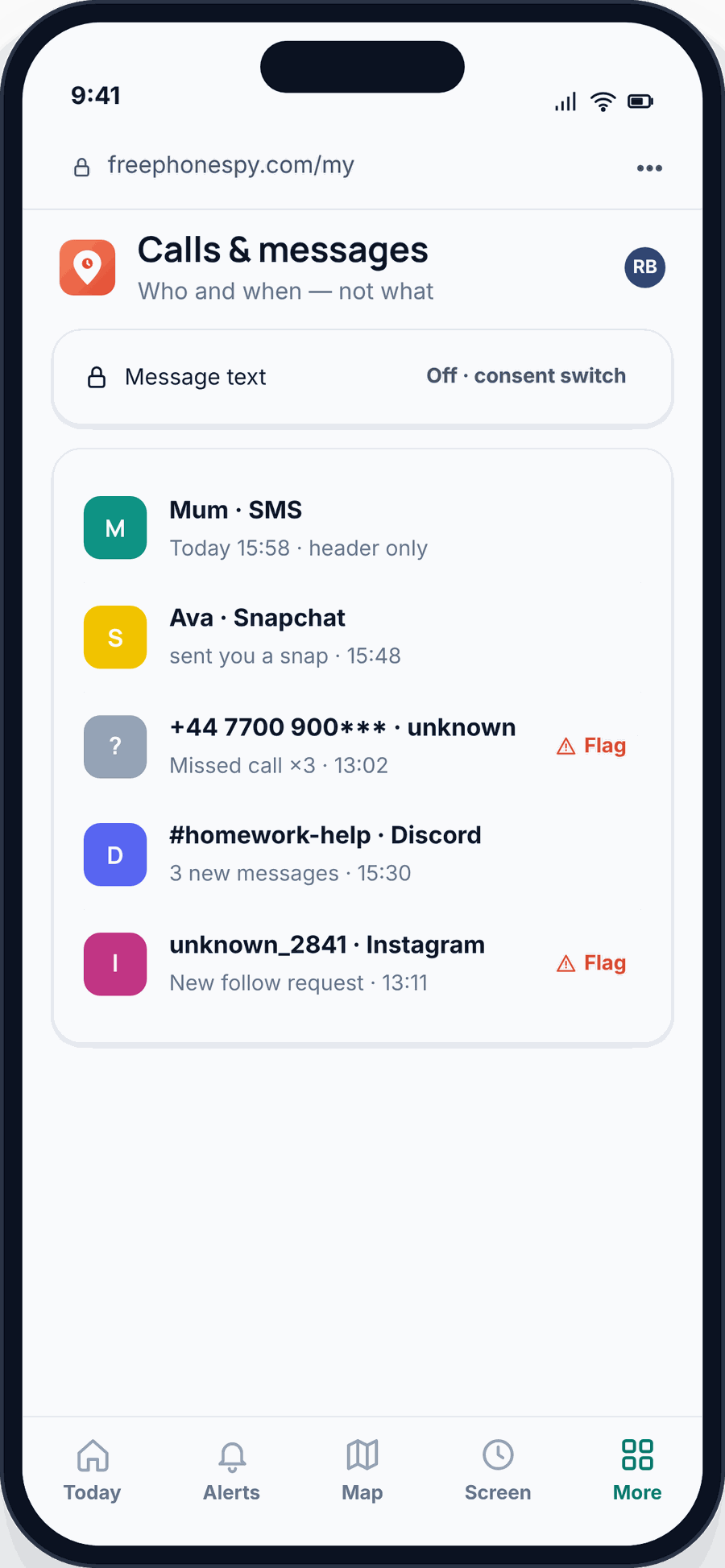
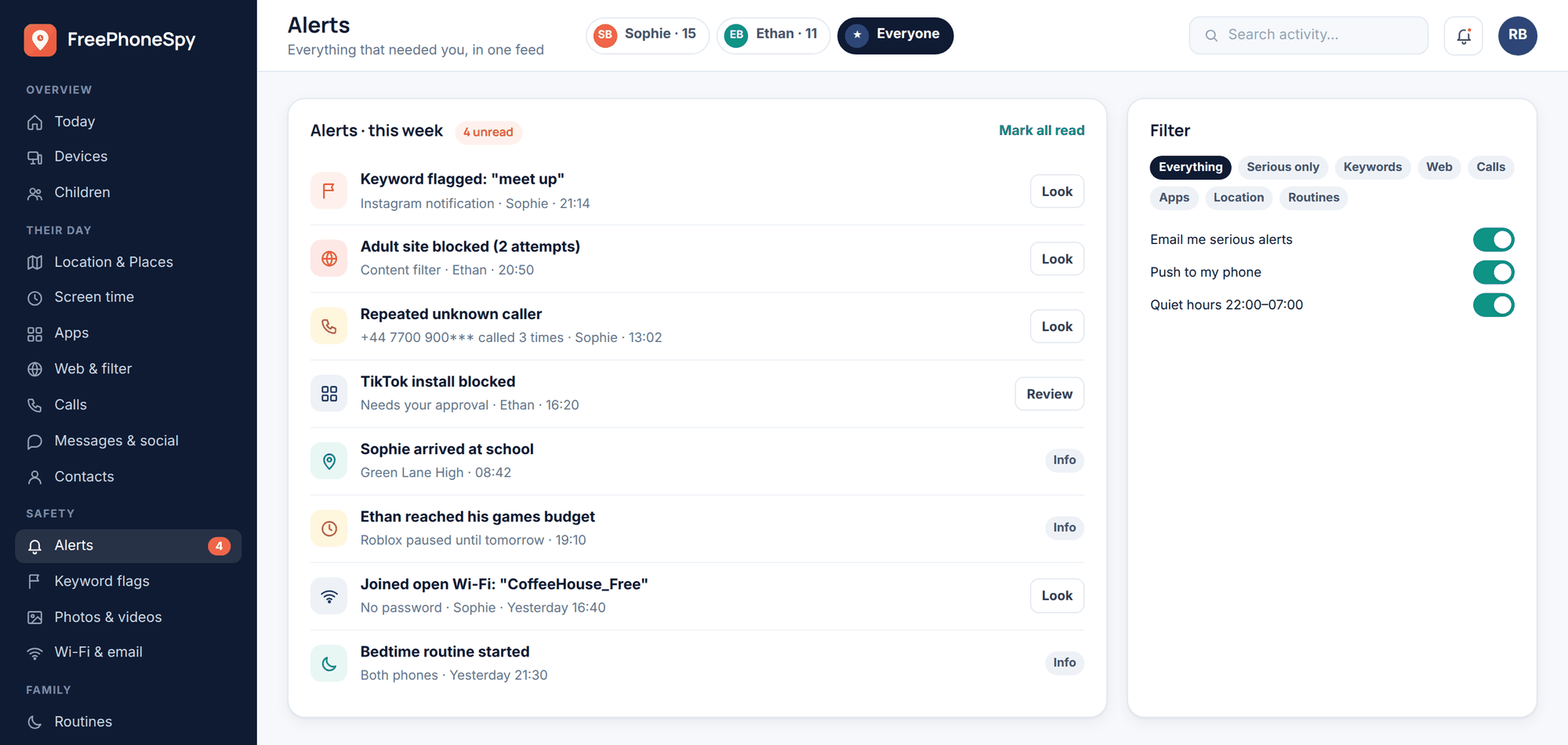
If you’re a parent already running transparent monitoring on a child’s Android phone with their knowledge, a tool like FreePhoneSpy collects SMS and message headers as they arrive and keeps them in your web panel. So if a text is later deleted on the handset, your copy is already saved — there’s nothing to “recover.” That only applies to your own children and devices you manage with consent, and it’s the one honest tie-in here. It won’t help you un-delete a text on your own phone, and it’s not a way to snoop on another adult.
Prevent it forever
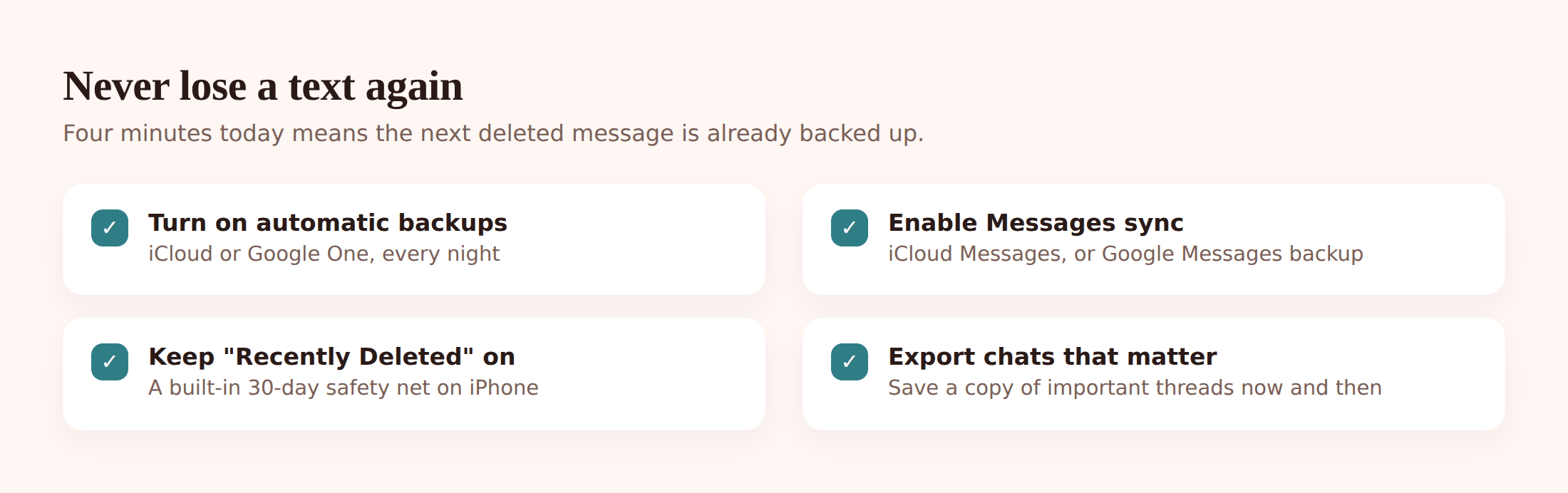
The single biggest lesson from all of the above: recovery is a scramble, but prevention is a five-minute setup. Turn on backups now and the next deleted text is a shrug, not a crisis.
iPhone
Turn on iCloud Backup (Settings > your name > iCloud > iCloud Backup) and Messages in iCloud. Make sure Recently Deleted is doing its job by not emptying it manually. Optionally back up to a computer now and then for a second copy.
Android
Turn on Google Backup (Settings > Google > Backup) and check it’s actually running on a schedule. If you’re on Samsung or another maker, switch on their cloud backup too for belt-and-braces coverage.
Everyone
Set your messaging apps (WhatsApp and the rest) to auto-back-up to the cloud daily. For anything you truly can’t lose, take a screenshot or export the thread now and then. And if you look after a child’s phone, set their backups up too — kids delete things without thinking.
| Method | Works on | How reliable | Catch |
|---|---|---|---|
| Recently Deleted folder | iPhone (iOS 16+) | Very high | Only within ~30–40 days |
| Unarchive chat | Android (Google Messages) | High, if archived not deleted | Only helps if it was archived |
| Restore from backup | iPhone & Android | High, if a backup pre-dates the deletion | Rewinds the whole phone |
| Manufacturer cloud (Samsung, etc.) | Android | Medium | Only if that backup was on |
| Carrier records | Both | Low for content | Metadata only; legal process |
| Third-party recovery apps | Both | Low, often none | Overpromise; may need root; scams |
FAQ
Can I recover a deleted text without any backup?
On iPhone, yes, if it’s within the Recently Deleted window (~30–40 days on iOS 16+). On Android, usually not — plain SMS with no backup and no archive is very hard to bring back, and apps claiming otherwise generally can’t deliver without root access. This is why backups matter so much.
How long do I have before a deleted message is gone for good?
For built-in folders, it’s a fixed window (about a month on iPhone). For raw deleted data with no backup, there’s no set timer — it lasts until the phone reuses that storage, which could be minutes or days. That’s why you stop using the phone and check backups fast.
Will restoring a backup delete my newer messages?
Yes. A full restore rewinds the phone to the moment the backup was made, so anything created after it — newer texts, photos, app data — is lost. If that trade-off hurts, restore onto a spare device to read the old message instead of wiping your main phone.
Can my phone company give me the text of a deleted message?
Almost never. Carriers keep metadata (who texted whom, and when) for a period, not the message content — and getting even that usually takes a legal process, not a support call. Don’t rely on it.
Are “deleted message recovery” apps safe?
Treat them with caution. Many overpromise, hide their real results behind payment, push subscriptions, or ask for risky permissions like rooting your phone. Check the free built-in options and your backups first — they’re safer and they actually work.
What about WhatsApp messages?
Those live in WhatsApp, not your SMS app, so phone-level recovery won’t help. Use WhatsApp’s own backup: reinstall the app and restore from Google Drive or iCloud, as long as a backup was made before you deleted the chat.
Losing a text is annoying, but it’s rarely the disaster it feels like in the first ten seconds. Check the obvious free routes — Recently Deleted, the archive, your backups — before you spend a penny or trust a flashy app. And once you’ve got everything backing up automatically, you can stop worrying about it. For families, the same habit that protects your texts is worth building into the phones you look after — see our complete guide to child phone monitoring, the family location sharing guide, and what to do if you ever need to find a lost or stolen phone.