

Losing a phone is stressful — but losing a phone without a SIM card can feel even worse. Without an active SIM, many people assume the device is impossible to track. Fortunately, that’s not true.
Whether the phone is an Android or an iPhone, there are still several ways to locate it, as long as certain conditions are met. Some methods require prior setup, while others rely on internet connectivity, linked accounts, or built‑in tracking tools.
This comprehensive guide explains:
- Whether it’s possible to track a phone without a SIM
- Six effective tracking methods
- How built‑in tools like Find My Device and Find My iPhone work
- How Google Maps and social apps help
- How parental‑control tools like FreePhoneSpy can assist
- Why IMEI tracking is rarely available to the public
Part 1 — Is It Possible to Track a Phone Without a SIM Card?
Yes — you can track a phone without a SIM card.
A SIM card is not required for:
- GPS tracking
- Wi‑Fi‑based location
- Cloud‑based tracking services
- Linked Google or Apple accounts
- Parental‑control tools
- Social media location sharing
However, tracking becomes more challenging because:
- The phone must be powered on
- It must be connected to Wi‑Fi or a hotspot
- Some tracking features must be enabled beforehand
If these conditions are met, you can still locate the device using the methods below.
Part 2 — 6 Ways to Track a Phone Without a SIM Card
Below are the six most effective methods to locate a phone without a SIM card, rewritten in a clear, human‑friendly format.
1. Track a Phone Using Built‑In Tracking Services
Both Android and iPhone include built‑in tracking tools designed to help users locate lost devices. These tools work even without a SIM card, as long as the phone is connected to Wi‑Fi.
Method 1: Track an Android Phone Using Google Find My Device
Google’s Find My Device is one of the most reliable ways to locate a missing Android phone.
How to Track a Phone Without a SIM Using Find My Device
Step 1 — Visit the Website
Go to: android.com/find
Step 2 — Sign In
Log in using the Google account linked to the lost phone.
Step 3 — Select the Device
Choose the missing phone from the list.
Step 4 — View Location
The phone’s location will appear on Google Maps (accurate within 10–20 meters).
If the phone is offline, you’ll see its last known location.
Additional Features
- Play sound for 5 minutes
- Lock the device
- Erase all data remotely
Method 2: Track an iPhone Using Find My iPhone
Apple’s Find My network is extremely powerful and can locate devices even when they’re offline (if “Find My Network” was enabled).
How to Track an iPhone Without a SIM
Step 1 — Open Find My
Use the Find My app on another Apple device OR Visit: https://www.icloud.com/find
Step 2 — Select “Devices”
Choose the missing iPhone.
Step 3 — View Location
The device will appear on the map with its last known location.
Method 3: Track a Samsung Phone Using Find My Mobile
Samsung offers its own tracking service, separate from Google.
How to Track a Samsung Phone Without a SIM
Step 1 — Visit Find My Mobile
Go to Samsung’s Find My Mobile website.
Step 2 — Log In
Use the Samsung account linked to the device.
Step 3 — Select the Phone
View the phone’s last known location, usage time, and city.
2. Track a Phone Using Google Maps Location Sharing
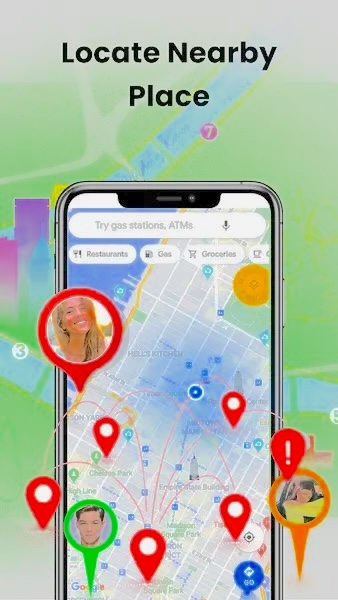
Google Maps allows users to share their real‑time location with trusted contacts. If location sharing was enabled before the phone went missing, you can track it even without a SIM card.
What Shared Contacts Can See
- Your name and profile photo
- Recent device location
- Battery percentage
- Arrival/departure notifications
How to Enable Location Sharing (Before the Phone Is Lost)
Step 1: Open Google Maps
Step 2: Tap your profile → Location sharing
Step 3: Tap New share
Step 4: Choose duration
Step 5: Select the contact → Share
If the phone goes missing, the shared contact can open the link to see its location.
3. Track a Phone Using Phone Tracking Apps
Phone‑tracking apps can locate a device even without a SIM card, as long as the phone is connected to Wi‑Fi.
What Are Phone Tracking Apps?
These apps allow users to:
- Locate a device
- Monitor a child’s phone
- Track location history
- Set geofences
They work by linking two devices together.
Track a Phone Without a SIM Using FreePhoneSpy (Neutral Overview)
Some families explore parental‑control brands such as FreePhoneSpy Parental Control to understand device activity responsibly and transparently.
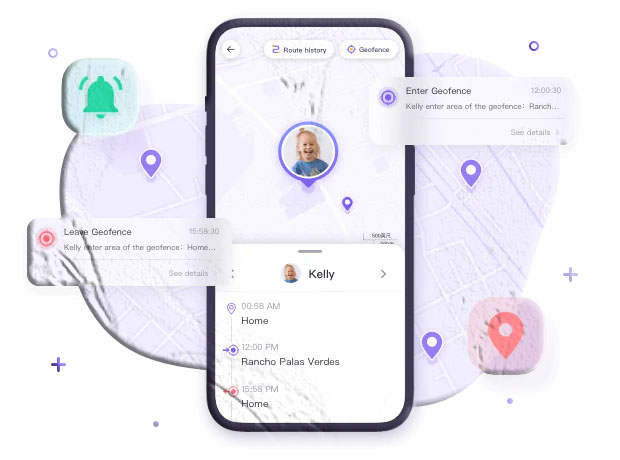
FreePhoneSpy can:
- Track real‑time location
- Show location history
- Set geofences
- Locate devices without a SIM (requires Wi‑Fi)
How to Use FreePhoneSpy to Track a Phone Without a SIM
Step 1 — Install FreePhoneSpy
Download FreePhoneSpy Parental Control from the Google Play Store or App Store.
Step 2 — Create an Account
Sign up and log in.
Step 3 — Install FreePhoneSpy Kids
Install the companion app on the phone without a SIM.
Step 4 — Grant Permissions
Allow required permissions.
Step 5 — Enter Pairing Code
Link the two devices.
Step 6 — Tap “Location”
View the phone’s real‑time location.
The phone must be connected to Wi‑Fi or a hotspot.
4. Track a Phone Using Your Google Account (Gmail Method)
If the missing phone (Android) was previously logged into your Google account, Google may store its recent activity and approximate location. This method does not provide precise GPS coordinates, but it can help you determine the general region where the device was last active.
How to Track a Phone Without a SIM Using Your Google Account
Step 1 — Open Your Google Account
Visit: myaccount.google.com
Step 2 — Go to “Security”
Scroll to the Security tab.
Step 3 — Find “Your Devices”
Scroll down to the Your Devices section.
Step 4 — Select “Manage All Devices”
Here, you’ll see:
- Devices logged into your Google account
- Last active time
- Approximate region (province or city)
This method is not precise, but it helps confirm whether the phone is still active and connected to the internet.
5. Track a Phone Using Social Media Platforms
Some social apps allow users to share their real‑time location with friends or family. If these features were enabled before the phone went missing, you may be able to track the device even without a SIM card.
Method 1: Track a Phone Using WhatsApp Live Location
WhatsApp allows users to share their live location for up to 8 hours.
Requirements
- Location sharing must have been enabled before the phone was lost
- The phone must be connected to Wi‑Fi or hotspot
- Location permissions must be granted
How to View the Shared Location
- Open WhatsApp
- Open the chat where the live location was shared
- Tap the location link to view the phone’s current position
If the phone is offline, you’ll see the last updated location.
Method 2: Track a Phone Using Snapchat Map
Snapchat’s Snap Map can show the real‑time location of a device if:
- Ghost Mode was turned off
- Location sharing was enabled
- The phone is connected to Wi‑Fi
How to Track Using Snapchat
- Use a friend’s phone
- Open Snapchat
- Go to Snap Map
- Look for the Bitmoji or location marker of the missing device
Snap Map updates location whenever the app is opened on the missing phone.
6. Track a Phone Using IMEI Number (Rarely Possible)
Many people believe the IMEI number can be used to track a lost phone — but this is mostly a myth.
Important Facts
- You cannot track a phone using IMEI on your own
- Only mobile carriers and law enforcement can access IMEI tracking
- The phone must be powered on and not in airplane mode
- IMEI tracking is used only in serious cases, such as:
- Missing persons
- Criminal investigations
When IMEI Tracking Is Possible
- A family member is missing → Police request carrier assistance
- A major crime occurs → Authorities track the suspect’s device
For everyday lost phones, IMEI tracking is not available to the public.
Conclusion
Tracking a phone without a SIM card is absolutely possible — but it requires the right tools and conditions. The phone must be powered on and connected to Wi‑Fi, and ideally, tracking features should have been enabled beforehand.
Here’s a quick summary of the most effective methods:
✔ Built‑in tracking tools
- Google Find My Device
- Apple Find My iPhone
- Samsung Find My Mobile
✔ Google Maps Location Sharing
Works if location was shared before the phone went missing.
✔ Phone tracking apps
Some families explore parental‑control brands such as FreePhoneSpy to understand device activity responsibly and transparently. These tools can track real‑time location even without a SIM card (Wi‑Fi required).
✔ Google Account activity
Shows approximate last‑known region.
✔ Social media apps
WhatsApp and Snapchat can reveal the last shared location.
✔ IMEI tracking
Only possible through law enforcement in serious cases.
If possible, always enable tracking features in advance and keep your device connected to Wi‑Fi. This dramatically increases your chances of recovering a lost phone.
FAQs About Tracking a Phone Without a SIM Card
1. Can I track a phone that has no SIM card and is turned off?
No. If the phone is powered off, no tracking method will work. You can only see its last known location
2. Can I track a phone using only the IMEI number?
Not personally. Only carriers and law enforcement can track IMEI numbers, and only in serious cases.
3. Can FreePhoneSpy track a phone without a SIM card?
Some families explore parental‑control brands such as FreePhoneSpy to understand device activity responsibly and transparently. These tools can track location without a SIM card as long as the device is connected to Wi‑Fi.
4. Can I track a phone that has been factory reset?
No. A factory reset removes accounts, apps, and tracking permissions.
5. Can Google Maps track a phone without a SIM card?
Yes — but only if location sharing was enabled before the phone went missing.
6. Can WhatsApp track a phone without a SIM card?
Only if Live Location was shared beforehand and the phone is connected to Wi‑Fi.
7. Can I track a phone using Gmail?
Yes, but only approximate region data is available.
8. What is the best method overall?
Built‑in tools like Find My Device and Find My iPhone are the most reliable. For families, some explore parental‑control tools like FreePhoneSpy for additional safety features.



Add comment