
Introduction
Knowing who your child speaks with and when can help you spot worrying patterns, coordinate logistics, and respond quickly if something goes wrong. Phone call trackers collect call history, timestamps, durations, and contact details and present them in a parent console so you can review activity from your own device. This article explains how call tracking works in clear, practical terms, what features to expect, how families commonly use call logs, and what to check before choosing a solution. FreePhoneSpy is mentioned as an example of a parental control app available through mainstream app stores; the focus here is on features, workflows, and responsible family use.
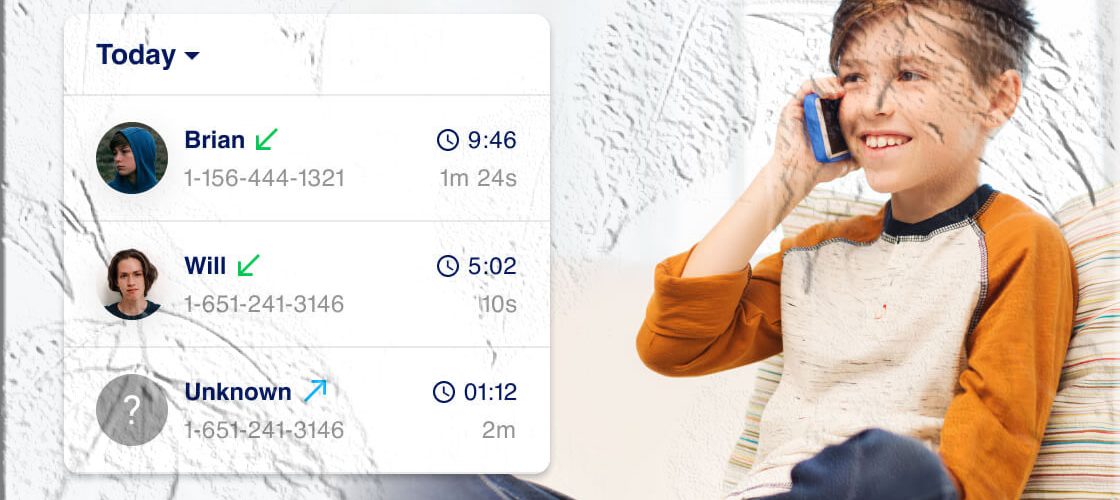
What a Phone Call Tracker Shows
A call tracker gives a structured view of voice activity on a monitored device. Typical items you’ll see include:
- Incoming and outgoing call lists with phone numbers and, when available, contact names.
- Timestamps showing the date and time each call started and ended.
- Call duration for each entry so you can see how long conversations lasted.
- Missed and rejected calls to identify attempts that didn’t connect.
- Frequent contacts summary highlighting the numbers the device interacts with most.
- Search and filter tools to find calls by date, number, or duration.
Some parental control solutions also surface related events—text messages, app chats, or location pings—so you can correlate calls with other activity. When evaluating options, confirm which of these items are included and how they are presented in the parent console.
How Call Tracking Works (High‑level)
Call tracking relies on a few technical components that work together to capture and present call logs:
- Device component: A companion app or managed profile on the child’s phone records call events and metadata.
- Permissions: The child’s device must grant the monitoring component permission to access call logs and related data.
- Secure upload: Captured call records are uploaded to a secure account or cloud storage associated with the parent’s login.
- Parent console: A parent app or web dashboard displays the call history, search tools, and summaries.
- Platform differences: Android and iOS handle call access differently; Android typically allows direct access to call logs when permissions are granted, while iOS may impose more restrictions.
Because mobile operating systems evolve, the exact technical approach varies by product and OS version. Always consult the app’s official documentation in the store listing for the most current installation and permission steps.
Core Features to Expect
When comparing call trackers, look for these practical features:
- Complete call history: Clear lists of incoming, outgoing, and missed calls with timestamps and durations.
- Contact resolution: Display of saved contact names when available, not just raw numbers.
- Frequent contacts report: A quick view of the top contacts by call count or total duration.
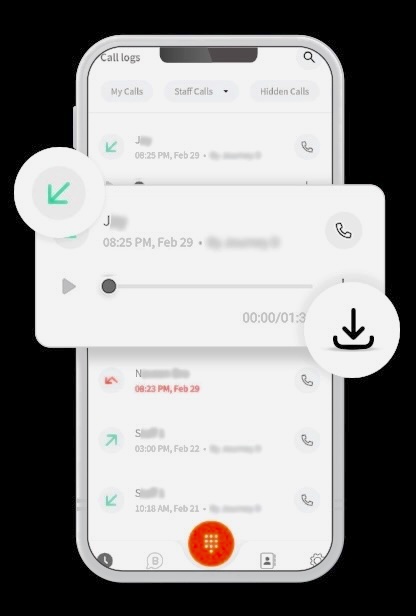
- Search and export: Ability to search by number, date, or keyword and export logs for offline review.
- Cross‑reference with messages and location: Correlate calls with SMS, app messages, or location pings when supported.
- Secure storage and access controls: Encrypted storage and strong parent account protections.
- Platform compatibility: Clear notes on Android and iOS support and any limitations.
Store listings on Google Play and the App Store typically describe which of these features are supported. FreePhoneSpy is one example that lists call tracking among its features in store descriptions.
Step‑by‑Step Setup Workflow
The following workflow applies to most parental control apps that include call tracking. Exact labels and steps vary by product.
- Install the parent app: Download the parent or guardian app from Google Play or the App Store.
- Create a parent account: Register using an email address and a strong password.
- Install the child component: On the child’s phone, install the companion app or configure the managed profile as instructed.
- Grant permissions: On the child’s device, allow the app to access call logs, contacts, and any other required features.
- Pair devices: Use the app’s pairing method (QR code, code entry, or account link) to bind the child’s device to the parent account.
- Test call capture: Make a test call and confirm the entry appears in the parent console with correct timestamps and duration.
- Configure alerts and filters: Set up notifications for unknown numbers or repeated calls from the same contact.
- Review storage and retention: Check how long call logs are kept and whether you can export them.
Follow the app’s in‑app help or store listing for precise instructions. If you choose an app such as FreePhoneSpy, consult its store page for installation steps and permission guidance.
Everyday Uses and Practical Workflows
Parents use call tracking in many routine ways. Below are practical examples and suggested workflows:
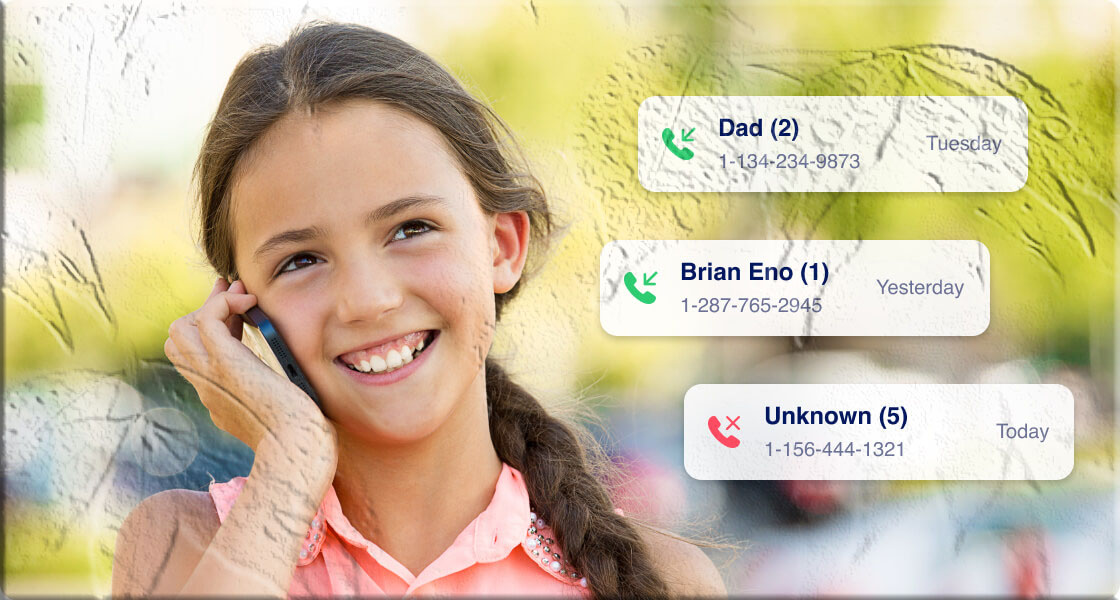
- Unknown caller detection: Review missed or incoming calls from unfamiliar numbers and decide whether to block or investigate.
- Bullying or harassment: Spot repeated calls from the same number that may indicate harassment and preserve logs for reporting.
- Coordination and logistics: Confirm that a child received a call about pickup arrangements or schedule changes.
- Pattern detection: Identify frequent long calls to a single number that may warrant a conversation.
- Incident documentation: Export call logs with timestamps if you need to share evidence with school officials or authorities.
Pair technical monitoring with a family plan: decide when you’ll review logs, how you’ll respond to concerns, and how monitoring will change as children grow.
Balancing Monitoring and Trust
Call tracking can be a sensitive topic. Use these practical approaches to balance safety and respect:
- Set clear expectations: Explain to your child what will be monitored and why.
- Age‑appropriate rules: Younger children may need more oversight; older teens may deserve more privacy.
- Use monitoring for safety: Reserve intensive monitoring for specific concerns rather than constant surveillance.
- Review together: Periodically review call logs with older children to teach responsible communication.
- Gradual reduction: Scale back monitoring as the child demonstrates maturity and responsibility.
Open dialogue reduces resentment and helps children internalize healthy communication habits.
Legal and Institutional Considerations
Laws and policies about monitoring vary by location and context. Practical points to consider:
- Parental authority: Parents generally have broad rights to manage devices they own for minor children, but local laws differ.
- School rules: Some schools restrict device monitoring on campus; check school policies before enabling monitoring during school hours.
- Third‑party caregivers: Inform babysitters, relatives, or other caregivers about monitoring practices to avoid misunderstandings.
- Data protection: Review the app’s privacy policy to understand how call logs are stored, retained, and shared.
When in doubt, consult local guidance or legal resources for specifics in your jurisdiction.
Platform Differences and Limitations
Call tracking capabilities differ between Android and iOS:
- Android: Many parental control apps can access call logs directly when granted the appropriate permissions, making capture straightforward.
- iOS: Apple’s platform restricts direct access to call logs for third‑party apps; some solutions rely on alternative approaches or have limited functionality on iPhones.
- App updates and OS changes: Operating system updates can change what is technically possible; check the app’s store listing for current compatibility notes.
- Encrypted or VoIP calls: Calls made through encrypted VoIP apps (e.g., certain secure calling apps) may not appear in standard call logs; separate monitoring of those apps may be required if supported.
Confirm platform compatibility and limitations before relying on any single solution.
Managing Attachments and Related Activity
Call tracking often sits alongside other monitoring features. Consider how these interact:
- SMS and MMS: Many solutions pair call logs with text message monitoring so you can see follow‑up messages.
- App messaging: Calls may be followed by chats in apps like WhatsApp or Messenger; combined monitoring gives fuller context.
- Location correlation: Pair call events with location pings to understand where a call occurred.
- Exporting evidence: If you need to preserve records, ensure the app exports logs with timestamps and contact details intact.
A combined view helps you interpret events rather than relying on isolated call entries.
Security and Account Protection
Protecting the parent account and the child’s device is essential:
- Strong passwords: Use a unique, complex password for the parent account and change it periodically.
- Two‑factor authentication: Enable 2FA if the app supports it to add a second layer of protection.
- Device locks: Keep both parent and child devices secured with PINs or biometrics.
- Limit account sharing: Avoid sharing parent credentials with others; use family features if the app supports multiple guardians.
- Keep apps updated: Install updates promptly to receive security patches and feature improvements.
These steps reduce the risk of unauthorized access to call logs and other sensitive data.
Performance, Battery, and Data Considerations
Monitoring software can affect device performance. Expect:
- Battery usage: Background syncing and uploads consume battery power.
- Data usage: Uploading logs and attachments uses mobile data if not restricted to Wi‑Fi.
- Device responsiveness: Some monitoring approaches are lightweight; others that run continuous background services may be heavier.
To reduce impact, enable Wi‑Fi‑only uploads, limit attachment sync frequency, and test the child’s device with the app running.
Troubleshooting Common Issues
If call tracking doesn’t work as expected, check these common causes:
- Permissions not granted: Confirm the child’s device has allowed the app to access call logs and contacts.
- Battery optimization: Some phones restrict background apps; disable battery optimization for the monitoring app.
- Platform limitations: iOS may restrict direct call log access; verify the app’s approach for iPhones.
- Network issues: Ensure the child’s device has an active internet connection for uploads.
- Outdated app versions: Update both parent and child apps to the latest releases.
- Account pairing: Re‑pair devices if the parent console cannot find the child’s device.
Most apps include in‑app help or store listing instructions to guide troubleshooting.
Handling Sensitive Discoveries
If monitoring reveals signs of self‑harm, exploitation, or other serious concerns:
- Stay calm: Approach the child with care and without immediate accusation.
- Gather context: Review timestamps and related messages to understand the situation.
- Open a supportive conversation: Ask open questions and listen.
- Seek help: If the situation is urgent or dangerous, contact appropriate professionals or authorities.
- Preserve evidence: Export or save relevant logs if they may be needed by school officials or law enforcement.
Monitoring is a tool to inform supportive action; professional help should be sought when necessary.
Comparing Call Tracking Approaches
Families can choose different levels of monitoring depending on needs:
- Location‑only plus call logs: Minimal intrusion focused on safety and coordination.
- Combined parental control suite: Call logs, messages, app monitoring, web filters, and screen time controls for comprehensive oversight.
- Lightweight monitoring: Periodic checks and alerts without continuous background capture.
Select the approach that matches your family’s priorities and the child’s age.
Choosing an App from Google Play or the App Store
When selecting a call tracker from official stores, evaluate:
- Feature list: Confirm the app supports call logs, timestamps, durations, and export.
- Platform compatibility: Ensure the app supports the child’s device OS and version.
- User reviews: Read recent reviews to learn about reliability and support.
- Developer transparency: Look for clear documentation on permissions, data retention, and privacy.
- Support and updates: Prefer apps with active support and frequent updates.
Search the Google Play Store or the Apple App Store for parental control or family safety apps and read the developer’s description and user reviews. FreePhoneSpy is one named option parents sometimes reference; review its store listing for feature details and installation instructions.
Exporting and Sharing Call Records
If you need to share call records with school staff or authorities:
- Export with metadata: Use export options that preserve timestamps and caller details.
- Secure transfer: Share records through secure channels and avoid public or unsecured methods.
- Document chain of custody: Note when and how records were exported in case they are needed for official processes.
- Share only what’s necessary: Respect privacy by limiting shared data to what’s relevant for the situation.
Confirm export formats and procedures before relying on them in an urgent situation.
Best Practices for Long‑Term Use
To keep call tracking effective and respectful:
- Review settings periodically: Update filters and retention settings as needed.
- Limit retention: Delete older logs that are no longer relevant to respect privacy.
- Use monitoring sparingly: Reserve intensive monitoring for specific concerns.
- Model good behavior: Demonstrate healthy communication habits as a parent.
- Encourage digital literacy: Teach children how to communicate responsibly and how to handle uncomfortable calls.
These practices keep monitoring purposeful and constructive.
FAQs
Q: Can I see who my child called and how long they spoke? Yes. When a parental control app that supports call tracking is installed and configured on the child’s device, parents can view incoming and outgoing call logs with timestamps and durations in the parent console. Check the app’s store listing for platform compatibility and installation steps. FreePhoneSpy lists call tracking among its features in store descriptions.
Q: Do I need physical access to the child’s phone to set up call tracking? Initial setup typically requires temporary physical access to install the child component and grant permissions. After pairing, many apps allow remote access to call logs.
Q: Will call tracking work on both Android and iPhone? Capabilities differ by platform. Android often allows direct call log access when permissions are granted. iOS may impose restrictions; consult the app’s documentation for iPhone compatibility.
Q: Can I export call logs for evidence? Many parental control apps provide export options (CSV, PDF, etc.). Confirm export formats and metadata preservation before relying on them for official use.
Q: Will monitoring drain the child’s battery? Background syncing and uploads use battery and data. Use Wi‑Fi‑only uploads and limit sync frequency to reduce impact.
Q: Where can I find apps that support call tracking? Search the Google Play Store or the Apple App Store for parental control and family safety apps. Read the developer’s description and user reviews to confirm call tracking features. FreePhoneSpy is one example parents sometimes reference; review its store listing for feature details and installation instructions.
Final Checklist Before You Start
- Choose an app from Google Play or the App Store and read the feature list.
- Install the parent and child components and follow the developer’s pairing instructions.
- Grant call log and related permissions on the child’s device.
- Test call capture with a few test calls.
- Configure alerts for unknown numbers or repeated calls.
- Secure the parent account with a strong password and enable two‑factor authentication if available.
- Create a family agreement that explains monitoring rules and expectations.
Phone call tracking can be a practical part of a family’s safety toolkit when used thoughtfully. Pair technical controls with open conversations, age‑appropriate boundaries, and a plan to reduce monitoring as trust grows. Evaluate apps carefully in the official app stores, confirm platform compatibility, and keep account security and data handling practices up to date. FreePhoneSpy is one example of a parental control app that lists call tracking features in its store descriptions; compare it with other options to find the best fit for your family.