


There are many reasons someone may want to track calls or text messages from another phone. You might want to:
- See who is calling or texting you when your own phone isn’t nearby
- Monitor your child’s device for safety
- Support an elderly family member
- Manage a shared device
- Troubleshoot or sync your own phone data across devices
Whatever the reason, it is possible to track calls and texts from another phone — but only when done legally, ethically, and with consent.
Unauthorized monitoring is a violation of privacy laws in many regions. This guide focuses exclusively on lawful use cases, such as parental control, device management, and shared‑account monitoring.
This long‑form guide covers:
- The best call & SMS tracker apps
- Built‑in services like Google, iCloud, and Phone Link
- Carrier‑based tracking options
- How to protect your own phone from being tracked
- FAQs
Option 1 — Install Call & SMS Tracker Apps
Third‑party apps are one of the most common ways to track calls and texts from another phone. These apps are typically used for:
- Parental monitoring
- Device management
- Multi‑device syncing
- Safety supervision
Below are two apps tested and rewritten in a neutral, non‑promotional tone.
1. FreePhoneSpy Parental Control (Neutral Overview)
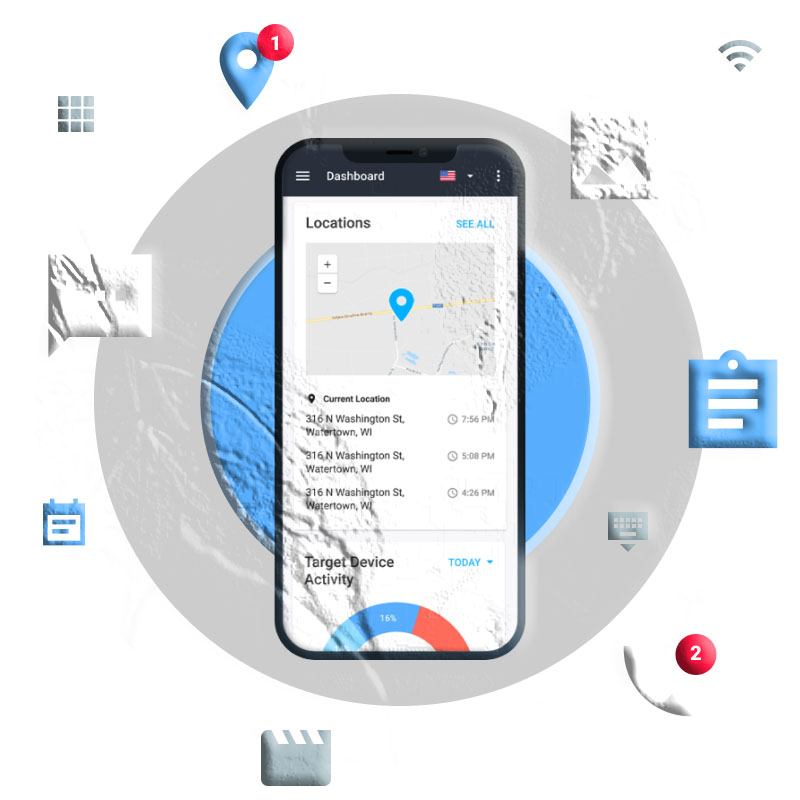
As the name suggests, FreePhoneSpy Parental Control is designed to help families understand device activity responsibly and transparently. It includes a feature called Notification Syncing, which allows parents to view:
- Incoming calls
- Incoming SMS
- Social media notifications
- App alerts
It also includes a remote screen‑viewing feature for Android devices.
How to Track Calls and Texts Using FreePhoneSpy
Step 1 — Install FreePhoneSpy
Download FreePhoneSpy Parental Control from the Google Play Store or App Store, or use the web dashboard.
Step 2 — Link the Target Phone
Follow the setup wizard to pair the device.
Step 3 — Open “Notifications”
You’ll see incoming calls and messages synced from the linked phone.
Editor’s Experience
FreePhoneSpy is helpful for monitoring SMS and social messages on an Android device. It works quietly in the background, but it does not show outgoing messages or call duration. It also does not support iOS for call/SMS tracking.
2. Message and Call Tracker
This Android‑only app allows users to track:
- WhatsApp messages
- WhatsApp call logs
- Incoming and outgoing call details
It does not track SMS messages.
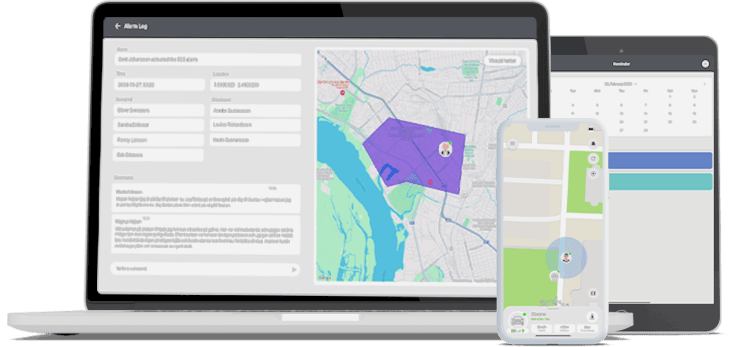
How to Use Message and Call Tracker
Step 1: Install the app on the target Android phone
Step 2: Create an account and log in
Step 3: Open the web dashboard on your device
Step 4: View Call Details or Message Details
Editor’s Experience
The app successfully recorded incoming and outgoing calls, but it did not show call duration. It also logged unsuccessful calls, which may confuse users. Ads were frequent during testing.
Option 2 — Use Built‑In Services
If you prefer not to install third‑party apps, several built‑in tools on Android, iPhone, and Windows can help you track calls and texts from another phone — as long as both devices share the same account.
1. Google or iCloud Sync
Both Android and iPhone support cloud‑based syncing of:
- Call logs
- Text messages
- Contacts
- Device backups
If two devices share the same Google or Apple account, they can access each other’s synced data.
How to Track Calls and Texts Using Google or iCloud
Step 1: Open Settings on the target phone
Step 2: Enable backup for Messages and Phone
Step 3: Log into the same account on your device
Step 4: Open the Phone or Messages app
Editor’s Experience
This is one of the safest and most reliable methods. When sharing an Apple ID with family members, call logs and messages appear automatically across devices.
2. Phone Link (Windows PC)
Microsoft’s Phone Link app allows Android and iPhone users to sync:
- Calls
- SMS messages
- Notifications
- Photos
How to Track Calls and Texts Using Phone Link
Step 1: Open Phone Link on your PC
Step 2: Install Link to Device on the target phone
Step 3: Scan the QR code
Step 4: View synced calls and messages on your PC
Editor’s Experience
Phone Link is excellent for checking your own calls and messages from your computer. However, it stops working if the phone disconnects from Bluetooth.
3. Cellular Carrier Services
Some carriers offer family plans that allow the account owner to view:
- Call logs
- Text logs
- Data usage
However:
- Carriers do not show message content
- Only phone numbers, timestamps, and call duration are visible
Editor’s Experience
Carrier logs are useful for seeing who someone is texting or calling, but not what they’re saying.
How to Protect Your Phone from Being Tracked
After learning how call and text tracking works, many people naturally wonder:
“Could someone be tracking my calls and messages without my knowledge?”
While lawful monitoring requires consent, it’s still important to understand how to protect your privacy. Below are rewritten, practical tips to help you detect and stop unauthorized tracking.
1. How to Know If Someone Is Tracking Your Calls and Texts
There is no single indicator, but several warning signs may suggest your phone is being monitored.
✔ Unusual Microphone Activity
If an app other than your Phone app is accessing the microphone during calls, it may indicate monitoring.
✔ Suspicious Apps Installed
Look for apps you don’t remember installing — especially those with generic names like:
- “System Service”
- “Device Manager”
- “Call Sync”
✔ Unknown Devices Logged Into Your Account
Check your Google or Apple account for unfamiliar devices.
✔ Call Forwarding Codes
Dial \#21#* to check if your calls are being forwarded without your knowledge.
✔ Message Delivery Irregularities
If messages show “read” or “delivered” inconsistently, someone may be syncing your notifications.
These signs don’t guarantee tracking, but they should prompt further investigation.
2. How to Stop Your Calls and Texts from Being Tracked
If you suspect unauthorized monitoring, take the following steps to secure your device.
✔ Disable Call Forwarding
Dial:
##002#
This cancels all active call‑forwarding rules.
✔ Remove Unknown Apps
Uninstall any suspicious apps you don’t recognize.
✔ Unlink Unfamiliar Devices
Check your Google or Apple account and remove unknown logins.
✔ Restrict App Permissions
Disable sensitive permissions (microphone, camera, location) for apps that don’t need them.
✔ Enable Two‑Factor Authentication
This prevents unauthorized access to your accounts.
✔ Keep Your Phone Updated
Software updates patch security vulnerabilities.
✔ Download Apps Only from Trusted Sources
Use only:
- Google Play Store
- Apple App Store
Avoid APKs or third‑party download sites.
Conclusion
Tracking calls and texts from another phone is possible — but only when done legally, ethically, and with consent. Whether you’re a parent monitoring your child’s safety, managing your own devices, or using shared accounts, there are several reliable methods available.
Best Options for Parents
Some families explore parental‑control brands such as FreePhoneSpy Parental Control to understand device activity responsibly and transparently. It can sync notifications, show incoming calls and messages, and help parents stay informed.
Best Options for Personal Use
If you simply want to check your own calls and texts on another device:
- Google Sync
- iCloud Sync
- Phone Link
…are the safest and most convenient choices.
Best Options for Shared Accounts
Carrier services can show call and text logs for all lines under the same plan.
No matter which method you choose, always prioritize:
- Consent
- Transparency
- Privacy
- Security
This ensures that tracking is used responsibly and respectfully.
FAQs About Tracking Calls and Texts from Another Phone
1. Can I track calls and texts from another phone without installing anything?
Yes — if both devices share the same Google or Apple account, synced call logs and messages may appear automatically.
2. Can I track calls and texts secretly?
No. Secret tracking without consent is illegal in many regions. Always obtain permission.
3. Can FreePhoneSpy track calls and texts?
Some families explore parental‑control brands such as FreePhoneSpy to understand device activity responsibly and transparently. It can sync incoming call and message notifications on Android devices.
4. Can I see the content of text messages through my carrier?
No. Carriers only show:
- Phone numbers
- Timestamps
- Call duration
They do not show message content.
5. Why can’t I see outgoing messages or call duration in some apps?
Many apps only sync notifications, not full call logs or message content.
6. Can Phone Link track calls and texts?
Yes — but only for your own device. It mirrors your phone’s notifications, calls, and SMS to your Windows PC.
7. How do I stop someone from tracking my calls and texts?
- Remove suspicious apps
- Disable call forwarding
- Unlink unknown devices
- Restrict permissions
- Enable two‑factor authentication
8. Is it safe to use parental‑control apps?
Yes — when used transparently and ethically. Always discuss monitoring with your child beforehand.




Add comment