Activity Reports
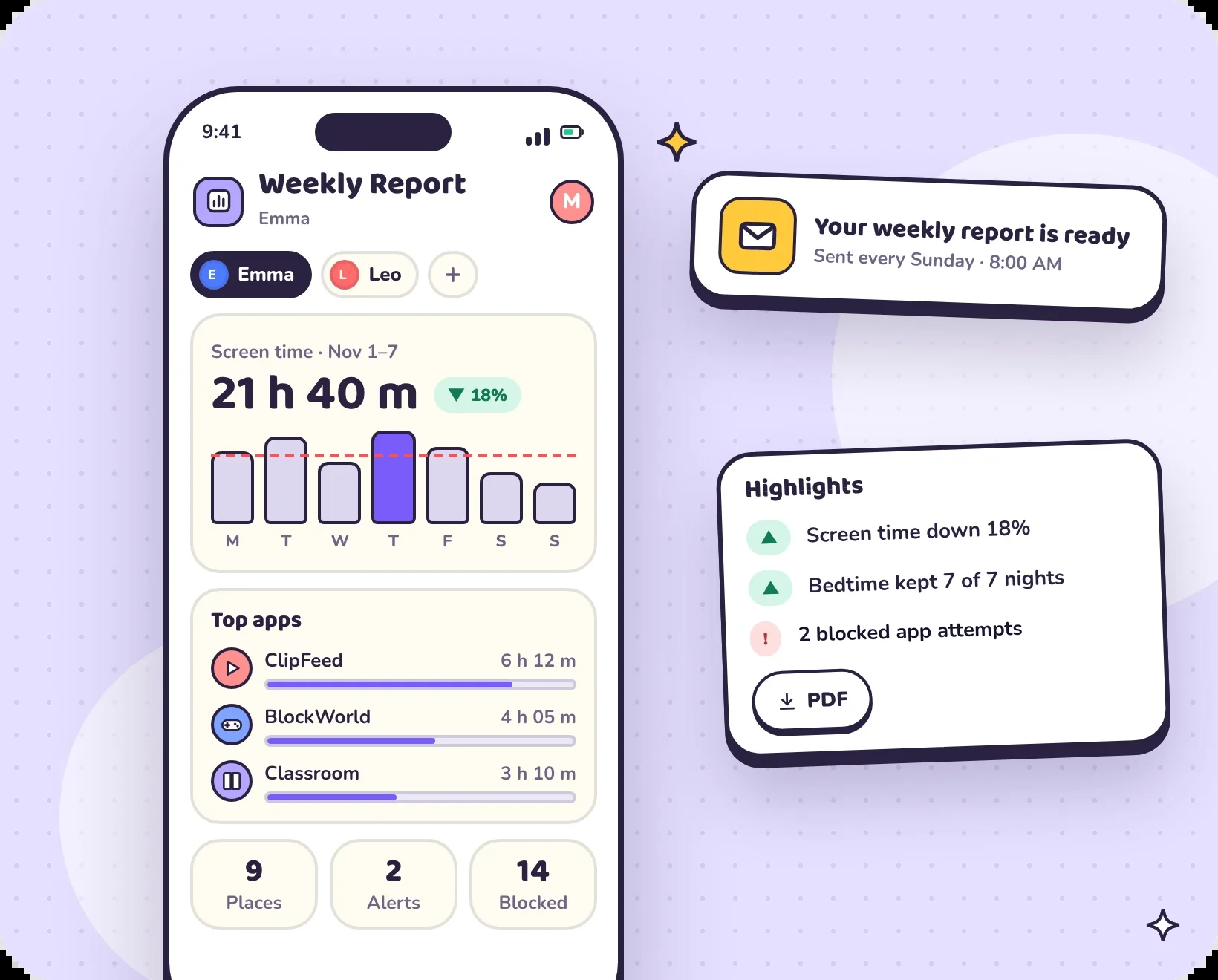
Get a daily and weekly report of screen time, top apps, places, and alerts. It takes a minute to read.
AndroidiPhone — not availableWeb panel
What you can do
A short summary of your child's day and week.
Daily summary
Screen time, places visited, and alerts for the day.
Weekly trends
Compare this week with last week.
Top apps and places
See where the time goes.
Email reports
Get the weekly report in your inbox every Sunday.
Why it matters
Why parents use Activity Reports
Daily numbers can be noisy. A weekly report shows real habits and helps you set fair rules.
Tips for parents
- Read the weekly report together on Sunday.
- Praise progress, not only problems.
- Adjust limits based on trends, not one bad day.
How to set it up
Three steps
Open Reports and pick your child.
Switch between daily and weekly view.
Turn on email reports if you want them.
Questions
Activity Reports FAQ
Can I download a report?
Yes. Save any report as a PDF from the web panel.
Who gets the email?
Every parent on the account, unless they turn it off.
Can my child see the report?
Yes. Your child can see their own screen time summary in the app.
Try Activity Reports free
Free on Android and the web. Set up in about 5 minutes.